


Cybersecurity learning guide
Kioptrix Level for Learners:
Guided Platforms or Self-Directed Labs?
There is a moment in every cybersecurity beginner’s life when the tutorial voice goes quiet. The lesson page stops telling you which tool to run. The hint box disappears. The vulnerable machine sits there, blinking in the virtual dark, and suddenly the whole room feels louder.
That is where Kioptrix Level 1 becomes useful. Not because it is shiny, new, or magical. It is useful because it asks a harder question than “Can you follow a walkthrough?” It asks whether you can notice evidence, form a hypothesis, test it safely, document what happened, and keep your hands steady when the map gets foggy.
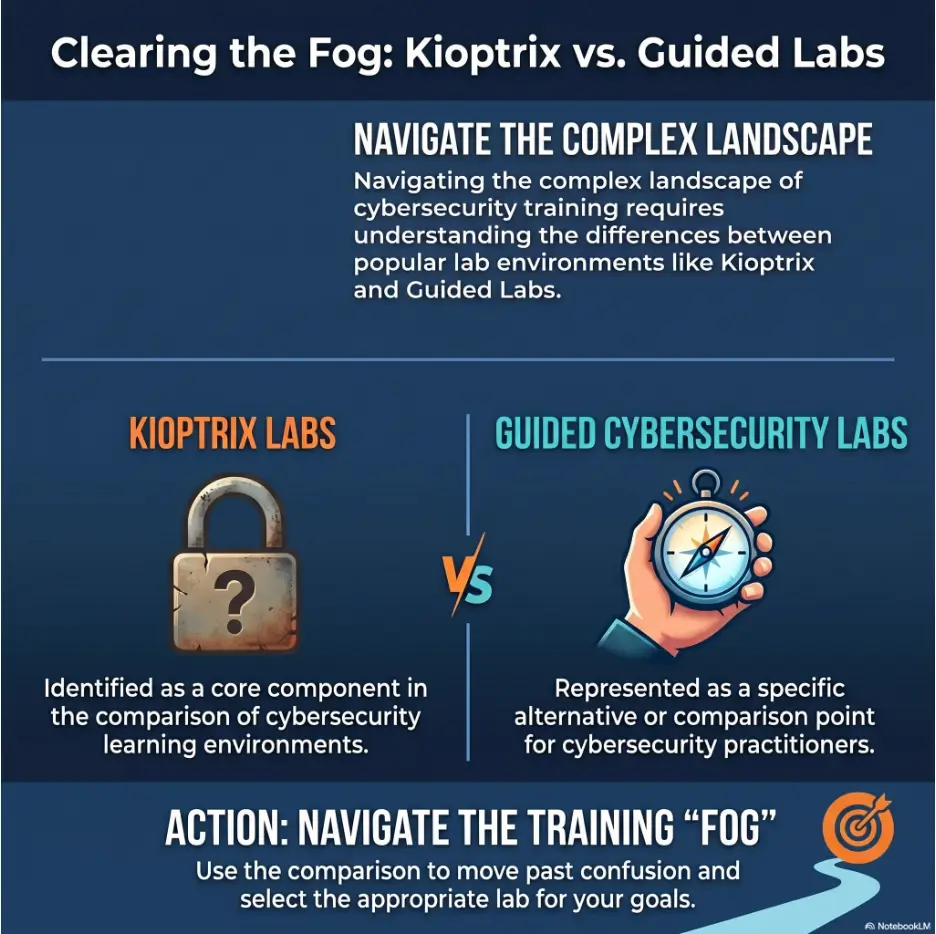
This guide helps you decide whether to stay on guided platforms like TryHackMe or HTB Academy a little longer, or step into self-directed VulnHub-style labs like Kioptrix. No ego contest. No gatekeeping. Just a calm decision path for learners who want skill, not keyboard theater.
Choose your level
Know whether Kioptrix is your next step or a better goal for later.
Reduce wasted weekends
Avoid the classic traps: walkthrough dependency, noisy tool use, and unsafe lab setup.
Build real practice habits
Turn one old VM into a useful method for notes, evidence, and decision-making.
🧭 The promise: by the end, you will know whether to run Kioptrix now, return to guided labs first, or use both without getting lost in the smoke machine.
Snapshot
This article is for cybersecurity beginners, IT career switchers, junior SOC analysts, help desk workers, and self-study learners deciding between guided platforms and older self-directed labs. You will learn what Kioptrix Level 1 is good for, when it is too early, how to prepare safely, and how to run a 90-minute readiness session before committing a whole weekend.
Table of Contents
Safety Disclaimer: Use Kioptrix Only in a Private Lab
Kioptrix and similar vulnerable machines should only be used in a private, isolated lab that you own and control. That means your own virtual machines, your own host computer, and a network configuration that does not expose the vulnerable target to public networks or unrelated devices.
Do not scan, probe, exploit, or “just test one thing” against real websites, public IP addresses, employer systems, school networks, coffee shop Wi-Fi, apartment networks, or any system where you do not have explicit permission. Ethical practice is not only about your intention. It is about authorization, scope, and containment.
Key takeaway:
A vulnerable VM is a practice instrument, not a license to test the internet. Keep Kioptrix inside an isolated lab network, document what you do, and stop immediately if you are not sure where your traffic is going.
Why lab boundaries matter
Beginners often think the danger starts when an exploit runs. In practice, the boundary matters much earlier. Discovery scans, service checks, directory brute-force tests, and version lookups can all create unwanted traffic if your setup is wrong.
That is why your first skill is not “root.” Your first skill is knowing what you are touching. If the target IP is not clearly inside your own lab, the correct move is to stop, breathe, and fix the environment.
What safe practice looks like
A safe Kioptrix practice setup usually has an attacker VM, a target VM, and a network mode that keeps both machines together while keeping unrelated devices out of the experiment. Many learners use host-only or carefully configured NAT-style lab networks for this purpose, depending on their hypervisor and comfort level.
The important habit is verification. Before scanning, confirm the target machine, the attacker machine, and the network range. Treat that check like putting on safety glasses before using a drill. It is not glamorous, but it prevents the tiny disaster goblins from getting invited.
Kioptrix Level 1 in Plain English
Kioptrix Level 1 is a vulnerable virtual machine made for hands-on penetration-testing practice. The learner runs it in a lab, discovers the target, identifies services, researches weaknesses, and tries to gain root access inside that controlled environment.
That simple description hides the real lesson. Kioptrix is not mainly about memorizing one famous exploit or collecting a trophy screenshot. Its best use is teaching the learner how to move from uncertainty to evidence.
Guided platforms often feel like a lesson with a helpful tutor nearby. Kioptrix feels more like being handed a notebook, a flashlight, and a room full of dusty cabinets. You are not told which drawer matters. You learn by opening things carefully.
What the lab actually teaches
At a practical level, Kioptrix teaches vulnerability assessment basics: target discovery, port scanning, service enumeration, version research, exploit validation, privilege thinking, and documentation. Those are the bones of many beginner security workflows.
At a deeper level, it teaches patience. You learn that a result from a scanner is not an answer. It is a clue. A service banner is not a doorway by itself. It is a note pinned to the doorway, and you still need to ask whether the door is real, locked, useful, or painted on the wall.
For a help desk worker, that might feel similar to troubleshooting a broken printer where the first error message is not the final cause. For a SOC beginner, it resembles alert triage: you gather signals, remove noise, check assumptions, and avoid sprinting after the first dramatic-looking string.
Why beginners still talk about it
Kioptrix is older, and that is part of the charm. It is not trying to impress you with modern cloud dashboards or cinematic challenge rooms. It is a small, stubborn practice box that asks whether you can do the basics when no one is naming the basics for you.
Many learners remember their first self-directed lab because it changes the emotional texture of study. You stop feeling like someone completing exercises and start feeling like someone conducting an investigation. That shift matters.
Still, nostalgia should not bully your study plan. An older lab can be useful, but it is not automatically the best next step for every learner. The goal is not to do what sounds more serious. The goal is to pick the practice that builds skill without crushing momentum.
The hidden lesson is not the exploit
The exploit is the shiny object. The methodology is the treasure chest.
A learner who runs a tool, copies a command from a walkthrough, gets root, and writes “done” may finish the machine while learning very little. Another learner may spend two hours mapping services, documenting false starts, and explaining why certain findings did not matter. That second learner may be closer to real growth, even without a triumphant final flag.
Kioptrix rewards the quiet skills: taking notes, comparing evidence, deciding what to test next, spotting a dead end, and returning to enumeration when your first idea collapses like wet cardboard.
Key takeaway:
Kioptrix Level 1 is not valuable because it gives you a secret trick. It is valuable because it forces you to practice enumeration, judgment, note-taking, and calm troubleshooting without a platform whispering the next step.
Who Should Choose Kioptrix, and Who Should Wait
The best Kioptrix learner is not a total beginner and not an expert. The sweet spot is the almost-ready beginner: someone who has enough foundation to understand what a scan is showing, but still needs practice making decisions without a checklist.
That may describe a career switcher who has completed several guided rooms, a help desk worker learning offensive security after work, or a junior SOC analyst who wants to understand attacker thinking beyond alert screenshots.
Best fit: the almost-ready beginner
You are probably ready for Kioptrix if you can explain IP addresses, ports, common services, Linux file permissions, basic web requests, and the difference between discovering a service and proving a weakness. You do not need to be brilliant. You need enough vocabulary to avoid drowning in your own terminal.
You should also be comfortable with slow progress. Self-directed labs often include long stretches where nothing dramatic happens. You scan, read, compare, test, fail, adjust, and write. That is not wasted time. That is the work wearing plain clothes.
Not for day-one learners
If you do not yet understand what an IP address is, what a port means, why services matter, or how your VM network is arranged, Kioptrix will probably feel rude. Not impossible, but rude.
That frustration can be harmful because it teaches the wrong lesson. You may start thinking, “I am bad at cybersecurity,” when the real problem is that you skipped the vocabulary stage. Nobody learns music by being thrown into a concert hall with a violin and a tax form.
For total beginners, guided platforms are kinder and more efficient. They teach vocabulary, tool behavior, lab safety, and small wins. Those small wins are not childish. They are scaffolding.
Not for shortcut collectors
Kioptrix is also a poor match for learners who only want copy-paste walkthroughs. Walkthroughs have value when used carefully, but they become a sugar fog when used as the main steering wheel.
If your first habit is to search “Kioptrix Level 1 full solution” before you have written your own notes, the lab will turn into a typing exercise. You may finish faster, but your decision-making muscles will stay tiny and suspiciously decorative.
Guided Platforms Give You Rails
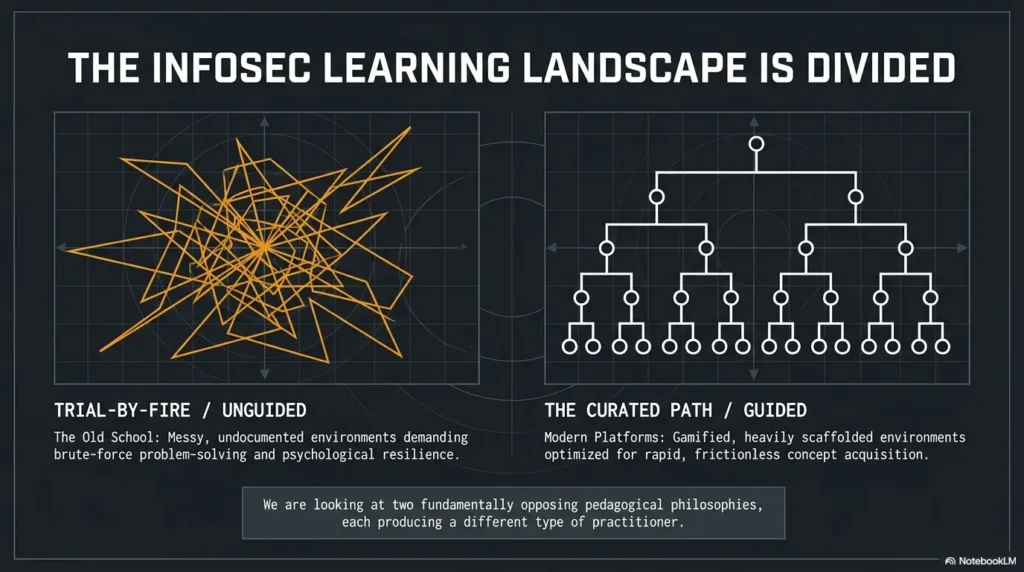
Guided platforms are popular because they solve a real beginner problem: too much unknown at once. When you are new, even the words can feel like a drawer full of tangled cables. Guided rooms, lessons, quizzes, hints, and built-in environments reduce the noise.
That structure is not weakness. It is how many people learn well. A good guided platform lets you focus on one concept at a time instead of wrestling with networking, tooling, vocabulary, permissions, syntax, and confidence in the same ten-minute window.
Why TryHackMe-style structure feels safer
Guided platforms usually tell you what skill you are practicing. A room might focus on Nmap basics, Linux permissions, web enumeration, simple exploitation, or privilege escalation concepts. The learner gets a target, an expected path, and hints if the wheels start wobbling.
This reduces cognitive load. Instead of wondering whether you misunderstood the tool, broke the VM, missed a service, or offended the command line spirits, you can stay with the lesson. For many learners, that makes the difference between quitting and continuing.
The confidence dividend
Confidence is not fluff. It is fuel. A beginner who completes structured lessons starts building a memory bank of “I have seen this before.” That memory bank matters later when Kioptrix throws a blank page at you.
For a career switcher studying after a full workday, guided learning can be a mercy. You may have only forty minutes before dinner, childcare, errands, or sleep. A structured lesson gives you a clean target for that small pocket of time.
For a junior help desk worker, guided labs can connect familiar support concepts to security thinking. Ports stop being abstract. Services start looking like systems with behaviors, risks, and evidence trails.
The quiet downside of too much guidance
The problem begins when the platform becomes a permanent narrator. If every room tells you the next tool, the next flag, and the next concept, you may start waiting for the task list to think for you.
That dependency is subtle. You may know many commands but not know when to use them. You may collect badges but freeze when a target does not fit the lesson format. The knowledge is there, but the decision engine is still under construction.
That is where Kioptrix can help. It removes the rails just enough for you to discover whether your habits can stand up by themselves.
Key takeaway:
Guided platforms are excellent for vocabulary, confidence, and structured repetition. The risk is staying so long that you learn to wait for hints instead of forming your own next question.
Self-Directed Labs Give You Fog
Self-directed labs are useful because they feel less tidy. Kioptrix does not give you a neat checklist of tasks. It expects you to decide what matters, what to test, what to ignore, and when to return to your notes.
That ambiguity can feel uncomfortable, especially the first time. But discomfort is not automatically bad. Sometimes it is the sound of a new skill waking up and knocking over a chair.
Kioptrix starts where tutorials get quiet
In a tutorial, the task often says something like “scan the target” or “enumerate the web server.” In Kioptrix, you may simply have a target machine and a goal. That means you must decide the early workflow yourself.
That workflow might include confirming the lab network, discovering the target, identifying open services, collecting version details, visiting web services, researching known weaknesses, checking whether findings are relevant, and writing down what happened.
Notice how many verbs in that sentence are thinking verbs, not tool verbs. Confirming, identifying, collecting, researching, checking, writing. That is where the practice lives.
The fog is the feature
Fog forces prioritization. When every path is possible, you must ask which path has evidence. That is a core security skill.
Maybe one service looks old but unreachable. Maybe a web page exists but gives almost nothing. Maybe a scanner reports something dramatic, but the finding is a false positive. A guided lab might tell you which clue matters. Kioptrix makes you earn that judgment.
This is also why Kioptrix can be tiring. It is not just technical work. It is decision work. The brain sweats in small, invisible droplets.
Here is what no one tells you
A self-directed lab can feel less like “learning hacking” and more like learning how not to panic when the map turns into soup. That is normal.
The first win may not be root. The first win may be a clean scan log. Or a correct explanation of a service. Or a note that says, “This looked promising, but I ruled it out because…” Those are not consolation prizes. They are professional habits with work boots on.
Learning path decision flow
1. Need vocabulary?
Start with guided networking, Linux, scanning, and web basics.
2. Can read evidence?
Move to Kioptrix when you can explain scan results without copying.
3. Hit a wall?
Use conceptual hints, improve notes, then return to your own testing.
4. Build a habit
Alternate guided lessons and self-directed sessions for steady growth.
The Readiness Test Before Kioptrix
Before downloading Kioptrix, run a readiness test. Not a dramatic one. No heroic music required. The test is simple: can you set up a safe lab, discover the target, explain your scan results, and create a useful notebook?
If yes, Kioptrix is probably a good next challenge. If not, that is not failure. It is useful information. Return to guided labs for one more week, strengthen the missing pieces, and come back with better tools in your head.
Can you explain your scan results?
A scan result is only useful if you can explain it. Open ports tell you what services appear reachable. Service versions give you research leads. Scripts and scanner messages may provide hints, but they also require skepticism.
A ready learner can look at scan output and say, in plain English, “This host appears to offer these services. These versions may matter. These findings need verification. This result is interesting, but I do not yet know whether it is exploitable.”
That last sentence matters. Mature beginners do not treat every scanner line like prophecy carved into stone. They treat it like a weather report: helpful, but still worth looking out the window.
Can you troubleshoot VM networking?
VM networking is one of the first places beginners lose time. NAT, host-only, bridged adapters, duplicate interfaces, wrong subnets, and “why does my target have no IP?” moments can devour an evening with tiny silver teeth.
Before Kioptrix, you should be able to answer three questions: What network is my attacker VM on? What network is my target VM on? Can my target reach anything it should not reach?
If those answers are fuzzy, pause. Study your hypervisor settings first. A clean lab setup protects you legally, ethically, and practically. It also makes troubleshooting much easier because you know the walls of the room.
Can you write a simple attack notebook?
Your notebook is not decoration. It is your second brain, your mistake catcher, and your future portfolio seed. A strong Kioptrix session should leave behind more than terminal history.
Use a repeatable structure: target IP, date, goal, network setup, open services, service notes, hypotheses, evidence, commands used, dead ends, successful path, and lessons learned. This turns your practice into a record you can review, refine, and later explain in interviews.
Kioptrix readiness checklist
- I can describe the difference between my attacker VM and target VM.
- I can confirm the lab network before scanning.
- I can explain what open ports and service versions mean.
- I can research a service finding without blindly copying commands.
- I can keep notes that include evidence and failed attempts.
- I can stop when I am unsure whether my traffic is still inside the lab.
Common Mistakes That Waste the First Weekend
The first Kioptrix weekend can be productive, frustrating, or accidentally educational in the way a burned pancake is educational. Most wasted time comes from a few avoidable mistakes.
The good news is that these mistakes are not character flaws. They are beginner patterns. Once you can name them, you can build guardrails around them.
Mistake 1: Starting with a walkthrough open
Walkthroughs are not evil. They can teach structure, reveal missed assumptions, and rescue a session that has gone stale. But opening one at the start changes the whole exercise.
Once the answer is visible, your brain stops hunting in the same way. You may still type the commands, but the investigative tension is gone. It is like reading the last page of a mystery novel and then pretending to deduce the ending over tea.
A better rule: try independently first, document what you tried, and use hints only after a real attempt. Search for concepts, not full solutions. “How to interpret service version scans” teaches more than “Kioptrix full walkthrough.”
Mistake 2: Running tools without knowing why
Tool-chaining feels productive because the terminal moves. But motion is not progress. If you cannot explain why you ran a command or what the result means, the tool is driving and you are in the passenger seat holding snacks.
Before each command, write a tiny intention: “I am checking for open services,” “I am looking for web directories,” or “I am validating whether this version information matters.” After each command, write what changed.
This habit slows you down at first. Then it saves hours because you stop repeating the same scan in different costumes.
Mistake 3: Ignoring lab isolation
Lab isolation is not a boring setup chore. It is part of the skill. A vulnerable machine should not be placed where unrelated systems can reach it or where your tools can wander outside the approved practice area.
Before scanning, confirm the IP range. Confirm which adapter is active. Confirm that the target is the VM you intend to test. If you cannot confirm those things, your next task is not exploitation. Your next task is networking housekeeping.
Mistake 4: Treating root as the only win
Root access is satisfying. It is the cymbal crash at the end of the beginner orchestra. But if root is your only definition of success, you may miss the learning happening earlier.
A clean enumeration report is a win. A well-documented dead end is a win. A corrected misunderstanding about VM networking is a win. A note that explains why a scanner result was not useful is a win.
Professional security work is full of partial findings, careful exclusions, and boring-looking evidence. Kioptrix can help you learn that rhythm early.
Key takeaway:
Do not measure your first Kioptrix attempt only by root access. Measure it by whether your notes, reasoning, safety checks, and troubleshooting are better at the end than they were at the start.
Guided Platform First, Kioptrix Second
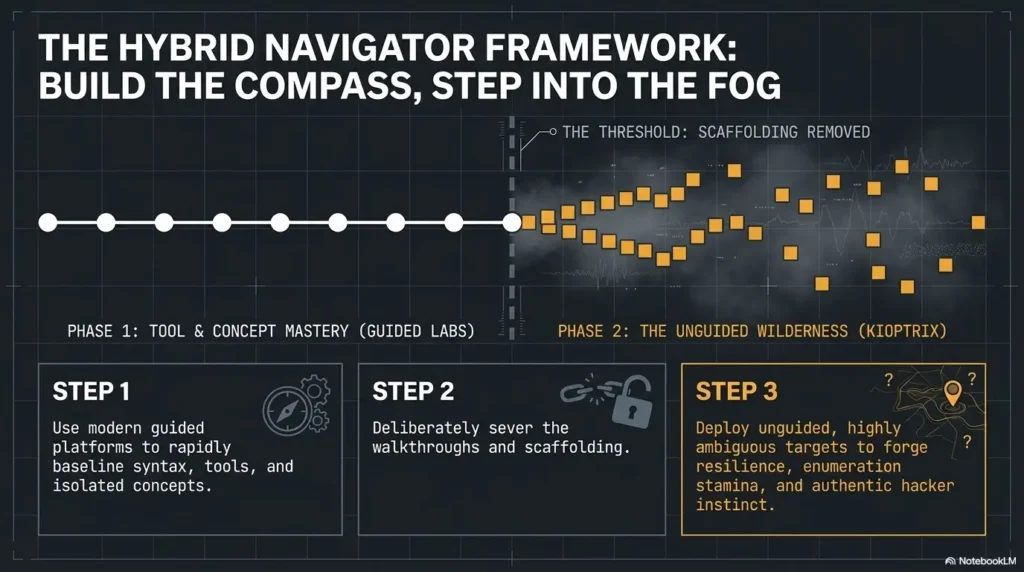
For most learners, the best path is not guided platforms or Kioptrix. It is guided platforms first, Kioptrix second, then back and forth as needed. Rails and fog both teach different muscles.
Guided platforms help you learn vocabulary and tool behavior. Kioptrix helps you practice independent thinking. A balanced study plan uses each for the job it does best.
A practical learning sequence
Start with basic networking. Learn what IP addresses, ports, protocols, subnets, DNS, HTTP, and SMB are. Then learn Linux fundamentals, especially file navigation, permissions, processes, users, and basic shell comfort.
Next, practice scanning and enumeration in guided beginner rooms. Learn what common tools show, but resist memorizing commands without meaning. Then add web basics: requests, responses, forms, directories, status codes, headers, and common server clues.
After that, try Kioptrix. Not as a final exam. Treat it as your first quiet room where the instructor has stepped outside for coffee.
What to complete before switching
Before Kioptrix, complete beginner material covering service discovery, basic web enumeration, Linux permissions, common vulnerable services, simple privilege concepts, and safe VM setup. You do not need mastery. You need enough shape to the subject that the first blank screen does not feel like a locked cathedral.
If you have already completed a few guided boxes but still feel shaky, do one review week. Repeat one networking lesson, one Linux lesson, one scanning lesson, and one web enumeration lesson. Repetition is not regression. It is sharpening the pencil before the sketch.
How to know the switch is working
The switch is working when your questions improve. Instead of asking, “What command do I run?” you start asking, “What evidence do I have?” and “What would confirm or reject this idea?”
You may still feel stuck. That is fine. The important change is that your stuckness becomes more specific. Specific stuckness is progress. It means your confusion has edges.
Suggested beginner sequence
- Networking basics: IPs, ports, protocols, DNS, HTTP, SMB.
- Linux basics: navigation, files, permissions, processes, users.
- Scanning basics: service discovery, version checks, output interpretation.
- Web basics: requests, directories, forms, headers, status codes.
- Guided beginner rooms: repeat until you can explain each step.
- Kioptrix session: work independently, document evidence, use hints sparingly.
This is also where internal study resources can help. A learner who needs structure before Kioptrix can use a beginner roadmap such as a Kioptrix labs beginner roadmap, then move into practical setup guidance like building a safe hacking lab at home before attempting a self-directed session.
Kioptrix as an OSCP-Style Thinking Warm-Up
People often mention Kioptrix in the same breath as beginner penetration-testing practice and OSCP-style preparation. That does not mean Kioptrix perfectly mirrors any current exam or modern professional assessment. It means the lab can train habits that matter in independent technical work.
Those habits include enumeration discipline, persistence, documentation, service research, and the ability to continue when no one hands you the next clue in a velvet envelope.
Why people connect it to exam prep
Exam-style practice often rewards independent enumeration and clear reporting. Kioptrix can help with both. You learn to gather evidence, make decisions, test carefully, and document the chain of reasoning.
But do not overstate it. Kioptrix is one lab. It is not a curriculum, a certification plan, or a complete picture of modern security work. It is a useful training stone in a longer path.
If you are building toward OSCP-style study, pair Kioptrix with modern web security, Active Directory fundamentals, scripting practice, report writing, time management, and other intermediate labs.
What it can teach well
Kioptrix can teach you to slow down. That sounds odd because beginners often want to go faster. But better enumeration usually feels slow at first. You check, record, compare, and return to earlier clues. Speed comes later, after your process stops leaking attention.
It can also teach humility. A service that looks boring may matter. A finding that looks dramatic may not. Your first theory may be wrong. Your second theory may be wrong in a more interesting way. This is normal technical work, not a personal indictment from the machine gods.
What it cannot teach alone
Kioptrix will not teach everything you need for modern cybersecurity work. It will not give you full coverage of cloud misconfigurations, modern identity systems, secure development, Active Directory depth, API authorization, container security, or professional client reporting.
Use it for what it is: a compact, self-directed methodology exercise. Then build outward. A learner preparing for more structured offensive security study may also benefit from resources like an OSCP practical prep hub and note-taking systems for pentesting.
Key takeaway:
Kioptrix can support OSCP-style thinking because it trains independent enumeration and persistence. It should still be paired with modern labs, report writing, web security, scripting, and structured exam preparation.
Show me the nerdy details
A beginner often thinks enumeration means “run Nmap.” A stronger view is that enumeration is a loop: observe, label, research, validate, and decide. The tool output is only one input into that loop.
For Kioptrix, that loop might start with host discovery, continue into port and service identification, move into version research, then branch into web checks, service-specific checks, and privilege thinking. The exact path matters less than whether each move follows evidence.
When to Seek Help or Stop
Independent learning does not mean refusing help until your chair becomes part of your skeleton. Good learners know when to pause, ask, review, or stop for safety.
The trick is to seek help in a way that preserves the learning. You want a nudge, not a remote control.
Use hints, not full answers
When stuck, search for the concept behind the obstacle. If you cannot interpret a service scan, search for how that service is usually enumerated in legal labs. If you do not understand a web response, review HTTP basics. If your VM cannot see the target, review hypervisor networking.
A full walkthrough can be useful after your attempt, especially for review. But during the first run, it often steals the learning moment. Use it like emergency glass, not a steering wheel.
Ask better questions in communities
A good help request includes your goal, your lab setup, what you tried, what you observed, and where your reasoning got stuck. It does not ask strangers to hand over the exploit recipe.
For example, instead of asking, “How do I beat Kioptrix?” ask, “I discovered these services in my isolated lab. I researched these versions and ruled out these two paths. I am unsure how to prioritize the remaining services. What kind of evidence should I collect next?”
That kind of question helps others help you without spoiling the lab. It also trains you to think like a practitioner.
Stop if your lab setup is unclear
The clearest stop sign is network uncertainty. If you cannot confirm the target is your own VM inside your own isolated lab, do not scan. Do not “just check.” Do not trust a hunch because the terminal looks friendly today.
Stop, review your hypervisor settings, and confirm the scope. This is not timid. It is professional.
When to pause immediately
- You cannot confirm whether the target IP belongs to your lab VM.
- Your scan range includes devices you do not own or control.
- You are tempted to test a public service “just to compare.”
- You are copying exploit commands without understanding the target or effect.
- You are frustrated enough to stop taking notes or checking assumptions.
Short Story: Maya and the Missing IP
Maya had finished three guided beginner rooms and wanted a “real” lab. She imported Kioptrix, opened Kali, and ran her first scan. Nothing. She tried again. Still nothing. By the fourth attempt, the terminal felt like a locked door with a smug little face.
Her first instinct was to search for a full walkthrough. Instead, she opened a blank note and wrote one question: “Can my attacker VM and target VM see each other?”
That question changed the night. She checked the adapter settings and found the machines were on different networks. No exploit would have fixed that. No clever command would have saved her.
After correcting the setup, the target appeared. She did not get root that evening. But she wrote her first useful lab note: “When the target disappears, prove the network before blaming the tools.” That note was worth more than a copied win.
FAQ
Is Kioptrix Level 1 good for complete beginners?
Not usually. Kioptrix Level 1 is better for learners who already understand basic networking, Linux commands, scanning, and lab safety. A complete beginner may learn faster on guided platforms first.
Should I use TryHackMe before Kioptrix?
For most learners, yes. A guided platform can build vocabulary, confidence, and tool familiarity before Kioptrix asks you to work without a task list.
Is Kioptrix still worth doing today?
Yes, if you treat it as a methodology lab. It is older, but that can be useful because it emphasizes foundational thinking, enumeration, and documentation over novelty.
Do I need Kali Linux for Kioptrix?
Many learners use Kali because common security tools are preinstalled. The more important requirement is understanding your lab network, your tools, and the output they produce.
Can I use walkthroughs while learning Kioptrix?
Yes, but use them carefully. Try independently first, document your attempts, then use conceptual hints or a walkthrough review only after you have done real work.
Is Kioptrix safe to run?
It can be safe when run inside a private, isolated lab. Do not expose vulnerable VMs to public networks or mix them with systems you do not intend to test.
What should I learn after Kioptrix?
Move toward modern web labs, Active Directory basics, scripting, privilege escalation practice, report writing, and more structured intermediate boxes.
How long should my first Kioptrix session be?
Start with 90 minutes. That is long enough to verify setup, discover the target, run initial enumeration, and write notes without turning the session into a midnight swamp march.
Key takeaway:
Use Kioptrix when you are ready to practice independent thinking. Use guided platforms when you still need vocabulary, structure, and confidence. The smart path may use both.
Your 15-Minute Next Step
Do not start by asking, “Can I beat Kioptrix?” Start with a smaller, better question: “Can I prepare a safe, useful Kioptrix session?”
Set a timer for 15 minutes. Open a note titled “Kioptrix Readiness Session.” Write four headings: lab network, target discovery, scan explanation, and questions. Under each heading, write what you already know and what you still need to confirm.
If you can fill those headings calmly, schedule a 90-minute Kioptrix session. If the note turns into fog, spend one more week on guided labs, especially networking, Linux basics, and scanning interpretation. That is not stepping backward. That is choosing the right door.
The best learners do not sprint blindly into harder labs. They build a small lantern first. Kioptrix is waiting in the dark, but it does not need drama. It needs a clean lab, a clear notebook, and a learner willing to think before typing.
15-minute readiness template
- Lab network: What network mode will I use, and how will I confirm isolation?
- Target discovery: How will I identify the Kioptrix VM without scanning unrelated systems?
- Scan explanation: Can I explain each open service in plain English?
- Help rule: What counts as a hint, and when will I allow myself to use one?
- Session goal: What would make this session useful even if I do not get root?
Last reviewed: 2026-06