
Beginner lab guide
Kioptrix Level for Beginners
Who Panic When a Step Does Not Work
Kioptrix can feel strange the first time a command fails. The screen goes quiet, the cursor blinks like a tiny judge, and your brain suddenly forgets every tutorial you watched. That is not proof that you are bad at cybersecurity. It is proof that you have reached the part where learning begins.
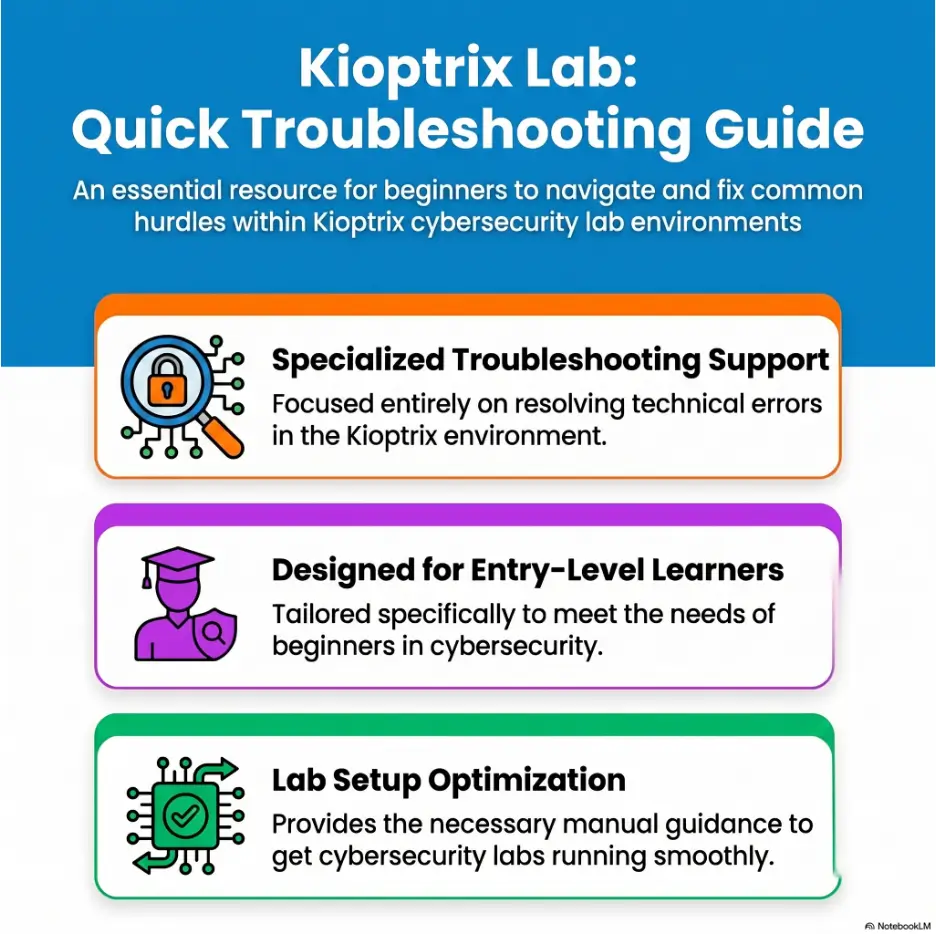
This guide treats Kioptrix as a troubleshooting lab rather than a race to root. You will learn how to slow down, confirm the basics, read failure as evidence, and build a repeatable routine for network discovery, enumeration, shell trouble, and privilege escalation practice inside your own authorized local lab.
The goal is not to hand you a magic command chain. The better prize is calmer thinking. Once you know how to diagnose the messy middle, every beginner lab becomes less of a locked door and more of a room with labels you have not read yet.
Stop guessing
Use IP, port, version, syntax, and scope checks before changing tools.
Learn from failure
Turn errors, silence, and permission messages into useful lab notes.
Build a habit
Create a one-page panic checklist you can reuse across beginner labs.
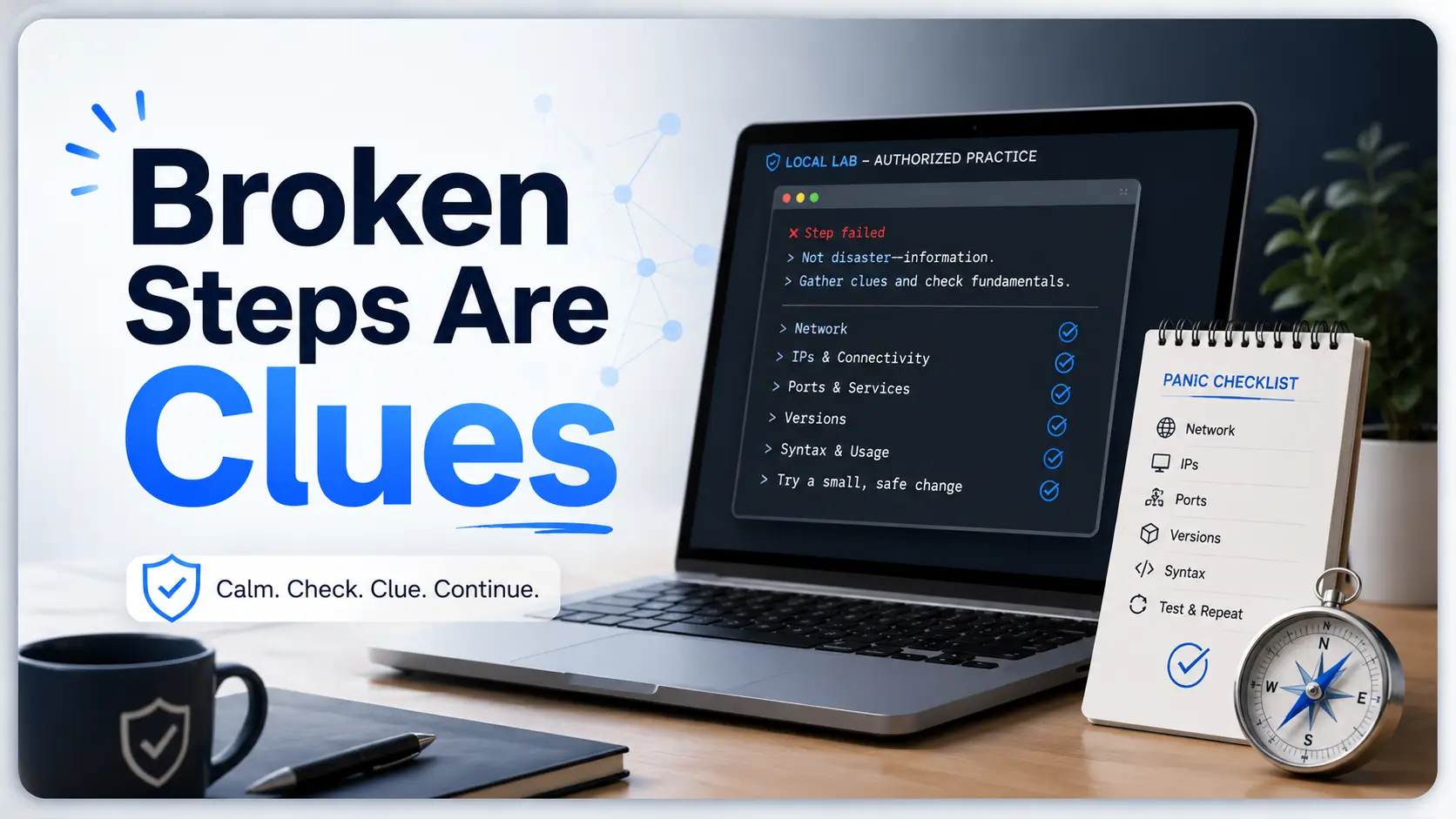
A broken step is often a clue wearing a cheap disguise. 🧭
Snapshot
This article is for beginners practicing Kioptrix in an authorized local VM lab who freeze when scans, exploits, shells, or privilege escalation checks do not behave as expected. By the end, you will have a calm troubleshooting routine, a safer lab mindset, and a practical checklist for your next session.
Table of Contents
Before You Act: Keep the Lab Inside the Fence
Kioptrix is a vulnerable machine series meant for legal practice. That word, practice, matters. You should only scan, test, exploit, or troubleshoot systems you personally own, control, or have written permission to assess.
This article is educational. It explains how beginners can think through authorized lab problems, document symptoms, compare tools, and avoid wasted time. It is not permission to test public IPs, school networks, workplace systems, neighbors’ routers, or random websites because they “look old.”
Keep your lab small, local, and boring on purpose. Boring is beautiful here. A properly fenced lab lets you make mistakes without turning your curiosity into a legal thundercloud.
Safety note
Use this guide only inside an authorized local vulnerable-lab environment. If you are unsure whether a system is in scope, do not touch it. Confirm ownership, permission, network boundaries, and written authorization before running security tools.
What this guide can and cannot do
This guide can help you slow down and diagnose beginner lab failures. It can help you decide whether the problem is your VM network, target IP, scan approach, service interpretation, command syntax, shell behavior, or note-taking system.
It cannot guarantee that every Kioptrix version, hypervisor, operating system, tool release, or walkthrough command will behave the same way on your machine. Labs age. Tools change. Network adapters sulk. Sometimes the gremlin is not in your brain. It is in a tiny dropdown menu.
The simple rule for legality
Before you run a scan or test, ask: Do I own this system, and is it intentionally part of my lab? If the answer is not a clean yes, stop.
- Use local VMs you control.
- Use intentionally vulnerable training machines in a private lab network.
- Do not test public websites, public IP ranges, employer systems, classroom networks, or shared Wi-Fi targets without formal permission.
- Keep notes that show the lab scope you intended to use.
Helpful official resources
For safer setup habits, read the official documentation for your tools instead of relying only on screenshots from old forum posts.
Read Kali Linux Documentation Open VirtualBox ManualWho Kioptrix Helps, And Who Should Pause
Kioptrix is useful for beginners because it gives you a small, intentionally vulnerable target where basic habits matter. You practice network discovery, service enumeration, web inspection, exploit matching, shell handling, and post-exploitation notes without needing a huge corporate lab.
But “beginner-friendly” does not mean “zero friction.” In fact, the friction is the lesson. Kioptrix is a good teacher precisely because it lets you get stuck in realistic little ways.
Good fit for first-lab anxiety
Kioptrix is a strong fit if you freeze after one failed command, over-trust walkthroughs, or keep changing tools before understanding the error. It helps you practice the professional habit of asking, “What evidence do I have?” instead of “What random thing should I try next?”
A help desk worker learning security, a student preparing for practical labs, or a career changer building confidence can all benefit from this slower method. The point is not to memorize a trick. The point is to become less fragile when the screen refuses to applaud.
Not for copy-paste lab tourism
If your only goal is to paste commands from a walkthrough until a root shell appears, Kioptrix will still teach you something, but not the thing you came for. You may finish the lab and still be helpless on the next one.
A healthier approach is to use walkthroughs as a delayed hint system. Try first. Take notes. Write down what failed. Then use a guide to compare your reasoning, not to outsource your attention.
Two beginner types you may recognize
The first beginner is the fast clicker. They run five tools in ten minutes, collect a messy pile of output, and feel busy. The second is the quiet note-taker. They run fewer commands, but they know what each result changed.
In Kioptrix, the quiet note-taker usually wins. Not always quickly, but reliably. Their notes become a lantern, while the fast clicker is still wandering through tabs like a caffeinated raccoon in a server closet.
Key takeaway
Kioptrix is not just a vulnerable machine. For beginners, it is a patience machine. The student who documents symptoms usually learns more than the student who reaches root by accident.
Panic Starts Before the Exploit
Most beginner panic does not begin when an exploit fails. It begins earlier, when the learner has not confirmed the target, does not trust the scan, or cannot explain why a service matters.
By the time the exploit fails, the panic has already been quietly stacking plates in the kitchen. One more error message and the whole cabinet clatters down.
The real first skill is recovering calmly
When something fails, do not immediately change three variables. That is how small problems become fog. Instead, pause and write one sentence:
“I expected X, but I got Y.”
That sentence sounds almost too simple. It is not. It forces your brain to stop spinning and start comparing. Expected result. Actual result. Difference. Next check.
Failed output is still evidence
A timeout says something. A connection refused message says something. A permission denied message says something. A tool returning too much noise also says something.
Beginners often treat ugly output like garbage. Professionals treat it like a witness with bad posture. It may not be elegant, but it saw something.
Short Story: The student who stopped touching the keyboard
Maya was on her first Kioptrix attempt after work. Her scan found nothing useful, her browser showed nothing interesting, and every guide seemed to assume a different universe. She was tired enough to blame the lab, the tutorial, and possibly the moon.
Then she made one odd rule: no new commands for thirty seconds. She wrote down the attacker IP, the target IP she thought she had found, and the VM network mode.
The mistake appeared quietly. Her Kali VM and Kioptrix VM were not on the same host-only network. The exploit was never the problem. The two machines had been waving from different islands.
That night she did not get root. She got something better: a reset habit. The next lab felt less haunted.
The thirty-second reset
When the lab starts to feel slippery, take your hands off the keyboard for thirty seconds. Look at your notes, not your fear. Then answer five questions before running anything else.
- Am I targeting the right IP?
- Am I working on the right port?
- Do I know the service and version, or am I guessing?
- Did I copy the command correctly and adapt the placeholders?
- Is this still inside my authorized lab scope?
Key takeaway
The first troubleshooting move is not a better command. It is a cleaner question. “What changed?” beats “What else can I throw at it?” almost every time.
Build the Lab So It Does Not Betray You
A surprising number of Kioptrix problems are not cybersecurity problems. They are virtual networking problems wearing a black hoodie.
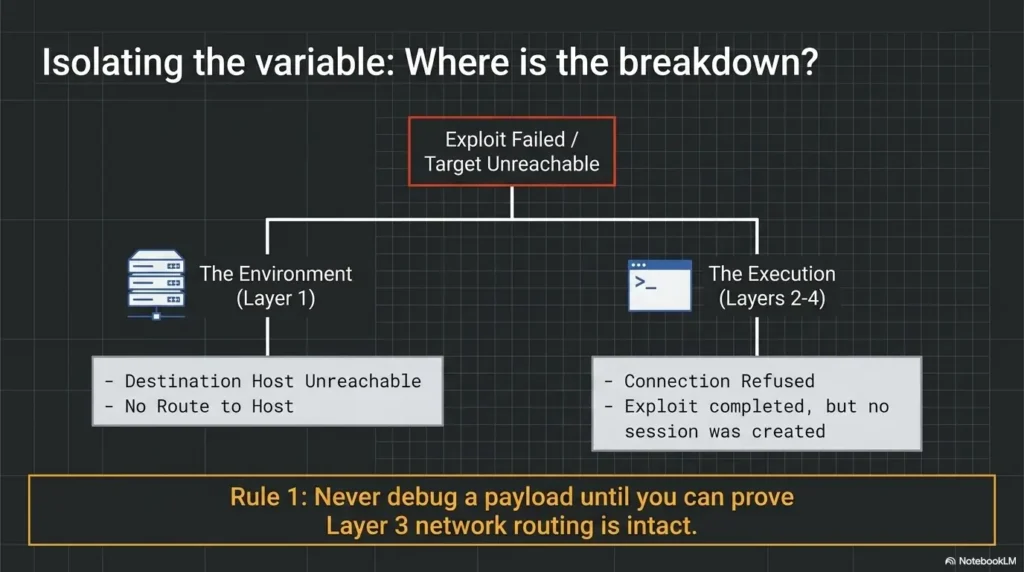
Before you worry about exploit selection, confirm that your attacker VM and target VM can actually see each other. If they cannot, every later step becomes theater.
NAT, host-only, and bridged in plain English
VM network modes can confuse beginners because the names sound administrative and harmless. They are not harmless. They decide who can talk to whom.
| Network mode | Beginner meaning | Common Kioptrix issue | Safer learning use |
|---|---|---|---|
| NAT | The VM gets outbound access through the host | Other VMs may not easily discover it | Useful for updates, not always ideal for isolated target discovery |
| Host-only | VMs share a private network with the host | Wrong host-only adapter means machines miss each other | Often useful for local lab isolation |
| Bridged | The VM appears on the same network as your physical machine | You may expose lab traffic to a broader network | Use carefully, only when you understand the boundary |
Snapshot before curiosity becomes chaos
Take a clean snapshot after importing and configuring your lab VM. Take another after you confirm both machines can communicate. Snapshots are not glamorous, but neither is rebuilding a lab because one experiment left your setup tangled like holiday lights.
If you share a laptop with school, work, or family duties, snapshots are even more important. They let you practice without turning your main machine into a museum of half-fixed experiments.
Common symptom: the machine runs, but nothing responds
When Kioptrix appears to be running but scans find nothing, check the lab before blaming the lab.
- Confirm both VMs are powered on.
- Confirm both VMs use the intended network mode.
- Check whether both are on the same virtual adapter or private subnet.
- Restart the VMs after changing network settings.
- Confirm your attacker VM has an IP address on the expected network.
- Record the network settings in your notes before scanning again.
Related lab setup guides
If your issue smells like VM networking, these related guides can help you continue the troubleshooting path.
safe hacking lab at home · VirtualBox NAT vs host-only vs bridged · Kioptrix host-only no IP troubleshooting
Find the Target Without Guessing
Guessing the target IP is one of the fastest ways to make Kioptrix feel cursed. A beginner sees an address that “looks right,” starts attacking it, and then spends an hour troubleshooting the wrong machine.
Start with discovery. Confirm the target twice. Then move forward.
Start with network discovery, not wishful thinking
Your first job is to identify what machines exist on the lab network. You are not trying to prove you are clever. You are trying to build a map clean enough that later decisions make sense.
Many beginners confuse “I found an IP” with “I found the target.” Those are not identical. A host machine, router, another VM, or leftover lab box can appear in the same range.
Confirm the target IP twice
Use at least two clues before declaring victory. For example, a discovered host plus open services that resemble the expected lab is stronger than one lonely address on a page.
- Write down the discovered IP address.
- Record the MAC vendor or VM hint if available.
- Scan only the private lab range you intended to use.
- Compare open services with the lab’s expected age and personality.
- Label the host in your notes once you are confident.
When your scan finds nothing
If a scan finds nothing, do not assume Kioptrix is impossible. Assume your discovery step has a missing premise.
| Symptom | Likely cause | Better next check |
|---|---|---|
| No hosts appear | Wrong VM network mode or adapter | Check both VM network settings and IP ranges |
| Only your attacker VM appears | Target is on another virtual network | Confirm the target adapter and reboot the target VM |
| Many unfamiliar hosts appear | You may be scanning a broader network | Stop and confirm lab scope before proceeding |
| Ports appear filtered or inconsistent | Tool flags, host firewall, or network mismatch | Run a smaller verification scan and compare results |
Do not attack the IP that “looks right”
IP addresses do not have vibes. They have evidence. If you are not sure a host is the Kioptrix target, label it as unknown and investigate only within your legal lab boundary.
This habit matters beyond Kioptrix. In professional work, confusing targets can create serious risk. In a beginner lab, it wastes time. In the real world, it can become a compliance nightmare with a keyboard attached.
Enumeration Is Where Beginners Secretly Win
Enumeration is the art of asking the target polite, structured questions until the shape of the problem appears. It is less glamorous than exploitation, but it is where beginners start becoming useful.
If exploitation is the door opening, enumeration is noticing the hinges, the scratches near the lock, the faded label, and the spare key-shaped dent under the mat.
Service names are hints, not answers
A port number gives you a clue, not a conclusion. A service name gives you another clue. A version number gives you a narrower research path. Together, they become a decision tree.
Beginners often see a familiar service and jump straight to a remembered exploit. Slow down. Ask what version is present, what configuration is visible, what authentication is required, and what the web interface or banner actually reveals.
Version numbers are tiny treasure maps
Old vulnerable labs often run old software. That does not mean every old exploit applies. Version matching is where beginners separate learning from lucky button-pushing.
- Record the service name.
- Record the version exactly as reported.
- Record where that version came from, such as a scan, banner, web page, or manual check.
- Search for context, not only exploit names.
- Compare requirements before attempting anything.
Web ports deserve slow eyes
When a web service appears, beginners often run directory tools immediately. That can be useful, but first use your eyes. Visit the page inside the lab. Check page titles, comments, visible technologies, login forms, error messages, paths, and default files.
Slow visual inspection catches clues automated tools may bury under noise. The lab is not only speaking through ports. Sometimes it whispers through a footer.
Boring notes become breakthroughs
A good Kioptrix note does not need to be poetic. It needs to be searchable, chronological, and honest.
| Note field | What to write | Why it helps |
|---|---|---|
| Time | When you ran the check | Shows sequence and prevents circular troubleshooting |
| Target | IP, port, service | Keeps you from mixing hosts or ports |
| Action | Tool or manual check used | Creates repeatable evidence |
| Result | What happened, including errors | Turns failure into searchable data |
| Next question | What the result suggests | Prevents random tool hopping |
Key takeaway
Enumeration is not the boring part before the “real” lab. It is the part that tells you what the real lab actually is.
Kioptrix Calm-Down Flow
1. Scope
Confirm this is your authorized local lab.
2. Network
Check VM mode, subnet, and adapter.
3. Target
Confirm IP and services before testing.
4. Evidence
Record versions, errors, and clues.
5. Next step
Change one variable, then compare.
When the Exploit Does Not Work
Exploit failure is normal in a lab. It can happen because the target version is different, the payload type is wrong, the path changed, the callback address is incorrect, a service restarted, a dependency is missing, or the exploit never matched the target in the first place.
The beginner mistake is to treat exploit failure as a personal insult. The better move is to treat it as a compatibility question.
Match the exploit to the exact service version
Before attempting any lab exploit, write down why you think it applies. That one sentence may save you an hour.
For example: “This test appears relevant because the target is running this service, this version, and this condition seems present.” If you cannot write that sentence, you may not be ready to test yet.
Read the error before swapping tools
A failed module, script, or manual test may tell you exactly what went wrong. Maybe the path does not exist. Maybe the target closed the connection. Maybe a required option was missing. Maybe your listener was not ready. Maybe the exploit ran, but the callback went to the wrong address.
Do not bury that clue by immediately trying five unrelated options. Change one variable. Compare. Then change the next.
Check syntax, paths, payload type, and architecture
Walkthrough commands often contain placeholders. They may assume a different IP, interface, shell path, file path, local port, payload, or tool version. Blind copying is how beginners create fresh problems with vintage confidence.
- Replace every placeholder with your actual lab values.
- Confirm your local attacker IP is reachable from the target VM.
- Check whether the service path exists before targeting it.
- Make sure the payload type matches the lab context.
- Read tool help output when an option fails.
- Keep failed attempts in your notes instead of deleting them.
Do not try five random exploits
Random exploit swapping feels productive because it creates motion. But motion is not progress. Progress means your next attempt is better informed than your last one.
Use this rule: if you cannot explain why the next test is more appropriate than the previous one, you are not troubleshooting. You are shaking the vending machine.
Show me the nerdy details
Exploit troubleshooting is usually a dependency chain. Target service, version, reachable network path, required condition, chosen payload, local callback, permissions, and tool syntax all need to line up. When one link is wrong, the failure may appear far away from the real cause.
That is why controlled testing matters. Change one variable at a time, then write what changed. If you alter the payload, port, exploit option, listener, and target path all at once, you may fix the issue and still learn nothing. Worse, you may break something that was already correct.
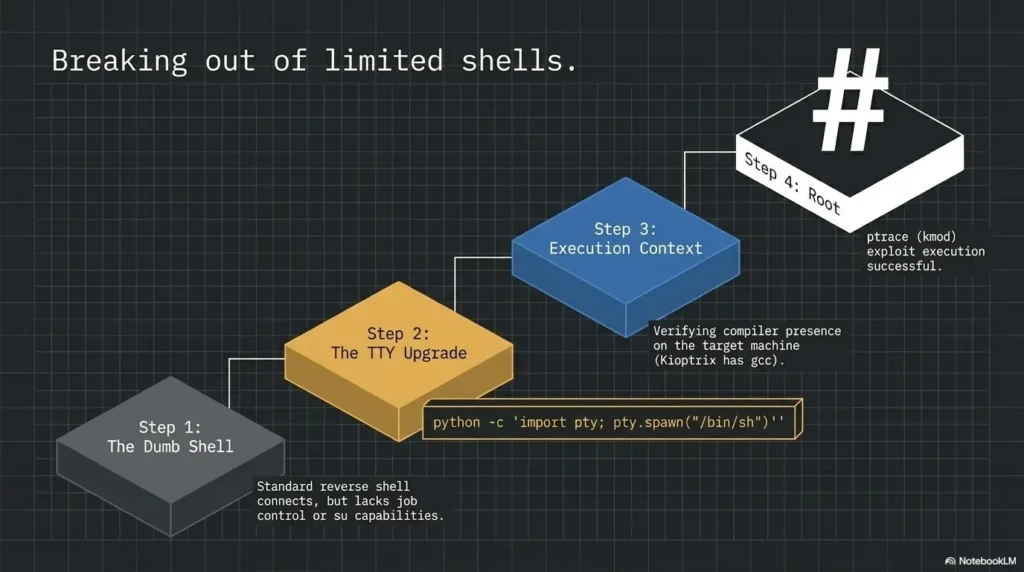
Shell Trouble and Privilege Escalation Without Drama
Getting a shell in a beginner lab can feel thrilling for about four seconds. Then commands behave oddly, directories are restricted, output looks cramped, and the shell feels less like a victory and more like a broom closet with a keyboard.
That is normal. A weak shell is still a doorway. It is not yet a living room.
A weak shell is still a doorway
Inside a limited shell, some commands may behave differently because you do not have a full interactive environment. Paths, permissions, terminal behavior, environment variables, and available binaries may be limited.
Do not panic if your shell feels awkward. First, identify who you are, where you are, what you can read, and what commands are available. Treat the shell as a new enumeration phase, not the finish line.
Permission denied is information
Permission denied is not rejection. It is a boundary marker. It tells you what your current user cannot do, which can help you infer roles, file ownership, service behavior, and escalation paths.
Write permission problems down. Later, when you compare users, groups, writable directories, scheduled tasks, service files, or misconfigurations, those earlier walls may become signposts.
Root is the result, not the strategy
Privilege escalation is where beginners often become theatrical. They search for one magic exploit, skip local enumeration, and then wonder why nothing works.
Instead, gather local evidence. What operating system details are visible? What users exist? What files are writable? What services run? What permissions look unusual? What old software exists? What changed after each command?
Write down what changed after each command
This is the quiet habit that makes later labs easier. After each meaningful check, write one line: what you learned, what changed, and what question comes next.
| Local check category | Beginner question | Useful note |
|---|---|---|
| User context | Who am I? | Current user, groups, restrictions |
| File permissions | What can I read or write? | Writable paths, sensitive readable files, odd ownership |
| System age | What is this machine running? | OS details, kernel hints, old services |
| Process context | What is running? | Services, scheduled behavior, unusual processes |
| Change log | What did my last action alter? | Files created, shells opened, errors produced |
Key takeaway
A shell is not the end of enumeration. It is enumeration with a better seat. Keep asking small, specific questions.
Tools, Costs, and Setups That Are Worth Comparing
You do not need an expensive setup to learn Kioptrix. A decent laptop, a free hypervisor option, a Kali VM, the target VM, and a note-taking system can carry you a long way.
Still, some upgrades are worth comparing if your lab time is limited. The best setup is not the flashiest one. It is the one that lets you practice consistently without losing half the evening to fan noise, storage errors, or a haunted adapter setting.
Free vs paid help for beginners
Most beginners should start free. Use official docs, beginner-friendly articles, community hints, and your own notes. Paid courses, labs, or mentoring may be useful when you have already proven that you will practice regularly.
Do not buy your way out of patience. A paid platform can organize practice, but it cannot do the slow noticing for you.
| Option | Best for | Cost mindset | Watch out for |
|---|---|---|---|
| Free local lab | Beginners learning fundamentals | Lowest cost, highest setup responsibility | Old walkthroughs, VM networking confusion |
| Structured paid platform | Students who need guided paths | Worth comparing if you practice weekly | Passive video watching without notes |
| Mentor or study group | Learners stuck in repeated confusion | Can save time if feedback is specific | Getting answers too quickly |
| Certification prep course | Career-focused learners with a timeline | Consider after basics feel repeatable | Buying before building routine |
Good / Better / Best Kioptrix setup
If you are comparing tools, spend money only where it removes real friction. Better hardware may help, but better notes often help more.
| Setup tier | What it includes | Who it fits | Main advantage |
|---|---|---|---|
| Good | One laptop, free hypervisor, Kali VM, Kioptrix VM, plain text notes | Curious beginners | Low cost and enough for fundamentals |
| Better | Dedicated lab folder, snapshots, structured notes, separate browser profile | Busy adults practicing after work | Less friction and easier session recovery |
| Best | Dedicated lab machine or stronger workstation, organized templates, regular review habit | Career switchers and certification-focused learners | More consistency and cleaner documentation |
What to ask before paying for training
Paid training can be valuable, but only if it matches your current bottleneck. Before buying a course, platform, or coaching session, ask practical questions.
- Does it teach troubleshooting, or only show finished walkthroughs?
- Does it explain lab setup and scope boundaries clearly?
- Does it include beginner-friendly notes, reports, or review templates?
- Does it encourage hints before full solutions?
- Can you practice with your current schedule?
- Will it help you build repeatable methodology, not just collect solved boxes?
Official security learning context
If you are connecting lab practice to a career path, use recognized skills frameworks to understand how hands-on habits map to real work roles.
Explore the NIST NICE Framework Read OWASP Web Testing GuideRelated guides for the next step
Once your basic panic routine is working, branch into focused guides. Start with the Kioptrix beginner roadmap if you need sequence, the beginner Nmap tutorial if discovery feels messy, and pentesting note-taking systems if your evidence keeps disappearing into tab soup.
FAQ
Is Kioptrix good for complete beginners?
Yes, if you use it as a learning lab rather than a speedrun. Complete beginners may need extra help with VM networking, Linux basics, and scan interpretation, but those challenges are part of the value.
Why can’t my Kali VM find the Kioptrix machine?
The most common reason is a virtual networking mismatch. Check whether both VMs are on the same intended network mode and adapter. Host-only setups often fail because one VM is attached to a different host-only network.
What should I check first when a Kioptrix exploit fails?
Check the target IP, port, service version, exploit requirements, local callback address, syntax, and lab scope. Do not immediately switch tools. Read the error and change one variable at a time.
Do I need to know Linux before starting Kioptrix?
You do not need to be a Linux expert, but basic comfort helps. Learn directory navigation, permissions, processes, file reading, networking basics, and command help. Kioptrix will expose weak Linux habits quickly.
Is it okay to use walkthroughs while learning Kioptrix?
Yes, but delay them. Try first, document what you did, and ask for hints before reading the full chain. A walkthrough should help you compare reasoning, not replace it.
Why do different Kioptrix guides show different commands?
Tool versions, hypervisors, network settings, operating systems, and author preferences differ. Older labs also attract older writeups. Focus on the method behind the command, then adapt it to your environment.
What does enumeration mean in a beginner hacking lab?
Enumeration means collecting structured information about the target, such as open ports, services, versions, web paths, users, permissions, and configuration clues. It is the evidence-gathering phase that guides safer testing.
How do I know if I am practicing legally?
You should own or control the target system, and it should be intentionally included in your local lab. If the system belongs to someone else, is public-facing, or is on a shared network you do not control, do not test it without written permission.
Build Your One-Page Panic Checklist in 15 Minutes
The next step is small enough to do today. Open your note-taking app and create one page titled “Kioptrix Panic Checklist.” Do not wait until your next failure. Build the handrail before the staircase gets dark.
Your checklist should not be fancy. It should be useful when your brain is noisy. Include the five-question reset at the top, then add sections for network setup, target confirmation, enumeration notes, exploit tests, shell behavior, privilege escalation clues, and failed commands.
The 15-minute template
- Scope: What lab am I authorized to test?
- Attacker IP: What is my Kali or attacker VM address?
- Target IP: How did I confirm it?
- Open services: What ports, services, and versions did I observe?
- Web notes: What pages, errors, paths, or technologies appeared?
- Failed commands: What did I expect, and what happened?
- Shell notes: Who am I, where am I, and what can I do?
- Privilege clues: What permissions, services, users, files, or system details matter?
- Next question: What one variable will I check next?
Use the same checklist for every beginner lab until calm becomes muscle memory. That is the quiet win Kioptrix offers: not just a solved VM, but a steadier operator behind the keyboard.
Final takeaway
The win condition is not only root. It is pattern recognition. If you can recover from confusion, document evidence, and choose the next careful check, you are already learning the skill Kioptrix was built to teach.
Last reviewed: 2026-07