Use this SaaS vendor offboarding checklist to prove three things before you close a vendor exit. Your team can use the records it needs, the old service can no longer access your systems, and each remaining copy of your data has a documented disposition. Log the dates for those outcomes separately. Record each outcome against its own deadline, even when procurement has already canceled billing.
On this page

Decide whether the exit can proceed
Identify the last moment you can export data, the cutover time, and the deadline for each deletion commitment. Record the time zone and the event that starts each clock. Assign one person to own the exit record and identify who can authorize a short extension if a critical check fails. The vendor security evidence register can supply earlier documents and contacts. Attach fresh evidence for the exit decision.
| Decision | Minimum evidence | If evidence is missing |
|---|---|---|
| Hold irreversible steps | Required records open in the destination and live workflows have a tested replacement or fallback. | Keep the old tenant only as long as needed and permitted. Restrict access and agree on a new deadline. |
| Cut over and track an exception | Exports and access checks pass. The vendor documents which backup copies remain, the expiry trigger or date, and protection during retention. | Record the unresolved scope and escalate if the vendor cannot substantiate the commitment. |
| Close the exit | Evidence supports the export, access, retention and disposal conclusions. Any required exception approval and follow-up are recorded. | Keep the affected row open with an owner and a next review date. |
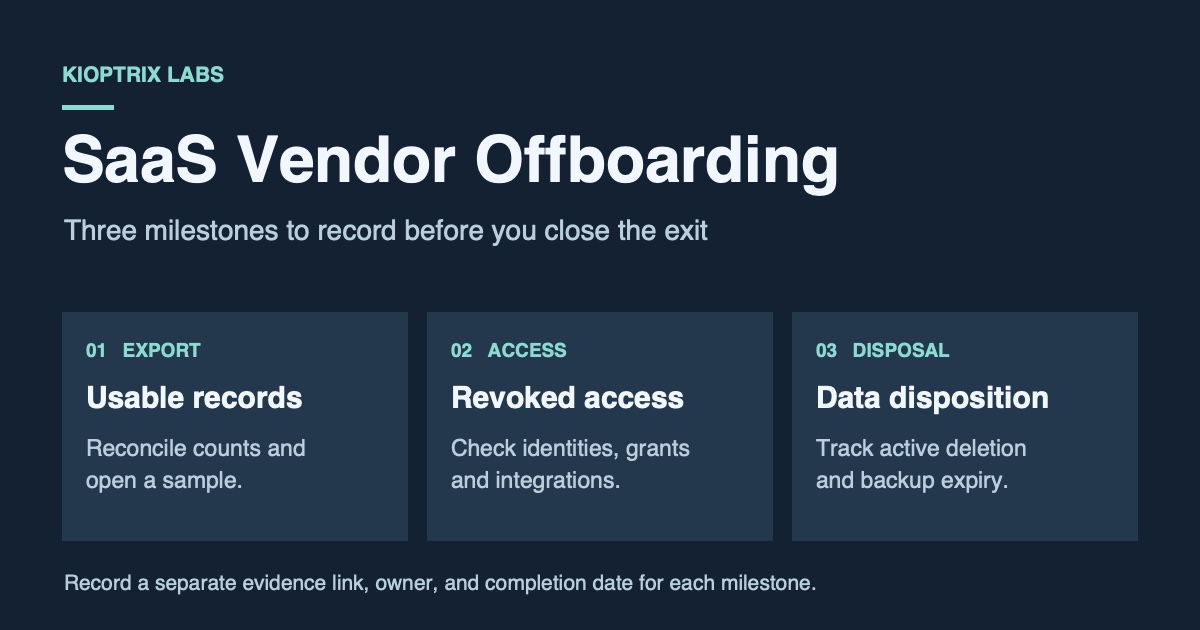
Seven steps in the SaaS vendor offboarding checklist
1. Map the tenant, obligations, and deadlines
Record the supplier, tenant or workspace IDs, environments, modules, regions, and replacement owner. Check the agreement, order form, data processing terms, and product documentation for notice, export, post-termination access, and data return or deletion. Ask whether cancellation, tenant disablement, and the vendor’s accepted deletion request are separate events. Get conflicting deadlines resolved in writing before relying on them.
Keep production, sandbox, and archived workspaces separate where they contain different data or have different retention terms. Identify which evidence your own organization must preserve and ask the designated records owner to resolve any hold before authorizing destruction. The exit guidance in the Object Management Group’s Practical Guide to Cloud Service Agreements covers data retrieval, continuity, and backup disposition.
2. Validate that the export works where it will live
List the required record types first. For a help desk, that may include cases, comments, attachments, audit history, and enough identity or status information to interpret them. Reconcile source and destination counts at a recorded cutoff. Document legitimate differences such as filtered test records. Open a small risk-based sample in the destination and check links, access permissions, timestamps, and at least one record with multiple attachments. Record who validated each requirement and any documented alternative for a missing field.
If records can change during migration, capture the final changes after an agreed write freeze or reconcile a clearly bounded delta. A file checksum can help detect changes to the export in transit. It cannot establish that the vendor included all records. Keep the export and validation evidence in approved storage with access restrictions and a retention owner.
3. Move integrations before you disconnect them
Inventory inbound and outbound connections, scheduled jobs, webhooks, mail routes, integration-platform flows, and machines that use the vendor API. For each one, name the owner, replacement destination, and a visible success signal. Trace an approved test transaction through the new system and check that it appears once. Reconcile the routing or queue around the cutover so a retry or delayed event does not silently create duplicate work.
Record any fallback window with a clear expiry. If the old tenant must remain available briefly for validation, restrict it to named staff and disable business traffic into it where the product allows. Stop the fallback once the acceptance criteria are met.
4. Revoke access at both ends
Remove the old app’s workforce assignments and review local logins, open sessions, guest or support accounts, and provisioning connectors. Separately identify app consent grants, service accounts, API keys, refresh tokens, and credentials stored in downstream services. Revoke the affected grants, disable the identities that exist only for this integration, and retire or rotate credentials where needed. Check dependencies first if a credential or identity is shared.
Verify access revocation with dated admin records and approved checks in your own environment. Use a known retired account or integration to confirm that it can no longer complete its former task, accounting for documented token expiry or propagation delays. Microsoft’s Entra application permissions guide illustrates why app permissions and consent deserve a separate review from user sign-in.
5. Separate active deletion, backups, and retained records
Ask the vendor to identify the tenant, data categories, environments, and relevant subprocessors covered by its reply. Request separate answers for active systems, backup or disaster-recovery copies, and records held under a specific retention obligation. For any remaining copy, record why it remains, what it contains, applicable access limits, the expiry date or calculation, and what evidence the vendor can provide when the backup expiry window ends. Ask how deleted data is kept out of service if a snapshot is restored.
Google Cloud’s data deletion documentation offers a concrete example of a provider treating logical deletion and backup expiration as different stages. Apply the actual service terms to your own exit. If the supplier cites cryptographic erasure, ask what data and keys are covered and how the claim is substantiated. NIST SP 800-88 Rev. 2 provides the underlying media sanitization context.
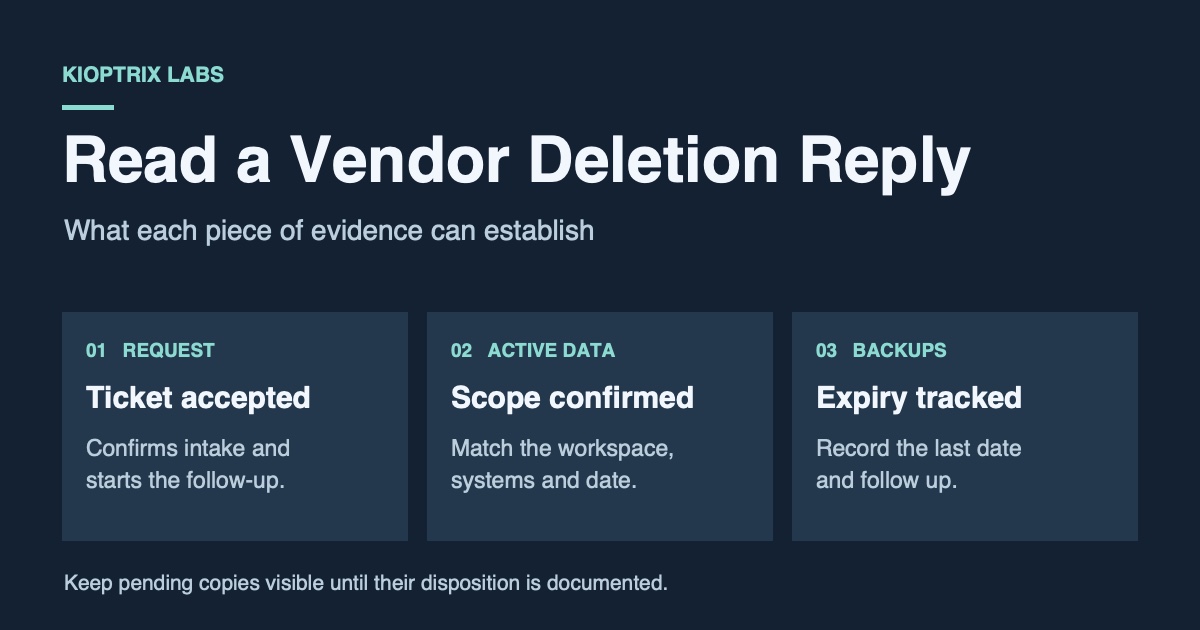
What four common vendor replies actually establish
These illustrative replies show how to record each stage in the exit ticket. Compare the wording with the supplier’s actual scope, exclusions, and dated commitments.
“Your account is scheduled for deletion.” Record the date and the scope named in the message. This supports a planned action. If the reply omits the production workspace or says nothing about sandbox data, ask whether those workspaces have separate requests. Add the vendor’s reference number to the ticket so its support team can trace your follow-up.
“Active data in workspace HD-102 was deleted July 3.” Match the ID to the inventory. Ask whether the statement includes attachments, search indexes, and any service modules you used if your agreement or data inventory treats them separately. Leave the backup expiry row open if the reply only addresses the active workspace. If there is a second workspace, keep that outcome open until the scope is clear.
“Recovery snapshots expire 45 days after the deletion request.” Ask which event starts the clock and whether the interval is calendar days. Record the accepted request date and calculate the deadline using that definition. If the supplier gives you a backup expiry date that conflicts with the calculation, ask it to reconcile the dates before removing the follow-up. Use that same backup expiry record to capture access restrictions and how restored snapshots are handled.
“The workspace is deleted, but we retained billing records.” Separate those records from customer content. Ask what categories remain, who can access them, and what triggers disposal. The privacy or records owner can compare the response with your agreement and internal retention needs. Have that owner document the approved outcome before the vendor exit is complete.
6. Reconcile customer-controlled copies and evidence
A provider’s confirmation covers the scope it names. Inventory your own staging folders, migration copies, temporary exports, and copies sent to approved migration partners. Keep the authorized archive and remove temporary copies under your retention policy once validation and any required preservation checks are complete. Store screenshots and logs without secrets or unnecessary personal data. Record what each artifact proves, where it lives, and who can access it.
7. Sign off on outcomes with separate statuses
Maintain individual statuses for migration, access, active data, residual copies, and commercial closure. A receipt can establish that a deletion request was accepted. A scoped completion notice can establish the supplier’s statement for the covered data. If a backup date hasn’t passed, record “backup expiry pending” and assign a date for the next verification. Review the evidence against your policy before marking the overall exit complete. Keep an escalation path for overdue confirmation or a new retention exception.
Real policy example: paid Atlassian Cloud subscriptions
Under Atlassian’s improved billing process for a paid cloud app subscription, the published timeline starts with the end of the current subscription period. Deactivation follows 15 days later. Atlassian lists a further 60-day app data retention period for paid subscriptions, during which reactivation may restore the app’s data and preferences. Confirm that your subscription follows this process before you set the data export deadline. Deactivation policy · Retention and reactivation policy.
How to use this in the vendor exit ticket. Have the billing administrator record the subscription period end and verify the deactivation date in the billing account. Have the data owner complete export validation before deactivation, with enough time to correct a failed import. Record the app data retention deadline and its trigger in a separate row. If your approval requires evidence about backup expiry or Marketplace-app copies, open separate evidence rows for those dates and scopes. A public policy can establish the stated timetable; keep tenant-specific confirmation with the outcome it supports.
Check which action procurement intends to take. Atlassian documents separate behavior for removing individual apps. When one Jira app is removed and another remains, Jira data is retained. Atlassian describes immediate deletion when all Jira apps on the site are unsubscribed. Record the specific action and affected apps before calculating deadlines or authorizing the change. Atlassian’s app-specific policy.
Worked exit with three deadlines
Fictional example. An IT team is replacing a help desk. Contracted administrator access ends June 30 at 18:00 UTC. The team cuts over at 14:00 UTC the same day and leaves a four-hour window for read-only validation. The vendor confirms July 3 as the active-data deletion date and August 15 as the last scheduled backup expiry. Those dates are hypothetical.
| Item | Evidence and result | Owner and next action |
|---|---|---|
| June 30 cutover | The export includes 4,812 case records. The destination shows 4,812. A sampled attachment opens and the production mail route delivers one test case to the replacement. | Service owner signs off and retains the export manifest and validation log. |
| June 30 access | The old mail route is disconnected, OAuth consent removed, and a retired app credential fails its approved access check after the documented transition window. | Identity administrator stores dated verification in the exit ticket. |
| July 3 active data | Vendor confirms deletion from the production workspace. Its confirmation excludes disaster-recovery snapshots and specifies their expiry. | Vendor manager records active deletion and keeps the backup row open. |
| August 15 backup expiry | The agreed date is a scheduled expiry. Confirmation is still pending. | Vendor manager follows up August 16 and escalates under the exit plan if proof is overdue. |
The decision changes if an export fails. If attachments are missing at cutover and your support team still needs them, invoke the approved fallback before the export window ends. If a nonessential field is absent, the records owner can document the impact and decide whether a separately retained read-only copy meets the need. Record that decision and keep the access and deletion milestones distinct.
Rehearse the exit before the export window closes
At the export rehearsal. Give a colleague who did not run the migration a routine retrieval task. Ask them to find a case older than the import window, open an attachment, and confirm who can view it in the replacement. For the SaaS vendor offboarding checklist, define how you will handle a discrepancy before testing. A missing attachment that the support team still needs can block deletion. A display-only field can be reviewed with the records owner as a separate exception. Record the sampled IDs or references in a restricted evidence location.
At cutover. Run a dated end-to-end check for an incoming event, any scheduled integration, and an exception route where the service uses one. Confirm which location receives the event and who sees an alert if delivery fails. If a queue spans the switch, record the final message accepted on the old side and reconcile the first batch on the replacement. An operator can use those points to separate delayed delivery from a missing event without resending an entire queue.
At the access review. Give identity and integration owners distinct sign-off rows in the SaaS vendor offboarding checklist. A revoked workforce assignment addresses one access path. Capture a separate dated result for machine credentials and outbound data flows. If the integration’s authorization is still used by another product, replace or scope it before removal and let the remaining product owner verify continuity. Preserve proof of the affected grant or identity without recording its secret.
At the backup follow-up. Read the vendor reply against every retained-copy row. Suppose the vendor confirms an expiry date for its production recovery snapshots but still has an open subprocessor question. Close the named snapshot row when your evidence policy allows. Leave the subprocessor row until its scope and disposition are documented. When the vendor cannot certify per-tenant expiry, record the evidence it can provide and have the designated reviewer decide what that supports.
At the handoff. Check that the person taking over can explain which statuses are verified and which depend on a vendor statement. Each pending item in the SaaS vendor offboarding checklist needs a person, a follow-up date, and a condition for escalating or closing it. Write a one-line status for procurement and link to the detailed evidence. The migration team can then leave the project without losing the residual commitments.
Copyable exit record and vendor request
Turn the SaaS vendor offboarding checklist into a record by pasting one row per verifiable outcome into a ticket or spreadsheet. Use a reference to the approved evidence location and omit credentials and raw customer records.
Open the spreadsheet template
Vendor request you can adapt. “Please confirm the last export deadline for [tenant IDs], then confirm whether deletion is complete in active systems. Identify any remaining backup, subprocessor, or other retained copies, along with their purpose, access controls, expiry trigger and date, and the evidence we can expect after expiry. Please name the contact for unresolved items and scope your reply to the services and environments listed above.”
Common questions
Does a deletion certificate close the exit?
Read the scope, date, and exclusions. Match them to each outcome in the exit record. An attestation can support closure for the named active systems while backup expiry, subprocessor scope, and your own staging copies remain separate responsibilities.
What if the vendor cannot confirm backup expiry per tenant?
Ask for the applicable retention schedule, the event that starts it, any documented exceptions, and the handling of data restored from a backup. Tell your reviewer what evidence is available and what it establishes, then use the organization’s escalation and approval process to decide whether the remaining gap is acceptable.
Can I close the task once the subscription ends?
Record billing closure as its own milestone. Check the export, access revocation, and disposal records before closing the security review. Give residual obligations a named owner, due date, and escalation path.
To apply the SaaS vendor offboarding checklist, start with one service. Put its last export time, cutover time, and backup follow-up on the same ticket. Attach one piece of evidence to each completed line and read the open items with the person who will own them after the vendor exit cutover.