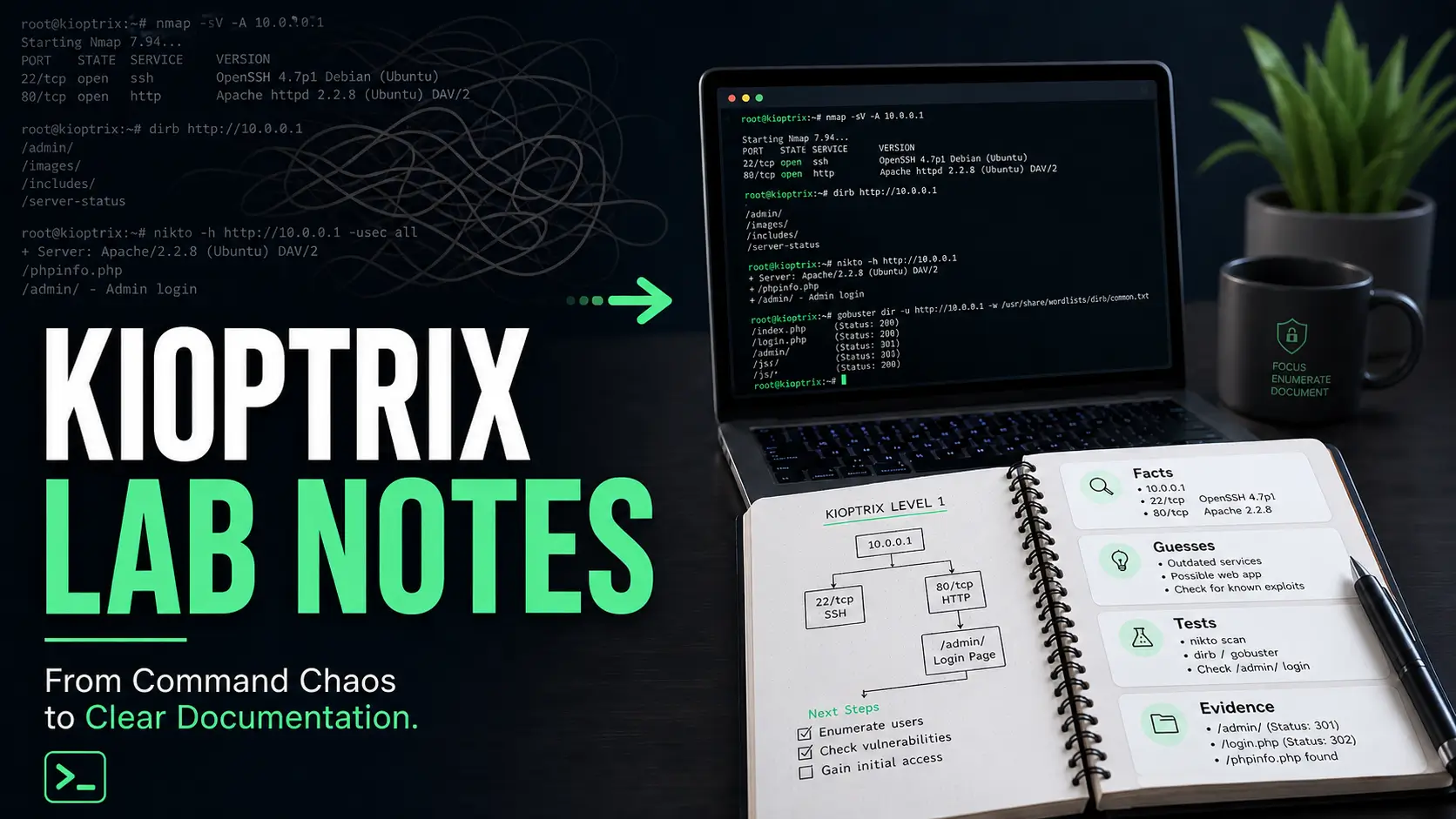
Mastering the Lab: From Command-Line Spaghetti to Professional Documentation
Messy Kioptrix notes have a special cruelty: they make perfect sense at midnight, then return in the morning as a bowl of command-line spaghetti with no fork. Clean Kioptrix documentation is how beginners turn lab practice into evidence, not just memory glitter.
The real problem is not that you forgot a command. It is that your notes often fail to show why you ran it, what changed, what was confirmed, and what still needed testing. That matters when you are trying to build repeatable cybersecurity lab habits, write better walkthroughs, or create portfolio-ready proof of learning.
“Stop archaeological digging through old screenshots and heroic little fragments that no longer explain themselves.”
This guide helps you build a calmer Kioptrix note system: cleaner enumeration notes, sharper evidence capture, better failed-attempt tracking, and a reusable template you can open before your next scan.
The method is simple: separate facts, guesses, tests, and evidence so your reasoning stays visible after the adrenaline leaves the room.
- ⚡ Start with the frame.
- ⚡ Tame the tool fog.
- ⚡ Make your notes useful enough that tomorrow-you does not file a complaint.
Table of Contents
Cleaner Notes Start Before the First Scan
The first mistake is not a bad command. The first mistake is opening the terminal before your notes know what room they are standing in.
Before you scan a Kioptrix VM, create the frame. Write the lab name, VM name, target IP, date, host-only or NAT network details, and a plain-English line saying this is an authorized local lab. It sounds almost too basic. That is why it works. A clean top block keeps your future self from asking, “Was this Kioptrix Level 1, Level 1.1, or the one where I renamed the VM during a caffeine incident?”
Set up a one-page lab template before touching the target
A one-page template gives your session a track to run on. It does not need to be fancy. Markdown, Obsidian, Notion, Google Docs, or a plain text file can all work. The tool matters less than the habit. If you are still choosing software, a dedicated guide to choosing a Kioptrix note-taking tool can help you avoid turning setup into a decorative procrastination garden.
Start with these fields:
- Lab: Kioptrix level and VM name
- Date: session date and start time
- Scope: local authorized lab only
- Target: IP address and network mode
- Goal: one learning objective for this session
I once spent 12 minutes trying to remember which IP belonged to which VM because I had three terminals open and the confidence of a raccoon near a vending machine. The fix was not genius. It was a template.
Record scope, IP address, VM name, date, and legal context first
Cybersecurity documentation is not just technical memory. It is also professional boundary-setting. Even in a home lab, write the legal context clearly: authorized VM, isolated lab network, educational purpose.
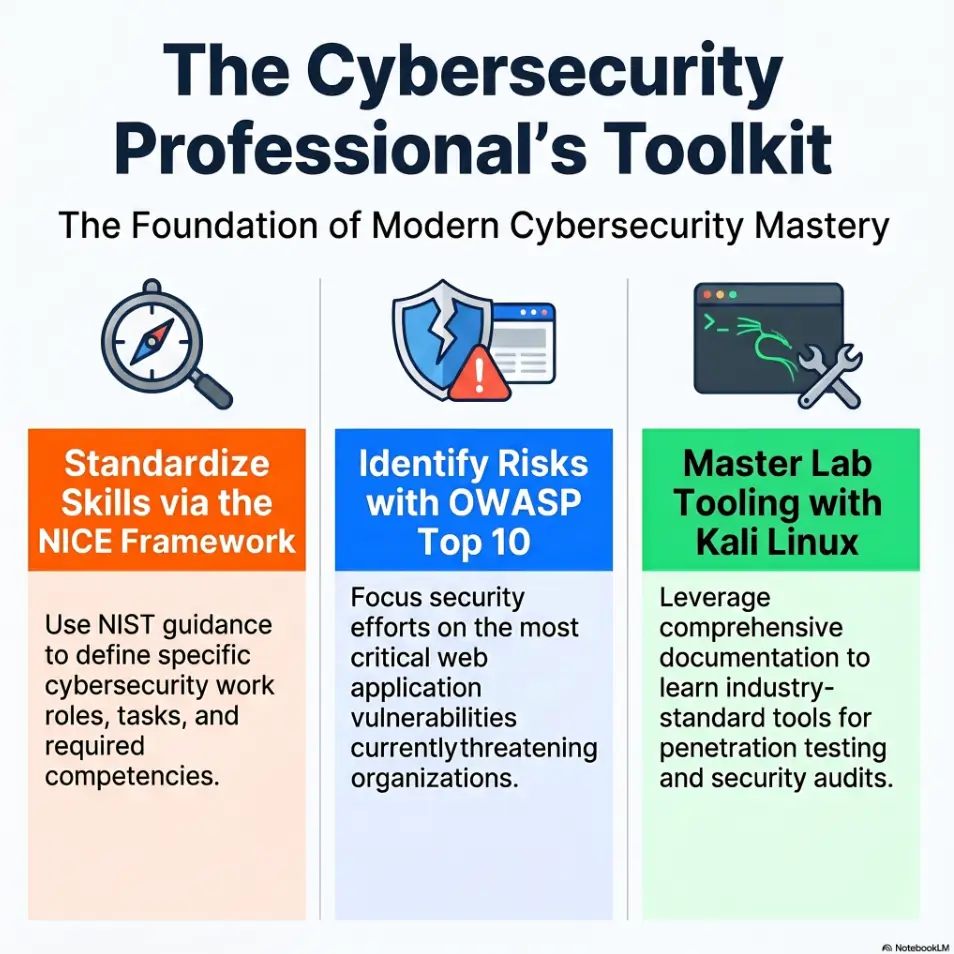
This matters because the habit transfers. In real security work, scope is sacred. NIST’s NICE Framework describes cybersecurity work through tasks, knowledge, and skills, which is a useful reminder that disciplined process matters as much as tool familiarity. A beginner who documents scope early is practicing like an operator, not just playing terminal piano.
The quiet rule: no command without a reason
Before running a command, write one short reason. Not a novel. Just a sentence.
Weak: run nmap.
Better: run a TCP service scan to identify exposed services and versions for initial research.
That tiny sentence changes everything. It turns a command into a decision. Later, when you review the notes, you can see the shape of your reasoning instead of a fossil bed of pasted output.
- Write scope before commands.
- Record the target IP and VM name.
- Add one learning goal for the session.
Apply in 60 seconds: Create a blank note with Lab, Scope, Target, Goal, Facts, Guesses, Tests, Evidence, and Next Action.
Eligibility Checklist: Are Your Notes Ready Before the Scan?
| Question | Yes/No | Next step |
|---|---|---|
| Did you record the lab name and VM level? | Yes / No | Add it before scanning. |
| Did you write the target IP? | Yes / No | Confirm it from your lab network. |
| Did you define authorized scope? | Yes / No | Write one legal-context sentence. |
| Did you choose one learning objective? | Yes / No | Limit today’s session to one main skill. |
Neutral action: Use this checklist before each Kioptrix session until it feels boring. Boring is good here. Boring is the seatbelt.
The Kioptrix Note Stack That Prevents Tool Fog
Tool fog arrives quietly. First you run one scan. Then another. Then you open a browser tab, a search result, an exploit reference, a forum thread, three terminals, and suddenly your lab feels like a kitchen drawer full of batteries that may or may not be alive.
The cure is a small note stack. Four sections. No ceremony. No marble columns.
Use four sections only: facts, guesses, tests, evidence
Keep your main working notes divided into four buckets:
- Facts: confirmed observations from the target.
- Guesses: hypotheses you have not proven yet.
- Tests: commands or manual checks you plan to run.
- Evidence: outputs, screenshots, URLs, or error messages that prove something changed.
This structure prevents a common beginner problem: treating every hunch as if it were confirmed. A version number is a fact. “This might be vulnerable” is a guess. “I tested this path and received a 403” is evidence. Keep them apart and your notes stop arguing with themselves.
Keep raw output separate from human interpretation
Raw output is useful, but it is not thinking. Paste scan output under a collapsible or clearly labeled raw-output area, then write your interpretation above it in your own words.
For example:
- Raw output: service scan results.
- Interpretation: HTTP is open, SSH is open, and the web server version suggests web enumeration should come before password guessing.
That interpretation line is where learning happens. It is the difference between collecting seashells and reading the tide.
Let’s be honest: messy notes usually begin with messy tabs
If you have 18 browser tabs open before you can explain the first three services, you are not researching. You are being carried away by the search-engine river.
Use a tab rule: only open a new reference if it answers a written question in your notes. For example, “What does this Apache version imply?” or “What does this service usually expose?” This keeps research tied to evidence instead of curiosity confetti. It also supports a steadier Kioptrix methodology, where each tool answers a question instead of creating six new fog machines.
Show me the nerdy details
A practical note system works because it reduces context switching. In beginner labs, the problem is rarely lack of information. The problem is unranked information. Splitting notes into facts, guesses, tests, and evidence creates a lightweight reasoning model: observe, hypothesize, test, record. That same loop appears in troubleshooting, incident response, quality assurance, and SOC analysis.
Who This Is For, and Who It Is Not For
This guide is for learners who want their Kioptrix practice to become durable. Not just “I got root once.” More like, “I understand how I moved from observation to hypothesis to test.” That is the difference between a lucky evening and a usable skill.
Best for beginners who want repeatable lab habits, not just flags
If you are new to Kioptrix, your notes are part of the lab. Every service you identify, every false lead you eliminate, and every command you explain becomes a small brick in your method. For a gentler starting point, a Kioptrix guide for beginners can help you frame the lab as practice, not a personality test administered by a blinking cursor.
A flag proves you finished. Documentation proves you learned. Both matter, but only one helps you rebuild the path after a week away.
Useful for help desk, IT support, SOC, and career-switch learners
Cleaner Kioptrix documentation is especially useful if you are coming from help desk, IT support, network support, or a career switch. These backgrounds already train you to ask practical questions: What changed? What is confirmed? What is assumed? What can I test safely?
Those are cybersecurity questions wearing work boots.
For SOC-minded learners, documentation helps you practice evidence handling. MITRE ATT&CK, OWASP, NIST NICE, Kali Linux documentation, and vendor advisories all become more useful when your notes ask focused questions instead of wandering through references like a tourist with twelve maps. Help desk learners may find that Kioptrix for help desk workers connects this lab habit to the ticket logic they already know.
Not for people looking for exploit copy-paste shortcuts
This is not a shortcut guide. It will not turn your notes into a vending machine where you insert a port number and receive a shell.
That is a feature, not a defect. Copy-paste habits often collapse the moment the target changes. Good notes help you reason when the next box is not identical. If you keep falling into that trap, a closer look at why Kioptrix copy-paste commands fail can save you from repeating the same shiny error in a different hat.
Decision Card: Fast Walkthrough Notes vs. Learning Notes
Use fast walkthrough notes when…
- You already solved the box.
- You are preparing a clean public write-up.
- You want a readable sequence for others.
Use learning notes when…
- You are still exploring.
- You need to preserve guesses and failures.
- You want to see your reasoning improve.
Neutral action: Keep messy learning notes private, then rewrite only the useful reasoning into a public walkthrough after solving.
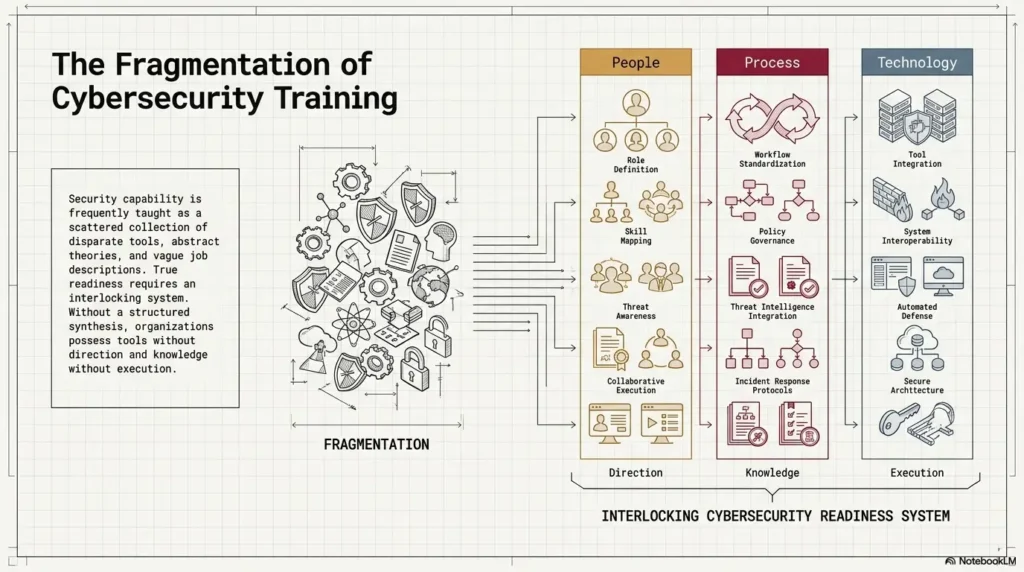
Capture Enumeration Like a Field Journal, Not a Junk Drawer
Enumeration is where beginners often collect the most data and lose the most meaning. A field journal mindset helps. You are not hoarding output. You are observing a machine’s habits.
Write down services as clues, not trophies
When you find open ports, do not just list them. Add what each one suggests.
Example:
- 22/SSH: remote login service; may matter later if credentials are found.
- 80/HTTP: web surface; start with page source, directories, headers, and visible application behavior.
- 139/445/SMB: file-sharing surface; check shares and access rules inside the legal lab scope.
That extra phrase after each service is tiny, but it keeps your brain engaged. It says, “I am interpreting, not merely collecting.” For a fuller example of turning discovery into readable evidence, a Kioptrix enumeration report gives the raw observations somewhere orderly to live.
Turn version numbers into research questions
A version number should become a question, not a panic button.
Instead of writing, “Apache version found,” write, “What does this Apache version reveal about age, default configuration, or known lab-era weaknesses?” Then research with restraint.
OWASP’s public materials are helpful for understanding common web risk categories, while vendor documentation and official project pages help clarify what a service actually does. The point is not to memorize every vulnerability. The point is to learn how to ask the next clean question.
The open loop: what does this port suggest, but not prove?
This is one of the best sentences a beginner can write:
“This suggests ___, but it does not prove ___.”
For example, “The web server suggests a browser-first path, but it does not prove the exploit is web-based.” That sentence protects you from tunnel vision. It also makes your notes sound calm, which is no small thing when a lab starts grinning at you from the dark. When you need a more explicit branching habit, a Kioptrix decision process can help you move from clue to test without sprinting into the nearest rabbit hole.
- List services with meaning, not just numbers.
- Convert versions into research questions.
- Mark the difference between suggestion and proof.
Apply in 60 seconds: Add “suggests but does not prove” under your next open port finding.
Don’t Screenshot Everything
Screenshots feel productive. They are visual. They are satisfying. They also multiply like damp laundry if you let them.
A screenshot should prove something. It should not simply announce that your screen existed.
Screenshot only when it proves a decision, result, or turning point
Good screenshots capture moments such as:
- A service or page that changes your direction.
- A successful login or access change in the lab.
- An error message that explains why a path failed.
- A privilege or user context that matters.
- A final result you need for a private report or portfolio draft.
If the screenshot does not support a decision, it probably belongs in the compost pile of unnecessary evidence.
Name screenshots by step, not emotion
Do not name files like finally.png, omg-root.png, or why-is-this-happening-2.png, tempting though it may be. Name them by sequence and meaning. A reusable screenshot naming pattern can keep your evidence folder from becoming a drawer of mysterious little rectangles.
Better:
- 01-initial-nmap-services.png
- 02-http-directory-result.png
- 03-login-error-message.png
- 04-privilege-check-result.png
Your future self will thank you. Maybe not with flowers, but with fewer forehead dents on the desk.
Here’s what no one tells you: screenshots without captions age badly
A screenshot without a caption is a photograph of a thought you no longer remember. Add one sentence under each image:
Caption example: This directory result changed the next test because it revealed an admin-facing path not visible from the homepage.
That caption does the heavy lifting. The image supports it. The note explains it.
Infographic: The Clean Evidence Flow
What did the target reveal?
What does it suggest?
What will you try safely?
What proves the result?
What is the next clean step?
Common Mistakes That Make Kioptrix Notes Useless Later
Bad notes do not usually fail loudly. They fail later, when you need them. You open the file and find commands, fragments, and triumphant nonsense. The notes have vibes, but no spine.
Mistake 1: saving commands without explaining intent
A command without intent is a receipt without a store name. You know something happened, but not why it mattered.
For each command, write:
- Reason: what you wanted to learn.
- Command: what you ran.
- Result: what changed or what you learned.
Mistake 2: mixing failed guesses with confirmed facts
Beginners often write “SMB vulnerable?” beside a scan result, then later read it as if it were confirmed. This is how notes become haunted.
Use labels. Fact: SMB is open. Guess: there may be accessible shares. Test: enumerate shares within lab scope. Evidence: record the result.
Mistake 3: writing “tried web stuff” instead of naming the exact path
“Tried web stuff” is not documentation. It is a sigh wearing a hoodie.
Name the exact path, parameter, form, header, or page behavior. Write /admin returned 403, /test showed directory listing, or login form gave different response for valid-looking username. Specificity is kindness to your future brain. If your web notes keep dissolving into vague fog, a structured Kioptrix HTTP enumeration approach can make each path and response easier to preserve.
Mistake 4: documenting only the win, not the reasoning trail
The win is memorable for about 20 minutes. The reasoning trail is what teaches you next month.
When you solve a Kioptrix level, write the final path, but also write the turning points. Which observation mattered? Which guess was wrong? Which test narrowed the room?
- Attach intent to commands.
- Label facts and guesses separately.
- Record exact paths, errors, and turning points.
Apply in 60 seconds: Find one old command in your notes and add a one-sentence reason above it.
The “Three Facts, Two Guesses, One Next Step” Method
This method is simple enough to use when you are tired and strict enough to save you from wandering. At the end of every Kioptrix session, write three facts, two guesses, and one next step. It pairs naturally with a repeatable Kioptrix session summary, especially when you practice in short blocks and need a clean bridge to next time.
Three facts: what the machine actually revealed
Facts are confirmed. They do not include hope, vibes, or “I saw something in a forum once.”
Examples:
- HTTP is open on port 80.
- The homepage reveals a specific application name.
- A web-path scan received HTTP 200 for a tested URL; inspect the content and compare a nonexistent path before treating it as a real resource.
Three facts force you to summarize the session without drowning in output.
Two guesses: what might be worth testing next
Guesses are allowed. They are useful. Just label them honestly.
Examples:
- The application version may have a known lab-era weakness.
- The discovered directory may expose a login or upload path.
Good guesses are tethered to facts. Bad guesses float away with dramatic music.
One next step: the clean stopping point that saves tomorrow morning
End with one next action. Not five. Not “continue hacking,” which is not a plan. Write one plain instruction your tomorrow-morning self can obey.
Example: Next session, manually inspect the discovered web directory and record status codes before running more tools.
This creates a clean runway. You can stop without feeling like the lab is slipping through your fingers.
Mini Calculator: How Much Review Time Are Messy Notes Costing?
Use rough numbers. This does not store anything. It simply helps you notice the hidden tax of unclear documentation.
Estimated lost time: enter your numbers and calculate.
Neutral action: If the monthly number feels annoying, add the three-facts method before adding any new tools.
Make Failed Attempts Useful Without Turning Notes Into Mud
Failed attempts are not trash. They are trail markers. The trick is writing them so they narrow the path instead of clogging it.
Write failed attempts as eliminated paths
Do not write only “Failed.” Record the tested conditions and what the result supports. A failed command alone does not eliminate a vulnerability; distinguish syntax, connectivity, authentication, prerequisites, and target behavior before ruling out a path.
Weak: exploit did not work.
Better: This exploit path was set aside because the target version did not match the tested condition, and the error did not change after adjusting the expected parameter.
Now the failure has value. It tells you why not to keep chewing the same wire.
Keep the error message, command, and reason together
A failed attempt needs three neighbors:
- Reason: why you tested it.
- Action: command or manual step.
- Result: error, response, or behavior.
If you separate those pieces, the failure becomes archaeology. You will dig for meaning later and probably curse past-you, who is unavailable for comment.
The tiny doorway: one failure can narrow the whole room
One good failure can eliminate a whole category. A blocked directory can redirect you toward source review. A version mismatch can send you back to enumeration. A login response can reveal whether usernames are being treated differently.
Short Story: The Screenshot I Didn’t Need
During one early Kioptrix practice session, I took seven screenshots of nearly identical web errors because each one felt important in the moment. Later, reviewing them, I realized only one mattered: the error that changed after I adjusted a path. The other six were digital confetti.
That day I made a rule: one screenshot for the turning point, one caption for the reason, and no museum exhibit for my confusion. The notes became shorter, but they became sharper. More importantly, I stopped treating frustration as evidence. That small shift made the next session calmer. I could see what I had eliminated, not just where I had struggled.
- Write failures as eliminated paths.
- Keep reason, action, and result together.
- Use errors to narrow your next test.
Apply in 60 seconds: Rewrite one “failed” note as “eliminated because…”
Build a Personal Kioptrix Glossary as You Go
A personal glossary is one of the fastest ways to make Kioptrix practice compound. Every unfamiliar service, header, protocol, error code, and tool option becomes less intimidating once you define it in your own words.
Define services in your own words before reading ten tabs
When you encounter a term like SMB, Apache, OpenSSH, PHP, RPC, or MySQL, write your first rough definition before opening a pile of references. It can be imperfect. That is fine. The act of defining reveals what you do and do not understand.
Example: SMB is a network file-sharing protocol. In a lab, open SMB may suggest checking shares, permissions, and accessible files within scope.
Then refine the definition after reading. This is how beginner knowledge becomes yours instead of borrowed furniture.
Add “where I saw it” beside every new term
Context makes vocabulary stick. Beside each term, write where it appeared.
- Term: Apache
- Where I saw it: HTTP service banner on port 80
- Why it mattered: guided web enumeration and version research
This prevents glossary entries from becoming sterile dictionary dust. For service-specific recon, separate references like Kioptrix Apache recon can help turn a vague banner into a clearer research question.
Separate concept notes from box-specific notes
Your Kioptrix note file should record what happened on that box. Your glossary should record reusable concepts. Keep them linked but separate.
For example, your box note might say, “SMB was open on this target.” Your glossary might explain what SMB is, how you safely enumerate it in a lab, and what evidence you should record.
Show me the nerdy details
Separating concept notes from box notes creates a small personal knowledge base. Box notes answer “what happened here?” Concept notes answer “what does this mean elsewhere?” This distinction is useful for portfolio writing because it prevents public walkthroughs from becoming bloated tutorials while still preserving your learning depth privately.
Turn Kioptrix Documentation Into Portfolio Material Carefully
Kioptrix documentation can become portfolio material, but not by dumping raw notes online. Raw notes are the kitchen. Portfolio writing is the plated meal. Both matter, but only one should be served to guests.
Rewrite lab notes into a readable walkthrough only after solving
During the lab, your notes should be honest and functional. After solving, rewrite them into a clear walkthrough. This lets you remove dead ends that do not teach much while preserving important decisions. A focused Kioptrix lab report can give that final version a professional spine without draining the human voice out of it.
A good public walkthrough usually includes:
- Scope and lab context.
- Initial enumeration summary.
- Key decision points.
- Evidence that supports the path.
- Lessons learned and safe boundaries.
GitHub, a personal blog, or a private PDF can work. The platform is less important than the clarity.
Show decision-making, not just commands
Anyone can paste commands. Fewer people can explain why the command was appropriate, what the output changed, and what alternative path was rejected.
This is where beginner portfolio pieces often improve quickly. Instead of trying to sound elite, sound precise. Write like someone who can be trusted with a ticket, a log, or a quiet production problem at 2:13 p.m. If you want to turn that precision into public-facing proof, Kioptrix Level for LinkedIn can help you shape a write-up without sounding like a fireworks salesman.
Keep exploit details tied to authorized lab context
Always frame Kioptrix work as authorized lab learning. Avoid turning a portfolio post into a generic exploitation recipe. Keep the story bounded to the VM, the lab environment, and the educational purpose.
For broader ethical framing, organizations like OWASP and NIST publish material that can help learners understand responsible practice, risk language, and professional skill development.
Quote-Prep List: What to Gather Before Turning Notes Into a Portfolio Post
Before you publish or share a Kioptrix write-up, gather these pieces from your private notes:
- Lab name, level, and authorized scope sentence.
- Initial enumeration summary in your own words.
- Two or three decision points that changed your direction.
- One failed attempt that taught something useful.
- Final lessons learned, including what you would document better next time.
Neutral action: Build the portfolio post from decisions and evidence, not from raw terminal paste.
- Rewrite after solving.
- Highlight reasoning and turning points.
- Keep details tied to authorized practice labs.
Apply in 60 seconds: Add one sentence to your next write-up explaining why a key test was chosen.
FAQ
How detailed should Kioptrix notes be for a beginner?
Beginner Kioptrix notes should be detailed enough to explain your reasoning one week later. Record scope, target IP, services, commands, intent, key output, guesses, failed paths, evidence, and the next action. Do not paste every line of output into the main narrative. Keep raw output separate and summarize what it means.
Should I document failed commands in a Kioptrix lab?
Yes, but only when the failed command teaches something or eliminates a path. Write the reason, command, result, and what you learned. A failed test that narrows the search is valuable. A random failed command with no context is just noise wearing a trench coat.
What is the best note-taking format for Kioptrix practice?
The best format is the one you will actually use consistently. Markdown is excellent for portability, Obsidian is strong for linked notes, Notion is friendly for databases and checklists, and Google Docs is simple for long-form drafts. The structure matters more than the software: facts, guesses, tests, evidence, glossary, and next action.
Should I use Markdown, Notion, Obsidian, or Google Docs?
Use Markdown if you want clean files and easy GitHub storage. Use Obsidian if you like local linked notes. Use Notion if you prefer templates and visual organization. Use Google Docs if you want simple drafting and sharing. For Kioptrix learners, the winning tool is the one that reduces friction, not the one with the shiniest dashboard.
How do I separate enumeration notes from exploitation notes?
Keep enumeration notes focused on what the target reveals: ports, services, versions, web paths, banners, shares, and visible behavior. Keep exploitation notes focused on tested hypotheses, evidence, access changes, and why a path worked or failed. If a note begins as a guess during enumeration, move it into tests only when you are ready to verify it.
Can Kioptrix documentation help with cybersecurity job applications?
Yes, especially for entry-level learners, help desk professionals, SOC hopefuls, and career switchers. Clean documentation can show method, patience, and evidence-based thinking. A good portfolio write-up does not need to look theatrical. It should show that you can observe carefully, test responsibly, and explain what happened.
How often should I clean up my notes during a lab?
Do a small cleanup at the end of each session, not only after the box is solved. Spend 3 to 5 minutes writing three facts, two guesses, and one next step. Larger cleanup can happen after solving, when you turn private working notes into a readable walkthrough. If you practice in scattered windows, a Kioptrix practice routine without burnout can keep cleanup from becoming another chore-shaped monster.
What should I write down after each Kioptrix session?
Write the date, what changed, three confirmed facts, two reasonable guesses, one failed path worth remembering, one piece of evidence, and one next action. That ending note is your bridge to the next session. Without it, tomorrow begins in fog and keyboard crumbs.
Next Step: Create One Kioptrix Documentation Template Today
The cleanest Kioptrix documentation system is not the most elaborate. It is the one you can open before a scan, use while slightly tired, and understand after a weekend away.
Copy a reusable structure before your next session
Start with this plain structure:
Lab: Date: Scope: Target IP: Network mode: Session goal: Facts: 1. 2. 3. Guesses: 1. 2. Tests: - Reason: - Command or action: - Result: Evidence: - Screenshot or output: - Caption: Glossary: - Term: - Where I saw it: - My definition: Next action: One plain-English question for the next session: That is enough. You can improve it later. Do not spend 2 hours building a perfect note system to avoid 30 minutes of actual practice. That trick is older than the internet and still wearing new shoes. If you want a more recon-specific version, a Kioptrix recon log template can give your first observations a cleaner landing pad.
Add sections for facts, guesses, tests, evidence, and next action
These five sections create the rhythm: observe, think, test, prove, continue. They also make your notes easier to turn into a blog post, GitHub write-up, private study record, or interview talking point.
If your notes contain only commands, add intent. If they contain only screenshots, add captions. If they contain only wins, add the reasoning trail. That is where the learning breathes.
End every session with one plain-English question
Close the loop with one question. Not a heroic promise. Not “finish box.” A real question.
Examples:
- Which web path deserves manual inspection first?
- Does this service version actually match the weakness I am researching?
- What evidence would prove this guess wrong?
This is the answer to the cold-spaghetti problem from the opening. You do not need perfect memory. You need a clean handoff from today-you to tomorrow-you. For learners who need that handoff to become a habit rather than a once-a-month mood, a 30-day Kioptrix practice routine can keep the cadence realistic.
- Use a reusable template.
- Separate facts, guesses, tests, and evidence.
- End with one next question.
Apply in 60 seconds: Paste the template into your note app and name it “Kioptrix Lab Template.”
Clean documentation does not make Kioptrix less challenging. It makes the challenge more teachable. The lab still asks you to think, test, doubt, return, and try again. But now your notes carry the lantern.
Within the next 15 minutes, create one Kioptrix template, open your last messy lab note, and rewrite just one command with three lines: reason, result, next action. Small hinge, large door.
Last reviewed: 2026-05.
Technical guidance updated: 2026-10-13. Clarified that HTTP 200 does not prove a directory exists and failed commands do not automatically eliminate a vulnerability.