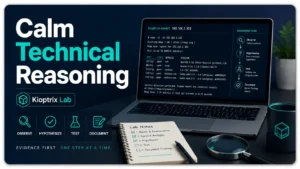
Why Kioptrix Level Is Good for Practicing Calm Technical Reasoning

Kioptrix beginner guide

Evidence-first cybersecurity practice

Why Kioptrix Level Is Good
for Practicing Calm Technical Reasoning

A vulnerable virtual machine can make a beginner feel as though twenty alarms are ringing at once. Ports appear, banners offer cryptic clues, scanners disagree, and every search result seems to shout, “Run this next.” Kioptrix Level is valuable because it gives you a smaller room in which to learn a much larger skill: staying deliberate while uncertainty presses against the glass.

The machine’s older services are not the central lesson. The real lesson is how to convert observations into questions, questions into controlled tests, and test results into better decisions. That pattern matters long after you forget a particular service version or public proof of concept.

This guide shows you how to use Kioptrix as a reasoning laboratory rather than a command vending machine. You will learn how to rank evidence, avoid tool-driven wandering, document uncertainty, recognize infrastructure problems, and measure progress without treating a final shell as the only meaningful result.

Think before testing Turn each command into an answerable question.
Recover from failure Separate bad assumptions from broken lab plumbing.
Build reusable habits Create notes another learner could follow and verify.

🧭 The goal is not to move quickly. It is to know why your next step deserves to exist.

Article snapshot: This guide is for beginner cybersecurity learners using Kioptrix in an isolated, authorized home lab. It solves the common problem of knowing many tools but not knowing what to do next.

By the end, you will be able to structure a session around verified facts, ranked hypotheses, one-variable tests, useful notes, and a calm stopping rule.

Kioptrix beginner guide

Begin With an Authorized Lab and Clear Boundaries

Kioptrix is designed for security training, but the techniques used around it can resemble activity that would be intrusive or illegal on a system you do not own. The safest starting point is therefore not a scanner. It is a clearly defined practice environment.

Use a virtual machine you intentionally downloaded for training, run it on hardware you control, and place it on a network segment that does not expose it to the public internet. Your attacking machine and target should communicate with each other, but the target should not be wandering around your household or workplace network like an elderly cat that has discovered an open cupboard.

What authorization means in a home lab

Authorization means you own the systems involved or have explicit permission from the owner to test them. A device appearing on your local network does not automatically become a practice target. Neither does a public IP address, an abandoned-looking website, a school server, a workplace appliance, or a neighbor’s wireless device.

For Kioptrix practice, keep the scope narrow: one attacker virtual machine, one Kioptrix target, and a network configuration created specifically for the exercise. The article on building a safe hacking lab at home can help you think through separation, snapshots, and basic containment before you begin.

A five-point pre-session safety check

  • Confirm that the target is a training machine you are permitted to test.
  • Use an internal-only virtual network, or host-only networking with the host kept protected. Keep the vulnerable Kioptrix target disconnected from NAT, bridged adapters, and port forwarding. If Kali needs internet access for updates, shut the target down and disconnect the update adapter before resuming practice.
  • Do not bridge an intentionally vulnerable target onto an untrusted or public network.
  • Create a clean snapshot before making significant changes.
  • Record the target IP address so you do not accidentally test a different device.

Key takeaway

An isolated lab is part of the exercise, not administrative decoration. If you cannot identify the target, explain the network path, and state your permission, you are not ready to test.

What this guide intentionally does not do

This article does not provide a command-by-command route to compromise, a payload recipe, or instructions for applying legacy weaknesses to public systems. Its purpose is to improve how you reason inside a controlled lab.

That restraint is useful. A copied command may produce a result once. A sound decision process helps you explain why a result occurred, notice when conditions are different, and stop before a bad assumption becomes a bad action.

The Real Skill Is Decision-Making, Not Exploitation

Beginners often approach vulnerable machines with a hidden belief: the person who knows the most commands will finish first. In practice, the command library matters far less than the ability to decide which observation deserves attention and which action can safely reduce uncertainty.

Kioptrix is helpful because the environment is small enough to make that process visible. You can see the difference between a decision supported by evidence and a decision made because a familiar tool happened to be nearby.

Turn a noisy problem into smaller choices

A fresh target may initially present several open services. That can feel like several simultaneous invitations, but it is better understood as a queue of questions.

  • Which services are definitely reachable?
  • Which service identifications are well supported?
  • Which versions are only tentative scanner guesses?
  • Which services expose information without changing target state?
  • Which observation would most reduce uncertainty?

These questions shrink the problem. Instead of “How do I break into this machine?” you now have a more manageable task: “What can I verify about the web service without assuming the scanner is correct?”

Treat each service as a question, not an automatic attack path

An open port tells you that something responded. It does not tell you that the service is vulnerable, reachable in the way you expect, correctly identified, or useful for your current goal.

Suppose a scan suggests a web server, file-sharing service, and remote administration service. A button-mashing workflow launches a different tool at each. A reasoning workflow asks what low-impact evidence each protocol can reveal and what result would change the ranking of your hypotheses.

The difference may seem subtle, but it changes the entire session. Tools become measuring instruments rather than lottery tickets.

Wait, what do you actually know?

Use four labels in your notes: fact, inference, hypothesis, and unknown.

LabelMeaningExampleNext move
FactDirectly observed and reproducibleA TCP connection succeeded on a recorded portPreserve the evidence
InferenceReasonable interpretation of factsThe response resembles an HTTP serviceConfirm with another observation
HypothesisTestable explanationThe server may expose an old moduleDesign a minimal test
UnknownInformation not yet establishedThe exact operating system versionDecide whether it matters now

This labeling prevents a common mental shortcut: quietly upgrading a guess into a fact because it has survived in your notes for twenty minutes.

Key takeaway

A good next step is not the most dramatic action available. It is the smallest action that can meaningfully change what you believe about the target.

Calm Reconnaissance Builds the Case Before Vulnerability Research

Reconnaissance is often presented as the opening ceremony before the “real work.” That framing causes learners to rush through it, collect colorful output, and begin vulnerability research before they understand what the output actually says.

In an evidence-first Kioptrix session, reconnaissance is the first major reasoning task. Its job is not to produce the largest possible log. Its job is to create a reliable model of the target.

Start with reachability before service detail

Before interpreting service banners, confirm that the two virtual machines can communicate through the network you intended to create. This sounds elementary until a learner spends forty minutes researching a “firewall issue” caused by a target adapter attached to the wrong virtual network.

Write down the attacker address, target address, network mode, and subnet. If the target cannot be found, troubleshoot the lab before treating silence as a security finding. The Kioptrix network setup guide and the focused article on host-only networking when Kioptrix receives no IP address provide useful companion checks.

Separate scanner output from independently confirmed facts

A service scanner may infer a product and version from response patterns, banners, protocol behavior, or a database of known fingerprints. That is useful evidence, but it is not infallible.

If a version string appears important, corroborate it. Compare the banner with the application response, protocol behavior, page content, headers, or another low-impact method. When two methods disagree, record the disagreement instead of choosing the result you prefer.

This is especially important in older laboratories. Legacy services can respond in ways that current tooling classifies imperfectly. A scan can also be affected by timing, middleboxes, disabled probes, or a service configured to conceal identifying information.

Use a reconnaissance confidence scorecard

Reconnaissance confidence scorecard

1. Reachability

Can you repeatably reach the intended target?

2. Port state

Did more than one observation support the result?

3. Protocol

Does the service behave like the reported protocol?

4. Product

Is the product name confirmed or merely inferred?

5. Version

Is the exact version visible and consistent?

6. Relevance

Would confirming this item change your next decision?

You do not need perfect certainty about every service. You need enough certainty to avoid building a major decision on a weak foundation.

Kioptrix beginner guide

Enumeration Teaches You to Ask Better Questions

Reconnaissance identifies broad features of the target. Enumeration asks those features to become more specific. It is the stage where “a web server exists” becomes a set of narrower questions about content, configuration, technologies, access controls, and exposed behavior.

The common beginner mistake is to treat enumeration as a checklist of tools. The better approach is to let each protocol determine the next question.

Move from “What tool should I run?” to “What evidence is missing?”

Suppose you have confirmed an HTTP service. The weak question is, “Should I run a web scanner, directory finder, or browser proxy?” The stronger questions are:

  • What application or default page is being served?
  • Are there visible links, comments, forms, or error messages?
  • Do response headers reveal a product family or module?
  • Are there predictable resources that can be requested safely?
  • Does the behavior change by host name, path, method, or input?

Once the question is clear, tool selection becomes simpler. A browser may answer one question. A raw request may answer another. A directory discovery tool may be appropriate later, but only after you know what you are trying to learn and how you will interpret the output.

Compare plausible paths before committing

Not every exposed service deserves equal time. Rank possible paths using evidence quality, likely value, cost of testing, and the chance that the result will clarify the target.

PathEvidence qualityTest costPotential valuePriority
Visible web behaviorHighLowMedium to highInvestigate early
Unconfirmed version matchLowMediumUnknownVerify first
Service with no useful responseMediumHighLow at presentDefer
Protocol exposing structured metadataHighLowHighInvestigate early

This table is not a universal ranking. It demonstrates the habit: write down why one path deserves attention before allowing it to consume the session.

Patience is an enumeration technique

Patient enumeration does not mean staring at the screen in noble silence. It means resisting premature interpretation long enough to collect discriminating evidence.

A beginner may see an old-looking page and immediately search for exploits against the guessed server version. A patient learner first checks the page source, response headers, reachable paths, visible application behavior, and consistency of the version evidence.

That pause often saves time. It prevents twenty minutes of exploit troubleshooting against a product that was never actually present.

Illustrative Story: The Port That Stole an Evening

Maya had ninety minutes after work and wanted a clean win. Her scan showed several services, but one unfamiliar port looked exciting. She searched the number, found a public exploit discussion, and spent an hour adjusting settings that she did not fully understand.

Nothing worked. She changed the target, payload, network mode, and listener in quick succession. By the end, she could no longer say which failure belonged to which change.

The next evening, she restarted from her notes. This time she verified the service directly. The scanner’s product guess had been wrong. The unfamiliar port was ordinary, while the web server had been quietly exposing the strongest clues all along.

Her practical lesson was not “always start with web.” It was simpler: verify the identity of a service before investing in a story about it.

Key takeaway

Enumeration becomes calmer when every action has a written question. A tool without a question tends to create output without understanding.

The Hypothesis Loop Keeps Random Guessing Out of the Session

A hypothesis is a testable explanation for an observation. It is not a vague hope that something might work. The distinction matters because a clear hypothesis tells you what evidence would support it, what evidence would weaken it, and what test can separate the two.

Write one testable explanation for each promising observation

Consider an old-looking server response. “This is vulnerable” is not a useful hypothesis. It is too broad and contains no testable boundary.

A better version might be: “The response suggests product family X, but the version is unconfirmed. If the product identification is correct, a second request should produce behavior Y.”

You are now testing identity before weakness. That order protects you from wasting time on irrelevant public code and helps you understand the target’s actual behavior.

Choose the smallest safe action that could change your belief

A good test changes one meaningful variable. It should have a predictable outcome and a clear interpretation.

  1. State the observation in plain language.
  2. Write the hypothesis it suggests.
  3. Identify one missing fact that matters.
  4. Select the least disruptive action that can reveal that fact.
  5. Record the exact result.
  6. Update the hypothesis before taking another action.

This loop is intentionally slow at first. With practice, it becomes natural and fast. The few seconds spent stating the hypothesis prevent the longer detour of changing several variables and then trying to reconstruct what happened.

Why a failed test can be more useful than a successful command

A command that succeeds may confirm several assumptions at once, leaving you unsure which assumption mattered. A carefully designed test that fails can remove an entire branch of possibilities.

For example, a service may be reachable but reject the behavior predicted by your version hypothesis. That result does not necessarily mean the tool is broken. It may mean the product identification is wrong, a prerequisite is missing, the service was configured differently, or the public research applies to another platform.

The failure becomes useful when you write down which explanation it weakened and what remained unresolved.

The evidence-first session loop

1. Observe

Capture what the target actually did.

2. Verify

Confirm important details independently.

3. Hypothesize

Write a testable explanation.

4. Test once

Change one meaningful variable.

5. Update

Strengthen, weaken, or replace the idea.

6. Review

Choose the next action deliberately.

Old Software Creates a Cleaner Reasoning Laboratory

Kioptrix uses legacy software and intentionally vulnerable configurations. That makes it unsuitable as a miniature replica of a modern enterprise environment, but useful as a controlled setting for learning how evidence connects to technical decisions.

Known weaknesses reduce ambiguity without removing judgment

In a current production environment, a suspected weakness may be affected by patch backports, protective controls, custom configurations, authentication layers, monitoring, service proxies, and operational constraints. An older training machine removes many of those complications.

That simplification gives you room to inspect the reasoning chain. You can ask how a version was identified, what prerequisites a weakness requires, what observable behavior supports the match, and why one path was chosen over another.

The machine is therefore less a model city and more a wind tunnel. It removes some real-world turbulence so you can study the shape of the decision.

Historical context matters more than copying a recipe

When researching a legacy service, ask when the weakness was published, which platforms were affected, whether vendors patched or backported fixes, and whether the public example assumes a particular build environment.

This historical reading turns exploit research into technical literacy. Instead of seeing a vulnerability identifier as a magic key, you begin to see it as a claim with a date, affected conditions, exclusions, and evidence.

Where the lab stops resembling a current production network

Modern organizations commonly use identity providers, endpoint controls, cloud services, segmented networks, web application protections, centralized logging, container platforms, managed databases, and continuous patching processes. Kioptrix does not teach all of that merely because it contains a Linux server and exposed services.

It also does not reproduce the legal, operational, and communication duties of a professional security assessment. Real testing requires scope documents, rules of engagement, change control, data handling, reporting, and coordination with system owners.

Use Kioptrix to practice foundational reasoning, not to claim that one completed machine equals readiness for unsupervised professional work. A sensible next path may include the Kioptrix labs beginner roadmap and a gradual move toward newer training systems.

Key takeaway

Legacy software makes the reasoning chain easier to inspect. It does not make the lab a faithful picture of modern organizational security.

Exploit Research Is an Evidence Problem

Search engines make public exploit information easy to find, which can create a dangerous illusion: if a result mentions the product name and a similar version, the target must be vulnerable.

A search result is not proof. It is a lead that must be checked against the target and the lab conditions.

Match product, version, platform, and prerequisites

Before considering any public proof of concept in your authorized lab, examine at least four dimensions:

  • Product identity: Is the service definitely the product discussed in the research?
  • Version range: Does the affected range include the observed build, and is that build confirmed?
  • Platform: Does the behavior depend on an operating system, architecture, module, compiler, or package choice?
  • Prerequisites: Does the issue require authentication, a specific configuration, writable content, enabled functionality, or another prior condition?

If one of these remains unknown, write it down. Do not smooth over the gap with optimism.

Read for assumptions and side effects, not only success claims

Public code may be incomplete, outdated, unreliable, unsafe, or written for demonstration rather than repeatable use. It may crash a service, require modification, contain hard-coded values, assume a specific network route, or produce results different from the description.

Read comments, documentation, issue reports, and source code when available. Look for environmental assumptions and signs that the example changes target state. In a lab, a snapshot gives you a recovery point, but it does not excuse careless testing. The learning objective is to understand cause and effect.

Use an exploit-research worksheet before testing

QuestionYour evidenceStatus
What exact product is present?Banner, behavior, documentation, second sourceConfirmed / tentative
What exact version is present?Direct response or consistent fingerprintsConfirmed / unknown
Does the affected range match?Vendor advisory or trusted technical recordYes / no / unclear
Are required modules or features enabled?Observed service behaviorYes / no / unknown
What target changes may occur?Research notes and code reviewLow / moderate / high
How will you recognize success or failure?Expected response, log event, or state changeDefined / undefined
Can the lab be restored?Snapshot and configuration recordYes / no
Show me the nerdy details

A version string is evidence about identity, not proof of patch state. Vendors sometimes backport security fixes without changing the visible upstream version in the way a scanner expects. Administrators may also alter banners, place a proxy in front of a service, or compile software with nonstandard options.

In Kioptrix, the simplified environment makes matching easier, but the disciplined habit remains important: distinguish the version displayed by a service from the full package history, build configuration, and actual vulnerable code path.

A reliable learner does not ask, “Did I find exploit code?” The better question is, “Can I explain why this specific target is expected to satisfy the conditions described by the research?”

Tool Failure Exposes Weak Methods and Common Mistakes

Tools fail for ordinary reasons. Versions change, dependencies break, permissions differ, networking is misconfigured, output is misread, and defaults do not match the lab. The failure itself is rarely the problem. The problem is what the learner does next.

When a tool fails, return to evidence before changing variables

Imagine that a framework appears to identify a target but does not produce the expected result. Several explanations are possible:

  • The target identification was wrong.
  • The target is correct, but a prerequisite is absent.
  • The selected option does not match the target platform.
  • The network path prevents the return connection or response.
  • The service changed after an earlier test.
  • The tool or module behaves differently in the installed version.
  • The expected indicator was misunderstood.

Do not change the target, network mode, framework options, and test method at the same time. That produces a new configuration but no explanation.

Instead, preserve the failure message, restate the hypothesis, check the target’s current state, and modify one variable. The article on why Metasploit may identify a target without opening a session illustrates this diagnostic mindset without treating “try another payload” as the entire answer.

Mistakes that turn practice into button-mashing

One-variable troubleshooting checklist

  • Do not launch a command unless you can state the question it answers.
  • Do not chase every open port with equal urgency.
  • Do not change multiple options between tests.
  • Do not ignore error text because a different tool looks faster.
  • Do not treat a scanner label as independently verified identity.
  • Do not erase failed attempts from your notes.
  • Do not confuse eventual access with a sound process.

A session can end with access and still contain poor reasoning. A lucky path may work despite weak service identification, undocumented changes, or misunderstood prerequisites. That result is difficult to reproduce and teaches less than it appears to teach.

Separate lab infrastructure failures from target-security findings

A missing IP address, incorrect adapter, stale route, duplicate address, DNS issue, host firewall rule, or suspended virtual machine can imitate a security control. Before interpreting a timeout as defensive behavior, verify the laboratory itself.

SymptomPossible lab causeReasoning check
Target disappearsVM paused, wrong adapter, address changedConfirm VM state and network assignment
One service stops respondingService crashed or target state changedRepeat a known-good observation
Return connection failsWrong local address or routeMap both directions of communication
Hostname works inconsistentlyLocal resolution or cached entryCompare hostname and direct-address behavior
Every port appears filteredTesting the wrong hostReconfirm the target identity

Key takeaway

A failed tool should narrow the investigation. If the failure causes five unrecorded changes, your troubleshooting method has created more uncertainty than the target did.

Notes Become an External Brain Under Technical Pressure

Technical pressure shrinks working memory. After several scans, browser tabs, tool errors, and configuration changes, even careful learners begin to misremember what was confirmed, what was merely suspected, and which result belonged to which test.

Good notes prevent the session from becoming a fog of half-recognized output.

Use the fact, hypothesis, test, result, next-action structure

Reusable reasoning note template

Fact: What did the target directly reveal?

Confidence: High, medium, or low, and why?

Hypothesis: What explanation are you testing?

Test: What single action will distinguish possibilities?

Result: What happened, including errors?

Interpretation: Which belief became stronger or weaker?

Next action: What is the smallest useful follow-up?

This structure forces commands to remain attached to reasoning. A raw command history tells you what was typed. It rarely tells you why it was typed, what outcome was expected, or how the outcome changed the investigation.

Mark dead ends so you do not repeat them

Dead ends are not embarrassing debris to delete from a polished write-up. They are part of the learning record, provided you explain why the path was downgraded.

Use a simple status label such as active, deferred, rejected, or needs verification. Add a one-sentence reason.

  • Active: Strong evidence and a low-cost next test exist.
  • Deferred: The path may matter later but is not currently efficient.
  • Rejected: A test contradicted a required assumption.
  • Needs verification: The idea depends on an unconfirmed product, version, or configuration.

The dedicated guide to tracking Kioptrix dead ends can help turn abandoned paths into reusable study material.

Build a timeline another learner could reproduce

A reproducible timeline includes the lab state, addresses, major observations, important commands, result summaries, screenshots where useful, and interpretation changes. It should allow another learner to understand the sequence without inheriting your assumptions.

Exact commands are useful, but they should support the story rather than replace it. “Ran a scan” is too vague. A full wall of output is too noisy. The useful middle ground explains what you tested, what the significant result was, and what decision followed.

For a structured starting point, adapt the Kioptrix reconnaissance log template or the broader guide to note-taking systems for penetration testing.

Who Kioptrix Practice Fits and How to Measure Progress

Kioptrix is accessible, but it is not the ideal first technical experience for everyone. The best learners are not necessarily those with the most security knowledge. They are those who can operate a virtual machine, understand basic networking terms, use a Linux shell without panic, and tolerate unanswered questions for a while.

Who is likely to benefit

  • Beginners who understand IP addresses, ports, protocols, and virtual machines.
  • Help desk or IT workers learning to interpret service behavior.
  • Career changers moving from guided tutorials toward independent investigation.
  • Certification candidates who need stronger enumeration and note-taking habits.
  • Students who want a small environment for practicing technical explanations.
  • Busy adults who can commit to short, structured sessions rather than marathon attempts.

The article on Kioptrix for career changers offers additional context for learners connecting lab practice to broader professional development.

Who may need to start elsewhere

If basic Linux navigation, file permissions, network addressing, or virtual machine configuration remain mysterious, a short foundation phase will make Kioptrix far less frustrating. The goal is not to eliminate every knowledge gap. It is to ensure that every problem does not look identical.

Someone seeking a realistic view of current enterprise security should also use newer labs, cloud exercises, identity-focused environments, secure coding practice, and defensive monitoring tasks. Kioptrix teaches a narrow but useful slice of the craft.

Measure progress without worshipping the final shell

Final access is an obvious milestone, but it is a poor standalone measure of learning. It rewards luck, copied instructions, and prior familiarity alongside genuine reasoning.

Weak metricStronger metric
Number of tools launchedNumber of verified observations produced
Time to final accessTime to identify and correct a weak assumption
Length of command historyClarity of the reasoning trail
Number of public exploits triedQuality of prerequisite matching
Whether the machine was completedWhether the path can be explained and reproduced
How closely notes resemble a walkthroughHow independently the learner ranked evidence

After a session, ask whether you can explain why the successful or unsuccessful path behaved as it did. If the answer is “the tool did something and then a shell appeared,” there is still valuable work to do.

Key takeaway

Progress is visible when your questions improve, your assumptions become easier to correct, and your notes can explain a failed path without hand-waving.

When to Seek Help, Reset, or Stop the Session

Persistence is useful until it becomes repetition wearing a different hat. A stopping rule protects both your attention and the integrity of your notes.

Stop and reassess when these signals appear

  • You have repeated the same test without a new hypothesis.
  • You can no longer state which target, address, or network mode is active.
  • You are changing several variables between attempts.
  • You are copying commands whose purpose you cannot explain.
  • Your notes contain output but no interpretation.
  • You are tempted to test a system outside the authorized lab.
  • Fatigue is causing you to ignore warnings, scope, or restoration steps.

When one of these appears, pause. Save the notes, capture the current state, and write the exact question blocking progress. A clean question makes a hint useful. A vague “nothing works” message usually produces more noise.

Use a hint ladder instead of jumping to a walkthrough

  1. Review your own facts and mark unverified assumptions.
  2. Repeat one known-good observation to confirm target state.
  3. Read protocol documentation or tool help for the specific question.
  4. Search for the error message, not the desired answer.
  5. Ask for a directional hint that does not name the solution.
  6. Compare one section of a walkthrough only after recording your own reasoning.
  7. Close the walkthrough and reproduce the corrected path from your notes.

This preserves the productive struggle while preventing a small configuration issue from consuming an entire weekend.

Reset with purpose, not frustration

A virtual machine snapshot is useful when target state has changed, a service may have crashed, or the lab configuration has become difficult to reconstruct. Before restoring, record why you are doing it and what observation you expect to recover.

Resetting without notes can erase evidence. Resetting with a stated purpose creates a controlled comparison between the clean state and the altered state.

If you repeatedly face lab configuration trouble, review the differences between NAT, host-only, and bridged networking before returning to target analysis. The local guide to VirtualBox NAT, host-only, and bridged modes provides a more Kioptrix-focused comparison.

Kioptrix beginner guide

FAQ About Learning Technical Reasoning With Kioptrix

Is Kioptrix still useful even though its software is outdated?

Yes, provided you use it for foundational reasoning rather than current-product realism. It remains useful for practicing service verification, structured enumeration, vulnerability prerequisite matching, one-variable troubleshooting, documentation, and explanation.

Which Kioptrix level should a beginner attempt first?

Start with the earliest introductory level commonly labeled Kioptrix Level 1. Confirm the download source and machine identity because older community naming conventions can be confusing. The overview of Kioptrix levels can help you distinguish the sequence.

How much Linux knowledge is needed before starting?

You should be comfortable navigating directories, reading files, understanding permissions, installing or updating ordinary tools, identifying your network address, and using command help. You do not need advanced administration skills, but basic shell confusion should not consume the entire session.

Should a beginner use Metasploit while learning Kioptrix?

It can be useful after you understand what the selected module is testing, which conditions it assumes, and what result to expect. Manual verification often teaches more about the protocol and weakness. A balanced comparison is available in Kioptrix Metasploit versus manual testing.

How long should you investigate before reading a hint?

Use a condition rather than a rigid clock. Seek a hint when you have documented the facts, tested at least two plausible explanations, checked the lab state, and can state the precise question blocking progress. For a busy learner, a focused 45- to 90-minute session is often more productive than an exhausted marathon.

What should you write down during enumeration?

Record target identity, network mode, reachable services, evidence sources, confidence levels, hypotheses, exact tests, important outputs, errors, interpretation changes, deferred paths, and the next planned action. Screenshots should support key evidence rather than replace written analysis.

Why does Kioptrix sometimes fail to appear on the local network?

Common causes include mismatched virtual adapters, incorrect network mode, a target that did not finish booting, DHCP differences, stale assumptions about the IP address, or the attacker and target being placed on different virtual networks. Verify the lab configuration before treating the absence as target behavior.

Can completing Kioptrix prepare you for a cybersecurity certification?

It can support certification preparation by strengthening enumeration, Linux familiarity, research, troubleshooting, and reporting habits. It is not a complete preparation plan by itself. Modern web testing, identity systems, Active Directory, tunneling, current privilege-escalation patterns, reporting, and exam-specific constraints may require separate practice.

Run One Evidence-First Session in the Next 15 Minutes

You do not need to complete Kioptrix tonight. You do not even need to research a vulnerability. Your next useful step is smaller: prepare a session in which every technical action has a reason.

Your 15-minute starting plan

  1. Minutes 0–3: Confirm that the attacker and target are authorized training machines on the intended isolated network.
  2. Minutes 3–6: Record both addresses, the network mode, and the snapshot state.
  3. Minutes 6–10: Verify basic communication and collect one initial observation about reachable services.
  4. Minutes 10–13: Label the observation as fact, inference, hypothesis, or unknown.
  5. Minutes 13–15: Write one question for the next session and one safe test that could answer it.

Then stop. That ending may feel almost comically restrained, but it establishes the habit that the whole machine is meant to teach. You are not chasing motion. You are building a chain of justified decisions.

Close with four review questions

  • What did I verify rather than merely collect?
  • Which assumption became weaker?
  • Did I change more than one meaningful variable at a time?
  • Could another learner understand why my next action is reasonable?

Kioptrix Level is good for practicing calm technical reasoning because it allows the process to remain visible. The target is old, contained, and intentionally imperfect. Your method does not have to be.

The most valuable outcome is not a dramatic final screen. It is the quieter moment when a confusing result appears and you no longer reach for five tools at once. You look at the evidence, name the uncertainty, choose one test, and continue with your bearings intact.

Last reviewed: 2026-10-13

Technical guidance updated: 2026-10-13. Repaired table-of-contents destinations, clarified target network isolation and separate Kali updates, and labeled the learning story as illustrative.

Stay Updated with Kioptrix

Get practical guides, useful resources, and new articles delivered to your inbox.

No spam. Unsubscribe anytime. Read our Privacy Policy.