

Beginner cybersecurity practice, without the chaos tax
Kioptrix Level vs Random VulnHub Boxes:
The Smarter First Practice Path
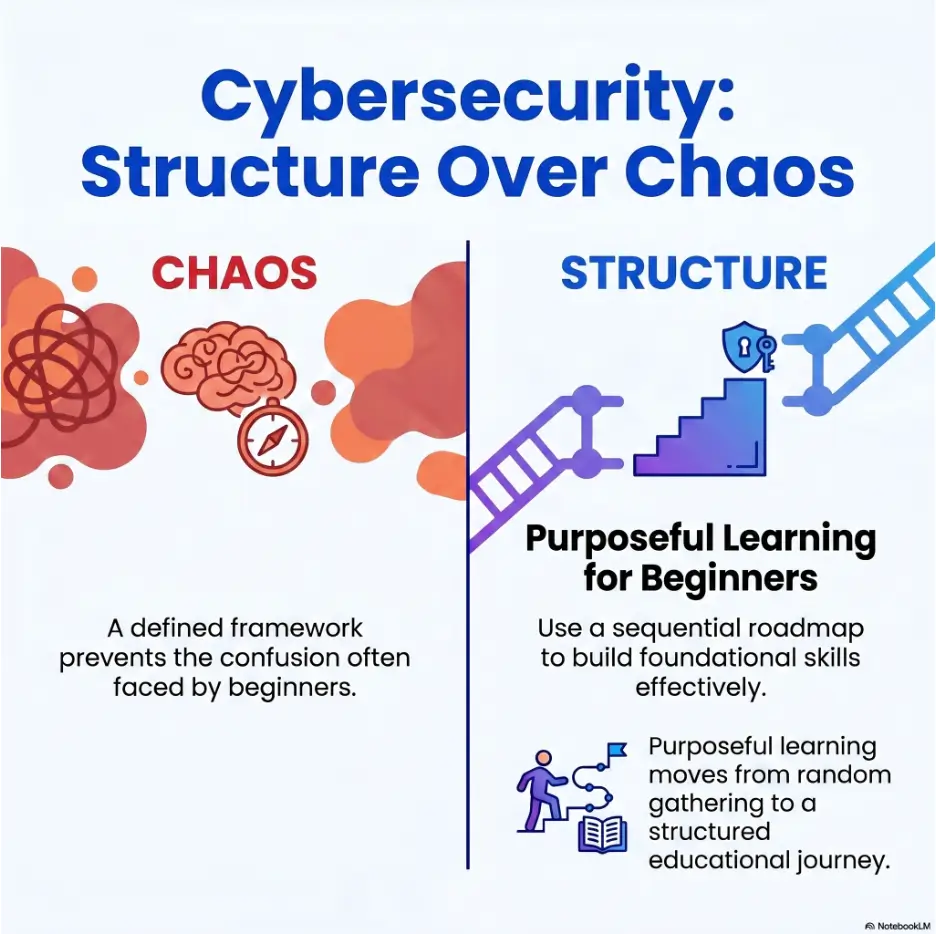
Beginner pentesting practice can feel strangely loud. You boot a VM, run a scan, find a handful of ports, open eight tabs, and suddenly the room fills with command snippets, half-old writeups, forum arguments, and that small metallic taste of “maybe I am not built for this.” The problem is usually not your intelligence. It is the learning path.
Kioptrix is itself a VM series available on VulnHub. This comparison is between following that known series and choosing other VulnHub machines without a planned sequence; it is not a comparison of separate platforms. Both approaches can be useful, but they serve different learning needs. Kioptrix works best as a training rail: repeatable, old enough to be readable, and structured enough to teach a working rhythm. Random boxes become more valuable once your process has bones.
This guide helps you choose practice targets without turning your home lab into a fog machine. You will learn when Kioptrix is the better first lane, when random VulnHub boxes make sense, how to use walkthroughs without becoming dependent on them, and how to build notes that prove you are learning rather than merely collecting roots.
Choose better targets
Stop picking boxes by vibes and start matching them to a skill goal.
Build a repeatable method
Turn enumeration, research, testing, and review into a calm routine.
Practice safely
Keep everything inside legal, isolated lab boundaries from day one.
Bottom line: start with structure, earn your randomness later, and let your notes become the quiet proof that your skills are actually growing. 🛠️
Snapshot: This article is for beginner cybersecurity learners, home-lab builders, IT workers, students, and certification-curious readers who feel stuck choosing practice machines. It solves the “Kioptrix first or random VulnHub first?” question and gives you a safer, more structured path for your next lab session.
By the end, you will be able to choose a practice box, set boundaries, use hints wisely, write better notes, and run one focused session without drifting into walkthrough fog.
Table of Contents
Safety First: Keep Practice Legal, Local, and Boring
Before comparing Kioptrix Level boxes with random VulnHub machines, set the fence. Beginner cybersecurity practice should happen only in systems you own, intentionally vulnerable lab machines, or environments where you have explicit permission.
This matters because the same curiosity that helps you learn can also cause real trouble when pointed at the wrong target. A scan against a public server, school network, neighbor’s router, employer system, or random website is not “just practice.” It may violate rules, contracts, or laws.
Safety / Disclaimer Block
This article is educational. Use Kioptrix, VulnHub-style targets, and pentesting tools only in legal, isolated lab environments or with written authorization. Do not scan, exploit, brute-force, probe, or test systems you do not own or have permission to assess.
Practice should feel contained
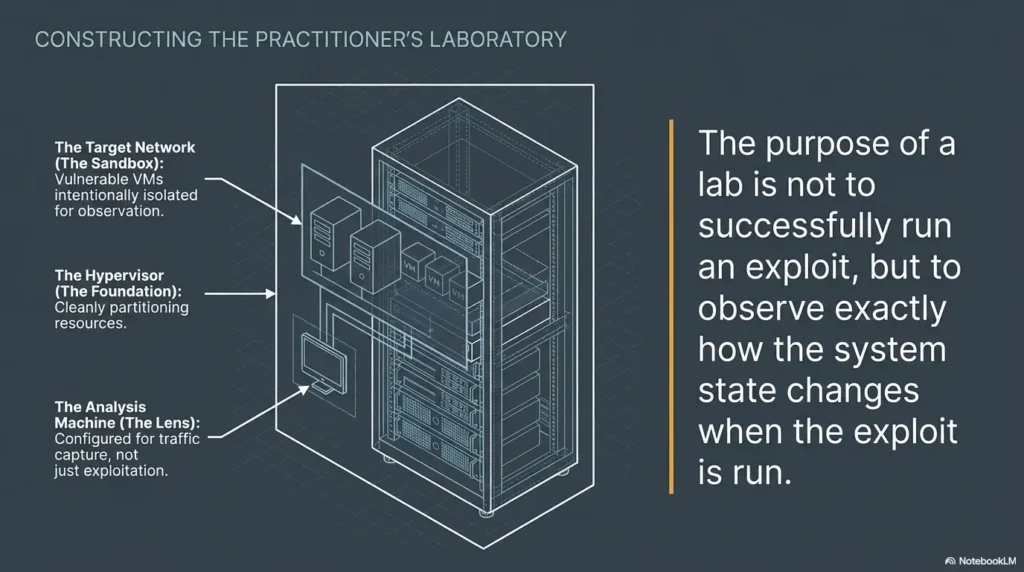
A good beginner lab is not glamorous. It is quiet. It has a target VM, an attacker VM, a known network setting, a folder for notes, and a clear rule: nothing leaves the playground.
That may sound dull, but dull boundaries are your friend. They let your brain focus on learning instead of worrying whether a scan slipped into the wrong subnet like a raccoon in a pantry.
Permission is part of the skill
Professional security work is not only about finding weaknesses. It is also about scope, restraint, documentation, and trust. If you practice those habits early, you become a safer learner and a more credible future practitioner.
Write down your lab scope before each session. Include the target name, target IP, network mode, date, and anything you are intentionally not testing.
Key takeaway: Your first security habit should not be a tool. It should be restraint.
A legal home lab gives you room to fail, restart, and learn without dragging real systems into your experiment.
Why Kioptrix Feels Less Random Than “Pick Any Box”
Kioptrix has a reputation among beginners because it gives practice a recognizable shape. The machines are old, yes. They are also useful precisely because they strip away some modern noise and let you hear the drumbeat underneath: discover, enumerate, interpret, research, test, document, review.
Random VulnHub boxes can be excellent, but they often arrive with uneven assumptions. One box expects web enumeration. Another expects a specific exploit pattern. Another has an import problem. Another was “easy” for someone who already had two years of Linux, networking, and CTF experience tucked into their backpack.
The hidden value is sequence, not nostalgia
The case for Kioptrix is not that old boxes are magically better. It is that early learners need sequence more than novelty.
When you repeat a similar rhythm across several boxes, you begin to notice the bones of the work. You see how a port scan turns into service notes, how service notes turn into research questions, how research questions turn into careful testing, and how careful testing turns into a lesson you can explain later.
That is different from hopping between random targets, collecting fragments, and hoping confidence appears by weather pattern.
Random boxes can teach, but they rarely teach in order
A beginner may choose a VulnHub machine because the name sounds friendly, the screenshot looks fun, or a comment says “good for beginners.” But difficulty labels are not a curriculum.
One “beginner” target might require patient directory discovery. Another might assume comfort with web app behavior. Another might be broken on your hypervisor. Another might depend on a clue that feels obvious only after a walkthrough explains it with theatrical confidence.
This is not a moral failure of random boxes. It is simply the wrong learning diet for the earliest stage.
The first lesson: reduce chaos before increasing difficulty
Early practice is pattern-building. You do not need fireworks first. You need fewer variables.
Think of the first month as learning to hear the orchestra tune. You are not trying to conduct Mahler yet. You are learning which instrument is which, where the sound comes from, and why the same note can feel different depending on context.
Practice lens: Ask this before choosing a target.
- What skill am I trying to practice?
- Can I explain the expected setup?
- Do I know how I will take notes?
- Can I stop safely if I get confused?
The Beginner Trap: Confusing Variety With Progress
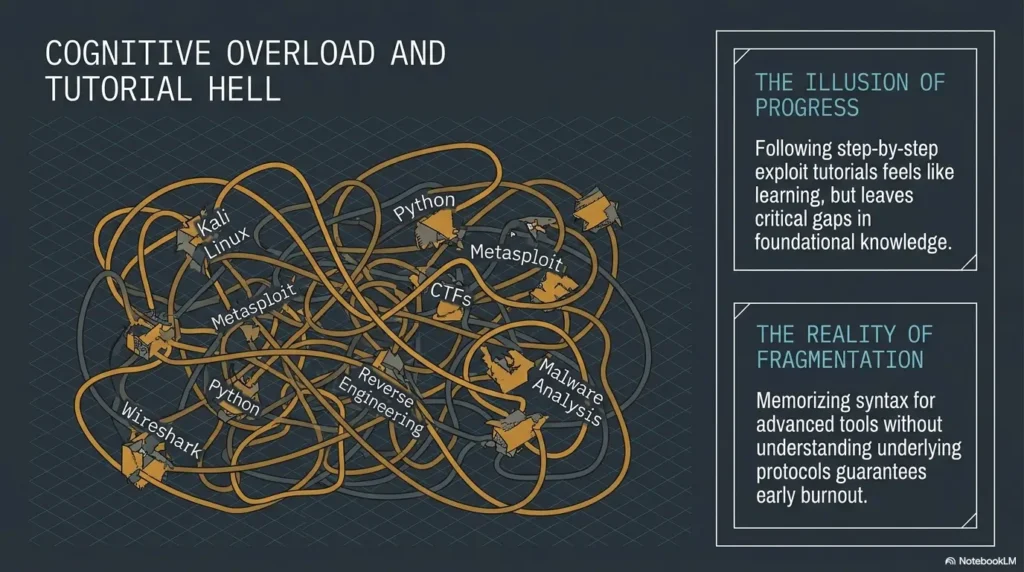
Variety feels productive because it gives the day texture. A new VM, a new name, a new login page, a new port list: it all feels like movement. But movement is not the same as progress.
The beginner trap is starting many boxes and finishing very few lessons. You may root a target, but if you cannot explain why a service mattered or what you would try next without a writeup, the skill has not fully landed.
New box, same blank stare
The cycle is familiar. You import a machine, find an IP, run a few scans, see open ports, search the box name, open three walkthroughs, copy some commands, and eventually get a shell. It feels like practice because your terminal is busy.
But busy terminals can hide passive learning. If the walkthrough becomes the steering wheel from minute one, your brain never builds the map.
Here’s what no one tells you…
A beginner does not need more targets first. A beginner needs a repeatable decision tree.
That decision tree does not need to be fancy. It can start with seven verbs: discover, scan, identify, research, test, document, review. If you can repeat those steps across multiple targets, you are building a method. If you cannot, more boxes may only give your confusion a bigger wardrobe.
Why scattered practice makes confidence brittle
Random wins are exciting, but they can be fragile. You may root one machine because a walkthrough showed you the exact path, then freeze on the next box because the ports are different.
Durable confidence comes from knowing what to do when nothing is obvious. That is why Kioptrix-first practice can help. It gives you enough structure to repeat the method before the targets become more unpredictable.
Key takeaway: Variety is seasoning, not the meal.
In the first stage, your real goal is not to see as many boxes as possible. It is to build a repeatable workflow you can carry into the next box.
Kioptrix Level as a Training Rail, Not a Shortcut
Kioptrix is best understood as a training rail. It does not make you a professional pentester by itself, and it does not represent every modern environment. What it can do is give beginners a calm place to learn the grammar of vulnerable-machine practice.
That grammar matters. Before you can deal with modern complexity, you need to recognize basic service clues, read scan output without panic, document your assumptions, and review your mistakes without turning the session into a courtroom drama.
Built-in repetition makes the workflow stick
Repetition is not glamorous, but it is the quiet engine of skill. Kioptrix lets you repeat the same broad routine while still facing enough variation to learn.
On the first box, you may barely understand what your scans are telling you. On the second, you may start recognizing service categories. By the third, you may begin to predict which details deserve attention and which ones are just background furniture.
This is the point. Your thinking becomes less scattered. You stop asking, “What command do I copy?” and start asking, “What question am I trying to answer?”
The boxes are old, and that is partly the point
Older vulnerable machines can reduce complexity. They let learners focus on core recognition rather than drowning in modern defenses, cloud identity, hardened defaults, container behavior, and enterprise noise.
That does not mean old labs are realistic enough for everything. They are not. But a beginner does not need every modern complication on day one. A pianist does not begin with a concerto while also learning where middle C lives.
Where Kioptrix stops being enough
Kioptrix should not become your entire education. After it teaches your basic rhythm, you should move toward more modern labs, web application fundamentals, Windows and Active Directory concepts, reporting practice, defensive thinking, and safer professional habits.
A useful beginner path might start with Kioptrix, then move into curated vulnerable machines, guided rooms, structured web labs, and eventually more realistic practice environments. The first rail is not the whole railway.
Utility block: Kioptrix-first readiness checklist
- You can run a Linux VM and a vulnerable target VM.
- You know how to keep the lab isolated from public systems.
- You can save terminal output or screenshots in a named folder.
- You are willing to try before reading a walkthrough.
- You can write a five-line debrief after each session.
Random VulnHub Boxes: When They Help and When They Hurt
Random VulnHub boxes are not the villain. They are more like a spice drawer with no labels. Once you can cook, that drawer is exciting. Before you know the basics, it can turn dinner into a science fair incident.
The question is not whether random boxes are good or bad. The better question is whether you have enough method to learn from them instead of being tossed around by them.
They help after your workflow has bones
Random boxes become valuable when you can approach an unfamiliar target calmly. You can set up the VM, confirm the network, identify the target IP, run your discovery steps, write down services, and decide what deserves attention.
At that stage, unpredictability becomes useful. It tests whether your method travels. If Kioptrix teaches the rhythm, random boxes ask whether you can still hear it when the room changes.
They hurt when difficulty labels become lottery tickets
Unofficial difficulty labels can be slippery. “Beginner” might mean beginner for a web developer, beginner for a Linux admin, beginner for someone already halfway through a certification course, or beginner for the person who created the machine on a particularly optimistic afternoon.
Setup friction can also spoil the learning session. Broken downloads, old virtualization quirks, unclear credentials, unusual networking assumptions, or vague hints can make a box feel difficult for reasons unrelated to cybersecurity skill.
The sweet spot: curated randomness
The best approach is curated randomness. Do not pick a box only because it looks interesting. Pick it because it matches a skill you are ready to practice.
For example, choose a target for web basics, Linux privilege escalation concepts, enumeration discipline, report writing, or note-taking. When a box has a job, your session has a spine.
Infographic: The Smarter Beginner Practice Flow
1. Fence the lab
Use only owned, isolated, authorized targets.
2. Repeat Kioptrix
Build the basic rhythm before chasing variety.
3. Filter random boxes
Choose by skill goal, not thumbnail energy.
4. Review hard
Your debrief is where the lesson becomes yours.
Who This Practice Path Is For, and Who Should Skip It
The Kioptrix-first path is not for everyone. It is designed for learners who need structure more than spectacle. If you already have strong Linux, networking, web, and privilege escalation experience, you may outgrow it quickly.
But if you are early in the journey and your practice sessions dissolve into tab chaos, Kioptrix can give your learning a firm table to sit on.
This is for the method-starved beginner
This path fits readers who know a little Linux, can run a VM, understand that labs must be legal, and want to stop feeling lost every time scan output appears.
You do not need to be brilliant. You need patience, notes, and a willingness to repeat simple steps until they stop feeling foreign.
This is for certification-curious learners
If you are thinking about security certifications later, a structured practice path can help. Exams and professional labs often reward method, documentation, time management, and calm troubleshooting.
That makes Kioptrix useful as an early rehearsal space. It helps you build note-taking habits before the stakes rise and the clock starts breathing down your neck.
This is not for exploit collectors
If your goal is only to collect commands, payloads, and fast-root screenshots, this path will feel too slow. It asks you to explain your decisions, not simply repeat someone else’s finish line.
That may feel less flashy in the moment, but it is better for long-term skill. A copied command is a rented umbrella. A clear method is learning how to read the weather.
This is not for real-world testing without permission
Nothing in this guide is permission to test real systems. Keep the practice inside your lab, authorized platforms, or written scopes. If you are unsure whether you have permission, stop.
Key takeaway: The right beginner path lowers confusion without lowering standards.
Kioptrix is not a shortcut around learning. It is a calmer place to begin learning on purpose.
The Safer Lab Boundary Beginners Should Set First
Before your first serious session, make the lab boundary visible. The safest beginner lab has a clear target, a clear attacker machine, a clear network mode, and a clear stopping point.
Do not trust memory. Memory is a sleepy librarian. Write the boundary down.
Keep the playground fenced
Use a local VM setup where your target and attacker machine can communicate without exposing your practice to public systems. Many beginners use host-only or properly isolated lab networking, depending on their virtualization tool and learning goal.
The exact setting depends on your setup, so verify it before scanning. A five-minute network check can prevent a very unpleasant afternoon.
Your notes should prove restraint
Good notes are not only for solving the box. They also show what you did not do. Record the target IP, the lab network, the VM names, and the boundaries.
This habit matters later. Professional work often depends on showing that you stayed inside scope. Practicing that now is not overkill. It is craftsmanship.
Don’t turn practice into accidental trouble
A beginner may think, “I only ran a scan.” But from the other side, a scan can look like unwanted probing. Permission is not a decorative ribbon. It is the border.
When in doubt, do less. Verify the lab. Check the IP range. Confirm the target. Then begin.
Utility block: session scope card
| Session date | Write the date before starting. |
| Target | Name the lab VM and target IP. |
| Network boundary | Record the lab-only network setting. |
| Stop rule | Pause if the target IP or permission becomes unclear. |
Common Mistakes That Make Early Practice Slower
Most beginner frustration comes from small habits that compound. The good news is that these habits are fixable. You do not need a heroic personality transplant. You need a few better rules.
Mistake 1: Opening the walkthrough too early
Walkthroughs are useful, but timing matters. If you open one before making a real attempt, you borrow someone else’s thinking and mistake it for your own.
A better rule is to attempt, document, pause, form a hypothesis, test one thing, and then use a small hint if needed. Save the full walkthrough for review.
Mistake 2: Chasing tools instead of questions
Beginners often install more tools before asking what the current output means. Tools are not magic candles. They answer questions. If the question is vague, the output becomes fog.
Instead of asking, “What tool should I run?” ask, “What do I need to learn about this service?” That small shift changes the whole session.
Mistake 3: Skipping post-root review
Rooting a box is not the finish line. The best lesson often appears afterward, when you write down what worked, what failed, what you assumed, and what you would try faster next time.
Without review, each box becomes a campfire story. With review, it becomes a brick in the wall.
Mistake 4: Treating every stuck point as failure
Being stuck is data. It tells you where your method thins out.
Write the stuck point in plain English. Then write one hypothesis. Then test one thing. This keeps frustration from spreading through the session like spilled ink.
Utility block: mistake checklist
- Did I open a full walkthrough before writing my own notes?
- Did I run a tool without knowing the question?
- Did I ignore failed paths instead of recording them?
- Did I root the box but skip the debrief?
- Did I confuse setup problems with skill problems?
The Kioptrix-First Practice Plan
A good first plan should be simple enough to repeat after work, after class, or during a quiet weekend morning. You do not need a heroic schedule. You need a routine that survives real life.
Use Kioptrix as the first rail, then expand once your method feels less fragile.
Box 1: Build the routine slowly
For the first Kioptrix box, your goal is not speed. Your goal is clean setup, discovery, basic enumeration, safe research habits, and documentation.
Create a folder before starting. Add a notes file. Write the target IP. Save scan results. Record suspicious services. Write your thoughts even when they feel obvious. Especially then.
Box 2: Repeat before you accelerate
The second box should feel less magical. That is the victory. You should begin recognizing repeated steps, even if the actual path differs.
Notice what repeats across machines: target discovery, port scanning, service identification, web checks, research habits, and post-session review. These repeated motions become your base rhythm.
Box 3 and beyond: Start naming your blind spots
After several boxes, stop asking only whether you finished. Ask what keeps slowing you down.
Maybe your web enumeration is thin. Maybe you do not understand Linux permissions well enough. Maybe your scan notes are messy. Maybe you rely on tool output but struggle to explain it. Naming the weakness gives your next practice session a purpose.
Tiny rule, big payoff
After every box, write a five-line debrief: initial clue, biggest mistake, turning point, concept learned, and one thing to practice next.
This takes minutes, but it changes the texture of learning. You stop collecting completed boxes and start collecting transferable judgment.
Key takeaway: A finished box is nice. A repeatable process is better.
If you cannot explain the path in your own words, the lesson is still in transit.
Internal reading path for this topic
If you want to turn this into a wider study sequence, pair this article with a beginner Kioptrix labs roadmap, then use a safe hacking lab at home to tighten your boundaries.
For note habits, connect your sessions to pentesting note-taking systems and a Kioptrix recon routine.
The Random-Box Filter: Choose Better Targets Later
Once you have completed several structured boxes, random practice becomes more attractive. The trick is to filter targets before committing your evening to them.
A filtered target is not guaranteed to be easy. It is simply less likely to waste your time for the wrong reasons.
Pick boxes by skill goal, not vibes
Do not ask only, “Is this box easy?” Ask, “What should this box teach me?”
If you need enumeration practice, choose a target known for methodical discovery. If you need web basics, choose one with a clear web focus. If you need reporting practice, choose a box you can finish and document well.
Check setup friction before committing
Look for signs that the VM imports cleanly, has clear networking notes, and still has useful community comments. If many learners report broken setup, save that target for later.
Setup troubleshooting is a valid skill, but it should not be the main meal during your first month of practice.
Avoid “mystery difficulty” during your first month
Confusion caused by bad target selection can feel identical to confusion caused by normal learning. That is why early target choice matters.
If a box is famous mainly because it is obscure, fragile, or full of tricks, it may be better saved for a later season.
| Filter question | Good sign | Warning sign |
|---|---|---|
| What skill does it teach? | Clear focus such as web basics, enumeration, Linux concepts, or reporting | Only described as “fun,” “weird,” or “troll” |
| How reliable is setup? | Recent comments say it imports cleanly | Many reports of networking or boot problems |
| Is the difficulty clear? | Multiple learners describe it as beginner-friendly with context | Difficulty depends on hidden tricks or outdated assumptions |
| Can I review it afterward? | Several quality writeups exist for comparison | Only copy-paste solutions with little explanation |
Short Story: The night Sam stopped collecting boxes
Sam had six unfinished vulnerable machines in a folder named “practice.” Each one had a different problem. One would not get an IP. One had a login page that led nowhere. One had a walkthrough open before the first scan finished.
On a tired Thursday, Sam went back to a simple Kioptrix box and made one rule: no full walkthrough until the notes had at least three hypotheses.
The session was slower, but quieter. Scan results became questions. Questions became tests. Failed paths became notes instead of shame.
The box was not the miracle. The method was. By the second clean run, Sam could explain each major decision without reading from a script. That was the first real win.
Walkthroughs Without Cheating Yourself
Walkthroughs are not forbidden fruit. They are teachers, mirrors, and occasionally rescue ropes. The danger is using them so early that they replace your own reasoning.
A healthy walkthrough habit has layers. You do not jump straight from confusion to full solution. You climb down one step at a time.
Use hints in layers
First, review your notes. Then search one concept. Then ask which service seems most important. Then read a small hint. Only after a serious attempt should you compare full walkthroughs.
This preserves the learning tension. You still get help, but you do not outsource the entire climb.
Let’s be honest…
Everyone uses writeups sometimes. The difference is whether the writeup becomes a teacher or a vending machine for commands.
If you copy a command, pause and explain what it is supposed to prove. If you cannot explain it, the command is not yours yet.
Rewrite the solution in your own words
After reading a walkthrough, close it and rewrite the path from memory in plain English. Do not worry about sounding polished. The goal is understanding.
A strong rewrite might say: “The web server mattered because it exposed a clue. That clue pointed to a service version. I researched that version, tested only inside the lab, and confirmed the path.”
Show me the nerdy details
A beginner workflow becomes stronger when each tool output is converted into a question. A port scan is not just a list. It is a set of possible conversations with the target.
For each service, write three things: what it is, why it might matter, and what safe next question you can ask inside the lab. This keeps your work grounded and prevents tool-hopping.
The technical habit is interpretation. The ethical habit is scope. The learning habit is review.
Key takeaway: Use walkthroughs like mirrors, not steering wheels.
The goal is not to avoid help forever. The goal is to make help strengthen your reasoning instead of replacing it.
When to Seek Help, Pause, or Stop Testing
Knowing when to stop is a skill. It protects your time, your ethics, and your confidence.
A stuck point is normal. A boundary problem is different. If the scope is unclear, the IP looks wrong, the target is not the intended VM, or you realize you are about to test something outside your lab, stop immediately.
Pause when scope becomes unclear
If you cannot say exactly what target you are testing and why you have permission, pause. Recheck your network settings. Confirm the target. Restart the session if needed.
This is not cowardice. It is professional control.
Ask for help when setup eats the session
If you spend most of your time fighting import errors, network modes, or VM boot problems, ask for help or switch targets. Setup friction can teach, but it can also steal the practice you meant to do.
A good beginner session should include actual analysis, not only virtualization wrestling.
Stop when emotion starts driving the keyboard
Frustration makes people sloppy. If you are angry, exhausted, or tempted to try random actions just to feel movement, stop and write a short note about where you got stuck.
Tomorrow’s calmer brain can continue. Today’s rattled brain does not need root. It needs water and a chair.
Utility block: stop-or-continue scorecard
| Signal | What it means | Action |
|---|---|---|
| Target IP unclear | Possible scope risk | Stop and verify |
| Two hours of setup friction | Learning goal is being displaced | Ask for setup help or switch box |
| No notes written | Practice is becoming passive | Pause and summarize |
| Angry tool-hopping | Reasoning is thinning out | End session and debrief |
FAQ
Is Kioptrix still good for beginners?
Yes. Kioptrix is still useful for beginners who need structure, repetition, and a calmer first path through legal vulnerable-machine practice. It should be paired with more modern labs later.
Should I do Kioptrix before random VulnHub boxes?
For most beginners, yes. Kioptrix gives a more coherent early sequence, while random boxes work better once you already have a basic workflow.
Are random VulnHub boxes bad for learning?
No. They can be excellent, but they are easier to misuse. Random targets can create frustration when difficulty, setup, or required background knowledge is unclear.
How many Kioptrix boxes should I finish first?
A practical goal is to complete several Kioptrix levels while writing notes after each one. The number matters less than whether your process becomes repeatable.
Should beginners use walkthroughs?
Yes, but carefully. Try first, document your thinking, use small hints, then read full walkthroughs as a review tool rather than a command script.
Is Kioptrix enough for real-world pentesting?
No. Kioptrix is a beginner training rail. Real-world testing requires modern systems knowledge, legal authorization, reporting, ethics, defensive context, and continued practice.
Can I practice VulnHub safely at home?
Yes, if the machines are run in an isolated lab environment and you only test systems you own or have explicit permission to assess.
What should I write in my practice notes?
Record the target setup, scan findings, suspicious services, hypotheses, failed paths, final learning points, and what you would do differently next time.
Do One Box Twice Before You Chase Ten More
The smartest first practice path is not the loudest one. It is the one that makes your next session clearer.
Choose Kioptrix Level 1 as your next legal lab target. Do the first attempt with your own notes and limited hints. Then repeat the box from a clean start and write a short debrief explaining every major decision in plain English.
If the second run feels calmer, the structure is working. That calm matters. It means the method is beginning to move from the page into your hands.
Your 15-minute next step is simple: create a lab folder, write today’s scope, make a blank notes file, and list the seven verbs at the top: discover, scan, identify, research, test, document, review.
That is enough for today. Not because the work is small, but because every durable practice path begins with one clean boundary and one honest note.
Final practical promise:
Start structured, practice legally, review honestly, and let randomness wait until your workflow can carry it.
Last reviewed: 2026-06
Technical guidance updated: 2026-10-13. Clarified that Kioptrix is available on VulnHub and repaired table-of-contents links.