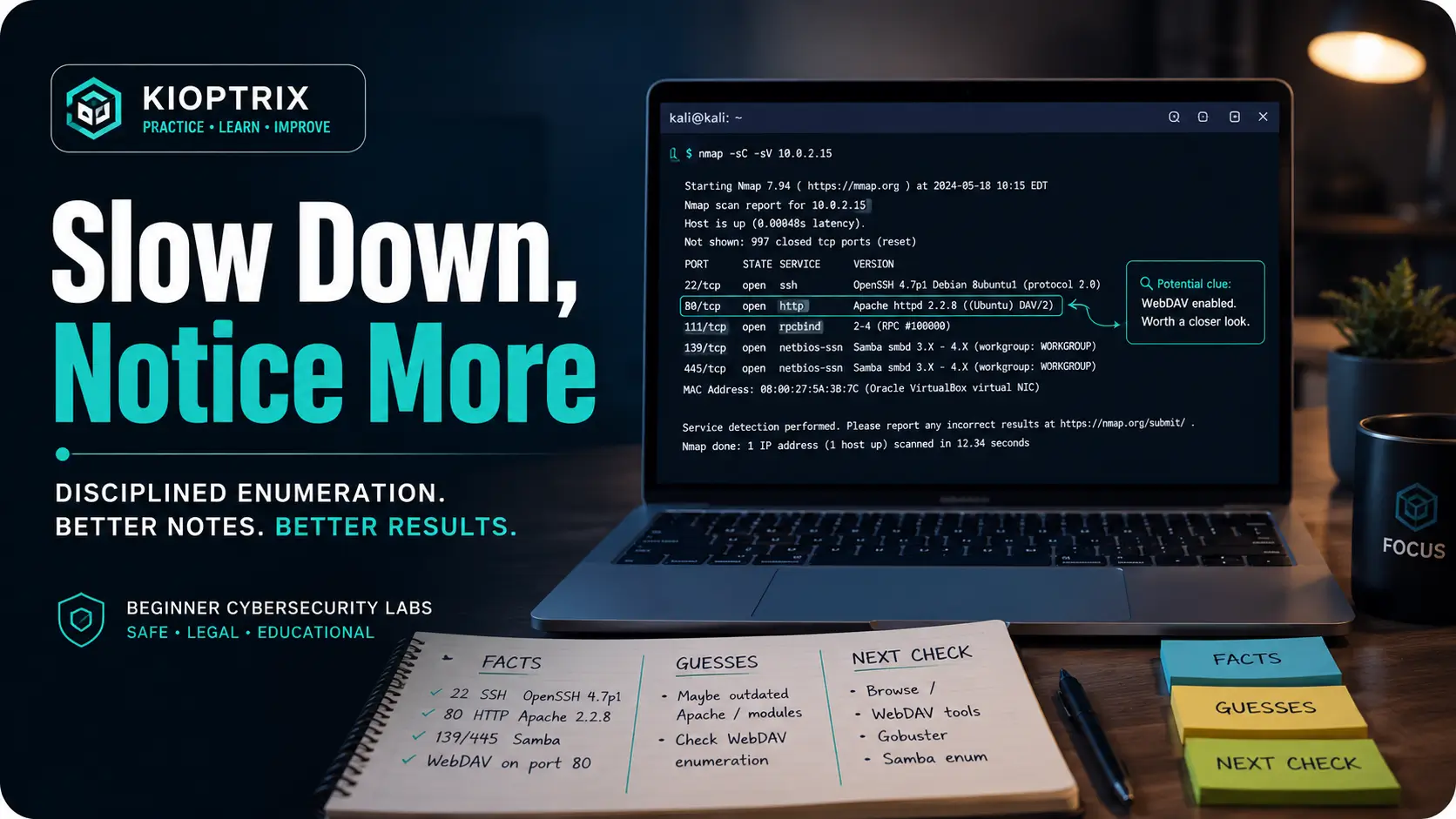
Open the practical working record for the task-specific fields, next action and related guide.
Keep the literal output beside the interpretation
Select one output line and record its context, source and possible alternatives. Identify a bounded check that would distinguish those alternatives, if permitted. A slower pace is not automatically better: compare whether the explanation is supported and the task remains useful. This guide does not demonstrate a universal learning benefit from slowing down. Reference and scope.
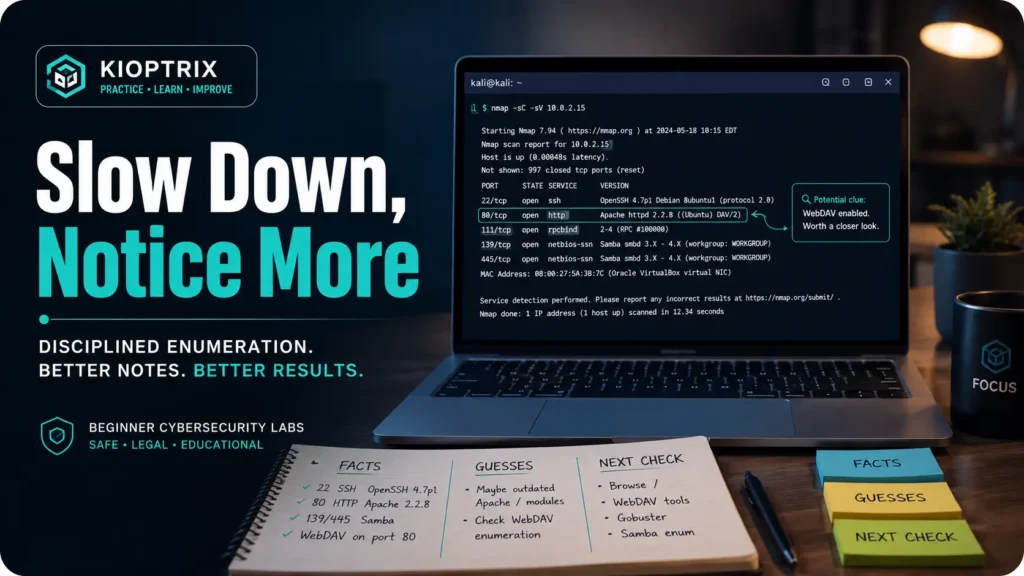
Beginner Cybersecurity Lab Guide
Kioptrix Level for Learning
How to Slow Down and Notice More
Practice describing exact observations before deciding what a clue means.
This guide is not a step-by-step exploit walkthrough. It is a practice guide for the slower skill beneath every good walkthrough: observation. The goal is to help beginner cybersecurity learners use Kioptrix-style vulnerable lab machines to build enumeration habits, better notes, cleaner decisions, and the quiet confidence that comes from not chasing every shiny command like a cat in a server room.
By the end, you will have a repeatable lab rhythm: how to look at service output twice, how to separate facts from guesses, how to pause before tool-hopping, how to review a shell without declaring victory too early, and how to turn one missed clue into one stronger habit.
Notice Better
Read banners, versions, web paths, and errors without turning them into background noise.
Decide Cleaner
Move from scan results to hypotheses without changing five variables at once.
Document Like a Pro
Build notes that explain your thinking, not just your command history.
Lab promise: slower looking now saves louder confusion later. 🧭
Snapshot: This article is for beginner cybersecurity learners using Kioptrix-style vulnerable machines in a legal home lab. It helps you stop rushing, read enumeration output more carefully, keep better notes, and decide what to investigate next without depending on copy-paste walkthroughs.
Table of Contents
Safety and Scope: Keep Kioptrix Inside the Lab
Kioptrix-style machines are built for practice. They are intentionally vulnerable, intentionally old, and intentionally useful for learning how attackers think without touching real systems. That last part matters. The difference between a student and an intruder is not curiosity. It is permission.
Use these habits only in environments where you have explicit authorization: your own virtual machines, a personal test network, a training platform, or a classroom lab. Do not scan random websites, office networks, neighbors’ routers, school systems, client assets, or cloud servers unless you have written permission and a clear scope.
Safety / Disclaimer Block
This guide is for authorized cybersecurity learning only. Practice scanning, enumeration, exploitation concepts, and local review only in legal lab environments. Do not test systems you do not own or have written authorization to assess. When in doubt, stop and confirm scope before doing anything technical.
The safest lab setup is boring in the best way. A Kali or Linux attacker VM, one intentionally vulnerable Kioptrix VM, host-only or isolated networking, and a simple notes folder. No drama. No public targets. No “just checking.” Good cybersecurity learning begins with a fence around the playground.
Key takeaway
Kioptrix is a training room, not a permission slip. Keep every technique inside authorized labs, and treat scope as part of the skill you are practicing.
Practice Careful Observation in Kioptrix
Beginner labs often get described as “easy,” which can be misleading. Easy does not mean obvious. It means the solution is reachable if you read carefully, connect clues, and resist the urge to fling tools at the machine until something sparks.
Kioptrix is especially good at teaching patience because the clues often arrive in plain clothing. A version string. A default page. An old service. A web directory that looks dull until you notice the server behavior. The machine does not always shout. It clears its throat.
The machine punishes shallow looking
A rushed learner sees “port 80 open” and immediately runs a directory brute-force scan. A slower learner asks better questions first. What server is this? What version? What default page? Are there comments? Does the page reveal a CMS, a language, a framework, or a forgotten path?
Shallow looking creates false certainty. You think you checked HTTP because you opened the homepage. You think you checked SMB because one tool returned access denied. You think an exploit is wrong because it failed once. In reality, you may have only brushed the surface and called it a wall.
“I already checked that” is often the first trap
One of the most expensive sentences in a beginner lab is “I already checked that.” Sometimes you did check it. Sometimes you only glanced at it while your mind was already running toward an exploit database.
A better sentence is: “What exactly did I check, and what did it prove?” That tiny wording change turns ego into evidence. It lets you return to a service without feeling silly. It also keeps you from repeating the same half-check six times while pretending each repeat is progress.
Enumeration becomes a discipline, not a checklist
Enumeration is not “run all the scans.” It is the disciplined act of learning what exists, what it means, and what deserves attention next. Tools gather clues. You still have to interpret them.
A checklist helps, but a checklist can also become theater. You tick boxes, collect output, and still miss the story. Kioptrix rewards the learner who asks, after every result, “So what?” That question is the small hinge that opens the larger room.
Key takeaway
In Kioptrix, speed feels productive, but patient interpretation usually wins. The clue you need may already be sitting in output you skimmed past.
Who This Is For, and Who Should Skip It for Now
Kioptrix is friendly to beginners, but it is not a magic carpet. It helps most when you already know enough Linux and networking to ask useful questions. You do not need to be an expert. You do need to know what an IP address, port, service, shell, process, permission, and directory are.
The best learners are not the ones with the fanciest terminal prompt. They are the ones willing to slow down, repeat, compare, document, and admit when they are guessing.
Good fit: beginners who know basic Linux and networking
You are probably ready if you can move around a Linux file system, read command help, understand basic networking terms, and manage a small virtual lab. You should be comfortable making mistakes without turning every error into a personal referendum.
If you know how to record what you tried, you are ahead of many beginners. A simple note that says “HTTP service showed Apache version, checked homepage, found default page, need to inspect headers next” is worth more than a hundred unexamined terminal scrolls.
Good fit: learners who rush through CTFs and miss clues
Treat this workflow as a practical proposal and assess it against the task you actually complete. This article reports no controlled test of attention, retention, learning speed or emotional benefit. Adjust the duration, support and workspace to the task and your circumstances.
This is especially useful for career switchers, help desk workers, IT generalists, and students who want to build practical security instincts. You can connect this article with your broader practice plan using resources such as a Kioptrix lab workflow, Kioptrix lab notes, and a weekly review template.
Not ideal: anyone looking for copy-paste exploitation
If your main goal is to paste commands from a guide until root appears, you will get less value. You may finish the box, but you will not build the skill. That is like tracing a map in gold ink and still not knowing how to find the station.
Walkthroughs are not evil. They become a problem when they replace thinking. A better use is to write down what you know, read one small hint, close the guide, and continue independently.
Not ideal: learners without a safe virtual lab setup
Do not begin by pointing tools at public systems. Start with your own isolated virtual lab. If your networking is unstable, your VM cannot get an IP address, or your host-only network is confusing, solve those basics first. Lab hygiene is not glamorous, but it prevents chaos from dressing up as learning.
The Real Skill: Seeing What the Terminal Already Told You
The terminal is not a slot machine. It is a witness. Every command result has context: what you asked, what came back, what did not come back, and what assumptions you carried into the command.
Beginners often treat output as a pile of answers. More experienced learners treat output as a set of claims to inspect. A banner might be accurate, outdated, misleading, partial, or useful only when paired with another clue. That is why slow reading matters.
Service banners are tiny confession booths
A service banner can tell you what software is listening, what version it claims to be, and sometimes what operating system family is nearby. It may also whisper age. Older lab machines often teach you to recognize how old software leaves fingerprints.
Do not stop at the name. Ask what the banner implies. Is the version old? Does the service belong on this kind of host? Does it match the web stack? Does another service contradict it? Does the response look like a default installation?
Version numbers are not decorations
A beginner may write “Apache is open.” A better note says “Apache version appears old; verify with headers and page behavior before assuming exploitability.” The version number is not a trophy. It is a question mark with a serial number.
Public exploit references can be useful, but they are only useful after matching assumptions. Does the exploit expect a module that is actually enabled? Does it require authentication? Does it target the same platform? Does it need a path, parameter, or configuration that you have not found?
Error messages deserve a second reading
Error messages are not always failure. Sometimes they reveal a path, permission problem, server behavior, username pattern, missing dependency, or wrong assumption. In beginner labs, an error may be the machine saying, “Warmer, but your map is folded wrong.”
When a command fails, write the failure down. Do not only write “failed.” Write how it failed. Timeout, refused connection, access denied, no route, malformed request, empty response, unsupported version, authentication required. Those differences matter.
Here’s what no one tells you: output fatigue is real
After thirty minutes, your eyes start sanding the details off the page. You stop reading and start recognizing shapes. The scan result becomes “that same old stuff,” even when it contains something new.
That is why a pause is not laziness. It is part of the method. Stand up, return, and reread the first screen of results as if someone else produced them. Often, the best clue is the one your tired brain filed under “probably nothing.”
Key takeaway
Every command result should answer three questions: what did I ask, what did I learn, and what should I check next?
Build a Slow Enumeration Ritual Before Touching Exploits
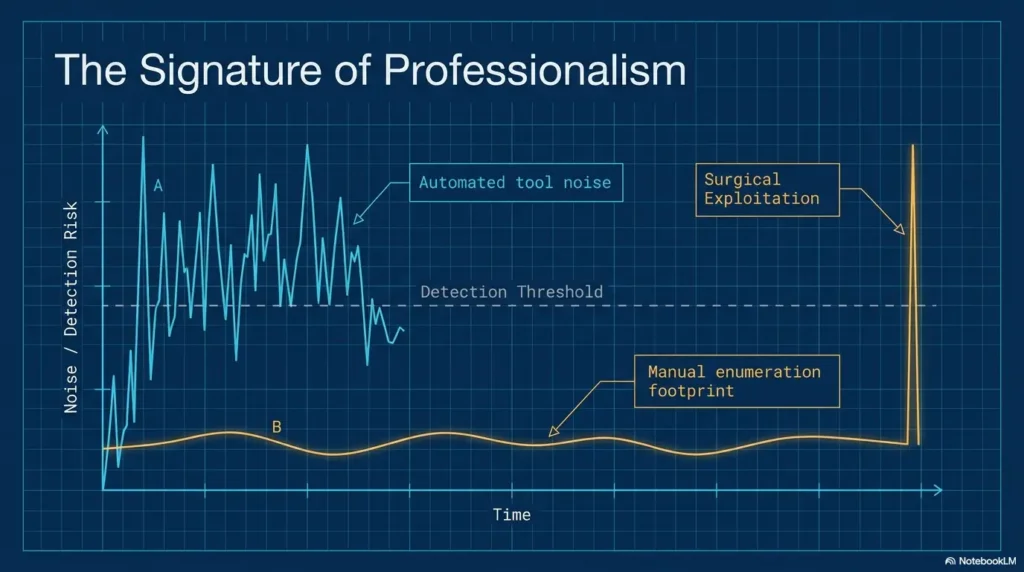
A ritual is a small structure that protects you from your own impatience. In Kioptrix, the ritual does not need incense or a dramatic hoodie. It needs a notebook, a repeatable order, and a refusal to run an exploit before you can explain why it fits.
Think of enumeration as making a meal from ingredients. Ports are not the meal. Versions are not the meal. Web paths are not the meal. The meal is the connection between them.
Start with ports, then context, then hypotheses
A clean flow is simple: identify open ports, identify services, collect context, then create hypotheses. Do not jump from “service exists” to “exploit must work.” That leap is where many beginners fall into the moat.
For example, if you see HTTP, SMB, and SSH, do not treat them as separate islands forever. Ask whether the web server reveals usernames. Ask whether SMB exposes shares or hostnames. Ask whether SSH is merely a later door, not the first one.
Separate “found facts” from “guesses”
This is one of the fastest ways to become a calmer learner. A found fact is something your lab showed you. A guess is your interpretation. Both are useful, but mixing them makes your notes slippery.
Write “port 80 is open” as a fact. Write “web path may lead to older app” as a guess. Write “SMB access denied with anonymous login” as a fact. Write “null session probably not available” as a cautious interpretation, not a law carved in stone.
Revisit each open service with fresh eyes
This is where Kioptrix becomes a quiet teacher. One service may reveal a name. Another may reveal software age. A third may reveal a path. The solution often lives between findings, not inside one glamorous command.
Keep a dead-ends section so your brain stops looping
Dead ends are not wasted time if they are documented. They become guardrails. A dead-ends section prevents you from retrying the same idea with only cosmetic changes.
Slow Enumeration Framework
1
Collect Facts
Ports, services, versions, pages, errors, users, permissions.
2
Group Clues
Connect web, SMB, SSH, file paths, and version hints.
3
Form Hypotheses
Write what might be true without pretending it is proven.
4
Choose One Check
Test one idea at a time, then update your notes.
The First Open Loop: What Did You Ignore Because It Looked Boring?
The most dangerous clues are not hidden. They are familiar. A default page, a plain directory listing, an old copyright footer, a weird redirect, a boring server header. These do not feel cinematic, so beginners sometimes step over them while hunting for the neon sign that says “exploit here.”
Kioptrix teaches a better habit: when something looks boring, ask why it is present. Boring is not the same as empty. In older lab machines, ordinary details often point toward extraordinary weakness.
Default web pages may still reveal stack clues
A default web page can reveal the server family, default file paths, installed language, or administrator habits. It can also show that nobody cleaned the environment. That matters because neglected systems often carry neglected configurations.
Instead of writing “default page, nothing useful,” write what kind of default page it is. What server generated it? Does it include documentation links? Are sample files present? Does the page title, footer, or directory behavior reveal anything?
Old software names can point toward old attack paths
In a modern production setting, you would verify risk carefully and avoid assumptions. In a deliberately vulnerable old lab, old software names are there to teach recognition. They tell you, “This machine belongs to an earlier security era. Read it with historical ears.”
That does not mean every old version is automatically exploitable. It means the version deserves research, comparison, and context. A slow learner asks whether the service is reachable, configured in a vulnerable way, and connected to other clues on the box.
File names, comments, and directories create a breadcrumb map
A web directory name can tell you what function the app once had. A comment can reveal a developer assumption. A file extension can suggest a server-side language. A backup file can reveal how the admin worked. Each breadcrumb is small. Together, they form a path.
Train yourself to record tiny details without overreacting to them. Not every clue is a doorway. Some are only labels on the hallway. But without the labels, you wander.
Common Mistakes That Make Kioptrix Feel Harder Than It Is
Kioptrix can feel hard when you treat it like a race. It can also feel hard when you treat every failed idea as proof that you are bad at cybersecurity. Most beginner errors are not character flaws. They are workflow leaks.
The good news is that workflow leaks can be repaired. You do not need a new personality. You need a few sturdy habits and a calmer relationship with uncertainty.
Mistake: running louder tools before reading quiet output
Automation is helpful, but it can also create a fog bank. A large scan result may bury the one line you needed under hundreds of low-confidence findings. More output is not the same as more understanding.
Before adding another tool, summarize what you already know in three sentences. If you cannot do that, the problem is not tool shortage. It is interpretation debt.
Mistake: treating every exploit result as equally trustworthy
An exploit reference is not a verdict. It is a lead. It may require a specific module, path, architecture, authentication state, or configuration. If you do not read those assumptions, you are not testing the machine. You are gambling with syntax.
Use a small “exploit fit” checklist before running anything in your lab. What version? What platform? What access level? What service state? What expected result? What could safely fail?
Mistake: skipping note-taking because “this is just practice”
Practice is exactly when notes matter. A game-day musician does not suddenly learn scales on stage. A security learner does not suddenly become organized during an exam, interview, or client engagement. You build the habit when the stakes are small.
Notes also protect memory from confidence. Your brain will tell you it remembers what happened. Your brain is charming. It also misplaces keys, passwords, and the one useful command from twenty minutes ago.
Mistake: changing five variables at once
If you change the target path, wordlist, tool option, protocol, and credentials all at once, you cannot learn which change mattered. The result might improve, but your understanding does not.
Change one variable. Record the result. Then change another. This feels slow until you realize it prevents an hour of confused backtracking.
Key takeaway
Impatience can disguise itself as advanced technique. Before running more tools, prove that you understand the evidence you already collected.
The Second Open Loop: What Changed After You Got a Shell?
A shell is exciting. It is also dangerous for your learning because excitement makes people stop observing. Beginners often treat a shell as the finish line, then wonder why privilege escalation feels like walking into a dark attic without a flashlight.
The better habit is to treat a shell as a new starting point. Your perspective changed. Your access changed. Your questions should change too.
A shell is not the finish line
Initial access tells you one door opened. It does not tell you who you are, what you can read, what the system trusts, what runs automatically, or what mistakes were left behind. Local enumeration is its own craft.
Start by identifying your current user, environment, permissions, working directory, available tools, and obvious files. Keep it calm. The room may be smaller now, but the shadows get sharper.
Local enumeration has its own quiet clues
Inside a machine, quiet clues may include readable configuration files, unusual permissions, old backup files, weak scripts, cron jobs, service accounts, or environment variables. The beginner temptation is to run an automated script and wait for fireworks. The stronger habit is to understand what the script is checking.
Use automation as a helper, not a substitute. Read the results. Look up unfamiliar items. Ask which findings are facts, which are guesses, and which require confirmation.
Permissions, users, cron jobs, and configs deserve patience
Privilege escalation often rewards mundane reading. Who owns this file? Who can write here? What runs on a schedule? What is stored in a config? What does the application need in order to connect to a database? None of this feels dramatic until it becomes the key.
Write local findings with the same care as network findings. Do not only write “found config.” Write where it was, who could read it, what it contained, and why it may matter.
Note-Taking That Makes You Notice More
Good notes do not simply preserve results. They change how you think while the lab is happening. They slow the hand just enough for the eye to catch up.
The best beginner notes are plain, searchable, and honest. They do not need to look like a movie prop from a threat intelligence bunker. They need to help you answer: what do I know, why do I think it matters, and what should I do next?
Use three columns: evidence, meaning, next action
The three-column method is simple enough to use when tired. Evidence is what you found. Meaning is what it may suggest. Next action is the smallest useful check.
For example, evidence: “HTTP server shows older Apache banner.” Meaning: “May indicate an older stack, but needs verification.” Next action: “Check headers, default pages, directories, and app behavior before researching exploit fit.”
Timestamp important commands and results
Timestamps turn your session into a sequence instead of a puddle. You can see when you changed direction, when a result appeared, and when fatigue started steering.
You do not need to timestamp every keystroke. Timestamp discoveries, failed paths, hypothesis changes, shell access, local findings, and anything you might later explain in a write-up.
Screenshot only what you might need to explain later
Screenshots are useful, but screenshot hoarding creates its own attic. Capture evidence you may need for a report, review, or portfolio note. Name files so future-you does not have to play archaeological bingo.
A good screenshot name includes target, service or phase, and purpose. For deeper organization, connect this habit with Kioptrix screenshot organization and a Kioptrix write-up process.
Write a mini postmortem after each failed path
A failed path deserves a small funeral and a useful headstone. What was the idea? What evidence supported it? What contradicted it? What would you check sooner next time?
This practice turns frustration into training material. It also prevents the beginner spiral where every failure becomes a vague feeling instead of a specific lesson.
Note Template You Can Copy
- Target: IP, hostname if known, VM name, date.
- Facts: open ports, service versions, web paths, access results.
- Hypotheses: what may be true, clearly marked as unproven.
- Actions tried: what you tested and what happened.
- Dead ends: why a path is paused or rejected.
- Next move: one specific check, not a cloud of panic.
Key takeaway
Better notes are not paperwork. They are attention training. They make your thinking visible enough to improve.
Show me the nerdy details
A strong Kioptrix note is really a small evidence model. It separates observation, interpretation, and action so you can audit your own thinking later.
- Observation: what the system actually returned.
- Interpretation: what you think it might mean.
- Confidence: high, medium, or low.
- Dependency: what must be true for this idea to matter.
- Next test: the smallest safe lab action that can confirm or weaken the idea.
When to Seek Help or Stop
Knowing when to stop is part of technical maturity. Beginners sometimes think persistence means staring at the same problem until midnight while their notes dissolve into soup. Persistence is better when it has boundaries.
In cybersecurity learning, stopping can mean checking scope, asking for a hint, resetting a VM snapshot, reviewing fundamentals, or ending the session before frustration teaches bad habits.
Stop if scope is unclear
If you are not completely sure the target is yours to test, stop. Do not rationalize. Do not “only scan.” Do not treat curiosity as authorization. In real environments, even simple discovery activity can create legal, ethical, and professional problems.
Good professionals are careful before they are clever. Scope is the first control, not an afterthought.
Seek help after you can summarize the problem clearly
Before asking for help, write four lines: what the target is, what you found, what you tried, and where you are stuck. This makes the question useful and protects you from outsourcing your thinking too early.
A good help request might say: “In my isolated Kioptrix lab, I found HTTP and SMB. HTTP shows an older server, but directory checks did not reveal an app. Anonymous SMB listing failed with access denied. I am unsure whether to keep investigating SMB or return to web headers.” That is a real question, not a foghorn.
Reset before burnout turns into sloppy practice
If you are guessing wildly, rereading nothing, or changing commands without notes, pause. Your session is no longer training observation. It is training panic with a keyboard.
Take a break, write a session summary, and return later. You can also use a structured review such as a Kioptrix session review or a progress tracking system.
Next Step: Run One Kioptrix Session With a 10-Minute Pause Rule
The 10-minute pause rule is simple: after every meaningful discovery, forced error, failed path, or major scan result, spend ten minutes reading and writing before running the next big action. It feels almost rude at first. Then it starts saving you.
This rule is not about moving slowly forever. It is about training the muscle of interpretation. Once that muscle gets stronger, you can move faster without becoming careless.
Work for 25 minutes, then stop and reread your notes
Use a short work block. At the end, stop. Reread only your notes, not your terminal scroll. Ask whether the notes would make sense tomorrow.
If your notes are just pasted output, summarize them. If they contain guesses, mark them. If they contain no next action, choose one.
Mark every assumption with a question mark
Assumptions are not bad. Unmarked assumptions are bad. They sneak into your decisions wearing fake uniforms.
Write “SMB probably not useful?” or “web app may be hidden?” The question mark keeps the idea flexible. It reminds you that the lab has not proven it yet.
Choose one service and go three layers deeper
Instead of bouncing between services, choose one and go deeper. For HTTP, that might mean headers, page source, directories, technologies, parameters, and behavior. For SMB, it might mean hostnames, access attempts, share listing behavior, and error categories.
The point is not to ignore other services forever. The point is to finish one thought before opening five new ones.
End with one sentence: “The clue I almost missed was…”
This sentence is small, but it is powerful. It forces reflection without turning your evening into a graduate thesis. It also trains you to notice your own blind spots.
Examples: “The clue I almost missed was the old server version.” “The clue I almost missed was the access denied message type.” “The clue I almost missed was that my failed exploit assumed a configuration I never verified.”
Key takeaway
The 10-minute pause rule turns Kioptrix from a box to beat into a mirror for your process.
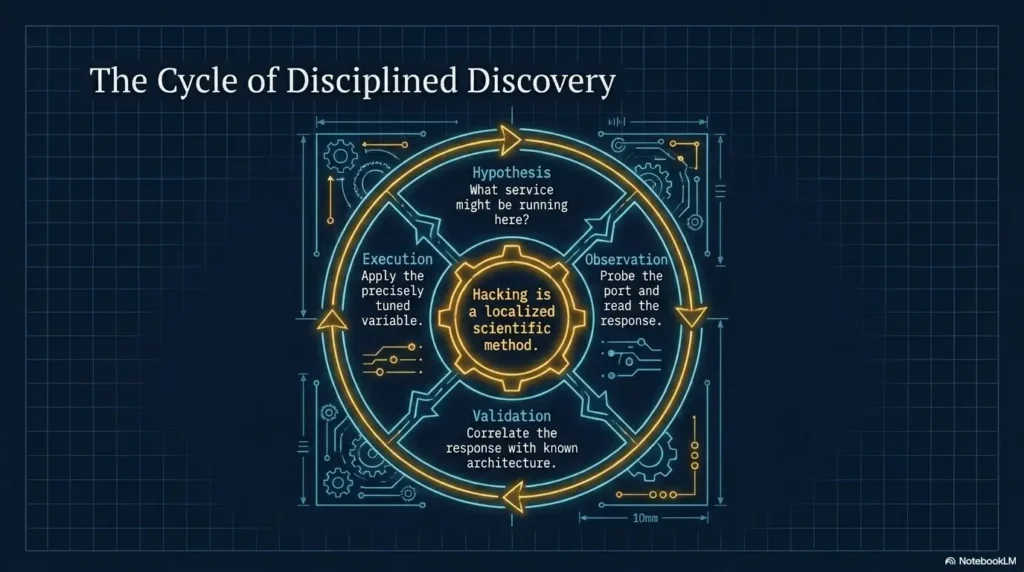
FAQ
Is Kioptrix still useful for beginners?
Yes. Kioptrix is useful because it teaches durable habits: scanning, enumeration, web investigation, local review, documentation, and careful reasoning inside a controlled lab.
Which Kioptrix level should beginners start with?
Most beginners should start with the earliest Kioptrix level because it focuses on foundational enumeration and older service recognition rather than complex modern defenses.
Do I need Kali Linux for Kioptrix?
Kali Linux is common, but the deeper requirement is understanding what your tools report. A learner with patience and basic Linux knowledge will gain more than someone who only runs commands blindly.
Is Kioptrix legal to practice on?
Kioptrix is intended for authorized practice in an isolated lab. Confirm the target, permission, scope, and applicable rules before testing; downloading a VM does not authorize testing unrelated systems.
Why do beginners miss clues in Kioptrix?
Beginners often miss clues because they scan quickly, chase exploits too early, ignore service details, or fail to connect findings across web, network, and local enumeration.
How should I take notes during Kioptrix?
Use a simple structure: target details, open ports, service versions, web findings, lab credentials if found (kept private and redacted from public reports), commands tried, results, failed paths, and next actions.
Should I use walkthroughs if I get stuck?
Use walkthroughs carefully. First write down what you tried, what you know, and where you are stuck. Then read only enough to get unstuck and continue independently.
What is the main lesson of Kioptrix?
The main lesson is disciplined observation. Successful beginners are not always faster. They are often calmer, more systematic, and better at noticing what the machine has already revealed.
The Clue You Almost Missed Is the Lesson
The quiet gift of Kioptrix is that it teaches you how you pay attention. Not in theory. Not in a motivational poster way. In the lived mess of a lab session, with tired eyes, too many tabs, and a terminal full of half-understood evidence.
Your next step is simple and doable within 15 minutes. Open your last Kioptrix notes, or start a fresh lab note, and write three headings: “Facts,” “Guesses,” and “Next Check.” Move every current idea into one of those buckets. Then choose one service and reread only the first output you collected about it.
Do not try to become brilliant tonight. Try to become more precise. The learner who can say “I almost missed this” is already learning how to see.
Last reviewed: 2026-05
Technical guidance updated: 2026-10-13. Repaired table-of-contents links and clarified authorization and private handling of lab credentials.
Read-before-acting observation card
Use this when: you are a learner interpreting an output before selecting another action. Copy the fields into your own notes. Record what is known, what remains uncertain and who will perform the next check.
| Field | What to record | Your evidence / next check |
|---|---|---|
| Raw evidence | Preserve the original output and its environment context. | To complete |
| Direct statement | Write what can be said without adding an explanation. | To complete |
| Alternative reading | Identify ambiguity or another plausible interpretation. | To complete |
| Next observation | Choose a permitted check that resolves the ambiguity. | To complete |
Next action: Explain the current output before increasing the scope of the investigation. Keep the supporting observation and its conditions beside the decision so that a later reader can distinguish an established result from a working explanation.
This is a blank practice or review record. It does not report a test performed by Kioptrix or certify learning outcomes. Add the actual conditions, observations and support used in your own work.
Related task: For separating facts from assumptions, use Kioptrix Observations: Separate Facts From Assumptions. Keep that task distinct from the specific record above.
Worksheet change record — October 20, 2026
Added this read-before-acting observation card, four task-specific fields, a next action and a link to a distinct related task. Existing source notes keep their own review dates. This addition is not a new verification of every statement or a newly executed lab test.