
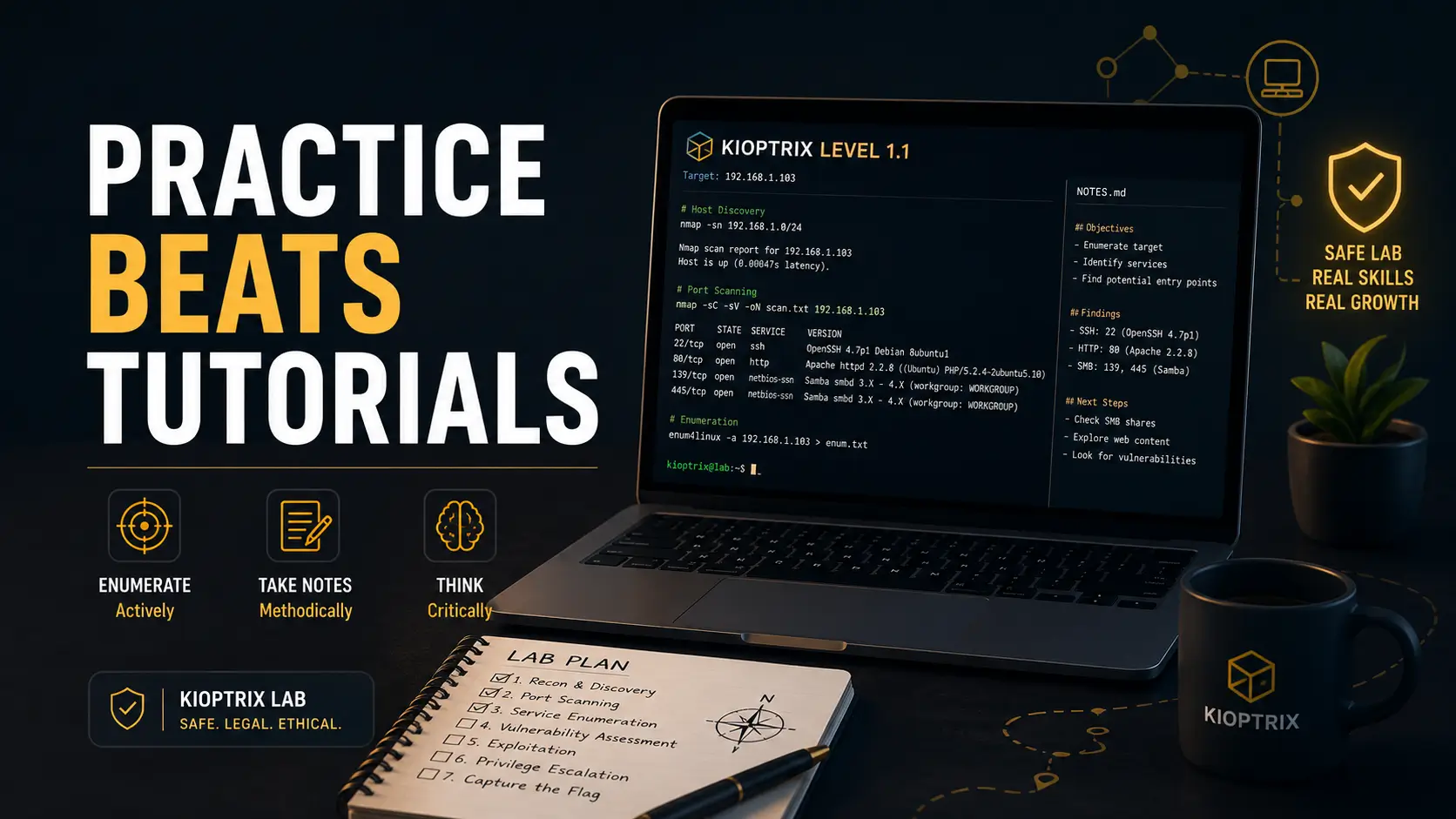
Beginner ethical hacking guide
Kioptrix Level for Beginners
Who Watch Too Many Tutorials
Kioptrix feels strangely simple when someone else is narrating it. The ports appear, the exploit “makes sense,” the shell arrives, and the video glides along like a train on polished rails. Then you sit alone at the terminal, the cursor blinks, and suddenly the room gets very quiet.
This guide is for that exact moment. Not for attacking strangers. Not for collecting commands like shiny bottle caps. It is for building a safe, legal lab habit where scanning, enumeration, notes, dead ends, and small decisions become real skill.
You will learn how to use Kioptrix Level as a practice system: how to set up the right boundaries, how to stop reaching for walkthroughs too early, how to read tool output with human judgment, and how to turn one vulnerable machine into a useful portfolio habit.
Build a safe lab
Keep practice isolated, documented, and permission-based.
Practice a repeatable method
Move from passive watching to active testing and review.
Avoid wasted hours
Know when to research, when to test, and when to ask for hints.
Bottom line: Kioptrix is less about “getting root” and more about learning how not to panic when the video stops. 🧭
Snapshot
This article is for beginner cybersecurity learners, IT students, help desk workers, and tutorial-heavy learners who want legal, practical Kioptrix practice. You will learn how to set up a safer lab, run a no-video practice session, document findings, avoid common beginner mistakes, and decide when free resources are enough versus when paid training or tools may be worth comparing.
Table of Contents
Before You Touch a Scan Button
Kioptrix is a vulnerable machine series built for practice. That sentence carries two important words: vulnerable and practice. It is intentionally breakable, and it belongs inside an environment where you have permission to test it.
The beginner mistake is thinking the tool is the boundary. It is not. The boundary is authorization. A scanner pointed at the wrong network can create legal, school, workplace, or account trouble faster than a dropped coffee on a white keyboard.
Before You Act
This guide is educational and lab-only. Practice Kioptrix only on machines you own or are explicitly allowed to test, inside an isolated lab network. Do not scan, exploit, brute force, or probe public systems, school networks, work devices, cloud assets, neighbor Wi-Fi, or random IP addresses. For professional testing, confirm written scope, rules of engagement, and permission with a qualified security lead, attorney, client, employer, or program owner.
The Permission Test
Before you run anything, ask one plain question: Could I explain this activity to the system owner without sweating?
If the answer is no, stop. Kioptrix belongs in your lab, not on the open internet. That boundary is not a boring footnote. It is the fence that lets you learn freely.
What This Guide Will Not Do
This article will not hand you a copy-paste exploit path. That would give you the sugar rush without the meal.
Instead, it teaches a beginner-safe process: set up the lab, enumerate carefully, make notes, form hypotheses, test one thing at a time, and review your work after the box. That process is slower at first, then quietly powerful.
Key takeaway
If you want real progress, treat Kioptrix as a thinking gym. The rep is not “run the exploit.” The rep is “notice, test, document, explain.”
For a useful legal and professional baseline, the Cybersecurity and Infrastructure Security Agency and the NIST NICE cybersecurity workforce resources are worth bookmarking as you move from lab play to career planning.
Why Kioptrix Feels Easy on YouTube but Weirdly Hard Alone
Watching a walkthrough is tidy. The person recording has already suffered through the confusion, trimmed the dead ends, and polished the path. You see the final route, not the wrong turns.
That is why a Kioptrix Level video can make you feel competent before you have actually built the muscle. Your brain recognizes the answer. Your hands have not learned how to find it.
The Walkthrough Illusion
The walkthrough illusion is the feeling that understanding someone else’s solution equals owning the skill. It is common in cybersecurity because the tools produce exciting output. Open ports, banners, directories, odd error messages, version numbers: everything looks important.
But real practice begins when nothing announces itself. You scan, stare, search, test, get confused, and then decide what to check next. That decision-making is the craft.
Why “I Understand It” Falls Apart at the Terminal
At the terminal, there is no narrator telling you which output matters. A beginner may know what Nmap is, what a web directory brute force is, and what privilege escalation means. Still, the order of action can feel foggy.
This is not a character flaw. It is a missing routine. Kioptrix is useful because it rewards routine more than bravado.
The Real Beginner Problem: No Attack Rhythm Yet
Beginners often ask, “What tool should I run?” A better question is, “What am I trying to learn from the next command?”
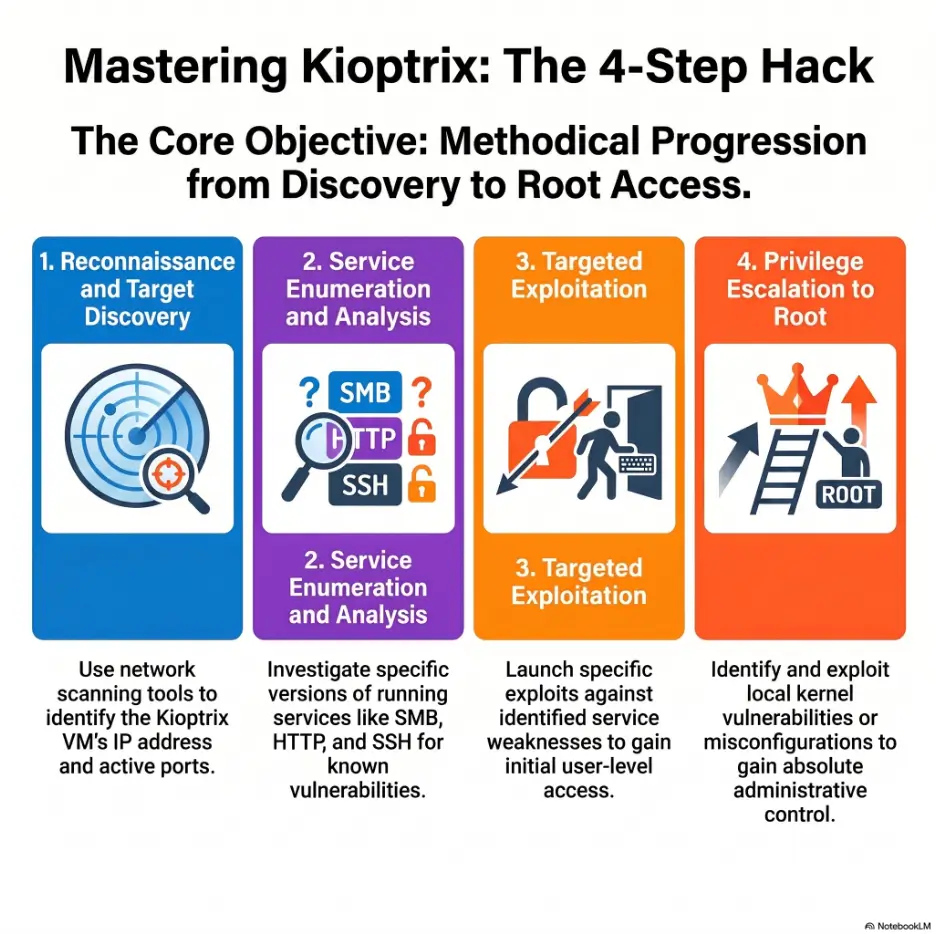
A rhythm gives you that answer. Identify the host. Identify services. Research versions. Enumerate web content. Check low-risk evidence. Test one hypothesis. Record results. Repeat.
Mini self-check: Are you watching more than practicing?
- You can follow a walkthrough but freeze on a fresh box.
- You copy commands without knowing what each flag is doing.
- You feel guilty when you get stuck, so you open a video “just for one hint.”
- You finish boxes but cannot write a clear summary afterward.
- You chase exploits before proving what services are really running.
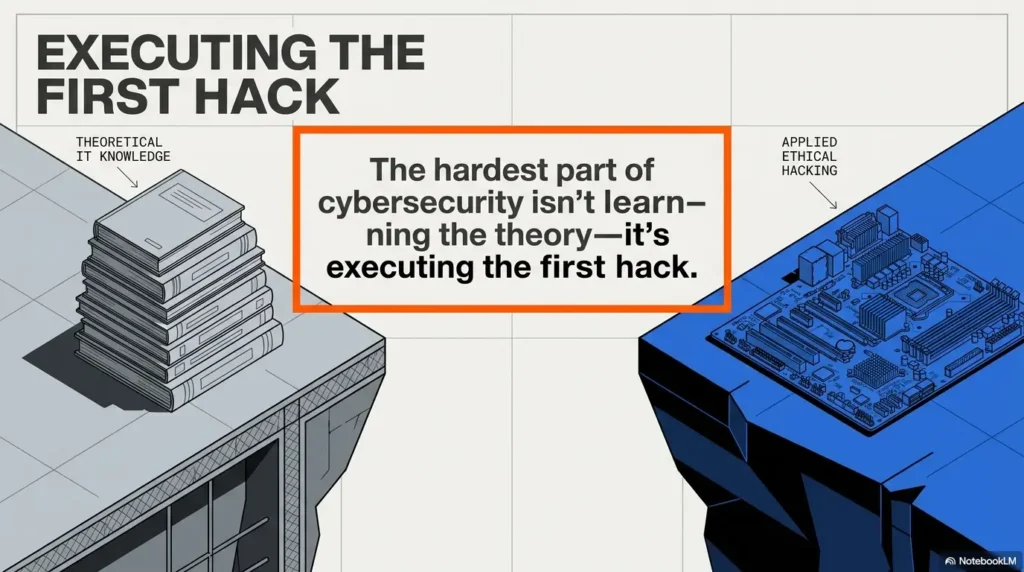
Build the Lab Before You Build Confidence
A good lab is not glamorous. It is a small, controlled workshop where the sparks stay inside the room. If the lab is messy, your learning gets messy too.
Kioptrix usually runs inside virtualization software. Beginners commonly compare VirtualBox, VMware, and sometimes Proxmox when they start building a home practice setup. The best choice is not the fanciest one. It is the one you can run reliably and understand well enough to troubleshoot.
If you need a deeper next step on home lab boundaries, a guide such as how to build a safe hacking lab at home fits naturally before your first serious practice session.
Use an Isolated Practice Network
Your attacker VM and vulnerable VM should talk to each other without exposing the target to networks that do not belong in the exercise. Many beginners use host-only or internal networking for this reason.
Do not bridge a vulnerable machine to a network unless you clearly understand what that means. A lab should feel like a sandbox, not a door left open behind the house.
Snapshot Everything Before You Break Something
Snapshots are boring until they save your afternoon. Before you begin, snapshot both the attacker VM and the target VM if your platform supports it.
Breakage is part of learning. Rebuilding the same broken lab three times because you forgot to snapshot is not a lesson. It is just expensive in time.
Good / Better / Best Lab Setup Options
| Setup tier | Best for | Typical cost level | What to compare | Main caution |
|---|---|---|---|---|
| Good | One laptop, VirtualBox, one Kali VM, one Kioptrix VM | Free to low | RAM, storage, host-only network support | Performance may feel tight on older machines |
| Better | Modern laptop or desktop with VMware or VirtualBox | Low to mid | Snapshot ease, network controls, stability | Paid software may not be needed for beginners |
| Best | Dedicated lab box or mini server | Mid to higher | CPU cores, memory, storage, noise, power use | Overbuying gear can delay actual practice |
For most beginners, the “Good” option is enough. Spend money only when your current setup is blocking practice, not when you are trying to purchase confidence in a cardboard box.
Enumerate Before You Touch Exploits
Enumeration is the quiet engine of beginner pentesting practice. It is the habit of asking, “What is actually here?” before deciding what to do.
On Kioptrix, the tempting path is to scan once, recognize an old service, and run toward an exploit. Resist that itch. Your goal is not to look fast. Your goal is to be right.
Start with Host Discovery
Before you investigate services, confirm which machine is the target. In a lab with only a few VMs, this sounds obvious. Still, beginners often waste time testing the wrong address because they did not map the little room before turning off the lights.
Write down the target IP, attacker IP, network mode, date, and session goal. This takes less than one minute and prevents a surprising amount of nonsense.
Read Open Ports Like Clues, Not Decorations
An open port is not a trophy. It is a clue. A web port suggests content, forms, directories, technologies, and headers. SMB may suggest shares, users, hostnames, or version clues. SSH may be useful later but rarely deserves your first romantic poem.
For each service, write three things: what it is, what version or banner you see, and what you still need to confirm. Facts and guesses should live in separate corners of your notes.
Web Pages, Banners, and Error Messages Are Evidence
Beginners often rush past web pages because they look plain. Old vulnerable machines may not look dramatic. A boring page can still reveal server behavior, technologies, directories, comments, default files, error patterns, and clues about how the application was built.
When practicing web testing, the OWASP Web Security Testing Guide is a helpful authoritative reference. You do not need to read it cover to cover before touching Kioptrix, but it can help you name what you are seeing.
The Kioptrix Practice Flow
1
Isolate
Keep the lab contained.
2
Discover
Find the target cleanly.
3
Enumerate
Collect service evidence.
4
Test
Try one idea at a time.
5
Document
Explain what worked.
The Beginner Workflow That Stops Tutorial Addiction
Tutorial addiction is not laziness. It is often anxiety wearing a hoodie. You want to learn, but getting stuck feels like proof that you are not ready.
Kioptrix gives you a better agreement with yourself: you are allowed to be stuck, but you must be stuck actively.
Step 1: Scan, Then Slow Down
Run your initial discovery and service enumeration, then pause. Do not immediately open ten browser tabs and three exploit databases.
Write a short service inventory. Which services are exposed? Which ones look likely to contain useful information? Which ones need version confirmation?
Step 2: Write Down Every Finding
Notes convert chaos into progress. They also protect you from repeating the same failed test in a new hat.
Use a simple format: command or action, result, interpretation, next step. You do not need a beautiful note system yet. You need one that you actually use.
Step 3: Form One Hypothesis at a Time
A hypothesis is a small statement you can test. “This web app may have hidden directories” is testable. “Maybe the box is weird” is a fog machine.
When you test one idea at a time, failure becomes useful. It tells you what to remove from the map.
Step 4: Use Hints Late, Not Never
Walkthroughs are not evil. They are just too powerful too early. Use them after you have documented real attempts.
A good rule: before checking a hint, write down three things you tried, what happened, and what you think it means. That little ritual turns a hint into teaching instead of rescue.
Key takeaway
Do not measure a practice session by whether you rooted the box. Measure it by whether you can explain your next move better than when you started.
Copy-Pasting Exploits Too Early Is the Fastest Way to Learn Less
Public exploits can be useful inside a legal lab. They can also become a beginner trap. The trap is not that exploit code exists. The trap is running it before you understand the evidence that points to it.
On Kioptrix, the exploit is often the last chapter. Enumeration is the plot.
Why Exploit Databases Can Make You Worse
If you search every service version and run the first matching code, you may finish a machine while learning almost nothing. You will also develop a bad habit: treating tools as fortune cookies.
Instead, ask: What version is present? Is the service reachable? Does the exploit apply to this configuration? What risk does the code carry? Can I explain what it is supposed to do?
How to Use Public Exploits Responsibly in a Lab
Responsible lab use means you read before you run. Look for the target version, required conditions, expected behavior, and any code that modifies files, users, services, or network settings.
Inside your own isolated lab, breaking things is allowed. But breaking things blindly teaches you to trust the loudest script in the room.
Show me the nerdy details
A safer exploit review habit has four checks: applicability, readability, reversibility, and evidence. Applicability asks whether the target version and conditions match. Readability asks whether you understand the rough behavior of the code. Reversibility asks whether a snapshot can recover the lab if something breaks. Evidence asks whether your enumeration actually supports the exploit path.
This is not about becoming a developer before practicing security. It is about refusing to run unknown code as a reflex. In professional environments, that reflex can create risk. In beginner labs, it can create shallow learning.
The Exploit Is Not the Report
A report-worthy finding is not “I ran a script and got a shell.” A better beginner summary is: “I found this service, confirmed this version, identified this likely weakness, tested it in a controlled lab, observed this result, and learned this reason it worked.”
That sentence is longer. It is also closer to the work people pay for in real security roles.
The Notes System That Turns One Box Into Progress
Your notes are where Kioptrix becomes more than a solved puzzle. Without notes, each box dissolves into memory foam. Pleasant at first, useless under pressure.
A simple note system can support future study, interview stories, portfolio posts, and exam prep habits. You do not need an elaborate knowledge base to begin. A plain text file is enough if it is structured.
For a deeper documentation path, you may later compare systems in a resource such as note-taking systems for pentesting or build toward a formal Kioptrix pentest report.
Record Commands, Results, and Dead Ends
Dead ends are not trash. They are road signs. If you tested a directory and found nothing, record it. If a service did not allow anonymous access, record it. If a hypothesis failed, record why.
Future you is a tired person with too many tabs open. Be kind to that person.
Separate Facts from Guesses
A fact is something observed. A guess is an interpretation. “Port 80 is open” is a fact. “The web server is probably the way in” is a guess.
Good testers do not avoid guesses. They label them. That single habit makes your thinking calmer and your reports cleaner.
Rewrite Your Notes After Root
After finishing a box, rewrite your notes into a short story of the attack path. Not dramatic. Just clear.
What did you find first? What mattered? What did not? What was the initial access path? What changed after privilege escalation? What would you check faster next time?
Beginner Kioptrix note template
- Lab details: date, target IP, attacker IP, network mode, snapshot status.
- Service inventory: ports, services, versions, banners, web clues.
- Hypotheses: one testable idea at a time.
- Attempts: action, result, interpretation, next step.
- Breakthrough: what changed from “stuck” to “moving.”
- Privilege escalation notes: what you checked and why.
- Lessons: three things to repeat, three things to avoid.
Common Mistakes Beginners Make on Kioptrix
Beginner mistakes are useful when they become visible. Kioptrix is forgiving enough to let you make them safely, as long as you keep the work inside the lab.
The goal is not to become flawless. The goal is to notice your pattern before it burns another evening.
Mistake 1: Scanning Once and Assuming It Is Enough
A quick scan can miss context. A deeper service check can reveal versions, scripts, or behavior that changes your next move.
Do not run endless scans as a comfort blanket. But do confirm enough to make decisions based on evidence.
Mistake 2: Ignoring Web Enumeration
Many beginners see a plain web page and mentally walk away. That can be costly. Web enumeration is often where the breadcrumbs hide: directories, files, login behavior, server headers, technologies, and errors.
Take screenshots or copy key observations into your notes. Do not trust memory when the lab starts to feel crowded.
Mistake 3: Chasing the First Exploit That Looks Familiar
Familiarity is not proof. A version string may look promising, but configuration, access, architecture, and service exposure still matter.
Before trying exploit code, write one sentence explaining why that path makes sense. If you cannot write the sentence, you are probably guessing too loudly.
Mistake 4: Finishing the Box Without Writing a Report
Finishing without a report is like cooking a meal and throwing away the recipe. You may have enjoyed it, but you cannot repeat it cleanly.
A mini report does not need corporate polish. It needs enough structure to prove you learned something: scope, findings, evidence, attack path, impact in lab terms, and remediation ideas.
| Common mistake | Why it wastes time | Safer alternative |
|---|---|---|
| Opening a walkthrough after ten minutes | You outsource the hard thinking too early | Document three attempts before checking a hint |
| Running exploit code first | You skip evidence and learn shallow patterns | Confirm version, service behavior, and conditions |
| Taking no notes | You repeat mistakes and forget the path | Use a plain template for commands and results |
| Ignoring lab isolation | You create avoidable legal and technical risk | Use a contained practice network |
| Skipping the final review | You miss the lesson behind the solve | Write a five-minute session summary |
Key takeaway
The biggest beginner error is not getting stuck. It is getting stuck without a written record of what you tried.
Free vs Paid Tools and Training: What Beginners Should Compare
Kioptrix itself can be part of a low-cost learning path. That does not mean every paid tool or course is wasteful. It means beginners should buy for a clear bottleneck, not for emotional weather.
If your bottleneck is lab setup, compare virtualization stability and hardware needs. If your bottleneck is web testing, compare structured practice platforms. If your bottleneck is documentation, compare note-taking tools or report templates. If your bottleneck is discipline, a study group may beat another course.
When Free Is Enough
Free is enough when you can set up the lab, practice consistently, and answer your own questions with documentation, search, and careful notes.
A beginner with a free VM, a basic laptop, official docs, and a disciplined routine can make serious progress. The missing ingredient is usually repetition, not a premium dashboard.
When Paid Help May Be Worth Comparing
Paid help may be worth comparing when you need structure, feedback, accountability, or a specific career outcome. Examples include guided labs, certification prep, mentorship, report review, or a platform with progressive difficulty.
Before paying, ask what problem the purchase solves. A paid course that adds more videos may not help if your real problem is avoiding solo practice.
| Option | Best for | Budget feel | Questions to ask before spending |
|---|---|---|---|
| Free vulnerable machines and official docs | Self-directed beginners | Lowest | Can I practice weekly without needing hand-holding? |
| Paid lab platform | Learners who need structure and progression | Monthly or annual | Does it teach method, or only reward flags? |
| Certification prep course | Job seekers with a defined exam goal | Mid to high | Does it match my timeline, skill level, and budget? |
| Mentorship or report review | Learners who need feedback on thinking and writing | Variable | Will I receive specific feedback, not generic encouragement? |
Questions to Ask Before Buying Cybersecurity Training
- Does this help me practice independently, or does it create more passive watching?
- Does the platform teach enumeration, documentation, and methodology?
- Can I afford it without rushing through the material to justify the cost?
- Does it include realistic reporting or only challenge completion?
- Will it help my current goal: job readiness, exam prep, portfolio work, or basic confidence?
If OSCP is somewhere in your future, you might compare resources such as an OSCP practical prep hub or a free OSCP prep resources guide after you have built a steady Kioptrix habit.
When to Seek Help Without Spoiling the Box
Help is not cheating when you use it well. The problem is not asking for help. The problem is asking for the ending when you still need the next clue.
A good hint preserves the learning. A bad hint drops the answer in your lap and leaves your method unchanged.
Ask for a Nudge, Not the Answer
When posting in a study group or asking a mentor, share your scope, what you found, what you tried, and where you are stuck. Then ask for a direction, not a command.
For example: “I have confirmed these services and checked these web paths. I am unsure which service deserves deeper enumeration. Can someone nudge my next area of focus?” That kind of question invites teaching.
Use Hints in Layers
Layered hints protect the struggle. Start with a concept hint. If that fails, ask for a direction hint. Only after real effort should you look for a command-level hint.
The order matters because every layer you skip removes a chance to build judgment.
Real-world example: The learner who stopped collecting commands
A help desk worker starts Kioptrix after watching several beginner walkthroughs. The first solo session goes badly. They scan, see multiple services, search too broadly, and end up with fourteen tabs and no plan.
The next session is different. They set a 90-minute timer, isolate the lab, write a service inventory, and choose one web enumeration path. They do not root the box that night.
But their notes are clean. They can explain what they tested, what failed, and what they need to check next. A week later, they finish the machine with only one concept hint.
The lesson is simple: the first visible win was not the shell. It was the ability to return to the problem without starting over.
Key takeaway
Ask for help in a way that keeps your hands on the steering wheel. The best hint gives direction without stealing the drive.
FAQ
Is Kioptrix still good for beginners?
Yes, Kioptrix can still be useful for beginners because it teaches core habits: lab setup, scanning, enumeration, research, testing, privilege escalation thinking, and documentation. Some machines are older, which is part of their value. They help beginners see classic service and web patterns without drowning in modern complexity.
Which Kioptrix level should I start with?
Most beginners should start with the earliest Kioptrix Level available to them and treat it as methodology practice, not a race. If you want a clearer sequence, a Kioptrix labs beginner roadmap can help you avoid random hopping.
Do I need Kali Linux for Kioptrix?
You do not strictly need Kali, but it is convenient because many common security tools are already included. Beginners should still learn what each tool does rather than treating Kali as a magic toolbox. If your setup is unstable, fixing the lab may matter more than switching distributions.
How much networking should I know first?
You should understand IP addresses, subnets at a basic level, ports, TCP versus UDP, DNS, HTTP, SSH, and how virtual networking modes affect your lab. You do not need to be a network engineer. You do need enough networking literacy to know where your packets are supposed to go.
Is it okay to use walkthroughs?
Yes, but use them late. Try the box first, document your attempts, and look for layered hints before reading the full answer. A walkthrough should clarify your thinking after effort, not replace the effort.
How long should a beginner spend before checking hints?
A useful rule is 60 to 90 focused minutes before checking a hint, assuming you are actively testing and taking notes. If you are just staring at the screen, reset: summarize what you know, choose one hypothesis, and test it.
Can Kioptrix help me prepare for cybersecurity jobs?
Kioptrix can help with beginner confidence, technical vocabulary, methodology, and portfolio storytelling. It will not replace real experience, modern enterprise practice, or professional guidance. To make it job-relevant, write reports and practice explaining your decisions clearly.
What should I do after finishing my first Kioptrix box?
Rewrite your notes, create a mini report, list your mistakes, and repeat the box without a walkthrough a few days later. Then move to another beginner machine or follow a structured path from Kioptrix toward platforms such as Hack The Box, TryHackMe, Proving Grounds, or certification prep when appropriate.
Your Next 15 Minutes: Start One Box Without the Training Wheels
The next step is small enough to do today. Do not open a walkthrough. Do not shop for a new course. Do not reorganize your entire life into a heroic cyber-study temple.
Open your lab notes and create one page for your next Kioptrix session. Add the date, lab network mode, target IP section, service inventory section, hypotheses section, and dead ends section.
Then set a 15-minute timer and do only one thing: prepare the lab and write your starting checklist. That tiny act turns vague ambition into a visible track. Tomorrow, your first real practice block has somewhere to land.
15-minute no-video starter checklist
- Create a fresh note file for the session.
- Confirm the lab is isolated and permission-based.
- Record attacker IP, target IP, and network mode.
- Take or confirm snapshots.
- Write your session goal in one sentence.
- Promise yourself: no walkthrough until three documented attempts.
Kioptrix is not asking you to become brilliant overnight. It is asking you to return to the keyboard with a method. That is where beginner confidence stops being a mood and starts becoming evidence.
Last reviewed: 2026-07