
Treat an old fixed version as historical evidence
The 2.4.51 reference in the historical Apache example identifies the release that addressed those particular 2021 issues. It is not a recommendation to deploy 2.4.51 today or evidence that it is free of later vulnerabilities. Use current supplier advisories and supported package releases for remediation. Record the full supplier package release and patch evidence separately from the upstream version printed by a service. Source and scope.
A version-to-CVE match is a candidate finding. Before calling Apache, MySQL or PHP affected, identify the exact product and build, check the supplier’s advisory and patch status, then establish the relevant runtime and configuration. Keep that applicability decision separate from whether exploitation has been demonstrated.
This guide is a reporting workflow, not a personal engagement account or an assessment of your server. Examples are illustrative. Official sources checked: October 16, 2026. No performance gains, risk probabilities or completion times have been measured for this workflow.
Start with the decision you need to support
A useful record answers four different questions: What component is running? Does its supplied code match an affected release or contain a fix? Are the advisory’s prerequisites present? What action and verification will close the issue? One answer cannot substitute for all four. In particular, verified inventory is not verified exploitability.
1. Identify the product and the evidence source
Record where the version came from: an HTTP header, scanner inference, package inventory, binary metadata or an owner-provided deployment record. Include the endpoint, collection time and environment. A remotely observed header may describe a proxy rather than the backend. Preserve the raw observation and label the product match as unresolved when stronger evidence is unavailable.
With authorized administrative assistance, connect the inventory to the service actually handling the request. A package installed on disk may not be the active instance. Distinguish Oracle MySQL from MariaDB and other distributions; use the MariaDB security policy and product-specific advisories for MariaDB rather than transferring MySQL affected-version claims automatically.
2. Check the complete package release and supplier fix
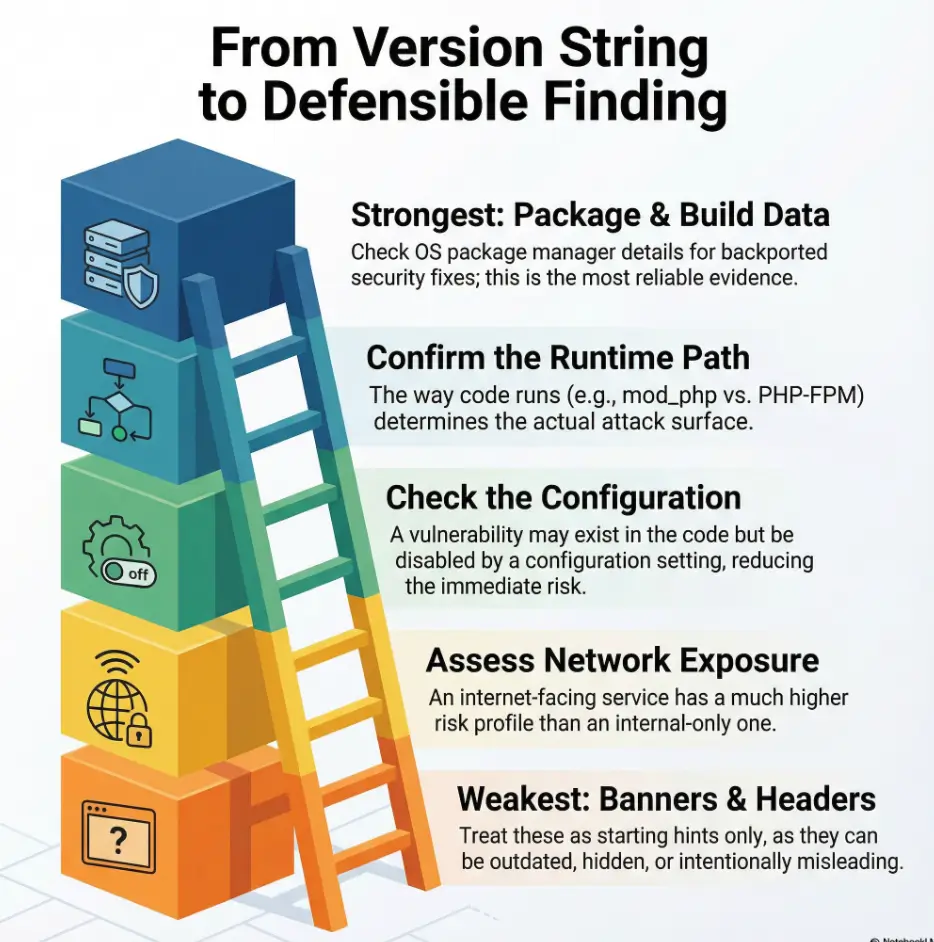
Capture the upstream version, full package release, supplier, operating-system release and support channel. Red Hat explains security backporting: a supplier can apply a fix to an older upstream codebase while retaining its upstream version. A simple upstream-version comparison can therefore produce a false positive.
Backporting is a reason to check the exact advisory, not a reason to dismiss an old version. Match the installed package against the supplier’s affected or fixed release for the correct OS and channel. If that evidence is missing, write “patch status unresolved.” Do not compare package releases using plain alphabetical ordering; their meaning belongs to the supplier’s version scheme.
3. Establish the request and PHP execution path
Draw the observed chain from frontend to application runtime. Apache serving PHP through an embedded module differs from forwarding requests to PHP-FPM. The mod_proxy_fcgi documentation describes FastCGI proxying and PHP-FPM configurations. That documentation is not evidence that your host uses those settings.
Ask the operator for the applicable virtual-host configuration, active modules, runtime instance and relevant extensions. A command-line PHP installation may not be the one serving web requests. If the path is unverified, keep it as a gap rather than excluding or confirming a PHP-related CVE.
4. Compare the advisory’s prerequisites with the deployment
For each candidate, list the specific feature, platform, permissions, request path and other conditions the advisory requires. Mark each as confirmed present, confirmed absent or unknown, and attach evidence. Distinguish affected code from a currently reachable attack path. A compensating control may reduce exposure without removing the vulnerable code or replacing the vendor fix.
For PHP, consult the relevant entry in the official PHP 8 change log and the supplier’s package advisory. Review the PHP support lifecycle separately: a branch’s support status does not prove that every installed build contains every security fix. Avoid publishing a diagnostic page that reveals runtime details merely to collect inventory.
5. Identify the component that actually contains the issue
Separate the server, connector, extension and bundled library in the finding. A vulnerability affecting one does not automatically apply to every product in the stack. Record a relevant dependency only when the advisory and deployment evidence connect it to the candidate; do not turn a short review into an unsupported list of every possible library.
For Oracle MySQL, locate the correct component in the applicable Oracle security advisory. For example, the July 2026 advisory lists MySQL Server, Cluster, Router and Connectors separately. Check the particular CVE entry and its product/version conditions rather than treating the MySQL name as one interchangeable component.
6. Separate applicability, exposure and priority
Record the affected/fixed conclusion first, then deployment exposure and business impact. Describe reachable paths, required privileges, sensitive assets and evidence gaps. An internal service still needs a remediation decision. Conversely, an internet-facing banner does not establish that every listed CVE is exploitable.
Agree with the owner whether additional validation is necessary and permitted. Exploit execution is not required merely to accept a clear supplier advisory and affected package match. Avoid disruptive proof attempts when inventory and vendor evidence already support remediation. Record what was not tested.
7. Use conclusions that reflect the evidence
| Conclusion | What supports it |
|---|---|
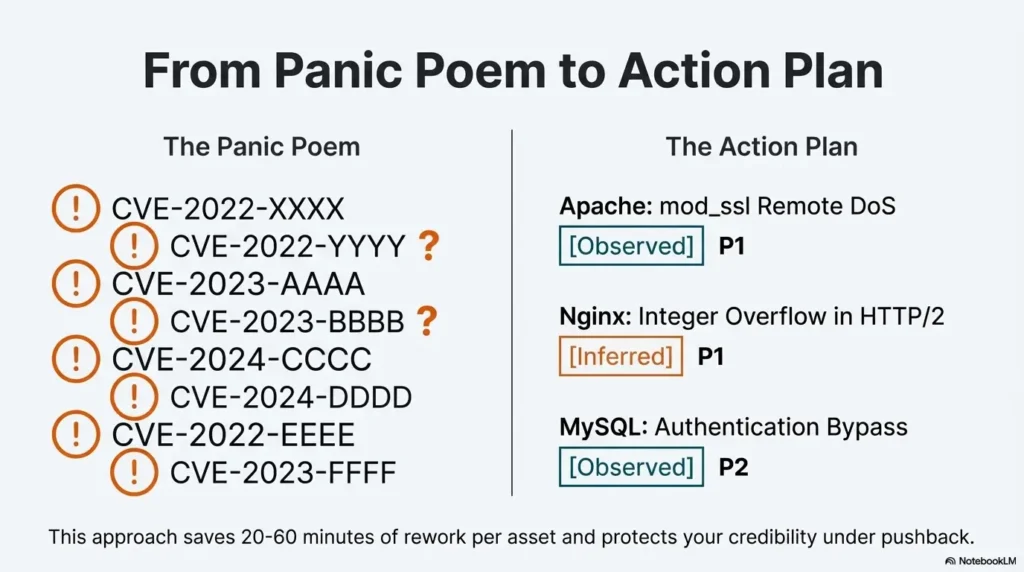
| Candidate; verification needed | Banner or scanner match; build or patch status unresolved. |
| Affected build identified | Exact deployment build matches supplier advisory; relevant prerequisites recorded. |
| Fixed build verified | Supplier fixed-release evidence matches the deployed instance; required rollout steps verified. |
| Observed impact | Authorized validation demonstrates a specific result, with method and limits recorded. |
These labels describe different evidence, not steps that every assessment must complete. “Not applicable” also needs a documented reason, such as a different product or a confirmed absent prerequisite. State which CVE and deployment the conclusion covers; avoid declaring the whole server secure.
Worked example: why a real CVE still needs conditions
The Apache HTTP Server advisory states that CVE-2021-41773 affects 2.4.49, not earlier versions. Its traversal impact depends on access restrictions outside Alias-like directories; CGI execution introduces a further possible code-execution consequence. The incomplete fix led to CVE-2021-42013 affecting 2.4.49 and 2.4.50, with a fix in 2.4.51.
Illustrative report: “A response advertises Apache 2.4.49. This is a candidate for advisory review; active build, patch provenance, directory access rules and CGI configuration are unverified.” That is different from “remote code execution confirmed.” These historical fix releases explain the mapping; they are not current upgrade targets. Choose a presently supported supplier release with all applicable fixes.
Use a short first pass to record gaps
A ten-minute first pass can be a personal timebox for gathering what is already available and assigning unanswered questions. It is not a full assessment deadline. The former confidence estimator is removed: adding a few evidence checkboxes cannot yield a validated percentage probability that an asset is vulnerable.
Copyable CVE evidence record
Asset / endpoint / environment / collection date:
Product and active runtime instance:
Evidence source and raw version:
Full build / supplier / OS / support channel:
CVE and advisory URL / revision:
Affected range and supplier fixed release:
Required conditions: present / absent / unknown:
Exposure and business impact:
Conclusion and unresolved questions:
Owner / action / target date:
Post-change verification and limitations:
Choose and verify a remediation plan
Give the owner the advisory, exact deployment evidence, proposed supported fix, compatibility questions and rollback requirements. Urgency depends on the specific vulnerability and environment, not a universal CVE count. A temporary mitigation should have an owner, evidence that it works in this deployment and a review date.
After the change, verify the running instance as well as the installed package or image. Confirm that the supplier’s required restart, replacement or rollout steps occurred and that the application still works. Recheck the original evidence path; an unchanged banner alone does not negate a backported fix.
Common evidence gaps
What if only a remote scan is available? Report the observation and request the missing build/configuration evidence. Do not attach a numerical confidence score without a validated method. The Nmap option guide explains collection trade-offs; a more detailed probe still does not establish patch provenance.
What about containers or managed databases? Connect inventory to the running image or provider instance, not only a tag or local client. MySQL’s VERSION() documentation describes a server version string, which may include a suffix; it is not a complete supplier patch attestation. Obtain provider or image-maintainer evidence for what the reported build includes.
How much certainty can the report offer? State the conclusion, supporting evidence and unresolved conditions. Include findings relevant to the agreed scope and decision rather than an arbitrary quota. For help separating observed components from assumptions, use the related application structure mapping guide.