
Kioptrix Lab Workflow
Why Kioptrix Level Feels More Productive
When You Keep a Running Log
Kioptrix Level can feel oddly slippery the first few times you practice it. You scan, you poke, you find a banner, you open five tabs, you run one command twice, and suddenly the session has turned into a drawer full of tangled cables. The machine has not changed. Your attention has.
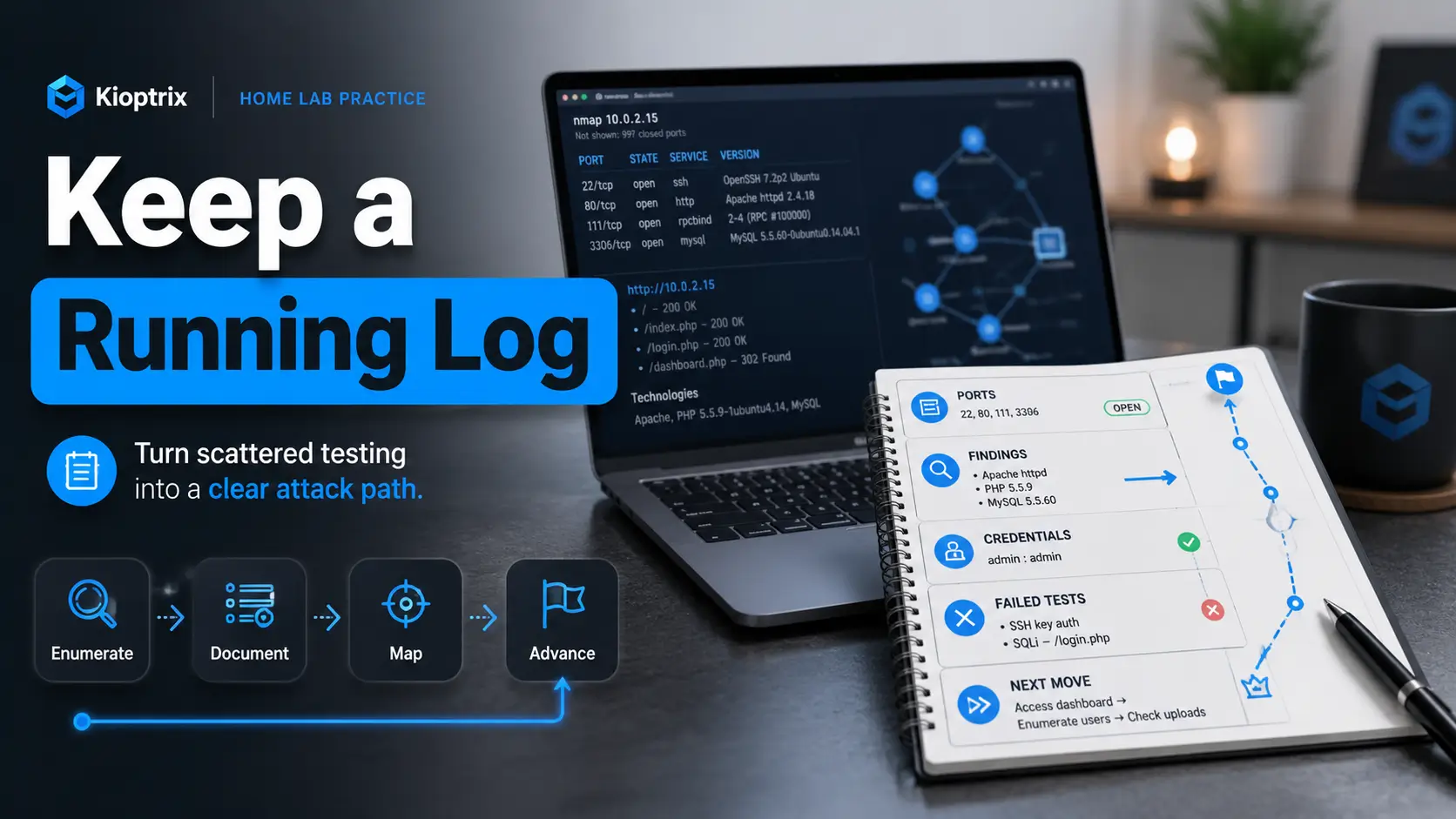
A running log fixes that by turning every small clue into forward motion. It gives your test a spine: commands, findings, assumptions, dead ends, credentials, screenshots, privilege escalation hints, and the next thing to try. Instead of restarting from memory, you return to a visible trail.
This guide is for the learner who wants more than a flag. It is for the person building repeatable penetration testing habits inside a legal home lab, one careful note at a time.
Stop repeating work
Record failed tests so the same rabbit hole does not eat your evening twice.
See the attack path
Connect ports, services, web clues, and privilege escalation leads into one readable story.
Write better reports
Turn messy practice notes into clean proof, lessons, and portfolio-ready write-ups.
🧭 The log is not extra paperwork. It is the map you draw while the fog is still honest.
Snapshot
This article is for beginner-to-intermediate cybersecurity learners using Kioptrix Level machines in a legal home lab. It solves the “I found something, forgot why it mattered, and lost momentum” problem. By the end, you will have a practical running log structure, a safer workflow, and a 15-minute template you can use before your next scan.
Table of Contents
The Productivity Shift: From Random Testing to Visible Progress
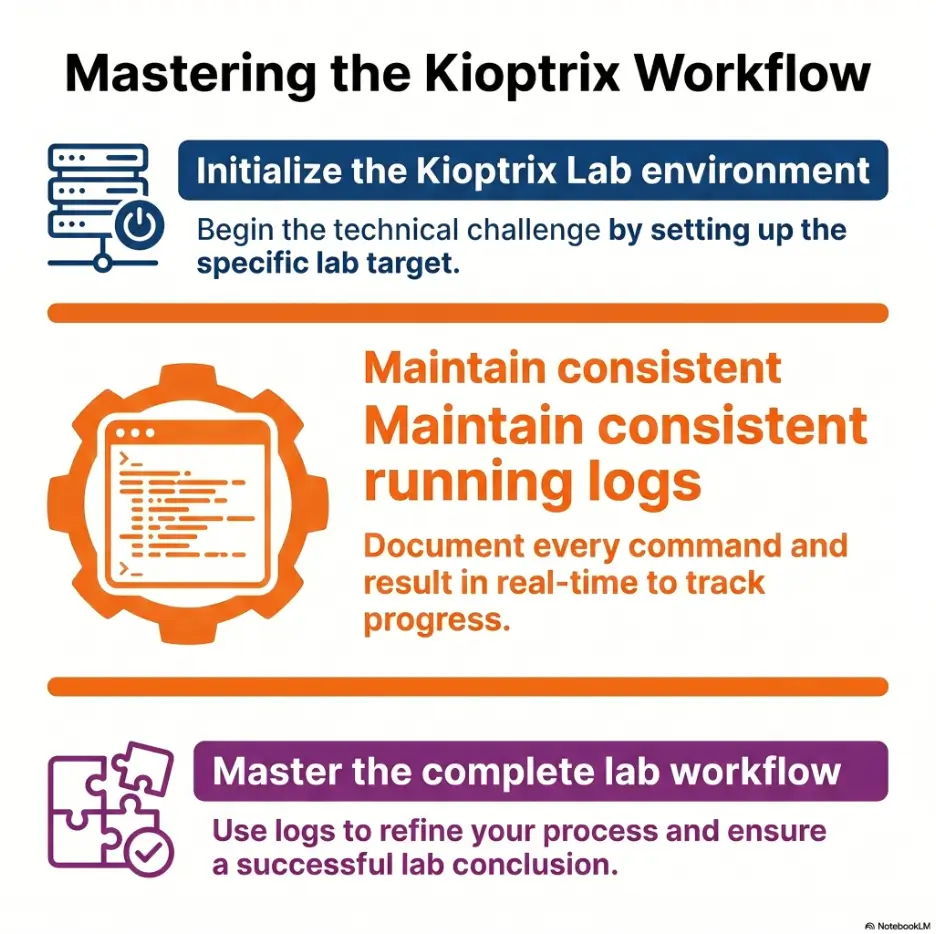
Kioptrix Level feels more productive when your work has shape. Without a log, the session often becomes a blur of scans, copied commands, half-remembered service banners, and browser tabs with titles you no longer trust. With a log, the same activity turns into a sequence: observe, record, decide, test, review.
That sequence matters because beginner cybersecurity practice is rarely blocked by a single missing command. More often, it is blocked by a missing thread. You saw an old Apache banner. You noticed SMB. You found a web directory. You tried a search result. Then something else looked interesting, and your attention sprinted off with a lantern.
Kioptrix rewards method, not memory
Kioptrix machines are useful because they make you practice a repeatable method. You identify the target, enumerate open ports, fingerprint services, test reachable applications, look for misconfigurations, gain access, stabilize your shell, and search for privilege escalation clues. That rhythm is the point.
The machine does not care whether you can remember every scan flag from memory. It cares whether you can follow evidence. Your running log keeps the evidence visible long enough for your method to improve.
Your log becomes a second brain
A good log catches the fragile details first: target IP, ports, service versions, usernames, web paths, suspicious errors, failed payloads, credentials, hashes, file permissions, and privilege levels. These details may look small while they are fresh. After an hour, they become confetti in a fan.
The point is not to write a novel while you test. The point is to make your future self less confused. A clean running log lets you stop for dinner, return tomorrow, and understand the box without warming up your memory engine for twenty minutes.
Key takeaway
The log is not a decoration for the final write-up. It is a working instrument. It helps you preserve attention, avoid repeated work, and turn scattered testing into a visible attack path.
The real win is repeatability
One rooted machine is nice. A repeatable process is better. When you keep a running log, you start noticing which steps consistently produce useful information and which steps are just nervous clicking wearing a trench coat.
Over time, your notes reveal your own habits. Maybe you skip web enumeration too quickly. Maybe you forget to check service versions. Maybe you use screenshots but forget command context. The log shows the pattern without scolding you.
Safety and Ethics: Keep Kioptrix Inside the Lab
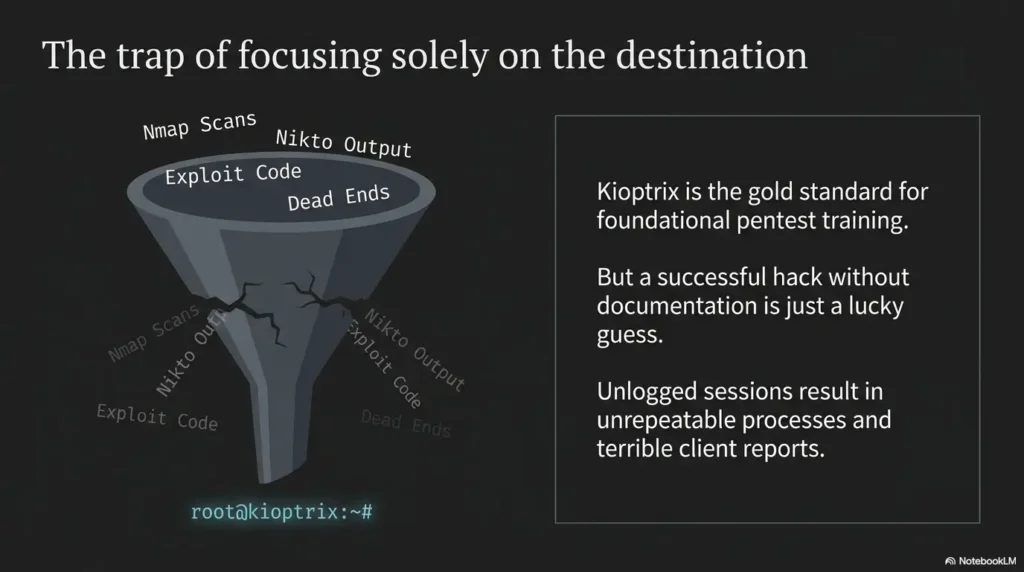
Kioptrix is a training environment. That matters. The skills you practice can be useful, but they can also cause harm if aimed at systems you do not own or do not have clear permission to test. A running log should reflect that boundary from the first line.
Write down your target, your network mode, and your authorization context. That may sound formal for a home lab, but it builds a professional habit early. The habit is simple: know what you are testing, why you are testing it, and where the boundary ends.
Safety / Disclaimer
This article is for legal cybersecurity learning in owned or authorized lab environments. Do not scan, exploit, or test public systems, employer systems, school networks, cloud assets, or third-party services unless you have explicit written permission and understand the scope.
Write the scope before the scan
Before you run a single command, write the lab scope in plain English. For example: “Target is Kioptrix Level 1 running in my local VirtualBox host-only network. Attacker VM is Kali. No testing outside the lab subnet.”
That sentence is boring in the best possible way. It makes your boundary explicit. It also helps you catch configuration mistakes, such as a bridged adapter exposing your lab activity to a wider network than intended.
Stop when the environment stops being yours
If a scan reaches a device you do not recognize, stop. If DNS resolves to a public host unexpectedly, stop. If you copy a command from a walkthrough and do not understand what it will touch, stop long enough to read it.
Good lab practice is not about being timid. It is about being precise. Precision protects your learning, your equipment, and other people’s systems.
Log intent as well as action
A professional security note does not only say what happened. It also says why. “Ran service detection to confirm versions before choosing a test path” is better than “nmap.” Intent makes your log readable and defensible.
That habit becomes more important when you move beyond toy labs into structured training, student groups, internships, consulting, or internal security work. Your notes should show judgment, not just activity.
The Hidden Cost of “I’ll Remember That Later”
“I’ll remember that later” is the tiny sentence that quietly steals Kioptrix sessions. It feels efficient in the moment. Why write down a port number when it is right there? Why record a failed exploit when you know it failed? Why note a directory path when the browser tab is open?
Because later arrives wearing different shoes. You switch tasks, read a forum thread, restart a VM, close a terminal, chase a service, or take a break. When you return, the clue is no longer glowing. It is just one more breadcrumb under the furniture.
Tiny details decay first
Beginners often remember the exciting parts: “I found a web server” or “I got a shell.” What disappears first are the details that make action possible: which port, which version, which URL, which user, which error message, which payload, which file path, which permission bit.
These are not trivia. They are handles. Without them, you keep reaching for the same locked door and wondering why your hand hurts.
Dead ends become repeated work
A failed command can be useful if you record it clearly. It can tell you that a service rejected anonymous access, a tool timed out, a version guess was wrong, or a payload did not fit the target. Without a note, the failure becomes invisible.
Invisible failures are expensive. You repeat them because they do not feel settled. A running log lets you write, “Tried anonymous SMB listing. Access denied. Next: check web app for usernames before returning to SMB.” That is not failure. That is navigation.
Mistake checklist
- Did you record the exact command that produced the finding?
- Did you write why the output matters?
- Did you mark failed tests instead of deleting them from memory?
- Did you write the next action before switching tabs?
- Did you separate facts from guesses?
Context switching is the real leak
A Kioptrix session becomes tiring when your brain has to reload the whole story every five minutes. “What did that scan show? Which exploit did I reject? Was that version real or a false banner? Did I check that directory?” That mental reload is not dramatic, but it drains the room.
Your log lowers the cost of returning. It keeps the session warm. When you can look at one note and see the current state, you spend less energy remembering and more energy reasoning.
What to Capture While Working Kioptrix Level
A useful running log is selective. It does not need every line of tool output, every search result, or every stray thought. It needs the pieces that change what you do next.
Think of the log as a field notebook, not a storage unit. You are collecting observations, not hoarding noise.
Start with the target snapshot
At the top of the note, record the basics: VM name, target IP, attacker machine, date, network mode, lab scope, and objective. This keeps the session grounded. It also helps if you later turn the work into a write-up, portfolio post, or study review.
A simple target snapshot might include: “Kioptrix Level 1, target 192.168.56.104, Kali attacker 192.168.56.101, VirtualBox host-only, objective: practice enumeration and document the path to root.”
Log commands with useful output
When you run a command, capture the command and the useful output. Not all output is useful. A full scan dump may be fine in a separate file, but your running log should quote only the lines that guide a decision.
For example, write: “nmap service detection found Apache on port 80 and Samba on ports 139/445. Next: enumerate web root and SMB access.” That gives you both the evidence and the next branch of the path.
Track hypotheses separately from facts
This is where many beginner logs become foggy. A fact is something observed: “Port 80 is open.” A hypothesis is a possible meaning: “The web server may be the easiest initial access route.” Keep them close, but label them clearly.
When facts and guesses blend together, your log starts to sound confident about things you have not verified. That creates false certainty, a very fancy hat for confusion.
| Log item | What to record | Why it matters |
|---|---|---|
| Target details | IP, VM name, network mode, date | Prevents scope confusion and setup mistakes |
| Open ports | Port, protocol, service, version when known | Builds the first attack surface map |
| Web findings | Paths, status codes, forms, errors, technologies | Preserves clues that may lead to initial access |
| Credentials | Usernames, passwords, hashes, source, privilege level | Keeps access material visible and controlled |
| Failed tests | Command, reason, result, next adjustment | Stops repeated work and improves reasoning |
| Next move | One concrete action to run next | Protects momentum when you pause |
Key takeaway
Record anything that changes the next action: a service, path, credential, error, permission, failed test, or decision point. Leave the oceans of raw output in separate files.
The Running Log Format That Keeps Momentum Alive
The best Kioptrix running log format is the one you can keep using while slightly tired. Fancy note systems can be delightful, but they can also become a side quest with icons. Start with a structure that is plain, searchable, and fast.
Markdown works well because it is lightweight and portable. Obsidian, VS Code, Notion, Joplin, a terminal text editor, or a plain text file can all work. The tool is less important than the habit: every meaningful clue gets captured before it fades.
Use three columns: clue, action, result
A three-column format keeps the log readable. The clue is what you noticed. The action is what you tried. The result is what happened and what it suggests.
For example: Clue: “Apache banner appears old.” Action: “Checked service version and searched local exploit references.” Result: “Possible path, but verify exact version before testing.” This gives you a small chain of reasoning instead of a pile of fragments.
Add a next move after every finding
The “next move” line is the heartbeat of the running log. After every important observation, write one action you can take immediately. Not a vague hope. Not “look more.” A concrete command, check, comparison, or question.
Good next moves include: “Run targeted web directory scan,” “check SMB anonymous access,” “verify exploit requirements,” “inspect writable directories,” “look for SUID binaries,” or “review kernel version after shell.”
Keep a tiny credentials table
Credentials should never be buried in paragraphs. Make a small table for usernames, passwords, hashes, where you found them, and where they worked. Include the privilege level if you know it.
This is especially useful when a lab has multiple services. A web login may not work for SSH. A reused password may work only for one account. A hash may be useful later. Your table keeps that from becoming a memory soup.
Mini log template
- Target and scope
- Open ports
- Service versions
- Web findings
- SMB or network findings
- Credentials and identities
- Exploit ideas
- Failed tests
- Privilege escalation clues
- Next move
Kioptrix Running Log Flow
1. Snapshot
Target, scope, IPs, network mode.
2. Enumerate
Ports, versions, paths, users.
3. Interpret
Facts, guesses, decision points.
4. Test
Try one focused experiment.
5. Review
Write next move before pausing.
Common Mistakes That Make Kioptrix Logs Useless
A bad log can create the illusion of structure while still leaving you lost. The problem is usually not that learners write too little or too much. It is that they record activity without meaning.
The cure is interpretation. Every important note should answer at least one of these questions: What did I learn? Why does it matter? What does it rule out? What should I test next?
Mistake: saving only successful commands
Successful commands are useful, but failed commands often explain the path more clearly. They show what you ruled out and why you changed direction.
For a final write-up, you may not include every failure. In your working log, keep the useful failures. “Hydra attempt paused because no confirmed username list yet” is a valuable note. It stops you from turning password attacks into a boredom sprinkler.
Mistake: writing vague notes
“Checked web stuff” is not a note. It is a shrug wearing headphones. A better note says, “Nikto reported /manual and an old Apache banner; next check whether exposed documentation reveals modules or version clues.”
Specific notes age well. Vague notes collapse. Your future self should be able to use the note without opening every tab again.
Mistake: dumping raw output with no interpretation
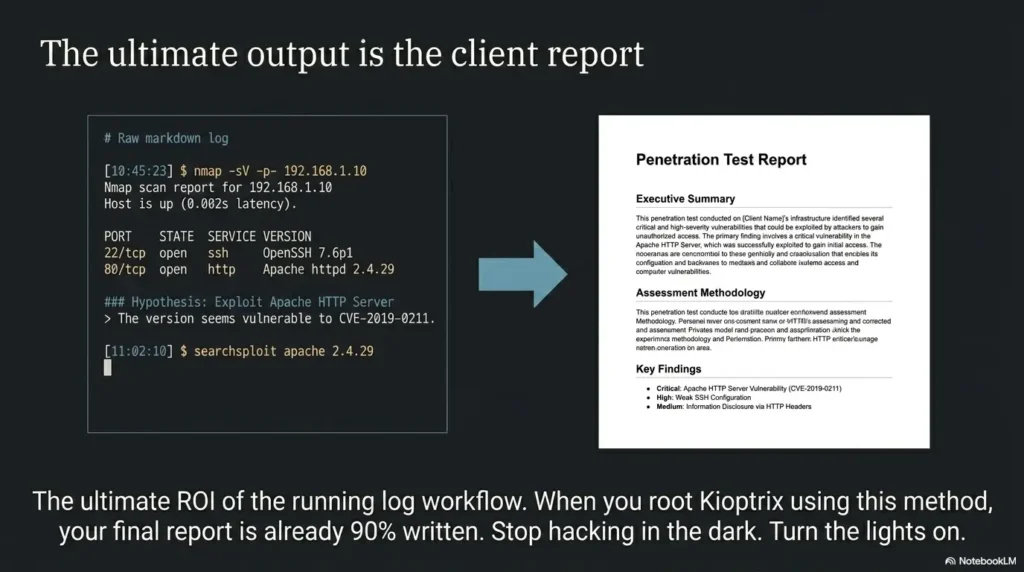
Raw output has its place. Save full scans in organized files. But your running log should summarize what changed. If the log is only copied tool output, it becomes searchable noise.
A better pattern is: command, useful output, interpretation, next action. That is enough to preserve the decision without burying it under a snowdrift of terminal text.
Key takeaway
A useful Kioptrix note is not “what I typed.” It is “what I learned, what it means, and what I will try next.” That tiny shift makes the log worth keeping.
Short Story: The command that looked useless
Maya spent a Saturday morning on Kioptrix with three terminals open and a coffee going cold beside the keyboard. She ran a scan, checked the web server, tried SMB, then searched for an exploit that looked promising.
It failed. She nearly deleted the note because failed commands felt embarrassing. Instead, she wrote one sentence: “Exploit requires a module/version I have not verified.”
The next day, that sentence saved her. She stopped chasing the exploit, returned to enumeration, and found the clue she had skipped: a service version mismatch that changed the likely path.
The lesson was small but sticky. A failed command is not wasted if it tells you what question to ask next.
Screenshots Are Evidence, Not Memory
Screenshots feel productive because they are visible. They give you the satisfying sense that something has been captured. But a folder full of unnamed screenshots is not documentation. It is a haunted attic with thumbnails.
Use screenshots for proof and context, not as a substitute for thinking. A screenshot should support a note. It should not be the note.
Screenshots need a caption
Every screenshot should have a short caption in the log. Write what it shows, why it matters, and what you tested next. This makes the image useful when you return later.
For example: “Screenshot 003 shows web server directory listing at /manual. Useful because it confirms exposed documentation. Next: check server modules and default files.”
Name files so they sort like a story
Use names that include the target, phase, and number. A file called “screenshot-2026-06-03.png” might be technically accurate, but it will not help much when the folder fills up.
Try names like “kioptrix1-01-nmap-open-ports.png” or “kioptrix1-04-web-manual-directory.png.” The name itself becomes a tiny index.
Separate proof from process
Proof screenshots show important results: shell access, privilege level, key files, or successful evidence. Process screenshots show intermediate clues. Both can be useful, but they serve different purposes.
In your final write-up, include only the screenshots that help the reader understand the path. In your private log, keep more context. The working log can be messy. The final write-up should be kind to the reader.
| Screenshot type | Use it for | Log caption should include |
|---|---|---|
| Scan evidence | Open ports and service versions | Tool, target, useful lines, next enumeration step |
| Web clue | Pages, forms, errors, directories | URL path, observed behavior, why it matters |
| Access proof | Shell, user context, file access | How access was gained and current privilege level |
| Privilege escalation proof | Root/admin evidence in lab | Command, result, and final verification |
Show me the nerdy details
A good evidence workflow separates raw artifacts from interpreted notes. Keep full scan files in a folder, screenshots in a numbered evidence folder, and the running log as the readable timeline. In the log, reference artifacts by filename instead of pasting everything inline. This gives you three layers: raw data for verification, screenshots for visual proof, and notes for reasoning.
That separation helps when you write later. You can rebuild the story from the log, verify details against raw files, and choose only the strongest screenshots for the final post or report.
The Stuck Point Trick That Saves a Session
“I’m stuck” is emotionally true, but it is not operationally useful. A running log lets you turn stuck into a named blockage. Once the blockage has a name, it usually becomes smaller.
Instead of writing “stuck,” write the exact constraint: “I have web access but no confirmed exploit path,” “I have a shell but no privilege escalation clue,” or “I have credentials but no service where they work.”
Name the exact blockage
A named blockage points to a category of next steps. If you have open ports but no foothold, you need deeper enumeration. If you have a shell but no privilege escalation, you need local system review. If you have credentials but no access, you need service testing and account mapping.
This keeps you from flailing. It also helps when asking for help in a study group because you can explain where the process stopped without dumping the whole session on someone else’s lap.
List what you already ruled out
When stuck, write a short ruled-out list. Keep it honest. Do not write “web checked” if you only looked at the homepage. Write exactly what you checked: “Gobuster with common.txt found /manual only,” or “SMB anonymous listing denied.”
This prevents circular testing. It also reveals shallow checks. Sometimes the stuck point is not a mystery. It is a skipped step wearing a dramatic cape.
Write one small next experiment
When the session feels muddy, do not write a grand plan. Write one small experiment. A good experiment is specific enough to run immediately and narrow enough to finish quickly.
Examples include: “Check kernel version,” “search local exploit notes for confirmed service version,” “enumerate SUID files,” “test credentials against SSH only after confirming SSH is open,” or “review web source for comments and hidden paths.”
Stuck point map
- Ports found, no path: deepen service enumeration.
- Web app found, no exploit: inspect paths, forms, errors, source, and technologies.
- Credentials found, no login: map which services accept which accounts.
- Shell obtained, no root: review local files, permissions, users, kernel, sudo, SUID, and cron.
- Too many options: choose the path with verified evidence, not the loudest forum post.
Key takeaway
Replace “I’m stuck” with a precise sentence: what access you have, what you need next, what you ruled out, and one small experiment to run now.
Turn Your Running Log Into a Better Write-Up
A running log is not the same thing as a final write-up. The log is the trail as you walked it. The write-up is the cleaned path you offer to a reader. Both matter, but they have different jobs.
The running log can include uncertainty, mistakes, notes to self, half-formed questions, and failed attempts. The final write-up should be clear, structured, and respectful of the reader’s time.
Convert findings into an attack narrative
After finishing the lab, reorganize your log into phases: setup, enumeration, service review, initial access, privilege escalation, proof, and lessons learned. This order helps readers follow the logic without reliving every detour.
You can also connect this article naturally with your broader Kioptrix content. For readers still choosing their path, link to your Kioptrix labs beginner roadmap. For readers ready to polish the final artifact, send them to your Kioptrix pentest report guide.
Separate learning notes from exploit steps
Your private learning note may say, “I misunderstood what this flag did.” That is valuable for you. Your final write-up can say, “I used service detection to confirm the version before choosing the next test.”
This is not hiding mistakes. It is editing for clarity. You can include useful mistakes when they teach a decision, especially if your audience is beginners. Just do not make the reader walk through every puddle.
Highlight the decision points
The most valuable part of a Kioptrix write-up is often not the exploit itself. It is the reason you chose that path. Why did you focus on web before SMB? Why did you reject one exploit and test another? Why did a failed command change your approach?
Decision points teach methodology. They help readers build judgment instead of copying a recipe. That is the difference between a walkthrough and a useful technical article.
| Working log section | Final write-up section | What to keep |
|---|---|---|
| Messy scan notes | Enumeration | Open ports, service versions, why they mattered |
| Searches and guesses | Analysis | Verified reasoning, rejected paths that mattered |
| Failed commands | Lessons or decision notes | Only failures that explain a better choice |
| Screenshots | Evidence | Clear proof with captions |
| Personal reminders | Lessons learned | Reusable improvements for the next lab |
Write-up prep list
- Move raw commands into the correct phase.
- Delete repeated tests unless they explain a decision.
- Turn vague notes into plain-English findings.
- Caption screenshots with context.
- End with lessons that improve the next lab.
When to Seek Help or Stop
Getting stuck is part of lab work. Knowing when to pause is also a skill. The goal is not to suffer beautifully in front of a terminal until the wallpaper starts judging you. The goal is to learn without drifting outside scope or grinding your attention into dust.
A running log makes help-seeking cleaner because it gives you a compact record of what you tried. It also shows when the problem is not the box, but the setup, the scope, or your current energy level.
Seek help when you can explain the blockage
Before asking a study group or mentor, summarize the problem in four lines: target phase, confirmed facts, ruled-out tests, and next idea. This respects other people’s time and helps you learn more from the answer.
A strong help request says, “I found ports 80 and 139/445, confirmed the web server version, checked common directories, and anonymous SMB failed. I am unsure whether to continue web enumeration or focus on Samba fingerprinting.” That is useful. “Any hints?” is fog in a cup.
Stop if scope gets unclear
If your lab network behaves unexpectedly, pause. Check your VM adapter settings, target IP, route, DNS, and host-only network. A surprising result is not always a clue. Sometimes it is a setup problem in a fake mustache.
If you are using shared Wi-Fi, a work laptop, school equipment, or cloud infrastructure, be extra careful. Your running log should make the testing boundary visible. When the boundary is not visible, stop and fix that first.
Stop when learning turns into grinding
There is a difference between productive struggle and empty grinding. Productive struggle has questions. Empty grinding has repeated commands, rising irritation, and no new information.
When you hit that point, write a session summary. Record what you know, what you ruled out, and one next move. Then stop. The log lets you return without paying the full context tax again.
Key takeaway
Stop when scope is unclear, when a command might touch systems outside the lab, or when you are repeating actions without new evidence. A clean pause is part of good practice.
FAQ
Is Kioptrix Level good for beginners?
Yes, Kioptrix Level is useful for beginners who already know basic Linux commands, networking ideas, scanning, and simple web enumeration. It is not a magic first step for someone who has never used a terminal, but it is excellent for practicing method.
What should I write down during a Kioptrix session?
Write down target details, scan commands, open ports, service versions, web paths, usernames, credentials, exploit ideas, failed tests, screenshots, privilege escalation clues, and your next action.
Should I use Obsidian, Notion, Markdown, or plain text?
Use the fastest tool you will actually keep open. Plain Markdown is often best because it is lightweight, searchable, portable, and easy to turn into a final write-up.
How detailed should a Kioptrix running log be?
It should be detailed enough that you can stop for a day, return later, and know what happened, what mattered, what failed, and what to try next. That is the practical test.
Is it better to log during the box or after finishing it?
Log during the box. After-the-fact notes often become a polished myth. Real-time notes preserve the actual thinking, mistakes, pivots, and clues that helped you learn.
Do failed commands belong in the final write-up?
Not all of them. Keep failed commands in your working log, then include only the failures that explain an important decision, warning, or learning point.
Can a running log help with OSCP-style practice?
Yes. It builds habits that matter in exam-style practice: time management, repeatable enumeration, clear evidence capture, calm recovery after dead ends, and cleaner reporting.
What is the biggest logging mistake beginners make?
The biggest mistake is recording results without interpretation. A useful note should explain what the finding means and what action it suggests.
Build Your 10-Line Kioptrix Log Before You Scan
The best next step is small enough to do before motivation has time to negotiate. Open a blank Markdown file and create ten headings: Target, Setup, Open Ports, Service Versions, Web Findings, Credentials, Exploit Ideas, Failed Tests, Privilege Escalation Clues, and Next Move.
That is it. Do not decorate it. Do not spend an hour choosing a theme. Do not build a temple to productivity and forget the keyboard. Start with a simple note that catches the first scan result and gives it a place to land.
When Kioptrix Level starts to feel more productive, it is not because the machine became easier. It is because your attention has rails. The log gives your curiosity a track, your mistakes a memory, and your next session a door that opens cleanly.
15-minute action
Before your next Kioptrix scan, create the 10-line template, write your scope in one sentence, and add a blank “Next Move” line. The first useful output you see goes into the log. The fog does not get the first word.
Last reviewed: 2026-06