
Cloud Security Evidence Guide
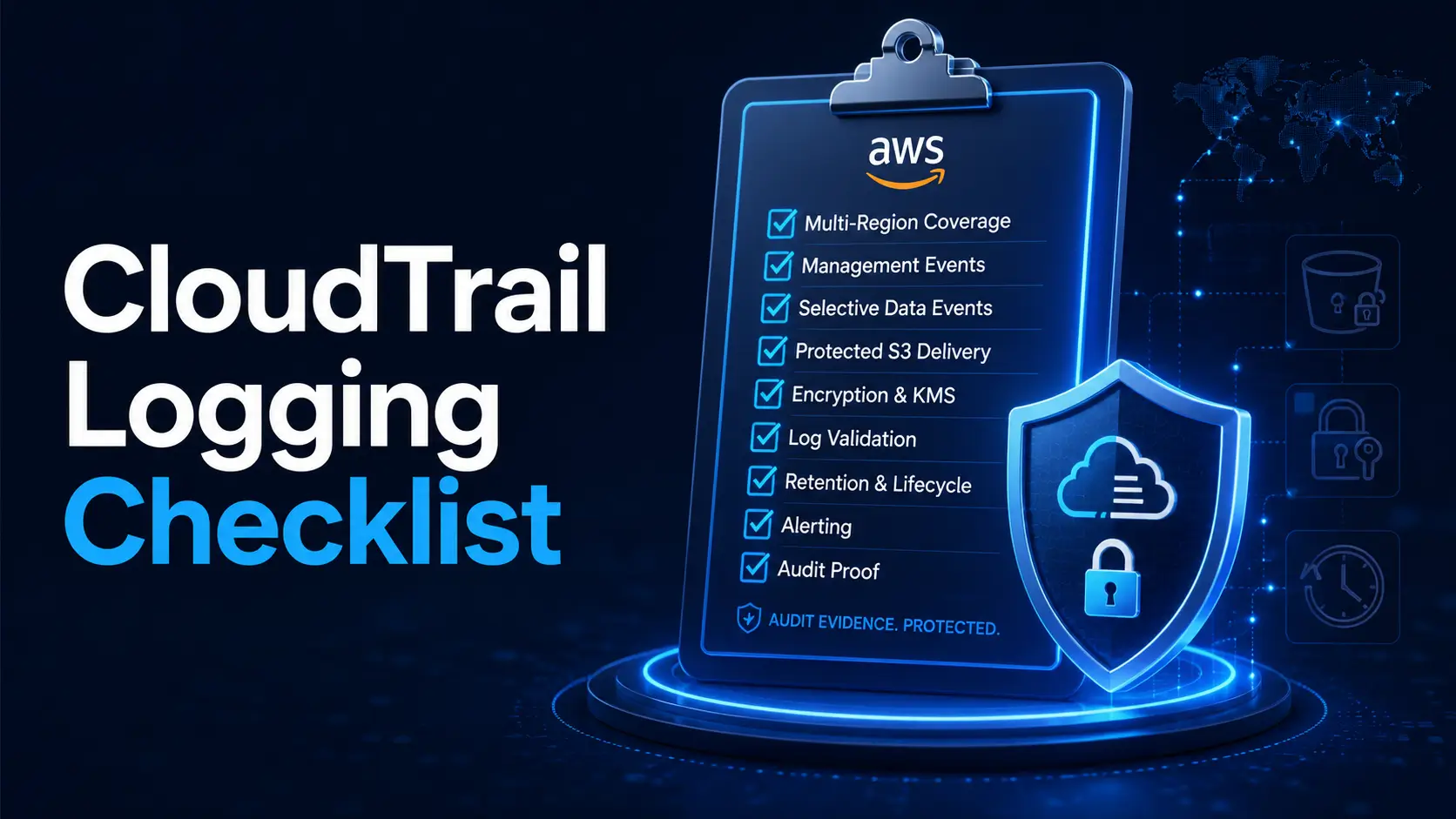
AWS CloudTrail Logging Checklist:
Build Audit Logs That Actually Survive an Incident
CloudTrail looks simple until the night you need it. Then every quiet assumption becomes a locked door: the account nobody checked, the Region nobody used, the S3 bucket nobody protected, the log file nobody validated. A good AWS CloudTrail logging checklist is not just a compliance tick-box. It is the smoke trail through the server room after something strange happens.
This guide is written for cloud engineers, DevOps teams, MSPs, startup CTOs, and security leads who need practical logging decisions without drowning in every AWS service log under the moon. You will learn how to set CloudTrail so it answers the hard incident-response question: who did what, where, when, and from which identity?
We will move in the order that matters: coverage first, management events, selective data events, protected S3 delivery, log validation, encryption, retention, alerting, and proof. No velvet-rope jargon. No heroic dashboard fantasies. Just durable evidence, built like a black box for your AWS accounts.
Close hidden gaps
Find quiet Regions, unmanaged accounts, and incomplete event coverage before an incident does.
Protect evidence
Send logs to a guarded archive with encryption, validation, retention, and narrow access.
Make alerts useful
Focus on high-confidence changes that can damage your audit trail or weaken identity controls.
The goal is simple: when the pager screams, your logs should still be standing. 🔐
Snapshot
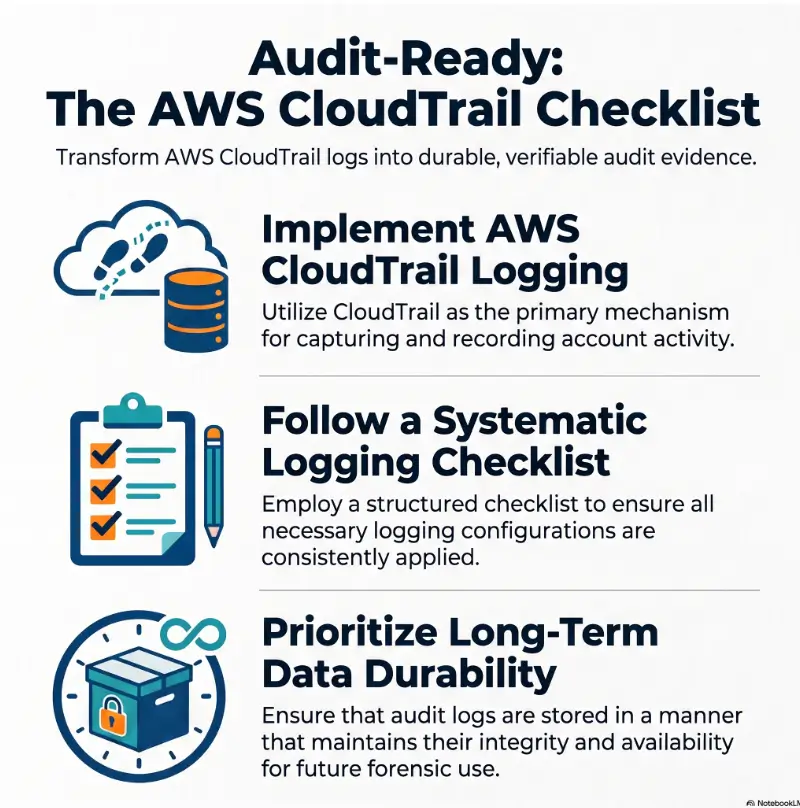
This article is for AWS account owners, DevOps teams, security leads, MSPs, and compliance-minded SMBs that need CloudTrail logs to support audits and incident response. You will leave with a practical checklist for coverage, log protection, validation, alerts, retention, and a 15-minute evidence test you can run today.
Before You Act: CloudTrail Is Evidence, Not Magic Armor
CloudTrail is one of the first AWS services security teams ask about after something goes wrong. That does not mean it is a complete security program. It is a record system, not a force field.
A strong AWS CloudTrail logging checklist can help you reduce audit gaps, spot suspicious changes faster, and preserve a cleaner evidence trail. It cannot tell you whether every configuration is legally sufficient, whether your company meets a specific regulation, or whether an attacker used a technique outside CloudTrail’s view.
If you work in a regulated environment, confirm retention, encryption, key access, account separation, and evidence handling with your security, compliance, and legal stakeholders before changing production logging. In a suspected compromise, preserve evidence before making broad cleanup changes. The fire extinguisher is useful, but you do not want to wipe the footprints while reaching for it.
Key takeaway
Use this checklist as a practical security planning guide. For formal compliance, legal discovery, cyber insurance evidence, or post-incident handling, confirm the final design with qualified professionals who understand your environment.
What CloudTrail can and cannot answer
CloudTrail is best at answering account activity questions. It can show API calls, user actions, assumed roles, service activity, source IP context, timestamps, request parameters, and whether an action succeeded or failed.
It is not the only log source you need. Network traffic, application behavior, workload telemetry, endpoint data, DNS logs, authentication provider logs, and SIEM correlation may also matter. Think of CloudTrail as the ledger for AWS control-plane activity, not the entire crime scene sketch.
Why this is a high-risk checklist
Cloud logging decisions affect audit evidence, incident response, privileged access review, cyber insurance claims, and sometimes legal retention. A missing management event might be annoying on a normal Tuesday. During an investigation, it can become the missing tooth in the zipper.
That is why this article focuses on survivability. The checklist is not merely “turn CloudTrail on.” It asks whether your logs are complete enough, protected enough, searchable enough, and testable enough to be trusted under stress.
Start With the Audit Question, Not the Trail
The best CloudTrail setup begins with a question, not a console click. Ask what your team must prove after a suspicious event: who changed identity permissions, who modified logging, who accessed sensitive objects, who created new infrastructure, and whether the evidence remained intact.
This shift matters because it prevents decorative logging. Decorative logging looks complete in a screenshot but fails when someone asks for a timeline. Useful logging tells a clean story, even if the story is uncomfortable.
Who this checklist is for
This checklist is built for cloud engineers, DevOps teams, startup CTOs, MSPs, security managers, auditors, and AWS account owners who need a practical way to review CloudTrail logging.
For a small SaaS company, that may mean proving that admin actions are logged across every account. For an MSP, it may mean standardizing logging across multiple clients without turning every account into a snow globe of special cases. For a compliance lead, it may mean connecting CloudTrail settings to control evidence in a boring, repeatable way.
The four questions every trail should answer
A useful CloudTrail trail should help answer four basic questions:
- Who acted? The IAM user, role, federated identity, root user, or AWS service involved.
- What changed? The API action, resource, request details, and response outcome.
- Where did it happen? The AWS account, Region, source IP, user agent, and affected resource.
- Can we trust the record? The delivery path, storage controls, log validation, encryption, and retention evidence.
If your logging plan cannot answer those questions, the checklist has already found its first red flag.
Real-world example: the Friday night evidence gap
A team notices an unexpected IAM policy attached to a role on Friday evening. Event history shows some recent account activity, but the team cannot find older evidence because no durable trail was configured for that account. The trail in the main production account looks fine. The forgotten sandbox account, however, has become the trapdoor.
The lesson is not that every team needs an expensive security stack on day one. The lesson is that CloudTrail must be designed around the accounts and Regions where uncomfortable questions may arise, not only the accounts everyone remembers during quarterly review.
| Audit question | CloudTrail setting to check | Evidence to save |
|---|---|---|
| Who changed access? | Management events enabled for read and write activity | Sample IAM event query and trail configuration |
| Was logging disabled? | Alerts for StopLogging, DeleteTrail, and UpdateTrail | Alarm test result and notification proof |
| Were sensitive objects accessed? | Data events enabled for selected S3 buckets or workloads | Event selector scope and sample object event |
| Were logs changed after delivery? | Log file validation enabled | Validation test result for a sample period |
| Can the team retrieve logs later? | S3 retention, CloudTrail Lake retention, or archive policy | Retention policy export or lifecycle configuration |
Multi-Region First: Close the Quiet Region Door
One of the most common CloudTrail mistakes is treating “we do not use that Region” as a logging strategy. Attackers and misconfigurations are not sentimental. They do not politely stay where your architecture diagram is prettiest.
A multi-Region trail helps reduce this blind spot by recording events across enabled AWS Regions and delivering them to the S3 bucket you specify. For most organizations, multi-Region CloudTrail coverage should be the default starting point.
Make your default trail multi-Region
For a single AWS account, check whether the primary trail applies to all Regions. If it does not, document the reason. “Nobody remembers why” is not a reason. It is a breadcrumb with a tiny violin.
Multi-Region trails are especially important for account activity such as IAM changes, logging changes, security group changes, and service creation in unexpected places. Even if your workloads live in a narrow set of Regions, account-level activity may not respect that neat boundary.
Organization trail or account trail?
If you use AWS Organizations, consider an organization trail. This allows centralized event delivery for member accounts and reduces the risk that each account owner configures logging differently.
Account-level trails can still be useful for special workloads, additional data event coverage, or specific operational needs. The danger is relying on individual account discipline when a central security account should own the baseline.
The unused Region problem
Unused Regions are attractive hiding places because teams often forget to inspect them. A new resource created in an unusual Region might indicate experimentation, a mistake, or suspicious behavior. You cannot decide which one it is if the evidence is missing.
At minimum, your checklist should confirm that CloudTrail is collecting management events across enabled Regions, and that alerts will fire if the logging configuration changes.
Key takeaway
Treat unused Regions as inspection zones, not comfort zones. Your CloudTrail baseline should make unexpected regional activity visible before it becomes an incident-response scavenger hunt.
Management Events: Capture the Control Plane Before It Moves
Management events are the backbone of CloudTrail logging. They record control-plane activity such as creating, deleting, modifying, or listing AWS resources. If data events are the security camera inside selected rooms, management events are the building access ledger.
For most teams, read and write management events should be captured unless there is a documented reason not to. Write-only logging may reduce noise, but it can hide reconnaissance patterns and configuration discovery during an investigation.
Record read and write management events
Write events show changes. Read events show inspection, listing, describing, and discovery. Both can matter. For example, repeated calls to list IAM roles, describe security groups, or inspect buckets might help explain what happened before a risky change.
Your checklist should confirm whether management events are enabled, whether read and write events are included, and whether any event sources are excluded. Exclusions should be intentional, reviewed, and documented.
Do not blindly exclude noisy sources
Some teams exclude event sources because they are noisy. Noise is a real problem. So is turning off the porch light because moths exist.
Before excluding sources such as AWS KMS or high-volume service APIs, ask what evidence you might lose. If the answer is unclear, keep the source enabled until you understand the investigation impact and compliance implications.
The first five event names worth testing
A checklist is stronger when it includes test events. Do not only confirm that a trail exists. Confirm that events can be found after the expected actions occur.
- CreateUser: Helps confirm visibility into IAM user creation.
- AttachUserPolicy: Helps confirm visibility into permission expansion.
- AssumeRole: Helps trace temporary access and cross-account activity.
- DeleteTrail: Helps prove detection for attempted logging damage.
- PutBucketPolicy: Helps reveal changes to S3 access controls.
You do not need to generate risky changes in production to test every item. Use a safe test account, controlled changes, read-only queries, or simulation where appropriate. The key is proving your evidence path before the evidence path is under pressure.
- Cloud Misconfigurations: Common AWS Security Mistakes to Catch Early
- Incident Response Retainer: When Cloud Teams Should Get Outside Help
- Startup Secrets Management: Protecting Keys, Tokens, and Cloud Access
Data Events: Log the Crown Jewels, Not the Whole Ocean
CloudTrail data events provide deeper visibility into resource-level activity, such as S3 object operations or Lambda function invocations. They are powerful, but they are not enabled by default and can create significant volume if you turn them on without a plan.
The best way to choose CloudTrail data events is to start with sensitive assets. Do not log the whole ocean just because one bucket contains pearls.
Start with sensitive S3 object activity
S3 object activity is often the first place to consider data events. If a bucket contains customer exports, financial records, source code, regulated data, backups, incident evidence, or security reports, object-level activity may be worth capturing.
Examples of useful S3 object events include object reads, writes, and deletes. These can help answer whether a sensitive file was accessed, replaced, or removed.
Choose Lambda and other workloads deliberately
Lambda data events can be valuable for sensitive functions, especially those touching authentication, payments, customer data, secrets, or administrative workflows. But logging every invocation everywhere can make cost and searchability messy.
Use selectors to narrow the scope. Capture the workloads where event-level evidence is worth the cost, then review coverage quarterly or whenever architecture changes.
Cost guardrail: selectors before sprawl
Data event logging can produce large volumes. That is not a reason to avoid it. It is a reason to be precise.
Build a simple ranking model before enabling data events. Score assets by sensitivity, business impact, investigation value, and event volume. The result should be a scope decision, not a shrug in YAML clothing.
| Resource type | When data events may be worth it | Cost-control move |
|---|---|---|
| S3 bucket | Contains customer data, backups, security evidence, exports, or regulated records | Log selected buckets or prefixes instead of every bucket |
| Lambda function | Handles sensitive workflows, identity actions, payment logic, or admin automation | Start with named high-risk functions |
| High-value data store integration | Supports critical business or compliance workflows | Pair CloudTrail with service-native logs where needed |
| Development bucket | Contains temporary files with low sensitivity | Usually skip unless it stores secrets or customer data |
Key takeaway
The best CloudTrail data event setup is selective. Start with the assets where access evidence would matter most, then control cost with event selectors and regular scope reviews.
S3 Log Bucket: Build the Vault Before the Diary
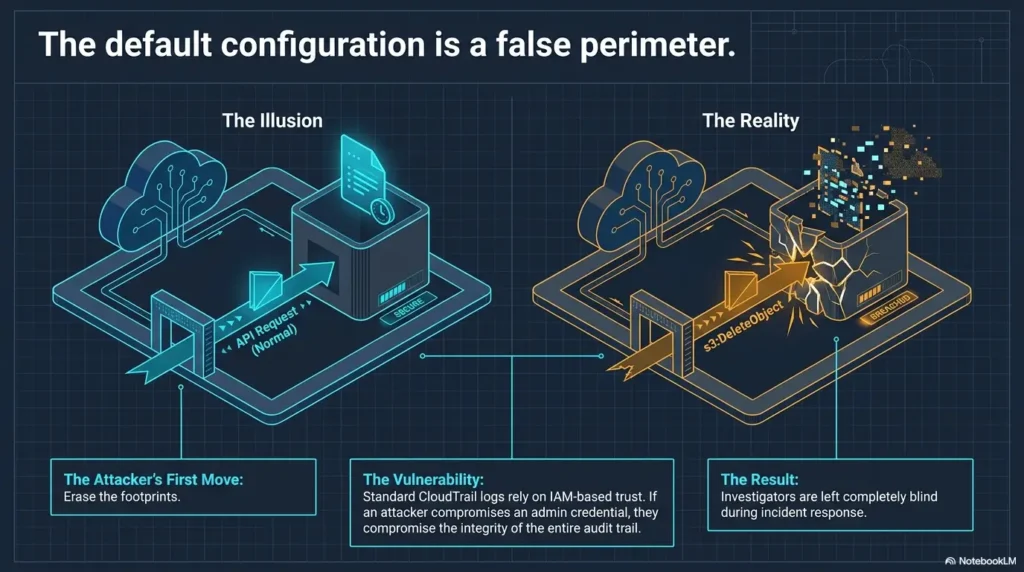
Your CloudTrail logs need a destination that is harder to tamper with than the accounts they describe. If an attacker compromises a workload account and can delete the logs inside that same account, the evidence chain becomes wet paper.
The safer pattern is to deliver logs into a dedicated logging or security account. Access should be narrow, monitored, and separated from everyday workload administration.
Separate log archive from workload accounts
In a small environment, you may start with one protected S3 bucket. In a growing company, a dedicated log archive account becomes more important. It gives security and compliance teams a central place to manage retention, access review, and evidence export.
The log archive should not be a casual storage closet. It should have carefully scoped bucket policies, restricted administrative access, public access blocked, and monitoring for policy changes.
Lock down bucket policy paths
CloudTrail requires permission to write logs to the destination bucket. That permission should be precise. Avoid broad permissions that allow unintended writers, readers, or deletion behavior.
Your checklist should verify that the S3 bucket policy allows CloudTrail delivery for the correct accounts and paths, blocks public access, and does not grant broad read access to general administrators.
Do not store logs beside the app they investigate
Keeping logs in the same account as the application may feel tidy, but tidy can be dangerous. If the account is compromised, the attacker may also gain access to the logs that explain the compromise.
A better design separates workload administration from evidence custody. The person who can deploy the app should not automatically be able to erase the audit trail for the app.
CloudTrail Evidence Flow
1. Accounts
Production, staging, legacy, and member accounts.
2. Regions
Multi-Region trail closes quiet regional gaps.
3. Events
Management events plus selected data events.
4. Vault
Protected S3 archive with narrow access.
5. Proof
Validation, encryption, retention, and tests.
6. Action
Alerts, audit evidence, and response decisions.
Integrity, Encryption, and Retention: Make the Evidence Hold Up
Once logs are delivered, the next question is whether you can trust and retrieve them later. This is where log file validation, encryption, and retention move from “nice security settings” to evidence survival gear.
The point is not to create a museum of logs nobody can use. The point is to keep the right logs, protect them from tampering, and make sure authorized responders can access them when time is made of glass.
Enable log file validation
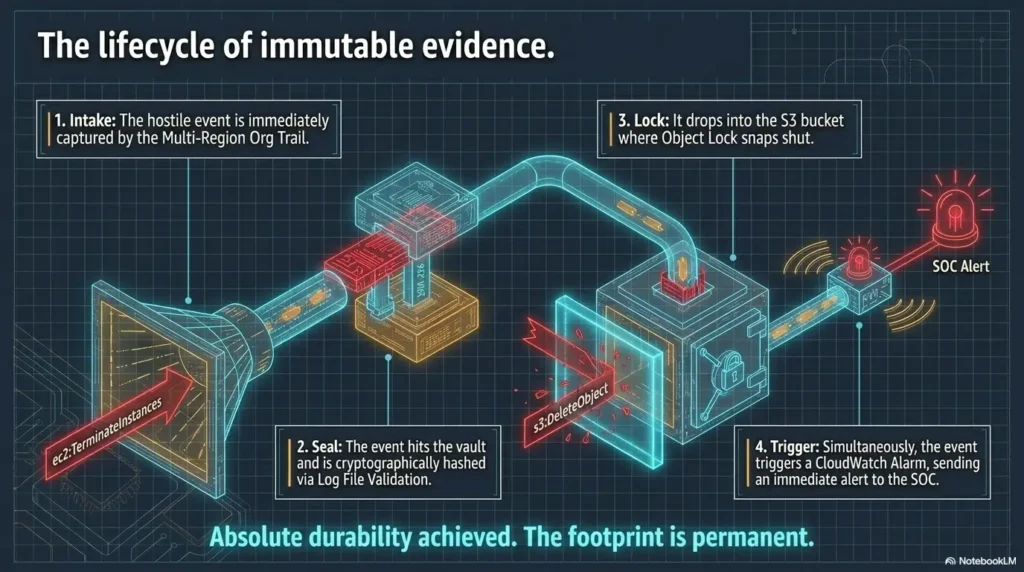
CloudTrail log file validation helps detect whether delivered log files were changed, deleted, or left intact after delivery. It works through digest files and cryptographic checks that support later validation.
Enabling validation is a strong start, but your checklist should go one step further: prove it. Run a scheduled validation test for a sample period and save the result in an audit folder.
Use KMS where risk justifies it
CloudTrail log files can be encrypted with AWS Key Management Service when your risk profile calls for stronger key control. If SSE-KMS is not used, CloudTrail logs are still encrypted at rest in S3 using S3-managed encryption.
KMS gives you more control, but it also gives you more ways to break access during an incident. Lock down key administrators, monitor key policy changes, and test break-glass access before the pager starts tap-dancing on the table.
Match retention to real investigations
Retention should not be one magical number copied from a slide deck. Separate short-term operational search, medium-term security review, and longer compliance or legal retention.
CloudTrail Event history is helpful for recent management events, but it is not a substitute for durable centralized logs. S3 storage, lifecycle policies, and CloudTrail Lake can all play a role depending on how your team searches and preserves evidence.
| Retention layer | Typical purpose | What to verify |
|---|---|---|
| Recent event review | Quick lookup for recent account activity | Team knows the limits and does not treat it as the archive |
| S3 log archive | Durable evidence storage and long-term retention | Bucket policy, encryption, lifecycle, access review |
| CloudTrail Lake | Querying and investigation workflows | Retention period, cost model, query access, ownership |
| SIEM or log analytics | Correlation, alerts, and investigation dashboards | Ingestion health, alert quality, field mapping |
Show me the nerdy details
For stronger evidence handling, test three things together: log file validation, KMS access, and retrieval from the archive path. A trail can be enabled and still fail operationally if the team cannot validate or decrypt the logs when needed.
A practical test is to select a one-hour period, retrieve the related log and digest files, run validation, confirm the expected account and Region path, and save the command output with date, operator, account ID, trail name, and result.
Alerts That Matter: Turn Logs Into Early Warnings
CloudTrail logs are evidence. Alerts turn selected evidence into action. The trick is choosing alerts sharp enough that humans keep trusting them.
A small set of high-confidence CloudTrail alerts beats a cathedral of noise that everyone silently routes to a folder named “later,” where later goes to retire.
Send key events to CloudWatch Logs or your SIEM
Many teams send important CloudTrail events to CloudWatch Logs, a SIEM, or another security monitoring platform. The goal is not to alert on everything. The goal is to detect changes that can weaken security or damage the evidence trail.
At minimum, alerting should cover changes to CloudTrail logging, IAM privileges, root activity, security group exposure, KMS deletion scheduling, and S3 bucket policy changes.
Prioritize security posture changes
The best early alerts often involve security posture changes. These are changes that do not merely happen inside the environment; they change what the environment allows next.
- CloudTrail changes: StopLogging, DeleteTrail, UpdateTrail, PutEventSelectors.
- IAM changes: CreateUser, CreateAccessKey, AttachUserPolicy, PutRolePolicy, UpdateAssumeRolePolicy.
- Root usage: Any root account activity should be reviewed quickly.
- Network exposure: Security group rules that open sensitive ports broadly.
- KMS risk: ScheduleKeyDeletion or key policy changes affecting log access.
- S3 risk: Bucket policy changes, public access changes, or sensitive bucket modifications.
Test alerts like you test backups
An alert that has never been tested is a wish wearing a badge. Create a safe test procedure for at least one logging-change event and one IAM-change event.
Record who received the alert, how long it took, what system created it, and whether the message contained enough context to act. The alert should answer “what changed?” before someone has to open six tabs and perform a tiny rain dance.
| Alert category | Why it matters | What good looks like |
|---|---|---|
| CloudTrail disabled or changed | Evidence collection may be weakened | Immediate security notification with account, Region, user, and event name |
| New privileged access | Permissions may have expanded | Alert includes identity, policy name, and affected principal |
| Root account activity | Root use is rare and high-impact | Alert triggers for any root event |
| S3 bucket policy change | Data or log archive exposure may change | Alert includes bucket name and caller identity |
| KMS key deletion scheduled | Log access or encrypted data access may be affected | Alert includes key ID, account, Region, and actor |
Tools, Services, and Cost Choices: Free Checklist or Paid Help?
CloudTrail itself is only part of the cost story. Your real cost includes data event volume, S3 storage, CloudTrail Lake retention, SIEM ingestion, alerting tools, engineering time, and any external security service you bring in.
A budget-conscious startup may begin with a free checklist, AWS-native controls, and monthly evidence tests. A regulated SaaS company or MSP may need stronger centralization, automated control checks, managed detection, or a cloud security consultant to review the design.
Free DIY is enough when the environment is simple
A small AWS environment with a few accounts can often start with AWS Organizations, a multi-Region organization trail, protected S3 storage, basic CloudWatch alarms, AWS Config rules, and a written evidence checklist.
This is not glamorous. It is also not weak. Many teams would be safer with a boring checklist they actually run than with a sophisticated tool nobody owns.
Paid tools may be worth it when search and ownership break
A paid SIEM, cloud security platform, managed detection service, or compliance automation tool may be worth considering when the team cannot reliably search events, tune alerts, prove control status, or handle multiple accounts at scale.
Before buying, ask whether the tool reduces real operational pain. Does it improve evidence retrieval? Does it show missing Regions? Does it detect dangerous CloudTrail changes? Does it help engineers fix the problem, or merely add another blinking aquarium?
Questions to ask before paying for help
If you hire a consultant, MSP, or security platform vendor, ask practical questions before signing:
- How will you verify multi-account and multi-Region CloudTrail coverage?
- Will you review S3 bucket policies, KMS key policies, retention, and log validation?
- Can you provide a written checklist mapped to our audit controls?
- How do you handle CloudTrail data event scope and cost control?
- What alerts do you recommend first, and how will we test them?
- How will we export evidence for audits, incidents, or insurance requests?
- Who owns alert tuning after the initial setup?
| Setup option | Best for | Strength | Watch out for |
|---|---|---|---|
| Good: AWS-native checklist | Small teams, early SaaS, simple account structure | Low cost, fast start, clear ownership | Manual review can drift if nobody schedules it |
| Better: AWS-native plus SIEM or log analytics | Growing teams with multiple accounts and incident-response needs | Better search, correlation, and alert routing | Ingestion cost and noisy alerts can grow quickly |
| Best: Centralized logging plus professional review | Regulated workloads, MSPs, complex AWS Organizations | Stronger design review, evidence mapping, and process maturity | Can become expensive if scope and ownership are unclear |
Key takeaway
The best CloudTrail tool is the one your team will actually use during an incident. Compare options by evidence quality, alert usefulness, cost control, ownership, and how quickly a tired human can find the truth.
Common Mistakes That Break CloudTrail Evidence
CloudTrail failures are often quiet. They do not always announce themselves with sirens. Sometimes they sit politely in the corner until an auditor or incident responder asks for exactly the record you forgot to collect.
Use this section as a mistake checklist during quarterly security review, onboarding of new accounts, or after major AWS architecture changes.
Mistake 1: trusting Event history as the strategy
CloudTrail Event history is useful for recent management events. It is not the same as a durable, centralized, protected trail with retention, validation, and controlled access.
If your plan is “we can check Event history,” your plan may expire before the investigation is complete. Build an archive that outlives short operational lookup windows.
Mistake 2: enabling CloudTrail but never checking delivery
A trail can exist while delivery is broken, misrouted, incomplete, or misunderstood. Your checklist should verify that fresh log files arrive in the expected S3 path for the expected accounts and Regions.
Do not stop at the console showing a green-ish feeling. Check the bucket path, recent timestamps, account IDs, and Region folders.
Mistake 3: logging everything without ownership
More logging is not automatically more security. If nobody owns alert tuning, cost review, retention review, or data event scope, CloudTrail can become a very expensive diary nobody reads.
Assign owners for four jobs: configuration, cost, alert quality, and evidence testing. Without ownership, even a technically correct setup can decay into fog.
CloudTrail mistake checklist
- CloudTrail exists in production but not in old, staging, or sandbox accounts.
- The primary trail is single-Region without a documented reason.
- Management event exclusions are undocumented.
- Data events are enabled everywhere without cost ownership.
- Logs are stored in the same account they may need to investigate.
- Log file validation is disabled or never tested.
- KMS permissions are so tight responders cannot decrypt logs.
- Retention is copied from another company instead of matched to real needs.
- Alerts exist but nobody has tested who receives them.
FAQ: AWS CloudTrail Logging Checklist
Is CloudTrail enabled by default in AWS?
AWS provides CloudTrail Event history for recent management events, but that is not the same as configuring a durable trail that delivers logs to protected S3 storage. For security and audit readiness, you should configure a trail or organization trail with the right coverage, storage, validation, and retention.
Do I need one CloudTrail trail per AWS account?
Not always. If you use AWS Organizations, an organization trail can centralize event delivery for member accounts. You may still use account-specific trails for special workloads or additional data event coverage, but the baseline should be centrally governed where possible.
Should CloudTrail be enabled in every Region?
For most teams, a multi-Region trail is the safer default because it reduces blind spots in Regions you do not normally use. Unexpected activity in a quiet Region can be important during incident response.
What is the difference between management events and data events?
Management events record control-plane activity, such as creating users, changing policies, modifying resources, or listing resources. Data events record resource-level activity, such as selected S3 object operations or Lambda function invocations. Management events are usually the baseline; data events should be scoped deliberately.
Does CloudTrail log S3 object access?
CloudTrail can log S3 object-level activity through data events, but this is not automatically enabled for every bucket. You need to choose which buckets or object paths should be covered, especially for sensitive data or evidence archives.
How long should CloudTrail logs be retained?
Retention depends on your operational, compliance, contractual, legal, and insurance needs. Many teams separate short-term search, medium-term investigation, and long-term archive retention instead of using one number for everything.
Should CloudTrail logs go to CloudWatch Logs or S3?
S3 is commonly used for durable log delivery and archive. CloudWatch Logs can support alerts and monitoring workflows. Many teams use both: S3 for evidence storage and CloudWatch Logs or a SIEM for detection and search.
What CloudTrail events should trigger alerts?
Start with high-impact changes: StopLogging, DeleteTrail, UpdateTrail, IAM policy changes, root account activity, broad security group exposure, KMS key deletion scheduling, and S3 bucket policy changes. Tune alerts so they remain actionable.
How do I prove CloudTrail logs were not changed?
Enable CloudTrail log file validation and periodically test it using a sample log period. Save the validation result with date, account, trail, Region, operator, and storage path so the proof is repeatable.
Run the 15-Minute CloudTrail Evidence Test
The fastest way to improve your CloudTrail posture is to stop admiring the checklist and test one account. Pick a production or high-value account, preferably the one with “legacy” in the name that everyone avoids like a suspicious fridge smell.
You do not need to solve every logging problem today. You need to prove whether your current evidence chain can answer the first hard questions.
Verify five things today
- Confirm the account is covered by a multi-Region trail or organization trail.
- Confirm management events are enabled and exclusions are documented.
- Confirm sensitive S3 buckets or workloads have data event decisions recorded.
- Confirm fresh log files are arriving in the protected S3 destination.
- Confirm log file validation and at least one alert test are documented.
Save the result as evidence
Create a short evidence note with the date, account ID, trail name, S3 destination, Regions covered, event types enabled, validation status, and alert test result. Store it where your security or compliance team can retrieve it later.
This tiny record matters. In a real incident, the team does not need a perfect poem about logging architecture. It needs proof, paths, owners, and timestamps.
15-minute CloudTrail evidence note template
- Date reviewed: YYYY-MM-DD
- Reviewer: Name or team
- AWS account ID: Account reviewed
- Trail type: Organization trail, multi-Region trail, or account trail
- S3 destination: Bucket name and expected prefix
- Management events: Read and write enabled or documented exception
- Data events: Selected assets and reason
- Validation: Enabled and tested or action needed
- Alert test: Event tested, recipient, and result
- Follow-up owner: Person or team responsible for fixes
Once you finish that test, you will know more than many teams know after a year of assuming CloudTrail is “probably fine.” That is the quiet power of a good AWS CloudTrail logging checklist: it turns vague confidence into inspectable evidence.
Last reviewed: 2026-07