
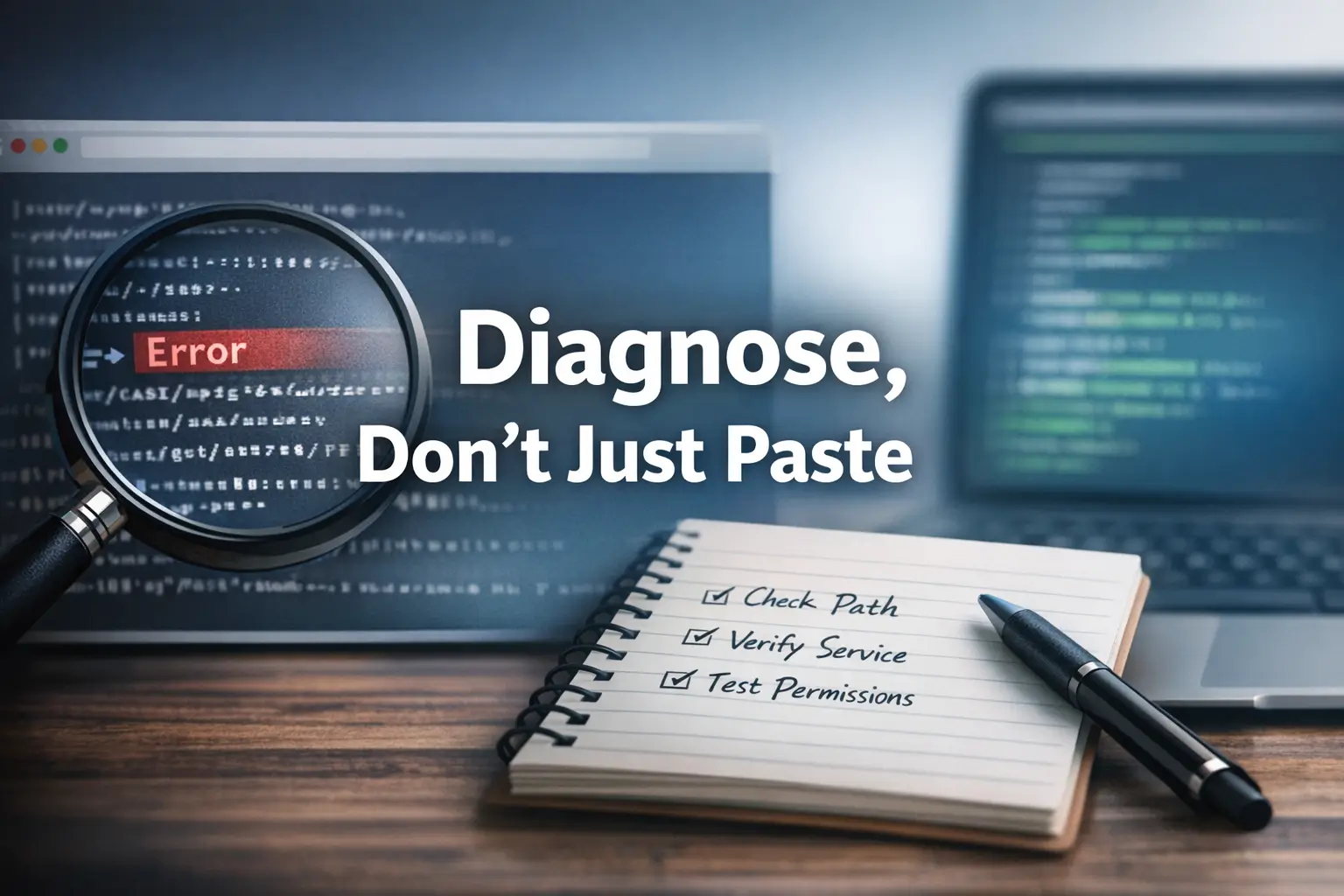

Beyond the Perfect Paste: Master the Art of the Clean Diagnosis
A copied command can waste 30 minutes faster than a bad exploit ever will. In Kioptrix-style labs, the real damage usually starts the moment a polished walkthrough makes the environment look cleaner, simpler, and more obedient than it really is.
The friction is real: the command looks correct and the syntax familiar, yet the terminal returns nothing but doubt. What breaks is rarely just the command itself, it is a mismatch in shell behavior, tool versions, pathing, permissions, or service state.
Treating these failures as personal incompetence or bad luck costs you more than time; it erodes the reasoning habit essential for real operator skill. This post helps you read command failure properly, separate local issues from target-side drift, and build a troubleshooting loop grounded in enumeration, validation, and evidence.
Progress doesn’t start with a perfect paste. It starts with a clean diagnosis. Once you see that, the lab gets a lot less haunted.
Table of Contents
Core lesson: a command is not a spell. It is a compact argument about the environment in front of you.

Start Here First: Who This Is For / Not For
This is for you if you are learning enumeration in legal lab environments
If you are working through Kioptrix, VulnHub-style practice boxes, training ranges, or employer-approved sandboxes, this article is for you. The tone here is intentionally defensive and training-focused. The goal is not to help you “get in” faster. The goal is to help you understand why your inputs stop matching reality once you leave the warm little greenhouse of a perfect tutorial.
This is for you if walkthroughs help, but you want to stop depending on them
Walkthroughs are not shameful. Everyone borrows rails when learning. The problem starts when the rails become the whole train. I still remember one of my early lab sessions where I pasted a tidy two-line command block, hit enter, and then spent twenty-five minutes assuming the target was broken. It was not broken. I was in the wrong directory, using the wrong flag shape, and reading the terminal with the emotional maturity of a startled raccoon.
This is not for live targets, unauthorized testing, or shortcut hunting
This article stays inside legal labs and authorized environments. It does not provide live-target tactics, exploit recipes, or bypass advice for systems you do not own or have permission to test. Real learning in security has a legal fence around it for a reason.
This is not for readers who want exploit recipes without understanding the setup
If your plan is to collect commands like souvenir magnets and hope one of them opens a door, this will feel slower than you want. That is fine. Slow is often just accuracy wearing work boots.
- Stay inside legal labs and authorized practice ranges
- Use walkthroughs as scaffolding, not as oxygen
- Treat every command as a claim about the environment
Apply in 60 seconds: Pick one command from your notes and write what target fact it assumes.
The Real Problem Is Not Typing, It Is Context Drift
Why the same command behaves differently across distros, shells, and tool versions
Most copy-paste failures are not really typing problems. They are context problems. A guide author may have used a different shell, different package version, different path layout, or a slightly different lab snapshot. That means the exact same text can behave differently even when your hands are innocent and your clipboard is blameless.
This is what makes beginner frustration feel so personal. The command looks objective. It appears machine-clean. You assume the only variable left is you. But in real labs, commands travel badly. They pick up environmental static on the way, like luggage arriving with one wheel gone and an unearned air of authority.
How small environment changes break “working” commands
A single missing binary, a renamed option, a different working directory, or a service that started on a different port can make a walkthrough feel haunted. In Kioptrix-style practice, this is not a nuisance. It is the curriculum. You are being taught to notice the gap between the author’s environment and your own.
The hidden variables: pathing, privileges, syntax changes, and service state
Four hidden variables ruin more sessions than flashy mistakes do:
- Pathing: the file or tool is not where the command expects it
- Privileges: your current user cannot do what the walkthrough author’s user could
- Syntax drift: the option format changed or behaves differently now
- Service state: the service is present, but not responsive in the way the guide assumed
Let’s be honest… most failed commands were never “universal” to begin with
Many walkthroughs are snapshots of success, not universal operating manuals. They show one path through one moment. Beginners often read them as permanent laws. That is like assuming one map of a rainy city will still be right after the river moves.
The helpful mindset shift is this: a failed command is often not the end of the trail. It is the first reliable clue that your mental model is incomplete.
Show me the nerdy details
Shell parsing, quoting rules, environment variables, working directory state, package defaults, and service banners all shape command behavior before the target even becomes the main story. Many “target” failures are local execution misunderstandings wearing a remote mask.
Neutral next step: Check shell, path, tool version, and service response before changing strategy.
Walkthrough Gravity: Why Beginners Trust the Clipboard Too Much
How polished writeups create a false sense of inevitability
A good writeup is a dangerous thing. It is useful, generous, and often edited to remove all the wobble. The result is that success looks inevitable. Screenshots are clean. The right command appears at the right moment. Errors are absent or compressed into silence. You do not see the false starts, the flag checks, the dead protocols, or the accidental typo that produced one valuable clue fifteen minutes later.
That polished flow has gravity. It pulls beginners toward the idea that progress should look smooth. Then reality arrives in muddy boots and says, no, today you get weird output and a service banner that answers like it slept badly.
Why screenshot-driven learning can hide the reasoning chain
Screenshots are excellent for proving that something happened. They are terrible at teaching why it happened unless the author explicitly narrates the chain of thought. A terminal line without reasoning is stage magic. You see the rabbit, not the pocket the rabbit was hiding in.
When “just run this” turns into a dead end
I have watched beginners lose an hour because the writeup phrase “just run this” sounded like permission to skip validation. They ran it. It failed. Then they ran adjacent variations with rising emotional volume. None worked, because the missing step was not persistence. It was observation.
The confidence trap: speed feels like competence until the first mismatch
Copying quickly can feel efficient. In the first ten minutes, it even looks competent. But once the first mismatch appears, speed stops being a strength and turns into a blindfold. Real lab confidence has a quieter texture. It looks like checking facts before escalating effort.
A practical rule: if a writeup gives you a command, earn the right to run it by explaining to yourself what each major part is supposed to prove or change.

Version Mismatch, Silent Chaos, and Other Things That Break Fast
Tool updates that quietly change flags, defaults, or output formatting
One of the least glamorous truths in lab work is that tools age, evolve, and occasionally decide to ruin your afternoon in subtle ways. A flag that worked in an older walkthrough may now be deprecated, renamed, or interpreted differently. Output may also change just enough to break your pattern recognition. You are waiting for one phrase. The tool now prints another. You conclude the service is different when really the formatting moved the furniture.
Service versions that shift expected behavior in SMB, Apache, FTP, or RPC
Services have personalities, and versions change their manners. A target may answer on the same port but expose different details, reject certain negotiation attempts, or require a slightly different approach to extract the same high-level information. That does not mean the lab is unfair. It means the lab is teaching the actual job: infer from evidence, not from nostalgia.
Why one lab VM snapshot can behave differently from another
Even when the machine name is identical, the snapshot behind it may not be. A reset, rebuild, package update, or instructor-side tweak can change the behavior enough that a copied path no longer lands cleanly. Many beginners interpret this as bad luck. It is better understood as variance, which is the native weather of technical work.
How deprecated syntax still survives in old forum posts
The internet never throws anything away. Old forum posts, half-remembered command blocks, and frozen screenshots drift around forever. Beginners often assume age equals authority. It does not. Sometimes old advice still works beautifully. Sometimes it is a museum piece with sharp edges.
| Mismatch type | What it looks like | Likely cost |
|---|---|---|
| Tool flag drift | Immediate syntax errors or ignored options | 5 to 15 lost minutes |
| Service behavior drift | Unexpected banners, empty results, negotiation failure | 15 to 40 lost minutes |
| Local shell/path mismatch | File not found, weird expansion, broken quoting | 10 to 30 lost minutes |
Shell Friction: The Tiny Copy-Paste Problems That Cost 30 Minutes
Curly quotes, hidden characters, and line breaks that sabotage execution
Some of the most insulting failures are tiny. Smart quotes from a blog editor. Hidden characters from a copied code block. A line wrap that sneaks into a flag. A tab where a space matters. The command looks right to human eyes and goes sideways in machine space. This is the kind of bug that makes you question both technology and your own biography.
Relative paths, missing binaries, and wrong working directories
Commands often assume location. Not just the target’s location, but yours. If you are in a different directory, if the script is not executable, if the file path is relative and your terminal is standing somewhere else, the command fails before the target is even relevant. I once spent a ridiculous stretch of time blaming a lab box for what turned out to be my local path. The machine was fine. My terminal was simply on a small holiday of confusion.
Variable expansion, escaping, and shell-specific quirks
Special characters are not decorative. They can expand, split, redirect, terminate, or mutate what you thought you were sending. That means pasting a string without understanding quoting and expansion rules can change the actual command executed. This is one of those unglamorous operator skills that feels boring until it saves you repeatedly.
Here’s what no one tells you… the command may be right, but your terminal context is wrong
Beginners often assume correctness belongs entirely to the text they copied. In reality, correctness is shared between the text and the environment receiving it. A good command in the wrong shell context is like a key delivered to the wrong apartment. Beautiful metal. Useless evening.
- Check quotes, spaces, line breaks, and hidden characters
- Confirm your current directory and local file paths
- Assume your shell may interpret special characters before the target ever sees them
Apply in 60 seconds: Re-type the most failure-prone part of a copied command instead of pasting the whole block.
Enumeration Before Exploitation: The Habit That Saves the Session
Why you should verify ports, banners, shares, and users before touching an exploit path
Enumeration is the adult supervision of lab work. It is less glamorous than exploitation, less screenshot-friendly than a shell, and far more important when things stop matching the writeup. If you do not verify the ports, banners, share behavior, naming details, and basic service facts first, you are building on mist rather than on wood.
This is where many Kioptrix-style attempts go crooked. The learner jumps straight from recognition to action. “I know this box name. I know there is a known path. Let me try the famous thing.” But real progress usually starts with less drama: confirm what is there, how it responds, and whether the conditions for that famous thing still exist. That is also why a disciplined Kioptrix recon routine so often beats a dramatic first swing.
What to confirm first when a copied command fails immediately
When something fails fast, verify the boring layer first:
- Is the host reachable from your current setup?
- Is the expected service actually listening?
- Does the response still resemble the guide’s assumptions?
- Are you using the right protocol or transport option?
Building a lightweight evidence trail instead of guessing harder
You do not need a cathedral of documentation. You need a trail. Write down what you observed, what you expected, and what differed. Three short lines can save you from twenty speculative retries. This is also how your notes become employable. Anyone can paste commands. Not everyone can explain what changed between attempt one and attempt four.
The operator mindset: test assumptions before escalating effort
An operator does not ask, “How do I force this command to work?” The better question is, “What assumption did this command depend on, and which one is probably false now?” That one shift turns panic into investigation.
Eligibility checklist:
- Yes / No: I confirmed basic reachability
- Yes / No: I validated the relevant service is actually present
- Yes / No: I compared current response behavior with my notes
- Yes / No: I know what the copied command is supposed to prove
Neutral next step: If you marked “No” even once, pause the exploit path and return to enumeration.
Don’t Do This: Treating Commands Like Password Keys
Why exploit strings copied from writeups create fragile habits
When beginners first discover that a single line can change the state of a target, it is tempting to treat commands like skeleton keys. Find the right one. Paste it cleanly. Door opens. The trouble is that this teaches the wrong muscle. It teaches recognition without interpretation.
Fragile habits are expensive because they feel productive right until they fail. Then you are not just missing one result. You are missing the reasoning chain required to recover.
How blind repetition masks the real failure point
Repeating a command with tiny random edits can create the illusion of troubleshooting. It often just hides the original failure point under a pile of new variables. By attempt six, you no longer know whether the issue is the syntax, the environment, the permissions, or the target state. You have created a fog machine and then complained that visibility is poor.
The difference between reproducing a blog post and understanding a system
Reproducing a blog post is performance. Understanding a system is diagnosis. One makes you feel fast on a good day. The other makes you useful on a bad day. Employers, mentors, and serious teammates notice the second one immediately.
What experienced testers do instead when the first attempt dies
They slow the timeline. They reproduce the failure cleanly. They isolate one variable. They verify the facts that the command assumed. Then they change one thing and document the result. It is not glamorous. It is how real competence sounds when the music stops.
“The first failed command is often the first honest description of the environment.”
Common Mistakes That Make Kioptrix Harder Than It Is
Skipping service validation because the walkthrough “already solved it”
This mistake is so common because it feels efficient. The guide already identified the service. Why verify it again? Because your lab and the guide’s lab are cousins, not twins. Verification is not redundant when the environment may have drifted.
Confusing outdated syntax with target-side failure
Beginners often blame the target for a syntax issue on the operator side. The command returns an error, and the learner assumes the service is patched, dead, or different. Sometimes the target is fine and the syntax simply belongs to another era.
Ignoring OS-level differences between your box and the guide author’s box
Your shell, package manager, defaults, available binaries, and path layout can differ dramatically from the author’s setup. That matters. It matters even when the target remains identical. One of the humbling features of lab work is realizing how often “remote” failure is actually local confusion in a better outfit. If that pattern feels familiar, many of the classic Kioptrix Kali Linux mistakes live exactly in that gap.
Changing three variables at once and losing the signal
This is the classic spiral. New flag, new path, new user, new timing. You feel active. The notebook becomes soup. The signal disappears. Change one thing at a time if you want the result to teach you anything.
Reading tool output too quickly and missing the one useful clue
Error messages are not always elegant, but they are often more honest than our assumptions. The key detail may be a single phrase about authentication method, file path, unsupported option, or unreachable host. If you read output like a person trying to escape embarrassment, you will miss the clue that saves the session.
Inputs: flags changed + path changed + user/protocol changed.
Output: If the total is greater than 1, your troubleshooting clarity has probably dropped sharply.
Neutral next step: Roll back to the last stable state and re-test one variable at a time.
When a Command Fails, Ask These Better Questions
Is the target reachable, and is the service actually responding the same way?
This is the first grown-up question. Not, “Why did the guide lie?” Not, “What magic flag fixes this?” Simply: is the target reachable, and is the service behaving in the same family of ways I expected? If the answer is no, do not keep climbing the same ladder. The wall moved.
Is the syntax valid for this tool version?
You do not need to memorize every option. You do need the reflex to verify whether your local tool understands the syntax you copied. This one habit saves extraordinary amounts of pain.
Am I using the right user, path, transport, or protocol option?
A command can fail because the operator has the right idea but the wrong wrapper around it. Wrong user context. Wrong path. Wrong protocol. Wrong transport assumption. The failure is still useful. It narrows the field if you let it.
What does the error message reveal if I stop treating it like noise?
Many beginners read output emotionally. They scan until they find the red-looking part, then move on. A better method is to read the error as if it were an annoyed coworker. What exactly is it objecting to? Missing file. Bad option. Refused connection. Permission denied. Name resolution issue. These are not identical weather patterns. That is especially true in banner grabbing mistakes and SMB tooling, where a tiny clue often carries the whole map.
The pivot question: what assumption did this failure just disprove?
This is the question that changes your learning speed. A failed command disproves something. Maybe the service is not reachable. Maybe your syntax is stale. Maybe the target state is not what the writeup promised. Once you identify the broken assumption, the next step gets smaller and smarter.
- Reachability comes before cleverness
- Syntax validity comes before interpretation
- Error text is evidence, not scenery
Apply in 60 seconds: Rewrite your last error message into plain English and note the assumption it disproved.
Not Faster, Smarter: A Repeatable Debugging Loop for Lab Work
Step 1: Reproduce the failure cleanly
Do not start by improvising. Reproduce the failure exactly once in a clean state. If you cannot reproduce it, you are no longer troubleshooting the original issue. You are chasing smoke.
Step 2: Isolate one variable at a time
Change one variable. One flag. One path. One user context. One protocol choice. This feels slow for about three minutes. Then it becomes obviously faster than chaos.
Step 3: Re-check enumeration and target facts
Go back to the evidence. Ports, banners, names, shares, service behavior, timing. When the glamorous path fails, the boring facts become precious. They tell you where the map bent. On many boxes, this is the exact moment when choosing the first service to investigate matters more than choosing a louder tool.
Step 4: Compare tool help, man pages, and current syntax
Use local help and current documentation to verify that your command still belongs to the tool you are invoking. This is not surrender. This is basic instrument calibration. Pilots check instruments. Operators check syntax.
Step 5: Log what changed so you can learn from the miss
Your notes should answer four questions: what failed, what you changed, what happened next, and what that implies. That is enough to convert a dead-end into training value.
A small shift, a big payoff: from command collector to analyst
The loop above sounds ordinary because it is ordinary. That is exactly why it works. Real lab skill is mostly made of repeatable ordinary behaviors performed without drama.
Quote-prep list for your notes:
- Target fact I verified first
- Command assumption I tested
- Single variable I changed
- Result after the change
- Best next hypothesis
Neutral next step: Add these five fields to the top of your next lab note page.
Copy Less, Interpret More: What Real Lab Readiness Actually Looks Like
Why adaptable thinking matters more than memorized command blocks
At some point, every learner discovers an inconvenient truth: memorized command blocks do not scale nearly as well as interpreted evidence. Tools change, services drift, shells disagree. The person who can explain why a command should work is far harder to derail than the person who can merely paste it cleanly. That is why Kioptrix enumeration mistakes are often more educational than a smooth one-take success.
The skills employers and mentors actually notice
They notice when you document assumptions. They notice when you distinguish local failure from remote failure. They notice when you can say, “This broke because my environment did not match the walkthrough in two specific ways.” That sentence carries more weight than a hundred copied lines with no reasoning attached.
How Kioptrix-style labs reward explanation, not theatrics
Kioptrix has stayed useful for years not because it is modern in every detail, but because it teaches a durable habit: observe carefully, infer cautiously, adapt methodically. The theatrics fade. The habits remain. If you need a wider map, the broader Kioptrix enumeration guide pairs naturally with that mindset.
What “I understand this step” should sound like in your notes
It should sound something like this: “I am using this command to verify whether the service still exposes the behavior described in the guide. If it fails, the likely causes are syntax drift, service mismatch, or local environment problems.” That is operator language. Plain, calm, useful.
Coverage tier map:
- Tier 1: You can repeat a command from notes
- Tier 2: You can explain what the command is meant to test
- Tier 3: You can identify which assumption failed
- Tier 4: You can adapt one variable and document the result
- Tier 5: You can teach the reasoning to someone else
Neutral next step: Grade your last lab step honestly from Tier 1 to Tier 5.
Short Story: The command that failed for the right reason
On one early training box, I copied a command from a walkthrough that seemed almost ceremonial in its certainty. The screenshot in the guide looked clean, final, nearly smug. I pasted it, pressed enter, and got back a small pile of disappointment. No useful output. No glorious pivot. Just a response that suggested I had brought the wrong key to the wrong hallway. My first instinct was the usual beginner cocktail: irritation, speed, and denial. I wanted to keep forcing the same idea harder.
Instead, mostly because pride had already exhausted itself, I backed up. I checked reachability. I checked the service behavior. I checked my local context. The problem was not the box. It was my assumption that the guide’s environment and mine were identical. They were not. Once I changed one variable and re-ran the step with actual evidence in hand, the session became legible again. I did not just recover the lab. I did not just recover the lab. I recovered my trust in process.

Next Step: Run One Command Less, Observe One Layer More
Pick one failed command from your last lab and rewrite it with annotations for target, purpose, assumptions, and likely failure points
This is the fifteen-minute habit that pays out like compound interest. Take one failed command from a recent lab and annotate it. What target fact did it assume? What local condition did it depend on? What did success look like? What failure modes were plausible? Once you do that, the command stops being a magic relic and becomes a structured test.
Re-test it only after verifying enumeration, syntax, and environment one layer at a time
Then re-test it, but only after checking the layers in order: target reachability, service facts, current syntax, local path, shell behavior, and permissions. The result may still fail, but the failure will no longer be empty. It will be information-rich. That is the whole game. Readers who want a calmer on-ramp before that loop often benefit from the piece on first lab anxiety in Kioptrix.
- Label the command’s purpose
- List the assumptions it depends on
- Re-test in a controlled sequence
Apply in 60 seconds: Add “purpose” and “assumptions” lines beneath the next command you save in your notes.
By this point, the curiosity loop from the opening should be closed. The command failed not because you lacked devotion to the clipboard, but because real labs punish untested assumptions. That is frustrating for five minutes and valuable for years.
Inside the next 15 minutes, do one small thing: choose a single failed command from your notes, annotate it, verify the environment layers, and re-run only after you know what it is supposed to prove. That one disciplined loop will teach you more than another dozen copied blocks ever will.
FAQ
Why does a command from a writeup fail even when I copied it exactly?
Because “exactly” usually describes the text, not the environment. Your shell, tool version, working directory, permissions, target snapshot, or service behavior may differ from the guide author’s setup. The command can be copied perfectly and still be contextually wrong.
Are Kioptrix walkthroughs still useful if tools have changed?
Yes. They are still useful as reasoning aids and historical maps of how an operator approached the box. They become dangerous only when treated as timeless scripts instead of as examples tied to a specific environment.
How do I know whether the problem is my syntax or the target service?
Start by separating local from remote. Check the tool’s help output, option format, working directory, and shell interpretation first. Then confirm the target is reachable and the service is responding in the expected way. If local validation passes and the service facts differ, the target-side assumption is more likely wrong.
Should I switch tools immediately when one command does not work?
Not immediately. First ask what failed. If the issue is syntax drift, shell parsing, or pathing, switching tools only hides the lesson. Change tools when you have a reason, not just a mood.
What is the safest way to troubleshoot commands in a legal lab?
Stay inside authorized environments, move one variable at a time, document what changed, and favor enumeration and validation over aggressive escalation. Safety here is legal, procedural, and educational all at once.
Do employers care whether I used a walkthrough if I can explain the reasoning?
Many care far more about your reasoning than about whether you started with help. If you can explain assumptions, failure points, evidence, and adaptations, you demonstrate transferable skill rather than passive imitation.
How much documentation should I keep during a beginner lab?
More than a screenshot, less than a novel. Keep a lightweight trail: target fact, command purpose, assumption, result, and next hypothesis. That is usually enough to reconstruct your thinking and avoid circular retries.
What should I verify before assuming an exploit path is dead?
Verify reachability, service presence, current syntax, protocol choice, permissions, and whether the target behavior still matches the writeup’s assumptions. An exploit path often appears dead when the setup around it is simply different.
There is a calmer version of lab work waiting on the other side of copy-paste failure. It is less cinematic and more durable. You verify. You interpret. You adapt. And when the terminal finally gives way, it no longer feels like luck.
Last reviewed: 2026-03.