Practical case: Choose addressing without changing the target blindly · Editable working note
Sources, review date and section shortcuts
Reviewed: October 19, 2026. Choose a lab layout from the intended communication paths and host exposure.
Primary documentation · Related practical guide
Go straight to: Decision check · Main workflow · Further detail
Open the Working note: Choose addressing without changing the target blindly for this guide’s task-specific fields and next action.
Draw the allowed paths before adding an adapter
Record each guest/interface, named network, subnet, default route and any forwarding or external connection. Host-only includes the host; an internal network can connect designated guests without a host interface. Plain NAT and a shared NAT Network are different layouts. Review every extra NIC and integration, and verify isolation separately from target reachability. No topology label is a security guarantee. Reference and scope.
The Calm Way to Build Your Kioptrix Lab
Choose a lab layout from the intended communication paths and host exposure.
That is what makes the best Kioptrix home lab network layout for offline practice so wonderfully unglamorous. Most learners do not need a mini data center; they need a setup that is isolated, reachable from the host, and simple enough to troubleshoot without turning every failed scan into a three-act mystery.
This guide helps you build a cleaner offline lab using a host-only network, avoiding the confusion of NAT and bridged mode. The focus is not cyber theater. It is repeatability. If you want the broader foundation first, start with a Kioptrix offline lab setup that keeps the whole practice environment deliberately small.
Because if the network path is muddy, everything after it lies. Here is the boring version first, then the version that actually works.
Fast Answer: For most people, the best Kioptrix home lab network layout for offline practice is one host machine, one Kioptrix VM, and one host-only network. It keeps the target reachable from your host while fencing it away from your normal network and the internet. That means fewer routing surprises, less accidental exposure, and a much clearer troubleshooting path when scans, pings, or exploits fail.
Start Here: The Best Offline Layout for Most Kioptrix Users
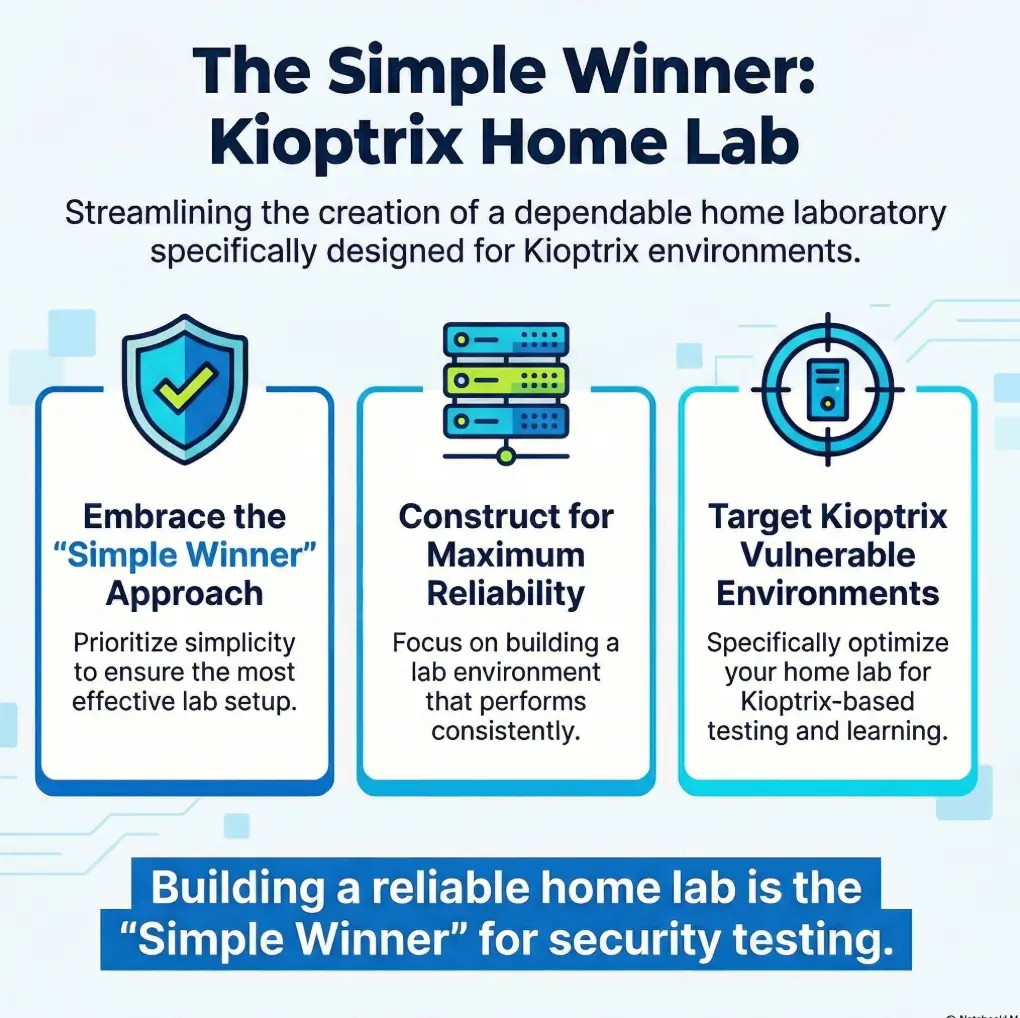
The simple winner: one host, one VM, one host-only network
If your goal is offline Kioptrix practice, the cleanest layout is almost aggressively plain: your laptop or desktop as the host, one Kioptrix VM as the target, and a single host-only adapter connecting the two. No bridged networking. No internet path. No extra router appliance trying to look important. The host and all VMs attached to that same host-only segment can communicate. This does not shield host services from the target or prevent egress if host routing, connection sharing, or another guest adapter provides a path.
The real goal is repeatability, not theater
The best lab is the one you can boot on Tuesday, break on Wednesday, restore on Thursday, and still understand on Friday. Oracle’s VirtualBox documentation describes host-only networking as a mode that creates a network containing the host and virtual machines without the need for the host’s physical network, which is exactly why it suits isolated practice so well.
- One host means fewer moving parts
- One target VM means clearer diagnosis
- One host-only network means tighter containment
Apply in 60 seconds: If your VM currently has two or more adapters, write down why each exists. If you cannot explain one, remove it from the initial build.
Decision card: When A vs B
| Choose | Use it when | Trade-off |
|---|---|---|
| Host-only | You want isolated, offline Kioptrix practice from one host | Least drama, least flexibility |
| NAT | You temporarily need outbound connectivity for a tool or package | Adds ambiguity about what is “offline” |
| Bridged | You have a specific, deliberate reason to place the VM on the real network | Higher risk, more exposure, more cleanup |
Neutral next step: pick the smallest layout that answers your immediate learning goal.
Before You Build Anything, Decide What “Offline” Actually Means
Offline practice is about containment, not just unplugging Wi-Fi
A surprising number of people hear “offline lab” and think it simply means turning off Wi-Fi on the host. That is not enough. A VM can still be attached to the wrong virtual adapter. It can still be bridged into a local network you forgot about. It can still carry yesterday’s assumptions into today’s mistake. Offline, in this context, means deliberate containment: the target should be reachable where you need it and absent where you do not.
Host-only vs NAT vs bridged: the choice that changes everything
These three modes are not interchangeable hats on the same mannequin. Host-only is a fenced practice yard. NAT is “you can get out, but others mostly cannot get in.” Bridged is “welcome to the actual neighborhood.” For a deliberately vulnerable VM, those are not tiny semantic differences. They are the whole story. If readers need a deeper comparison of VirtualBox NAT, host-only, and bridged networking, that comparison helps clarify why the boring option wins so often.
The quiet risk: accidental exposure through the wrong adapter
NIST has long emphasized segregation and isolation as practical ways to limit the blast radius when one device is compromised. That guidance is framed broadly, but the principle lands perfectly here: if a box is intentionally weak, keep it in a cage. I like that image because it strips away romance. Your Kioptrix VM is not a trophy fish. It is a training prop with bad habits. It should not be loose in the house.
Infographic: The boring layout that wins
Host machine
Scanner, browser, notes, terminal
⬌
Host-only network
Reachable, isolated
Kioptrix VM
Deliberately vulnerable target
What is missing on purpose: bridged access, extra routers, internet convenience, and decorative complexity.
Host-Only First: Why Isolation Makes Learning Easier
How host-only networking keeps Kioptrix reachable but fenced in
This is the sweet spot. The host can talk to the target. The target does not need the physical network. Your packets have fewer places to disappear. VMware’s Workstation Pro documentation describes host-only networking as a connection between the VM and the host using a virtual network adapter, and notes that on Windows and Linux a host-only network named VMnet1 is set up when Workstation Pro is installed. That built-in private lane idea is exactly what most Kioptrix users need.
Why fewer moving parts means fewer fake “hacking” problems
When you are learning exploitation basics, clarity is oxygen. You do not want to spend your attention budget proving whether a router VM forwarded traffic correctly, whether a firewall appliance dropped a packet, or whether the target never got an address to begin with. I say this affectionately: a beginner’s brain is already busy enough remembering syntax, services, ports, and the tiny bruises of failure.
Let’s be honest… most lab frustration is just network confusion wearing a costume
The odd dignity of a host-only layout is that it makes failure more honest. If the host cannot see the VM, the investigation tree is short. Wrong adapter. Wrong subnet. Wrong IP. Guest NIC down. Hypervisor host-only network not created. That is manageable. It is not glamorous, but neither is fixing a flat tire. It still gets you home. And if the guest refuses to pick up an address at all, a focused fix for VirtualBox host-only with no IP can save an absurd amount of muttering.
Show me the nerdy details
Host-only networking typically creates a virtual switch or virtual segment that includes the host and selected VMs. In small practice labs, this reduces the number of possible routing paths and keeps ARP, DHCP, and interface-state troubleshooting local. Less path ambiguity means faster fault isolation.
Not Every Fancy Topology Helps: When More Design Creates Less Clarity
Why routers, extra subnets, and pivot fantasies can slow down core learning
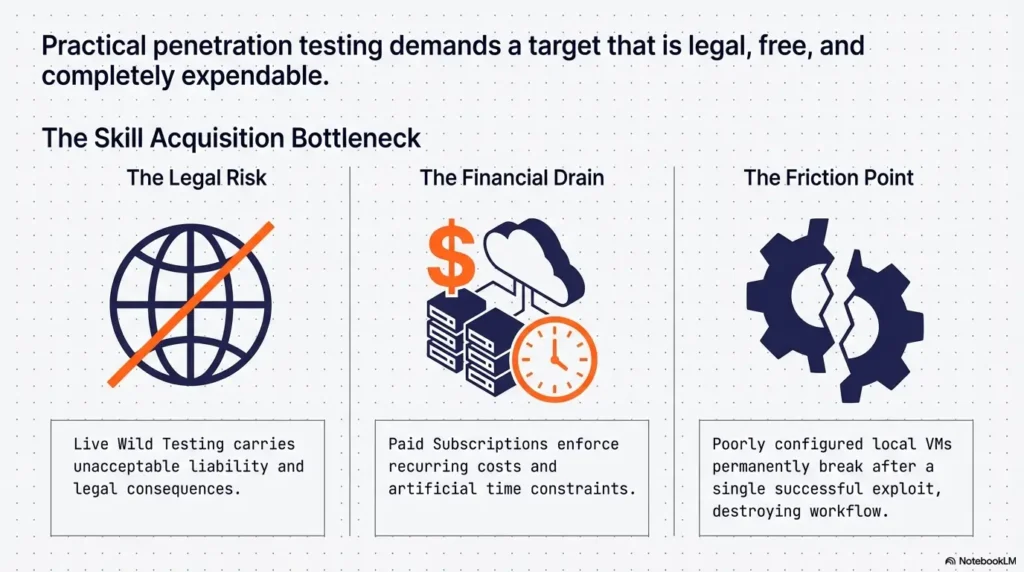
There is a point in every home-lab journey when your search history starts sounding like a tiny data center. Router VM. VLAN lab. Segmentation practice. Multi-stage attack path. Lovely ambitions. But if your real goal is “learn the basics of enumeration and exploitation against Kioptrix without spraying confusion everywhere,” then extra subnets are mostly decorative until your foundation is steady. A calmer starting point is to build the same discipline you would use in a safe hacking lab at home, where isolation is a feature, not a decorative footnote.
When a second VM helps, and when it just multiplies noise
A second VM can be useful if you want a dedicated attacker box, especially to keep tooling tidy. It becomes unhelpful when it introduces a second place for DHCP weirdness, an extra virtual NIC to forget about, or a second disk eating your already-thin SSD. On older laptops, the glamorous lab often collapses under the weight of its own good intentions.
The hidden cost of “future-proofing” too early
People future-proof labs the way some of us buy large notebooks for a new project and then write only four pages. In theory, it is strategic. In practice, it is storage overhead, mental clutter, and more failure modes than your Tuesday deserves. Build for the next task, not the imagined biography of your future expert self.
Eligibility checklist
- Yes: You want to practice from one host against one target
- Yes: You care more about reliability than realism theater
- Yes: Your machine has limited RAM or storage headroom
- No: You specifically need multi-host segmentation or pivot practice right now
Neutral next step: if you answered yes to the first three, use the one-host, one-VM, host-only layout first.
Who This Is For, and Who Should Skip This Layout
Best for students, beginners, and solo learners practicing exploitation basics
This layout is for the person learning alone after work, the student with one laptop and a tired fan, the careful beginner who wants the lab to behave like a pencil, not a weather system. If your current ambition is service discovery, simple exploitation, credential practice, and post-compromise observation inside a small contained target, you are the audience.
Also good for older laptops and low-RAM machines
Host-only networking will not magically make a weak machine fast, but it removes some sources of ambiguity. That matters. When performance is already thin, you do not want to wonder whether the delay came from the network, the hypervisor, or your twenty-seven browser tabs conducting a small opera in the background. That is why it pairs naturally with realistic Kioptrix level resource requirements instead of wishful thinking.
Not for users testing enterprise-like segmentation or multi-host attack paths
If you are studying lateral movement paths, custom firewall rules, or segmented environments that intentionally mimic larger organizations, you will outgrow this layout. That is fine. The point is not that this design is universal. The point is that it is honest. It solves the beginner-to-intermediate offline Kioptrix problem cleanly, and then it gets out of the way.
Think of it like practicing scales before conducting Mahler. Nobody is insulting the symphony. They are just keeping your fingers from lying to you.
The Adapter Choice That Breaks Labs Most Often
Host-only adapter: safest default for offline Kioptrix work
If you remember only one thing from this article, let it be this: a host-only adapter should be the default starting point for an offline Kioptrix lab. It offers the cleanest balance between accessibility and containment. It is not exciting. That is part of its charm.
NAT: useful in some cases, but not the cleanest first choice
NAT can be handy when you briefly need outbound access from the guest or from a dedicated attacker VM. But the moment you add NAT, you introduce interpretive fog. Is the lab still meaningfully offline? Which adapter is the guest actually using? Did the package install succeed because of NAT while you assumed total isolation? Nothing evil, just messier.
Bridged: usually unnecessary, sometimes risky, occasionally disastrous
Bridged networking places the VM more directly onto the real network. That may be appropriate for a narrow, deliberate test. It is not the first choice for a deliberately vulnerable practice VM in a home-lab setup. The whole point of Kioptrix is that it is supposed to be weak. Weak things should not wander.
Here’s what no one tells you… “it connects” is not the same as “it’s configured well”
- Host-only is the safest default for offline Kioptrix practice
- NAT is a temporary utility, not a clean default
- Bridged should require a specific reason, not curiosity
Apply in 60 seconds: Open your VM settings and verify the adapter mode before you boot anything.
IP Plan, DHCP, and Reachability: Keep the Map Small Enough to Understand
Static vs DHCP in a tiny offline lab
In a small, controlled lab, either can work. DHCP is convenient if your hypervisor’s host-only network already provides it cleanly. Static addressing is often easier for learners because it turns the lab into a tiny map you can hold in your head. One subnet. One host address. One target address. Less mystery, more memory.
A clean IP range that helps you troubleshoot faster
Pick something simple and stay loyal to it. For example, a host-only segment like 192.168.56.0/24 is common in VirtualBox environments because the platform often uses that space for host-only networking examples and defaults. Choose a subnet that does not overlap your physical LAN, VPN, or other virtual networks; document its mask and addresses. The example range is not automatically suitable for every host.
How to confirm the host can see the target before doing anything else
Before scanning, before exploit modules, before celebratory terminal screenshots, prove reachability. Check the guest NIC is up. Confirm the IP from inside the target if possible. Ping from the host. If ping is disabled, confirm with ARP or a simple service probe. The victory condition is very plain: the host reaches the target on the host-only network, and the target has no accidental path outward. Once the path is stable, a simple Kioptrix recon routine will feel far less slippery because the basics are no longer lying to you.
Choose addressing without changing the target blindly
Practice guidance / illustrative examples. No new VM execution or measured outcome is claimed for this section.
Two addresses do not make static addressing automatically preferable. First determine whether the downloaded release expects DHCP, and whether you can configure the guest through an authorized console. Do not assume a vulnerable challenge provides a login password.
Illustrative layout: scanner and target are attached to the same named isolated segment; the target expects DHCP. Verify a DHCP service for that segment, match the lease to the target MAC and record the scanner address and prefix. A Host-only label alone does not establish those facts.
If static addressing is appropriate and supported, plan unused addresses and prefixes for every participant. Avoid guessing an address already used by the host or another VM. Keep the original settings and change one item at a time. A shared subnet calculation and a shared virtual segment are separate checks; document both before interpreting failed discovery.
Show me the nerdy details
In tiny isolated labs, static addressing shortens the debugging tree. When you control both endpoints, DHCP adds convenience but also another service, lease state, and adapter-level dependency. Static IPs make route inspection, ARP verification, and service testing more deterministic.
Common Mistakes That Make an Offline Lab Feel Broken
Using bridged mode because a forum post made it sound “more real”
Forums are full of advice written by people solving slightly different problems from yours. “More real” is not automatically more useful. It often means you borrowed complexity without borrowing the reason for it.
Forgetting which NIC is active inside the VM
Inside the guest, the wrong interface can quietly become the star of the show. The VM is up, but the interface you care about is down, misconfigured, or pointed somewhere unhelpful. The lab feels haunted. It is not haunted. It is just network plumbing, which is spiritually close.
Mixing NAT and host-only without knowing why
This is one of the most common self-inflicted knots. You add NAT just in case, then forget whether the service response came over host-only or NAT. Now your clean offline lab has become a split-brain compromise with paperwork.
Chasing exploit failures when the target was never reachable
This one deserves a frame on the wall. If the host cannot cleanly reach the target, the problem is not your exploit path. It is your lab path. You would be amazed how many dramatic debugging sessions are just one unverified reachability check in a trench coat. Many of the habits people call “exploitation discipline” really begin as avoiding Kioptrix reconnaissance mistakes one dull check at a time.
Snapshotting chaos instead of clean baseline states
Snapshots provide rollback points and consume disk space; they do not replace a separate clean backup. Keep checkpoints purposeful and monitor available space before maintenance. Broadcom’s two-to-three and 72-hour recommendations apply to vSphere/ESXi, not as universal desktop lab limits. Follow the actual hypervisor guidance and your Kioptrix snapshot strategy.
Quote-prep list, but for troubleshooting
- The VM’s adapter mode
- The host-only subnet and mask
- The target’s current IP address
- Whether DHCP is enabled on the host-only network
- Your last clean snapshot name
Neutral next step: save these five details in a note before you start experimenting.
Don’t Do This: The Lab Design Mistakes That Waste Entire Afternoons
Don’t add multiple attacker boxes before one clean path works
One attacker, one target, one proven path. That should be the first milestone. I know the temptation. A Kali VM looks official. A second Linux utility box feels productive. But if your first path is not stable, every extra box is just another place for silence to bloom.
Don’t treat internet access as a harmless convenience
Sometimes the phrase “just for updates” enters the room and starts rearranging the furniture. Temporary internet access may be reasonable in controlled moments, but it should be deliberate, brief, and fully understood. Otherwise you will blur the very boundary this lab is supposed to teach you to respect.
Don’t confuse scanner silence with target hardening
If your scan returns almost nothing, do not immediately assume the target is cleverly protected. In a beginner Kioptrix lab, the more likely explanation is that your path is broken. Silence can mean stealth. It can also mean you are knocking on the wrong door. Even a basic reminder of which Kioptrix ports are commonly open can keep you from mistaking wiring problems for sophistication.
Small warning, big consequence: one wrong adapter can undo the whole premise
This is the heart of the article. The reason the boring layout wins is not just simplicity. It is moral clarity. You know what is connected. You know what is not. You know what success looks like. And when something misbehaves, you have not built an entire maze around the answer.
One was NAT. Sometimes the guest preferred one path, sometimes the other. The lab was not unstable in any mystical sense. It was simply receiving mixed instructions. We removed the extra adapter, assigned one clean IP, and the whole thing stopped behaving like a ghost story. He looked annoyed for about twenty seconds, then relieved. That is the emotional arc of most good troubleshooting.
Performance Still Matters: Network Layout Won’t Save a Struggling Host
Why old vulnerable VMs can still feel slow on busy machines
Kioptrix itself is not demanding by modern standards, but hosts can still sabotage the experience. A vulnerable old guest may be lightweight; your browser, cloud sync tool, update agent, and tab habit may not be. When the host is squeezed, the symptoms blur. Pings wobble. Boot feels sluggish. Scans take ages. You blame the network. The network points quietly at the host.
How background apps, snapshots, and low disk space muddy diagnosis
This is where snapshot sprawl becomes a storage tax, and storage tax becomes performance fog. VirtualBox notes that snapshots are practically limited by host disk space. Broadcom notes that long-lived snapshot files keep growing and can impact performance. None of this is dramatic. It is the slow, administrative kind of pain. The kind that eats your confidence in polite little bites.
Network problems and performance problems often impersonate each other
One reason beginners get trapped here is that lag and network misconfiguration can look related. A slow scan feels like a routing issue. A frozen console feels like packet loss. Sometimes it is one. Sometimes the other. Sometimes both, which is the computing equivalent of discovering the rain is inside the house.
- Close background apps before blaming the target
- Keep snapshots short-lived and intentional
- Leave storage headroom for rollback and deletion
Apply in 60 seconds: Before a lab session, close unnecessary apps and confirm you have comfortable free disk space.
If You Want One Upgrade, Make It This
Add a second lightweight attacker VM only after the base lab is stable
Once the one-host, one-target, host-only layout is working flawlessly, the most sensible upgrade is a lightweight attacker VM. Not because it is mandatory, but because it can keep tooling organized and spare your main host from some package clutter. The key phrase is after the base lab is stable. Upgrades should sit on proven ground, not on a swamp dressed as confidence.
When a Kali box helps the learning flow
A dedicated attacker box can make repeated practice feel smoother. Your tools stay where you left them. Your shell history becomes part of the learning rhythm. You are less likely to muddy your host environment. But this only becomes a win when you already trust the network map. If you go this route, pairing it with a Kioptrix Kali setup checklist prevents the upgraded lab from becoming upgraded confusion.
When your “upgrade” is really just more surface area to babysit
If adding a second VM means more RAM pressure, more disk churn, more update chores, and another adapter to misread, then the upgrade is not an upgrade. It is a new part-time job. Your lab should teach you security basics, not force you into unpaid infrastructure management on a laptop that sounds like it is inhaling soup.
Show me the nerdy details
A dedicated attacker VM starts making sense when separation of tools, repeatable shell history, and package isolation provide more value than the added CPU, RAM, and storage overhead. In resource-constrained environments, that threshold arrives later than people think.
Setup Checklist: Build the Layout Without Guesswork
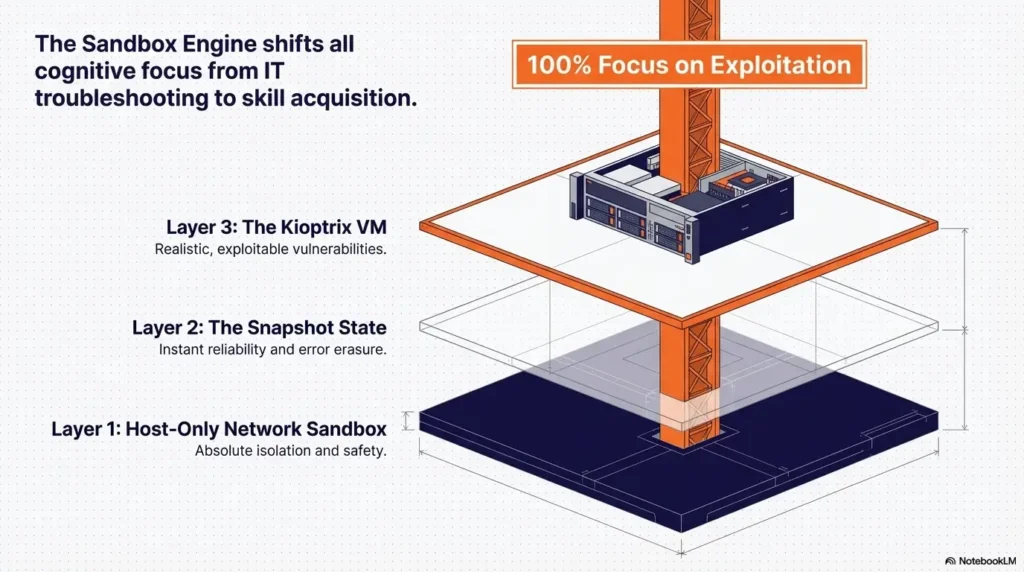
Create the VM and attach only the adapter you actually need
Start with the target VM. Give it one virtual NIC. Set that NIC to host-only networking. Do not add NAT as a comfort blanket. Do not leave a second adapter hanging around because you might need it later. Later can file a request. If you are still at the very beginning, a clean Kioptrix VM import process makes this first step much less error-prone.
Confirm the host-only network exists on the hypervisor
In VirtualBox, verify the host-only network is present. In VMware Workstation Pro, verify the host-only segment and its associated virtual adapter on the host. This is one of those checks that feels too obvious until it saves you forty-five minutes.
Boot, assign IPs, and test host-to-target visibility
Use DHCP if you fully understand how your host-only network is serving addresses. Otherwise, assign static addresses and write them down. Then test visibility from the host to the target before doing anything clever. If visibility is not clean, stop there. Cleverness can wait.
Take a clean snapshot before experimentation begins
Name it something unromantic and useful. Fresh host-only baseline. Kioptrix clean network. Not final-final-actually-good. You are not naming an album. You are creating a stable point you will thank later.
Coverage tier map: what changes from Tier 1 to 4
| Tier | Layout | What you learn |
|---|---|---|
| 1 | Host + Kioptrix + host-only | Reachability, enumeration, simple exploitation |
| 2 | Add attacker VM | Tool hygiene, repeatable workflow |
| 3 | Add controlled NAT moments | Temporary outbound utility and boundary awareness |
| 4 | Multi-host or segmented lab | Complex routing, policy, attack paths |
Neutral next step: master Tier 1 before you graduate yourself.
Next Step: Build the Boring Version First
Your concrete action: create one host-only Kioptrix lab and verify connectivity before adding anything else
This is the part where the hook closes. The best layout is not hidden in a clever architecture diagram. It is the plain one that gives you clean containment, clean reachability, and clean recovery. Build the boring version first. Prove it works. Then, and only then, add complexity with a reason attached.
Success looks like this: the host reliably reaches the VM, and the VM reaches nothing beyond the lab
That is the standard. Not the VM boots. Not the interface shows connected. Not I think it is isolated. Reliable host-to-target visibility. No accidental outward path. Clean snapshot baseline. That is success in a home lab. It is not flashy, but it is sturdy, and sturdy is what lets curiosity grow without wandering into nonsense.
Start small now so future complexity has somewhere solid to stand
If later you want an attacker VM, a routing exercise, or a segmented practice environment, wonderful. The boring lab is not the end of ambition. It is the floor under it. And once the network is trustworthy, you can move naturally into Kioptrix enumeration instead of spending another evening arguing with invisible plumbing.
Original review: 2026-03.
FAQ
Is host-only networking enough for Kioptrix practice?
Yes, for most offline Kioptrix learning goals it is enough. It lets the host reach the target while keeping the lab fenced away from the broader network. That covers the core needs for setup verification, scanning, and basic exploitation practice.
Can I use NAT instead of host-only for an offline lab?
You can, but it is usually not the cleanest first choice. NAT is useful when you deliberately need outbound connectivity, but it makes the lab less strictly offline and adds ambiguity about which path the guest is using. For a first build, host-only is usually clearer.
Is bridged mode dangerous for vulnerable practice VMs?
It can be risky because bridged mode places the VM more directly on the real network. For a deliberately vulnerable target such as Kioptrix, that is generally unnecessary unless you have a very specific reason and fully understand the surrounding network.
Do I need a router VM or firewall appliance for Kioptrix?
No, not for basic offline practice. A router VM or firewall appliance may be useful in more advanced segmented labs, but it is not required to learn the fundamentals well. Starting without one usually improves clarity.
Can I run Kioptrix on an older laptop without lab instability?
Often yes, provided you keep the lab modest. One target VM, one host-only network, conservative resource allocation, and disciplined snapshot use go a long way. The bigger threat on older machines is usually host-side strain, not Kioptrix itself.
Should I give the VM internet access for updates or tools?
As a general default, no. If you need temporary outbound access for a controlled reason, make that a conscious exception rather than the permanent state of the lab. It is cleaner to keep the target isolated and handle most tooling from the host or a separate attacker VM later.
How many VMs do I actually need to learn the basics well?
You can start well with just one target VM and your host machine. Add a second attacker VM only after the base setup is stable and you have a good reason for the extra overhead.
Why can I ping nothing even though the VM is running?
Because running is not the same as reachable. Check the adapter mode, confirm the correct NIC is active inside the guest, verify the IP address and subnet, confirm the host-only network exists, and test the simplest path first. Most dead labs are merely miswired.
Technical guidance updated: 2026-10-13. Clarified host-only reachability, egress exceptions, non-overlapping subnets, and platform-specific snapshot guidance.
Working note: Choose addressing without changing the target blindly
Replace the prompts with your own authorized lab evidence. Download the current entry to keep a local note before leaving. This field is not submitted or saved; reload clears edits. Do not enter passwords, tokens or personal data.
Download a copy of the current entry before leaving or reloading. Entries are temporary in this tab and are not automatically saved or uploaded.
Template ready. Replace the prompts with your record, then download a copy.
Worksheet usability update — October 23, 2026: added an editable record and a download of its current contents. This does not verify the article’s sources or perform the lab exercise.
Related task: Continue with the related practical guide.