Useful lab notes let you resume a session without reconstructing what happened. Record the command, the literal result, where the evidence lives, and the next question. Keep conclusions separate from observations so a plausible guess does not quietly become a fact.
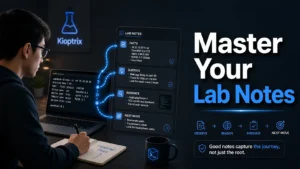
This guide provides a session structure and an illustrative example. It does not claim that a particular Kioptrix service, vulnerability, or successful compromise was observed.
The session record: enough detail to reproduce one action
Start with the VM image identity, hypervisor, network mode, and target identity. A private IP alone is not a reliable identity: DHCP can assign it to another machine. Record the VM MAC address or another independently checked identifier as well.
| Field | What to write |
|---|---|
| Session and environment | Date, time zone, image/version, snapshot, Kali version, network name and adapter mode. |
| Question | One uncertainty the action is intended to resolve. |
| Action | Exact command, working directory, relevant tool version, target and options. |
| Observation | Literal response or a short faithful summary with an evidence ID. |
| Interpretation | What the response supports, competing explanations and what remains untested. |
| Next check | A bounded test and the result that would change your decision. |
Record failed commands and interrupted scans. They explain gaps in coverage. Do not silently replace an earlier interpretation: add a dated correction and link it to the new evidence.
A worked example: a timeout is an observation, not a diagnosis
Illustrative note only: the following is a structure to adapt to your own isolated lab. The placeholders are not captured output and must be replaced before running a command.
Session: [date, time zone, snapshot and VM identities]
Question: Does the identified lab target answer HTTP on the observed port?
Action: curl -I --connect-timeout 5 --max-time 15 http://TARGET_IP:HTTP_PORT/
Evidence: E003, evidence/E003-http-headers.txt
Observation: [paste the actual response or exact error]
Interpretation: If this times out, I have not established an HTTP response.
Unknowns: Service state, routing, filtering and protocol expectations remain open.
Next check: Compare the destination and port with the saved scan and VM identity.
Resume point: Repeat only after recording any changed network setting.
A successful response would justify recording the status, headers and requested URL. It would not establish that every path works, that the application is vulnerable, or that the server banner is accurate. A timeout needs comparison with the scan conditions; increasing the timeout alone does not explain the cause.
Use the service enumeration guide when deciding which observation belongs in your inventory. Use the troubleshooting guide if the target itself is not reliably identified.
Keep raw evidence, then make a shareable copy
- session.md: chronological notes, corrections and the resume point.
- evidence/: original command output and screenshots, named by evidence ID.
- share/: sanitized copies for a write-up, with the redactions identified.
Keep the original output private. Remove credentials, tokens, personal paths and unrelated network details from shared copies. A screenshot can demonstrate a visible state, but searchable command output usually makes a stronger reproduction record. Preserve both when the screenshot contributes information the text does not show.
With Nmap, use a new output basename for each action rather than overwriting an earlier run. For example, after replacing the placeholders:
nmap -sT -n -p OPEN_PORTS -sV -oA evidence/E004-service-check TARGET_IP
OPEN_PORTS is a comma-separated list you selected from your own scan. The evidence directory must already exist. Nmap documents the output formats and filename behavior; record the command alongside the files, not only in shell history.
Close a session with a precise handoff to yourself
Write the current snapshot, what changed, what is confirmed, and what is still only suspected. Name the next command or inspection and its precondition. For example: “After confirming the target MAC and lab adapter, compare the saved HTTP response with a deliberately nonexistent path.” That is more actionable than “continue web enumeration.”
If you used a hint or walkthrough, record where it entered your reasoning. Separate your independent observations from assistance. When ready to explain a finding to a reader, transform selected evidence into the lab report template. Session notes preserve the journey; the report selects the evidence needed to support a claim.
Build a session note
Use sanitized notes only. This form does not submit or automatically save your entries; reloading clears them. Generate and download a draft before leaving. It does not test your VM or verify your claims.
Frequently asked questions
Should I record every terminal line?
Save raw output when useful; summarize the decision in your journal. A pasted transcript without the question, environment and interpretation is hard to resume.
What if an earlier note was wrong?
Keep it, mark it superseded, and add the correcting evidence. This preserves why your next action changed.
Can I use the generated note as a completed report?
No. It is an editable draft of your own entries. Review evidence, sanitize it and state limitations before sharing. Empty fields remain explicitly unrecorded.