Sources, review date and section shortcuts
Editorial review: October 20, 2026. Reconstruct the last known state before deciding which checks genuinely need repeating.
Reference documentation · Related practical guide
Go straight to: Decision check · Main workflow · Further detail
Open the Old-session reconstruction record for this guide’s task-specific fields and next action.
Review the record before making a new attempt
Open the session summary and trace its strongest claim to the original evidence. Mark missing context or unreadable files explicitly. If the VM or question has changed, create a new attempt record and explain what needs rechecking. Do not rewrite an old result as though a later interpretation had been known at the time. Reference and scope.
Reclaiming the Trail: Making Sense of Old Kioptrix Sessions
Reconstruct the last known state before deciding which checks genuinely need repeating.
Reviewing old Kioptrix Level sessions without feeling lost is not about becoming a perfect note-taker overnight. It is about rebuilding the trail before your terminal, browser tabs, and old assumptions start shouting over each other.
The real pain is continuity. You may have discovered useful services, web paths, version clues, or failed tests months ago, but without a clean recovery map, every artifact feels equally urgent and equally suspicious.
Keep guessing, and you lose more than time. You lose the lesson your past session already paid for.
This guide helps you turn scattered Kioptrix notes, screenshots, scan output, and half-finished exploit ideas into a calm, legal lab-review system: confirmed facts, open questions, retired rabbit holes, and one next test.
The method here comes from practical beginner-to-intermediate lab recovery: evidence first, tools second, ego nowhere near the keyboard.
- Start smaller than your panic wants.
- Find the last trustworthy point.
- Name what you know.
- Then let the session become readable again.
Start With the Session You Actually Have, Not the Session You Wish You Had
The hardest part of reviewing an old Kioptrix Level session is not technical. It is emotional static. You expected a clean notebook. Instead, you find a tiny archeological dig: scan output, browser screenshots, maybe a terminal capture, and one note that reads “probably Apache?” with the energy of a raccoon holding a flashlight.
Start with what exists. Do not punish yourself for the notes you failed to write. A messy lab session is still evidence. It tells you what you noticed, what you ignored, where you rushed, and where your thinking had a gap. If the whole lab still feels blurry, a beginner-friendly Kioptrix for beginners guide can help you separate normal early confusion from a truly broken workflow.
Identify the last trustworthy point in your notes
Your first task is to find the last thing you can trust. Not the last thing you remember. Not the last thing you wanted to be true. The last piece of evidence.
- A scan result with a date or filename
- A screenshot showing a page, banner, login form, or error
- A command output you saved completely
- A note that names a service, version, path, or decision
When I review an old lab, I usually give myself 10 minutes to find this anchor. If I cannot find it, I write: “No trustworthy stopping point found yet.” That sentence feels awkward, but it is clean. Clean beats theatrical confidence every time.
Separate facts, guesses, and “I think I tried this” fog
Old practice notes often mix three different species of thought. Facts are observed. Guesses are possible. Fog is memory wearing a fake mustache.
Write three labels at the top of your recovery note:
- Fact: Something shown by output, screenshot, or repeatable observation.
- Guess: A theory that still needs proof.
- Fog: Something you vaguely remember but cannot support yet.
This small separation prevents a classic beginner mistake: treating a sleepy midnight hunch like courtroom evidence.
The 10-minute reset before touching the terminal again
Before you launch Kali, VirtualBox, VMware, or your favorite note app, spend 10 minutes writing a reset. No tools. No tabs. No heroic typing.
Reset question: “What do I know well enough to act on?”
That question keeps the session from becoming a haunted house of tabs. A Kioptrix review should begin with orientation, not performance.
- Find one confirmed anchor.
- Label facts, guesses, and fog separately.
- Spend 10 minutes resetting before touching tools.
Apply in 60 seconds: Open your old notes and write one line that begins, “The last thing I can prove is…”
Who This Is For, and Who Should Use a Different Review Method
This method is for legal lab practice, not real targets. Kioptrix boxes are intentionally vulnerable learning environments. That boundary matters. The point is to learn method, documentation, and decision-making, not to rehearse reckless behavior on systems you do not own or have permission to test.
If you are using Kioptrix to build beginner-to-intermediate cybersecurity skills, this article is your recovery lantern. If you are looking for a speedrun or copy-paste path, this will feel annoyingly patient. Good. Patience is where skill quietly grows teeth. For learners who want the broader route instead of one isolated box, a structured Kioptrix learning path can make old sessions feel less like random ruins and more like chapters in a single map.
For beginners who have scattered notes, screenshots, and scan output
You may have a folder named “kioptrix_old” or “tryagain” or, my personal favorite from a past lab cleanup, “final_final_really.” Inside are fragments. That is enough.
This review method helps you answer:
- What did I actually discover?
- What did I assume too early?
- Which paths still deserve testing?
- Which notes are just noise with a timestamp?
For career switchers practicing before or after work
If you practice in 20 to 40 minute windows, your notes are not decoration. They are continuity. You need a way to stop cleanly and restart without losing the plot. For that exact season of life, Kioptrix practice after work needs a different rhythm than a long weekend lab binge.
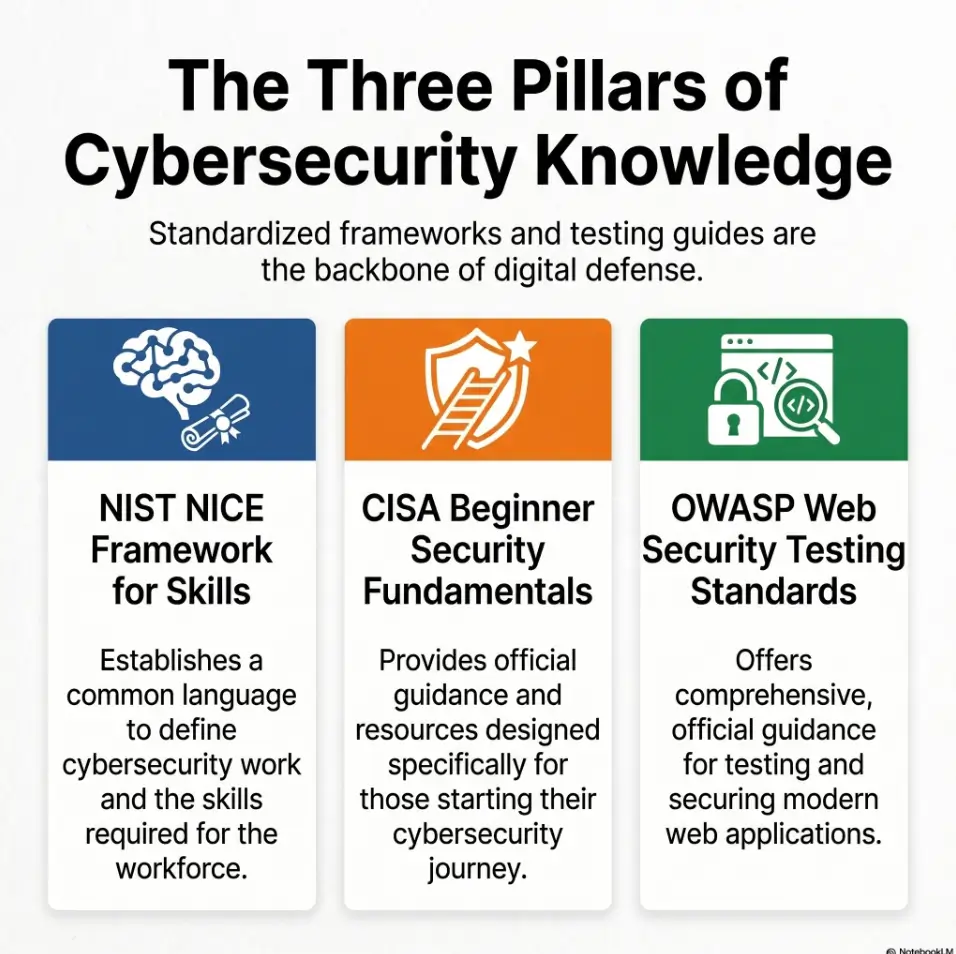
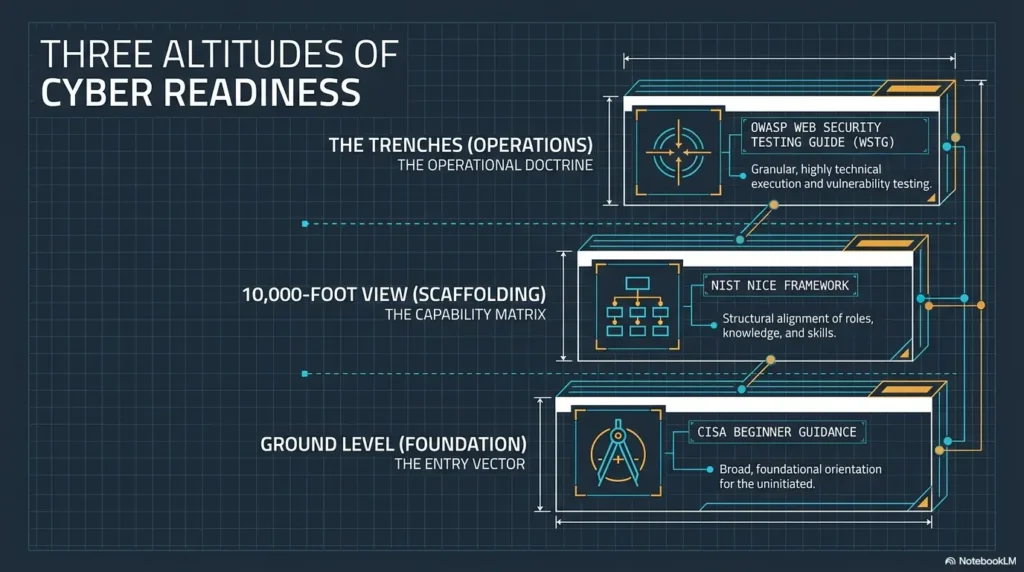
The NIST NICE Framework describes cybersecurity work in terms of tasks, knowledge, and skills. That framing is useful here because a Kioptrix review is not just “did I root the box?” It is “can I observe, document, test, explain, and improve?”
Not for people trying to memorize walkthroughs line by line
Walkthroughs can help, especially when you are truly stuck. But if your first move is to read the answer, your brain may collect steps without building judgment. That is the cybersecurity version of watching cooking videos while eating cereal for dinner. Enjoyable, yes. Transformational, not quite.
Not for unauthorized targets, real systems, or anything outside your lab
Keep the practice contained. Use your own lab VMs, intentionally vulnerable machines, or platforms that explicitly allow testing. Do not transfer lab tactics to public systems. If you are unsure whether you have permission, you do not have enough clarity to proceed.
Eligibility checklist: Is this review method right for you?
- Yes: You are reviewing your own legal lab notes. Next step: build a recovery map.
- Yes: You want to improve documentation and reasoning. Next step: label facts and guesses.
- No: You want instructions for a real target. Next step: stop and use authorized training environments only.
- No: You only want a copied answer path. Next step: use walkthroughs as comparison, not substitution.
Neutral action: Before continuing, write down the lab name and confirm that your target is intentionally provided for practice.
The “Where Was I?” Map That Saves Your Brain From Static
The “Where Was I?” map is a one-page recovery note. It should be plain enough that you can understand it after a bad night of sleep, a long shift, or three cups of coffee that somehow made you less alive.
Do not make it beautiful. Make it useful. The goal is not to build a museum. The goal is to recover direction.
Box name, target IP, date, and VM state
Start with identity. Every review note should name the box, the target IP you used, the date of the old session, and whether the VM state is known. If the IP might have changed, say so. If the VM was reverted, say so. If you cannot tell, write “unknown.”
That one word protects you from false continuity. A changed IP, reverted snapshot, or different network mode can make old notes look wrong when they are merely old. A deliberate Kioptrix snapshot strategy can prevent this kind of “was this even the same machine?” confusion from returning next time.
Services found: ports, versions, and first impressions
List discovered services in a small table. Keep it humble. You do not need to describe every theoretical vulnerability. You need enough context to remember the shape of the machine.
| Port or service | What I saw | Confidence | Next question |
|---|---|---|---|
| Web service | Page, banner, or path found | Confirmed or needs repeat | What should I verify? |
| Login or form | Visible behavior or error | Screenshot exists or not | What input changed behavior? |
Web paths, login pages, banners, and odd little clues
Web paths are easy to lose because they feel obvious in the moment. Later, they become breadcrumbs under snow. Save the path, what it showed, and why you cared.
For example, a login page is not simply “login page.” It might be “login page with version hint,” “login page with default branding,” or “login page that changed error messages after a specific input.” The difference matters. If your old notes are mostly recon fragments, a dedicated Kioptrix recon log template can give those breadcrumbs a cleaner shelf.
One sentence that explains the current hypothesis
End the map with one sentence:
“My current hypothesis is that the most promising path is ______ because ______.”
If you cannot fill that in, your next task is not exploitation. Your next task is orientation.
Mini Infographic: The Kioptrix Recovery Map
1
Anchor
Box name, IP, date, VM state
2
Evidence
Services, screenshots, output
3
Hypothesis
Most promising path and why
4
Next test
One action, not seven tabs
Don’t Re-Run Everything Just Because You Feel Uncertain
Uncertainty has a sneaky costume: activity. You feel lost, so you rerun scans. Then you rerun them with different flags. Then you compare nothing. Then the folder grows teeth.
There is nothing wrong with re-enumeration when the baseline is stale, incomplete, or untrusted. The problem is using new output to avoid understanding old output.
Why repeated scanning can hide the real learning problem
Repeated scanning can feel productive because something is happening. Lines scroll. Files appear. Your terminal looks cinematic. But if you do not know what question the scan is answering, the output becomes wallpaper with ports.
Before rerunning anything, write the reason:
- “I need to confirm whether the service list is still accurate.”
- “I need to compare current web paths against old notes.”
- “I need a clean baseline because the old output is incomplete.”
If you cannot write the reason, pause.
Compare old output before generating new noise
Open the old scan output and highlight only what mattered: services, versions, interesting banners, unusual paths, and anything that affected a decision. Then decide whether a new baseline is needed.
Mark stale results instead of deleting them
Do not delete old output just because it is imperfect. Mark it as stale, partial, or unverified. Old results can still explain why you made a decision.
Use labels like:
- Stale: May no longer match current VM state.
- Partial: Useful, but not complete enough for decisions.
- Unverified: Needs repeat observation.
Let’s be honest: “more enumeration” can become procrastination in a hoodie
Enumeration is essential. Infinite enumeration is avoidance with better fonts. The line between them is a question. If the tool answers a specific question, continue. If it only soothes the panic goblin, stop.
Show me the nerdy details
A clean review habit is to pair each tool run with a purpose statement. Write the question first, then the tool, then the output that changed your next decision. This keeps documentation tied to reasoning instead of becoming a pile of command history. For web testing practice, OWASP’s Web Security Testing Guide is useful because it organizes testing around categories such as information gathering, configuration, authentication, authorization, and input validation, which can help beginners name what they are actually investigating.
Rebuild the Attack Story Before You Rebuild the Commands
A Kioptrix session is not a pile of commands. It is a story of attention. You noticed something, formed a theory, tested it, learned from the response, and either continued or changed direction.
If you only preserve commands, you preserve the skeleton without the nerves. The review becomes brittle.
What did the machine appear to be offering?
Ask what the target seemed to expose. Was the interesting surface web-based? Was there a service that looked old, misconfigured, unusually chatty, or simply more promising than the rest? Do not jump from “service exists” to “therefore exploit.” Stay with observation first.
Write one plain sentence:
“The machine appeared to offer ______, and that mattered because ______.”
Which service looked most promising, and why?
Beginners often write “try web” or “check service.” That is better than nothing, but barely. Your future self needs the why. If that “why” keeps disappearing, a clearer Kioptrix decision process can help you document how one clue becomes one reasonable next move.
Try this format:
- Promising service: The service or page that drew attention.
- Reason: Version clue, login behavior, exposed file, odd response, or known category of weakness.
- Evidence: Screenshot, output file, or repeatable observation.
- Risk of being wrong: What could make this path a dead end?
What evidence supported your path?
Evidence should be concrete. “Looks vulnerable” is not evidence. “The page revealed a specific version string” is evidence. “A directory listing exposed files” is evidence. “The response changed after a controlled input” is evidence.
The sentence you want is: “I believed this path because I observed…”
What evidence quietly contradicted it?
This is where better learners separate themselves. Contradictory evidence is not embarrassment. It is steering.
Maybe the version was not actually the software you thought. Maybe a path existed but returned nothing useful. Maybe an error message looked dramatic but did not change behavior. Write that down. Dead ends become faster to recognize when you preserve their shape.
Decision card: Rebuild story vs. rerun commands
| Choose this | When | Trade-off |
|---|---|---|
| Rebuild the story | You have notes but cannot explain your decisions. | Slower for 15 minutes, faster for the rest of the session. |
| Rerun a baseline | Old output is missing, stale, or tied to an unknown VM state. | Cleaner data, but possible duplicate noise. |
Neutral action: If you cannot name the old hypothesis, rebuild the story before launching tools.
Common Mistakes That Make Old Kioptrix Sessions Feel Like a Crime Scene
Old lab sessions feel chaotic because small habits compound. A missing filename here. A screenshot without context there. A command copied from a forum and saved with no question attached. Suddenly the folder looks less like practice and more like a detective wall made by a printer having a nervous breakdown.
Mistake 1: Opening every screenshot before reading the notes
Screenshots are loud. They pull your eye. But without context, they can hijack your review. Read the notes first, even if they are ugly. Then use screenshots to confirm or clarify.
Mistake 2: Trusting memory more than command output
Memory is useful for texture, not proof. If you think you tried a path but cannot find output, label it as fog. That protects you from skipping a valid test because your brain says, “Pretty sure we did that.” Your brain also once forgot why you walked into the kitchen. Respectfully, verify.
Mistake 3: Copying old commands without knowing the question behind them
A command is only reusable if you know what it was supposed to answer. Save the question. Otherwise, the command becomes a fossil. This is also why copy-paste commands fail in Kioptrix practice: the missing piece is usually not syntax, but context.
Mistake 4: Treating every failed exploit as wasted time
In legal lab practice, a failed path can be useful if it teaches a boundary. It might tell you a version assumption was wrong, an input path was irrelevant, or a service was less promising than expected.
Mistake 5: Writing “try harder” instead of writing the next test
“Try harder” is not a plan. It is a motivational poster wearing boots. Write the next observable test instead.
Better notes sound like this:
- “Verify whether the version clue is real.”
- “Check whether this path changes response behavior.”
- “Compare old screenshot against current page.”
- “Look for evidence before abandoning this service.”
A learner once sent me a folder from an old Kioptrix attempt. It had 47 screenshots. Every file name looked like a microwave serial number. We opened the first ten and learned almost nothing. Then we found one image showing a page title, a path, and a small version clue in the footer. That single screenshot explained why the learner had spent the next hour testing the web service.
The problem was not that the session was useless. The problem was that the useful artifact had been buried under visual confetti. We renamed it with one sentence: “web-footer-version-clue-led-to-service-hypothesis.” Suddenly the folder had a spine. The learner did not need more screenshots. They needed names that carried meaning.
- Read notes before screenshots.
- Treat memory as fog until verified.
- Replace vague motivation with one testable next action.
Apply in 60 seconds: Find one old command and add the question it was meant to answer.
The Three-Pile Review System: Keep, Question, Retire
The three-pile system turns a messy session into a decision surface. Instead of asking, “What does all this mean?” you ask, “Which pile does this belong in?” That is kinder to the brain. It also makes your notes less swampy.
Keep: confirmed facts from scans, pages, and responses
The Keep pile is for confirmed observations. These are the stones you can step on.
- Service lists you trust
- Specific paths you observed
- Version strings or banners captured in output
- Behavior changes you reproduced
- Screenshots that prove a decision
Keep items should be concise. A good Keep note is usually one sentence plus a reference to the artifact.
Question: guesses that still need proof
The Question pile holds theories. This is where curiosity belongs. It is not a junk drawer. Each question should point toward a test.
Weak question: “Maybe vulnerable?”
Better question: “Does this observed version or behavior support the path I assumed?”
That difference is small, but it changes the work.
Retire: rabbit holes with no evidence left underneath them
The Retire pile is not failure storage. It is cognitive housekeeping. If a path consumed time but never produced support, retire it with a reason.
- “No response change observed.”
- “Version assumption was not supported.”
- “Path existed but exposed no useful behavior.”
- “Old note lacked evidence and could not be verified.”
Here’s what no one tells you: deleting a bad lead is progress
Beginners often feel guilty abandoning a path. But keeping every weak lead alive is how your notes become a haunted aquarium. Retiring a bad lead saves future time. It also teaches pattern recognition.
Coverage tier map: How complete is your review?
- Tier 1: You know the box name and have fragments.
- Tier 2: You have confirmed services and at least one screenshot or output file.
- Tier 3: You can name the old hypothesis and why it seemed plausible.
- Tier 4: You have Keep, Question, and Retire piles.
- Tier 5: You have one next test and one lesson for the next box.
Neutral action: Aim for Tier 3 before continuing technical work; Tier 5 before ending the session.
Screenshots Are Memory Anchors, Not Wallpaper
Screenshots can rescue a review session. They can also bury it. The difference is whether the image proves something.
A screenshot should answer one question: “Why did this matter?” If it cannot answer that, it may be decoration. Pretty decoration, perhaps, but still decoration.
Keep only images that prove a finding or decision
Good screenshots capture evidence. They show a page, response, error, banner, directory, login behavior, file listing, or change after a controlled action. They are not trophies. They are anchors.
Ask this before saving:
- Does this image prove a fact?
- Does it explain a decision?
- Would I understand why I saved it 30 days from now?
Rename screenshots by what they show, not when you took them
“Screenshot-2026-05-03” tells you almost nothing. Rename by meaning. If screenshots are a recurring mess in your lab folder, a repeatable screenshot naming pattern can turn visual chaos into searchable evidence.
| Weak filename | Useful filename |
|---|---|
| screen1.png | web-login-error-after-test-input.png |
| kioptrixpic.png | homepage-footer-version-clue.png |
| final.png | directory-listing-confirmed-path.png |
Pair every screenshot with one plain-English sentence
Every screenshot needs a caption note. Not poetry. Not a paragraph. One useful sentence.
Example: “This screenshot shows the login page returning a different message after a specific test input, which made authentication behavior worth reviewing.”
Tiny rule: no screenshot without a reason
This rule saves folders. It also saves morale. When every image has a reason, review becomes calmer. The visual clutter stops shouting.
Turn Old Commands Into Reusable Learning Cards
Old commands are not automatically useful. They become useful when they carry context. A command without a question is a key without a door.
Turn important commands into learning cards. You can keep these in Notion, Obsidian, a markdown file, Google Docs, a local text file, or a paper notebook if you enjoy the noble scratch of analog memory.
Command used
Save the command only if it mattered. You do not need to preserve every typo, rerun, or sleepy duplicate. Keep the meaningful version and label it by purpose.
Question it was supposed to answer
This is the missing piece in most beginner notes. Write the question first. A good Kioptrix note-taking tool matters less because it is fancy and more because it makes this question easy to capture while you are tired.
- “What services are exposed?”
- “Does this web path exist?”
- “Does the response reveal a version or behavior clue?”
- “Did this test change anything observable?”
Output that mattered
Do not paste walls of output into the learning card unless needed. Extract the part that changed your next decision. Save the full file separately if it matters.
What you would do differently next time
This is where practice compounds. One sentence is enough:
“Next time, I would save the output with a better filename and write the hypothesis before testing.”
The quiet win: your future self stops reverse-engineering your past self
A good learning card turns confusion into reusable judgment. It lets future you understand not only what you typed, but why you typed it.
- Save the command.
- Write the question it answered.
- Record what you would improve next time.
Apply in 60 seconds: Convert one old command into a four-line learning card.
When the Session Feels Too Broken, Restart Without Throwing Away the Lesson
Sometimes the old session is too broken to continue cleanly. The notes are thin, the screenshots are vague, the VM state is unclear, and the scan output looks like it was filed by a sleepy octopus.
Restarting is allowed. Throwing away the lesson is not. When you need a fuller reset, a focused Kioptrix Level restart guide can help you begin again without pretending the old attempt never happened.
Make a “cold restart” note before launching tools
A cold restart note explains why you are starting over. This prevents you from repeating the same messy loop.
Use this template:
“I am restarting because ______. The old session taught me ______. I will preserve ______ and re-check ______.”
That sentence turns restart into method, not surrender.
Re-enumerate only the minimum baseline
When restarting, gather the minimum baseline needed to orient yourself: target identity, reachable services, obvious web surfaces, and any high-level clues. Do not launch a festival of tools because the old notes offended you.
The goal is comparison, not revenge.
Compare new findings against old assumptions
Once you have a clean baseline, compare it with your old assumptions. Did the same service appear? Did the same page exist? Did the old promising path still make sense?
Make a small comparison table:
| Old assumption | New observation | Decision |
|---|---|---|
| Most promising path was web service | Web service still present | Continue review, verify evidence |
| Old note mentioned a path | Path not confirmed yet | Question pile |
Preserve the mistake pattern, not every messy detail
You do not need to keep every messy scrap. Preserve the pattern. Did you over-scan? Did you fail to label screenshots? Did you copy commands without questions? Did you chase a path without evidence?
That pattern is more valuable than a 900-line output file you will never read again.
- Write why you are restarting.
- Gather only a minimum baseline.
- Compare new findings against old assumptions.
Apply in 60 seconds: Write one sentence that starts, “If I restart, I must not repeat…”
Build a Review Template You Can Use for Every Kioptrix Level
A template removes friction. You do not want to design a note system while also learning enumeration, web behavior, service clues, privilege context, and your own tolerance for terminal chaos.
Use the same template every time. Boring structure creates room for interesting thinking.
Session summary
Write 3 to 5 sentences. Include the box, the current state, what you found, and where you stopped. A separate Kioptrix session summary can be useful when you need a compact end-of-practice note instead of a sprawling technical journal.
Confirmed services
List services with confidence levels. If a service is inferred but not confirmed, do not sneak it into the fact pile wearing a little hat.
Promising paths
Name the path and the reason. Keep it evidence-based. “Interesting” is not enough. Interesting to whom? Your curiosity needs receipts.
Dead ends
Dead ends should include the reason they are dead. This keeps you from resurrecting them next weekend like tiny technical zombies.
Commands worth saving
Only save commands that taught something, confirmed something, or created useful output. Pair each with the question it answered.
One next action
One. Not five. Not “continue enum.” One specific test, check, comparison, or review step.
One lesson for the next box
This is where your skill compounds. Kioptrix practice is not only about solving one machine. It is about becoming less chaotic across many machines.
Training comparison prep list: What to gather before choosing your next learning resource
- Your current skill level: beginner, early intermediate, or returning learner.
- Your preferred format: lab VM, guided course, book, video, or notes-first practice.
- Your weekly time budget: 2 hours, 5 hours, or 10 hours.
- Your main gap: enumeration, web testing, Linux basics, reporting, or persistence.
- Your budget range: free, low-cost, or paid certification track.
Neutral action: Compare resources by the skill gap they solve, not by how exciting the landing page feels.
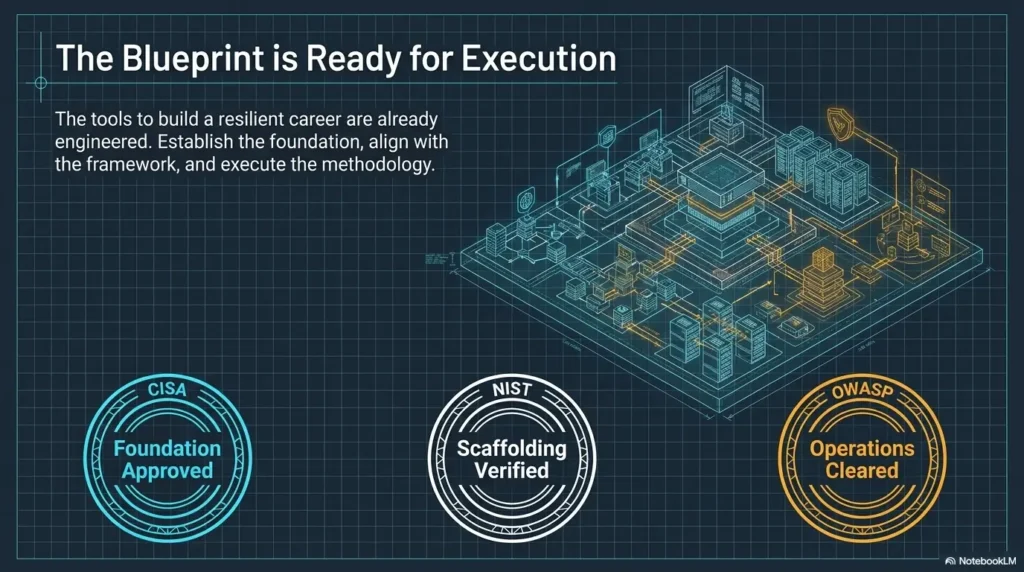
CISA offers beginner-facing cybersecurity resources and no-cost learning options through its training ecosystem. OWASP organizes web testing topics in a way that helps learners name what they are practicing. NIST NICE gives a broader skills language for connecting lab habits to workforce tasks. Those three are useful anchors when you want practice to become career-relevant instead of just folder-relevant.
FAQ
How do I restart an old Kioptrix session without losing my place?
Write a recovery note first. Include the box name, target IP if known, VM state, confirmed services, old hypothesis, and one next test. Then decide whether you need a minimum re-enumeration baseline. Do not reopen every tab at once. That is how the confusion circus buys a second tent.
Should I read a walkthrough if my old notes make no sense?
Use a walkthrough as a comparison tool, not your first move. Spend at least 15 minutes rebuilding your own map. If you still cannot identify the next reasonable question, read only enough to compare your thinking with a known path. Then close it and write what you missed.
How much of my old scan output should I keep?
Keep full output files when they are useful for verification, but summarize the important parts in your review note. Your working note should highlight services, versions, banners, paths, and anything that affected a decision. The full output can live in a folder. The summary should live where your brain can reach it.
What should I do when I cannot remember why I ran a command?
Do not rerun it automatically. Label it as “purpose unknown,” then infer the likely question from nearby notes or output. If you cannot infer the question, retire it or convert it into a future learning card only after you understand what it would answer.
Is it better to redo the whole box from scratch?
Sometimes, yes. If the old notes are too incomplete to support a next action, a cold restart may be cleaner. But preserve the lesson first. Write what broke in the old workflow, such as weak screenshot names, missing hypotheses, or too many duplicate scans. Restarting without learning the pattern simply creates a fresher mess.
How do I organize Kioptrix screenshots for later review?
Save only screenshots that prove a finding or decision. Rename them by meaning, not timestamp. Pair each image with one plain-English sentence explaining why it mattered. A screenshot without a reason is just wallpaper with anxiety.
What is the best note-taking format for beginner CTF labs?
The best format is the one you will actually use during tired sessions. A simple template works: summary, confirmed facts, guesses, dead ends, commands worth saving, screenshots, next action, and lesson learned. Markdown is excellent, but plain text is fine. Fancy tools cannot rescue vague thinking.
How do I know whether a failed path was actually useful?
A failed path is useful if it changed your understanding. Did it disprove a version assumption? Did it show that a path existed but did not behave as expected? Did it teach you a pattern you will recognize later? If yes, keep the lesson and retire the lead.
Can old Kioptrix notes help with real cybersecurity work?
Yes, if you focus on transferable habits: careful observation, clean documentation, controlled testing, evidence-based reasoning, and clear reporting. Do not transfer lab actions to unauthorized systems. Transfer the discipline. If you want that discipline to become portfolio-ready, writing a Kioptrix lab report is one of the cleanest ways to turn scattered practice into readable proof of thinking.
Next Step: Write One Recovery Note Before You Touch the Box Again
The hook at the beginning was a familiar little disaster: old screenshots, old scans, and a note that says “try this” with no evidence trail. The fix is not to become a perfect note-taker overnight. The fix is smaller and more durable.
Write one recovery note before you touch the box again.
Copy this sentence: “Right now, I know…”
Start with:
“Right now, I know…”
Then write only what you can support. This sentence is a small broom. It sweeps fog away from evidence.
Add three confirmed facts
Use output, screenshots, or repeatable observations. Three facts are enough to start. More is fine, but do not turn this into a dissertation with a terminal theme song.
Add two open questions
Good questions point toward tests. Avoid vague questions like “what now?” Write questions such as “Which service deserves verification first?” or “What evidence supports the web path?”
Choose one next test
One next test keeps you from scattering. It also gives you a clean stopping point. When the test is done, update the note. That loop is where skill grows.
Stop there before the tabs multiply like caffeinated mushrooms 🍄
The browser will tempt you. The terminal will sparkle. The walkthrough will whisper from another tab. Resist for 15 minutes. Your future self does not need more noise. Your future self needs one clean thread. For a repeatable weekly rhythm, connect this recovery note to a broader Kioptrix practice routine so each session ends with evidence instead of vapor.
- Write three confirmed facts.
- Write two open questions.
- Pick one next test.
Apply in 60 seconds: Create a note titled “Kioptrix Recovery Map” and fill in the first three lines before opening any tools.
Final 15-minute CTA: Open your old Kioptrix folder now. Do not run anything yet. Rename one screenshot by what it proves, convert one command into a learning card, and write one next test. That is enough. Not glamorous. Not noisy. Exactly useful.
Last reviewed: 2026-05.
Old-session reconstruction record
Use this record for the specific task in this guide. Copy the fields into your notes and complete them with the actual conditions, evidence and assistance used in your own work.
Field guidance for this record
| Field | What to record | Your evidence / next check |
|---|---|---|
| Last summary | Find the closing note and its environment identity. | To complete |
| Strongest evidence | Retrieve the artifact behind the last supported claim. | To complete |
| Missing context | Record unavailable files or uncertain state. | To complete |
| New attempt boundary | Explain what changed and what needs rechecking. | To complete |
Edit the template below with your own dated observations. Bracketed prompts are guidance, not evidence. This page does not automatically save or upload your entry; download it before leaving or reloading.
Template ready. Replace the prompts with your record, then download a copy.
Worksheet usability update — October 23, 2026: added an editable record and a download of its current contents. This does not verify the article’s sources or perform the lab exercise.
Next action: Create a new attempt record when the conditions differ. Keep the original record so a later correction does not make an earlier assumption look like an established fact.
Related task: Continue with Kioptrix Session Summary: A Retrieval Template when you need that separate part of the workflow.
Worksheet change record — October 20, 2026
Added four task-specific fields, a next action and a related guide. This is an editorial working aid, not a completed lab result or a validated skill assessment. Existing source-review dates retain their own scope; this addition is not a new fact-check of every statement.