Sources, review date and section shortcuts
Key claims reviewed: October 19, 2026. Ninety days is a planning window, not a minimum preparation period or a passing forecast.
Primary documentation · A 2-Hour OSCP Study Routine for Full-Time Employees
Go straight to: Decision check · Main workflow · Further detail
Separate an average from your actual calendar
The hours widget prorates a repeating week across 90/7 weeks. An actual 90-day calendar has a particular number of weekdays, weekends, holidays and missed sessions. Use the average for a rough allocation, then put the sessions on your real calendar. Keep planned hours, actual hours and evidence of independent work in separate fields. A completed time budget does not measure exam readiness. Source and scope.
A 90-day OSCP study plan can help organise your next practice tasks, but it cannot establish that three months is enough for you. Use this framework to identify gaps, allocate time and review evidence of progress.
This article is an editorial planning guide. It does not describe a verified personal exam attempt, family history or successful certification journey.
Start with the time you actually have and the topics you need to practise. The phase dates are adjustable; completing the calendar does not establish exam readiness.
The guide includes:
- A flexible OSCP 90-day study schedule with example weeks (built to survive real life),
- The 9 suggested practice habits to make your process easier to review,
- And some checklists + time calculators you can tweak in five minutes to fit your schedule (yes, even if that schedule includes toddlers, meetings, or a soul-crushing commute).
The good news?
Choose a manageable schedule and check it against your responsibilities. Extend a phase whenever your notes or independent practice reveal a gap.
The better news?
Your next task should be specific enough to complete or review in one session.
Keep rest and recovery in the plan.
Who This OSCP 90-Day Plan Is For
This framework is for learners who already have some Linux, Windows, networking and scripting knowledge. The example weekday and weekend blocks are scheduling assumptions, not required study hours.
It is especially useful if:
- You’ve already skimmed PEN-200 but haven’t finished all exercises.
- You can run Kali and basic tools, but your enumeration and privilege escalation feel shaky.
- You’ve booked or plan to book the OSCP exam within the next 3–6 months.
No personal pass or fail history is claimed. Keep the useful structure, but adapt the pace to your demonstrated skills and course access.
- 2–3 focused weekday hours is a planning example; readiness depends on demonstrated skills.
- Weekends are for longer labs and report practice.
- Failing once doesn’t waste your effort; it informs this schedule.
Apply in 60 seconds: Write down how many hours you can honestly study on weekdays and weekends next week.
Why OSCP Feels Impossible… Until It Clicks
Repeatedly solving familiar targets can hide weaknesses in unfamiliar systems, evidence capture or reporting. Use your notes to identify what needs review.
After each session, record what you understood, what required a hint and what you could not reproduce. Choose the next task from those observations.
A difficult session is a reason to inspect prerequisites and task scope, rather than assume a fixed routine will solve every learning gap.
Your goal in the next 90 days is not to “memorize everything.” Your goal is to:
- Normalize the pressure of poking unknown boxes.
- Build a muscle-memory script for enumeration and privesc.
- Practice exam-like decisions: when to pivot, when to give up, when to document and move on.
- Feelings of being lost are normal, especially in the first 30 days.
- Ruthless routines beat heroic all-nighters.
- A failed attempt is useful when you record what the evidence shows.
Next step: Write one observed gap and the smallest task that would help you investigate it.
How the 90-Day OSCP Study Schedule Works
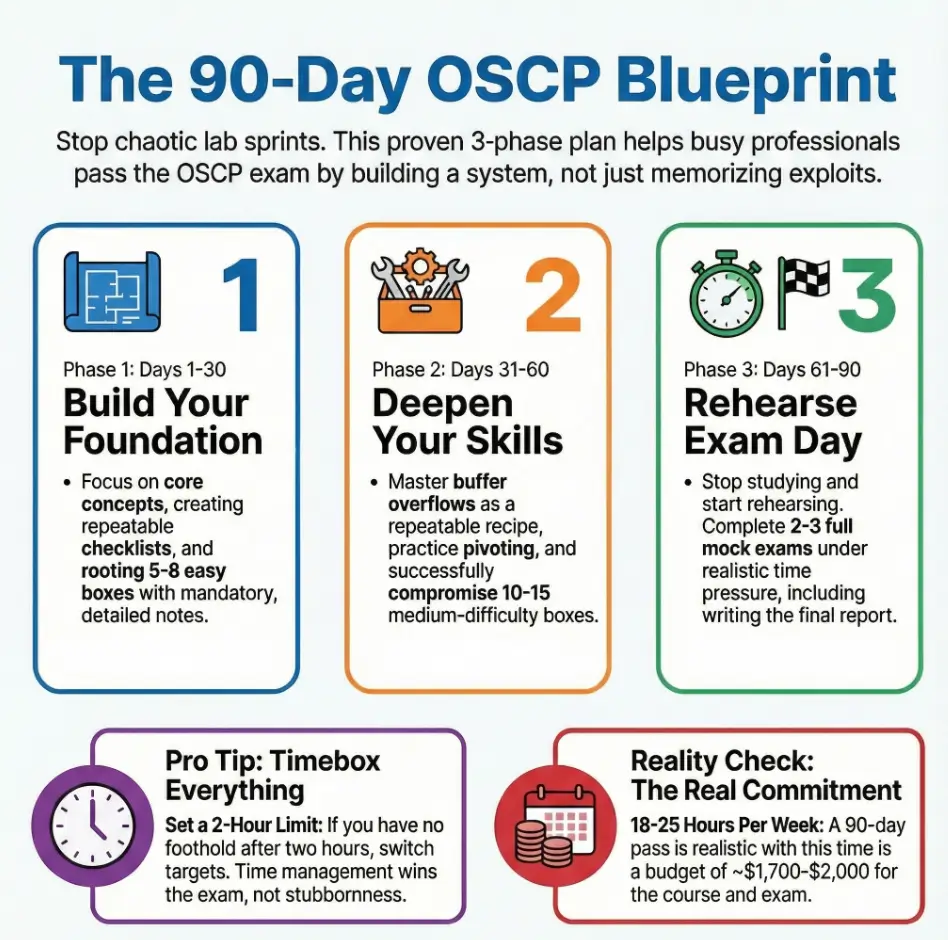
The three phases below are an adjustable framework. They do not prescribe 90 separate daily tasks.
- Phase 1 (Days 1–30): Core PEN-200 content, basic labs, disciplined note-taking.
- Phase 2 (Days 31–60): Heavier labs, Active Directory practice, pivoting, and methodology refinement.
- Phase 3 (Days 61–90): Full mock exams, brutal timeboxing, and exam-report practice.
Illustrative week: move, shorten or skip blocks to fit your available time. These durations are not validated completion targets.
- Mon–Thu: 2–3 hours – content + targeted labs.
- Fri: 2 hours – note cleanup + one “quick win” box.
- Sat: 4–6 hours – deep lab time or mock exam tasks.
- Sun: 1–2 hours – review and planning (or rest if you’re cooked).
OSCP 90-Day Plan at a Glance
Days 1–30
Goal: Finish core modules, build note system, root easy boxes.
Focus: Enumeration basics, Linux/Windows privesc.
Days 31–60
Goal: Repeatable AD workflow and mid-difficulty boxes.
Focus: Pivoting, AD basics, reporting.
Days 61–90
Goal: Rehearse selected tasks, evidence capture and reporting; add a full timing rehearsal only if useful and feasible.
Focus: Timeboxing, strategy, sleep management.
Planning Constraints: Availability, Prerequisites and Budget
Record your constraints and the next action for each:
- Record the study sessions you can reserve, then compare them with actual attendance.
- Check current official offers, included attempts, access periods, renewal and checkout costs against your budget.
- I can read and write comfortably in English (course, labs, and exam are all in English).
- I know basic Linux commands and TCP/IP concepts.
- I’m willing to fail a box, document it, and come back later without rage-quitting.
Planning check: These questions are not an eligibility or readiness score. Review every constraint, especially prerequisites, weekly availability, budget, and independent lab performance; extend the timeline wherever needed.
Save this checklist and confirm your own baseline before buying anything.
- Honest constraints lead to sustainable schedules.
- Stretching to 4–6 months is not “failure.”
- Under-committing and over-delivering beats the reverse.
Next step: Review the next four weeks of your calendar and reserve manageable sessions. Do not select an exam date from a checklist score.
Phase 1 (Days 1–30): Foundations and Note-Taking
Phase 1 focuses on environment setup, prerequisite review and a note system you can use during practice. Restrict testing to systems you own or have explicit permission to assess.
Daily rhythm for Phase 1 (example week):
| Day | Focus | Time Goal |
|---|---|---|
| Day 1 | Set up Kali, VPN, and a clean note repo (Obsidian, OneNote, or markdown). | 2–3 hours |
| Day 2 | PEN-200 intro modules + basic Linux/Windows enumeration. | 2 hours |
| Day 3 | First easy box or lab – document every command you run. | 2–3 hours |
| Day 4 | More modules (scanning, enumeration) + small privesc exercise. | 2 hours |
| Day 5 | Note cleanup; create “default enumeration checklist.” | 1.5–2 hours |
| Day 6 | One full easy box from start to root + mini report write-up. | 4 hours |
| Day 7 | Rest/review; watch one short privesc or networking video. | 1 hour |
Hypothetical exercise: Choose one authorized introductory target. Record the observations behind each decision, relevant commands, failed attempts and proof. Try reproducing the path from your notes before improving the template.
At the first phase review, look for:
- 5–8 easy boxes rooted with good notes.
- At least one reusable enumeration checklist.
- A basic privesc checklist for Linux and Windows.
- One easy box per week is plenty if notes are good.
- Every command that worked once should live in your notes.
- Beautiful notes are optional; searchable notes are mandatory.
Apply in 60 seconds: Create a page titled “OSCP – Default Enumeration” and add five commands you actually use.
Phase 2 (Days 31–60): Pivoting, Labs, and Active Directory
Phase 2 is where the exam starts to feel real. Prioritize Active Directory, pivoting, intermediate boxes, and the habits that help you diagnose a failed exploit. Dedicated buffer overflow exercises are optional legacy practice, rather than a required current exam section.
Weekly pattern for Phase 2:
- Mon: 1–2 hours – theory (AD notes, tunneling, exploit adaptation).
- Tue–Wed: 2–3 hours – one mid-difficulty box each evening.
- Thu: 2 hours – Active Directory practice.
- Fri: 1.5–2 hours – note cleanup + scripting small helpers.
- Sat: 4–6 hours – full chain: foothold → privesc → loot → mini-report.
- Sun: 1–2 hours – review and rest.
For Active Directory, build a repeatable workflow for authenticated enumeration, credential handling, lateral movement, and documenting each hop. Adapt public exploits when needed, but do not reserve a weekly slot for a standalone buffer overflow challenge that the current exam guide does not require.
Legacy exercises can teach a specific technique, but repeated completion of one exercise does not establish broader competence. Record what the exercise covers and what it leaves out.
Study Time Estimator: Your Assumed Schedule
Estimate time from your own weekday and weekend assumptions. This is a prorated 90-day estimate, not an exact count of weekdays in a dated calendar.
Enter both daily assumptions, including 0 where appropriate, then calculate.
The estimate assumes the same pattern repeats with no missed days. Subtract holidays, breaks and other commitments separately; it is not a readiness score.
At the second phase review, look for:
- At least 1–2 AD practice chains documented from start to finish.
- 10–15 boxes total, including several medium-difficulty targets.
- A repeatable pattern for SSH tunneling, port forwarding, and enumeration in internal networks.
- One AD workflow repeated beats ten random tutorials.
- Medium boxes test your patience more than your tools.
- Tunneling skills separate exam survivors from spectators.
Apply in 60 seconds: Schedule one dedicated “Active Directory night” in your calendar for this week.
Phase 3 (Days 61–90): Full Simulations and Exam Rehearsals
Phase 3 focuses on rehearsing independent decisions, evidence collection and reporting. Plan rest rather than treating sleep deprivation as a study goal.
Illustrative shorter drill, not a full exam simulation: adapt the blocks and collect evidence throughout the session.
- Day 70 – Shorter practice drill (illustrative 12–16 hours):
- Hours 0–1: Recon and note setup for all targets.
- Hours 1–8: Systematic exploitation, timebox each box to 2–3 hours.
- Hours 8–12: Focus on privesc and stabilizing shells.
- Hours 12–16: Quick screenshots and rough report notes.
- Day 71 – Report drafting (illustrative 3–4 hours):
- Write a full report from your notes, including steps, commands, and fixes.
- Check if someone else could follow it without guessing.
Review the current official rules separately. A practice target’s difficulty label or a home-made score does not determine official exam points.
Planning Reference #3 – OSCP Cost Snapshot (Checked October 2026)
- Course bundle: confirm current course access, lab access and included exam attempts.
- Annual subscription: check term length, renewal, cancellation and which course is included.
- Standalone exam: compare included attempts, eligibility terms and expiry; training materials are a separate question.
- Optional platforms: check whether an identified skill gap justifies another recurring payment.
- Include applicable taxes, currency conversion and equipment costs in your own total. Avoid adding an exam purchase already included in another product.
For current inclusions, renewal terms, taxes and price, consult the official PEN-200 course and purchase options. A training bundle, annual subscription and standalone exam are different products; compare the checkout terms before paying.
At the final phase review, inspect:
- A reviewed rehearsal that identifies gaps in evidence, reporting and time management.
- A reporting routine that lets you write clearly when exhausted.
- A practiced sleep strategy for the 23-hour-45-minute assessment window, followed by the separate 24-hour report submission window.
- Simulate exam stress at least twice.
- Write reports when you’re tired—just like exam day.
- Refine your sleep and caffeine plan now, not the night before.
Next step: Reserve a manageable rehearsal block, including time to review its documentation and recover afterward.
9 Suggested Habits for Reviewable Practice
These nine suggested habits support a reviewable practice process. No measured pass-rate improvement is claimed.
- Set review points. At a checkpoint, inspect the evidence and decide whether to continue or change practice tasks.
- Collect useful evidence. Capture what is needed to explain and reproduce the authorized exercise, with readable screenshots and notes.
- Keep a concise command reference. Explain parameters, context and limits rather than copying commands you cannot interpret.
- Practice on exam-like targets. Boxes modeled after enterprise networks, especially those that mimic OSCP exam-style machines, helped me avoid culture shock on exam day.
- Plan breaks. Adjust session length to your attention and responsibilities; no universal focus interval is prescribed here.
- Seek permitted feedback. Share only lab material the provider allows. Keep actual exam information and confidential target details private.
- Write micro-reports after each box. 5–10 minutes, three sections: entry point, escalation, fix. That’s it. The exam report felt familiar as a result.
- Practise changing tasks. Record what would justify returning to a stalled approach instead of assuming more time will resolve it.
- Rehearse the assessment and reporting windows separately. Same time of day, same coffee, same breaks, same tools. On exam day, everything felt like a rerun instead of a premiere.
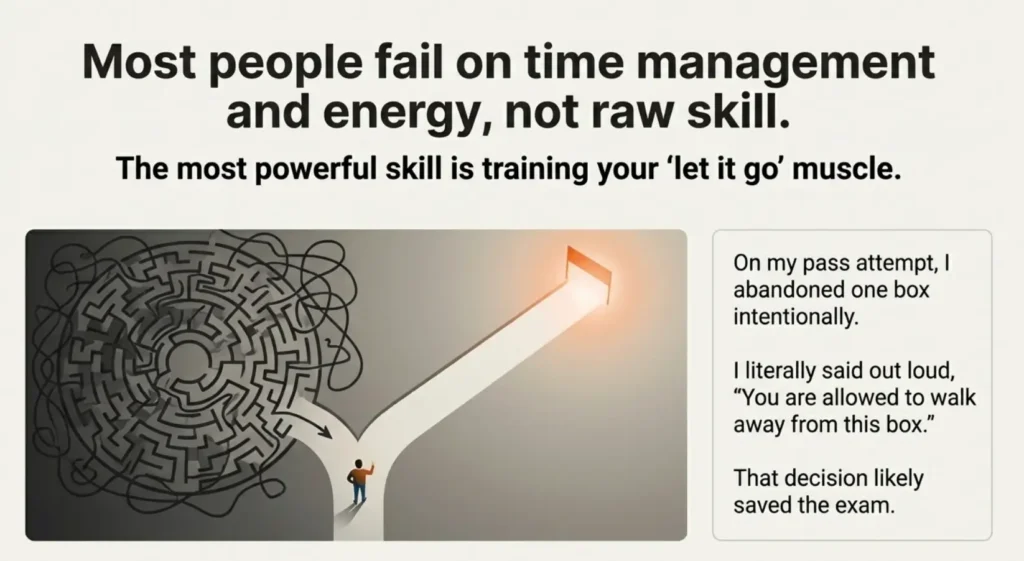
If an approach stalls, record the hypothesis, evidence and next test. Decide whether another task would provide more useful practice before continuing.
- Timeboxing converts chaos into clear decisions.
- Micro-reports make the final report far less painful.
- Letting go of one box can win you the exam.
Next step: Choose a review point for a lab session. At that point, write what you learned and decide whether to continue or change tasks.
Budgeting Time and Money for Your OSCP Journey
Budget from actual offers and your available time. Keep course access, exam attempts and optional platform purchases separate.
Hypothetical calculation: 18 hours per week for 13 weeks equals 234 scheduled hours. If rehearsals occur inside those weekly blocks, they are already included; add them only when they are additional sessions. Scheduled hours do not predict a pass.
Planning Reference #4 – 90-Day Crash vs 6-Month Smoother Timeline
Option A: Shorter planning horizon
- Study 18–25 hours per week.
- Best for those with prior IT/networking experience.
- Higher burnout risk; exam sooner, opportunity cost lower.
Option B: Extended planning horizon
- Study 8–12 hours per week.
- Best for career changers or those with heavy family duties.
- Lower stress; more time to absorb concepts and practice.
Save this card and ask your manager, mentor, or partner which path fits your time and budget better.
If requesting employer funding, explain the skills relevant to your role, the current quoted cost and the access period. Do not promise that a certification purchase guarantees job performance or an exam result.
- Estimate your total hours and check them against your calendar.
- Know your course, exam, and retake budget before you enroll.
- Employer reimbursement can turn OSCP from “expensive” into “essential.”
Apply in 60 seconds: Write down your target exam month and your maximum total budget on the first page of your notes.
Regional and Lifestyle Adjustments for Your 90-Day Plan
Your exact schedule will depend on where you live and how your days are shaped.
Check the actual available exam slots and their time zones. Plan responsibilities, meals and rest around the selected start time; region alone does not determine the schedule.
Some practical adjustments:
- Shift workers: anchor your “study day” after your lightest shift; aim for consistency more than exact hours.
- Parents: trade one weekend morning or evening with your partner in advance; don’t negotiate this at the last minute.
- Students: align heavy study weeks away from exam or project crunch periods.
Check likely interruptions before choosing a rehearsal date. Agree on quiet time with the people sharing your space.
- Simulate the real time zone and date conditions at least once.
- Reserve quiet hours with the people you live with.
- Don’t underestimate noise, holidays, or fatigue.
Apply in 60 seconds: Look at your calendar and mark three “protected” evenings or mornings per week for OSCP until the exam.
Nerdy Operator Notes for 90-Day Planners
This section is for the operators and planners who like frameworks, not just vibes.
Think of your OSCP 90-day plan as a mini engagement with yourself as the client:
- Scope: One certification, 90 days, 3 phases.
- Deliverables: Exam readiness + reusable pentest process + reports from independently authorized public labs. Do not publish actual exam content or exam reports.
- Constraints: Hours per week, money, mental energy.
Suggested review fields:
- Number of hours studied.
- Number of boxes attempted and rooted.
- Number of mini-reports written.
Review these records to identify gaps. An increased machine count alone does not demonstrate improved independent performance.
Show me the nerdy details
Suggested tracker columns: week, scheduled hours, completed hours, target, assistance used, evidence status and report status. If sessions are repeatedly missed, reduce scope or extend the timeline. If the same gap repeats, revisit prerequisites before adding another platform.
- Track hours, boxes, and reports—nothing more.
- Cut scope when numbers sag instead of blaming yourself.
- Use records to identify gaps; do not treat trends as a readiness score.
Apply in 60 seconds: Open a new spreadsheet and add columns for Week, Hours, Boxes, and Reports. Fill in Week 1 tonight.
FAQ
1. Can a complete beginner really follow this 90-day OSCP plan?
A beginner may need substantial prerequisite work before this framework is useful. Review Linux and Windows administration, networking and scripting first, then set a timeline from observed progress. No fixed six-to-nine-month duration is guaranteed either.
Next step: Try a small authorized prerequisite task and note what support you need.
2. How many hours per week do I really need to pass OSCP in 90 days?
There is no universal number of weekly hours that establishes a pass within 90 days. Estimate available time, compare it with your learning needs and adjust the horizon after observing actual progress.
60-second action: Use the hours estimator above and compare the result to your calendar for the next four weeks.
3. How should I budget for OSCP if my funds are limited?
List current course or exam offers, included attempts, access windows, renewal conditions and optional purchases. Buy only when the offer fits your needs and available time; the guide does not require a paid practice subscription.
Next step: Write a maximum budget and check current official product terms before buying.
4. What if I follow this plan and still fail the OSCP exam?
If an attempt is unsuccessful, review your own permitted records for specific gaps in technique, timing or evidence. Set the next practice task from those gaps; do not assume a fixed recovery period or a less difficult second attempt.
60-second action: Write one sentence you’ll read if you fail: “My next attempt starts from here, not from zero.” Save it in your notes.
5. How close to the exam should I run my last mock OSCP simulation?
Choose a rehearsal date that leaves enough time to review gaps and recover. This article does not establish a universally best seven-to-ten-day interval.
Next step: Reserve time for both the rehearsal and its review, without crowding out rest.
6. How do I know I’m “ready” to book the OSCP exam?
Review your independent performance, topic gaps, evidence and report workflow against the current official requirements. Machine counts, completion times and numbers of rehearsals are observations, not validated booking thresholds or pass probabilities.
Next step: Document an unresolved gap and its next practice task before deciding when to book.
Final Checklist and Your Next 15 Minutes
Use the three phases and nine suggested habits as an adjustable planning aid. The schedule, calculator and checklist do not validate readiness or guarantee an outcome.
Before you close this tab, do three things in the next 15 minutes:
- Pick your timeline: 90 days or 6–9 months. Write it at the top of your notes.
- Block three recurring study sessions per week on your calendar.
- Choose one box or lab you’ll start tonight, even if you only have 45 minutes.
Choose one small task from your current gap list, reserve a realistic session and record what happened. Adjust the plan from that evidence.
Editorial correction reviewed October 16, 2026: Unverified personal exam anecdotes and numerical readiness thresholds were removed. Current official course and exam guidance was consulted. This is documentation review, not an independent lab test or personal certification history. Recheck rules and purchase terms for your actual date.
The phase schedule and example weeks are a flexible study framework, rather than 90 individually prescribed daily tasks or a guarantee of passing.