

Turn Lab Amnesia into
Technical Mastery
Friday lab notes have a strange half-life: by Monday, port numbers blur, exploit paths get fuzzy, and “I totally understood this” becomes a suspicious myth with a terminal prompt.
If your notes only say what worked, you are not building repeatable skill. You are collecting cyber confetti.
This template transforms Kioptrix practice into a cleaner training loop: better enumeration, clearer attack timelines, and sharper privilege escalation reviews. Built for OSCP-style discipline, it separates what you found, why it mattered, and what failed.
CAPTURE THE TRAIL BEFORE IT EVAPORATES.
Future you deserves a map, not a fog machine.
Table of Contents
- Capture what you tried, not only what worked.
- Separate enumeration, attack path, and privilege escalation.
- End with one drill for the next week.
Apply in 60 seconds: Create one blank page titled “Weekly Kioptrix Review” before opening your next VM.
Why Your Kioptrix Notes Fall Apart After Friday
The “I’ll remember this” trap
Every beginner believes the same tiny fairy tale: “I’ll remember how I got root.” Then Tuesday arrives wearing a dull sweater, and the whole path has evaporated. You remember that Apache mattered. You remember a login page. You remember feeling clever for 11 minutes. That is not a review. That is fog with a terminal prompt.
Kioptrix practice rewards repeatable thinking. A box may be old, intentionally vulnerable, and friendly enough to run in a home lab, but your memory is still a leaky bucket. The weekly review patches the bucket. If you are still shaping your overall study rhythm, a simple Kioptrix session routine can keep your notes, scans, breaks, and review blocks from drifting into one sleepy pile.
What disappears first: ports, paths, passwords, and pain
The first details to vanish are usually the boring ones. Ports. Version strings. Web directories. Failed passwords. The exact clue that made one exploit plausible and five others noise. These are not decorative crumbs. They are the trail.
I once spent nearly 40 minutes re-discovering a directory I had found two days earlier. It was sitting in my notes under “interesting stuff,” which is the cybersecurity equivalent of tossing your house keys into the ocean and calling it organization.
The real goal: make next week easier, not prettier
Your notes do not need to look like a polished conference handout. They need to answer one practical question: “Can I repeat the reasoning without watching a walkthrough?” If the answer is no, the notes are pretty wallpaper. Nice wallpaper, maybe. Still wallpaper.
- Bad review: “Used exploit, got shell.”
- Better review: “Service version suggested old vulnerability; verified manually; exploit worked after adjusting target path.”
- Best review: “Next time, check version-to-vulnerability mapping earlier, but confirm manually before running anything.”
That shift turns Friday’s success into Monday’s training asset. The brain likes stories. Your template should give it one.
Who This Weekly Review Is For, And Who Should Skip It
For beginners building repeatable enumeration habits
This template is for learners who are still building muscle memory. Maybe you are practicing Kioptrix Level 1, Level 2, or another deliberately vulnerable VM. Maybe your lab has VirtualBox, VMware, Kali, and a target machine quietly humming like a tiny cyber terrarium. If you are brand-new, start with a grounded Kioptrix for beginners path before trying to make every session feel like an exam rehearsal.
If you are learning enumeration, the review matters more than the root flag. The flag is dessert. Enumeration is dinner. Eating only dessert feels heroic for 20 minutes, then your training collapses into sugar fog.
For OSCP-minded learners who need evidence, not vibes
OSCP-style discipline is not about typing louder. It is about documenting well enough that another careful human can follow your work. Offensive Security’s exam culture has long emphasized reporting, proof, and reproducibility. That mindset is useful even when you are not sitting for an exam.
A weekly review helps you practice:
- Clear scope language.
- Repeatable enumeration.
- Evidence capture.
- Plain-English vulnerability explanation.
- Calm thinking after failure.
Not for unauthorized testing, live targets, or “just trying things”
This article is strictly for legal lab practice. Do not scan, test, exploit, or “poke around” systems you do not own or have explicit permission to assess. The Computer Fraud and Abuse Act in the United States can apply to unauthorized access, and “I was learning” is not a magic cloak.
Keep your training inside intentionally vulnerable VMs, CTF platforms, private networks, and written permission. Good habits start before the first scan.
Not for people collecting flags without studying decisions
If your only goal is to stack flags, this template will feel annoying. It asks why, not just what. It slows you down by 10 minutes to save you 2 hours of circular confusion later.
That trade is usually worth it. Your future self is a busy person. Be kind to them. Leave a map. For a broader route through the boxes, pair this review habit with a Kioptrix learning path so each session has a reason beyond “open VM, chase dopamine.”
The One-Page Kioptrix Review Template That Actually Gets Reused
Box name, date, time spent, and objective
Start with a small header. Not a novel. Not a forensic museum. Just enough context to make the page useful three months later.
- Box: Kioptrix Level ___
- Date: YYYY-MM-DD
- Time spent: ___ minutes or hours
- Objective: Initial access, privilege escalation, full root, or review-only
- Environment: Kali version, hypervisor, network mode
I prefer writing the objective before touching the box. It keeps the session from becoming a midnight swamp where every command feels equally urgent. Labs are small, but attention leaks quickly.
Scope reminder: lab-only, local-only, permission-only
Put your scope line near the top every time. It may feel ceremonial, but ceremonies shape behavior. Write: “Authorized local lab only. No live-target testing.” Then respect it.
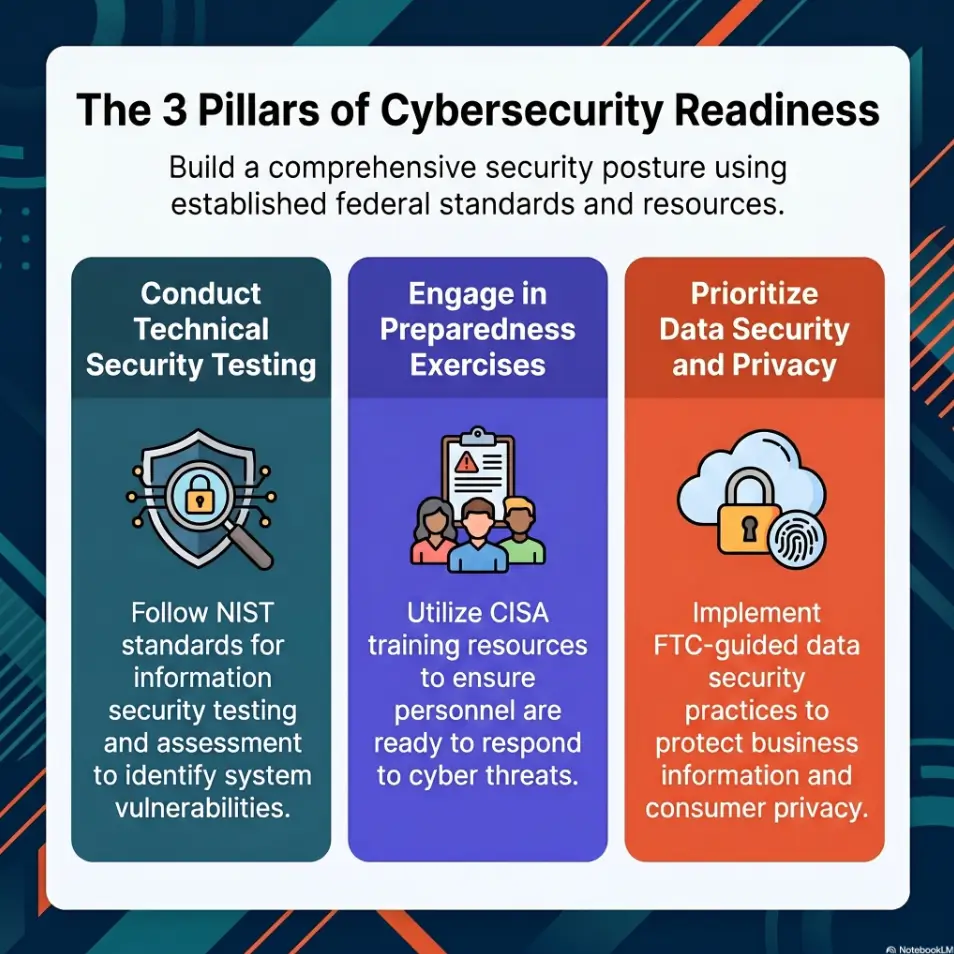
The National Institute of Standards and Technology describes technical testing in formal security assessment contexts, but your home lab version has the same ethical spine: define boundaries before action.
Final status: rooted, partial, paused, or restarted
Do not force every weekly review into a victory pose. “Paused at web enumeration” is useful. “Restarted after bad assumption” is useful. “Rooted but cannot explain why the exploit worked” is very useful, if slightly humbling. When a session gets messy enough to require a clean slate, use a Kioptrix level restart guide instead of rage-clicking your way into a second swamp.
The status line should be brutally plain:
- Rooted: Root privileges confirmed on the target, for example by recording a target-side UID of 0. Track understanding and repeatability separately in the confidence score.
- Partial: Initial foothold or major clue found.
- Paused: No breakthrough yet, next step defined.
- Restarted: Prior notes were too messy or assumption-heavy.
Confidence score: what you can repeat cold
Add a 1-to-5 confidence score. This is not a moral grade. It is a weather report.
| Score | Meaning | Next step |
|---|---|---|
| 1 | I followed hints but cannot repeat the path. | Redo enumeration from scratch. |
| 3 | I understand the main path but missed key decisions. | Rewrite the attack timeline. |
| 5 | I can repeat and explain the path using my own notes when needed, without copying a walkthrough. | Convert the lesson into a checklist. |
- Start with scope, status, and confidence.
- Use plain language before commands.
- Measure repeatability, not drama.
Apply in 60 seconds: Add a confidence score to your last Kioptrix note and explain the number in one sentence.
Enumeration First: The Section That Saves Future You
Initial scan summary without dumping the whole terminal
Your weekly review should not paste 300 lines of scan output and call it scholarship. Store raw output in a file, yes. In the review, summarize what mattered.
A good scan summary is small and sharp:
- Target IP and network mode.
- Open TCP ports.
- Interesting service versions.
- First hypothesis.
- What you chose to investigate next.
For example: “Open ports suggested SSH, web, and SMB exposure. Web service looked old; SMB required deeper enumeration. I chose web first because the HTTP response exposed a recognizable stack.” That sentence carries more learning than a kilometer of pasted output. If your scan notes keep ballooning, a focused Kioptrix enumeration report can help separate useful findings from terminal confetti.
Service notes by port: what looked normal, stale, or suspicious
Create a small table by port. This keeps your review readable and forces your brain to classify evidence instead of hoarding it.
| Port | Service | Clue | Decision |
|---|---|---|---|
| 22 | SSH | Version, login possibility | Hold until credentials appear |
| 80 | HTTP | Headers, directories, app hints | Enumerate pages and technologies |
| 139/445 | SMB | Shares, anonymous access | Check safely within lab scope |
Web findings: directories, technologies, forms, headers
For web enumeration, split findings into four buckets: directories, technologies, inputs, and headers. This prevents the classic beginner blur where every web clue becomes “maybe important.” Maybe is not a category. It is a raccoon with a clipboard.
Record only the items that changed your decisions. A hidden directory matters if it exposed an app. A header matters if it gave a version or security clue. A form matters if it shaped a test plan. For learners who want a cleaner first pass, a dedicated Kioptrix HTTP enumeration routine can keep web notes from becoming a drawer full of tangled headphones.
Pattern interrupt: “Here’s what no one tells you about boring ports”
Boring ports often teach the most. A closed door teaches patience. A stale banner teaches verification. A service that “probably does nothing” may later explain credentials, file paths, or privilege escalation.
Lab-only boundary
Ports, services, clues
Choices and failures
Local path to root
Screenshots and commands
One skill next week
The Attack Path Timeline: Turn Chaos Into a Breadcrumb Trail
What you tried first, and why
The attack path timeline is where your weekly review grows teeth. Start with your first decision. Not your first command. Your first decision.
There is a difference:
- Command-first note: “Ran directory scan.”
- Decision-first note: “Started with web enumeration because HTTP exposed the most information and required no credentials.”
The second version trains judgment. The first version trains copy-paste memory, which is useful until the box changes its hat and mustache. For a more formal version of this habit, study the Kioptrix decision process and treat each pivot as a choice that needs evidence.
What failed, and what that failure taught you
Failed paths are the compost of skill. Messy, humbling, and weirdly fertile. Record them with one sentence each: what you tried, why it seemed reasonable, and why you stopped.
Do not turn failure notes into emotional weather reports. “I am terrible at this” is not evidence. “SQL injection test produced no useful response after checking three inputs” is evidence. It also keeps your self-esteem from being managed by a vulnerable VM from another era.
The working path in five clean steps
After the messy timeline, write the final path in five steps or fewer. This is the version you can review before the next session.
- Identify exposed services and likely entry points.
- Confirm relevant versions or application behavior.
- Test the most plausible vulnerability in the lab.
- Stabilize or understand the initial foothold.
- Enumerate locally and escalate with evidence.
Five steps forces compression. If your path needs 19 steps, the extra steps probably belong in raw notes, not the review summary.
Decision checkpoint: where the box changed direction
Every good box has a turning point. A directory appears. A credential works. A kernel version matters. A file permission starts glowing under the flashlight.
Mark that checkpoint clearly. Future you should be able to scan the review and see where the problem stopped being “find a door” and became “walk through this door carefully.”
- Write why you chose each path.
- Keep failed attempts short but visible.
- Compress the final working path into five steps.
Apply in 60 seconds: Open one old lab note and add a single line: “The turning point was…”
Don’t Do This: Copy-Pasting Exploits Without Explaining Them
Record the vulnerability, not just the command
Copy-pasting an exploit without explanation is like writing down a cake recipe as “did oven thing.” Technically something happened. Learning did not.
Your review should name the vulnerability class in beginner-friendly language. Was it outdated software? Weak credentials? Misconfigured service access? Unsafe file permissions? A web input issue? The point is not to cosplay as a CVE encyclopedia. The point is to explain the weakness clearly enough that you can recognize its cousin later. If this is a recurring weak spot, read why copy-paste commands fail in Kioptrix and make “explain before running” part of your review ritual.
Note the version clue that made the exploit plausible
In a legal lab, version clues often guide research. Record the exact clue that made a path worth testing. It might be a banner, an application footer, a header, or behavior that matches known patterns.
Also record uncertainty. “Version suggested possible issue; verified with manual behavior check” is stronger than “found exploit online.” The first shows judgment. The second sounds like a vending machine with root privileges.
Separate proof-of-concept from reliable workflow
A proof-of-concept can demonstrate possibility. A workflow helps you repeat safely and explain what happened. Keep them separate in your review.
| Item | What to record | Why it matters |
|---|---|---|
| PoC | What proved the issue existed | Prevents blind trust |
| Workflow | Steps that worked reliably in your lab | Supports repeat practice |
| Limit | What could break or fail | Builds realistic thinking |
The “works once” problem beginners ignore
Some commands work once because the environment was just right. Path, shell, network state, permissions, interpreter location, or timing may have quietly helped. Your review should say what made success possible.
When I started writing cleaner lab notes, I discovered a rude little truth: several “skills” were actually lucky sequences. Naming that was uncomfortable. It was also the beginning of real improvement.
Show me the nerdy details
For exploit review, separate three layers: prerequisite, trigger, and outcome. The prerequisite is the condition that must exist, such as a vulnerable version or misconfiguration. The trigger is the controlled action that demonstrates the issue in your authorized lab. The outcome is what changed: file read, code execution, credential access, shell, or privilege change. This structure keeps your notes cleaner and reduces the temptation to treat every downloaded script as a black box.
Privilege Escalation Review: Where Most Learning Hides
Local enumeration checklist: users, kernel, files, services
Privilege escalation is where many beginners suddenly start moving too fast. They get a shell, panic politely, and throw every local enumeration script they have ever downloaded at the box. The screen fills. Understanding quietly exits through a side door.
Your weekly review should capture the local checks that mattered:
- Current user, groups, and home directory access.
- Kernel and operating system information.
- Interesting SUID or writable files.
- Running services and scheduled tasks.
- Credentials, configs, or backups discovered within scope.
Misconfigurations worth remembering
Do not write “privesc happened.” Write the misconfiguration. Was the issue weak permissions? Outdated kernel? Exposed credentials? A service running with too much trust? A path problem? A script writable by the wrong user?
Misconfiguration language transfers. The exact Kioptrix path may not reappear, but the pattern will. Patterns are where training pays rent. A focused Kioptrix Level 1 privesc checklist can also help you turn local clues into repeatable review language instead of one-off terminal archaeology.
What made root possible
Use one plain sentence: “Root became possible because…” Then finish the sentence without jargon armor.
Examples:
- “Root became possible because a local configuration exposed credentials.”
- “Root became possible because the system had an outdated component with a known local issue.”
- “Root became possible because file permissions allowed a low-privileged user to influence a trusted process.”
What you would check earlier next time
This is the highest-value line in the whole privilege escalation section. It converts pain into a future shortcut. Not a reckless shortcut. A disciplined one.
Write: “Next time, I would check ___ earlier because ___.” That sentence turns frustration into curriculum. Small magic. No wand required.
- Classify the weakness.
- Record the local clue.
- Write what you will check earlier next time.
Apply in 60 seconds: Add “Root became possible because…” to your template.
Common Mistakes That Make Weekly Reviews Useless
Mistake 1: Writing a walkthrough instead of a review
A walkthrough tells someone what to do. A review tells you how you thought. You can write both, but do not confuse them. The weekly review should be shorter, sharper, and more honest.
If your review reads like a recipe, add decision notes. If it reads like a diary, add evidence. If it reads like a confession booth, drink water and return to the facts. For a cleaner publishing bridge, use Kioptrix report writing tips after the review is already clear enough to stand upright.
Mistake 2: Saving every command but no reasoning
Command history is not reasoning. Save commands, yes, but annotate the handful worth reusing. Mark them as scan, enumeration, validation, exploit, post-exploit, or cleanup.
For each command in your review, answer yes or no:
- Did it change my next decision?
- Would I reuse it in a similar legal lab?
- Can I explain its main options in one sentence?
- Does it include target-specific data that should be redacted?
Neutral action: Keep commands with at least two “yes” answers in the review; move the rest to raw logs.
Mistake 3: Ignoring failed paths because they feel embarrassing
Failed paths are not evidence of incompetence. They are evidence of exploration. The only waste is refusing to label them.
I keep a “Dead Ends” subsection in lab notes because it lowers the emotional temperature. Once a failed path has a little chair and name tag, it stops haunting the room.
Mistake 4: Mixing lab notes with live-target habits
This matters. A home lab is not permission to test the wider internet. Keep your review language scoped. Avoid normalizing habits that would be unsafe or unauthorized outside the lab.
Use phrases like “in this local VM,” “within the lab network,” and “authorized practice target.” That wording trains boundaries into your process.
Pattern interrupt: “Let’s be honest, screenshots are not understanding”
Screenshots prove something appeared. They do not prove you understood it. A screenshot of root is a receipt. The review is the accounting system.
Save screenshots, but pair each important one with a caption: what it proves, what came before, and what decision came after.
The Evidence Folder: Screenshots, Commands, and Receipts
What screenshots are actually worth saving
Not every terminal blur deserves immortality. Save screenshots that prove milestones. Discovery, foothold, privilege escalation clue, successful escalation, and final proof. Five screenshots can be better than 50.
The goal is not to build a cyber snow globe. The goal is to make your result auditable by you, later, when your memory has gone out for noodles. If your screenshots keep turning into digital confetti, borrow a screenshot naming pattern so proof files behave like evidence instead of aquarium gravel.
Command snippets to keep: scan, enum, exploit, privesc
Create four command buckets:
- Scan: Target discovery and service identification.
- Enumeration: Web, SMB, users, files, and service checks.
- Exploit validation: Safe lab proof that a weakness exists.
- Privilege escalation: Local checks and escalation path.
Keep snippets short. Include the purpose above the command. A command without purpose is just a fossilized keystroke.
Naming files so you can find them three months later
Use boring names. Boring is searchable. Boring is merciful.
| Folder | Example | Use |
|---|---|---|
| box-name/date | kioptrix-level-1/2026-05-06 | Main session folder |
| 01-scans | tcp-scan-summary.txt | Raw and summarized scans |
| 02-web | dir-findings.md | Web clues and screenshots |
| 03-privesc | local-enum-notes.md | Local checks and proof |
Neutral action: Create the folders before the session so evidence has a place to land.
Redacting sensitive strings even in a home lab
Even in a home lab, practice redaction. Replace passwords, private keys, tokens, and personal paths with placeholders when writing polished reviews. This habit matters when you later write reports, share notes, or work with real client data under authorization.
The Federal Trade Commission regularly emphasizes careful handling of sensitive data in business contexts. Your lab notes are a low-stakes place to build that reflex before it matters.
- Save milestone screenshots, not every screen.
- Bucket commands by purpose.
- Redact secrets even when the lab feels harmless.
Apply in 60 seconds: Rename one old screenshot using box-date-purpose format.
The Weekly Scorecard: Measure Skill, Not Ego
Enumeration discipline score
Rate enumeration from 1 to 5. Did you check services methodically? Did you jump at the first shiny exploit? Did you summarize findings before choosing a path?
A 2 is not shameful. It is information. The scorecard should feel like a dashboard, not a courtroom.
Exploit selection score
Rate whether your exploit choice was evidence-based. A high score means you identified a plausible weakness, verified context, and understood the main risk. A low score means you searched, clicked, ran, and hoped. We have all met that goblin. Do not let it drive.
Privilege escalation patience score
Privesc patience is a real skill. Did you enumerate locally before trying random escalation ideas? Did you inspect permissions, users, services, and files? Did you explain the final condition?
Write-up clarity score
Your review should be readable by you after a long week. If it requires caffeine, incense, and a séance to interpret, lower the score.
| Skill | Score 1–5 | One-line evidence |
|---|---|---|
| Enumeration discipline | ___ | What proved the score? |
| Exploit selection | ___ | What clue justified the path? |
| Privesc patience | ___ | What did you check before escalating? |
| Write-up clarity | ___ | Could you repeat it cold? |
Neutral action: Pick the lowest score and make it next week’s drill.
One skill to drill before the next Kioptrix session
End the scorecard with one drill. Not four. Not a grand self-improvement opera. One.
Examples:
- Redo service enumeration without hints.
- Practice writing five-step attack timelines.
- Explain one vulnerability class in plain English.
- Repeat local enumeration from a low-privileged shell.
- Clean and label the evidence folder within 10 minutes.
Skill grows through loops. A weekly review closes the loop before the next box opens it again. For a more structured reflection method, a Kioptrix self-assessment can help turn those scores into actual practice decisions.
FAQ
What should I include in a Kioptrix weekly review?
Include the box name, date, lab scope, final status, time spent, enumeration summary, attack path timeline, failed assumptions, privilege escalation notes, screenshots worth keeping, reusable commands, and one drill for the next week. The best reviews explain decisions, not just commands. A separate Kioptrix session summary can also help when you want a shorter snapshot after each practice block.
How long should a weekly Kioptrix review take?
For most learners, 20 to 40 minutes is enough. If the review takes longer than the box, your template may be too heavy. Keep raw logs separate and make the weekly page a clean summary.
Should beginners write a full walkthrough after every box?
Not always. Beginners often learn more from a weekly review than from a full walkthrough. A walkthrough explains the path to someone else. A review explains your thinking to future you. Write a walkthrough only after you can explain the decisions clearly.
How do I track failed exploit attempts without cluttering my notes?
Create a short “Dead Ends” subsection. Use one line per failed attempt: what you tried, why it seemed plausible, and why you stopped. Move long output to raw logs. This keeps failure useful without turning the page into a swamp.
What is the safest way to practice Kioptrix levels?
Practice only in an authorized local lab using intentionally vulnerable machines. Keep the target isolated from networks you do not intend to test. Never scan or exploit public systems without explicit permission. If your setup is still wobbly, review a Kioptrix network setup guide before you start collecting scan results.
How can I turn Kioptrix practice into OSCP-style study habits?
Use evidence-based notes. Define scope, document enumeration, explain vulnerability selection, capture proof, and write a repeatable attack path. OSCP-style discipline is less about memorizing tricks and more about reporting clear, reproducible work.
Should I use Notion, Obsidian, Google Docs, or Markdown for lab notes?
Use the tool you will actually open every week. Markdown is portable and works well with evidence folders. Obsidian is strong for linking concepts. Notion is comfortable for dashboards. Google Docs is simple for polished write-ups. The tool matters less than the template discipline. For a more practical comparison, a Kioptrix note-taking tool breakdown can help you pick the system you will actually keep using.
How do I know if I actually learned from the box?
You learned from the box if you can repeat the reasoning without watching a walkthrough, explain why the working path worked, name at least one failed assumption, and choose one specific skill to drill next.
Next Step: Build Your Review Before Your Next Box
Create one reusable weekly review page today
The hook was simple: Friday notes collapse by Monday. The fix is not a more beautiful notebook. It is a reusable page that catches the details before they disappear into the carpet.
Create one page with this title: “Weekly Kioptrix Review.” Then duplicate it for each session. Keep the template plain enough that you will use it when tired. If you want the habit to survive beyond one burst of motivation, connect it to a Kioptrix review habit that runs even when your energy is operating on two crackers and a stubborn dream.
Add four fixed sections: enumeration, attack path, privesc, lesson
Your minimum template can be almost embarrassingly small:
- Scope and status: Authorized lab, target, date, time spent, result.
- Enumeration: Ports, services, web findings, key clues.
- Attack path: Tried first, failed paths, working path, turning point.
- Privilege escalation: Local checks, weakness, proof, earlier check next time.
- Weekly lesson: One repeatable habit and one drill.
After your next Kioptrix session, fill it in before reading another walkthrough
This is the small discipline that changes the flavor of practice. Before reading another walkthrough, fill in your review. Even if it is messy. Especially if it is messy. Messy notes written honestly are better than elegant notes copied from someone else’s finished path.
In the next 15 minutes, build the blank page, add the five skeleton sections, and write your scope line. That is enough to begin. The next box will provide the weather. Your template will provide the map.
Last reviewed: 2026-05.
Tags: Kioptrix, cybersecurity lab notes, OSCP study habits, penetration testing practice, weekly review template
Meta description: Build a safer, clearer weekly review template for Kioptrix practice with enumeration, attack path, privesc notes, and skill scoring.
Technical guidance updated: 2026-10-13. Separated confirmed root access from understanding and repeatability in the weekly review.