Beyond the “Worked Somehow” Moment
One unlabeled scan result looks harmless, almost polite, until your Kioptrix notes turn into a drawer full of loose cables: ports, screenshots, commands, guesses, and one suspicious line that says “worked somehow.”
That mess is not a beginner flaw. It is what happens when cybersecurity lab documentation grows faster than your memory can organize it. In a Kioptrix session, raw scan output, possible vulnerabilities, confidence levels, evidence, and next steps can blur together fast.
Keep guessing, and your final write-up starts to look lucky instead of thoughtful.
This guide shows you how to label Kioptrix findings clearly so your lab notes become easier to trust, easier to turn into a portfolio post, and safer to revisit a week later without reopening 17 tabs like a tiny digital archaeologist. You will learn a simple system for separating observed facts, possible leads, confirmed findings, dead ends, and report-worthy evidence.
Start with one label. Then one finding card. Then the fog begins to lift.
Table of Contents
The Mess Starts Small: One Unlabeled Scan, Then Chaos
Why “I’ll remember this later” quietly ruins lab notes
The first lie in a cybersecurity lab is rarely dramatic. It is usually this: “I’ll remember why I copied that output.”
You probably will remember it for five minutes. Maybe ten if coffee is behaving like a loyal teammate. But Kioptrix has a way of multiplying details. A port scan becomes a version note. A version note becomes a possible vulnerability. A possible vulnerability becomes three browser tabs, two terminal windows, and a screenshot named something cheerful like Screenshot 2026-05-08 at 11.43.22.png.
That is how notes become fog.
Kioptrix Level 1 is often introduced as an easy, beginner-friendly vulnerable VM for practicing basic vulnerability assessment and exploitation techniques in a controlled lab. That beginner label is useful, but it can be sneaky. “Easy” does not mean “obvious.” It means the path is learnable. The note-taking discipline still matters. If you are still mapping the broader sequence, a clear Kioptrix learning path can keep the technical work from becoming a pile of disconnected victories.
The difference between a finding, a clue, and a guess
A clean lab note separates three things that beginners often throw into the same bowl:
- Finding: something observed and recorded from a tool, page, service, or command.
- Clue: something that may point toward a useful direction.
- Guess: an unverified idea that needs testing before it earns a chair at the adult table.
In my own early lab notes, I once wrote “old service = vulnerable?” and then spent half an hour treating that sentence like a royal decree. It was not a finding. It was a hunch wearing a borrowed blazer.
The tiny label that saves your future self
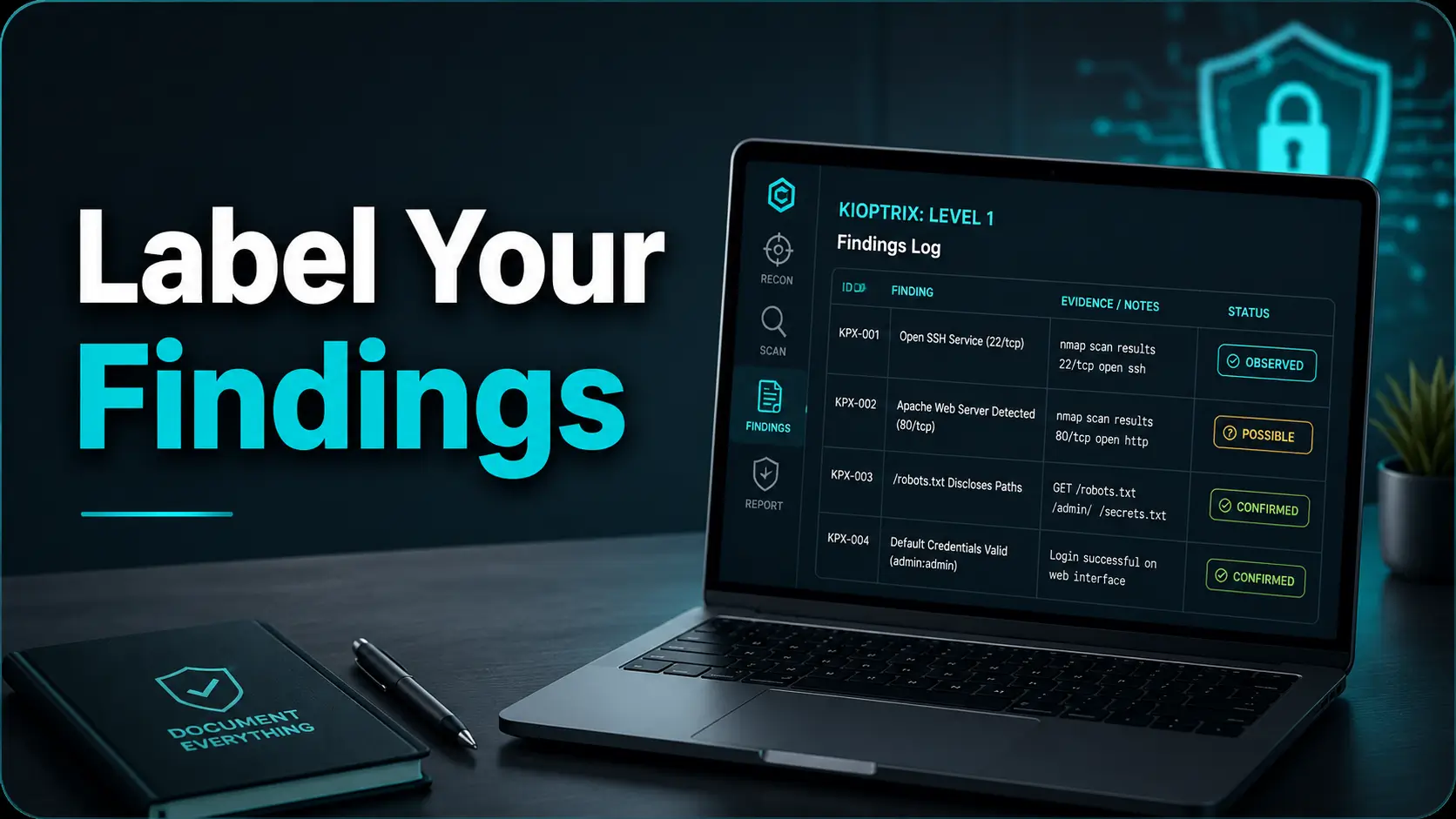
The smallest useful label is not complicated. It can be as simple as [OBSERVED], [POSSIBLE], or [CONFIRMED]. That little bracketed word tells your future self how much weight the note can carry.
- Label raw output before interpreting it.
- Mark guesses as guesses while they are still soft.
- Promote notes only after verification.
Apply in 60 seconds: Add [OBSERVED] before the next scan result you paste.
Who This Is For, And Who Should Skip It
Best for Kioptrix beginners building repeatable habits
This guide is for learners using Kioptrix inside an authorized home lab, classroom, CTF-style environment, or training setup. If you are practicing with a downloaded vulnerable VM on your own machine, your notes are not busywork. They are the workbench.
Good labeling helps you answer the question that matters after the lab ends: “Could I explain what happened without reopening 17 tabs and whispering to the terminal?”
A beginner does not need corporate-grade reporting software. You can use Obsidian, Notion, CherryTree, Markdown files, Google Docs, or even a plain text file. The tool matters less than the habit. A clean label in a basic text editor beats a beautiful template filled with soup. If tool choice itself is slowing you down, a focused guide to a Kioptrix note-taking tool can help you choose a simple setup before the templates start breeding in the drawer.
Useful for students preparing write-ups, portfolios, or interviews
If you plan to turn Kioptrix practice into a blog post, GitHub portfolio entry, school submission, or interview talking point, labels are gold dust. They show sequence. They show restraint. They show that you understand the difference between a scanner screaming and a human thinking.
Junior analysts are often evaluated on judgment, not just technical trivia. Anyone can paste a command. Fewer people can explain why they ran it, what changed afterward, and what they ruled out.
Not for unauthorized testing or real-world targets
This article is not a guide to attacking systems. Keep all practice inside systems you own, have explicit permission to test, or are designed for training. In professional environments, testing without authorization can create legal, ethical, and operational problems faster than a misfired command can fill a screen.
That boundary is not decorative. It is the fence around the playground. Stay inside it.
Eligibility Checklist: Is This Note System Right for Your Session?
- Yes/No: Are you working only inside an authorized lab VM or training range?
- Yes/No: Do you need a cleaner write-up after the box?
- Yes/No: Are you mixing scan output, theories, and screenshots right now?
- Yes/No: Would your notes make sense one week from today?
Neutral next step: If you answered “yes” to the lab boundary and “no” to note clarity, start with the five-field finding card below.
Root Access Is Not the Story: Your Evidence Trail Is
Why a successful exploit can still make a weak write-up
Root access feels like the fireworks moment. It is bright. It is loud. It makes the room briefly smell like victory and overheated laptop.
But in a learning write-up, root is not the whole story. It is the final page. The better question is: did your notes show how you moved from observation to hypothesis to verification?
A weak write-up says, “I scanned, found a thing, used an exploit, got root.” That is a postcard from the mountain summit. Nice view, but no trail map.
A stronger write-up says, “The scan showed these services. I treated this version detail as a lead, checked it against context, tested one safe path, ruled out another, then confirmed the result with specific evidence.” That is the trail map. That is what a reader can learn from. For beginners who need a broader example of turning steps into a readable narrative, a clean technical write-up framework can help you move from raw notes to a reader-friendly explanation.
How labeled findings prove your reasoning
Labels turn your note history into a chain of custody. Not in the courtroom sense, but in the “please prove your brain did not teleport” sense.
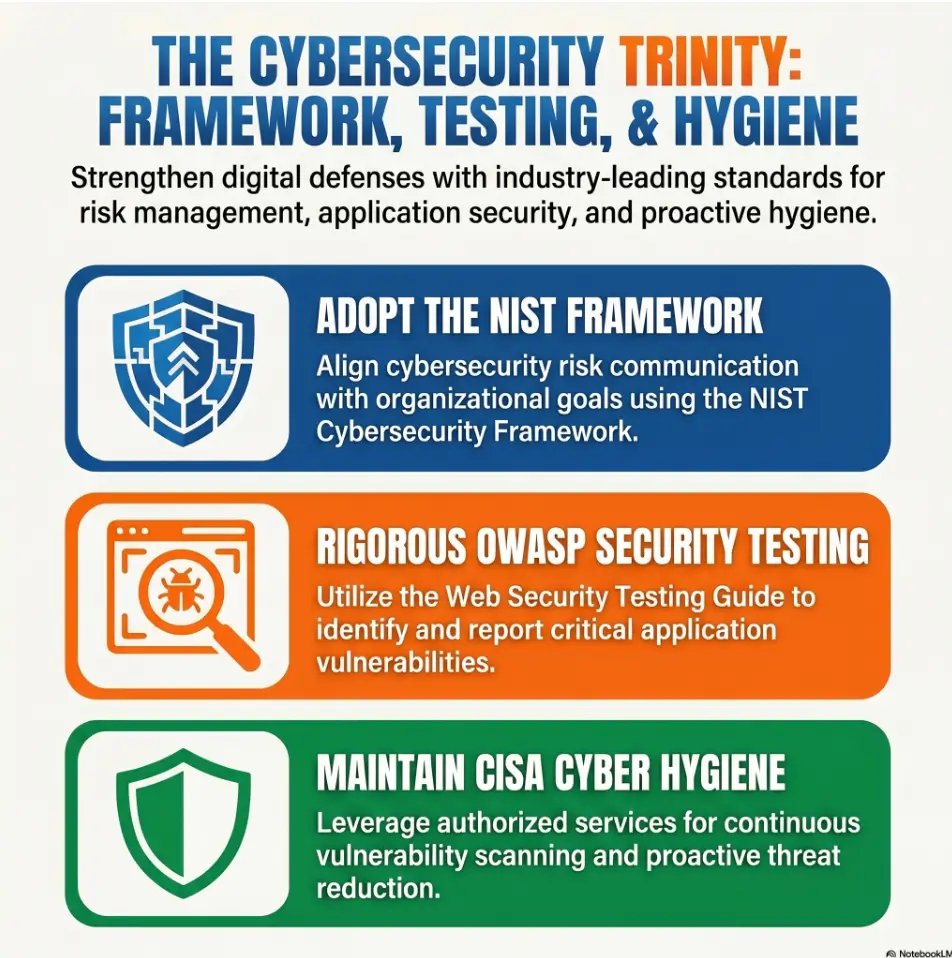
Cybersecurity work often requires communicating uncertainty. NIST’s Cybersecurity Framework talks about understanding, assessing, prioritizing, and communicating cybersecurity risk. Even in a tiny lab, those verbs matter. You observe. You assess. You prioritize. You communicate.
Kioptrix is small enough to practice that loop without a department meeting, a ticket queue, or a manager asking whether the dashboard can be “more green.” Blessed silence.
Here’s what no one tells you: messy notes make smart people look lucky
Messy notes hide skill. They make careful reasoning look accidental. A reader cannot see the three dead ends you avoided, the assumption you corrected, or the service you refused to overstate.
Clean labels do the opposite. They make your judgment visible.
Kioptrix Finding Flow: From Noise to Report
Record raw fact: service, version, page, error, or behavior.
Mark it as observed, possible, confirmed, or dead end.
Run one controlled lab action with a clear reason.
Tie the result back to evidence, not vibes.
Move only useful, verified details into the final write-up.
Label Findings by Type Before Your Notes Become Soup
Discovery labels: IPs, ports, services, versions
Discovery notes are the census takers of your lab. They record what exists before you decide what it means.
Use discovery labels for target IPs, open ports, service names, version strings, banners, page titles, response codes, and anything else you observed directly. The key phrase is observed directly. If a scanner reports it, a browser shows it, or a command returns it, it can be a discovery note. When those first results feel too loud, a structured Kioptrix enumeration habit helps you record the room before you start rearranging the furniture.
Example format:
[OBSERVED] TCP port found open Evidence: Initial network scan output Detail: Service banner or version copied exactly Confidence: Medium until manually checked Next action: Verify service behavior with a second methodNotice the modest confidence. Tools are useful. Tools are also tiny chaos engines wearing lab coats. Let them help, but make them earn trust.
Hypothesis labels: what might matter, but is not proven yet
A hypothesis is a useful maybe. It deserves a label because maybes are slippery. They love dressing up as facts after midnight.
When you see an old service version, a strange web page, or an unexpected share, label your thought as [POSSIBLE]. That keeps the idea alive without letting it bully the investigation.
Confirmation labels: what you verified and how
Confirmation labels are for findings that survived testing. They should include what changed your mind from “possible” to “confirmed.”
Did a manual check match the scanner? Did a page expose a behavior you could repeat? Did a credential work in the lab? Your note should say how you know.
Action labels: what you plan to test next
Action labels keep you from wandering. Write the next safe lab step before running it. That one sentence can prevent 20 minutes of “I clicked around because the interface looked suspicious.”
- Discovery notes capture what exists.
- Hypothesis notes capture what might matter.
- Confirmation notes capture what you proved.
Apply in 60 seconds: Create four headings in your notes: Observed, Possible, Confirmed, Next Actions.
Don’t Mix Evidence With Excitement
The screenshot problem: proof without context is wallpaper
Screenshots feel official. They have pixels. They have terminal windows. They look like the kind of thing a person might put in a report and nod at sternly.
But a screenshot without context is wallpaper. Pretty, maybe useful, but not evidence by itself.
Every screenshot needs at least four pieces of context:
- What it shows: the specific result, page, error, or output.
- When it happened: sequence number or timestamp.
- Why it matters: the claim it supports.
- Where it belongs: discovery, testing, confirmation, or report.
I learned this the annoying way. I once saved five nearly identical screenshots during a lab and later had to play forensic charades with myself. “Was this before the failed login, after the service check, or during the snack break?” Nobody won. A consistent screenshot naming pattern can turn those mystery images into evidence with a passport stamp.
Why terminal output needs a timestamp or sequence marker
You do not need a museum-grade archive. You do need sequence.
Use simple file names such as:
01-initial-scan.txt 02-service-check-http.txt 03-web-login-page.png 04-possible-version-lead.md 05-confirmed-access-result.pngThe number does not have to be perfect. It just needs to stop your evidence from floating around like socks in a dryer.
Let’s be honest: “worked somehow” is not documentation
“Worked somehow” is a mood, not a method.
If something works, write down why you believe it worked. If you do not know, write that too. Honest uncertainty is better than fake precision. A note that says “Result observed, cause not yet understood” is professional. A note that pretends certainty because the screen looked exciting is confetti in a lab coat.
Screenshot Naming Table: From Mystery File to Evidence
| Bad Filename | Better Filename | Why It Helps |
|---|---|---|
| screenshot-final.png | 06-confirmed-web-result.png | Shows sequence and purpose. |
| scan2.txt | 02-verified-service-scan.txt | Separates first pass from verification. |
| thing-that-worked.png | 09-confirmed-lab-access.png | Makes report placement obvious. |
Neutral next step: Rename your next 3 screenshots before opening another terminal tab.
The Confidence Tag That Prevents False Leads
Use low, medium, and high confidence labels
Confidence tags are small honesty engines. They stop a note from pretending to be more certain than it is.
Use three levels:
- Low: interesting clue, not yet verified.
- Medium: observed from a tool or one manual check, but still needs context.
- High: verified through repeatable evidence and tied to a clear outcome.
That is enough. You do not need a 17-level confidence taxonomy unless you enjoy building tiny bureaucracies in your spare time. Some people collect stamps. Some build dropdown menus. We are choosing peace.
Mark assumptions before they harden into fake facts
Assumptions are not bad. Unlabeled assumptions are bad.
In Kioptrix practice, you may assume an older service deserves attention. You may assume a web form is worth testing. You may assume a suspicious banner points toward a known weakness. Fine. Write it as an assumption.
[POSSIBLE][LOW CONFIDENCE] Service version may be relevant. Reason: Version appears older than expected. Evidence: Banner from scan output. Next action: Verify version manually before treating it as a finding.This keeps your notes intellectually clean. It also trains the habit professional analysts need: separate the signal from the story you want to tell.
Separate “interesting” from “important”
Not every interesting thing is important. Cyber labs are full of shiny buttons, old pages, strange headers, and little technical birds tapping at the window.
Use an [INTERESTING] note if you want, but do not promote it to [REPORT] until it supports the final path or teaches a useful lesson.
Show me the nerdy details
Confidence tagging works because it reduces cognitive load. Instead of rereading every note as if it has equal value, you create a quick triage layer. Raw scan output stays in the observed bucket. Unverified interpretation stays in the possible bucket. Repeatable evidence moves to confirmed. For Kioptrix-style labs, that mental separation matters more than perfect tooling. It helps you avoid confirmation bias, where one early idea becomes the magnet that pulls every later detail toward it.
Common Mistakes That Make Kioptrix Notes Unreadable
Mistake 1: copying commands without writing why you ran them
A command without a reason is a footprint without a map. It proves you were somewhere. It does not prove you knew why.
Before each meaningful command, add one line:
Reason: Verify whether the service behavior matches the initial scan result.That single sentence changes the tone of your write-up. You stop looking like someone copying a recipe and start looking like someone cooking with heat control. If you keep finding yourself copying first and thinking later, the pattern may connect to broader Kioptrix copy-paste command failures, where the real problem is not the command but the missing context around it.
Mistake 2: saving screenshots with mystery filenames
Mystery filenames are little time thieves. They do not steal much at once. They steal 30 seconds, then 90 seconds, then your will to finish the report.
Use sequence numbers. Use plain English. Use labels. Your future self is not a detective hired to solve your desktop.
Mistake 3: treating every open port like a confirmed vulnerability
An open port is not automatically a vulnerability. It is an open door-shaped detail. Maybe it matters. Maybe it is normal. Maybe it is the lab’s way of saying, “Please calm down and verify me.”
Write:
[OBSERVED] Port open. [POSSIBLE] Service may deserve testing. [CONFIRMED] Only after evidence supports a vulnerability or useful path.Mistake 4: writing the report only after the box is finished
This is the classic trap. You finish the lab, feel victorious, then open a blank document and discover your memory has turned into damp cardboard.
Write the report while you work. Not polished paragraphs. Just report-ready fragments. A good label makes those fragments easy to collect later. If you need a bridge from fragments to a finished post, practical Kioptrix report writing tips can help you preserve the path without turning the report into a terminal transcript.
- Write why before important commands.
- Name screenshots by sequence and purpose.
- Do not call a port a vulnerability until evidence earns it.
Apply in 60 seconds: Add “Reason:” above your last important command and fill in one sentence.
The Clean Finding Format: Five Fields, No Drama
Finding name: short enough to scan
A finding name should be boring in the best possible way. Short. Clear. Skimmable. No thriller subtitles.
Use names like:
- Open HTTP service observed
- Service version requires verification
- Login page discovered
- Potential credential path ruled out
Notice the verbs: observed, requires, discovered, ruled out. They show status. That helps your reader understand whether the note is raw, pending, or finished.
Evidence: where the claim came from
Evidence tells the reader where the claim came from. It can be a scan output, browser page, terminal result, service banner, screenshot, or repeated behavior.
Do not just paste the evidence. Explain what part matters. A 200-line output dump is not kindness. It is a haystack with a tiny Post-it note that says “needle somewhere.” A dedicated Kioptrix recon log template can give those evidence snippets a fixed home before they wander off with the spoons.
Impact: why the detail matters in the lab
Impact does not need drama. You are not writing a breach notification for a Fortune 500 company. You are explaining why the detail matters in this controlled exercise.
Good lab impact sounds like this:
Impact: This service may influence the next enumeration path. Impact: This result helps rule out the previous hypothesis. Impact: This confirmation belongs in the final write-up because it explains the path choice.Status: observed, tested, confirmed, or ruled out
Status is the traffic light. Without it, every note sits in the same lane honking.
Use:
- Observed: raw fact captured.
- Tested: action performed, result pending interpretation.
- Confirmed: repeatable result supports the claim.
- Ruled out: useful dead end, no need to revisit soon.
Next action: the next safe lab step
Every useful finding card ends with motion. Not wild motion. Controlled motion.
“Next action” keeps the session from drifting into random clicking. It also makes breaks safer. When you return after lunch, your notes tell you where the thread is tied.
Decision Card: Full Finding Card vs Quick Label
| Use This | When | Trade-Off |
|---|---|---|
| Quick Label | Capturing fast scan output or a minor clue. | Fast, but may need cleanup later. |
| Full Finding Card | A detail may affect the final path or report. | Takes 2–4 minutes, but saves report-writing time. |
Neutral next step: Use quick labels during discovery, then promote only important notes into full finding cards.
A Mini Labeling System You Can Use Today
[OBSERVED] for raw facts
Use [OBSERVED] when you have not interpreted the result yet. This is the cleanest label because it keeps your note humble.
Examples:
[OBSERVED] Target responds at lab IP. [OBSERVED] Web page loads in browser. [OBSERVED] Scanner reports open TCP ports.[POSSIBLE] for leads worth checking
Use [POSSIBLE] when a detail might matter. The word protects you from premature certainty.
[POSSIBLE] Service version may point toward a known issue. [POSSIBLE] Web form may reveal useful behavior. [POSSIBLE] Default configuration may be present.[CONFIRMED] for verified findings
Use [CONFIRMED] only after evidence supports the claim. This is not a decorative sticker. It is a promotion.
If you cannot explain why the finding is confirmed, it is not confirmed yet. It is still waiting in the hallway with a paper cup of coffee.
[DEAD END] for paths you can stop revisiting
Dead ends are not failures. They are cleaned-up uncertainty.
A ruled-out path can be valuable in a write-up because it shows judgment. It says, “I tested this, learned from it, and moved on.” That is far better than silently wandering away.
[REPORT] for details worth moving into the final write-up
Use [REPORT] when a note deserves a place in the final article or portfolio post. Do not mark everything this way. A final report is not a landfill with headings.
Good report candidates include:
- Key discovery results that explain your path.
- Confirmed findings tied to evidence.
- Important dead ends that prevented wasted effort.
- Screenshots with clear context.
Mini Calculator: How Much Cleanup Time Are Messy Notes Costing?
Use this illustrative planning estimate. The minute values are examples, not measured averages; replace them with your own cleanup times. No data storage or form submission is involved.
| Number of mystery screenshots | Multiply by 2 minutes each. |
| Number of unlabeled command outputs | Multiply by 3 minutes each. |
| Number of unmarked guesses | Multiply by 5 minutes each. |
Output: Add the totals to estimate cleanup time. Treat 20 minutes as an optional reminder to review your labels, not an objective quality threshold.
Neutral next step: Rename your screenshots and tag your guesses before writing the final report.
Short Story: The Screenshot Named “Final-Final-Really”
I once reviewed a beginner lab write-up where the most important proof was hidden inside a screenshot named final-final-really.png. The image showed a meaningful result, but the note beside it said only, “This worked.” The learner understood more than the report showed. We spent 12 minutes reconstructing the path:
which command came before it, what assumption had changed, and why this screen mattered. By the end, the fix was not technical. It was narrative. We renamed the screenshot, added a confidence tag, wrote one evidence sentence, and moved it into the final report. The work did not become smarter. It became visible. That is the quiet magic of labels: they do not create skill from nowhere. They let skill step into the light and stop pretending it is luck.
The Portfolio Angle: Clean Labels Make You Look Hireable
Hiring managers do not need movie hacking
A good beginner portfolio post does not need cinematic hacking energy. No green rain. No dramatic hood. No paragraph that sounds like a raccoon broke into a data center.
Hiring managers, mentors, and senior analysts usually want signs of discipline:
- Can you work inside scope?
- Can you explain what you observed?
- Can you avoid overstating evidence?
- Can you turn technical activity into readable communication?
Clean Kioptrix labels help with all four. They also make it easier to shape your lab work into a Kioptrix write-up for LinkedIn without sounding like you are auditioning for a keyboard thunderstorm.
Clear labels show judgment, patience, and process
Judgment shows up when you label uncertainty. Patience shows up when you verify before claiming. Process shows up when your report has a clean path from discovery to outcome.
Those qualities travel beyond Kioptrix. They matter in help desk escalation notes, SOC tickets, vulnerability reports, bug bounty write-ups, incident timelines, and internal security memos.
OWASP’s Web Security Testing Guide is widely used because testing is not just about trying things. It is about structure, method, and reporting. Your Kioptrix notes are a small place to practice the same muscle.
Why your write-up should read like an investigation, not a command dump
A command dump says, “Here is what I typed.”
An investigation says, “Here is what I noticed, why it mattered, what I tested, what changed, and what I learned.”
The second one is more useful to readers. It is also more useful to you. When you revisit the lab months later, you can relearn the method instead of decoding your own archaeology. If you want that method to become a repeatable habit, a short Kioptrix session summary after each lab can preserve the decisions while they are still warm.
- Use labels to show scope, evidence, and confidence.
- Promote only report-worthy details.
- Explain dead ends when they teach judgment.
Apply in 60 seconds: Add a “Why this mattered” sentence under one confirmed finding.
FAQ
Why do my Kioptrix notes become confusing so fast?
They become confusing because lab work produces different kinds of information at the same time: scan output, theories, screenshots, credentials, commands, and next steps. If those items are not labeled by type and status, they all look equally important later. The fix is to label each note as observed, possible, confirmed, dead end, or report-worthy.
What should I label first during a Kioptrix session?
Label raw facts first. Start with the target IP, scan results, open services, visible web pages, and file names. Use [OBSERVED] for anything directly captured. Do not interpret too early. A clean observation layer makes every later decision easier. If the session itself keeps starting messy, a simple Kioptrix session routine can give your first 10 minutes a calmer spine.
Should I label every command I run?
No. Label meaningful commands. If a command affects your path, confirms a result, rules out a hypothesis, or produces evidence for the report, add a short reason and status. Tiny navigation commands do not need ceremony. Your notes should be useful, not dressed for a royal inspection.
How do I organize screenshots for a Kioptrix write-up?
Name screenshots with a sequence number, status, and purpose. For example, use 03-observed-web-page.png or 08-confirmed-result.png. Add a one-sentence caption explaining what the screenshot proves. A screenshot without context is not strong evidence.
What is the difference between a finding and a hypothesis?
A finding is supported by evidence. A hypothesis is an idea that might explain or connect evidence but has not been proven yet. For example, “service version observed” is a finding. “this version may be exploitable” is a hypothesis until you verify it safely in the lab.
How detailed should beginner pentest lab notes be?
Beginner notes should be detailed enough that you can explain the path one week later. Capture the evidence, confidence level, status, and next action for important items. You do not need to record every tiny movement. You do need to record decisions that shaped your investigation.
Can better labels help me write a stronger cybersecurity portfolio post?
Yes. Better labels help your write-up show reasoning, not just results. They make it clear how you moved from discovery to testing to confirmation. For junior roles, that communication skill can matter as much as the technical path itself.
What should I do when I find conflicting scan results?
Label both results and lower your confidence until you verify manually. Write what each tool reported, when you ran it, and what changed between scans. Then use a separate check to confirm service behavior. Conflicting results are not embarrassing. Unlabeled conflicting results are the problem. If scan disagreement is a recurring headache, reviewing Nmap service detection false positives can help you keep tool output in its proper lane.
Is Kioptrix safe for beginners?
Kioptrix is commonly used as a beginner vulnerable VM series in controlled lab environments, but safe learning depends on scope. Run it only in an isolated lab or training setup you control. Do not use techniques from a lab against systems you do not own or have explicit permission to test.
Next Step: Create One Finding Card Before Running Another Command
Write one observed fact
Before your next command, write one plain fact from your current session. No interpretation. No fireworks.
[OBSERVED] One service or page detail from the lab goes here.This closes the loop from the opening problem. The mess starts with one unlabeled note. The fix starts with one labeled fact. If you want to see the habit across multiple sessions instead of one heroic afternoon, use a simple way to track Kioptrix progress so the learning arc does not disappear between weekends.
Add one piece of evidence
Paste the exact line, screenshot filename, or command output that supports the fact. Keep it short. If the evidence is huge, quote only the meaningful line and save the full output separately.
Mark the confidence level
Add Confidence: Low, Medium, or High. If you hesitate, choose the lower confidence. Your notes are allowed to be cautious. In fact, they look better that way.
Choose the next safe lab action
End with one next action. Not three. Not a heroic paragraph. One controlled move.
Finding name: Evidence: Impact: Status: Confidence: Next action:- Start with one observed fact.
- Attach one piece of evidence.
- Choose one next safe action.
Apply in 60 seconds: Copy the template above and fill it out before running another command.
Conclusion: The Label Is the Little Door Back Into Your Thinking
Kioptrix Level gets messy when your notes lose their labels. Not because you are careless. Because lab work creates information faster than memory can politely arrange it.
The cure is not a massive template, a premium note app, or a dashboard with 47 buttons and the emotional temperature of airport carpet. The cure is smaller: mark what you observed, what you guessed, what you confirmed, what died, and what belongs in the report.
In the next 15 minutes, create one finding card. Give it a name. Add evidence. Mark confidence. Choose the next safe lab action. That single card is a little door back into your thinking. Open it now, before the next command turns the room into cable soup again.
Original review: 2026-05.
Tags: Kioptrix notes, cybersecurity lab documentation, beginner pentesting, CTF write-up, vulnerability assessment workflow
Meta description: Learn how to label Kioptrix findings clearly so your lab notes become cleaner, safer, and easier to turn into strong write-ups.
Technical guidance updated: 2026-10-13. Clarified the assumptions and optional threshold in the note-cleanup time estimate.