Before OSCP exam day, prepare a short plan covering the rules, deadlines, evidence, breaks and what to do when progress stalls. Practise that plan in an authorized lab first. A checklist can organize your work; it cannot establish technical readiness or predict a pass.
This is a planning guide, not a first-person account of failing or passing. The earlier personal anecdotes and unsupported performance claims have been removed. The nine checks below preserve the useful ideas about time management and documentation without presenting them as proven results.
What This Checklist Can Help You Do
Use the checklist to reduce avoidable uncertainty: where your notes are, which target you are working on, what question you are testing and which evidence still needs attention. It does not replace enumeration, Active Directory skills, privilege escalation practice or report writing.
Separate three things in your preparation: official requirements you must follow; logistical arrangements you need to test; and personal working habits you can revise after practice. A suggested timer interval belongs in the third category. It is not an OffSec rule.
1. Prepare Your Workspace and Contingency Plan
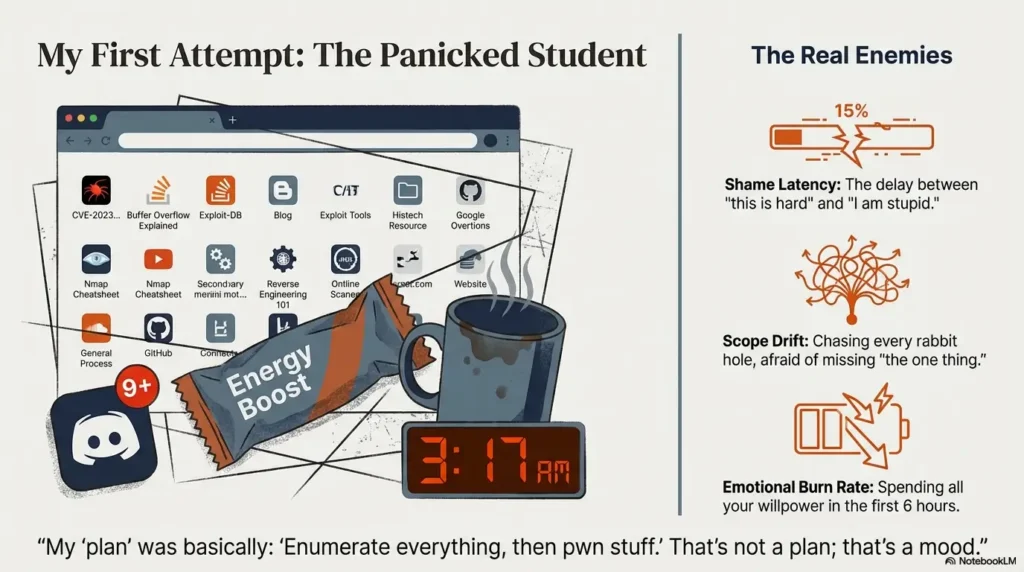
Before the appointment, test the workstation you intend to use, its required proctoring setup, your normal lab environment, note storage and report export. Make sure you can find a saved screenshot and read an exported PDF without a last-minute software change.
Write a contingency note for connection or equipment trouble. Include how to reach official support and where your permitted backup setup is. Do not assume a personal outage will pause the clock or earn an extension; follow the provider’s instructions for your situation.
Keep the desk plan practical: food, water, any personal necessities and an uninterrupted workspace. Choose rest arrangements that suit your circumstances rather than treating a fixed number of sleep hours as an exam requirement or a medical prescription.
2. Separate Exam Rules from Personal Preferences
Check the current OSCP+ exam guide and your exam instructions before the appointment. Verify the scope and restrictions for the particular tool features you will use. Familiarity with a tool does not make every feature permissible.
The official exam FAQ permits notes and specified online resources, but prohibits seeking exam assistance from other people. It also prohibits chatbots during both the exam and reporting phase. Keep exam material out of public forums and assistance services.
Read the separate AI usage policy for its distinction between direct chatbot assistance and permitted noninteractive features. Do not infer permission for an assistant merely because it is embedded in an otherwise familiar application.
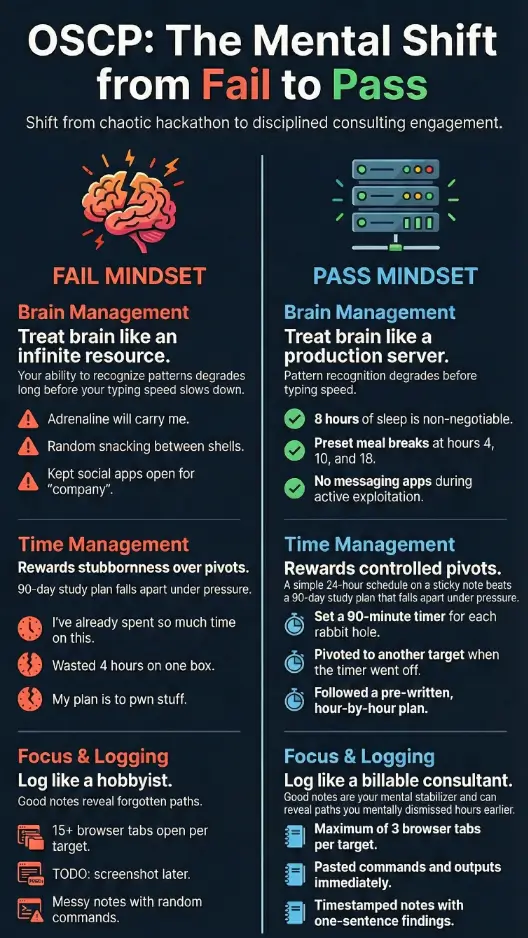
A personal rule such as keeping one research question open at a time can help you organize attention. Label it as your choice. Do not confuse it with target scope, proctoring requirements or the provider’s resource restrictions.
3. Put Both Deadlines on Your Plan
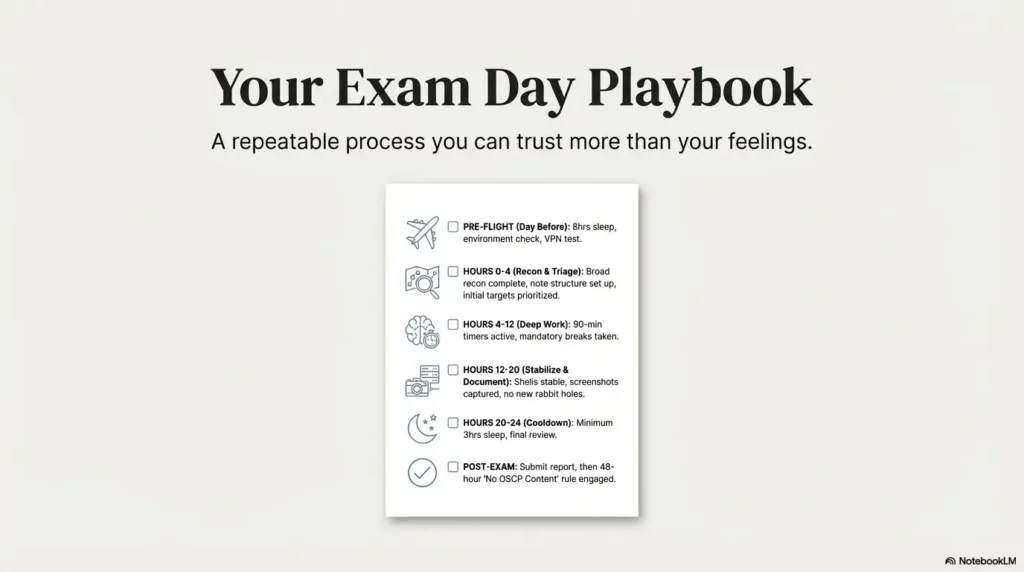
The current exam guide specifies a 23-hour-45-minute assessment, followed by another 24 hours to upload documentation. Treat these as separate windows. Record the actual start, assessment end and documentation deadline, with an explicit time zone, from your exam instructions.
For practice, work backwards from the assessment endpoint. Reserve time to review evidence before access ends, and plan rest and meals inside your working schedule. Avoid copying an hour-by-hour plan that assumes a particular target order or quick early successes.
A personal planning sheet can use four rows: start and setup; investigation with review points; evidence review before access ends; and report completion and submission. Add actual times yourself. A review point is a chance to reassess, not an instruction to abandon a productive line of work.
For longer preparation, the OSCP study plan with three preparation phases covers skills and practice organization. Keep that preparation roadmap separate from the working sheet for your appointment.
4. Review Progress at Decision Points
At a review point, ask: What did I test? What changed? What evidence supports the next step? What is the smallest useful question I can answer next? If the record shows repeated actions without new information, pause to inspect the assumptions.
Hypothetical practice example: set a 30-minute review timer for one investigation. When it rings, record whether the last action produced useful evidence. Continue if you can explain the next test; park the idea if you cannot. Thirty minutes is an adjustable example, not an optimal interval established by a study.
Before switching targets or tasks, leave a restart note: current state, evidence location, unresolved question and the next proposed check. This gives you something concrete to return to without reconstructing every step from memory.
5. Capture Evidence While Access Is Available
Record meaningful actions as you work: the target, relevant context, commands or steps, observations, evidence file names and what remains unresolved. Distinguish a suspected path from an achieved result. Avoid leaving essential collection until the final minutes.
The exam guide requires proof contents to be obtained through an interactive shell from their original location, appropriate proof screenshots including target IP, and submission of found proof values in the control panel before the exam ends. Read the complete evidence instructions rather than relying on this summary.
For a practice note, use fields such as “question,” “action,” “observation,” “evidence file” and “next step.” Check that another reader can follow the sequence. Do not treat a screenshot alone as a substitute for explaining how you reached the result.
6. Plan Breaks and Follow the Proctoring Process
The general proctoring FAQ permits rest and sleep breaks. Notify the proctor through the software chat before leaving and when returning; the FAQ says you need not wait for acknowledgment. It recommends keeping the proctoring session active, and explains that disconnection pauses VPN access until you rejoin.
Plan breaks during practice so you can test how you resume work. Leave a short restart note before stepping away. If you repeatedly reread the same output without understanding it, use that as a prompt to reassess the task or take a break, not as proof of a particular medical condition.
Ending the exam is different from taking a break: the same FAQ says an ended session cannot be rejoined. Check what remains to be collected and submitted before choosing to finish early. For proctoring or connection trouble, use the official support route instead of guessing that a target is intentionally broken.
7. Keep Retake Decisions Separate from Exam Pressure
A disappointing attempt does not tell you what another attempt will cost or whether a rapid retake is the right choice. Review the result and your preparation gaps after the session. Check your actual entitlement, current terms and available budget before paying for another attempt or additional access.
This guide does not estimate the financial cost of failure. Multiplying an assumed hourly value by study hours does not measure an invoice, lost earnings or the probability of needing a retake. The earlier failure-cost calculator and unrelated price table have been removed.
Keep a simple decision note instead: what remains unpractised, what resources you already have, what you would buy, and what evidence would show the extra work helped. There is no universal “hours per machine” threshold that makes a retake financially sensible.
8. Create a One-Page Working Checklist
These boxes are a personal preparation aid. They do not send data, start a scan or certify readiness. Copy the sheet into your own permitted notes before the appointment and fill in specific details rather than simply checking every box.
Keep the working sheet short enough to consult quickly. Put longer reference material elsewhere, with clear names and a tested search method. During practice, remove items you never use and add the steps you actually forget.
9. Review Gaps Before Another Attempt
After an attempt or mock session, separate technical gaps from collection, reporting and logistical problems. “I need to practise reproducing an AD chain” is a more actionable note than “I need a better mindset.” More than one category may need work.
Choose one observable practice task for each important gap, then repeat it without a walkthrough and explain the result in your own notes. Use permitted practice material; do not publish or share confidential exam details in a retrospective.
There is no evidence here that a prior failure increases the chance of passing next time. A changed process is a hypothesis to test in practice, not a success-rate claim. Confidence and a tidy checklist cannot substitute for demonstrating the underlying skills.
Common Exam-Day Questions
Must I switch tasks after 90 minutes?
No. A fixed interval is a personal experiment, not an official requirement. Decide from the evidence and remaining work, and leave a useful restart note.
Can I ask an AI assistant to polish the exam report?
The official exam FAQ prohibits chatbots during the reporting phase as well as the exam. Practise your reporting workflow beforehand and follow the current policy.
Does taking a break extend the assessment?
Plan rest inside the allotted window. Do not assume the clock stops because you leave the workstation. Follow the proctoring process and consult official support for an actual problem.
Does this checklist show I am ready to book?
No. Review your ability to complete and document relevant practice tasks, your remaining gaps and your actual exam arrangements. No checklist guarantees a pass.
Your Next Practice Session
Use your next authorized lab session to test one complete working cycle: define a question, record your actions, pause at a review point, leave a restart note and produce a readable explanation with evidence. Adjust the checklist from what you observe.
Reviewed October 16, 2026. Provider requirements above were checked against the linked OffSec documentation. Time-box examples and working-sheet suggestions are editorial planning aids, not official rules, personal exam logs or measured performance findings. Retained illustrations are not evidence of an exam attempt. Recheck current requirements before your appointment.