PCI DSS v4.0.1 compliance starts with your payment flow. Identify where card details go, confirm the correct validation route with your acquiring bank or other compliance-accepting entity, and collect evidence that the applicable controls work. Using a compliant payment provider can reduce your responsibilities, but it does not automatically complete your own assessment.
This checklist is for US and UK ecommerce merchants, particularly stores using outsourced checkout. It helps organize readiness work; it does not replace the official standard, your applicable Self-Assessment Questionnaire (SAQ), or a required Report on Compliance (ROC). PCI DSS is a global payment security standard, with validation obligations managed through payment brands, acquirers, and other compliance programs. See the PCI SSC overview of scope and compliance responsibilities.
First action: ask your developer and payment provider to document whether checkout redirects customers elsewhere, embeds a provider-hosted payment form, or collects card data through your own application. Get that answer before choosing an SAQ or buying another security tool.
Table of Contents
Use the correct version and assessment documents
PCI DSS v4.0.1 clarified v4.0 without adding or deleting requirements. Version 4.0 retired on December 31, 2024, and the future-dated requirements retained their March 31, 2025 effective date. Those dates have passed: an old transition checklist is not a basis for deferring applicable controls. These details are confirmed in PCI SSC’s v4.0.1 announcement.
Obtain your assessment documents from the PCI SSC Document Library. Check the document revision as well as the standard version. For embedded checkout, the SAQ A r1 script eligibility guidance discussed below is particularly important.
1. Confirm scope and the validation route
Scope means the people, processes, and technology covered by your assessment. PCI DSS can cover systems that affect payment security even when those systems do not store card numbers.
- List every payment channel: website, mobile checkout, payment links, subscriptions, telephone orders, and any physical sales.
- Draw the actual card-data flow, including payment providers, application servers, integrations, logs, and support tools.
- Identify who can change checkout: staff, agencies, hosting administrators, plugin developers, and tag-manager users.
- Ask the organization accepting your compliance submission to confirm whether an SAQ is appropriate, which one applies, and what supporting evidence it expects.
- Record the submission deadline and who owns the assessment internally.
PCI SSC explicitly advises merchants to confirm SAQ eligibility with their compliance-accepting entity. A developer’s recommendation can inform that conversation, but should not replace it. See PCI SSC’s explanation of SAQ selection.
| Payment setup | What to establish |
|---|---|
| Redirect to provider checkout | Confirm SAQ A eligibility and the merchant website’s ASV scanning responsibilities. |
| Embedded provider form or iframe | Confirm SAQ A eligibility, including the script-attack criterion, and ASV scanning responsibilities. |
| Merchant-controlled card collection | Obtain a detailed scope review; ask whether SAQ A-EP, SAQ D, or a ROC is appropriate. |
| Multiple payment channels | Have the compliance-accepting entity confirm how all channels must be covered. |
This table is a conversation guide, not an eligibility determination. A familiar payment-provider logo does not establish how your particular integration handles card data.
2. Make outsourced responsibilities explicit
A useful provider review answers two questions: does the relevant service have appropriate PCI DSS compliance evidence, and which tasks remain yours? PCI SSC’s guidance on choosing payment partners emphasizes knowing your providers, confirming their security, and keeping reliable contact details.
- Request the provider’s current Attestation of Compliance (AOC), or appropriate compliance evidence, for the service you actually use.
- Check the covered service, assessment period, and relevant exclusions rather than accepting a generic compliance badge.
- Document responsibility for checkout configuration, updates, scanning, script protection, monitoring, and incident escalation.
- Keep implementation instructions alongside evidence that your integration follows them.
For your working tracker, give every shared task a named merchant owner. “The platform handles it” is difficult to verify; “the platform supplies this report, reviewed by our operations lead” is actionable.
3. Address the SAQ A script-attack criterion
Under PCI SSC FAQ 1588, SAQ A r1 includes a script-attack eligibility criterion for merchant pages containing an embedded provider payment page or form. That particular criterion does not apply to a redirect-only payment flow or fully outsourced payment links. Other eligibility criteria and applicable requirements still matter.
For embedded forms, the FAQ describes two ways to support confirmation: use protective techniques, such as those in Requirements 6.4.3 and 11.6.1, or obtain confirmation that your PCI DSS compliant payment provider’s solution protects the merchant payment page from script attacks when implemented according to its instructions.
- Identify every checkout route that embeds a payment form.
- Record which confirmation route you rely on.
- If relying on provider confirmation, retain the statement and verify that your configuration meets its conditions.
- If implementing protections yourself, retain configuration records and evidence that those protections operate.
A practical review should also flag changes that might invalidate earlier evidence. For example, adding a checkout widget after receiving provider confirmation warrants another look at the confirmation’s scope.
4. Check payment-page script protection in practice
PCI SSC describes Requirements 6.4.3 and 11.6.1 as addressing script authorization, integrity, and tampering, including security-impacting HTTP headers and what reaches the consumer’s browser. Its payment-page security guidance announcement explains why this deserves attention alongside server security.
Use the following as implementation checks where these controls form part of your obligations or chosen protection approach. Map them to the exact assessment requirements before treating them as complete.
- Maintain a working inventory of checkout scripts, their purpose, source, and approving owner.
- Include scripts introduced through tag managers and third-party widgets.
- Document how script integrity and unauthorized changes are detected.
- Check whether monitoring covers the payment page and relevant headers as delivered to the browser.
- Run an authorized, controlled alert test and record who received it and what happened next.
Consider a hypothetical store that deploys a fraud-prevention tool and later adds a marketing tag through a separate agency. The useful question is whether the protection still covers the changed page. An installation screenshot from the original launch cannot answer that.
5. Obtain passing ASV scans where required
Redirecting payment does not remove the SAQ A ASV scanning requirement for the merchant webpage. PCI SSC’s June 2026 clarification covers merchant pages that redirect to a provider and pages containing embedded iframes. Required ASV scans must use a listed Approved Scanning Vendor’s ASV solution. See FAQ 1604 on SAQ A scanning.
PCI SSC also states that Requirement 11.3.2 calls for evidence of passing external ASV scans at least once every three months. A failed scan followed by an unresolved ticket is not passing evidence. See its ASV resource guidance.
- Agree the relevant domains, systems, and scan scope with your ASV and responsible provider.
- Schedule scans early enough to investigate findings, fix problems, and rescan.
- Retain passing reports and the remediation trail.
- Check the applicable assessment instructions for additional scanning after significant changes.
When hosting is managed, establish how the provider supports the required evidence. Do not assume a platform subscription or an ordinary website security scan satisfies the ASV requirement.
6. Review access, updates, and accidental data capture
Translate the applicable controls into checks your team can perform. PCI SSC’s SAQ overview identifies vulnerability management and authentication among relevant control areas. Its original SAQ A script discussion predates the later r1 eligibility guidance, so use the newer guidance for that issue.
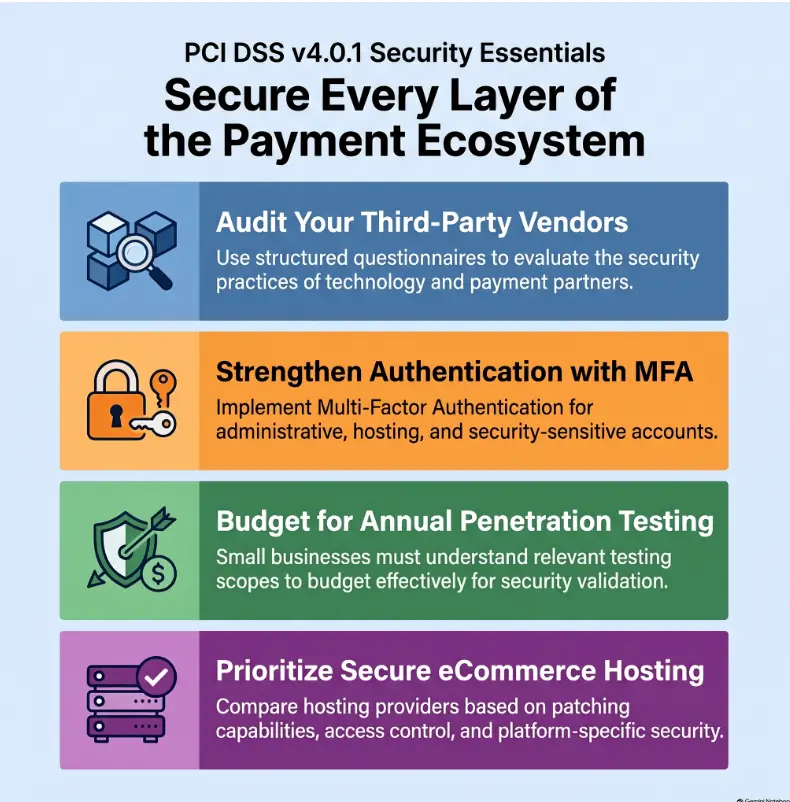
- Review administrative access to the store, hosting, payment dashboard, deployment tools, and tag manager; remove access that is no longer needed.
- Map authentication settings, including applicable multifactor authentication requirements, to the actual systems and assessment scope.
- Assign ownership for security updates across the platform, plugins, themes, and custom code.
- Keep update records and verify checkout after changes using authorized test transactions.
- Check whether analytics, session replay, error logs, support tickets, or exports unexpectedly capture payment details.
One consequential v4.0.1 detail: PCI SSC clarified that the 30-day patch deadline applies to critical vulnerabilities. Other vulnerabilities still need handling under the applicable requirement and your risk-based process; do not interpret that clarification as permission to ignore them.
Do not retain card verification codes after authorization, even encrypted. PCI SSC explains that this prohibition applies even when no primary account number is present. A token stored alongside a verification code does not make that acceptable. See the sensitive authentication data storage FAQ.
7. Expand the review when your environment has broader scope
If your application handles card data, or your environment requires a broader assessment, checkout scripts and ASV scans are only part of the work. Have your security lead or Qualified Security Assessor map the full applicable requirements before estimating completion.
The review may need to cover network controls and secure configuration; stored data and transmission protection; malware defenses; secure development; access control and authentication; physical security; logging; vulnerability and penetration testing; and security governance. Establish applicability, testing procedures, and evidence for each area using the official documents.
Do not use this article’s shorter checklist to exclude those areas. If the team cannot explain whether the application receives card data, resolve that uncertainty before signing an assessment.
8. Build evidence and a response plan before submission
Use a simple working tracker with an owner, status, evidence location, and next review date for each applicable item. The structure below is an editorial suggestion for organizing work, not an official PCI reporting template.
| Work area | Useful evidence |
|---|---|
| Scope and validation | Payment-flow diagram and confirmation of the assessment route |
| Provider responsibilities | Relevant compliance evidence and responsibility record |
| Payment-page protection | Provider confirmation or configuration and operating evidence |
| Vulnerability management | Passing ASV reports, fixes, and update records |
| Access and response | Access-review records, contacts, and response exercise notes |
Make incident handling concrete: who can disable a compromised integration, contact the payment provider, preserve relevant evidence, and coordinate the response? Test those contact paths before an emergency. Follow the applicable incident-response requirements and provider escalation instructions.
Finally, complete the required SAQ or ROC process and accompanying attestation using supported responses. Investigate missing evidence and unresolved failures instead of converting them into a “yes.”
Your next step is to put the payment-flow diagram, assessment-route confirmation, and responsibility record together. Any task without a clear owner or verifiable evidence belongs on the remediation list before submission.