Open the WordPress hosting security review for the task-specific fields, next action and related guide.
Do not turn a valid certificate into a safety rating
A valid TLS connection helps protect traffic and authenticate the endpoint under its certificate trust model. It does not inspect application code, establish authorization correctness, remove malware or certify a trustworthy business. Review those controls separately and keep certificate validation enabled. A security checklist does not guarantee that a site cannot be compromised. Reference and scope.
WordPress Hosting Security Comparison
What Actually Protects Your Site?
Not Just the SSL Badge
Use HTTPS for transport protection while checking application, account and operational controls separately.
This guide compares WordPress hosting security by questions about isolation, filtering, backups, patching, cleanup, service availability and recovery. Not glittery feature lists. Not “military-grade” fog. Just the practical checks that help bloggers, agencies, WooCommerce owners, and small businesses choose a host with fewer blind spots.
You will not find a magic host that makes security effortless. You will find a sharper way to compare providers, ask better sales questions, avoid expensive add-on traps, and build a calmer plan before your site becomes someone else’s playground.
Compare real defenses
WAFs, isolation, backups, updates, and incident response explained in plain English.
Avoid costly mistakes
Spot the security claims that sound strong but collapse under basic questions.
Choose with evidence
Use the same documented requirements before comparing plans or proposing a switch.
Record what happens when a layer fails, who owns the response and what evidence is available. 🛡️
Snapshot
This article is for website owners, bloggers, agencies, and small businesses comparing WordPress hosting security before buying or switching. It helps you separate baseline features from meaningful protection, compare free versus paid security options, ask better provider questions, and prepare a documented review of the important requirements before a hosting decision.
Before You Act: Security Advice Without False Promises
WordPress hosting security is a risk-reduction decision, not a guarantee machine. A stronger host can make attacks harder, limit damage, and speed up recovery, but it cannot cancel out weak passwords, abandoned plugins, careless admin access, or a missing response plan.
Use this guide as a comparison framework. Before buying, switching, or upgrading, confirm the details in the host’s documentation, support chat, service terms, and backup policy. If your site handles payments, personal data, regulated information, or client revenue, consider advice from a qualified security professional before making a major change.
Before-you-act note
No hosting provider can promise that your WordPress site will never be hacked. The better question is whether the host helps you prevent common attacks, contain failures, restore clean backups, and document what happened without turning recovery into a scavenger hunt.
Security first, price second?
Price matters. A tiny blog should not buy a fortress it does not need. But if your site earns ad revenue, collects leads, supports clients, or processes orders, the cheapest plan may be expensive in disguise.
A compromised WordPress site can cost you search visibility, affiliate income, customer trust, emergency developer fees, and days of distracted cleanup. That is why this comparison starts with protection and recovery before storage, bandwidth, or coupon pricing.
What this guide can and cannot do
This guide can help you compare hosting security features, understand provider language, prepare buying questions, and spot weak promises. It cannot inspect a provider’s private infrastructure or certify that a host is safe for your specific business.
For a higher-risk site, such as a busy WooCommerce store or agency network, combine hosting due diligence with your own security testing strategy. If you need a framework for that, this related guide on building a security testing strategy can help you think beyond hosting alone.
Know Your Threat Model Before You Compare Hosts
The best WordPress host for a recipe blog may not be the best host for a WooCommerce shop. Security only makes sense when it is matched to what you are protecting. Otherwise, you end up buying smoke alarms for a boat and life jackets for a library.
Start with your threat model: who might attack your site, what they would want, how much damage they could cause, and how quickly you need to recover.
Solo bloggers vs ecommerce stores vs client sites
A solo blogger monetized through display ads mostly needs uptime, clean backups, malware prevention, and quick search reputation recovery. A WooCommerce store needs stronger protection around payments, login abuse, customer data, and order continuity.
An agency has a different headache: one weak client site can become a reputational stain across the whole account. If you manage client sites, account isolation and repeatable restore processes become far more important than a glossy dashboard.
Key takeaway
A “secure host” is not one fixed thing. A hobby blog, lead-generation site, online store, and agency account need different security depth, backup frequency, and support response expectations.
Credential theft, plugin exploits, and brute-force attacks
Many WordPress incidents begin in ordinary places: reused admin passwords, vulnerable plugins, outdated themes, exposed login pages, insecure file permissions, and weak third-party access. The attack does not need to be brilliant. It only needs one unlocked window.
When comparing hosts, look for protections that reduce those common paths: login rate limiting, WAF rules, malware scanning, file integrity monitoring, automatic updates, staging environments, and backup restoration that has been tested rather than merely advertised.
A simple WordPress hosting risk map
| Site type | Primary risk | Security features to prioritize | Paid upgrade may be worth it when… |
|---|---|---|---|
| Personal blog | Defacement, spam injection, search penalties | Daily backups, malware scan, basic WAF, SSL, auto updates | The site earns steady ad or affiliate income |
| Lead-generation site | Lost inquiries, form abuse, brand trust damage | WAF, bot filtering, uptime monitoring, clean restore process | Each missed lead has clear business value |
| WooCommerce store | Checkout disruption, customer data exposure, downtime | Stronger isolation, frequent backups, DDoS mitigation, rapid support | Orders are time-sensitive or traffic spikes often |
| Agency account | Cross-site contamination, client churn, support overload | Account isolation, centralized backups, access control, incident process | Multiple client sites share one provider or team |
Ask How Site and Account Boundaries Work
Shared hosting is not automatically unsafe. It is common, affordable, and often enough for smaller sites. The question is whether one customer’s disaster can spill into your account.
Account isolation is the quiet security feature that rarely gets a dramatic homepage banner, yet it may matter more than half the features that do.
Shared hosting’s biggest security weakness
On low-cost shared hosting, many accounts may live on the same server. If the provider does not isolate accounts well, a compromised neighboring account can increase risk for others. It is the apartment-building problem: your door can be locked, but the hallway still matters.
Ask whether your account is isolated at the user, process, file system, and resource level. You do not need to become a systems engineer. You do need a support answer that is more specific than “we take security seriously.”
Containerized environments and account isolation explained
Some managed WordPress hosts use containerized or otherwise isolated environments so each site has its own boundaries. This can reduce cross-account risk, contain resource spikes, and make cleanup easier after an incident.
Isolation does not fix a vulnerable plugin inside your site. It helps limit blast radius. That phrase may sound dramatic, but it is exactly the right mental model: when something breaks, how far can the broken glass travel?
Provider question to ask
“If another customer on the same infrastructure is compromised, what prevents their account from accessing my files, database, or resources?” A strong provider should answer with architecture, not adjectives.
What happens when another customer gets hacked?
A good host can explain containment. A weaker host may only explain cleanup after the fact. You want to know whether compromised neighboring accounts are quarantined, whether suspicious file activity is flagged, and whether support can identify affected accounts quickly.
This is especially important for agencies. If ten client sites sit in one poorly separated environment, one weak plugin can turn into a week of grim coffee and apology emails.
Firewall Claims Decoded: WAF, Bots, and Virtual Patching
“Firewall included” sounds comforting, but it can mean several different things. Some firewalls protect the network. Some inspect web traffic. Some block obvious bot noise. Some are little more than a checkbox wearing a velvet cape.
For WordPress, the most relevant firewall layer is usually a web application firewall, often shortened to WAF. It helps filter malicious HTTP requests before they reach your WordPress application.
Network firewalls vs application firewalls
A network firewall can help control traffic at the infrastructure level. A WAF looks closer at web requests, which is where many WordPress attacks arrive: login attempts, exploit strings, suspicious query patterns, and automated probes.
Both layers can be useful, but they solve different problems. If a host only says “firewall” without describing the layer, rules, or managed updates, ask for detail before giving that feature too much weight.
Managed WAF rules and virtual patching
Managed WAF rules matter because WordPress attack patterns change as plugin and theme vulnerabilities are discovered. A virtual-patching rule may block particular exploit attempts on the paths it covers. Record rule scope and limitations; do not assume every route or variant is protected.
This does not correct the underlying vulnerable component or replace an update and verification plan. Think of it as putting a guard at the hallway while you repair the broken lock.
For a deeper comparison of protective layers, see this related guide on WAF vs RASP vs CSP for startups. The vocabulary overlaps with WordPress hosting decisions more than many buyers realize.
Bot filtering and automated attack prevention
Bot filtering can reduce junk traffic, login attempts, scraping, spam submissions, and noisy probes. For smaller sites, this may feel invisible when working well. For high-traffic sites, it can protect performance and reduce support headaches.
Ask whether bot protection is included by default, whether it covers the WordPress login path, whether it can create false positives, and how you can review or adjust blocked traffic if legitimate users complain.
Which firewall features actually matter?
| Firewall claim | What to ask | Why it matters |
|---|---|---|
| “WAF included” | Is it managed, updated, and tuned for WordPress? | Static rules age quickly and may miss common attack patterns. |
| “Bot protection” | Does it cover login, comments, forms, and checkout? | Bot noise can drain resources and create fake leads or orders. |
| “DDoS protection” | What level is included, and when does mitigation begin? | Marketing language may hide plan limits or paid escalation. |
| “Virtual patching” | Do rules target known WordPress plugin and theme exploits? | This can reduce risk while you test and deploy updates. |
Backups Under Stress: The Restore Test Buyers Forget
Backups are easy to promise and painful to test. Many hosting plans advertise daily backups, but the real question is whether you can restore the right clean version quickly, without accidentally bringing the infection back with it.
A backup is not a comfort object. It is a recovery tool. Treat it accordingly.
Backup frequency versus recovery readiness
Daily backups may be enough for a small content site. They may be too slow for an active store receiving orders all day. If your site changes often, ask how frequently backups run and whether files and databases are captured together.
Recovery readiness means you know how to restore, what the restore includes, how long it usually takes, and whether you can preview or stage the restored version before replacing the live site.
Offsite backups and ransomware resilience
If backups sit in the same environment as the compromised site, they may be exposed to the same disaster. Offsite backups reduce that risk. For business-critical sites, also ask whether backups are immutable, separately authenticated, or protected from accidental deletion.
You do not need every advanced feature on a modest blog. But relying on a single backup location is a gamble with a very boring name.
Key takeaway
When comparing WordPress hosting security, treat backups as a restore workflow, not a storage feature. A host that backs up daily but makes restoration slow, unclear, or expensive may not reduce your real risk enough.
Recovery point objective in plain English
Recovery point objective, or RPO, is the recovery-point target you choose for acceptable data loss. The latest usable recovery point may be older than the advertised schedule if a backup failed, was incomplete or is not clean. Record what was actually restored. For a blogger, that may mean one post draft. For a store, it could mean orders, inventory changes, and customer messages.
The restore test most buyers ignore
| Backup question | Good answer | Warning sign |
|---|---|---|
| How often are backups made? | Clear schedule by plan, including database and files | Vague “regular backups” language |
| Where are backups stored? | Offsite or separately protected backup storage | Only stored on the same server |
| Can I restore myself? | One-click or support-assisted restore with documentation | Restore requires unclear paid support |
| Can I restore to staging first? | Yes, especially for business sites | Live overwrite is the only easy option |
| How long are backups retained? | Retention period stated plainly | Retention buried or plan-dependent |
Malware Cleanup and Incident Response: Read the Promise Slowly
Many hosts mention malware scanning. Fewer include malware removal. Fewer still define how fast they respond, what counts as cleanup, and whether recurring infections are covered.
This is where fine print grows teeth. Read it before you need it.
Free malware removal versus paid remediation
Some hosts scan for malware but charge extra to remove it. Others include cleanup on managed plans. Some only restore a backup, which may not help if the clean backup window has already passed.
Ask whether malware cleanup includes file removal, database cleanup, vulnerable plugin identification, password reset guidance, blocklist support, and recommendations to prevent reinfection.
What hosts define as a security incident
A host may define an incident narrowly. For example, they may help if server infrastructure is affected but not if your outdated plugin caused the problem. That distinction matters because WordPress incidents often live in the gray area between host responsibility and site-owner responsibility.
If your business relies on the site, ask for the support boundary in writing. “What do you fix, what do I fix, and what costs extra?” is not rude. It is adult supervision for your budget.
Response-time guarantees worth paying for
For hobby sites, standard support may be enough. For revenue sites, response time matters. A hacked homepage during a launch, sale, or client campaign can burn money while everyone waits for a ticket reply.
If you manage multiple sites, you may also need a separate response relationship. This guide on incident response retainers explains when outside help may be more useful than hoping your host handles every detail.
Illustrative example: the agency restore that was not really a restore
A small agency moved twelve client sites to a cheaper shared plan. The dashboard looked clean. The plan included SSL, daily backups, malware scanning, and “expert support.” On paper, it seemed efficient.
Then one client’s outdated form plugin was exploited. The host flagged malware and suspended the site. The agency opened a ticket and learned that scanning was included, but cleanup was a paid add-on. The latest backup also contained infected files.
The painful part was not the fee. It was the confusion. No one knew which backup was clean, who owned cleanup, or whether other client sites were affected.
The lesson is plain: before you compare prices, compare the incident workflow. A cheap plan with unclear recovery can turn one vulnerable plugin into a full-week fog machine.
SSL Is the Door Lock, Not the Whole House
HTTPS is important: modern connections use TLS, although hosts often still call certificates “SSL.” HTTPS encrypts traffic and authenticates the connection to your domain when correctly configured. It does not certify that the site or its software is safe.
A site can have a perfect padlock icon and still be vulnerable to plugin exploits, stolen admin credentials, malicious file uploads, or weak backup practices.
Why SSL is now the minimum standard
Any serious WordPress host should provide SSL support. For many sites, free automated SSL is normal. If a host treats SSL as a premium security miracle, keep your eyebrow raised.
SSL belongs in the baseline column. It should be present, easy to renew, and correctly configured, but it should not distract you from deeper controls.
What SSL does not protect against
- Vulnerable WordPress plugins or themes
- Weak administrator passwords
- Compromised hosting accounts
- Malware already inside site files
- Bad file permissions
- Spam form submissions
- Infected backups
SSL protects the tunnel. It does not inspect everything traveling through the tunnel, and it does not decide whether the building at the end is safe.
Security features commonly mistaken for SSL benefits
Buyers often bundle many security ideas into “the site is secure because it has HTTPS.” In reality, HTTPS is only one layer. You still need WAF rules, updates, access control, backups, malware detection, and recovery planning.
For official hardening guidance, WordPress maintains a practical security document that is worth bookmarking before you choose a host or configure a new site.
Update Management: A Common WordPress Security Gap
Many WordPress security problems begin with software that should have been updated. Core, plugins, themes, PHP versions, and server packages all age. Some age gracefully. Some become unlocked doors with version numbers.
Managed WordPress hosting can help, but “managed” does not always mean the host manages every plugin, theme, custom code change, and compatibility test for you.
Automatic core updates and patch deployment
Ask whether WordPress core updates are automatic, whether security releases are handled differently from major feature releases, and whether you can delay updates briefly for testing. The best setup balances speed with caution.
A news site with many plugins may need staging tests before major updates. A simple blog may benefit from faster automatic updates because the compatibility risk is lower.
Plugin vulnerabilities and delayed patching
Plugins are the lively market square of WordPress: useful, crowded, and occasionally chaotic. A host may alert you to vulnerable plugins, but you may still be responsible for replacing, updating, or removing them.
Look for vulnerability alerts, safe update tooling, staging environments, rollback options, and clear guidance when an abandoned plugin becomes risky.
Show me the nerdy details
A practical WordPress update process has four layers: detection, testing, deployment, and rollback. Detection identifies outdated or vulnerable components. Testing checks whether updates break layouts, checkout, forms, or custom code. Deployment applies updates in a controlled way. Rollback lets you recover quickly if the update causes trouble.
For higher-value sites, ask whether the host supports staging, automatic backups before updates, plugin vulnerability alerts, PHP version management, and restore points. Also ask whether the provider updates server-side software, not only WordPress itself.
The strongest setup is boring in the best way: updates happen, failures are reversible, and no one has to perform digital archaeology at midnight.
Safe update testing environments
Staging environments let you test updates before pushing changes live. This is especially useful for WooCommerce, membership sites, learning platforms, or any site where one broken plugin can affect money, logins, or customer trust.
If a provider includes staging only on higher plans, compare the upgrade cost against the real cost of broken checkout pages, lost leads, or emergency developer time.
Compare the operating responsibilities of each option
Compare the current plan with a named alternative against the same site requirements. A shared, managed or VPS label is not a safety grade. Record the functions the provider performs, the work retained by the site owner and any specialist support needed.
For each option, list setup and migration charges, recurring fees, separately priced cleanup, backup/export costs and internal operating time. Record the exact plan, currency, term and exclusions. A higher-priced plan does not establish better isolation or recovery; a cheaper plan does not establish adequate protection.
Choose evidence for the important requirements: a documented access boundary, a permitted restore exercise, update responsibilities and a usable escalation path. Mark claims documented, observed under stated conditions, untested or unresolved. Do not add these statuses into a security score.
Common Shortcuts That Create Bigger Risks
Security shortcuts often feel sensible in the moment. You disable a feature to improve speed. You delay an update because the site is busy. You share one admin account because it is convenient. Then time passes, and convenience quietly becomes liability.
Using outdated premium plugins indefinitely
Premium plugins can become risky when licenses expire and updates stop. The plugin may still work, which makes the danger easy to ignore. Functionality is not the same as safety.
Before choosing a host, check whether it alerts you to vulnerable or outdated plugins. Before renewing a plugin, ask whether it is still maintained, whether alternatives exist, and whether your site truly needs it.
Sharing admin accounts across team members
Shared admin accounts make investigation harder. If something changes, you cannot easily tell who did it. Every real user should have their own account, appropriate permissions, and multi-factor authentication where possible.
Agencies should treat this as basic hygiene. Client sites deserve individual access records, not a communal password that has wandered through three inboxes and a spreadsheet.
Disabling security features to improve speed
Performance matters for user experience and SEO, but disabling security controls without understanding the tradeoff is risky. If a WAF rule, bot filter, or scan appears to slow the site, ask support for tuning options before turning it off completely.
Speed and security should be tuned together. A fast compromised site is still a compromised site, just wearing running shoes.
Key takeaway
The riskiest WordPress security choices are often ordinary: reused passwords, stale plugins, untested backups, vague support promises, and turning off protection because something felt slightly inconvenient.
Relying on a single backup location
One backup location is better than none, but it is not ideal for important sites. If the backup is deleted, corrupted, infected, or inaccessible during an outage, your recovery plan becomes a shrug in formal clothing.
For business sites, consider keeping a separate backup solution in addition to host backups. It does not need to be fancy. It needs to be restorable.
Evidence Checklist Before You Switch Hosts
Before you buy a WordPress hosting plan, run the same checklist against every provider. This keeps you from comparing one host’s marketing page to another host’s technical documentation, which is how confusion sneaks in wearing polished shoes.
Questions to ask before purchasing
- Is SSL included and automatically renewed?
- Is a managed WAF included, or is it a paid add-on?
- How are WordPress core, plugin, theme, and PHP updates handled?
- Are accounts isolated from other customers on shared infrastructure?
- How often are backups created, where are they stored, and how long are they retained?
- Can I restore to staging before going live?
- Is malware cleanup included or only scanning?
- What DDoS protection is included at my plan level?
- What support response time applies during a security incident?
- What security responsibilities remain mine?
Evidence worth verifying in documentation
Look for documentation pages, support knowledge base articles, plan comparison tables, terms of service, backup retention policies, and support scope language. Sales pages are useful for orientation, but documentation is where the seams show.
If you read security documentation often, this guide on how to read a penetration test report can also sharpen how you evaluate claims, findings, and remediation language.
Evidence questions to compare side by side
Use the same required outcome for every candidate. Scroll horizontally for all columns.
| Requirement | Ask for | Record separately |
|---|---|---|
| Recovery | Backup set, retention, access and permitted restore workflow | Advertised schedule versus latest usable recovery point actually checked |
| Filtering | Traffic paths covered, rule ownership, exclusions and false-positive handling | Included feature versus behavior observed in an authorized check |
| Isolation | Site/account boundaries and provider explanation | Documentation reviewed versus independently assessed behavior |
| Updates | Core, plugins, themes, runtime and server responsibilities | Notification versus deployment and compatibility verification |
| Response | Cleanup scope, escalation, fees and customer duties | Response acknowledgement versus containment or recovery commitment |
An important unverified requirement should remain visible even when other features are documented. A feature count or summed grade cannot establish the security of your particular site.
Red flags that deserve immediate caution
- Security language that never explains responsibility boundaries
- Backups advertised without retention or restore details
- Malware scanning included but cleanup hidden behind unclear fees
- No clear staging or rollback path for important sites
- Support unable to explain account isolation
- “Managed WordPress” used without update scope details
- Security add-ons priced separately but not explained clearly
FAQ
Which WordPress hosting provider is considered the most secure?
There is no single most secure WordPress host for every site. The better choice depends on your threat model, budget, traffic, business impact, update needs, backup expectations, and support requirements. Compare providers by isolation, WAF quality, backup restoration, malware cleanup, DDoS protection, and response process.
Is managed WordPress hosting safer than shared hosting?
Compare the actual update, access, backup and support responsibilities of the plans. “Managed” does not establish a tested security advantage. But “managed” is not a fixed standard. Some shared plans with good isolation and backups may be suitable for lower-risk sites, while weak managed plans may still leave major gaps.
Do I still need a security plugin if my host provides protection?
Often, yes, but it depends on what your host already covers. A host-level WAF, backups, and malware scanning may reduce the need for heavy plugins, while a lightweight security plugin may still help with login protection, file monitoring, or alerts. Avoid stacking tools blindly, because overlapping features can cause noise or performance issues.
What security features should every WordPress host include?
Every serious WordPress host should include SSL support, secure server configuration, backups, malware detection, update guidance, access controls, and support documentation. For business sites, also compare managed WAF rules, account isolation, offsite backups, staging, DDoS mitigation, and defined malware cleanup.
How important are automatic backups?
Automatic backups are essential, but they are only useful if you can restore the right clean version quickly. Compare frequency, retention, storage location, restore method, and whether you can test a restore before replacing the live site.
Can hosting alone prevent WordPress hacks?
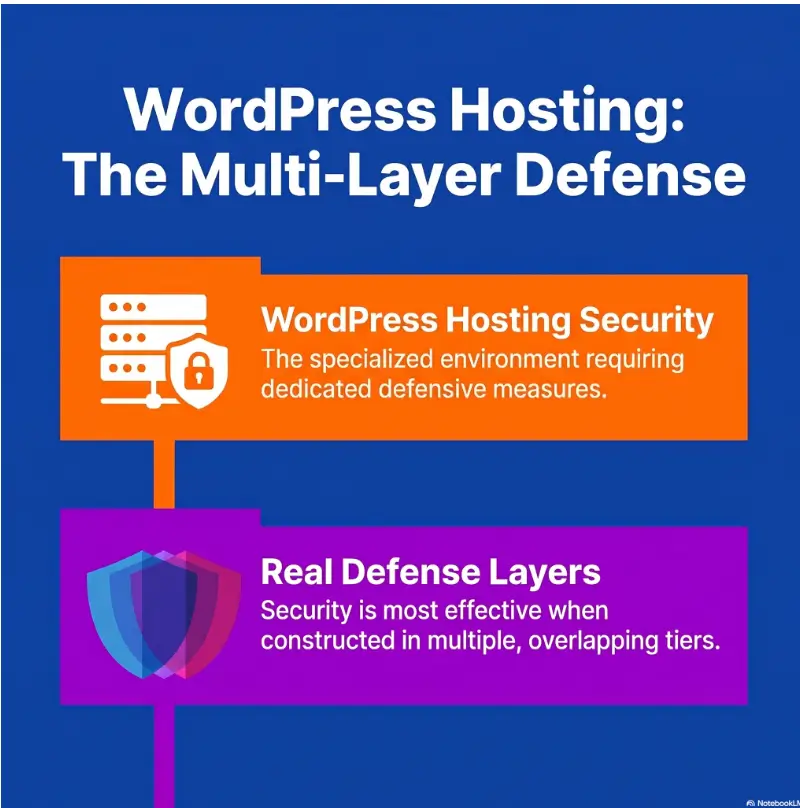
No. Hosting can reduce risk and improve recovery, but site owners still need strong passwords, careful plugin choices, updates, least-privilege user access, and sensible monitoring. Security works best as layers, not as one heroic purchase.
What is account isolation in WordPress hosting?
Account isolation means one hosting account or site is separated from others at the file, process, user, or container level. Good isolation reduces the chance that another customer’s compromised site can affect yours on shared infrastructure.
Are VPS servers always more secure than shared hosting?
No. A VPS can provide more control and separation, but it also requires proper configuration and maintenance. A poorly managed VPS may be less safe than a well-managed WordPress hosting plan. Choose based on skill, support, update management, monitoring, and recovery needs.
How often should WordPress sites be backed up?
Simple sites may be fine with daily backups. Active ecommerce, membership, booking, or publisher sites may need more frequent backups because orders, user activity, or content changes happen throughout the day. Match backup frequency to how much data you can afford to lose.
What should I do immediately after a hosting-related security incident?
Document what you see, contact the host, preserve logs if available, change passwords, review admin users, identify recent plugin or theme changes, scan files, and confirm your clean restore point. Avoid deleting evidence too quickly if you may need professional investigation.
Write the unresolved requirement before choosing a host
Select one requirement that matters to your site and lacks sufficient evidence. Ask the provider a specific question, keep the response and record what it establishes. Do not treat an unanswered question as a passed check or infer that a completed worksheet certifies safety.
Site and required outcome: [ ]
Provider, exact plan and date: [ ]
Advertised claim and document reference: [ ]
Included scope, exclusions and customer duty: [ ]
Behavior actually checked, conditions and evidence: [not tested / record]
Remaining unknown and responsible owner: [ ]
Cost or operating-work assumption: [ ]
Next permitted check and decision limit: [ ]
For recovery, use a restricted staging copy and the precautions below. A successful staging test does not authorize a production overwrite. Keep unresolved live orders, external services and restoration dependencies visible.
Last reviewed: 2026-07
Technical guidance updated: 2026-10-13. Clarified HTTPS/TLS protection, removed an unsupported majority claim, and repaired table-of-contents links.
Make a restore test safe for a real store
Ask the host to restore a dated backup set into an isolated staging environment. Verify both database and files: posts, media, plugin versions, configuration, and representative orders where relevant. A file archive alone is not a complete typical WordPress backup; see the WordPress backup handbook.
Before opening the restored copy, prevent real payment processing, customer emails, outbound webhooks, scheduled jobs, and search indexing as appropriate. Restrict access to copied customer data. Test with sandbox services rather than real transactions.
Record the backup time, restoration start and finish, missing data, failed dependencies, and owner. A successful staging restore does not itself authorize overwriting production. For stores, plan how orders received after the backup will be reconciled before any live rollback.
Editorial review: 16 October 2026. Examples are illustrative; this review does not represent an audit or live control test.
WordPress hosting security review
Use this when: you are a site owner reviewing hosting promises beyond transport protection. Copy the fields into your own notes. Record what is known, what remains uncertain and who will perform the next check.
| Field | What to record | Your evidence / next check |
|---|---|---|
| Security promise | Record the exact hosting feature and the scope the provider claims. | To complete |
| Customer duty | Identify updates, access, application controls and work retained by the owner. | To complete |
| Recovery evidence | Define a permitted restore check and the systems it must not disrupt. | To complete |
| Response terms | Clarify cleanup, incident support, exclusions and escalation ownership. | To complete |
Next action: Verify the first important hosting promise that lacks an acceptance criterion. Keep the supporting observation and its conditions beside the decision so that a later reader can distinguish an established result from a working explanation.
This is an editorial working aid. Complete it with your own scope, evidence and accountable reviewers; the table alone does not establish security, coverage or acceptance.
Related task: For a separate application authorization review, use API Security Checklist: Test Authorization Boundaries. Keep that task distinct from the specific record above.
Worksheet change record — October 20, 2026
Added this wordpress hosting security review, four task-specific fields, a next action and a link to a distinct related task. Existing source notes keep their own review dates. This addition is not a new verification of every statement or a newly executed lab test.
Review notes, sources and limits
Sources, review date and section shortcuts
Editorial review: October 20, 2026. Use HTTPS for transport protection while checking application, account and operational controls separately.
Reference documentation · Related practical guide
Go straight to: Decision check · Main workflow · Further detail