
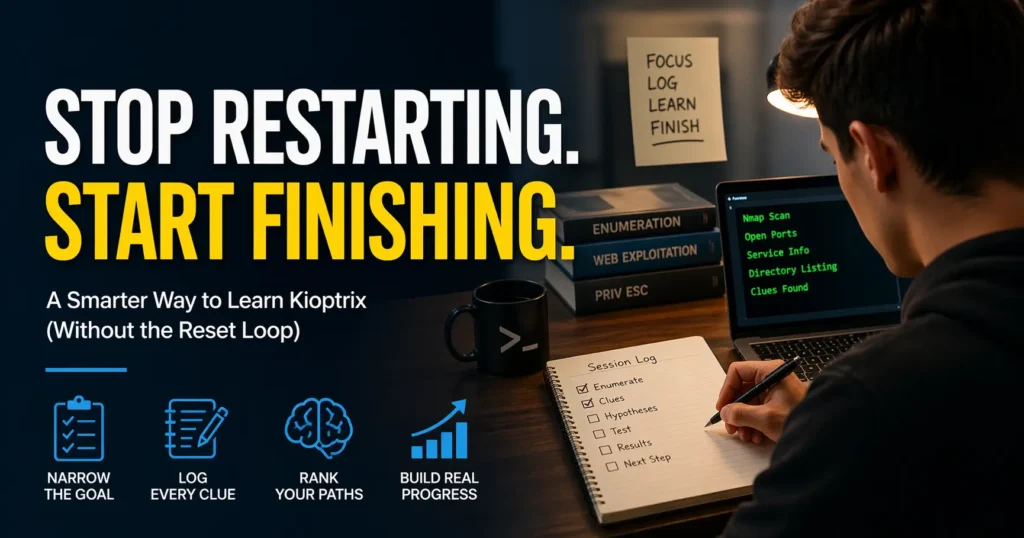
The Breakthrough is Closer Than You Think
Most people do not quit Kioptrix Level because the lab is too hard. They quit because they keep restarting at exactly the moment the real learning is about to begin. That loop feels productive for five minutes and expensive for five sessions.
For beginners, career changers, and tired after-work learners, the pattern is painfully familiar: you enumerate, collect a few clues, lose confidence, chase an exploit too early, and then wipe the slate clean as if a reset will also reset your thinking. It will not. It usually just deletes continuity.
“The cost is bigger than one unfinished box. You lose evidence, weaken your note-taking habit, and train yourself to treat confusion as failure instead of as part of operator growth.”
This post helps you use Kioptrix Level in a calmer, more finishable way. You will learn how to narrow the goal, rank attack paths, log better notes, and turn partial progress into real forward motion without needing root every time to feel successful.
The method here is not built on flashy one-shot wins. It is built on workflow discipline, evidence review, and the kind of reasoning that actually transfers into cybersecurity learning, help desk to security transitions, and interview storytelling.
Here is the uncomfortable truth:
Restarting is not always a lab problem.
Sometimes it is a trust problem with your own process.
And that is fixable. Keep reading.
Table of Contents
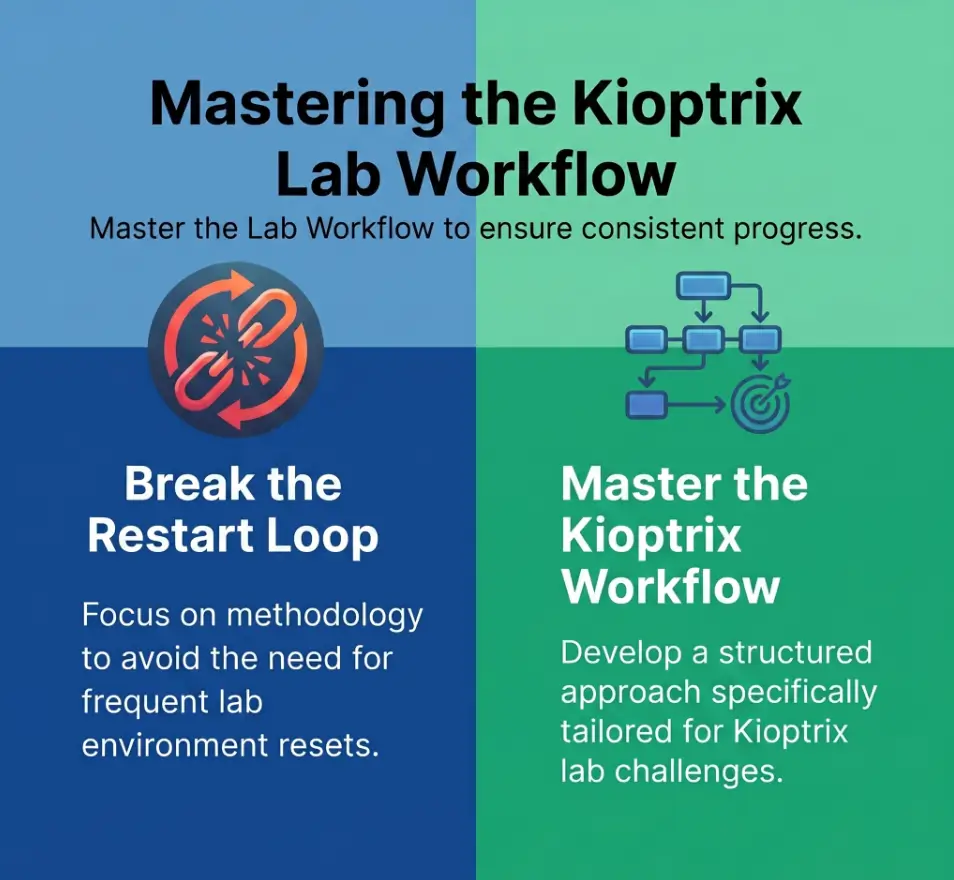
Kioptrix Level feels small, but the restart loop is the real boss fight
Why beginners restart even when they are not actually stuck
Many learners do not restart because the lab is impossible. They restart because the lab has become emotionally noisy. A port scan returns several services. A directory listing hints at something but not enough. A version string looks promising, then not promising, then suspicious again. The brain, craving relief, whispers a seductive lie: start over and it will all feel simpler. But starting over rarely solves disorganization. It just makes your earlier clues disappear into fog.
I have seen this pattern in beginners, in career changers, and in people with real IT experience who feel strangely clumsy the moment a box stops behaving like a tutorial. That discomfort is not proof of incompetence. It is often the first sign that you have left “follow steps” territory and entered “build a case” territory. Those are different muscles. The second one grows slower, but it grows stronger.
The hidden cost of wiping the slate clean too fast
Every unnecessary reset charges interest. It costs time, yes, but it also costs continuity. You lose the odd service response you meant to revisit. You lose the half-formed hypothesis that almost had a spine. You lose the emotional memory of where your judgment wobbled. In security work, that judgment trace matters. The NIST NICE Framework still describes cybersecurity work as a discipline of tasks, knowledge, and skills rather than a magic trick, and that framing matters here: labs are training grounds for reasoning, not just trophies on a shelf.
Resetting too fast can also teach the wrong lesson. Instead of learning “I need better notes,” you learn “confusion means delete the evidence.” That is a terrible habit to drag into incident response, vulnerability triage, or support escalation. It is like tearing out the map because the road got ugly.
What “unfinished” really means in a practice lab
“Unfinished” is a loaded word. It sounds like failure wearing a sensible coat. But in a lab, unfinished often means one of four things: you identified services but not viable paths, you tested one path and ruled it out, you found a likely path but lacked implementation details, or you simply ran out of cognitive fuel. None of those equal zero. In real operator life, partial clarity often beats frantic completion.
- Restart pressure often comes from emotional discomfort, not true dead ends.
- Deleting a messy session deletes useful evidence along with the mess.
- “Unfinished” can still mean you built real operator skill.
Apply in 60 seconds: Write one sentence naming exactly where your last Kioptrix attempt stopped.
Start narrower first, or the lab will keep eating your focus
A better goal than “finish the box tonight”
“Finish the box tonight” sounds decisive. It also sounds like a fine way to donate your evening to chaos. A better goal is smaller and sharper: identify all listening services, verify one web path, build one ranked exploit shortlist, or document one privilege-escalation hypothesis. That kind of goal gives you a clean finish line. The first rule of staying sane in labs is this: the brain likes a door it can actually walk through.
There is a subtle dignity in smaller goals. They make it possible to stop with integrity. Instead of closing your laptop in a fog of guilt, you close it knowing what got done and what waits for next time. That feeling matters more than people admit. Motivation is not only about excitement. It is about whether yesterday’s work feels legible today.
How to define one clean win before you touch the terminal
Before you scan anything, write a single win condition. Make it concrete and binary. “List all exposed services and write one note on what each might imply” is a win condition. “See if there’s anything cool” is not. One sounds like a craftsperson. The other sounds like a raccoon with root access.
Try a three-part setup:
- Scope: one host
- Focus: one phase such as enumeration or validation
- Exit rule: stop after 45 minutes or after one tested hypothesis
Which milestones count as real progress even without root
Beginners often act like anything short of full compromise is decorative fluff. That is how restart culture wins. Real progress includes identifying versions, confirming accessible directories, noticing strange banners, spotting default credentials worth testing, ruling out one exploit family, or proving a service behaves differently than expected. MITRE ATT&CK remains useful not because it tells you how to solve a toy box, but because it trains you to think in phases, behaviors, and plausible paths instead of cinematic shortcuts. That mental structure scales.
Eligibility checklist: Is your session goal finishable?
- Yes / No: Can you say the objective in one sentence?
- Yes / No: Does it focus on one host and one phase?
- Yes / No: Can you verify success without getting root?
- Yes / No: Do you know what will make you stop?
Neutral next step: If you answered “No” twice or more, shrink the goal before you begin.
Show me the nerdy details
Operator discipline improves when tasks are constrained. Narrow scope reduces branching factor, which reduces context switching and helps preserve reasoning chains. In labs, that often matters more than tool count.
Who this is for, and who it is not for
This is for learners who enumerate, drift, doubt themselves, then restart
If your pattern goes like this, you are in the right room: scan, poke around, feel uncertain, open too many tabs, get annoyed, then reset the machine as if the operating system personally insulted your ancestry. That loop is common. It is also fixable. What you need is not more hype. You need a sturdier method for carrying ambiguity.
This is for help desk, IT support, and security learners building method, not speed
Kioptrix has always been most useful when treated as a method lab. If you come from help desk or systems support, that matters. You already know how to observe patterns, verify symptoms, and keep users or systems from getting worse. Those instincts translate beautifully. Labs simply ask you to apply similar discipline to services, misconfigurations, and weak assumptions rather than printers, tickets, or access requests. Different costume, same detective bones.
I like this path for support professionals because it produces portable judgment. You learn to say, “Here is what I know, here is what I tested, here is what I suspect, and here is what comes next.” That sentence works in interviews, in post-incident notes, and in real-team environments where clarity is worth more than swagger. If that background sounds familiar, Kioptrix for help desk workers is a useful companion way to frame the same learning arc.
This is not for people chasing instant exploitation highlights without note-taking
If the only thing you want is a fast exploit clip and a screenshot with fireworks, this guide will feel almost offensively calm. That is fine. But understand the trade. Fast highlight culture teaches you to confuse recognition with reasoning. You remember a move, not the conditions that made the move sensible. Then the next box changes costumes and your confidence falls through a trapdoor.
There is nothing wrong with loving the pop of a successful exploit. It is fun. It should be fun. But if you skip note-taking and path ranking, you are building on glitter and floorboards.
Decision card: What are you training?
| If your goal is… | Then optimize for… | Watch out for… |
|---|---|---|
| Career transition | Documentation and reasoning | Tool collecting without narrative |
| Practice speed | Time-boxed repetition | Restarting before review |
| Interview storytelling | Clue-to-decision mapping | Vague “I hacked it” summaries |
Neutral next step: Circle one training goal before your next Kioptrix session.
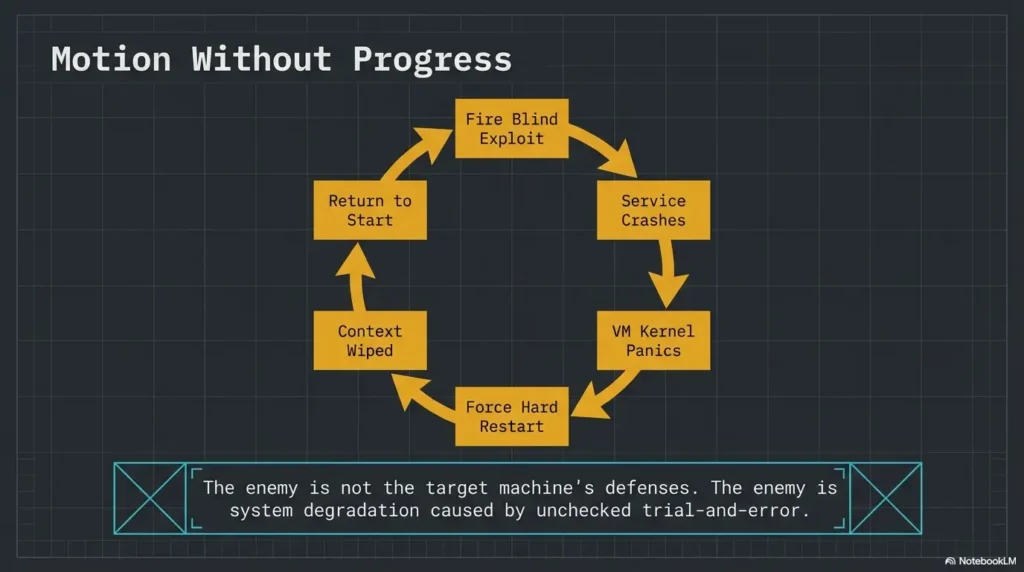
Do not restart yet: the clues you think are weak may be the map
Why messy notes often contain the next step you missed
Messy notes are unfashionable, but they are often full of gold. A URL you dismissed. A service banner you meant to compare. An odd response code. A half-typed thought like “maybe this matters?” can be more valuable than a polished page of commands with no reasoning attached. The trick is not to worship neatness. It is to rescue meaning.
Once, after a stalled lab session, I went back through notes that looked like they had been taken during mild turbulence. Buried between command outputs and self-criticism was a tiny clue I had written almost as an apology to myself: “weird behavior when requesting this path without slash.” That clue reopened the whole path. The lab had not been empty. I had simply buried the breadcrumb under emotional weather.
The difference between “no path” and “no organized review”
These are not the same. “No path” means you have reasonably examined the services, tested the obvious branches, and still cannot rank a next move. “No organized review” means you have data but no structure. Most restarters are living in the second category while telling themselves it is the first. A quick review grid helps:
- What services are confirmed?
- What behavior looked abnormal?
- What assumptions did you already test?
- Which path is strongest, second strongest, and weakest?
How to rescue a stalled session without pretending it never happened
Create a salvage pass. Spend 15 to 20 minutes doing nothing new. No fresh scans. No dramatic exploit shopping. Just organize what already exists. Convert screenshots into written observations. Group findings by service. Rename dead ends honestly. Dead End 1 is less useful than “CMS version looked promising but exploit assumptions did not match observed behavior.” That sentence carries weight. It gives future-you something solid to stand on.
- Messy evidence can still reveal the next move.
- Reviewing is a skill, not a delay tactic.
- A salvage pass is often better than a full reset.
Apply in 60 seconds: Highlight one clue from old notes that you never explained in words.
Your first pass should be boring on purpose
Enumeration before exploitation, even when you feel impatient
The first pass should feel almost disappointingly plain. That is the point. You are building a map, not auditioning for a movie trailer. Enumerate what is there. Confirm services. Record versions when possible. Note response behavior. Observe, then compare. Kali’s own documentation still frames the platform as professional penetration testing infrastructure and training material rather than a slot machine full of instant victories. That is the right spirit here. The machine owes you clues, not applause.
Impatience often arrives disguised as confidence. It says, “I’ve seen this before,” and suddenly you are forcing a path that has not earned your trust. Slow work feels less glamorous, but it prevents the later humiliation of realizing you spent 40 minutes on a ghost you summoned yourself. A steady Kioptrix recon routine is usually more valuable than one more burst of desperate cleverness.
Why “just trying things” creates fake progress
Trying random things feels active. It fills the silence. It also pollutes the evidence. If you cannot explain why you tested an exploit, why a directory mattered, or why a service became your top suspect, you are accumulating activity, not progress. That distinction is small at first and devastating later.
Fake progress is dangerous because it leaves behind adrenaline but no architecture. You remember the feeling of effort, so you assume the session was valuable. Then tomorrow arrives and your notes read like a kitchen drawer full of mixed screws.
Let’s be honest: improvisation feels smart right before it wastes an hour
Improvisation has its place. It just should not be the opening ceremony. Early in a lab, improvisation often flatters the ego while starving the investigation. A better rhythm is simple: gather, rank, test, then improvise only after something concrete bends under pressure. That is not less creative. It is creativity with a spine.
Useful rule: If you cannot name the clue that made a path interesting, you are probably not testing a path. You are petting a hunch.
Common mistakes that quietly turn one lab into five false starts
Restarting because the exploit did not work on the first attempt
This one is classic. You find a plausible exploit, try it, it fails, and suddenly the entire session feels rotten. But exploit failure does not invalidate the session. It may mean the version was wrong, the assumptions were incomplete, the path needs adaptation, or the more interesting story sits elsewhere. One failure should narrow the question. It should not erase the week.
Confusing tool output with understanding
Tool output can look wonderfully authoritative. Green lines, tables, banners, strange headers. It all feels official. But output is not interpretation. You still have to decide what matters, what is noise, and what deserves a second pass. Many beginners read scans as if the machine has already explained itself. It has not. It has only muttered clues in a dialect of ports and banners.
Taking notes that record commands but not reasoning
“Ran this command” is weaker than “ran this command because the service hinted at X and I wanted to verify Y.” The second line builds a bridge. The first line is just a footprint. In interviews and team settings, reasoning is the portable part. The exact command can usually be recovered. Your judgment cannot.
Here’s what no one tells you: vague screenshots are not usable documentation
Screenshots can help, but only if they are anchored. A screenshot without a filename, note, or sentence of interpretation becomes digital confetti. Pretty confetti, perhaps, but confetti all the same. Give each screenshot a purpose: what it shows, why it mattered, and what question it created. Future-you will be less dramatic and more grateful. A simple technical journal for Kioptrix practice often solves more confusion than another tool ever will.
Quote-prep list: What to gather before comparing paths
- Service list with ports and observed behavior
- Version clues or product hints
- One sentence per tested idea
- Failures with reason, not just “didn’t work”
- Top two ranked next steps
Neutral next step: Use this list before opening new tabs or new exploits.
Do not build the lab backward from the exploit
Why exploit-hunting too early makes every service look equally promising
When you start with the exploit instead of the evidence, every service begins to shimmer with false possibility. You stop asking, “What is most plausible?” and start asking, “How can I make this vague memory fit?” That question is a trapdoor. It turns the box into a costume rack for your favorite guesses.
Begin with ranking, not longing. Which service gives you the strongest clue-to-action chain? Which one has the cleanest observable behavior? Which one offers the least speculative next step? Plausibility beats excitement. Almost every time. If you need a more structured way to compare branches, a Kioptrix decision tree can keep your reasoning from wandering off in costume jewelry.
The danger of forcing the box to match a walkthrough you half remember
Half-remembered walkthroughs are like hearing a melody from another room. You recognize the shape but not the notes, so you start inventing the rest. That creates a special kind of frustration because you feel close and wrong at the same time. If you glanced at a guide weeks ago, admit it, then quarantine that memory. Treat it as contamination until the live evidence supports it.
How to rank attack paths instead of bouncing between them
Use a simple three-column test:
- Evidence strength: How direct is the clue?
- Effort to test: Can you verify quickly without sprawling?
- Risk of self-deception: Are you forcing assumptions?
Give each path a rough score from 1 to 3 in each category. No need for grand mathematics. You are not defending a dissertation. You are trying to keep your brain from pinballing around the room.
Show me the nerdy details
Ranking paths externalizes judgment. That reduces recency bias, prevents exploit fixation, and makes it easier to explain why one branch deserved attention before another.
When you feel lost, shrink the question instead of nuking the machine
Turn “How do I finish?” into “What do I know about this one service?”
The question “How do I finish?” is too big to be useful when you are tired. It asks for the whole staircase while you are still standing at the first creaking board. Better questions are narrower and sturdier. What do I know about this service? What have I verified? What assumption am I making? What would disprove it fastest?
Smaller questions calm the nervous system because they return control. The lab stops feeling like a giant locked gate and starts feeling like a corridor with one visible door.
Use one-host, one-service, one-hypothesis thinking
This is one of the cleanest anti-restart habits you can build. Stay with one host, choose one service, and write one explicit hypothesis. For example: “This web service may expose a version or path that suggests a known weakness.” Then test that one thought. Even if it fails, you now have a cleanly documented failure. That is a better outcome than five simultaneous hunches crashing into each other like shopping carts in a storm.
How smaller questions create cleaner forward motion
Progress gets cleaner when each step can be explained in one breath. You stop wandering. You stop over-scanning. You stop refreshing tabs like a disappointed weather priest. You create momentum the quiet way: one verified clue at a time.
- Ask about one service, not the whole box.
- One explicit hypothesis is stronger than five drifting ideas.
- A narrow failure is still a clean result.
Apply in 60 seconds: Rewrite your next lab goal as one host, one service, one hypothesis.
Infographic: From Panic Reset to Finishable Session
Restart Spiral
Scan everything → open too many paths → feel uncertain → chase exploit memory → fail once → doubt yourself → reset lab
Finishable Workflow
Set one goal → enumerate calmly → rank one or two paths → test one hypothesis → log outcome → stop with a next question
Use it like this: If your session contains more than two simultaneous paths, shrink scope before continuing.
Build a finishable session, not a heroic one
Time caps that protect your brain from lab sprawl
A finishable session respects the fact that your brain is not a bottomless cloud instance. Time caps matter because fatigue changes judgment before it announces itself. After about 45 to 60 minutes of focused technical uncertainty, many learners stop reasoning and start lunging. The keyboard gets faster. The notes get worse. The soul gets theatrical.
Use one of these caps:
- 25 minutes for one narrow review pass
- 45 minutes for one active hypothesis test
- 60 minutes maximum if you also reserve 10 minutes for logging
What to log before ending a session so tomorrow is easier
Before you stop, write four lines: what I confirmed, what I tested, what I ruled out, and what I will test next. That tiny ritual changes tomorrow completely. It turns the next session from “Where was I?” into “Good, I know where to re-enter.” Re-entry friction is one of the hidden engines of restart behavior. Lower it, and finishing gets much easier.
How to stop at a useful breakpoint instead of an emotional one
Emotional stopping points sound like this: “I’m annoyed,” “this is stupid,” or “maybe I’m just not good at this.” Useful stopping points sound like this: “I have ranked two paths,” “I verified the service behavior,” or “I need to research one version clue before continuing.” One is fog. The other is scaffolding.
Short Story: A learner I once helped had restarted the same beginner box so many times that the machine had become a kind of personal weather system. Every session ended with the same storm: too many tabs, an exploit that did not fit, then a reset performed with the grim dignity of a tragic king. We changed exactly one thing. He had to stop after 45 minutes and write four lines before closing the laptop. Nothing glamorous happened that week.
No sudden root shell. But on the third session, he reopened with clarity instead of dread, tested the strongest path first, and finally moved forward. The breakthrough was not genius. It was continuity. Labs do not always yield to brilliance. Often they yield to a person who came back with yesterday intact. For a deeper look at sustainable pacing, see this guide on Kioptrix session length.
Mini calculator: How much restart time are you losing?
Inputs: total unnecessary restarts this week × average minutes to reorient. Count each restart once; do not multiply a weekly total by the number of sessions again.
Example: 2 unnecessary restarts in the week × 15 minutes to reorient = 30 minutes of reorientation. Necessary recovery is a separate cost.
Neutral next step: Treat reorientation time as part of the cost of panic resets.
Progress markers that prove you are moving, even before compromise
Service identification, version clues, and weird behavior all count
Not all progress glows. Some of it arrives looking almost petty: a banner that feels off, a redirect that behaves inconsistently, a default page that leaks a version hint, a login prompt that reacts differently to malformed input. These things count. In fact, they are often the beginning of the whole story. Operators live on these details. The big moment usually arrives wearing tiny shoes.
Why dead ends are only useful if they are named clearly
A dead end is not failure. A nameless dead end is waste. If you do not document why something failed, you are likely to repeat it next session with the same hopeful face. Name the failure clearly: wrong version, wrong target assumption, response inconsistent with exploit expectations, authentication barrier unchanged, no supporting evidence. Now the dead end becomes an asset. It has texture. It can teach.
The session checklist that makes your next attempt smarter, not longer
Use this checklist at the end of a session:
- Did I verify the services rather than rely on memory?
- Did I rank at least two paths?
- Did I name one dead end clearly?
- Did I log one next question?
- Did I stop before my notes turned mushy?
That last question matters more than pride wants to admit. Stronger documentation habits also make later writeups easier, whether you are building a Kioptrix enumeration report or a fuller lab narrative.
If you must restart, restart with evidence, not frustration
What to preserve before resetting the lab
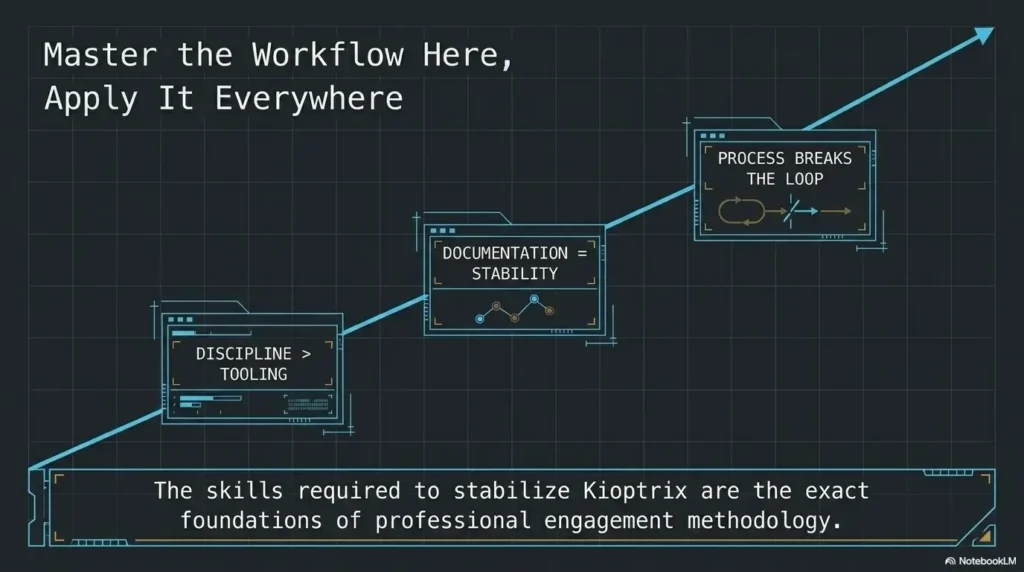
Sometimes a restart is reasonable. Environments get messy. Configurations drift. You may genuinely want a fresh baseline. Fine. But a structured restart looks very different from a panic reset. Before you restart, preserve your notes, screenshots, ranked paths, service list, failed assumptions, and next questions. Save the trail. Do not light the trail on fire because the forest got dark.
Which artifacts matter most: notes, screenshots, hypotheses, and ranked paths
If you can preserve only a few things, keep these first:
- Your written hypotheses
- Your ranked path list
- Your evidence-backed failures
- Your screenshots with context
- Your final “next question” note
This order matters because reasoning is the transferable asset. The exact command output is helpful, but the judgment that shaped it is the real muscle.
How a structured restart is different from a panic reset
A panic reset says, “I feel bad, therefore the work is bad.” A structured restart says, “I have enough preserved evidence to begin again with a stronger model.” One is emotional amputation. The other is controlled maintenance. Both may produce a fresh machine. Only one produces a better operator. If you want a reusable way to preserve that trail, a Kioptrix recon log template makes the restart decision much less emotional.
- Preserve reasoning before preserving polish.
- Ranked paths matter more than vague memories.
- A restart should change your model, not just your mood.
Apply in 60 seconds: Create a “Before Reset” note template with five lines you must fill in first.
FAQ
Why do I keep restarting Kioptrix instead of finishing it?
Usually because uncertainty starts feeling like failure. You collect clues, do not fully organize them, then assume the session is broken. Restarting offers emotional relief, but it often destroys continuity. The real fix is to narrow scope and improve session logging.
Am I bad at labs if I cannot finish Kioptrix in one sitting?
No. One-sitting completion is not a serious measure of operator potential. Many useful practice sessions end with ranked paths, documented failures, and a strong next question rather than full compromise. Those outcomes still build skill.
Should I look at a walkthrough after getting stuck?
Yes, sometimes, but use it carefully. First document what you observed, what you tested, and where your reasoning stalled. Then look only enough to unstick the next move, not enough to erase your own thinking. Walkthroughs should scaffold judgment, not replace it.
How long should one Kioptrix practice session be?
For most early learners, 45 minutes is a sweet spot. It is long enough to test a real hypothesis and short enough to avoid cognitive sprawl. Add 10 minutes at the end for logging what you confirmed, rejected, and plan to test next.
What should I write down during a lab?
Write down services, version clues, odd behavior, hypotheses, failed assumptions, and why you ran each meaningful command. Do not record commands alone. Record the reasoning behind them. That is what makes your notes resumable.
Do I need to get root for the session to count as success?
No. Success can mean good enumeration, a ranked path list, one disproved exploit family, or a cleaner model of the box. Full compromise is one kind of success, not the only one that matters.
Is Kioptrix still useful for beginners in cybersecurity?
Yes. It remains useful precisely because it pushes learners to move from raw tool use toward reasoning, documentation, and path ranking. Those habits stay relevant even as tools and box styles evolve. Readers who are still deciding where it fits can start with what Kioptrix is or a broader Kioptrix for beginners primer.
What is the best way to continue after a failed attempt?
Do a review pass before you restart anything. Organize your notes by service, name one dead end clearly, rank the next two paths, and define one smaller goal for the next session. Continuity beats drama.
Next step: finish one session without chasing the whole box
Pick one machine, one objective, and one 45-minute block
This is where the hook closes. The problem was never that you needed a more heroic mood. It was that you needed a session shape sturdy enough to survive doubt. So do the smallest powerful thing. Open Kioptrix. Set one objective. Give yourself 45 minutes. No extra glory goals. No secret side quests masquerading as curiosity.
Write down three clues before you test one path
Force the sequence. Three clues first. One path second. That tiny delay protects you from starting backward from the exploit. It also creates the kind of written reasoning that becomes interview material later. The sentence “I chose this path because of these three clues” is worth more than another pile of screenshots. That same habit also makes future Kioptrix interview stories much sharper and more credible.
End by logging the next question, not by wiping the system
That is the real move. Not triumph. Not fireworks. Continuity. End the session with a next question, and the lab stays alive in your mind without swallowing your dignity. In 15 minutes, you can prepare your next attempt better than you prepared the last five: create a note template, define one narrow win condition, and promise yourself this one rule with monk-like stubbornness and just enough caffeine-fueled defiance: no restart without evidence.
Original review: 2026-04.
Technical guidance updated: 2026-10-13. Fixed double counting in the weekly restart-time calculation.