Track Kioptrix progress by comparing the same task across attempts: what you observed, what you could explain, which evidence you retained and what help you used. Elapsed time is context, not a standalone skill score.
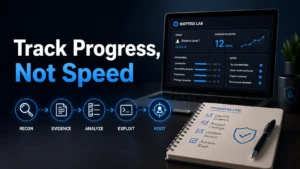
Choose a comparable unit of work
“Finish Kioptrix” is too broad for a useful comparison. Choose one task, such as identifying the target, describing a service response or reconstructing one decision from saved notes. Record the exact release and starting state so you can recognize when two attempts differ.
Compare your own records, not someone else’s edited walkthrough. A faster attempt after reading the solution is different from an independent first attempt. Both can be useful practice when labeled accurately.
Use this comparison table
| Field | Record | Why it matters |
|---|---|---|
| Task and baseline | Question, release, snapshot or known state | Defines what is being compared. |
| Artifacts | Original output, screenshot or note identifiers | Makes the claim reviewable. |
| Reasoning | Observation, interpretation and next-check rationale | Separates running a command from explaining it. |
| Assistance | Documentation, hints, walkthrough or AI contribution | Shows which parts were supported. |
| Conditions changed | Tool settings, VM state, prior solution knowledge | Prevents a misleading before/after claim. |
| Time and outcome | Actual duration, completed / partial / unresolved | Records effort without turning it into a competency grade. |
Worked comparison: faster can mean something else
Fictional comparison, not a measured learner outcome. In attempt A a learner collects a scan but cannot explain a service label. In attempt B they consult the Nmap reference, save the relevant options and distinguish the observed port state from a version inference. Attempt B takes longer but produces a more specific explanation.
In attempt C the learner repeats the same task after reading a walkthrough. A shorter duration does not establish independent discovery. The record should say which clue was supplied and what the learner reproduced and explained themselves.
A useful progress statement is: “I can now locate the original result, state its coverage and explain why it does not prove a vulnerable build.” It is more precise than an unsupported percentage increase in skill.
Repeat one question, then review the artifacts
- Choose the task and conditions you want to compare.
- Retain the earlier attempt unchanged.
- Run only the authorized activity needed for the new attempt.
- Write the explanation before consulting your previous conclusion when practical.
- Compare artifacts, assistance and conditions; mark unresolved differences.
- Choose one next practice question from the observed gap.
A repeated known solution can test recall and explanation. It does not by itself demonstrate transfer to an unfamiliar system.
Keep a portable progress record
Attempt ID, date and time zone:
Task and starting state:
Saved artifact IDs:
What I can explain from those artifacts:
What I still cannot explain:
Assistance and prior knowledge:
Changed conditions:
Duration and actual completion status:
Next comparable task:
Use the editable record below for your own notes. For screenshot organization use the artifact naming guide; for interview wording use the evidence-backed interview guide.
Limits of this progress log
The categories are editorial prompts, not a validated assessment or certification. They do not promise a learning-speed or hiring benefit. Judge a record by whether another reader can follow the task, evidence and limits. This page is distinct from a schedule: use it after comparable attempts, rather than counting sessions as proof of mastery.
Editorial revision: October 25, 2026. Replaced repetitive introductions with a task-specific workflow, comparison and illustrative example. No new VM execution, measured learning effect or hiring outcome is claimed. Author and evidence policy.
Progress comparison conditions
Use this record for the specific task in this guide. Copy the fields into your notes and complete them with the actual conditions, evidence and assistance used in your own work.
Field guidance for this record
| Field | What to record | Your evidence / next check |
|---|---|---|
| Compared task | Keep the objective the same across two attempts. | To complete |
| Environment context | Record relevant state and tool differences. | To complete |
| Assistance context | List hints and references used on each attempt. | To complete |
| Evidence difference | Explain what became clearer and what remains untested. | To complete |
Edit the template below with your own dated observations. Bracketed prompts are guidance, not evidence. This page does not automatically save or upload your entry; download it before leaving or reloading.
Template ready. Replace the prompts with your record, then download a copy.
Worksheet usability update — October 23, 2026: added an editable record and a download of its current contents. This does not verify the article’s sources or perform the lab exercise.
Next action: Compare artifacts before interpreting elapsed time as improvement. Keep the original record so a later correction does not make an earlier assumption look like an established fact.
Related task: Continue with Measure Kioptrix Progress With Repeatable Evidence when you need that separate part of the workflow.
Worksheet change record — October 20, 2026
Added four task-specific fields, a next action and a related guide. This is an editorial working aid, not a completed lab result or a validated skill assessment. Existing source-review dates retain their own scope; this addition is not a new fact-check of every statement.