Open the practical working record for this guide’s task-specific fields and next action.
Define the smallest useful completed task
Pick a question such as explaining one service observation, then save its evidence and a restart note. If the plan repeatedly slips, reduce setup demands or change the schedule. New tools may be appropriate when a specific capability is missing. This guide does not establish that morning work, a streak or one-box practice improves learning for everyone. Reference and scope.
Master the Rhythm of the Machine
Choose a manageable recurring lab task and review whether the plan fits your available time.
The real beginner problem isn’t a lack of tools—it’s a lack of repeatable lab rhythm. Scattered enumeration and random restarts make every session feel new, even when you’ve seen the clues before.
This guide transforms Kioptrix from a foggy tool carnival into a reliable practice loop: confirm the target, enumerate one layer, test one hypothesis, and record evidence. It’s built for self-taught learners and CTF beginners who crave better habits inside authorized local labs.
Table of Contents
Fast Answer
Beginners do not usually fail Kioptrix because they lack another tool. They fail because their lab rhythm is too random: scattered scans, vague notes, restarted sessions, and late-night guessing. A better Kioptrix routine uses short, repeatable blocks: confirm the target, enumerate carefully, write one hypothesis, test one path, record evidence, and stop with a clear next action.
- Use one box at a time.
- Run one clean session at a time.
- End with one written next action.
Apply in 60 seconds: Open your notes and write: “Next session, I will test only ______.”
Start Here: Consistency Beats Tool Collecting
Why Kioptrix Feels Hard When Your Process Keeps Changing
Kioptrix feels hard for beginners because it looks like a technical problem, but it often starts as a rhythm problem. You scan differently every time. You name files differently every time. You stop without a breadcrumb, then return two days later and feel like you are reading a stranger’s grocery receipt.
The Real Beginner Problem: Too Many Tabs, Too Few Decisions
Many beginners collect evidence faster than they interpret it. An open port becomes a tab. A version number becomes another tab. A login page becomes five tabs. Suddenly your browser is a digital junk drawer, and every drawer is whispering, “Maybe I’m important.”
The better move is not to avoid information. The better move is to slow down long enough to decide what information means. In a beginner lab, one clean decision is worth more than twenty unexplained commands. If you want a deeper framework for that habit, a Kioptrix decision process can help you turn raw clues into calmer next steps.
A Lab Routine Is a Skill, Not a Personality Trait
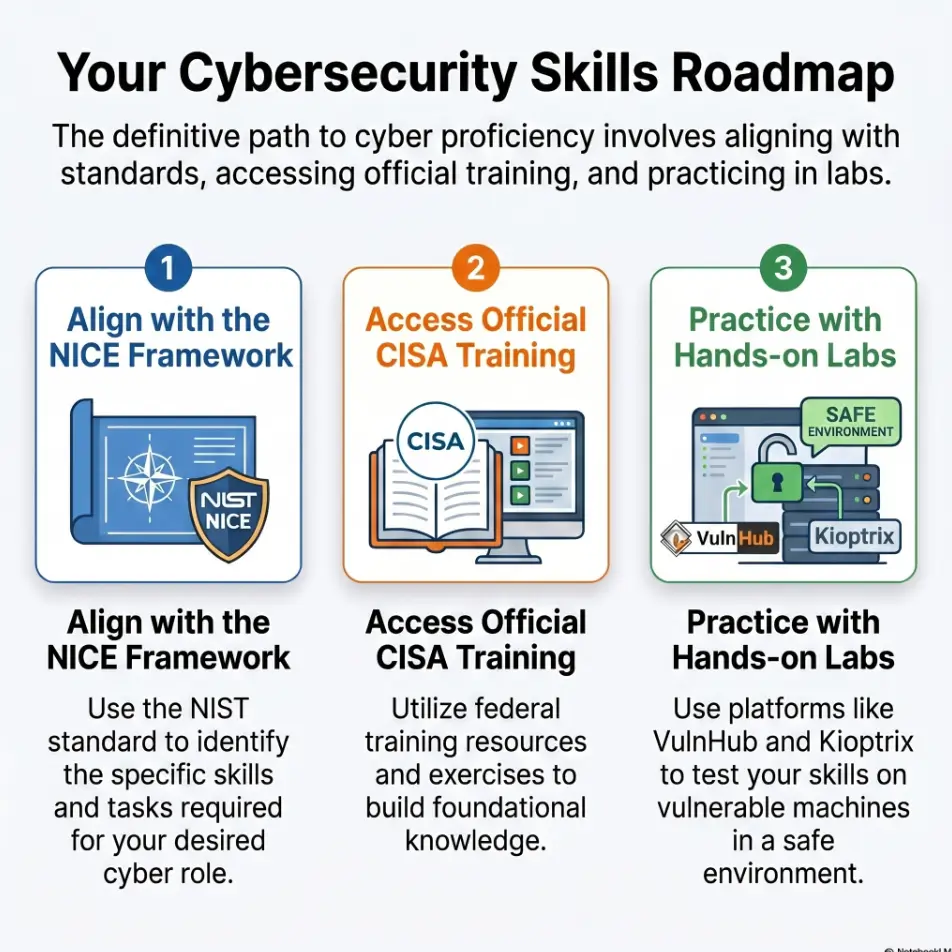
You do not need to be naturally organized to practice well. You need a repeatable container. That container can be small: 30 minutes, one enumeration layer, one hypothesis, one test, one note. The National Institute of Standards and Technology’s NICE Framework describes cybersecurity work through tasks, knowledge, and skills. That is a useful lens here: consistency is not “vibes.” It is practice design.
Beginner truth: your lab routine should be boring enough to repeat when you are tired. A practical Kioptrix practice routine gives that boredom a useful spine.
Kioptrix Beginner Consistency Flow
Target IP, VM state, snapshot.
One layer, not everything.
One hypothesis from evidence.
Change one variable.
Next action before quitting.
Who This Is For, and Who Should Skip This Approach
For Beginners Who Keep Restarting the Same Box
This guide is for the learner who has started Kioptrix Level 1 three times and still feels oddly new each time. You may remember the vibe of the box, but not your reasoning. That is not a character flaw. That is a note-quality problem wearing a hoodie.
For Busy Adults Practicing Before or After Work
Some learners have four empty hours and a heroic playlist. Many have 30 minutes before work, after dinner, or between family obligations. A practical lab system respects that. You should not need a perfect Saturday, a silent apartment, and a ceremonial energy drink to make progress.
For Learners Who Need Structure Before Speed
If you are new to Kali Linux, VirtualBox, VMware, Nmap, directory enumeration, web forms, Linux permissions, or basic service fingerprinting, structure matters more than speed. Speed without structure is just a shopping cart with a jet engine. A beginner-friendly Kioptrix learning path can make the early stages feel less like a pile of disconnected tools.
Not For: People Looking for Copy-Paste Exploit Recipes
This article will not walk you through exploitation steps or provide a shortcut to “root.” Kioptrix and VulnHub-style labs are intentionally vulnerable environments for learning, but the habit you are building should be professional, bounded, and evidence-driven.
- Good for self-taught beginners.
- Good for IT support workers building security habits.
- Not good for people trying to skip the thinking part.
Apply in 60 seconds: Write why you are practicing Kioptrix in one sentence: job skill, curiosity, confidence, or disciplined repetition.
The One-Box Rule: Stop Turning Kioptrix Into a Tool Museum
Pick One Kioptrix Level and Stay With It Long Enough
The beginner temptation is to hop. Kioptrix Level 1 feels confusing, so you open another VM. Then another. Then a walkthrough. Then a tool video. By the end, you have not practiced security so much as hosted a tiny conference for unfinished intentions.
The one-box rule is simple: pick one Kioptrix level and stay with it until your notes can explain your path. You do not need to solve the box quickly. You need to understand your own process clearly enough that tomorrow-you can continue without archaeology. If you are still choosing where to begin, a plain-language Kioptrix level guide can help you pick a starting point without turning the choice into a second lab.
Use Fewer Tools, but Ask Better Questions
A beginner can do a lot with a small kit: a scanner, a browser, a note file, basic Linux commands, and patience. More tools become useful later, but at the beginning, every tool adds interpretation load. If you cannot explain why you ran something, the output is just confetti with port numbers.
Ask questions like:
- What service is exposed?
- What version or behavior can I confirm?
- What does this page or banner actually prove?
- What one test would reduce uncertainty?
- What did I change between attempts?
Let the Box Teach You Pattern Recognition
Kioptrix is valuable because it repeats old-school security lessons in a contained space. You learn to notice services, defaults, web paths, credentials, permissions, and strange little mismatches between what a system says and what it allows. Pattern recognition grows through repetition, not panic.
Decision card:
When to stay with one box vs. switch boxes
| Choose this | When | Neutral next action |
|---|---|---|
| Stay with one box | Your notes are incomplete or your reasoning is fuzzy. | Summarize what you confirmed in 5 lines. |
| Switch boxes | You can explain your path and want a new pattern. | Write a short debrief before moving on. |
Your 30-Minute Lab Block: A Repeatable Session That Actually Sticks
Minute 0–5: Boot, Snapshot, Confirm the Target
The first five minutes are not glamorous. Good. Glamour is overrated in beginner labs. Boot the VM, confirm your attacker machine and target are on the intended network, verify the target address, and make sure you are working inside your authorized local environment.
This step prevents the classic beginner comedy: spending 40 minutes investigating the wrong IP address with the confidence of a lighthouse pointing at a parking lot. A simple Kioptrix snapshot strategy can also save you from turning a small lab mistake into a full evening of rebuilding.
Minute 5–15: Enumerate One Layer, Not the Whole Internet
Pick one layer. Services. Web paths. Banners. Login behavior. File permissions after access. Not all of them. One layer keeps the session readable. You are not trying to become a thunderstorm. You are trying to become a careful flashlight.
Minute 15–25: Test One Hypothesis With Evidence
A hypothesis is not a wish. It is a small claim you can test. For example: “This web service may expose a hidden path,” or “This version might have a known weakness, but I need to confirm the exact behavior first.” Notice the discipline: might, confirm, behavior.
Minute 25–30: Write the Next Step Before You Quit
The final five minutes are the most valuable. Do not spend them squeezing in one more desperate command. Spend them writing the next move. Tomorrow’s session should open like a labeled drawer, not like a basement after a power outage. If you want help choosing the right block size, Kioptrix session length is worth treating as a design choice, not a moral test.
Show me the nerdy details
A repeatable 30-minute block reduces context-switching. The key is not the exact duration. The key is session closure: record the target, evidence, hypothesis, result, and next test. This creates continuity across days and helps separate confirmed facts from guesses.
Mini calculator:
Don’t Do This: The Beginner Loop That Feels Productive but Isn’t
Running New Scans Because You Feel Stuck
When beginners feel stuck, they often run more scans. Sometimes that helps. Often it produces a larger pile of unexplained output. The emotional pattern is sneaky: scanning feels like action, and action feels like progress. But progress requires interpretation.
Before running a new scan, ask: “What question will this answer?” If you cannot answer, pause. The tool may still be useful, but your timing is probably mushy. If your scan results keep multiplying without meaning, review the most common Kioptrix recon mistakes before adding more noise to the pile.
Watching Walkthroughs Before You Can Explain Your Own Notes
Walkthroughs are not evil. Used too early, they become a navigation system that steals your sense of direction. Before you open one, write what you know, what you suspect, and where you are stuck. That way the walkthrough teaches you instead of replacing you.
Restarting the VM Instead of Reading Your Evidence
Restarting the VM can be necessary when the lab state breaks. But some restarts are emotional laundry. They make the environment feel clean while your reasoning remains tangled. Read your last five notes first. You may discover the box is fine; your trail just got muddy.
Let’s Be Honest: Motion Can Wear a Lab Coat
There is a particular kind of beginner productivity that looks impressive from across the room: terminals moving, browser tabs multiplying, notes half-open, coffee cooling beside the keyboard. Up close, it is often confusion wearing safety goggles.
The question is not “Did I do a lot?” The question is “Can I explain what changed?”
The Three-Line Note System: Make Tomorrow’s Session Easier
Line 1: What I Know
Line 1 is for confirmed facts. Not vibes. Not hopes. Not “probably.” Write what you know because the system showed you evidence. Example categories include target IP, exposed services, observed web behavior, confirmed credentials in a lab context, or file paths you actually saw.
When I review beginner notes, the most common problem is not missing detail. It is mixed detail. Facts and guesses sit in the same paragraph like roommates who label nothing in the refrigerator.
Line 2: What I Think Might Be True
Line 2 is for hypotheses. This is where uncertainty belongs. “The web app might have an outdated component.” “This service might be misconfigured.” “This login behavior might reveal a valid username pattern.” Keep the language honest. “Might” is not weakness. It is professional hygiene.
Line 3: What I Will Test Next
Line 3 is the bridge to your next session. It should be specific enough that you can start without rereading everything. “Check web directories related to admin paths” is better than “try web stuff.” Your future self deserves better than a fortune cookie. For a fuller system, a Kioptrix technical journal can turn scattered observations into a durable learning record.
Screenshot Only What Proves Something
Screenshots are useful when they preserve evidence: a service result, a page behavior, an error message, a successful step, a configuration detail. Screenshots are less useful when they become a scrapbook of anxiety. Capture proof, not wallpaper.
- Separate facts from guesses.
- Write the next test before quitting.
- Use screenshots as evidence, not decoration.
Apply in 60 seconds: Create three headings in your lab note: Know, Think, Test Next.
Enumeration First: The Boring Door That Opens the Room
Services Before Exploits
Enumeration is the part beginners want to rush because it feels like standing in the hallway. But the hallway is where the doors are. Services tell you what kind of system you are dealing with. Web servers, file-sharing services, remote access services, and database-facing surfaces each ask different questions.
VulnHub describes Kioptrix-style machines as intentionally vulnerable images built for hands-on security learning. That matters because the goal is not to throw random techniques at a random target. The goal is to learn how vulnerable systems reveal themselves through observable clues. A steady Kioptrix enumeration habit is the quiet engine underneath almost every useful beginner breakthrough.
Versions Before Assumptions
A service name alone is not enough. Version information, banners, headers, page behavior, and default files can change the direction of your research. Beginners often jump from “service exists” to “exploit exists” with the grace of a cat landing on a keyboard.
Slow down. Confirm what is present. Then research from the evidence. The order matters. If service output seems slippery, especially around names and versions, Nmap service detection false positives are a good reminder that tools report clues, not final truth.
Web Paths Before Guesswork
Web enumeration is not just “find hidden things.” It is learning how an application organizes itself. Does it expose old directories? Does it reveal default pages? Does it respond differently to certain paths? Does the error behavior teach you anything?
Here’s What No One Tells You: Enumeration Is Where Confidence Is Built
Confidence does not arrive when you get root. It starts earlier, when your observations become reliable. A beginner who can explain why a service matters is already improving, even before the final step. Root is the bell at the end. Enumeration is the music lesson.
Quote-prep list: Before comparing tools or tutorials, gather:
- Your target VM name and level.
- Your confirmed services and versions.
- Your web paths or pages already checked.
- Your current hypothesis.
- The exact point where your evidence stops.
Neutral action: Use this list before asking for help so the answer improves your process instead of replacing it.
Common Mistakes: Where Kioptrix Beginners Lose the Thread
Mistake 1: Treating Every Open Port Like an Emergency
An open port is not an emergency. It is an invitation to ask better questions. What service is it? What version? What behavior? Is it actually reachable? Does it expose meaningful information? Beginners often treat every port like a siren. Professionals treat it like a clue. When your scan shows a crowded surface, a guide to Kioptrix level open ports can help you slow the room down.
Mistake 2: Copying Commands Without Writing Why
Commands without reasons are brittle. They may work once and teach almost nothing. Next to each command or tool action, write a short reason: “checking service versions,” “testing directory behavior,” “confirming whether this page exists.” The reason is the learning.
Mistake 3: Changing Three Variables at Once
If you change the tool, the wordlist, and the target path at the same time, you may get a result without knowing why. That is the lab equivalent of adding salt, vinegar, and mystery powder to soup, then calling yourself a chef because it made a noise.
Mistake 4: Confusing “I Saw This in a Walkthrough” With Understanding
Recognition is not the same as understanding. If you saw a technique in a walkthrough, pause and explain the chain: what evidence pointed there, what the technique tests, what result would confirm it, and what result would disprove it.
Mistake 5: Ending Sessions With No Breadcrumb
This is the quiet killer. You may do good work for 45 minutes and still lose momentum if you end with no next step. The final note matters because it preserves context, and context is the oxygen of beginner learning.
- Know why you ran each test.
- Change one variable at a time.
- Leave a breadcrumb before closing the lab.
Apply in 60 seconds: Add “Why I ran this” beside your last three commands or actions.
The Stuck-Point Reset: What to Do Before You Search for Help
Re-Read Your Last Five Notes Out Loud
When you are stuck, your brain often wants novelty. A new post, a new video, a new tool, a new rabbit hole wearing a tiny hat. Before that, read your last five notes out loud. Awkward? Yes. Effective? Also yes.
Reading out loud forces your notes to become sentences. If the sentences do not make sense, you found the problem: not the box, but the trail.
Reduce the Problem to One Testable Question
Instead of “How do I beat Kioptrix?” ask, “Can I confirm what this service is running?” or “Can I identify whether this web path exists?” One testable question gives your next 10 minutes a spine. If you freeze at the branching point, a Kioptrix decision tree can keep your next move small instead of theatrical.
Use Hints Late, Not as Your First Navigation System
Treat this workflow as a practical proposal and assess it against the task you actually complete. This article reports no controlled test of attention, retention, learning speed or emotional benefit. Adjust the duration, support and workspace to the task and your circumstances.
Eligibility checklist:
Use a walkthrough only after you can answer yes to most of these:
- Yes / No: I know the target IP and confirmed I am in my authorized lab.
- Yes / No: I have listed the main exposed services.
- Yes / No: I have written at least one hypothesis.
- Yes / No: I know exactly where I am stuck.
- Yes / No: I can explain what I already tested.
Neutral action: If you answered “No” twice or more, spend 10 minutes cleaning your notes before searching.
Build Lab Consistency Around Energy, Not Motivation
Morning Practice: Clearer Notes, Smaller Goals
Morning practice works well for many beginners because the mind has fewer tabs open. You may only have 20 or 30 minutes, but the notes can be cleaner. The trick is to use a small goal: confirm one service, review one path, write one hypothesis.
I like morning sessions for enumeration because they reward patience. Your coffee is still optimistic. Your brain has not yet been flattened by meetings, errands, and the small domestic tragedy of deciding what to eat again.
Evening Practice: Use a Hard Stop Before Guessing Takes Over
Evening sessions can work, but they need a hard stop. Fatigue makes guessing feel creative. It also makes bad notes look fine. Set a timer. When it ends, write your three-line note and leave. Do not negotiate with the 11 p.m. version of yourself. That person thinks installing three tools is a personality. For learners already feeling the edges fray, Kioptrix practice sessions without burnout can help protect the habit from turning brittle.
Weekend Practice: Longer Sessions Need More Breakpoints
A two-hour weekend block should not be one long blur. Break it into smaller chapters: enumerate, review, test, write. After each chapter, leave a small summary. Longer practice without breakpoints can become a swamp with a keyboard.
The Quiet Rule: Stop While You Still Know Where You Are
The best stopping point is not always when you are exhausted. Stop while you still understand the path. That way the next session starts with continuity instead of apology.
- Use mornings for clean enumeration.
- Use evenings with strict stopping points.
- Use weekends with planned breakpoints.
Apply in 60 seconds: Pick your next lab time and define the stopping rule before you begin.
Ethical Boundaries: Keep the Practice Box Inside the Practice Box
Use Only Authorized Labs, Owned Systems, or Explicit Permission
Kioptrix practice belongs inside intentionally vulnerable labs, owned systems, or environments where you have explicit permission. That boundary is not decorative. It is the difference between learning and causing harm.
CISA’s public cybersecurity training resources emphasize safe and ethical learning environments. That is the professional habit to build early: permission first, scope clear, notes responsible.
Keep Notes Focused on Learning and Defense
Your notes should help you understand systems, weaknesses, controls, and defensive thinking. Write what you observed, what it implies, and how a real organization might prevent or detect similar issues. That turns a lab from a puzzle into career-relevant practice.
Do Not Reuse Lab Techniques on Real Targets Without Authorization
A technique that is legal and useful in a local lab can be unauthorized and harmful on a real system. Do not test public websites, employer systems, school networks, client assets, or random internet hosts unless you have clear written authorization and scope.
Why Professional Habits Start Before the First Job
Professionalism is not something you unlock after a job title appears. It starts in the lab, when no one is watching. Especially then. The way you scope, document, pause, and ask permission becomes part of your operator identity.
Next Step: Run One Clean Session Today
Choose One Kioptrix Box
Do not redesign your entire learning life tonight. Choose one Kioptrix box. One. Not a playlist of boxes, not a heroic syllabus, not a spreadsheet that becomes a second career. One box is enough for a clean rep.
Set a 30-Minute Timer
A timer gives the session a shape. You are not trying to finish the box. You are trying to practice a repeatable unit of attention. Thirty minutes is long enough to observe something and short enough to prevent the lab from swallowing your evening whole.
Write Three Lines Before You Start
Before running anything, write three blanks: what I know, what I think, what I will test. At the start, the first two may be nearly empty. That is fine. Empty lines are honest. They are also easier to improve than messy paragraphs pretending to be certainty. A reusable Kioptrix recon log template can make those blanks less intimidating.
End With One Clear Next Action
The win condition today is not root. The win condition is continuity. If you end with one clear next action, you have beaten one of the hardest beginner problems: disappearing context.
Coverage tier map:
From chaotic practice to reliable practice
- Tier 1: Random commands, no notes.
- Tier 2: Some notes, but facts and guesses are mixed.
- Tier 3: One-box focus with basic evidence tracking.
- Tier 4: Repeatable 30-minute sessions with clear next actions.
- Tier 5: Clean debriefs that connect lab lessons to defensive thinking.
Neutral action: Identify your current tier, then improve by one tier this week.
FAQ
How long should a beginner spend on one Kioptrix level?
Spend long enough that you can explain your path without leaning entirely on a walkthrough. For many beginners, that may mean several short sessions over a week or two. The better question is not “How fast did I finish?” but “Can I describe what I observed, tested, and learned?”
Should I use Kali Linux for Kioptrix practice?
Kali Linux is commonly used for security labs because it includes many tools, but the operating system is not the main skill. A beginner should focus on authorized lab setup, careful enumeration, clean notes, and understanding tool output. Kali can help, but it cannot think for you, which is rude but true. If setup friction is slowing you down, start with a Kioptrix Kali setup checklist before blaming your study discipline.
Is it bad to read a walkthrough after getting stuck?
No. Walkthroughs can be useful learning aids when used late enough. Before reading one, write what you know, what you tried, and the exact question you cannot answer. Then use the walkthrough to compare reasoning, not simply to copy the next step.
What should I write down during a Kioptrix session?
Write confirmed facts, hypotheses, tests, results, and the next action. Keep facts and guesses separate. A three-line system works well: what I know, what I think might be true, and what I will test next.
How do I know whether I am actually improving?
You are improving when your notes become clearer, your tests become smaller, your guesses become more evidence-based, and you restart less often. Finishing a box is satisfying, but cleaner thinking is the durable gain. For a more honest progress check, try a Kioptrix self-assessment that measures reasoning instead of terminal drama.
Should beginners memorize commands or learn the process first?
Learn the process first. Commands matter, but memorized commands without reasoning are fragile. Understand what question a command answers, what output matters, and what you will do if the result is different from what you expected.
How many tools should I use in a beginner Kioptrix lab?
Use as few as you need to answer the current question. Beginners often learn faster with a small, familiar toolkit than with a rotating carnival of tools. Add new tools when you can explain what problem they solve.
What is the best way to stop a session without losing momentum?
Stop by writing one clear next action. Include the target, the last confirmed evidence, the current hypothesis, and the next test. The best session ending feels less like a cliff and more like a bookmark.
Conclusion
The opening problem was not that you lacked another tool. It was that your lab rhythm kept dropping the thread. Kioptrix becomes less foggy when every session has a shape: confirm the target, enumerate one layer, test one hypothesis, write evidence, and leave a breadcrumb.
That small routine is not glamorous. It will not make your terminal look dramatic. But it builds the thing beginners need most: continuity. And continuity is where confidence starts to gather itself, quietly, like a good note waiting for tomorrow. If you want to stretch that continuity beyond a single night, a 30-day Kioptrix practice routine can turn clean sessions into a visible trail.
For your next 15 minutes, do not hunt for another tutorial. Open one Kioptrix box, create a three-line note, and run one clean session. Stop while you still know where you are.
Last reviewed: 2026-04.
Consistency plan adjustment
Use this record for the specific task in this guide. Copy the fields into your notes and complete them with the actual conditions, evidence and assistance used in your own work.
| Field | What to record | Your evidence / next check |
|---|---|---|
| Minimum artifact | Define a useful output small enough for the session. | To complete |
| Setup demand | Record the preparation time and recovery needs. | To complete |
| Observed fit | Compare the planned task with actual available time. | To complete |
| Adjustment | Reduce scope or move the schedule with a reason. | To complete |
Next action: Adjust the plan using recorded constraints rather than protecting a streak. Keep the original record so a later correction does not make an earlier assumption look like an established fact.
Related task: Continue with Weekly Kioptrix Practice: A Reviewable Habit Plan when you need that separate part of the workflow.
Worksheet change record — October 20, 2026
Added four task-specific fields, a next action and a related guide. This is an editorial working aid, not a completed lab result or a validated skill assessment. Existing source-review dates retain their own scope; this addition is not a new fact-check of every statement.