Kioptrix: A Thinking Lab for the Disciplined Beginner
An old vulnerable machine can still teach a modern beginner something many shiny platforms skip: how to slow down, read evidence, and stop treating every scan result like a treasure map with fireworks attached.
Cybersecurity skills are not built by collecting tools. They are built through enumeration, service recognition, and ethical lab discipline.
Move beyond the “tab-storm carnival.” Replace dangerous confidence with repeatable investigation habits.
Table of Contents
Fast Answer: Kioptrix Level is still useful because it teaches beginner cybersecurity skills that modern tools cannot replace: enumeration, note-taking, hypothesis testing, service recognition, patience, and ethical lab discipline. Even though the machine is old, its learning value is not “current exploit practice.” Its value is helping beginners build a repeatable investigation process before they touch noisier, more realistic targets.
Why Kioptrix Still Works When the Exploits Feel Old
Old Machine, New Brain
Kioptrix is not useful because its exact vulnerabilities are modern. That would be like learning safe driving by memorizing the quirks of one retired taxi. The value sits somewhere quieter.
It teaches a beginner how to look at a system without flinching.
You identify what is open. You ask what each service might mean. You compare the visible evidence against a small set of possible next checks. You learn to pause before grabbing the loudest tool in the drawer.
I have watched beginners treat the first scan result like a fortune cookie. They see one line, make one huge assumption, and sprint. Kioptrix punishes that habit gently. Not with enterprise-grade chaos, but with enough friction to make sloppy thinking visible. If that habit feels familiar, a slower Kioptrix decision process can help turn the sprint into a sequence.
The Real Skill Is Not “Getting Root”
Root access is the movie ending. It is the part people screenshot, post, and remember. But the useful learning happens earlier, in the quieter rooms of the house.
The real training is in the first 30 minutes: service discovery, banner reading, version research, web behavior, failed guesses, and deciding what to test next.
The beginner win is not “I finished.” The beginner win is “I can explain why I tried what I tried.”
- What did the target show you?
- What did you assume?
- What evidence supported that assumption?
- What would you test differently next time?
What Beginners Usually Miss First
Beginners often miss the dull-looking clues. Ports. Banners. Default pages. HTTP headers. Directory hints. Login behavior. Error messages. The things that do not glow still matter.
That is one reason Kioptrix Level still earns its little corner of the beginner shelf. It slows the room down. It gives you a small target, a limited number of clues, and just enough uncertainty to force observation. For a more practical breakdown of those first signals, a focused guide to Kioptrix Level open ports can keep the “dull-looking” evidence from disappearing into the wallpaper.
- Do not judge the lab only by exploit age.
- Use it to practice observation before action.
- Measure learning by explanation, not speed.
Apply in 60 seconds: Before touching a walkthrough, write one sentence explaining what the target has already told you.
Start Here: Kioptrix Is a Thinking Lab, Not a Time Machine
The Point Is Controlled Friction
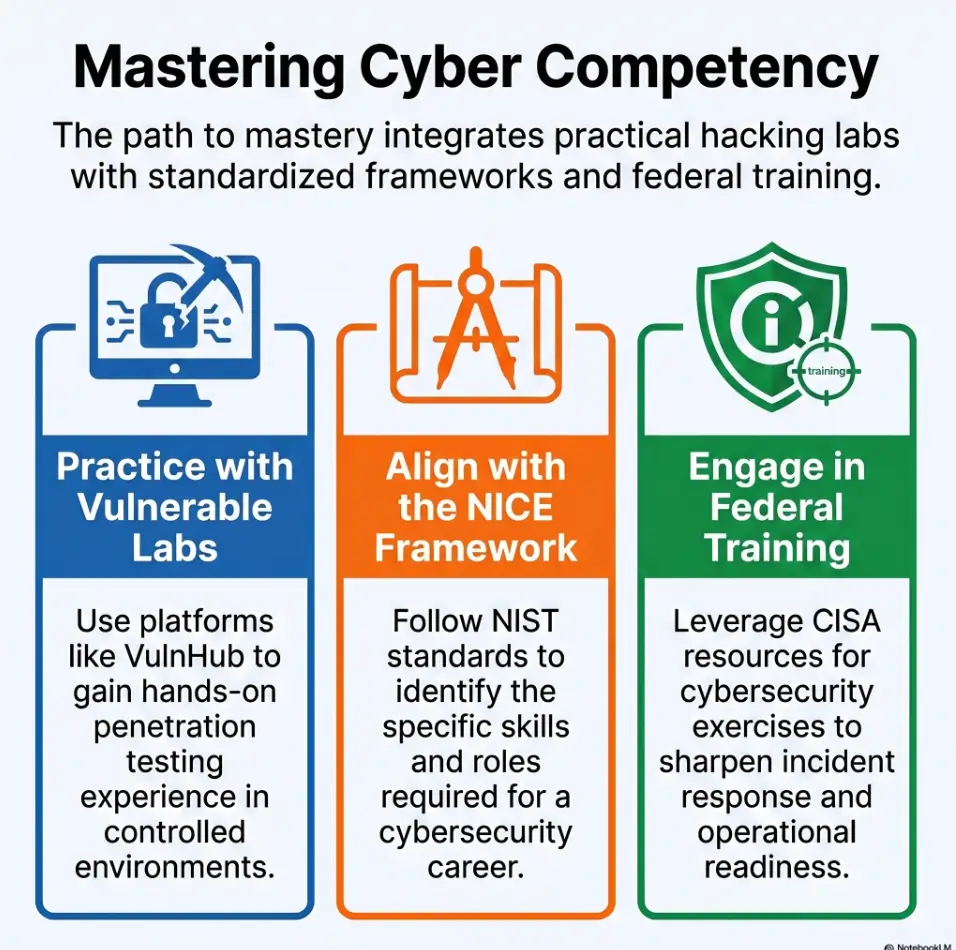
Kioptrix belongs in the category of intentionally vulnerable lab machines. VulnHub describes the Kioptrix VM challenge as a way to learn basic tools and techniques used in vulnerability assessment and exploitation. That wording matters. It is not a permission slip for random systems. It is a classroom with padded corners.
A good beginner lab should create friction without drowning the learner. Too little friction and you just follow a recipe. Too much friction and you start bargaining with the ceiling fan at 1:14 a.m.
Kioptrix hits a useful middle zone. It is small enough to finish, but not so tiny that the lesson disappears. If you are starting from zero, a plain-language Kioptrix first lab orientation can make the setup feel less like assembling furniture in a thunderstorm.
Modern Cybersecurity Still Needs Slow Eyes
Modern security work has faster tools, larger environments, cloud identity layers, containers, EDR alerts, SIEM dashboards, and acronyms stacked like pancakes at a conference breakfast. But beginners still need the same first habit: look carefully.
NIST’s NICE Framework gives cybersecurity learners and employers a shared language around work roles, knowledge, and skills. That is useful because it reminds beginners that cybersecurity is not only about tools. It is also about repeatable capability.
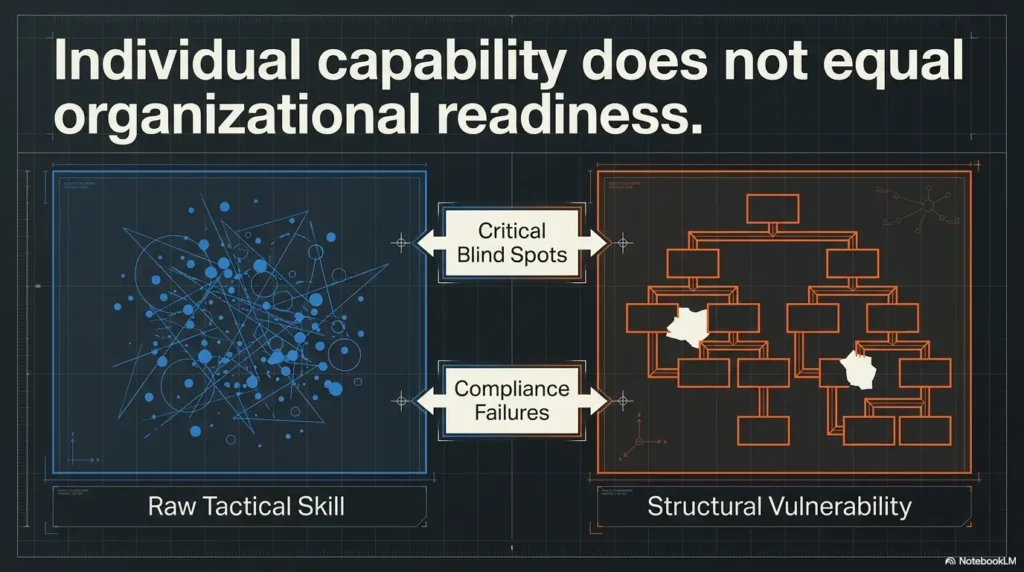
Kioptrix helps with that capability. Not all of it, of course. It will not teach cloud IAM, detection engineering, secure software development, or modern enterprise response. But it can teach the early rhythm of investigation.
Here’s What No One Tells You…
Kioptrix feels “easy” only after someone has already learned what to look for. To a beginner, it is a fog machine with a keyboard attached.
I still remember the first time I watched a learner stare at an open service and whisper, “Is that good?” That question is the doorway. Not the exploit. Not the final shell. The doorway is learning how to turn “I see something” into “I know what to check next.”
Who This Is For, and Who It Is Not For
Best Fit: Beginners Who Need Process Before Speed
Kioptrix Level is a good fit for US-based self-study learners, help desk workers, IT support staff, junior SOC hopefuls, and career-switchers who need to practice reading systems carefully.
It is especially useful for people who already know a little Linux, a little networking, and just enough command-line work to get into trouble politely. For learners who want the gentle doorway instead of the trapdoor, Kioptrix for beginners is the cleaner starting shelf.
Picture the learner who can explain what an IP address is, but freezes when a scan returns five services. That person does not need a harder lab yet. They need a calmer method.
Good Fit: Learners Preparing for Harder Labs
Kioptrix can be a bridge before Hack The Box, TryHackMe, Proving Grounds, or certification-style labs. It is not the whole bridge. It is one sturdy plank.
Use it before moving into environments that add more modern web stacks, Active Directory, cloud services, containerization, and detection considerations. If you want to place that plank inside a longer route, a broader Kioptrix learning path can help you avoid wandering from lab to lab like a tourist with no map and four coffees.
Not For: People Looking for Current CVEs Only
If your goal is current exploit chaining, enterprise detection, cloud attack paths, or modern adversary simulation, Kioptrix will feel small. That is not a flaw. It is a training room, not a stadium.
Eligibility Checklist: Is Kioptrix a Good Next Lab?
| Question | Yes or No | Next Step |
|---|---|---|
| Can you run a virtual machine safely? | Yes | Build an isolated lab before scanning. |
| Do you know basic ports and services? | Somewhat | Keep a service glossary beside your notes. |
| Are you willing to write notes before hints? | Required | Use the three-line note pattern below. |
| Are you looking only for modern CVE practice? | No | If yes, choose a newer lab instead. |
Neutral action: If you can run an isolated VM, understand basic services, and are willing to keep notes, Kioptrix may be a useful practice stop. If you mainly want current CVE practice, choose a newer lab.
The Hidden Value: Enumeration Without the Noise
Enumeration Teaches You How to Listen
Enumeration is not just “run scan, receive magic.” It is the act of letting a target speak before you decide what story you want to believe.
When beginners skip enumeration, they usually do not skip it on purpose. They skip it because the output looks plain. A list of ports does not feel dramatic. A version string does not kick open a door. A web page that says almost nothing can feel like a dead end.
But the map is often made from these plain things. A simple Kioptrix enumeration habit helps the learner treat small clues as evidence, not as background noise.
Don’t Skip the Boring Output
The beginner mistake is hunting for fireworks while stepping over the fuse. You see a service, ignore the version, skip the default page, miss the directory clue, then wonder why the lab feels unfair.
I have done this too. Years ago, I spent an entire evening blaming a lab for being “weird” before realizing the clue had been sitting in the first scan result like a patient cat. The cat had better discipline than I did.
One Service at a Time
For Kioptrix, a simple rhythm works better than tool-hoarding:
- Choose one open service.
- Write what is known.
- List two possible next checks.
- Test only one.
- Record what changed.
This prevents the beginner spiral where you open eight terminals, three walkthroughs, two search tabs, and one tiny personal crisis. When that spiral starts with the first scan, a dedicated Kioptrix recon routine gives the session a spine before the tabs multiply.
Show me the nerdy details
A useful enumeration note separates evidence from interpretation. “Port 80 is open” is evidence. “The web server is vulnerable” is interpretation. “The default page suggests this service may be underconfigured” is a testable hypothesis. This distinction matters because beginners often treat guesses as facts, then build a whole castle on wet cardboard.
Common Mistakes That Make Kioptrix Less Useful
Mistake 1: Copying the Walkthrough Too Early
Walkthroughs are not evil. They are useful when used as mirrors. They become harmful when used as remote controls.
If you copy the path before you have tried to reason through the evidence, you may finish the lab and still feel hollow afterward. The screen says success. Your brain says, “Was I even there?”
A better rule: use hints only after writing down what you tried, what you saw, and where you got stuck. When you do need orientation, treat a Kioptrix Level walkthrough as a small lantern, not a chauffeur.
Mistake 2: Treating Exploit-DB Like a Vending Machine
Beginners sometimes search a version, paste something dramatic, and hope the machine applauds. That can produce motion, but motion is not always learning.
Before using any public exploit information inside a legal lab, ask:
- What service does this target?
- What version or condition does it require?
- Does my evidence actually match?
- What could break if I misunderstand it?
That last question is not there to scare you. It is there to make you careful. This is also where comparing Metasploit vs manual Kioptrix practice can help beginners understand what a tool is doing instead of treating it like a vending machine with a shell button.
Mistake 3: Taking Screenshots Instead of Notes
Screenshots feel productive because they are visible. Notes build memory because they force you to choose words.
Use screenshots for proof. Use notes for thinking. If your notes keep collapsing into screenshot soup, a simple Kioptrix note-taking tool approach can make the evidence easier to find tomorrow.
Mistake 4: Measuring Skill by Completion Time
A fast root can hide shallow understanding. A slower session with cleaner reasoning is often the better beginner win.
- Try before reading a walkthrough.
- Separate evidence from guesses.
- Write notes that tomorrow-you can understand.
Apply in 60 seconds: Add a “What I assumed” line to your next lab note.
The Beginner Skill Stack Kioptrix Still Builds
Service Recognition
Service recognition is the ability to look at an open port or banner and ask useful questions. Not heroic questions. Useful ones.
What usually runs here? What information might it expose? What normal behavior should I expect? What would be unusual? What documentation should I check?
This is foundational for help desk workers moving toward security because it connects familiar IT concepts to attacker-aware thinking. A service is not just “running.” It has a role, a risk, and a story. For that specific career bridge, Kioptrix for help desk workers can frame the lab in the language of troubleshooting, evidence, and escalation.
Version Research
Old software versions create a safe classroom for version-to-risk thinking. You learn that a version number is not a decoration. It is a clue that must be checked against context.
The trap is assuming every old version means immediate compromise. The better habit is to verify conditions, configuration, exposure, and fit. That habit starts with humble things like avoiding banner grabbing mistakes before the research turns into a guessing parade.
Web Path Testing
Basic web enumeration is not a frantic directory-wordlist contest. It is a reading exercise.
You check visible pages, links, robots files where appropriate, forms, response codes, and error behavior. You pay attention to what changes when you ask the application a slightly different question. When the web surface feels too quiet, a focused guide to Kioptrix HTTP enumeration can help beginners read the silence with better instruments.
Privilege Escalation Awareness
Inside a legal lab, beginners can learn the concept of moving from limited access to higher privileges without turning the article into an exploit recipe. The lesson is not “do this exact thing everywhere.” The lesson is that initial access is not the same as full system control.
Infographic: The Kioptrix Beginner Skill Stack
Confirm the lab is owned or authorized.
Find hosts, ports, and visible services.
Turn output into testable hypotheses.
Check one idea at a time.
Record what worked, failed, and changed.
The Modern Twist: Use Kioptrix to Practice Better Notes
Build a Three-Line Lab Note
Good notes do not need to be fancy. In fact, fancy notes sometimes become a decorative hiding place for confusion.
Use this three-line structure:
- I found: the evidence you observed.
- I think: the hypothesis you are considering.
- I will test: the next single action.
That is it. Tiny. Almost annoyingly tiny. But it works because it forces your brain to stop juggling smoke. If you want to turn that tiny structure into something reportable, a Kioptrix recon log template gives the notes a place to land.
The Tiny Debrief That Changes Everything
After each Kioptrix session, ask three questions:
- What did I assume too quickly?
- What clue did I ignore?
- What would I check first next time?
This turns a lab from a one-time puzzle into a learning loop.
Let’s Be Honest…
Most beginners do not need more tools first. They need a calmer way to remember what they already saw.
I once helped a learner who had beautiful screenshots and almost no written reasoning. Their folder looked impressive. Their memory looked like a drawer full of loose batteries. After two sessions with three-line notes, they started finding their own mistakes faster. That is the quiet magic.
Mini Calculator: How Much Should You Try Before a Hint?
Use this no-storage calculator as a simple planning tool. Keep the numbers small so the lab stays human.
Neutral action: When the threshold ends, read only the smallest hint that moves you one step forward.
Why “Outdated” Can Be an Advantage for Beginners
Fewer Moving Parts, Better Learning Signal
Modern labs can bury beginners under too many layers at once. Cloud identity, modern web frameworks, containers, chained vulnerabilities, and detection tooling all matter. They just may not belong in hour one.
Kioptrix narrows the room. A narrower room lets the beginner see cause and effect.
That does not make the lab realistic in every way. It makes it useful in a specific way. It lets a learner practice the beginning of the investigation without being swallowed by the entire industry at breakfast. For learners with limited weekly bandwidth, Kioptrix Level for busy adults can make that narrower room easier to revisit consistently.
You Can See the Cause and Effect
Simple targets help beginners understand why one observation leads to the next test. This is where learning becomes portable.
You are not memorizing “the Kioptrix trick.” You are learning a sequence:
- Observe what exists.
- Research what it means.
- Choose a reasonable check.
- Verify the result.
- Update the map.
The Museum Piece Problem
An old target can either become a dusty museum piece or a training violin. The difference is how deliberately the learner practices.
If you rush through Kioptrix as a trophy, it becomes a museum piece. If you use it to tune your process, it still has music in it.
- Use Kioptrix to practice the first moves.
- Add modern labs after the method feels steady.
- Do not confuse simple with useless.
Apply in 60 seconds: Write one transferable skill you want from the lab before you start.
Don’t Use Kioptrix Like a Content Trophy
Root Is Not a Resume Bullet by Itself
A completed Kioptrix box does not prove professional readiness. It proves you completed a specific beginner lab under specific conditions.
That is still good. Just do not inflate it into a parade float.
For career-switchers, the better resume value comes from explaining your process: scope, enumeration, findings, evidence, documentation, and lessons learned. That shows judgment. Judgment travels better than bragging. If you want that judgment to look credible in public, using Kioptrix Level for LinkedIn is less about boasting and more about showing your learning process without turning it into confetti.
Write the Report You Wish You Had Read
Even in a private home lab, write a short report. It does not need legal polish or consulting theater. Keep it clean.
- Scope: What system was tested?
- Goal: What were you practicing?
- Findings: What did you observe?
- Evidence: What supports the finding?
- Lesson: What will you do differently?
A report turns a puzzle into a portfolio artifact. Not a flashy one. A useful one. For that next layer of polish, a Kioptrix lab report format can help the evidence stop floating around like loose receipts.
Your Future Self Is the First Client
If tomorrow-you cannot understand today’s notes, the lab did not fully teach you.
This is not a moral failure. It is a documentation failure. Happily, documentation failures are fixable with boring little habits, the kind that quietly become professional strengths.
Decision Card: Walkthrough First vs Try First
| Approach | Best When | Trade-Off |
|---|---|---|
| Walkthrough first | You are completely new and need orientation. | Faster comfort, weaker recall. |
| Try first | You can run scans and take notes safely. | Slower progress, stronger reasoning. |
Neutral action: Try first for 40 minutes, then use a hint only to unstick the next step.
Ethical Boundaries: Keep the Lab Clean
Legal Practice Only
Kioptrix-style practice belongs in intentionally vulnerable machines, owned systems, or environments where you have explicit permission. That boundary is not decoration. It is part of the skill.
Cybersecurity without authorization is not “extra realistic.” It is a legal and ethical problem wearing a hoodie.
No Random Scanning
Do not apply commands, testing methods, or exploit attempts against public IPs, school networks, employer systems, client systems, or third-party websites without explicit written authorization.
This includes “just checking,” “just learning,” and “I did not mean anything by it.” Intent does not magically turn unauthorized testing into responsible practice. A safer Kioptrix network setup keeps the practice inside the fence where it belongs.
Skill Without Permission Is Not Skill
Beginners should learn scope discipline as early as scanning discipline. CISA’s training and exercise resources emphasize structured preparation and authorized practice environments for building cyber readiness. That is the adult furniture in the room.
Real operators respect boundaries because boundaries protect people, systems, and trust.
- Practice only in owned or authorized labs.
- Do not scan random systems.
- Write scope into your lab notes.
Apply in 60 seconds: Add one line to your notes: “Authorized scope: my isolated home lab only.”
Next Step: Run One Clean 40-Minute Kioptrix Session
Your One Concrete Action
Open the lab, confirm the target is inside your legal home environment, run only the first discovery and enumeration pass, then write three things: what is open, what looks interesting, and what you will test next.
Do not try to finish the box in this session. That is the trick. The goal is not victory fireworks. The goal is clean signal.
Stop Before the Spiral
End the session before opening five walkthroughs, ten tabs, and a tiny weather system of confusion.
A 40-minute session gives you enough time to observe, write, and choose a next move. It also gives you a hard edge. Beginners often need edges more than motivation. If you are not sure where that edge should be, Kioptrix session length planning can keep practice from spilling into burnout soup.
Short Story: The Night the Notes Beat the Exploit
Short Story: A learner I once coached spent two nights trying to force progress through pure stubbornness. Their desktop looked like a detective wall, except every string led to another browser tab. On the third session, we changed only one thing. No new tools. No secret command. Just a notebook with three lines:
“I found,” “I think,” and “I will test.” After 25 minutes, they noticed they had skipped a service that had been visible from the first scan. Their face did that wonderful beginner thing, half embarrassment and half sunrise. They did not become advanced that night. Something better happened. They became less random. In cybersecurity learning, less random is a very serious upgrade.
Quote-Prep List: What to Gather Before Comparing Beginner Labs
- Your current Linux comfort level.
- Your networking basics: IPs, ports, DNS, HTTP.
- Your virtualization setup and isolation plan.
- Your weekly practice time, even if it is only 2 sessions.
- Your next goal: SOC, help desk to security, pentest basics, or general literacy.
Neutral action: Pick the lab that trains your weakest repeatable habit, not the one with the loudest reputation.
FAQ
Is Kioptrix Level still worth doing in 2026?
Yes, if the goal is beginner process building. Kioptrix still helps with enumeration, documentation, service research, patience, and legal lab habits. It is not enough by itself for modern job readiness, but it can be a useful early practice station.
Is Kioptrix too old for cybersecurity beginners?
It is old, but that can help. The smaller target surface makes it easier to see how basic clues connect. Beginners often need fewer moving parts before they need more realism.
Should I use a walkthrough for Kioptrix?
Use one carefully. Try first, write down your attempts, then consult hints in small pieces. Avoid copying the full path unless your goal is orientation rather than independent practice.
What should I learn before Kioptrix?
Learn basic Linux navigation, virtual machines, IP addresses, ports, common services, HTTP basics, and note-taking. You do not need to be an expert. You do need enough foundation to understand what your tools are showing you. A Kioptrix Kali setup checklist can also reduce beginner friction before the first scan ever runs.
Does Kioptrix help with OSCP-style thinking?
It can help with early habits, especially enumeration discipline and persistence. It should not be treated as direct exam preparation. Think of it as beginner footwork before harder sparring.
How long should a beginner spend on Kioptrix?
Long enough to understand the path, not just finish it. A few focused 30 to 60 minute sessions with notes are better than one rushed trophy run.
Can Kioptrix help someone move from help desk to cybersecurity?
Yes, as a small stepping stone. Help desk workers already understand systems, users, and troubleshooting pressure. Kioptrix adds attacker-aware observation inside a legal lab.
What should I do after Kioptrix Level 1?
Write a short report, redo the box without notes, then move to another beginner lab with one new focus. For example, choose web enumeration, Linux privilege awareness, or cleaner reporting. If you are unsure how to sequence that next move, a Kioptrix Level best practice path can keep momentum from turning into random sampling.
Conclusion
The reason Kioptrix Level still works is not nostalgia. It is not because old exploits are secretly modern again. It is because beginners still need a place to practice the old, durable craft of looking carefully.
The hook closes here: that dusty old machine can still teach a current lesson because the beginner’s first problem has not changed. The problem is not lack of tools. It is scattered attention, weak notes, fuzzy scope, and the rush to act before the evidence has finished speaking.
Use Kioptrix as a thinking lab. Keep it legal. Keep it small. Keep it documented. Then move on when the lesson has landed. If you want to keep that lesson alive beyond one box, a steady 30-day Kioptrix practice routine can turn the lab from a weekend spark into a working habit.
- Practice inside authorized lab boundaries.
- Use short sessions with clean notes.
- Move to newer labs after the method becomes steady.
Apply in 60 seconds: Schedule one 40-minute session and write your first three-line note before reading any hint.
Your next 15-minute step: set up your note template, confirm your lab scope, and write the first line before you run anything: “Today I am practicing enumeration discipline, not chasing root.” That one sentence is a tiny guardrail. Tiny guardrails save beginners from very large puddles.
Last reviewed: 2026-04.