

Hands-on cybersecurity study guide
Kioptrix Level Guide:
Lab Practice or Certification Study?
You can recognize an Nmap scan, explain what a web server does, and perhaps recite the difference between authentication and authorization. Then a vulnerable virtual machine boots, the terminal cursor starts blinking, and all that tidy knowledge scatters like papers near an open window.
That moment does not mean you are bad at cybersecurity. It usually means your knowledge has not yet been converted into a repeatable process. Kioptrix can help with that conversion, but it cannot replace the broader structure, vocabulary, and credential value of a well-chosen certification program.
This guide helps you decide which gap matters most right now: missing knowledge, weak execution, poor documentation, limited time, or the need for a recognized exam result. You will leave with a practical Kioptrix level path, a certification comparison framework, and a 90-minute trial session that turns uncertainty into evidence.
🧭 The goal is not to collect rooted machines. It is to become the person who can explain what each action was meant to prove.
Article snapshot: This guide is for cybersecurity beginners, career changers, IT support professionals, and certification candidates who are unsure whether to spend their next study block on Kioptrix or exam material.
It solves the “I know the terms but cannot move forward in a lab” problem. By the end, you will be able to select a starting level, judge your readiness, avoid common practice traps, and build a study plan that fits your deadline.
Table of Contents
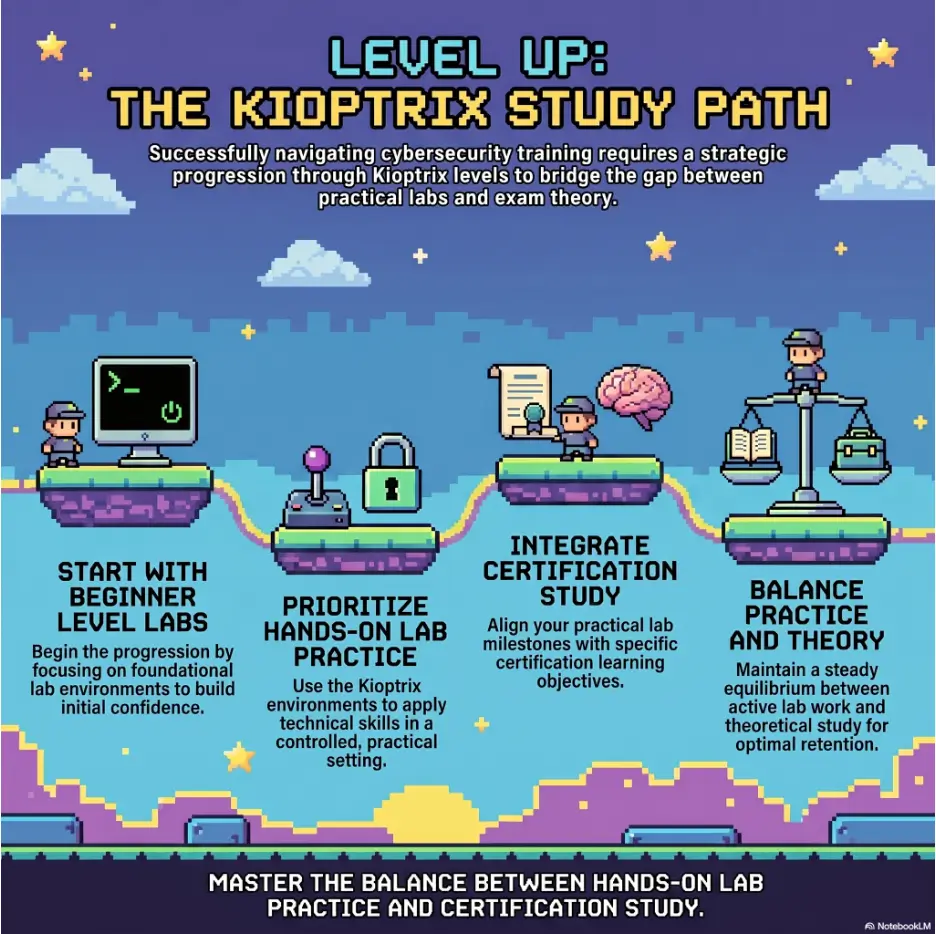
Authorized Labs Only: Keep Practice Safe and Legal
Kioptrix is intentionally vulnerable. That is its educational value, but it also makes network isolation more than a tidy technical preference. Your practice target should remain inside a lab you own or have explicit permission to test.
Do not aim scans, exploit modules, password tools, directory discovery tools, or crafted requests at public systems simply because they appear old or poorly configured. A tool does not become harmless because you are “only learning.” Authorization is the bright line.
The simple authorization rule
Before sending a packet, ask one question: Do I own this target, or do I have clear permission to test it? If the answer is uncertain, stop. Curiosity is useful in cybersecurity, but permission gives curiosity a safe container.
A local Kioptrix virtual machine connected to a private host-only network is an appropriate target. A random server discovered through a search engine is not. A training platform account with written scope is appropriate. A school, employer, neighbor, or café network is not automatically fair game.
Isolate the lab before you practice
Older vulnerable machines may contain services that should never be exposed to the internet. Use host-only or another intentionally isolated virtual network unless your specific setup requires a different design and you understand the consequences.
- Confirm that the target VM is not using a directly exposed bridged connection.
- Take a clean snapshot before testing.
- Disable unnecessary shared folders and clipboard sharing.
- Keep personal files and credentials outside the lab environment.
- Shut down the vulnerable target when the session ends.
- Record the IP addresses assigned to the attacker and target machines.
Safety and scope reminder
This article discusses learning strategy, not instructions for attacking real systems. Practice only on machines you own or environments that explicitly permit security testing. When the written scope is unclear, treat the target as off-limits.
Key takeaway
A secure learning setup is part of practical skill. Network isolation, snapshots, scope notes, and clean shutdown habits belong in the methodology, not in an appendix you promise to read later.
Start With the Real Gap: Knowledge or Execution?
The choice between Kioptrix and certification study often looks like a choice between “practical” and “theoretical.” That split is too blunt to be useful. A better decision starts with the kind of failure you experience when working alone.
Do you lack the concepts needed to interpret what you see, or do you understand the concepts but struggle to turn them into the next sensible action? Those problems feel similar at the keyboard, yet they need different medicine.
Choose lab practice when concepts disappear at the terminal
Lab practice should move to the front of your schedule when you can define common terms but cannot form a testing sequence. You may know that enumeration matters, for example, while still running several scanners without knowing how their findings change your next decision.
Typical signs of an execution gap include repeatedly asking, “What command comes next?” or treating every open port as an invitation to search for an exploit immediately. You may also collect large volumes of output while failing to extract a short list of testable hypotheses.
- You can read scan output but struggle to prioritize services.
- You recognize tool names but cannot explain why you selected one.
- You abandon a path after one failed command without checking assumptions.
- You solve guided rooms comfortably but stall in unguided machines.
- Your notes list commands but not observations, decisions, or results.
- You reach a shell occasionally but cannot reproduce the path later.
Kioptrix is useful here because it makes the distance between information and action visible. The machine does not care whether you watched twelve excellent videos. It responds only to the quality of your observations and tests.
Choose certification study when your knowledge has wide gaps
Structured certification study deserves priority when unfamiliar terminology appears everywhere. If you cannot explain basic networking, operating-system permissions, web requests, common defensive controls, or the purpose of major security domains, a vulnerable machine may produce confusion rather than productive struggle.
That does not mean you must memorize a textbook before touching a lab. It means your practical work should be supported by a syllabus broad enough to connect isolated facts. A certification objective list can act as shelving for knowledge that would otherwise remain piled on the floor.
- You cannot yet explain the difference between a port, service, protocol, and application.
- Linux file permissions feel random rather than rule-based.
- You have not worked with IP addressing, routing, DNS, or HTTP basics.
- You need a credential for a job requirement or internal promotion.
- You have a fixed exam date and broad objectives left uncovered.
- You need defensive, governance, cloud, identity, or policy knowledge beyond exploitation.
The revealing question: what is your next command meant to prove?
Pause before entering a command and complete this sentence: “I am running this because I observed ___, and I want to determine whether ___.”
If you cannot complete the sentence, you may be operating by habit, imitation, or hope. Hope has many virtues, but it is a terrible query language.
Suppose a scan suggests that a web service is running. A weak response is, “I will run every web tool I remember.” A stronger response is, “I want to identify the server software, application structure, visible inputs, and hidden content so I can form a narrower hypothesis.”
This small discipline separates tool familiarity from testing judgment. Certification study can teach the vocabulary behind the observation. Lab practice teaches you to make the observation matter.
Key takeaway
Choose the study method that targets your failure mode. Missing concepts call for structured coverage. Weak decisions under uncertainty call for deliberate lab work. Many learners need both, but not always in equal amounts.
What Each Kioptrix Level Is Really Testing
Kioptrix machines are often described by difficulty, but “easy” and “hard” conceal the more useful question: What behavior does this machine expose in the learner?
The series is old, and that age should be treated honestly. You are not receiving a complete model of a current enterprise environment. You are practicing the bones of a methodology: discovery, enumeration, research, hypothesis testing, exploitation inside an authorized lab, privilege escalation, evidence collection, and review.
Kioptrix Level 1: the first test of practical readiness
Level 1 is a sensible starting point for learners who already know basic Linux commands, understand what an IP address is, can operate a hypervisor, and have seen port-scanning output before. It is beginner-friendly in relation to other vulnerable machines, not beginner-proof in the absolute sense.
The main lesson is not simply that a vulnerable service can be identified. The deeper lesson is how you move from broad discovery to a smaller set of defensible options.
- Can you locate the target without guessing?
- Can you distinguish a host-discovery problem from a service-discovery problem?
- Can you record open ports and service clues without losing context?
- Can you research versions critically rather than trusting the first search result?
- Can you explain why a candidate weakness appears relevant?
- Can you preserve enough evidence to reproduce your work?
If you struggle here, the struggle is informative. Failure to find the target may point to virtual-networking gaps. Failure to prioritize services may indicate an enumeration gap. Failure to evaluate a candidate exploit may reveal missing operating-system or software-version knowledge.
Use the struggle diagnostically. Do not collapse every difficulty into the sentence, “I am not technical enough.” That sentence is fog. Name the actual missing skill.
Later levels: when the training wheels become less visible
As you move through later Kioptrix machines, the route tends to require more patient web enumeration, closer attention to application behavior, and stronger chaining of findings. You may need to resist the urge to treat each observation as an isolated puzzle.
Level 1.1 is often a useful next step because it asks the learner to pay closer attention to web-facing behavior and the relationship between inputs and server-side actions. The machine rewards observation more than frantic tool switching.
Level 1.2 typically feels less generous. Setup details and web clues matter, and the learner must tolerate a longer period in which no single finding looks decisive. That patience is not merely emotional endurance. It is a technical skill because premature certainty causes missed paths.
Level 1.3 asks for stronger connection-making. A discovered weakness may provide access without finishing the machine. The learner must keep enumerating from the new position rather than celebrating the first shell as though fireworks have been contractually required.
Kioptrix 2014 can sit later in a beginner sequence because it benefits from a more settled routine. By then, you should be less interested in guessing the “intended trick” and more interested in documenting what the host reveals.
A practical level map based on learner behavior
| Stage | Main learning pressure | Evidence you are ready | Common warning sign |
|---|---|---|---|
| Level 1 | Basic discovery, service enumeration, research discipline | You can explain each major step and preserve a clean command log | You search for a walkthrough before completing broad enumeration |
| Level 1.1 | Web enumeration and input-focused reasoning | You inspect application behavior before launching many tools | You equate one automated result with confirmed vulnerability |
| Level 1.2 | Patience, environmental setup, research, multi-step reasoning | You can work through uncertainty without random command hopping | You restart repeatedly because progress does not arrive quickly |
| Level 1.3 | Chaining weaknesses and post-access enumeration | You continue enumerating after initial access | You treat a basic shell as the end of the exercise |
| Kioptrix 2014 | Independent methodology and mature note-taking | You can separate facts, assumptions, tests, and conclusions | You rely on memory instead of a repeatable process |
Are older vulnerabilities still worth studying?
Yes, when you are clear about what transfers and what does not. Exact software versions, exploit reliability, and deployment patterns may be dated. The reasoning habits remain useful: verify versions, compare claims with evidence, understand prerequisites, control scope, and document the result.
An older lab is a musical scale, not a full concert. Scales are not the entire profession, but they expose weak timing and uncertain fingers with remarkable honesty.
For a broader progression beyond this article, use the internal Kioptrix labs beginner roadmap to place each machine within a longer practice sequence. You can also compare the machines directly in the Kioptrix level comparison guide.
The Kioptrix study decision flow
Certification Study Covers What One Lab Cannot
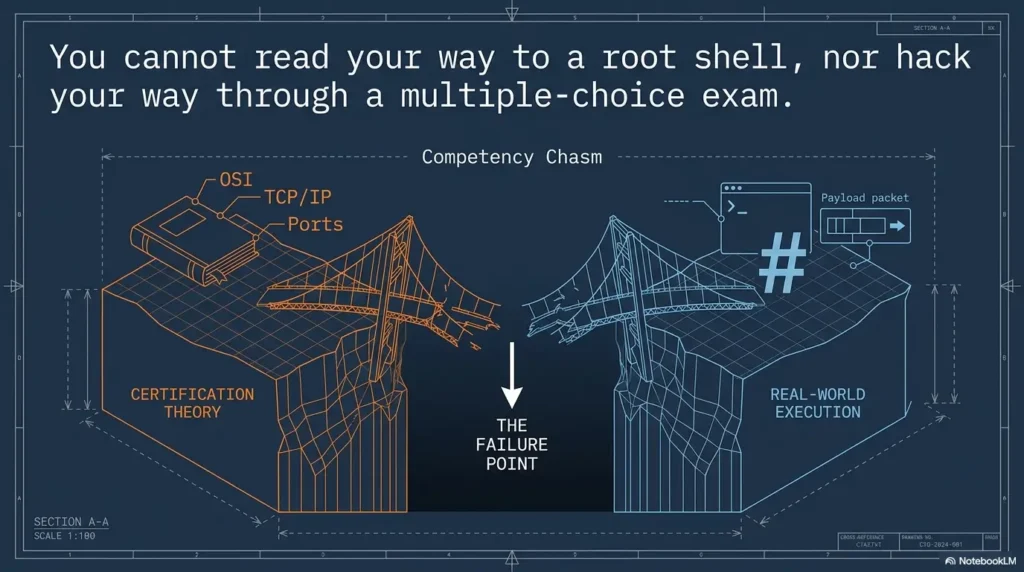
A vulnerable machine provides depth within a narrow technical situation. A certification syllabus provides breadth across topics that may never appear on that machine. Neither format is defective. They solve different learning problems.
Certification study becomes especially valuable when you need to understand why organizations select controls, how risks are communicated, how identities are governed, how cloud responsibilities are divided, or how incident response differs from penetration testing.
Exam objectives create breadth that labs rarely provide
A single Kioptrix machine cannot teach a complete security program. It will not reliably cover governance, risk treatment, security architecture, cryptography, business continuity, vendor assessment, awareness training, secure development, cloud models, legal obligations, and every defensive technology relevant to an entry-level role.
Structured objectives prevent you from studying only the topics that feel exciting. Without that structure, a learner can become very comfortable with scanning and basic exploitation while remaining unable to explain access control models or the purpose of a recovery objective.
This is one reason certifications can help career changers. They offer employers a familiar signal and give the learner a checklist that is wider than personal curiosity.
Memorization is not automatically shallow learning
Cybersecurity learners sometimes speak about memorization as though it were intellectual junk food. In reality, some facts need to be available quickly before higher-level reasoning can happen.
You do not want to rediscover the basic purpose of DNS, HTTP status classes, hashing, symmetric encryption, public-key infrastructure, least privilege, or network segmentation every time a question appears. Familiarity lowers cognitive load.
The problem is not remembering facts. The problem is stopping there. A useful study cycle moves from recognition to explanation, then from explanation to application.
- Recognize: Identify the term, technology, or control.
- Explain: Describe what it does and what problem it addresses.
- Compare: Distinguish it from similar options.
- Apply: Use it to interpret a scenario or lab observation.
- Evaluate: State limitations, assumptions, and possible failure conditions.
Broad theory makes lab decisions faster
When you know how protocols, permissions, and application components fit together, enumeration output becomes less noisy. The terminal still prints the same characters, but your attention changes.
A learner with stronger theory may notice that a service combination suggests a particular type of host or application stack. They may understand which version claims need verification and why a successful connection does not automatically imply meaningful access.
Broad study also improves troubleshooting. Instead of assuming that every failure means “the exploit is broken,” you can consider routing, name resolution, service binding, architecture, permissions, input requirements, and environmental differences.
Key takeaway
Certification study gives you breadth, shared vocabulary, and an external milestone. It becomes stronger when each major topic is connected to a lab, scenario, diagram, or written explanation.
Lab Practice Builds What Reading Cannot
Reading can show you a clean sequence. A lab shows you what happens when the sequence arrives without labels.
That difference matters. Professional technical work is rarely presented as a chapter with the important terms printed in bold. You encounter partial information, misleading clues, environmental problems, failed assumptions, and time pressure.
Enumeration becomes a habit instead of a checklist
A checklist is useful when it protects you from omission. It becomes harmful when you follow it without interpreting results. Good lab practice teaches you to move back and forth between procedure and judgment.
You begin with a broad routine, then adapt. A service banner suggests one branch. A web response suggests another. A failed login may still reveal naming conventions or application behavior. A tool error may expose a problem in your own setup rather than the target.
The aim is not to run fewer commands for the sake of elegance. The aim is to make each command answer a question.
Failed attempts teach evidence-based troubleshooting
Failure is most useful when it is specific. “It did not work” is not a finding. “The target accepted the connection but did not return the expected response” is a finding. “The command used the wrong interface address” is a finding. “The software version claim was inferred from a weak banner” is a finding.
Strong troubleshooting asks what was expected, what actually happened, and which assumption separates the two.
| Weak note | Better note | Why it helps |
|---|---|---|
| Scan failed | Host discovery returned no response, but the VM console shows an assigned IP | Separates target availability from discovery behavior |
| Exploit did not work | Candidate requires a version or module not yet confirmed | Exposes an unverified prerequisite |
| Website is broken | Direct IP loads, but the expected hostname does not resolve | Points toward name-resolution setup |
| No useful shares | Anonymous listing was denied; authenticated access has not been tested | Records what is known without overstating the result |
Short Story: The Box That Was Not Beating Maya
Maya had spent three evenings on her first Kioptrix machine. Each session ended the same way: six terminal tabs, several copied commands, and the sour feeling that the box understood cybersecurity better than she did.
On the fourth evening, she changed one rule. Before every command, she wrote the question it was supposed to answer. Within twenty minutes, she noticed that several commands were repeating the same test while one open service had barely been examined.
She did not finish the machine that night. She did something more important: she found the precise point where her process became vague.
The next session was slower on the clock but cleaner in the notes. Maya later described that change in an interview, not as a heroic hacking tale, but as an example of correcting a weak troubleshooting method. That was the story the interviewer remembered.
Notes turn a solved machine into reusable professional knowledge
A root shell is temporary. A well-structured record can support revision, portfolio writing, interview preparation, and future troubleshooting.
Your raw notes should capture commands, outputs, timestamps, observations, failed branches, and questions. Your final write-up should compress that material into a clear narrative: scope, approach, findings, evidence, impact, and recommendations.
The two documents serve different purposes. Raw notes protect memory. A final report protects meaning.
The internal guide to note-taking systems for penetration testing can help you design a repeatable structure. For a lighter template focused on individual sessions, see the Kioptrix recon log template.
Show me the nerdy details
A strong lab note separates four data types: facts, interpretations, hypotheses, and actions. Mixing them creates false confidence.
- Fact: The scan reported a service on a specific port.
- Interpretation: The host may be running a particular application family.
- Hypothesis: A named weakness may apply if the version and configuration match.
- Action: Perform a non-destructive validation step inside the authorized lab.
Who Kioptrix Is For, and Who Needs Another Starting Point
Calling Kioptrix “for beginners” is only useful when beginner is defined. A person with six months of help-desk experience, basic Linux familiarity, and networking coursework is a different beginner from someone opening a terminal for the first time.
Kioptrix is a good fit for these learners
- The theory-heavy learner: You understand course material but need practice forming an independent sequence.
- The certification candidate: You want practical reinforcement for networking, services, web behavior, access, and reporting concepts.
- The help-desk or systems worker: You already troubleshoot users, permissions, devices, or networks and want exposure to offensive methodology.
- The career changer with foundations: You have completed basic Linux and networking study and need evidence of applied learning.
- The returning learner: You studied security before but need a compact environment to rebuild confidence.
- The budget-conscious student: You want repeatable local practice without maintaining a large subscription stack.
For career changers, the lab can become a bridge between previous experience and a new role. A former operations analyst might emphasize documentation and decision discipline. A support technician might discuss network troubleshooting. A developer might focus on input handling and application behavior.
The machine is the same, but the professional story changes according to the learner’s starting point.
Complete beginners may need a guided platform first
If basic terminal navigation, virtual networking, and TCP/IP concepts are unfamiliar, Kioptrix can bury the lesson beneath setup friction. You may spend an entire evening wondering why the machines cannot see each other, then mistakenly conclude that enumeration is beyond you.
A guided platform or foundational course can reduce that friction by teaching one concept at a time. This is not taking an easier path. It is arranging the staircase before attempting the roof.
Build these minimum foundations first:
- Navigate directories, inspect files, and use basic Linux help commands.
- Explain IP addresses, subnets, ports, protocols, and client-server communication.
- Create, start, stop, snapshot, and restore a virtual machine.
- Identify the difference between host-only, NAT, and bridged networking.
- Read simple HTTP requests and responses.
- Keep a timestamped text or markdown log.
Kioptrix is not enough by itself for modern coverage
The series should not be your only preparation for a current penetration-testing role or practical exam. Modern environments may involve cloud services, containerized applications, current authentication patterns, endpoint defenses, Active Directory, APIs, multifactor authentication, segmented networks, and newer web technologies.
Kioptrix is best treated as methodology practice. Once you can solve and explain the series without leaning heavily on walkthroughs, move to environments that introduce different operating systems, network shapes, and application patterns.
The internal guide on moving from Kioptrix to Hack The Box provides one possible transition. You can also review the free vulnerable machines guide when you want a wider set of legal practice targets.
Key takeaway
Kioptrix is most useful after basic Linux, networking, and virtual-machine skills are in place. It is a bridge from guided knowledge to independent methodology, not a complete cybersecurity curriculum.
Seven Kioptrix Study Mistakes That Quietly Slow Progress
Most learners do not fail because they lack intelligence or expensive tools. They lose learning value through habits that make progress feel faster while weakening recall and judgment.
1. Reading a walkthrough before completing your own enumeration
A walkthrough does more than reveal an answer. It changes what you notice. Once you know which service matters, your brain quietly upgrades that clue from ordinary to obvious.
Protect the first attempt. Complete broad discovery, enumerate each visible service, record at least three hypotheses, and state what blocked you before opening a solution.
Use the internal guide on avoiding Kioptrix walkthrough dependence if solution-checking has become automatic.
2. Copying an exploit without checking its assumptions
Public exploit material may assume a specific version, architecture, path, compiler, module, target state, or network direction. Copying a command can produce success without understanding or failure without diagnosis.
Before using any candidate method in your lab, write down the prerequisites you believe are true. Then verify them. This turns “try it and see” into controlled testing.
3. Treating root access as the only objective
Root access is a visible finish line, which makes it seductive. Yet the most transferable work often happens before and after that moment.
- How did you identify and prioritize the attack surface?
- Which evidence confirmed the weakness?
- Which failed paths were reasonable, and which were poorly chosen?
- What changed after initial access?
- How would a defender detect or prevent the activity?
- Could another learner reproduce your result from your notes?
A machine completed with weak notes may teach less than a machine left unfinished with excellent diagnosis.
4. Skipping commands, screenshots, findings, and dead ends
Memory feels reliable while the terminal is open. Two days later, command flags blur together and the crucial observation becomes “something about the web page.”
Capture evidence when it appears. Use filenames that include the host, service, purpose, and sequence. Record why a screenshot matters rather than treating screenshots as decorative proof that a terminal existed.
5. Confusing speed, age, and tool volume with skill
Three additional mistakes often travel together:
- Assuming an older machine represents current enterprise security: Treat dated technology as methodology practice, then broaden your environments.
- Measuring progress by completion time: Finishing quickly may reflect memory of a known path rather than stronger reasoning.
- Running many tools without interpreting results: Tool volume can create the appearance of activity while hiding a missing hypothesis.
The cure is not permanent slowness. It is deliberate practice followed by speed. First build a method you can explain. Then make it efficient.
Mistake checklist before ending a session
- Did I open a walkthrough before naming my blocker?
- Did I run a tool without a question?
- Did I treat a banner as confirmed truth?
- Did I abandon a service after one failed test?
- Did I record failed paths and why they failed?
- Did I continue enumerating after gaining access?
- Could I repeat today’s work from my notes?
Use the Decision Matrix Before Committing Your Study Hours
The best study choice depends on your bottleneck, deadline, career target, and available attention. A student with a certification exam in four weeks should not use the same schedule as a help-desk professional exploring penetration testing without a deadline.
Pick Kioptrix first when hands-on confidence is the bottleneck
A lab-first week makes sense when your theory scores are respectable but open-ended tasks cause paralysis. You need repeated exposure to incomplete information and the discipline of choosing a next test.
- You have completed introductory networking and Linux study.
- You can explain common security concepts without constant reference material.
- You perform well on multiple-choice questions but poorly in unguided labs.
- You need portfolio evidence or interview examples.
- You have no immediate exam deadline.
- You can protect at least one uninterrupted 60- to 90-minute session.
Pick certification study first when breadth or credential value is urgent
Certification-first study is sensible when an exam, job listing, employer requirement, or foundational knowledge gap is driving the decision.
- Your target jobs consistently request a particular credential.
- You have an exam booked within the next six to eight weeks.
- You cannot yet explain major domains in the exam objectives.
- You need broad defensive knowledge rather than a penetration-testing focus.
- Your available study blocks are short and frequently interrupted.
- You are still building basic networking, operating-system, or web foundations.
Choose a hybrid plan when the exam expects applied skill
A hybrid plan is usually strongest for practical certifications or roles that expect you to explain both concepts and actions. The important word is plan. Alternating randomly between videos, notes, labs, and practice questions is not a hybrid system. It is a browser history.
Assign each activity a function. Reading introduces or organizes knowledge. Questions test recognition and judgment. Labs test execution. Write-ups test explanation. Review sessions test retention.
| Your situation | Suggested study split | Primary measurement |
|---|---|---|
| Strong theory, weak terminal confidence | 70% labs, 30% structured review | Independent next-step decisions |
| Weak foundations, no exam booked | 70% foundational study, 30% guided practice | Ability to explain core concepts plainly |
| Exam in six weeks | 60% objectives and questions, 40% mapped labs | Objective coverage plus task accuracy |
| Practical exam preparation | 60% timed labs, 25% gap review, 15% reporting | Repeatability under time limits |
| Portfolio and interview preparation | 50% labs, 30% write-ups, 20% verbal explanation | Clear evidence and concise stories |
| Busy adult with fragmented time | Short theory blocks plus one weekly deep lab | Consistency and weekly review quality |
A five-minute readiness scorecard
Score each statement from zero to two. Give yourself zero for “not yet,” one for “with notes or help,” and two for “independently.”
- I can configure an isolated virtual network and confirm connectivity.
- I can explain ports, services, protocols, and banners.
- I can use Linux navigation, permissions, processes, and text tools.
- I can inspect basic web requests, responses, headers, and inputs.
- I can turn a scan result into two or three testable questions.
- I can troubleshoot a failed command without immediately replacing the tool.
- I can maintain notes that another learner could follow.
- I can explain the legal scope of my practice environment.
0–6: Start with foundations and guided labs.
7–11: Use Kioptrix Level 1 alongside structured study.
12–16: Use Kioptrix as independent methodology practice, then progress to varied machines.
Key takeaway
Do not choose according to which activity feels more serious. Choose according to the evidence: your deadline, objective coverage, ability to work independently, and need for a recognized credential.
Build a Hybrid Plan Without Doubling Your Workload
The common fear about hybrid study is that it requires two complete schedules. It does not. The efficient approach is to make one activity produce material for the next.
A certification objective can guide the lab focus. The lab can create a concrete example for your notes. The notes can become practice questions. The practice questions can reveal the next lab gap.
Match each lab session to one certification objective
Do not force every Kioptrix activity into an exam objective. Instead, select one or two natural connections per session.
| Lab activity | Possible study connection | Review question |
|---|---|---|
| Host and service discovery | Network reconnaissance, protocols, segmentation | What did the discovery method assume about host responses? |
| Service-version research | Vulnerability management, false positives, risk validation | Which evidence confirmed the software claim? |
| Web enumeration | HTTP, input handling, authentication, secure development | What application behavior changed the hypothesis? |
| Initial access | Attack paths, access control, logging, containment | Which control could have interrupted the path? |
| Privilege escalation | Least privilege, permissions, patching, hardening | Which trust decision allowed greater access? |
| Reporting | Risk communication, remediation, evidence handling | Can a non-specialist understand the impact and fix? |
Use a fixed hint ladder before consulting a solution
A hint ladder protects independence without turning one blocker into a weekend-long staring contest.
- Re-read your own evidence: Review ports, pages, responses, versions, errors, and notes.
- Repeat broad enumeration carefully: Check whether an option, interface, host entry, or service was missed.
- Consult tool documentation: Confirm syntax, expected output, prerequisites, and limitations.
- Search the concept, not the machine name: Research the service, protocol, error, or application behavior.
- Ask for a directional hint: Seek the category of the missed clue rather than the exact command.
- Read only the next relevant portion: Stop once you can resume independent work.
- Rebuild the path later without help: A revealed step is not yet retained knowledge.
The ladder also improves emotional control. You are no longer deciding from frustration whether to open a walkthrough. The decision was made calmly before the session.
Turn every major finding into a one-page review sheet
A review sheet should not reproduce the entire session. It should preserve the concepts you want available next time.
One-page lab review template
- Observation: What did the target reveal?
- Interpretation: What did you think it meant?
- Validation: How did you confirm or reject that idea?
- Prerequisites: Which conditions had to be true?
- Failure modes: What caused false starts?
- Defensive lesson: Which control could reduce the risk?
- Recall prompt: What question should future-you answer without notes?
A realistic weekly schedule for busy adults
You do not need a dramatic daily routine. A modest system that survives work, family obligations, and low-energy evenings will outperform a heroic plan that evaporates after nine days.
| Day | Study block | Purpose |
|---|---|---|
| Monday | 25 minutes of certification objectives | Introduce or organize one topic |
| Tuesday | 25 minutes of questions and explanation | Test recognition and correct misunderstandings |
| Wednesday | 30 minutes of lab preparation | Review network setup, notes, and session questions |
| Thursday | Rest or light review | Protect consistency and avoid forced low-quality work |
| Friday or Saturday | 90-minute Kioptrix session | Practice independent enumeration and reasoning |
| Sunday | 30-minute review and write-up | Convert activity into retained knowledge |
For a longer exam-focused plan, the internal 90-day OSCP study plan shows how deeper practical work can be organized across a defined period. Learners with tighter schedules may prefer the two-hour-a-day OSCP routine.
Key takeaway
A hybrid plan should reuse work rather than duplicate it. Map one objective to one lab behavior, convert the session into a review sheet, and test the same idea later without notes.
When to Stop, Reset, or Ask for Help
Persistence matters, but unstructured persistence can harden bad habits. There is no medal for spending six hours repeating the same assumption with increasingly creative punctuation.
Stop immediately when scope or isolation is uncertain
End the session if you realize the target is not the machine you intended to test, if a vulnerable VM is exposed beyond the lab, or if you are unsure whether an address belongs to your authorized environment.
Verify the virtual network, interface addresses, routing, and target identity before continuing. Safety uncertainty is not a challenge to “work through.” It is a reason to pause.
Reset when the environment, not the lesson, is broken
Older machines can create compatibility or networking friction. If the target did not import correctly, lacks an IP address, cannot communicate with the attacker VM, or has been altered by previous tests, restore a known-good snapshot.
Before restoring a snapshot, preserve your notes, screenshots, and scan output outside the VM. Keep environment troubleshooting separate from target enumeration so a broken network adapter does not become misleading evidence about the target.
- Confirm both machines are attached to the intended virtual network.
- Check that the target completed its boot process.
- Verify the attacker’s active interface and assigned address.
- Compare current settings with your clean setup notes.
- Restore the snapshot if previous actions may have changed the target.
Ask for help when you can describe the blocker precisely
A useful help request includes the authorized lab context, your goal, observed behavior, relevant output, steps already attempted, and the exact point of uncertainty.
“Nothing works” gives another person nowhere to stand. “The target responds from its console, but host discovery from the attacker VM returns nothing; both VMs appear to use the same host-only adapter” creates a solvable question.
Good help-seeking is part of professional practice. It reduces repeated work and exposes assumptions that are invisible from inside your own notes.
Timebox rabbit holes before they consume the session
Use a 20- or 30-minute limit for a single unconfirmed path. When the timer ends, review the evidence and choose among three options: continue with stronger justification, park the path for later, or return to broader enumeration.
The timer is not meant to force premature abandonment. It interrupts tunnel vision. A plausible path can continue when new evidence supports it. A path that survives only because you have already invested an hour should be treated with suspicion.
Stop-or-continue checkpoint
- Do I have new evidence, or am I repeating the same assumption?
- Have I verified the target, interface, and virtual network?
- Can I state the prerequisite this path depends on?
- Have I examined the other visible services with comparable care?
- Would a directional hint preserve useful learning?
- Am I too tired to distinguish observation from guesswork?
FAQ
Is Kioptrix suitable for complete cybersecurity beginners?
It is better for beginners who already have basic Linux, networking, and virtual-machine skills. Someone completely new to terminals, ports, IP addressing, and web requests will usually learn more efficiently from a guided foundation course before attempting an unguided Kioptrix machine.
Which Kioptrix level should I start with?
Start with Kioptrix Level 1. Treat it as a readiness test for discovery, service enumeration, research, evidence collection, and basic decision-making. Move forward only after you can explain your process and repeat the important steps without copying a walkthrough.
Is Kioptrix useful for Security+ study?
Yes, as practical reinforcement for networking, services, vulnerabilities, access control, permissions, hardening, logging, and risk communication. It does not cover the full Security+ objective set, so it should support structured study rather than replace it.
Can Kioptrix help with PenTest+ preparation?
It can help build enumeration discipline, research habits, basic exploitation reasoning, post-access checks, and reporting practice. You will still need broader preparation for current tools, modern environments, planning, scoping, web testing, network situations, remediation, and the complete exam objectives.
Is Kioptrix enough for an entry-level practical penetration-testing exam?
No. It is useful early methodology practice, but a practical exam may require greater breadth, current systems, reporting under time pressure, varied privilege-escalation paths, Active Directory, pivoting, or other skills not represented across the Kioptrix series.
How long should I spend on a Kioptrix level before using a hint?
Timebox by phase rather than using one enormous limit. Spend an initial block on broad discovery and service enumeration, then use 20- to 30-minute limits for individual hypotheses. Seek a directional hint after you can state what you tested, what happened, and what remains uncertain.
Are older Kioptrix vulnerabilities still worth studying?
Yes, for methodology, version validation, research discipline, troubleshooting, privilege reasoning, and documentation. Do not assume the exact software, deployment pattern, or exploit behavior represents a current production environment.
Should I include Kioptrix write-ups in a cybersecurity portfolio?
You can include a spoiler-conscious write-up that emphasizes authorization, methodology, evidence, lessons, defensive recommendations, and what you would improve. Avoid presenting copied commands as expertise. A thoughtful report is more persuasive than a dramatic list of tools.
Should I finish every Kioptrix machine before using another platform?
Not necessarily. Complete enough of the series to build a stable process, then introduce varied targets before familiarity becomes prediction. If you already know the path from memory, repeating the same box may test recall more than independent enumeration.
Your Next Step: Run One Evidence-Based Trial Session
You do not need to settle your entire cybersecurity education tonight. You need one clean experiment.
Schedule a single 90-minute Kioptrix Level 1 session. The aim is not to finish the machine. The aim is to discover what kind of learner problem appears when instructions disappear.
The 90-minute diagnostic plan
- Minutes 0–10: Confirm authorization, isolation, snapshots, network settings, and target identity.
- Minutes 10–25: Discover the target and record the attacker and target addresses.
- Minutes 25–45: Perform broad service enumeration. Do not chase a single path yet.
- Minutes 45–65: Rank visible services and write one testable question for each priority.
- Minutes 65–80: Investigate the strongest hypothesis while recording facts and assumptions separately.
- Minutes 80–90: Stop, even if progress feels close. Classify the blocker and choose the next study action.
At the end, place the blocker into one category: virtual networking, Linux, protocol knowledge, web knowledge, tool usage, vulnerability research, decision-making, note-taking, or time management.
Then choose your study ratio from the evidence. A foundation gap might call for two weeks of structured learning with short guided exercises. A decision-making gap might call for more unguided lab sessions and stricter pre-command questions. A documentation gap might require no new technical course at all, only a better session template.
Your 15-minute action
Open your calendar and reserve one 90-minute block. Then create a blank note with these headings: Scope, Setup, Facts, Hypotheses, Commands, Results, Dead Ends, Questions, and Next Study Action.
That small preparation changes the session from “trying to hack a box” into a controlled learning experiment. The machine becomes less of a judge and more of a mirror.
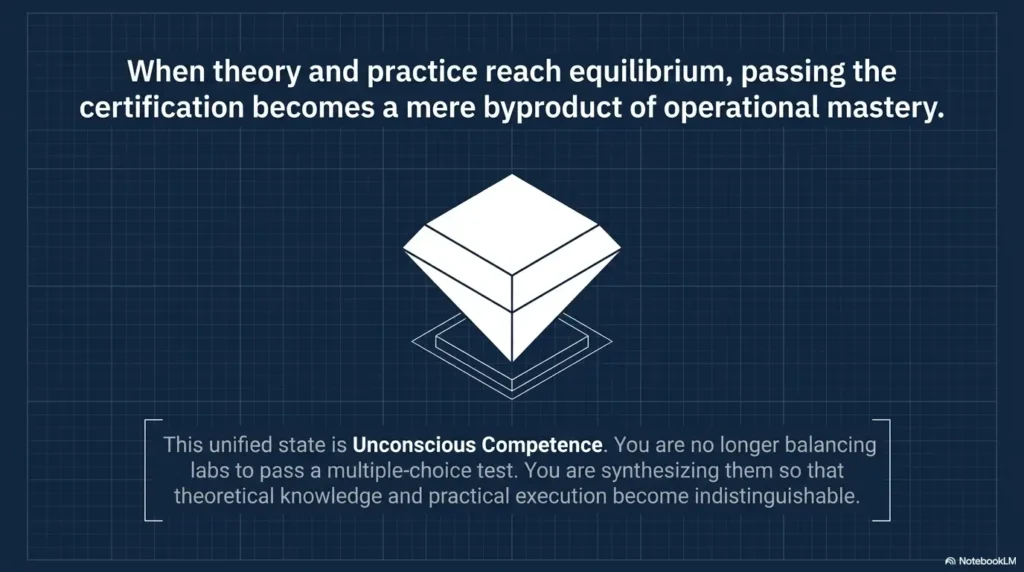
The decision between Kioptrix and certification study is not a declaration of identity. It is a resource choice. Use certification study to build and organize breadth. Use Kioptrix to expose what happens when that knowledge must become action.
When you can explain what your next command is meant to prove, record what happened, and adjust without panic, you have gained something more durable than a completed machine. You have begun to build a method.
Key takeaway
Run one controlled session before redesigning your study plan. The blocker you document will tell you whether your next hour belongs to foundational study, certification objectives, guided practice, or another independent lab.
Last reviewed: 2026-06
Technical guidance updated: 2026-10-13. Repaired table-of-contents links and clarified evidence preservation before snapshot restoration.