Open the practical working record for the task-specific fields, next action and related guide.
Do not treat the product family as one fixed lab
Rapid7 describes Metasploitable 2 as an intentionally vulnerable Linux VM. Distinguish it from Metasploitable 3 and identify the Kioptrix release before comparing services, dependencies or setup. Choose a task and appropriate isolated environment. No controlled comparison here establishes which VM is easier, calmer or more effective for beginners. Reference and scope.
Beginner Cybersecurity Lab Guide
Kioptrix Level vs Metasploitable
For Beginners Who Want Less Chaos
Compare the intended exercise and setup of a specific Kioptrix and Metasploitable release.
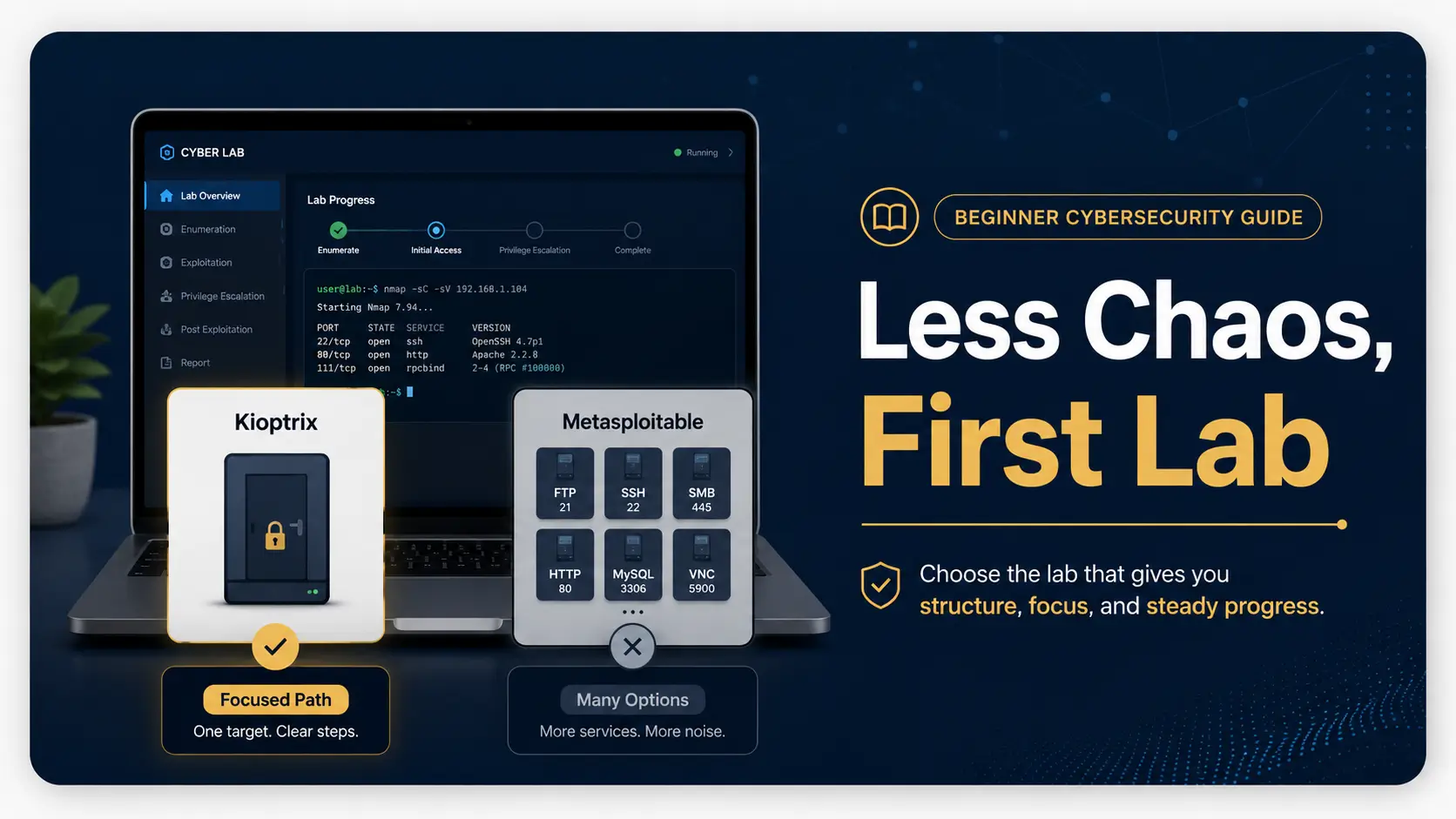
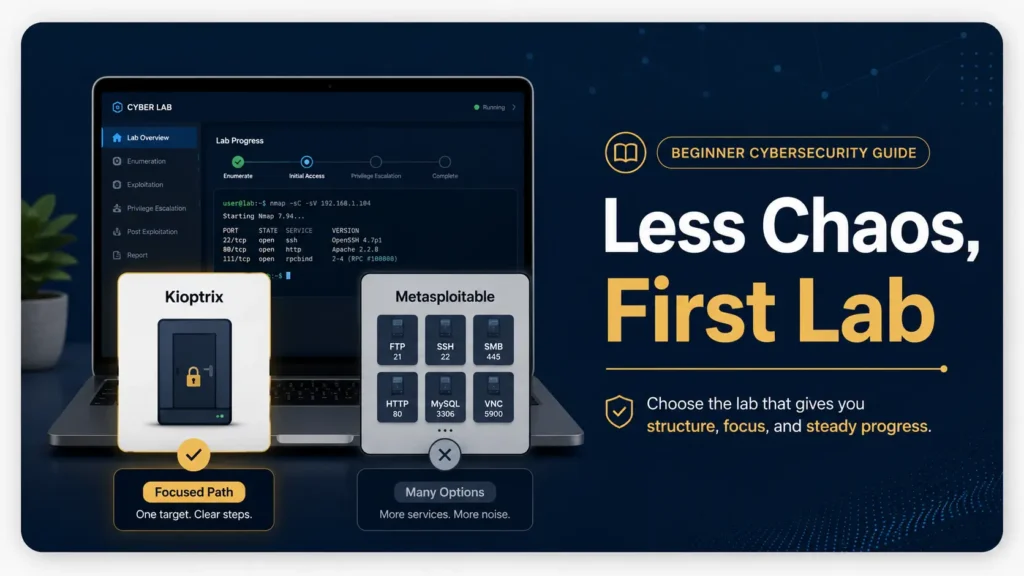
Kioptrix is usually the better first step if you want a focused, one-box challenge with a clearer finish line. Metasploitable is better if you want a wide practice range where many services are intentionally vulnerable and you can repeat scanning, checking, and tool drills without needing a new machine every hour.
This guide is not here to crown a shiny winner. It is here to help you choose the lab that fits your brain, your schedule, and your tolerance for “why is this port open and what is it trying to teach me?”
Choose faster
Match Kioptrix or Metasploitable to your learning style without drowning in forum opinions.
Practice safely
Keep your lab legal, isolated, and calm enough that mistakes become notes, not disasters.
Learn deeper
Build the habit that matters most: understanding scan results before chasing shells.
🧭 Best quiet path: start with one focused Kioptrix machine, then use Metasploitable for repetition once your notes have a spine.
Snapshot
This article is for beginner cybersecurity learners, IT students, career-switchers, and home-lab builders comparing Kioptrix Level vs Metasploitable. You will learn which vulnerable VM to start with, how to avoid tool overload, how to set up a safer lab, and what to do in your first 15-minute practice session.
Table of Contents
Safety and Legal Boundaries First
Before comparing Kioptrix Level vs Metasploitable, let’s put a clean white line around the playground. These machines are designed for legal, isolated lab practice. They are not invitations to scan, test, poke, or “just check” systems you do not own or have written permission to assess.
Beginner enthusiasm is a lovely spark, but in cybersecurity, sparks need a fireproof tray. A command that is harmless inside your own virtual lab can become unauthorized activity if aimed at a public IP, a school network, a workplace system, a neighbor’s router, or a random server you found online.
Key takeaway
Use Kioptrix, Metasploitable, Kali, Nmap, Metasploit, Burp Suite, and similar tools only in systems you own or where you have explicit permission. A safe lab is not just good ethics. It also keeps your learning calm enough to be useful.
What Safe Practice Means in Plain English
Safe practice means your target machine is intentionally vulnerable, downloaded for training, and running in a private lab. Your attacker machine, often Kali Linux or another Linux distribution with security tools, should communicate only with that lab target.
If you are using VirtualBox, VMware, or another hypervisor, the usual beginner goal is to keep your vulnerable machine away from the open internet and away from other devices in your home. That way, if the machine is old, misconfigured, or full of intentionally broken services, it does not become an accidental little goblin on your network.
Why This Topic Has Medium Risk
This is a medium-risk learning topic because the tools are real. The techniques are real. The habits you build are real. The difference is context.
Inside a lab, scanning a vulnerable VM teaches observation. Outside permission, the same behavior can create legal, academic, or employment trouble. Treat the lab boundary the way a musician treats the edge of a stage: cross it only when invited.
A Simple Beginner Rule That Never Gets Old
If you cannot explain who owns the system, why you are allowed to test it, and what network it lives on, do not test it. That one sentence will save you more stress than any tool tutorial.
For a deeper beginner-friendly safety setup, you may want to read your own lab guide on building a safe hacking lab at home before you import anything vulnerable.
The Real Difference Is Not Difficulty
The common question is, “Which is easier, Kioptrix or Metasploitable?” That question is useful, but only halfway. The better question is, “Which one gives my beginner brain the right amount of structure?”
Kioptrix Level often feels like a locked door. You scan, observe, follow clues, test ideas, and work toward one main target. Metasploitable feels more like a messy garage full of unlocked cabinets, old tools, strange labels, and three radios playing different stations.
Neither is bad. They simply ask different things from you.
Kioptrix Feels Like a Locked Door
Kioptrix gives you a tighter problem. There is usually one vulnerable machine, one main objective, and a smaller set of paths that matter. That focus can be a blessing for a beginner who already has enough tabs open in life.
You still need patience. Kioptrix does not hand you a glowing button labeled “hack here.” It asks you to scan, compare services, research versions, test carefully, and understand why one clue matters more than another.
Metasploitable Feels Like a Messy Garage
Metasploitable was built to be intentionally vulnerable in many ways. That makes it wonderful for repetition. It also means beginners can stare at scan results and see a forest of ports, banners, versions, and possible attacks.
That richness is useful when you know what you are practicing. It is exhausting when you are still trying to understand the difference between discovery, enumeration, vulnerability research, exploitation, and post-exploitation.
Beginner-Friendly Can Still Feel Brutal
Beginner-friendly does not mean friction-free. It means the challenge is possible if you build the right mental model. In cybersecurity labs, confusion is part of the classroom furniture.
The danger is not getting stuck. The danger is getting stuck and deciding the answer is “run more tools.” More tools can make the room brighter, or they can turn it into a disco inside a filing cabinet.
Key takeaway
Kioptrix is often easier to use as a first serious lab because it narrows your attention. Metasploitable is often better after you have a basic workflow and want repeated practice across many services.
Choose by Learning Style, Not Bragging Rights
There is a tiny goblin in every beginner forum that loves to turn learning into status. Ignore it. The best first vulnerable VM is not the one that sounds toughest. It is the one that helps you build repeatable thinking without frying your confidence.
If you are brand new, your goal is not to prove you are a hacker by dinner. Your goal is to learn what each step means. The lab should help you notice, compare, test, document, and reflect.
Choose Kioptrix If You Need Structure
Choose Kioptrix first if you want a contained puzzle. It is a good fit if you prefer one target, one main direction, and a clearer sense of progress.
This is especially helpful for busy adults, students with limited lab time, help desk workers studying after a shift, or career-switchers who need proof that they can move through a technical problem without spiraling into tool soup.
Choose Metasploitable If You Need Repetition
Choose Metasploitable if you want a practice range. It lets you run Nmap scans, compare service banners, test common vulnerable services, practice Metasploit modules in a legal lab, and repeat basic checks until they feel less alien.
Metasploitable is helpful when your question is not “Can I finish one box?” but “Can I recognize patterns across many exposed services?” That is a different muscle.
The Quietly Smart Path
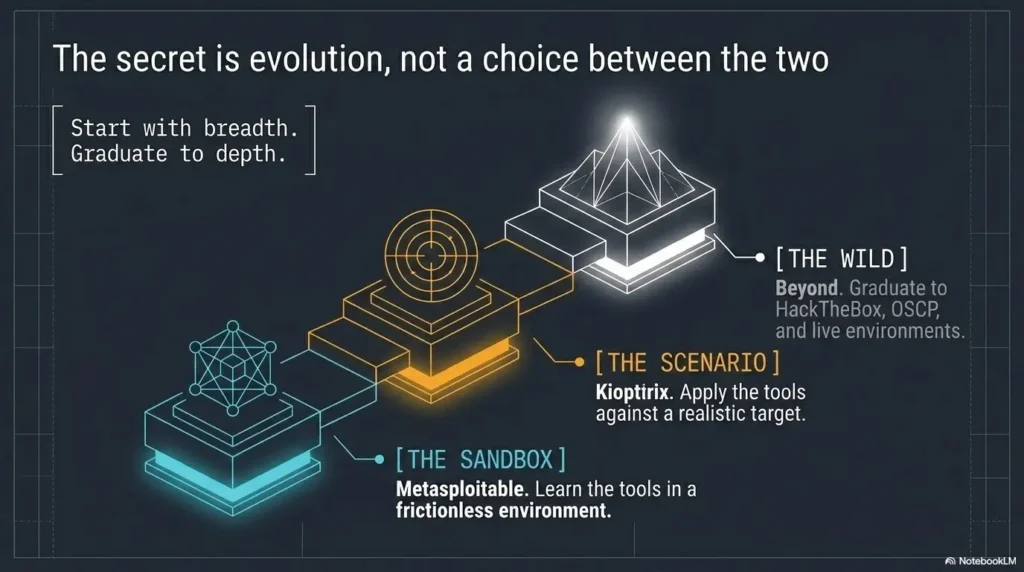
The quietly smart path is Kioptrix first, Metasploitable second. Start with a focused target to learn the rhythm of a lab. Then move to Metasploitable to repeat scanning and service-specific practice.
That order gives your learning a staircase instead of a trampoline.
| Beginner situation | Better first choice | Why it fits |
|---|---|---|
| You feel overwhelmed by long scan results | Kioptrix Level | It narrows attention and rewards a focused workflow. |
| You want to practice Nmap and service enumeration repeatedly | Metasploitable | It offers many intentionally vulnerable services in one target. |
| You only have 45 minutes after work | Kioptrix Level | You can make progress through one clear note trail. |
| You are preparing for broader lab practice | Metasploitable | It helps you recognize recurring service patterns. |
| You keep copying walkthroughs without understanding | Kioptrix Level | Its tighter path makes it easier to rebuild the logic. |
Kioptrix Level: The One Box, One Lesson Route
Kioptrix Level is a classic beginner lab because it feels like a real problem without throwing an entire haunted data center at you. It is old-school, imperfect, and still valuable because it forces you to slow down.
That slowness is the gift. Beginners often think cybersecurity skill means typing faster. Kioptrix gently disagrees. It asks you to notice what is running, ask what each service might reveal, and make a case for your next move.
Why Kioptrix Works Well for First Wins
A first win matters. Not because root access magically makes you wise, but because a complete lab teaches the shape of the work. You learn the beginning, middle, and end of an assessment-style exercise.
Kioptrix can help you experience that full arc: finding the machine, scanning it, reviewing services, researching clues, testing a path, improving your shell or access, and writing down what happened. That arc becomes a mental coat rack. Later, you can hang more advanced techniques on it.
If you want a more focused first-box companion, your Kioptrix Level 1 walkthrough can help, but use it carefully. Read a hint, then close the tab and try to explain the reason in your own words.
The Value of a Clear Finish Line
A clear finish line reduces beginner panic. When there is one main target, you can ask better questions. What ports are open? Which service is most interesting? What evidence supports that? What did I try? What changed?
This is why Kioptrix can be more confidence-building than Metasploitable for a first lab. Not because it is always easier in every technical sense, but because it gives you fewer directions to get lost in.
Where Kioptrix Can Still Frustrate New Learners
Kioptrix can frustrate beginners when old services, version quirks, network setup, or outdated walkthroughs collide. You may see different scan output from a tutorial. A command may fail because a tool changed. A virtual network adapter may quietly sit in the corner wearing a fake mustache.
That does not mean you are bad at this. It means lab work includes environment management. If the VM does not get an IP address, your first lesson is networking, not exploitation.
Key takeaway
Kioptrix is useful because it trains focus. Treat the machine as a reasoning exercise, not a race. The real win is being able to explain each step after the excitement fades.
Metasploitable: The Practice Range With Too Many Doors
Metasploitable is popular because it gives beginners a target-rich environment. Many services are intentionally vulnerable, which makes it excellent for learning tool output, service names, common misconfigurations, and repeatable checks.
But the same abundance that makes it useful can also make it noisy. A beginner can run a scan, see a long list of open ports, and suddenly feel like every result is shouting at once.
Why Metasploitable Is Great for Repetition
Repetition is underrated. The first time you see an open FTP service, it is a strange label. The tenth time, you start asking sharper questions: does it allow anonymous login, what version is running, what files are visible, and does this matter for the current goal?
Metasploitable lets you build that recognition. It is good for practicing Nmap flags, checking banners, comparing service behavior, reading module descriptions, and learning what “vulnerable by design” looks like.
How It Helps You Learn Scanning Without Panic
Once you have a basic workflow, Metasploitable becomes less intimidating. You can create small drills. Spend one session only on FTP. Spend another only on SMB. Spend another only on web services. Suddenly the messy garage has labeled shelves.
This is where beginners make progress quickly. Not by trying to exploit everything, but by learning one service family at a time.
The Trap: Finding Vulnerabilities Is Not Understanding Them
Metasploitable can make it easy to get results without building understanding. You may find a module, run it, get a session, and feel victorious. That is fun, but it can also become a sugar rush.
The better question is: what evidence told you that test was reasonable? Which service, version, configuration, or behavior supported it? What would you write in a report? What would you recommend fixing?
Metasploitable practice drill
- Run a basic scan and save the output.
- Pick one service only.
- Write what the service normally does.
- Check whether the version or configuration suggests a known issue.
- Test one hypothesis in the lab.
- Write what happened, including failure.
The Beginner Learning Curve, Side by Side
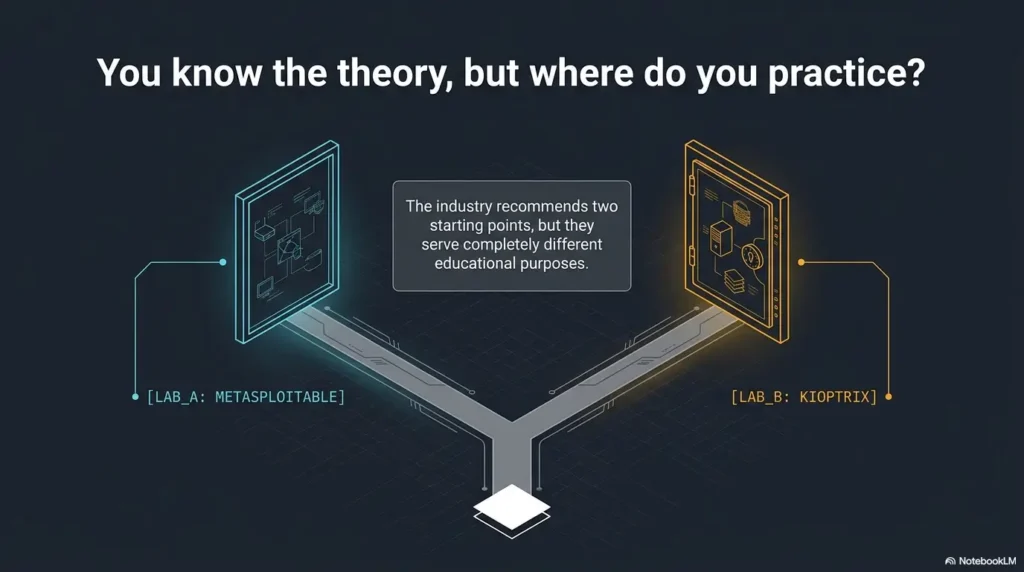
Kioptrix and Metasploitable both teach beginners, but they shape different instincts. One trains focus. The other trains recognition. A strong learner eventually needs both.
Think of Kioptrix as learning to follow one melody through a room. Think of Metasploitable as learning to recognize instruments in an orchestra warming up. Both can be music. One is simply easier to hear at first.
Kioptrix Teaches Focus and Persistence
Kioptrix rewards careful attention. You learn not to treat every open port as equal. You learn to weigh clues. You learn that the next step should be based on evidence, not impatience.
This is excellent for beginners who need to build self-trust. The machine may still be confusing, but the path is narrow enough that your notes can stay coherent.
Metasploitable Teaches Pattern Recognition
Metasploitable rewards repetition and comparison. You see many services. You learn which questions tend to repeat. You discover that enumeration is not a one-time command, but a habit of asking “what else can this service tell me?”
This is valuable for later practice because real assessments are rarely tidy. Even legal professional work involves sorting useful signals from distracting noise.
Which One Builds Confidence Faster?
For many beginners, Kioptrix builds confidence faster because it offers a clearer sense of completion. You can finish a box, write a summary, and see your progress in one thread.
Metasploitable builds confidence differently. It helps you feel less startled by open ports, service names, and tool output. That confidence is quieter but very useful.
| Skill | Kioptrix Level | Metasploitable |
|---|---|---|
| Focus | Strong | Moderate |
| Service variety | Limited | Strong |
| Beginner overwhelm risk | Lower | Higher |
| Repetition drills | Moderate | Strong |
| Clear finish line | Strong | Weaker |
| Best use | First complete lab | Scanning and service practice |
Beginner readiness checklist
- You can explain what an IP address is in a lab.
- You know the difference between host-only, NAT, and bridged networking at a basic level.
- You can save scan results to a notes file.
- You are willing to spend time reading output before running exploits.
- You understand that legal permission is not optional.
Do Not Start With Exploits Before Enumeration
The most common beginner mistake is rushing to exploitation before understanding the target. It is tempting. Exploits feel dramatic. Enumeration feels like dusting bookshelves. But the bookshelves are where the map is hidden.
In both Kioptrix and Metasploitable, the order matters. First, map the target. Then inspect services. Then research. Then test. Then document. If you reverse that order, your lab turns into button pressing with a keyboard soundtrack.
Why Beginners Rush to Metasploit Too Early
Metasploit is powerful, convenient, and exciting. It also hides a lot of reasoning if you use it too soon. A beginner may learn which module worked without learning why it was a reasonable test.
That becomes a problem later. When a module fails, you have no mental fallback. When a scan result is slightly different from the tutorial, the whole bridge wobbles.
The Better Order: Map, Read, Verify, Then Test
Use a simple order. Map the machine with a scan. Read the output. Verify interesting services with service-specific checks. Research versions or behaviors. Then test one idea at a time.
This sequence feels slower, but it saves time. It prevents you from trying ten flashy things when one quiet clue was already waiting in your notes.
Step-by-step beginner workflow
- Confirm the lab target IP address.
- Run a basic TCP scan.
- Run service detection only after you know what is open.
- Write one plain-English sentence for each open service.
- Pick the most promising service and explain why.
- Research, test, and record the result.
- Stop after each major finding and summarize what changed.
The Boring Notes Are the Skill
No one tells beginners how much of good security work is note-taking. The command that “almost worked” matters. The weird error matters. The service you ignored matters. Your future self will come back to those notes like a detective returning to a half-erased chalk mark.
If your notes only say “ran scan, got shell,” they are not notes. They are confetti. Useful notes explain what you saw, what you thought it meant, what you tried, what happened, and what you learned.
Show me the nerdy details
A beginner scan is not just a list of open ports. It is a hypothesis generator. Port 80 suggests HTTP, but the useful questions are: what server responds, what headers appear, what directories exist, what technologies are visible, and what behavior changes when you request odd paths?
Service detection can produce false confidence. A version string may be missing, misleading, proxied, patched, or too vague. That is why you verify with multiple observations instead of trusting one line of output as destiny.
The best beginner habit is triangulation: scan output, manual inspection, documentation, and controlled testing. When those point in the same direction, your next action is stronger.
Safer Home Lab Setup for Beginners
A good beginner lab is boring in the best way. The vulnerable machine boots. The attacker machine can reach it. Your personal laptop, family devices, printer, work VPN, and smart fridge do not become accidental lab participants.
The goal is not a cinematic command center. The goal is a contained learning space where you can make mistakes without turning your evening into a networking autopsy.
Keep Everything Isolated From Your Real Network
A dedicated host-only network lets the attacker and target VMs communicate, but the host remains reachable. For stronger separation from the host, use an Internal Network with DHCP or static addresses. Keep the vulnerable target off internet-connected and bridged adapters. If the attacker needs internet access for updates, do that separately and disable forwarding between its adapters before lab testing.
Bridged mode can place a VM on the same network as your other devices. That may be useful in some controlled cases, but it is not the beginner default for vulnerable targets. If you are still unsure what the modes mean, pause and learn the basics before importing more machines.
Your guide on VirtualBox NAT, host-only, and bridged networking is a natural companion here.
Use Snapshots Before You Break Things Beautifully
Take a known-clean baseline snapshot of the vulnerable VM and, if needed, the attacker VM before making changes. Before rolling back, copy your notes, screenshots, and scan output outside the VM so the rollback does not erase your evidence.
This helps you experiment without dread. A lab should make failure cheap. If every mistake costs an hour, you will become timid. If recovery takes a minute, curiosity comes back into the room.
Document Commands, Errors, and Almost Worked Moments
Good lab notes are not fancy. They are clear. Record the target IP, date, VM name, network mode, scan commands, interesting results, failed attempts, and questions.
The “almost worked” moments are gold. They show where your understanding is thin. They also make later troubleshooting much easier because you can compare what changed.
Beginner Lab Flow
①
Isolate
Keep the vulnerable VM away from real systems.
②
Scan
Map open ports and services before guessing.
③
Explain
Write what each result means in plain English.
④
Test
Try one evidence-based idea and record the result.
Key takeaway
A safer home lab is small, isolated, documented, and reversible. Download one VM, understand the network mode, take snapshots, and keep notes before you add complexity.
Common Mistakes That Turn Labs Into Noise
Most beginner lab frustration comes from a few repeatable mistakes. They are not character flaws. They are normal learning traps. Once you can name them, they lose some of their fog-machine power.
The goal is not to avoid every mistake. The goal is to notice quickly when the lab has stopped teaching and started producing noise.
Mistake 1: Copying Walkthroughs Without Rebuilding the Logic
Walkthroughs are useful when used as hints. They are harmful when used as autopilot. If you copy commands without understanding why they were chosen, you may finish the lab and still feel hollow.
A better habit is the pause-and-explain method. After each walkthrough hint, write one sentence: “This step makes sense because…” If you cannot finish the sentence, you are not ready for the next command.
Mistake 2: Treating Every Open Port Like a Treasure Chest
Every open port is a clue, not a promise. Some services are low-value in a specific lab. Some are distractions. Some require more enumeration before they become meaningful.
Beginners often bounce from port to port, collecting half-facts. Instead, rank services by evidence: what is exposed, what version is visible, what access is possible, and what the lab’s pattern suggests.
Mistake 3: Ignoring Network Setup Until Nothing Works
Many “the exploit failed” moments are actually “the network is wrong” moments wearing a trench coat. If the attacker VM cannot reach the target reliably, nothing else matters yet.
Before you troubleshoot a tool, confirm the basics. Does the target have an IP? Are both VMs on the expected network? Can you ping, if ping is allowed? Are you scanning the right subnet?
Mistake 4: Measuring Progress by Shells Instead of Understanding
A shell is exciting. Understanding is durable. If you measure progress only by shells, you may miss the quieter skills that make you stronger: reading output, narrowing hypotheses, explaining risk, and writing clear notes.
Some of your best sessions will end without root. You will leave with better notes, cleaner questions, and one fewer mystery. That counts.
| Noise pattern | What it sounds like | Better response |
|---|---|---|
| Tool hopping | “Maybe another scanner will solve it.” | Return to the evidence and choose one service. |
| Walkthrough dependency | “I can continue only if I see the next command.” | Read one hint, then write the reason yourself. |
| Network confusion | “Nothing works, so the box must be broken.” | Check IP, adapter mode, subnet, and connectivity. |
| Exploit chasing | “I found a module, so it must be right.” | Verify version, configuration, and exploit conditions. |
| Progress panic | “No shell means I failed.” | Summarize what you learned and set one next question. |
When to Seek Help or Stop
There is a noble kind of persistence, and there is a cursed kind. The noble kind says, “I will test one more clear idea.” The cursed kind says, “I will stare at this terminal until my personality leaves the building.”
Beginners need stop rules. They protect your energy, your ethics, and your learning quality.
Stop If You Are Outside Your Lab
If you realize you are scanning or testing anything outside your approved lab environment, stop immediately. Do not rationalize it as curiosity. Do not continue “just to see.” Move back to your isolated machines and review your setup.
This is the cleanest boundary in the entire article. Legal permission comes first.
Seek Help If the Networking Is Blocking Everything
If you spend more than one session unable to get your VMs communicating, seek help from a lab setup guide, a trusted course, or a community focused on beginner home labs. Do not keep layering tools on top of a broken network.
For Kioptrix specifically, a setup guide such as a Kali and Kioptrix setup checklist can save a great deal of wheel-spinning.
Stop When You Can No Longer Explain Your Next Step
A good next step has a reason. If your reason is only “the internet said so,” pause. Write down what you know, what you suspect, and what evidence you still need.
This is not giving up. This is changing from frantic mode to analyst mode.
Stop-rule checklist
- Stop if the target is not clearly yours or approved.
- Stop if you cannot explain why you are running a command.
- Stop after 30 minutes of repeating the same failed action.
- Stop if you are changing network settings randomly.
- Stop if you are too tired to take accurate notes.
Key takeaway
A stuck lab is not a failed lab. Stop when you leave the legal boundary, lose the reason for your next step, or keep repeating the same action without new evidence.
FAQ
Is Kioptrix good for complete beginners?
Kioptrix is a better fit once a learner understands basic Linux commands, IP addresses, virtual machines, and simple scanning. A day-one beginner will usually benefit from guided fundamentals before attempting this self-directed lab.
Is Metasploitable still useful for learning cybersecurity?
Yes. Metasploitable is still useful as a legal vulnerable practice target for scanning, enumeration, service recognition, and controlled exploitation drills. Its age is part of its training value, as long as you understand it is not a modern production system.
Which is easier, Kioptrix or Metasploitable?
Kioptrix is often easier to approach because it is more focused. Metasploitable may be easier to get quick results from, but harder for beginners to organize because it exposes many vulnerable services at once.
Do I need Kali Linux for Kioptrix or Metasploitable?
You do not strictly need Kali, but it is convenient because many common security tools are preinstalled. A regular Linux distribution can also work if you install the tools you need and understand your setup.
Can I use Metasploit as a beginner?
Yes, but do not use it as a substitute for thinking. Before running a module, write down the service, version or behavior, why the module might apply, and what result would confirm or disprove your idea.
Are Kioptrix and Metasploitable legal to use?
They are generally intended for legal lab use when downloaded from trusted sources and run on systems you control. Legality depends on how you use them. Keep testing inside your own isolated lab or environments where you have explicit permission.
Which lab is better for OSCP-style practice?
Kioptrix is usually closer to the feeling of working through one target from discovery to proof. Metasploitable is better for drilling service enumeration and tool familiarity. For OSCP-style practice, use both, then move to more current lab platforms.
How long should a beginner spend on one vulnerable VM?
Spend enough time to build a clear note trail, not endless time to protect your pride. For a first VM, several focused sessions are normal. If you are stuck, take a hint, explain it in your own words, and continue.
Build One Small Lab and Keep a Why Notebook
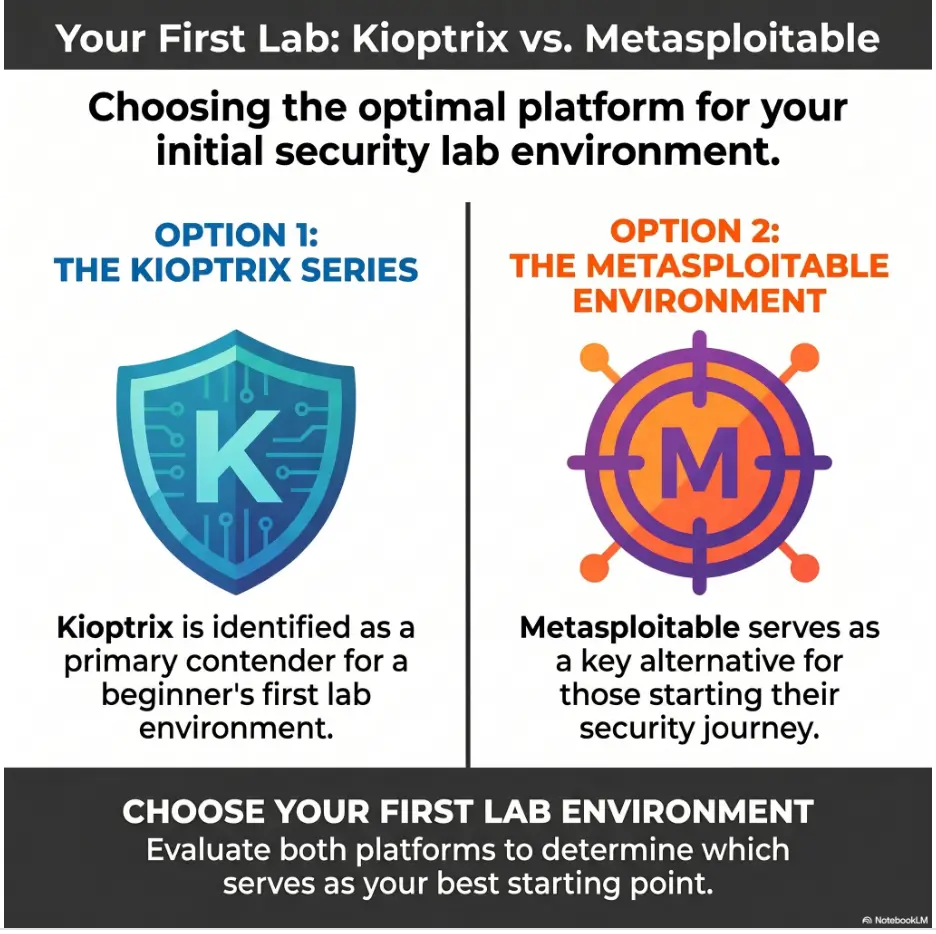
The best next step is wonderfully small: choose one VM, not five. If you want less chaos, start with Kioptrix. If you already have a basic workflow and want repeated service practice, choose Metasploitable.
Then create a “why notebook.” It can be Obsidian, Notion, a Markdown file, a plain text document, or a paper notebook with coffee rings and heroic arrows. The tool does not matter nearly as much as the habit.
Your first goal is not root. Your first goal is seeing clearly. Once you can see clearly, the lab stops being a storm of ports and starts becoming a conversation.
15-minute next step
- Pick Kioptrix if you want focus, or Metasploitable if you want repetition.
- Confirm the target is isolated in your lab.
- Create one notes file with the VM name and date.
- Run one basic scan and save the result.
- Write one sentence explaining each open service you recognize.
- Choose one service to investigate next session.
Last reviewed: 2026-06
Technical guidance updated: 2026-10-13. Clarified lab-network isolation, evidence preservation before rollback, and beginner prerequisites; repaired table-of-contents links.
Kioptrix and Metasploitable release trial
Use this when: you are a learner comparing named releases for a particular practice objective. Copy the fields into your own notes. Record what is known, what remains uncertain and who will perform the next check.
| Field | What to record | Your evidence / next check |
|---|---|---|
| Release pair | Record exact images, versions and setup assumptions. | To complete |
| Task fit | State the specific exercise or reasoning behavior being compared. | To complete |
| Observed trial | Use a bounded session and preserve what actually worked or blocked progress. | To complete |
| Comparison limit | Keep untested capabilities and differences in support visible. | To complete |
Next action: Compare one equivalent task rather than declaring one entire platform universally better. Keep the supporting observation and its conditions beside the decision so that a later reader can distinguish an established result from a working explanation.
This is a blank practice or review record. It does not report a test performed by Kioptrix or certify learning outcomes. Add the actual conditions, observations and support used in your own work.
Related task: For selecting another named VM release, use Choose a VulnHub Lab: Kioptrix and Other VMs. Keep that task distinct from the specific record above.
Worksheet change record — October 20, 2026
Added this kioptrix and metasploitable release trial, four task-specific fields, a next action and a link to a distinct related task. Existing source notes keep their own review dates. This addition is not a new verification of every statement or a newly executed lab test.