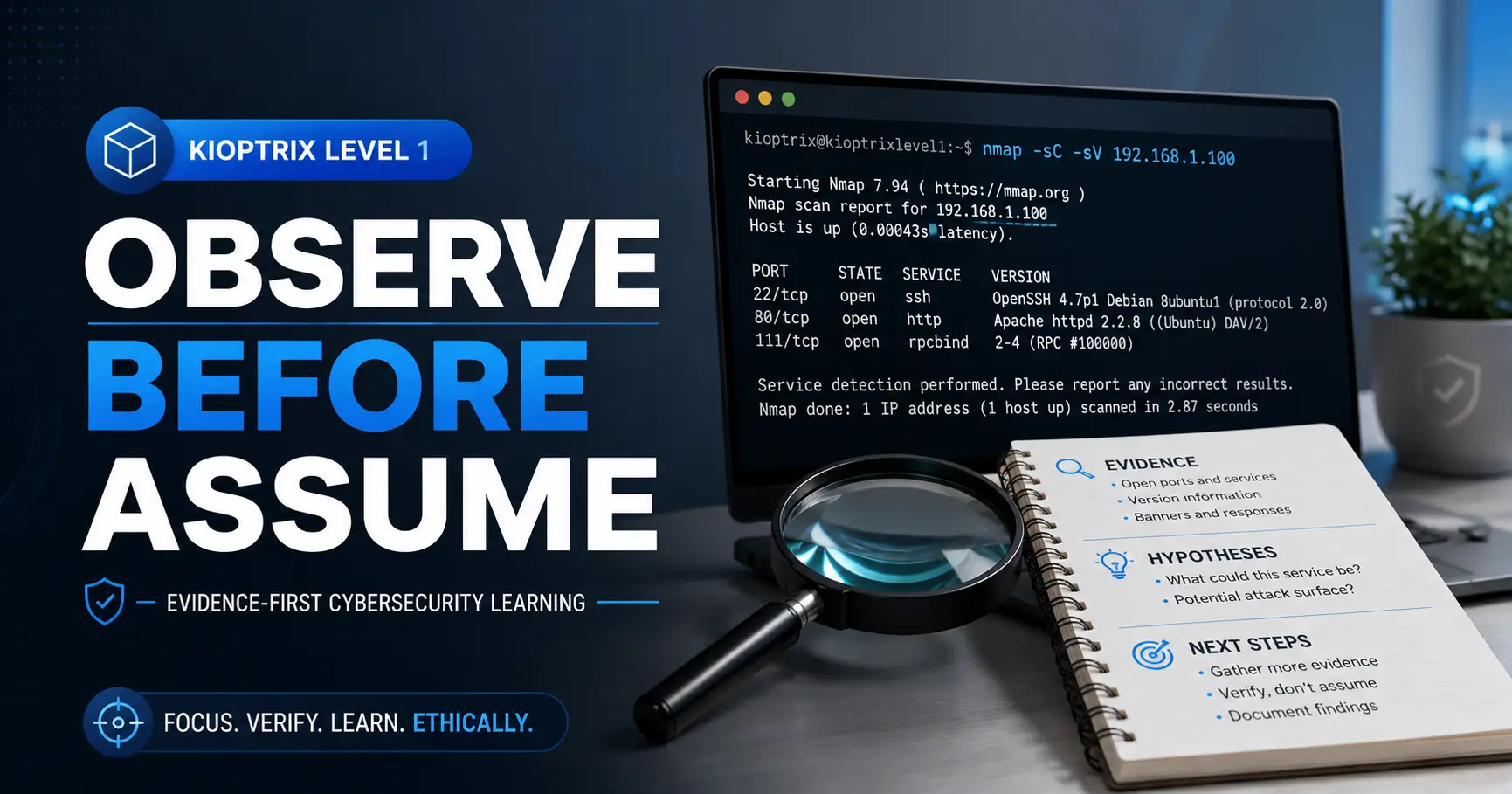
Kioptrix Level 1 • Evidence-First Lab Method
Kioptrix Level 1:
Observe Before You Assume
Kioptrix Level 1 is usually presented as a beginner vulnerable-machine challenge: discover the host, enumerate services, identify a weakness, gain access, and eventually reach root. That sequence is real, but it is not the most valuable thing the machine teaches. The deeper lesson is quieter. It asks whether you can separate what the target has actually shown you from the story your mind hurriedly builds around it.
A port can be open without being useful. A banner can be specific without being reliable. A public exploit can exist without fitting your target. A failed test can indicate incompatibility, poor execution, network trouble, or a mistaken premise. The learner who treats every clue as a verdict tends to sprint into rabbit holes. The learner who records evidence, names uncertainty, and tests one claim at a time builds a method that survives beyond this old virtual machine.
This guide does not hand you a spoiler-heavy chain of commands. Instead, it gives you a practical framework for evidence-based enumeration: how to write observations, turn findings into testable hypotheses, interpret failures, control variables, and audit your reasoning after success. The goal is not merely to finish Kioptrix Level 1. It is to become the person who can explain why the next step deserves to exist.
See the Evidence
Separate raw output from interpretation before choosing a path.
Test Small Claims
Change one variable at a time and define what success should look like.
Keep Useful Notes
Build a reusable record instead of collecting terminal confetti.
One rule for the whole session: before acting on a sentence in your notes, ask whether the machine said it or you did. 🔎
Article Snapshot
This guide is for cybersecurity beginners, IT students, junior penetration testers, and certification learners working inside an authorized Kioptrix lab. It solves a common problem: confusing scanner output, exploit listings, and hunches with confirmed facts. By the end, you will be able to build an observation ledger, write testable hypotheses, interpret failed attempts, and review your path without relying on accidental success.
Table of Contents
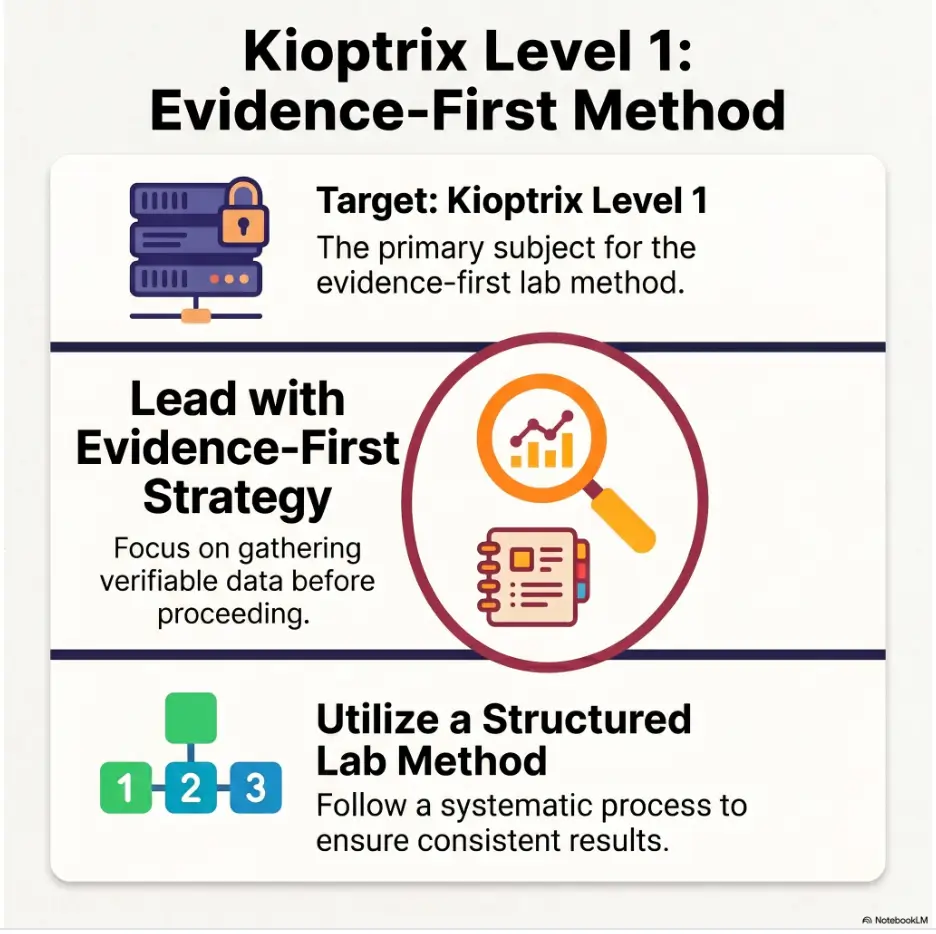
Ethical Lab Boundary: Practice Without Crossing the Fence
Kioptrix Level 1 is a deliberately vulnerable virtual machine designed for controlled learning. Its weaknesses are part of the exercise. A public server, employer network, neighbor’s router, college system, or random address discovered online is not part of that exercise merely because it appears old, exposed, or interesting.
Authorization is not a technical detail. It is the condition that separates legitimate security practice from unauthorized access. Keep the target inside a lab you own or have explicit permission to use, and make that boundary visible in your setup rather than trusting yourself to remember it later.
Use Only a Deliberately Vulnerable Machine You Control
Download the lab image from a source you trust, verify what you obtained when practical, and run it in a hypervisor under your control. Treat the target as disposable. It should not contain personal files, reused passwords, browser sessions, cloud credentials, or shared folders that expose your normal computer.
A beginner sometimes assumes that a virtual machine is automatically harmless because it appears inside a window. It is not. A vulnerable guest connected to the wrong network can become reachable by devices that were never meant to participate in the exercise. Virtualization creates separation, but the network configuration decides how much separation you actually have.
Prefer an Isolated Virtual Network
For most home labs, a host-only or intentionally isolated internal network is the clearest choice. Your testing machine and the Kioptrix target can communicate with each other, while the vulnerable guest remains separated from the public internet and the wider household network.
Bridged networking deserves extra caution because it can place the target directly on the same local network as printers, phones, smart televisions, work laptops, and other systems. NAT can be appropriate in some designs, but learners should understand what inbound and outbound connectivity it permits before selecting it. The label in the hypervisor is not a magic shield. Confirm the resulting addresses and routes.
Key Takeaway
A safe lab boundary should be visible in the network design. “I intended to test only my VM” is weaker than a configuration that prevents the VM from reaching anything else.
Write a Scope Note Before You Begin
A tiny scope note may feel formal for a home lab, but it builds a professional habit. Record the target name, target address, testing-machine address, allowed network range, start time, and the statement that the activity is limited to your isolated environment.
This note helps in two ways. First, it reduces the chance that you type the wrong address when several terminals are open. Second, it trains you to think about authorization and boundaries before tools begin producing attractive output.
Lab Boundary Checklist
- The target is a deliberately vulnerable Kioptrix image under your control.
- The testing system and target use an isolated virtual network.
- The target is not bridged to a work, school, or household network.
- No sensitive shared folders, clipboard data, or credentials are exposed.
- The target address is written down and verified before testing.
- A clean snapshot or backup exists before the session begins.
Why Kioptrix Level 1 Is Really a Thinking Exercise
The visible objective is straightforward: investigate the machine and obtain privileged access inside the lab. Yet the educational value does not live solely in the final shell. It lives in the choices made between the first discovery and the final proof.
Older vulnerable machines are useful because their technical surface is comparatively compact. There may be several services, a few plausible paths, and enough ambiguity to make reasoning necessary. You can watch your own habits without drowning in hundreds of modern components.
Root Is a Result, Not a Method
Two learners can reach the same privileged account and learn entirely different lessons. One may copy a known exploit, adjust a target address, and celebrate when it works. The other may identify the exposed service, verify the product behavior, compare possible explanations, test carefully, document the result, and explain why the weakness applied.
The first learner completed a sequence. The second learner built a transferable skill. Both may have the same screenshot, but only one can reconstruct the reasoning when the next machine behaves differently.
An Older Target Can Expose Modern Analytical Habits
Legacy services create an emotional shortcut. When a machine looks old, learners often assume every visible component must be exploitable. That belief feels reasonable because the lab was designed to be vulnerable. It is still an assumption.
The target may contain multiple outdated components, but only some may be reachable, compatible with available tests, or relevant to the intended path. “Old” is a prioritization clue, not a complete vulnerability assessment. The machine still deserves to be questioned service by service.
The First Wrong Answer Often Feels Convincing
Beginner labs create a peculiar pressure. Because you know a solution exists, every promising clue begins to glow. A familiar port appears, a scanner prints a version string, a search result contains the word “remote,” and suddenly the path seems settled.
This is where observation must interrupt momentum. The question is not whether the idea sounds plausible. The question is what evidence supports it, what remains unknown, and what smallest safe test could separate the competing explanations.
Key Takeaway
A lab is not only testing whether you can find a weakness. It is testing whether you can delay certainty until the evidence has earned it.
Observation Versus Assumption: The Line Beginners Keep Crossing
An observation reports what a tool, protocol response, manual interaction, file, or system behavior actually revealed. An assumption adds meaning that the available evidence has not yet established. The two often appear in the same sentence, which makes them difficult to separate after the fact.
Consider the sentence, “The server is running a vulnerable version of a web service.” It sounds precise, but it may contain several unverified leaps. Did the target provide the version? Did a scanner infer it? Was the version string confirmed manually? Does that version imply a missing patch? Is the relevant feature enabled? Does the known weakness match the target architecture and configuration?
Write Observations Literally
A literal observation is deliberately modest. For example: “A TCP connection to the target on port X completed, and the service-detection scan reported product Y with version candidate Z.” This wording may feel clunky, but it preserves the source and uncertainty.
Compare it with: “The target runs vulnerable product Y version Z.” The second sentence quietly converts detection into confirmation and age into exploitability. That conversion is exactly where confident guessing enters the notebook wearing a lab coat.
Use the Verifiability Test
Ask whether another learner could reproduce the statement from the evidence you saved. If the answer is yes, you probably wrote an observation. If the answer depends on your intuition, a walkthrough, or knowledge you have not documented, you probably wrote an interpretation or assumption.
Interpretation is not bad. Penetration testing requires interpretation. The danger comes from disguising interpretation as fact, because later decisions then inherit certainty they did not deserve.
An Open Port Does Not Tell the Whole Story
An open port confirms that something accepted or completed the relevant connection behavior at the time of the test. It does not automatically confirm the application, exact version, authentication state, configuration, patch level, or exploitability.
Default-port associations are convenient memory aids, not laws of nature. A web service can listen on an unusual port. A familiar port can host an unexpected application. A proxy can alter what you see. A scanner can identify a service from behavior and still be partly wrong.
| Finding | What It Supports | What It Does Not Prove | Useful Next Check |
|---|---|---|---|
| A port is open | A service accepted the connection | Exact software, version, or weakness | Interact with the service and compare responses |
| A banner shows a version | The service disclosed a version string | Patch status or exploit compatibility | Confirm behavior and research vendor patching practices |
| A scanner names a vulnerability | A detection rule matched available evidence | Successful exploitation or business impact | Read the rule logic and verify prerequisites |
| A test fails | That attempt did not produce the expected result | The target is patched or invulnerable | Check syntax, reachability, prerequisites, and assumptions |
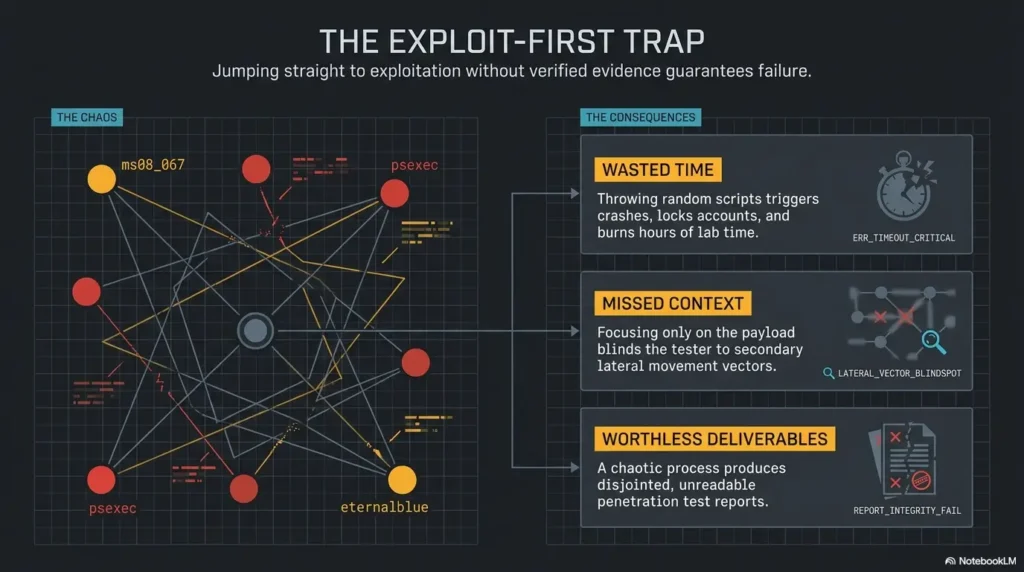
Enumeration Before Exploitation: Let the Machine Introduce Itself
Enumeration is not the waiting room before the “real” work begins. It is the process of reducing uncertainty until a safe, relevant test becomes justified. Exploitation without sufficient enumeration is often an attempt to make the target fit a familiar story.
A useful enumeration session moves from broad facts to narrower questions. Which host is the target? Which services respond? How do those services behave? Which facts were disclosed directly? Which details were inferred? Which paths are both plausible and testable?
Build an Evidence Ledger, Not a Screenshot Heap
Screenshots are useful for preserving proof, but they rarely explain themselves. A folder filled with unnamed images becomes a digital attic: technically full, practically inaccessible. Each meaningful artifact should connect to a written observation, timestamp, tool or method, and interpretation.
You do not need a complex note-taking platform. A Markdown file, spreadsheet, plain text document, or structured notebook can work. The value comes from separating raw evidence from conclusions and recording why the next action follows.
For a deeper system, the site’s guide to note-taking systems for penetration testing can help you choose a format, while the Kioptrix recon log template offers a more focused starting point.
Separate Hosts, Ports, Products, Versions, and Hypotheses
Do not compress five different types of information into one bullet. Give each layer its own field. The host address is one fact. The responding port is another. The suspected protocol is another. The product and version may carry different confidence levels. The vulnerability hypothesis belongs in a separate column.
This separation prevents a scanner’s guess from becoming the foundation of several later claims. It also makes contradictions easier to notice. If two tools disagree about a service version, the disagreement becomes visible rather than being overwritten by whichever result appeared more exciting.
Rank Findings by Confidence, Not Excitement
Confidence is not the same as severity or potential impact. A low-confidence possibility may describe a dramatic remote compromise, while a high-confidence finding may simply confirm anonymous access to limited information. Keep those dimensions separate.
A simple confidence scale is enough:
- High confidence: directly observed and reproduced through more than one reliable method.
- Medium confidence: supported by credible detection or consistent behavior but not fully confirmed.
- Low confidence: plausible based on age, naming, a single fingerprint, or incomplete matching.
- Rejected for now: contradicted by stronger evidence or missing a required condition.
Record Negative Results Because They Narrow the Map
A negative result is not empty space. It can eliminate an explanation, reduce the priority of a path, expose a configuration mistake, or reveal that your expected behavior was wrong. Write down what you attempted, the conditions, the output, and what the result can reasonably support.
The phrase “did not work” is too vague. A connection timeout, authentication rejection, protocol error, application crash, and successful connection without a session are different events. Each points toward a different next check.
The Evidence-First Loop
1. Isolate
Confirm the target, scope, routes, and virtual network.
2. Observe
Save raw output and describe only what occurred.
3. Separate
Mark facts, interpretations, guesses, and unknowns.
4. Hypothesize
Write a claim that could be supported or disproved.
5. Test Small
Choose the least disruptive test that answers one question.
6. Update
Record the result, confidence, alternatives, and next step.
Explore the NIST Cybersecurity Framework
The Version-Number Illusion: When Precision Creates False Confidence
A version string looks wonderfully solid. It contains numbers, punctuation, and sometimes a product edition. The visual precision can make it feel more trustworthy than the process that produced it.
Yet version identification may come from a direct banner, behavioral fingerprinting, a default page, a protocol response, an application header, or a scanner’s best match. Those sources do not carry equal weight.
A Scanner’s Version Guess Is Evidence, Not a Verdict
Service-detection tools compare responses with known signatures. This is extremely useful, but the output remains a classification based on observable behavior. Custom builds, proxies, modified banners, incomplete responses, unusual configurations, and legacy protocol quirks can reduce accuracy.
Preserve the exact wording of the result. If the tool marks the identification as uncertain, do not remove that uncertainty when transferring it to your notes. The punctuation, confidence indicators, and fallback labels may matter more than the product name that catches your eye.
The site’s explanation of service-detection false positives is a useful companion when scan output appears more certain than manual behavior.
Backported Fixes Break Simple Version Matching
Some operating-system maintainers apply security fixes to an older software branch without changing the upstream version number in the way a beginner expects. As a result, a banner may resemble a vulnerable release while the relevant fix is already present.
Kioptrix is intentionally old and vulnerable, but the general lesson still matters. Version-to-vulnerability matching should include the operating-system package context, vendor advisories, required modules, compile options, and behavioral confirmation where safe.
Verify the Conditions an Exploit Requires
A public exploit title is a summary, not a compatibility guarantee. Read the prerequisites. Does it require a particular architecture? A specific module? Anonymous access? A writable location? A feature that may be disabled? An authenticated account? A certain request path or protocol state?
Then compare each requirement with your evidence ledger. Mark conditions as confirmed, contradicted, or unknown. Unknown prerequisites should become enumeration tasks, not facts you quietly assume because the exploit looks promising.
Show me the nerdy details
Version matching has at least four layers: identification, packaging, configuration, and runtime behavior. Identification asks what software appears to answer. Packaging asks who built and maintained it. Configuration asks which relevant features are enabled. Runtime behavior asks whether the target responds in the way the proposed weakness requires.
A mismatch at any layer can invalidate an exploit path. The service name may be right while the version is wrong. The version may be right while a distribution patch changes vulnerability status. The package may be vulnerable while the affected module is absent. Every prerequisite may appear correct while a network device or malformed test prevents the expected result.
This is why disciplined testers avoid converting a Common Vulnerabilities and Exposures entry into a confirmed finding through string matching alone. The identifier helps organize research. Confirmation still requires evidence appropriate to the environment and scope.
Short Story: The Version String That Stole an Evening
Maya found an old-looking service ten minutes into her first Kioptrix session. The scanner printed a precise version, and a search result placed that version beside a famous exploit. She wrote “confirmed vulnerable” in her notes before testing anything.
For the next hour, she changed payload settings, reran commands, and blamed the virtual network. Each failure made her more certain that one small parameter was wrong.
After a break, she rewrote the original evidence literally. The scanner had offered a probable match, not a direct confirmation. A manual request produced behavior inconsistent with the exploit’s required feature.
The evening was not wasted. Maya learned that certainty written too early becomes expensive. Her new rule was simple: never promote a version guess to a vulnerability finding until the prerequisites have their own evidence.
Key Takeaway
Precision in a scanner result does not guarantee precision in your conclusion. Preserve the source, uncertainty, and prerequisites.
Failed Attempts Are Data, Unless You Throw Them Away
A successful attempt produces an obvious reward. A failed attempt produces ambiguity. That makes failure easy to dismiss, repeat blindly, or explain with whatever theory protects the original assumption.
Good lab work treats failure as an observation that needs interpretation. The goal is not to assign blame to the target, tool, or user. The goal is to identify which explanations remain possible and design the next test accordingly.
“Not Vulnerable” and “Tested Incorrectly” Are Different Conclusions
Suppose a proposed exploit produces no session. That result alone does not prove the service is patched. The target might be incompatible, but the test might also contain the wrong address, port, callback setting, architecture, protocol mode, timing, prerequisite, or network route.
Write the narrowest conclusion supported by the result: “This attempt did not create the expected session under the recorded conditions.” It may feel timid, but it keeps the investigation honest.
Capture the Command, Conditions, Output, and Interpretation Separately
A useful failure record contains four layers:
- Action: the exact command, request, or tool configuration used.
- Conditions: target address, port, network mode, relevant options, and session state.
- Observed result: complete error, response, timeout, or behavioral change.
- Interpretation: what the result supports, what it contradicts, and what remains unknown.
This structure lets you return after a break and understand what happened. It also helps another learner distinguish between an environmental problem and an invalid vulnerability hypothesis.
Change One Variable at a Time
When an attempt fails, beginners often change several settings at once. The next attempt may work, but the cause remains unknown. You have achieved success while losing the lesson.
Choose the variable most directly connected to the observed failure. If the target is unreachable, solve reachability before adjusting exploit settings. If the service responds but a prerequisite is unknown, verify the prerequisite before replacing the entire approach.
Failure Triage Map
Timeout
Check address, routes, host state, filtering, service availability, and network isolation.
Connection Refused
Confirm the service is listening, the port is correct, and the target did not change state.
Protocol Error
Review request format, encryption expectations, supported methods, and tool compatibility.
No Session
Verify callback routing, target compatibility, payload assumptions, and exploit prerequisites.
A Clean Failure Can Be More Valuable Than Accidental Success
Accidental success can hide broken reasoning. Perhaps a copied command worked despite a misunderstood option. Perhaps several changes were made at once. Perhaps the chosen path succeeded, but the learner cannot explain why.
A clean failure, by contrast, can eliminate a hypothesis with confidence. It may confirm that a required feature is absent or that the observed version was misleading. The result narrows the search and strengthens the next decision.
Turn Raw Findings Into Testable Hypotheses
Enumeration becomes productive when observations are converted into claims that can be checked. “This looks old” is a feeling. “The service may expose behavior associated with a specific legacy configuration, and a non-destructive request should produce response pattern X if that configuration is present” is a hypothesis.
A good hypothesis does not need academic language. It needs boundaries. It should identify the claim, supporting evidence, expected result, possible disproof, and next safe action.
Write the Expected Result Before Running the Test
Prediction protects you from interpreting any output as confirmation. Before pressing Enter, write what you expect to observe if the hypothesis is correct. Then write at least one result that would weaken or disprove it.
For example, if you suspect anonymous access to a service, define the response that would demonstrate access and the response that would indicate authentication is required. If you suspect a version fingerprint, define which manual behavior should agree with the scanner result.
Define What Would Disprove the Idea
A claim that cannot lose is not a useful hypothesis. If every failure is explained as “the exploit needs tweaking,” the theory becomes immune to evidence. Set a stopping condition before the test begins.
Your stopping condition might be a contradicted prerequisite, repeated behavior inconsistent with the proposed service, or a time limit without new evidence. Stopping is not surrender. It is protection against spending an evening polishing the wrong key.
Absence Can Shape the Next Move
Missing output can be meaningful when you know what should have appeared. A service may omit a banner, a request may lack a header, an expected share may not be listed, or a response may exclude a method associated with the suspected configuration.
Be careful: absence is useful only when your test was capable of detecting the thing you expected. “The tool did not report it” is not the same as “it is absent.” Confirm the tool’s scope, permissions, protocol support, and failure behavior.
Key Takeaway
Before testing a hypothesis, write what confirmation and contradiction would look like. Otherwise, ambiguous output can become a mirror for whatever you already believed.
| Weak Note | Evidence-Based Rewrite | Expected Result | Disproof or Stop Condition |
|---|---|---|---|
| “The web server is vulnerable.” | “The detected service may match a weakness requiring feature A.” | A safe request reveals behavior associated with feature A. | Feature A is absent or the response contradicts the requirement. |
| “SMB is exploitable.” | “The SMB service may permit unauthenticated enumeration.” | A null or guest interaction returns permitted information. | Authentication is consistently required and no anonymous data is returned. |
| “The exploit is broken.” | “This test did not meet its expected outcome under the recorded settings.” | The target responds and the intended result appears. | A prerequisite is contradicted or controlled retesting reproduces incompatibility. |
Build an Observation Ledger While You Work
An observation ledger is the practical center of this method. It is a compact table that forces each important finding to answer five questions: What exactly happened? What conclusion is currently supported? What else could explain it? What smallest test would separate those explanations? How confident are you?
The ledger prevents scattered notes from becoming a pile of disconnected clues. It also gives you a clean place to return after a detour, failed test, coffee break, or next-day restart.
The Five Columns That Keep Reasoning Honest
- Exact evidence: the response, behavior, output, or file you observed.
- Supported conclusion: the narrowest statement justified by that evidence.
- Alternative explanations: other plausible reasons for the same result.
- Smallest separating test: a safe action that distinguishes those explanations.
- Confidence and next action: your current confidence level and chosen follow-up.
The alternative-explanations column is especially valuable. It makes your uncertainty visible. Without it, the first interpretation tends to become the only interpretation, and every later result is bent around it.
A Sample Observation Ledger
| Exact Evidence | Supported Conclusion | Alternatives | Smallest Safe Test | Confidence / Next Action |
|---|---|---|---|---|
| A TCP scan reports a port open and labels the service as probable product A. | A network service is accepting connections; product A is a plausible identification. | Custom service, proxy, altered banner, or fingerprint mismatch. | Perform a manual protocol interaction and compare behavior. | Medium; verify before vulnerability research. |
| A manual request returns a product header and legacy response pattern. | The service behaves consistently with product A and exposes legacy traits. | Header spoofing or compatible alternative implementation. | Check an additional product-specific behavior. | Medium-high; research exact prerequisites. |
| A public proof of concept lists matching product and version but requires module B. | The path is plausible only if module B is enabled and reachable. | Different build, disabled module, backported patch, incompatible architecture. | Use a non-destructive check for module B. | Low-medium; do not exploit yet. |
Write Notes That Survive a Restart
Imagine returning to the lab after seven days. Could you identify the target, repeat the discovery process, explain every abandoned path, and continue from the current hypothesis without opening a walkthrough?
Good notes include enough context to restore the mental state of the investigation. Record timestamps when state may change. Save raw output in named files. Link screenshots to findings. Note whether the virtual machine was reset, restored, crashed, or readdressed.
For a broader workflow, see the Kioptrix lab workflow and the article on Kioptrix evidence tracking. These internal resources can help turn the ledger into a repeatable study habit.
Key Takeaway
Your notes should preserve causality, not merely chronology. Record why an action followed from the evidence and what changed after the result.
Common Ledger Mistakes
- Copying complete tool output without summarizing the relevant observation.
- Writing “vulnerable” when the evidence supports only “possible match.”
- Deleting failed attempts instead of documenting their conditions.
- Using filenames such as screenshot1.png that reveal nothing later.
- Recording commands without noting the target, port, or network state.
- Changing a hypothesis without preserving why the previous version was rejected.
- Mixing copied walkthrough text with personally reproduced evidence.
When to Stop, Reset, or Ask for Help
Persistence is useful in security labs, but persistence without new evidence becomes repetition wearing hiking boots. A disciplined learner knows when to pause, reset the target, review the network, or seek a conceptual hint.
Stopping conditions protect both safety and learning quality. They prevent a local configuration problem from being mistaken for target behavior and stop frustration from pushing you toward uncontrolled changes.
Stop When Scope or Network Isolation Is Unclear
If the target address changes unexpectedly, the VM appears on a bridged network, your scan shows unrelated household devices, or you cannot explain the route between testing machine and target, stop active testing. Fix the environment first.
Do not continue because the output looks interesting. Unexpected hosts are not bonus targets. Confirm adapter settings, address ranges, routes, and the identity of the Kioptrix guest before resuming.
Reset After an Unexplained State Change
Legacy vulnerable machines can become unstable. A service may crash, a test may alter state, or the guest may stop responding. If later observations no longer match earlier ones and you cannot explain why, restore a clean snapshot and repeat the relevant check.
Before restoring a snapshot, preserve your notes, screenshots, and scan output outside the VM. Record the reset in your notes so the ledger does not combine evidence from different target states without explaining the change.
Ask for a Hint That Preserves the Investigation
Help is most useful when it points you toward a missing question rather than supplying the successful command. Ask, “Which assumption in my ledger deserves verification?” or “Which service have I identified with the lowest confidence?”
A good hint might suggest reviewing a protocol, checking a prerequisite, comparing two conflicting outputs, or revisiting an ignored service. It should give your reasoning a nudge without replacing it.
Readers who repeatedly lose hours to one path may benefit from the site’s rabbit-hole rule and guide to Kioptrix dead ends.
Stop-and-Reset Scorecard
- Stop immediately if the target or scope is uncertain.
- Reset if service behavior changed after a crash or intrusive test.
- Pause after three repeats that produced no new evidence.
- Review assumptions when several tools disagree.
- Seek a conceptual hint when you cannot name a testable next question.
- Do not continue active testing against any system outside your authorized lab.
Read CISA Cybersecurity Guidance
After Root: Audit the Reasoning, Not Just the Result
Reaching root creates a strong temptation to close the terminal, save a celebratory screenshot, and declare the machine finished. That is understandable. It is also where one of the most valuable parts of the exercise begins.
A post-root reasoning audit separates repeatable skill from lucky navigation. It asks which observations directly enabled progress, which assumptions happened to be correct, which guesses wasted time, and whether the path could be reproduced from your notes alone.
Mark the Observations That Directly Enabled Progress
Read through your ledger and highlight each item that changed the direction of the investigation. Perhaps a manual service interaction confirmed a scanner guess. Perhaps a failed test revealed a missing prerequisite. Perhaps an overlooked response narrowed the list of plausible paths.
Then ask whether those decisive observations were collected intentionally or noticed by accident. If an important clue was accidental, design a future enumeration step that would discover it reliably.
Circle Every Assumption That Happened to Be Correct
A correct assumption is still an assumption. It may have saved time on this target while teaching a habit that fails elsewhere. Mark it without shame. The purpose is not to punish intuition but to identify where intuition outran documentation.
Rewrite each lucky assumption as a testable question. “This old service is probably vulnerable” becomes “Which known weaknesses match the confirmed product, package context, enabled features, and observed behavior?”
Rewrite the Attack Path as Evidence-Backed Decisions
Your final narrative should not be a command transcript. Write it as a chain of decisions:
- Observation A established a reachable service.
- Manual check B increased confidence in the service identification.
- Research revealed prerequisite C for a plausible weakness.
- Safe test D confirmed prerequisite C.
- The controlled lab test produced result E.
- Local enumeration then identified condition F.
- Verification step G demonstrated privileged access.
This format exposes gaps. If you cannot explain why step four followed from step three, the missing link may be an undocumented assumption.
Could You Reproduce It Without the Walkthrough?
Restore the clean snapshot and attempt the machine again using only your evidence ledger and final decision chain. Do not use the original walkthrough or saved command history. This second pass measures whether you learned the method or merely remembered the route.
If the second pass is smooth, add one constraint. Use a different enumeration order, explain each step aloud, or produce a brief professional-style report. The site’s Kioptrix penetration test report guide and Kioptrix Level 1 without Metasploit can extend the exercise without turning it into random repetition.
Key Takeaway
Root proves that a path worked once. A reasoning audit shows whether you understand the path well enough to reproduce, explain, and improve it.
Open the OWASP Web Security Testing Guide
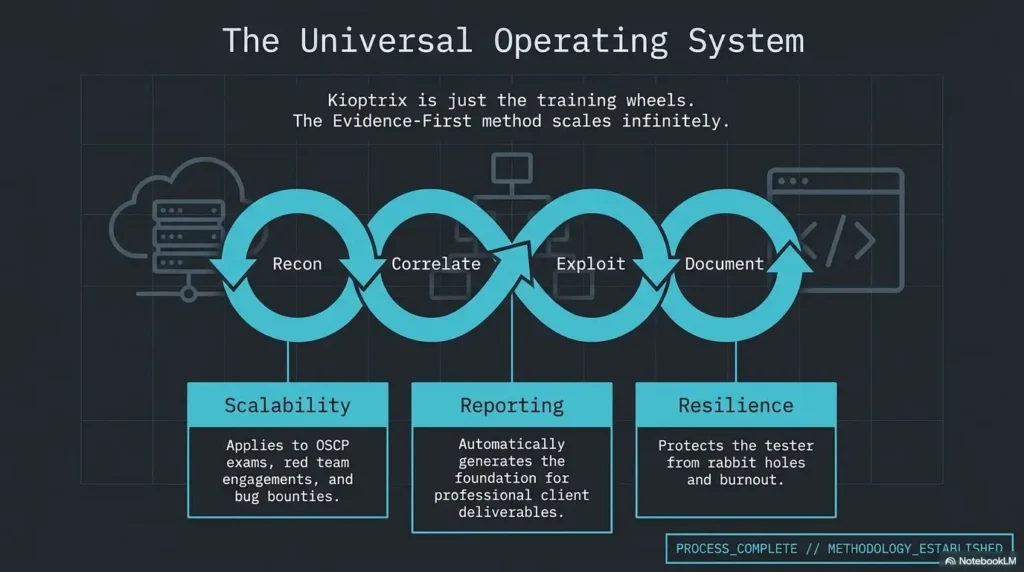
FAQ About Kioptrix Level 1 and Evidence-Based Enumeration
Is Kioptrix Level 1 suitable for complete penetration-testing beginners?
Yes, provided you understand basic Linux terminal use, IP addressing, ports, and virtual-machine networking. Complete beginners may need to learn those foundations first. The Kioptrix beginner roadmap can help sequence the prerequisites.
What should I know before starting the Kioptrix virtual machine?
Know how to import or create a VM, take a snapshot, identify an IP address, confirm routes, and keep the target isolated. You should also know that command output requires interpretation; tools do not replace authorization, verification, or judgment.
Should Kioptrix use bridged, NAT, or host-only networking?
Use a dedicated lab network and verify its actual routes. VirtualBox host-only networking includes the host, while an Internal Network separates the VMs from the host and needs DHCP or static addressing. Keep the vulnerable target off bridged and internet-connected adapters; NAT still permits outbound traffic.
What is the difference between enumeration and vulnerability scanning?
Enumeration collects and verifies information about hosts, services, applications, users, shares, configurations, and behavior. Vulnerability scanning compares available evidence with detection rules for known weaknesses. A scanner can support enumeration, but its labels still require context and confirmation.
Does an open port prove that a service is exploitable?
No. It proves that a service responded in a way the scan classified as open. Exploitability depends on the software, version, patch status, configuration, authentication, architecture, enabled features, reachability, and the specific weakness being considered.
How can I verify a detected software version before testing it?
Compare multiple evidence sources: direct banners, protocol behavior, application headers, product-specific responses, operating-system package context, and safe manual interaction. Record disagreements rather than selecting the result that best matches the exploit you hope to use.
Why might a public exploit fail when the version appears vulnerable?
The target may have a backported fix, different architecture, disabled module, incompatible build, altered configuration, or missing prerequisite. The test may also contain incorrect network, payload, syntax, or callback settings. A failed attempt must be diagnosed before it becomes a vulnerability conclusion.
Is reading a walkthrough harmful to the learning process?
Not inherently. A walkthrough is useful after you have documented your own evidence, reached a stopping point, or want to compare methodologies. It becomes harmful when copied commands replace the reasoning you were meant to practice. Read for questions and explanations, not merely for the winning sequence.
How do I know whether I observed something or merely assumed it?
Ask whether another learner could reproduce your statement from the saved evidence. If the statement requires undocumented intuition, omitted prerequisites, or confidence borrowed from a walkthrough, label it as an interpretation or hypothesis rather than an observation.
Your 15-Minute Evidence-First Session
You do not need to finish Kioptrix Level 1 today to improve the way you approach it. The most useful next step is smaller: run one short session in which the quality of your notes matters more than progress toward root.
Set a timer for 15 minutes. Confirm your isolated network, verify the target address, and collect one initial set of service observations. Do not search for an exploit. Do not open a spoiler-heavy walkthrough. Your task is to produce a clean ledger that another learner could understand.
The 15-Minute Plan
- Minutes 0–3: write the scope, target address, testing address, network mode, and snapshot state.
- Minutes 3–7: collect broad service evidence and save the raw output with a descriptive filename.
- Minutes 7–10: transfer each important result into the observation ledger without using the word “vulnerable.”
- Minutes 10–13: write one alternative explanation for every product or version identification.
- Minutes 13–15: choose one smallest safe test and write its expected result and stop condition.
Finish With One Uncomfortable Self-Check
Circle every sentence in your notes that another learner could not verify from the attached evidence. Do not delete those sentences. Relabel them as hypotheses, interpretations, or unknowns.
That small correction changes the texture of the entire investigation. Your notes stop pretending to know more than they know. The next action becomes easier to justify, failure becomes easier to interpret, and success becomes something you can explain rather than merely remember.
Kioptrix Level 1 may be an old machine, but this lesson does not age: observe patiently, name uncertainty, and let each test earn the next one.
Final Reminder
The strongest sentence in a lab notebook is not “I knew it.” It is “Here is the evidence, here is what it supports, and here is the smallest test that comes next.”
Last reviewed: 2026-06
Technical guidance updated: 2026-10-13. Clarified host-only versus internal networking and evidence preservation before rollback; repaired table-of-contents links.