
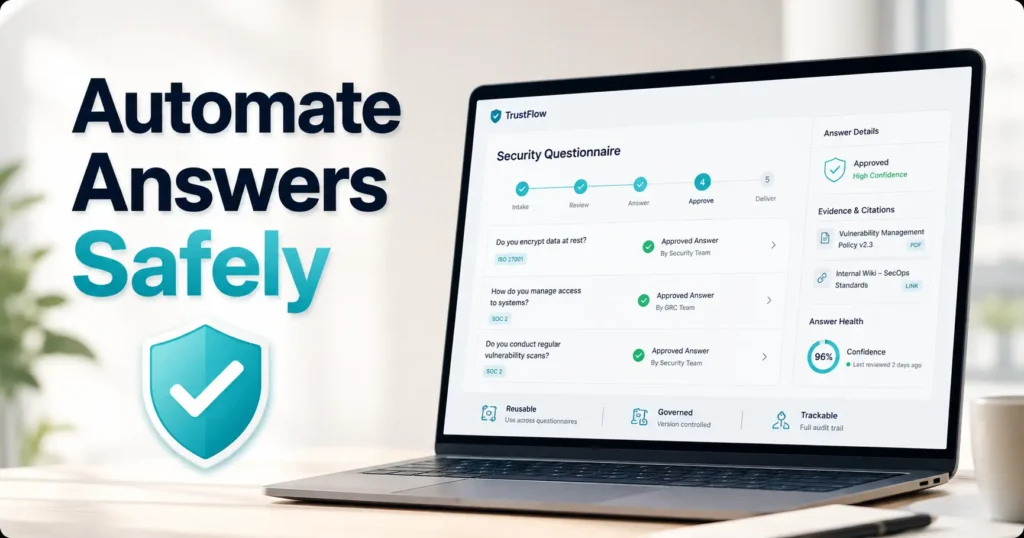
Buyer’s Guide for SaaS Security and GRC Teams
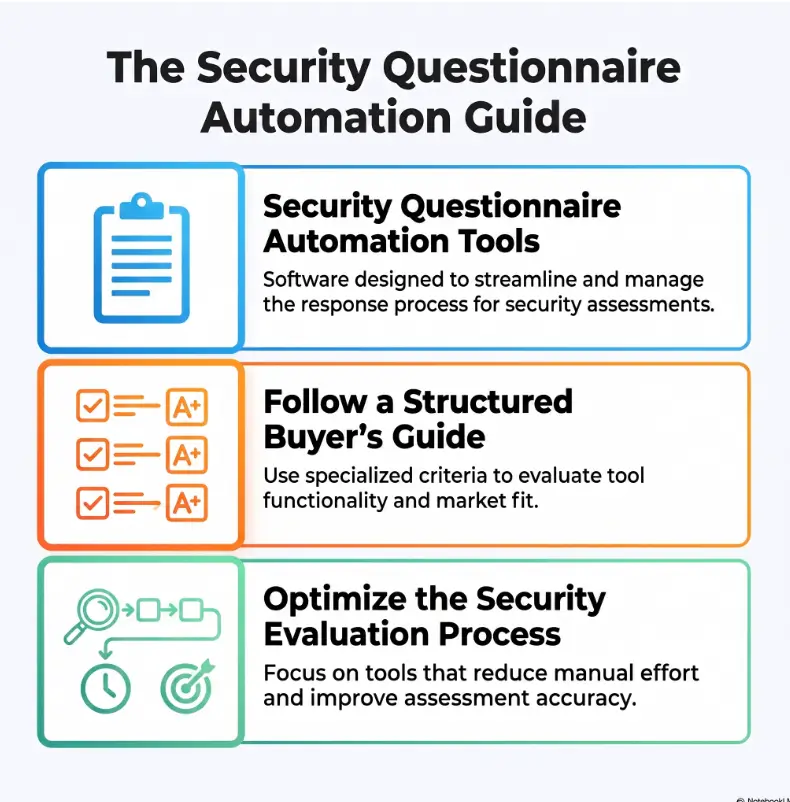
Security Questionnaire Automation Tools Compared:
Find the Right Fit Without Automating Bad Answers
A security questionnaire rarely begins as a security problem. It begins as an innocent spreadsheet attached to an enterprise opportunity, then grows several tabs, acquires legal implications, and settles into the sales pipeline like an uninvited houseguest.
Automation can shorten that work, but raw completion speed is not the real prize. The useful tools help teams reuse approved language, find supporting evidence, route sensitive claims to accountable reviewers, and prevent a confident AI suggestion from becoming an accidental contractual promise.
This guide compares the main platform categories, the buying criteria that matter after the polished demo ends, the hidden cost of weak governance, and a practical bake-off you can run before committing budget. The goal is not to find the tool with the longest feature page. It is to find the one that removes work without removing judgment.
Compare Workflows
Separate response tools, trust centers, GRC systems, and broader RFP platforms.
Test AI Safely
Check citations, source restrictions, permissions, approvals, and unsupported-answer warnings.
Model Real ROI
Include reviewer labor, export cleanup, sales delays, and implementation work.
The best platform is not the one that answers the most questions automatically. It is the one that produces the most defensible answers with the least human friction. 🔐
Snapshot
Who this is for: SaaS security, compliance, GRC, sales-engineering, privacy, and legal teams comparing security questionnaire automation tools. What it solves: slow responses, stale answer libraries, unclear ownership, weak evidence trails, and excessive reviewer effort. Your next move: classify your workflow, shortlist the right platform category, and test each finalist with the same three questionnaires.
Table of Contents
Before You Automate a Security Claim
Before You Act
This guide provides general software-selection and workflow guidance. It cannot determine whether a particular response is legally sufficient, contractually safe, technically accurate, or appropriate for your organization. Confirm sensitive claims with the responsible security, privacy, legal, compliance, or product owner before submitting them to a customer.
A questionnaire answer can travel farther than expected. A sentence copied into a customer workbook may later appear in a contract exhibit, procurement record, audit file, renewal review, or dispute about what the vendor represented during the sale.
That does not mean every response needs a committee meeting. It means your automation workflow should distinguish routine, reusable facts from statements that create meaningful obligations.
Statements that should usually receive human review
- Encryption methods, key-management practices, and exceptions
- Incident history, breach notifications, and response commitments
- Data residency, international transfers, and subprocessors
- Recovery objectives, service availability, and resilience claims
- Certification scope, audit coverage, and control effectiveness
- Product-specific architecture or tenant-isolation statements
- Contractual timelines, warranties, indemnities, or customer remedies
A strong platform should make these answers easier to review, not easier to publish unnoticed. Look for approval gates, role-based access, version history, clear ownership, and an audit trail showing who changed what.
The Real Bottleneck Is Not Typing Answers
Repeated questions hide a knowledge-management problem
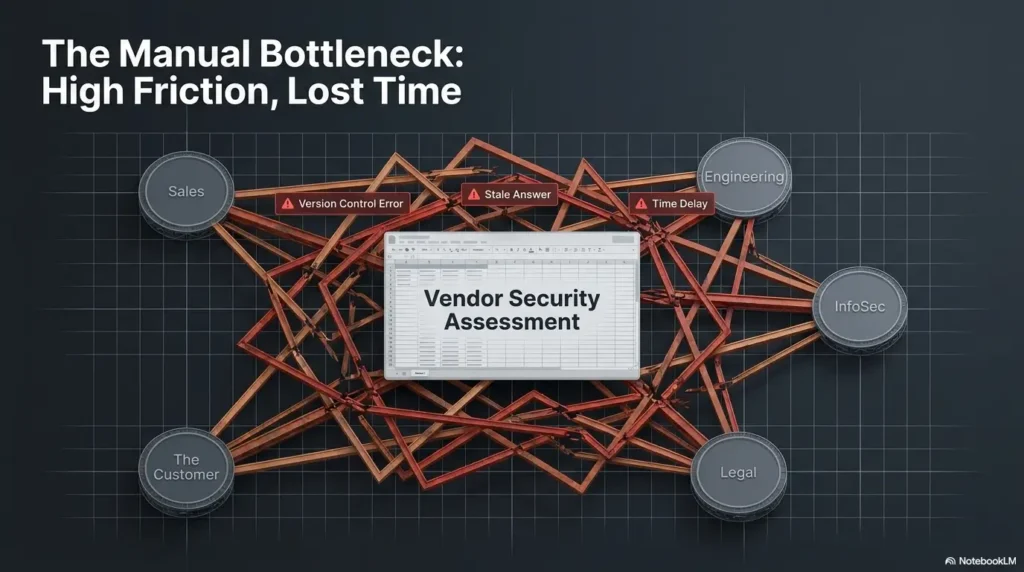
Most teams are not writing every answer from a blank page. They are searching for the answer they used six months ago, asking whether it still applies, finding the supporting policy, checking whether that policy covers the correct product, and waiting for someone to approve the final wording.
The typing may take two minutes. The scavenger hunt takes two days.
Old spreadsheets, ticket comments, policy folders, audit evidence, sales messages, and personal notes become a shadow answer library. They contain useful knowledge, but no reliable way to tell which statement is current, approved, scoped correctly, or safe to reuse.
Automation speed means little without answer ownership
A dependable answer library needs more than question-and-answer pairs. Each important response should have an owner, approval status, scope, source, review date, and a record of meaningful changes.
Ownership prevents the familiar ritual in which five people are tagged, three assume someone else is responding, and the questionnaire quietly ages beside the opportunity it was meant to unblock.
Key Takeaway
Questionnaire automation is best understood as governed knowledge reuse. AI matching is useful, but ownership, evidence, scope, and approval determine whether the reused answer can be trusted.
The hidden review tax behind one-click completion
A platform can display an impressive completion percentage while creating a mountain of downstream editing. A suggested answer that lacks context may be technically related yet wrong for the customer, product, geography, or contract.
Measure how many suggestions reviewers accept with minor or no edits. A 90% completion screen is less valuable when half the answers require investigation, rewriting, or evidence hunting.
Real-world example: one encryption question, three valid answers
A SaaS company receives a familiar question: “Is customer data encrypted at rest?” The library contains an approved yes, supported by cloud-provider documentation and an internal architecture standard.
The catch is scope. The standard answer covers the main cloud application. It does not automatically cover an acquired analytics product, a customer-managed deployment, or a legacy backup process being retired.
A basic matching engine sees the same words and proposes the same answer. A governed system asks which product is in scope, restricts the approved response accordingly, and routes the legacy environment to its owner.
The lesson is plain: a reusable answer is not universal merely because it has been used before.
Four Tool Categories That Look Similar Until Work Begins
Many platforms advertise AI-assisted questionnaire completion, but they begin from different operating models. Choosing the wrong category can produce an expensive tool that solves a neighboring problem beautifully while leaving your actual bottleneck untouched.
Standalone questionnaire response platforms
Response-first platforms are designed around intake, answer matching, collaboration, review, and export. They are often the clearest fit when the team receives many customer assessments and needs to reduce turnaround time.
- Prioritize: import accuracy, answer matching, review queues, browser workflows, and export fidelity
- Best for: recurring questionnaires with a reasonably mature answer library
- Watch for: weak evidence management, limited control mapping, or shallow trust-center features
Trust centers with questionnaire automation
A trust center gives customers controlled access to security documents, certifications, policies, architecture summaries, and standard answers. Its first job is often deflection: helping prospects answer common questions before sending another spreadsheet.
This model is attractive when the same documents are repeatedly emailed under separate nondisclosure agreements. Access controls, approval flows, document analytics, and evidence-sharing workflows may matter as much as automated completion.
GRC platforms with response features
A GRC-centered platform connects questionnaire answers to controls, risks, policies, frameworks, evidence, tests, and audit work. It may not always be the fastest questionnaire interface, but it can provide stronger operational context.
This category deserves attention when your core problem is not merely answering questions. Perhaps teams cannot prove which controls support an answer, cannot identify expired evidence, or cannot keep customer claims aligned with audit scope.
Teams still building their compliance foundation may also benefit from reviewing a practical SOC 2 compliance checklist for startups before evaluating automation. Software cannot compensate for undefined ownership or missing control activity.
Broader RFP platforms adapted for security reviews
General response-management software can work well when security questionnaires are one stream within a larger proposal function. Sales, product, finance, legal, and implementation teams may share the same content library and response workflow.
The trade-off is specialization. Confirm whether the system understands security evidence, product scopes, framework mappings, sensitive permissions, and the unusual spreadsheet structures commonly found in customer assessments.
| Platform category | Primary strength | Strongest fit | Common limitation to test |
|---|---|---|---|
| Response-first platform | Questionnaire throughput | High recurring assessment volume | Depth of control and evidence connections |
| Trust-center platform | Customer self-service and deflection | Repeated document requests | Complex questionnaire editing and export |
| GRC-centered platform | Control, risk, policy, and evidence alignment | Audit-connected response programs | Reviewer speed and user experience |
| Broader RFP platform | Cross-functional response management | Mixed proposal and security teams | Security-specific governance and scoping |
The Buying Criteria That Change the Decision
Import accuracy across spreadsheets, documents, PDFs, and portals
Ask each vendor to import your own files. A tidy demonstration template reveals very little about how the platform handles merged cells, hidden tabs, nested questions, dropdowns, conditional rows, duplicated identifiers, macros, scoring columns, and customer-specific formatting.
PDF support also needs a practical test. Some systems can extract simple text but struggle with scanned documents, tables, checkboxes, multi-column layouts, or questions whose context appears on a previous page.
For web portals, determine whether the tool offers a browser extension, structured copying, direct integrations, or an API. Then test the portal your largest customers actually use. “Portal support” can describe anything from smooth field population to a glorified clipboard.
Answer-library governance
A useful library should make the approved answer obvious and the obsolete answer difficult to use accidentally. At minimum, compare:
- Version history and change summaries
- Approval status and required approvers
- Owners and backup owners
- Review dates and expiration rules
- Product, region, customer, and deployment scope
- Duplicate-answer detection
- Linked sources, controls, policies, and evidence
- Automatic withdrawal or warning for expired content
Policy quality is part of the same equation. A clean answer library works better when it points to maintained source documents. This guide to SOC 2 policies for startups can help teams identify which documents need owners and review cycles before migration.
Conditional answers and scope controls
Many security questions do not have one universal answer. The response may change by product, hosting model, customer tier, processing activity, data classification, country, feature configuration, or contractual commitment.
Look for segmented libraries, reusable answer variants, conditional rules, permission boundaries, and visible scope labels. A reviewer should be able to tell why a response applies without opening six supporting documents and consulting the office oracle.
Collaboration and export quality
Assignments, due dates, comments, reviewer queues, escalation paths, and notifications should reduce message traffic rather than create another place to receive it. Test how easily occasional reviewers can complete their work without training worthy of a minor certification.
Then examine the finish line. Does the exported workbook retain tabs, formatting, dropdown selections, formulas, customer identifiers, and comments? Can completed answers return to the original file without an afternoon of spreadsheet surgery?
Show me the nerdy details
Track answer performance at the question level. Useful fields include source answer ID, suggestion confidence, supporting source, reviewer, edit distance, approval result, completion time, product scope, and final export status.
A simple acceptance metric is: accepted suggestions divided by all suggested answers. Add a separate “accepted without material change” rate so cosmetic edits do not hide poor matching.
For risk-sensitive responses, record whether the final answer had a current source and an accountable approver. Speed without those two fields is merely fast uncertainty wearing a neat shirt.
AI Copilot or Confident Liability?
Confidence scores are not evidence
A confidence score estimates how strongly the system associates a question with an answer. It does not prove that the answer is true, current, complete, or appropriate for the situation.
The safer workflow shows both the proposed answer and the source that supports it. Reviewers should be able to inspect the approved library entry, policy section, control record, evidence item, or technical document that led to the suggestion.
Put hallucination controls on the demo checklist
Ask whether the AI is restricted to approved sources or permitted to generate new language freely. Both modes can be useful, but they should not look identical in the interface.
- Does the platform cite the exact source behind each suggestion?
- Does it warn when no approved answer supports the response?
- Can generated wording be disabled for sensitive categories?
- Can teams require approval before an answer is exported?
- Are novel responses clearly labeled as drafts?
- Can administrators restrict which documents the model may use?
- Can the system explain why it selected one answer over another?
AI-generated content also creates internal governance questions. Teams managing unsanctioned applications, copied customer data, or uncontrolled model access may find this guide to AI shadow IT risk useful when defining acceptable workflows.
Key Takeaway
Treat AI as a drafting and retrieval assistant, not an independent security representative. The system should expose uncertainty, show sources, respect scope, and stop at a human gate when the claim carries contractual or compliance weight.
Sensitive documents need firm permission boundaries
Questionnaire platforms may contain policies, audit reports, penetration-test summaries, architecture diagrams, subprocessor details, incident procedures, insurance documents, and customer-specific commitments. That makes the platform itself a meaningful security system.
Review encryption, identity controls, single sign-on, role design, audit logs, tenant isolation, retention settings, data deletion, subprocessors, backup practices, model-training policies, regional hosting options, and employee access procedures.
Do not stop at “your data is not used to train public models.” Ask whether it is used to improve vendor-specific models, retained in prompts or logs, processed by third-party model providers, or accessible to support personnel.
Who Needs a Platform, and Who Can Keep the Spreadsheet?
Strong fit: recurring reviews with repeatable answers
Automation becomes attractive when questionnaires arrive frequently, reuse many standard questions, involve several reviewers, and affect meaningful sales opportunities. SaaS vendors, cloud services, fintech companies, healthcare technology providers, and security-conscious professional services firms often encounter this pattern.
A lean security team may feel the pain first. One or two specialists become the final stop for every answer, even when most questions could be resolved from approved material. The pipeline grows, the team remains the same size, and response work begins colonizing evenings.
A structured spreadsheet may still be enough
Companies receiving only a few simple questionnaires each year may not need dedicated software. A controlled spreadsheet can work when it has clear owners, approved wording, review dates, scope labels, linked evidence, and a documented submission process.
The free approach is especially reasonable when one knowledgeable person handles intake, the product is simple, answers change infrequently, and customer files arrive in predictable formats.
Automation cannot manufacture missing controls
No platform can create an audit, policy, penetration test, access review, incident procedure, backup test, or secure development practice that does not exist. It may draft a sentence describing one, but that is exactly the problem.
If questionnaires repeatedly expose gaps, address the gaps before optimizing the prose. A mature answer process should make uncomfortable truths visible early enough to fix them.
| Operating level | Recommended setup | Good fit when | Main caution |
|---|---|---|---|
| Good | Governed spreadsheet and evidence folder | Volume is low and reviewers are few | Manual version control can drift |
| Better | Response-first automation platform | Questionnaire volume is delaying sales work | Requires a clean, scoped answer library |
| Best for complex programs | Integrated response, trust-center, and GRC workflow | Answers must stay linked to controls, evidence, and customer access | Higher implementation and administration effort |
Shortlist by Workflow, Then Break the Demo
Choose the category that addresses the dominant problem
- Choose response-first software when import, answer matching, reviewer speed, and export are the main concerns.
- Choose a trust-center model when prospects repeatedly request the same documents and standard security information.
- Choose a GRC-centered system when every answer must remain connected to controls, evidence, risks, and audits.
- Choose a broader RFP system when security reviews are managed beside product, legal, pricing, and implementation responses.
The 30-minute demo test that exposes weak platforms
Bring one clean questionnaire and one ugly one. The clean file tests normal speed. The ugly file reveals whether the platform can survive real procurement paperwork without losing context or formatting.
- Import a standard spreadsheet with clear question rows.
- Import a multi-tab workbook with merged cells, duplicate questions, conditional sections, and unusual formatting.
- Search for an answer that changed recently.
- Inspect the source, owner, scope, approval date, and version history.
- Assign one answer to a security reviewer and another to legal.
- Export the finished file and compare it with the original.
- Count mismatches, unsupported suggestions, edits, and formatting repairs.
Score outcomes, not presentation slides
| Test area | What to measure | Warning sign |
|---|---|---|
| Import | Questions captured correctly | Missing context, broken rows, or manual reconstruction |
| Matching | Suggestions accepted with little editing | High completion percentage but low acceptance |
| Evidence | Answers linked to current sources | Suggestions presented without support |
| Governance | Scope, owner, approval, and version visibility | Approved and draft content look identical |
| Collaboration | Time required for occasional reviewers | Reviewers need extensive training |
| Export | Formatting and customer structure preserved | Hours of post-export cleanup |
| Auditability | Clear record of changes and approvals | No reliable submission history |
The Four-Gate Buying Process
01 · CLASSIFY
Name the workflow
Response, deflection, GRC alignment, or mixed proposals?
02 · TEST
Use real files
Bring routine, complex, and badly formatted questionnaires.
03 · VERIFY
Trace every claim
Check sources, scope, ownership, approvals, and history.
04 · MEASURE
Count remaining work
Track edits, reviewer minutes, cleanup, and total turnaround.
Mistakes That Turn Automation Into Faster Confusion
Mistake: importing every historical answer
A large answer library can feel reassuring, but volume is not maturity. Importing years of old questionnaires creates duplicates, contradictions, expired statements, customer-specific promises, and abandoned terminology.
Begin with the most reusable approved content. Add historical material only after confirming its owner, scope, source, and current status.
Mistake: allowing AI to publish without approval
Automatic reuse may be reasonable for low-risk factual answers with current sources. Novel responses, legal commitments, incident statements, product-specific claims, and regulatory interpretations should receive named human review.
Create categories rather than applying one approval rule to everything. Otherwise, the workflow either becomes reckless or so restrictive that automation provides little value.
Mistake: measuring only completion time
Turnaround matters, but it can conceal poor quality. A team may complete the workbook faster while reviewers spend longer validating suggestions and repairing exports.
- Accepted-answer rate
- Material revision rate
- Reviewer minutes per questionnaire
- Percentage of answers with current sources
- Percentage requiring legal or security escalation
- Export cleanup time
- Total turnaround from intake to delivery
- Questionnaires returned for clarification or correction
Mistake: buying before mapping the workflow
Document the present process before comparing vendors. Record how questionnaires arrive, who triages them, where answers are found, how owners are contacted, which claims need approval, where evidence lives, and how final files are delivered.
This prevents the buying team from paying for attractive features that do not remove the actual delays.
| Common mistake | Safer alternative |
|---|---|
| Import every historical file | Start with reviewed, current, reusable answers |
| Use one answer across every product | Segment by product, deployment, data type, and region |
| Allow silent AI generation | Label drafts, show sources, and require review gates |
| Judge tools by completion percentage | Measure acceptance, editing, evidence, and reviewer effort |
| Buy before documenting intake and approval | Map the workflow and name the dominant bottleneck first |
| Automate unusual strategic negotiations | Route exceptional cases directly to accountable experts |
Pricing and ROI Beyond the Subscription Quote
Calculate cost per completed questionnaire
Subscription price is only the visible layer. Include implementation, answer cleanup, integrations, administration, reviewer labor, legal review, sales-engineering effort, and export repair.
A useful internal estimate is:
Cost per Completed Questionnaire
Annual software and implementation cost + annual response labor + administration cost, divided by the number of completed questionnaires.
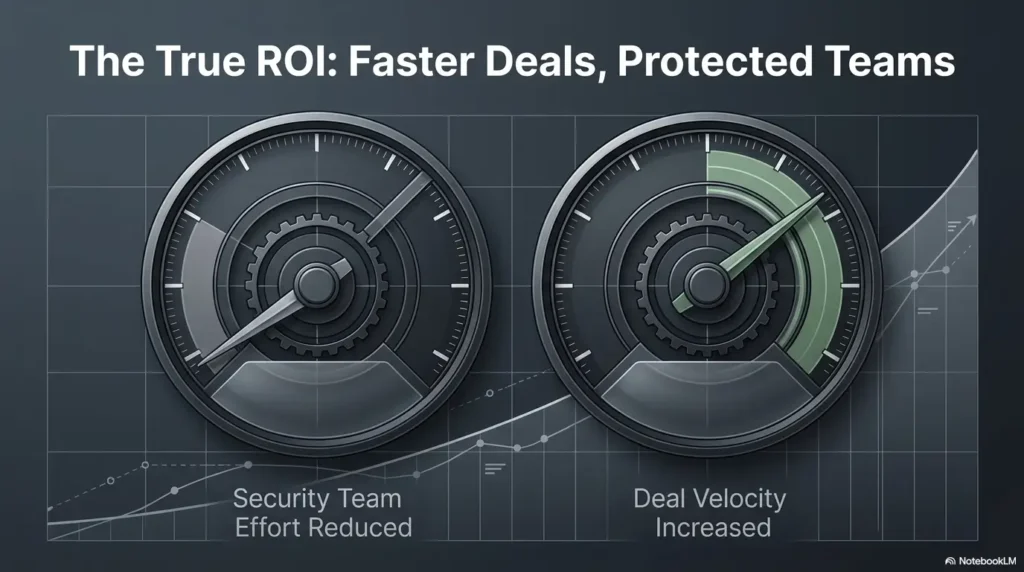
This will not capture every benefit, but it creates a consistent basis for comparing a spreadsheet workflow, a focused response platform, and a broader compliance system.
Include the revenue-delay effect carefully
Security reviews can affect procurement and contract timing, especially in enterprise sales. Still, avoid assigning the entire value of a deal to the automation platform. Many factors influence closing dates.
A conservative model can estimate how often questionnaire delays materially affect an opportunity, how many days the workflow may save, and whether faster responses improve sales capacity or merely move the waiting period elsewhere.
Check what the price quietly excludes
- Named users, reviewers, guests, or business units
- Questionnaire volume or document limits
- AI credits, generated answers, or model usage
- Browser extensions and portal workflows
- Trust-center visitors, gated access, or NDA automation
- Evidence storage and retention
- Single sign-on, audit logs, or advanced permissions
- Integrations, APIs, onboarding, migration, and support tiers
- Separate environments, regions, subsidiaries, or product libraries
For broader budgeting, compare the proposed platform with the rest of your security software spend using a security tool stack cost calculator. Questionnaire automation should compete against other priorities for time and budget, not exist in a procurement snow globe.
Key Takeaway
Model conservative savings. Separate reusable questions from novel or legally sensitive requests, and count the work that remains after AI suggests an answer. The cheapest subscription can become costly when reviewers must distrust every result.
| ROI component | What to include | What not to assume |
|---|---|---|
| Labor savings | Reduced search, drafting, routing, and cleanup time | Every question will be automated |
| Review efficiency | Fewer unnecessary reviews and clearer assignments | Human approval will disappear |
| Sales support | More predictable response time and fewer bottlenecks | The tool alone will close deals |
| Risk reduction | Better versioning, sourcing, scope, and approvals | No inaccurate answer will ever be submitted |
| Trust-center deflection | Reduced repetitive document requests | Enterprise customers will stop sending questionnaires |
Build the Answer Engine Before Turning On AI
Week one: clean and classify the library
Remove duplicates, archive expired material, identify conflicting responses, and separate customer-specific promises from reusable statements. Assign an owner to every high-value answer and define the products or services it covers.
- Current approved answer
- Responsible owner
- Applicable products and deployment models
- Customer or contract restrictions
- Supporting source
- Approval date and next review date
- Risk category and required approvers
Week two: connect authoritative sources
Link answers to approved policies, control records, certifications, audit reports, penetration-test summaries, architecture documents, privacy materials, incident procedures, and legal language.
The source should be specific enough for a reviewer to validate the claim. “Security folder” is not a source. It is a small digital forest.
Week three: define review thresholds
Create clear rules for automatic reuse, routine review, specialist approval, and executive escalation. Base the rule on answer risk rather than question length.
| Response tier | Example | Suggested workflow |
|---|---|---|
| Low sensitivity | Published support hours or standard contact process | Reuse approved answer with periodic review |
| Moderate sensitivity | Control process, policy frequency, or standard architecture statement | Reuse with source check and owner review when changed |
| High sensitivity | Incident history, contractual commitment, regulatory interpretation, or product exception | Named security, privacy, legal, or executive approval |
| Novel or unclear | Customer-specific scenario not covered by approved content | Draft cautiously and route to an accountable expert |
Week four: pilot with representative questionnaires
Choose a small but varied pilot set. Include a routine assessment, a complex enterprise review, and an awkward document with conditional questions. Measure accuracy, editing effort, reviewer satisfaction, export cleanup, and total turnaround.
Do not judge the pilot only by whether the deadline was met. Ask whether reviewers trusted the system, whether ownership became clearer, and whether unsupported answers were easier to detect.
Key Takeaway
Do not begin implementation by switching on generative answers. Begin by deciding which knowledge is approved, who owns it, where its proof lives, and when it expires. AI performs better when the organizational memory beneath it is tidy.
FAQ: Security Questionnaire Automation Tools
Can a security questionnaire tool answer custom customer questions?
It can often suggest relevant approved content, but a genuinely new or context-specific question may require a new response. The platform should label generated language clearly, identify supporting sources, and route the draft to the appropriate owner.
Will the platform work with customer security portals?
Possibly. Common approaches include browser extensions, structured copy-and-paste workflows, direct integrations, and APIs. Portal layouts and restrictions vary, so test the portals used by your actual customers rather than relying on a general compatibility statement.
How accurate are AI-generated questionnaire answers?
Accuracy depends heavily on the quality of the approved library, the source documents available, the matching method, scope controls, and the review process. A useful system should show where an answer came from and warn when reliable support is missing.
Can one platform support multiple products or business units?
Many can, but the details matter. Compare segmented libraries, product tags, access controls, scoped evidence, regional variants, business-unit permissions, and separate approval workflows. Test whether reviewers can distinguish similar answers without guessing.
Does a trust center eliminate security questionnaires?
Usually not. A trust center can reduce repetitive document requests and routine questions, but larger or regulated customers may still require detailed assessments, contractual reviews, or their own portal submissions.
How should outdated answers be handled?
Use scheduled review dates, owner notifications, expiration rules, version history, and warnings or withdrawal for obsolete content. The safest system makes expired material visible without allowing it to masquerade as the current answer.
What security documents should be stored in the platform?
Store reusable customer-facing material and the approved sources needed to validate answers. Highly sensitive reports, unrestricted architecture details, credentials, raw vulnerability data, or customer-confidential records may need stricter storage and access arrangements.
How long does implementation take?
It depends on library condition, product complexity, integration needs, migration volume, reviewer availability, and governance maturity. A small team with clean approved content may pilot quickly. A multi-product organization with conflicting historical answers should plan for more preparation.
How much does security questionnaire automation cost?
Pricing models vary and may depend on users, questionnaires, AI usage, business units, integrations, trust-center features, storage, support, or contract term. Request a total-cost scenario based on your expected workflow rather than comparing headline subscription figures alone.
Run a Three-Questionnaire Bake-Off in 15 Minutes
You do not need a perfect requirements document to improve the buying decision. Set aside 15 minutes and choose three files: one routine questionnaire, one complex enterprise assessment, and one awkwardly formatted document your team remembers for all the wrong reasons.
For each file, write down five numbers:
- Questions imported correctly
- Suggested answers accepted without material rewriting
- Unsupported or incorrectly scoped suggestions
- Reviewer minutes required
- Export cleanup minutes
Send the same test set and scoring method to every finalist. Advance only the tools that produce traceable answers, preserve customer formatting, expose uncertainty, and reduce reviewer work without weakening approval controls.
Your 15-Minute Next Step
Choose the three files before you schedule another vendor demo.
Those questionnaires contain more truth about your requirements than a long feature checklist. They reveal messy intake, changing answers, conditional scope, evidence gaps, reviewer friction, and the final export work that polished demonstrations politely leave backstage.
Last reviewed: 2026-09