Open the Security stack budget reconciliation for the task-specific fields, next action and related guide.
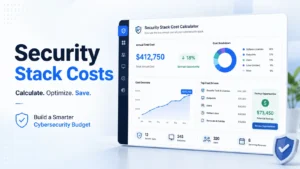
Security budgeting without the invoice fog
Security Tool Stack Budget Worksheet:
Build a Smarter Cybersecurity Budget
Cybersecurity budgets can look tidy on a spreadsheet and still behave like a junk drawer after midnight. One tool bills by user, another by endpoint, another by log volume, and the “small” add-on quietly grows teeth at renewal time. This manual budget worksheet helps you reconcile what your business is paying for its security stack.
This guide is for SMB owners, IT managers, startup operators, MSP clients, and security leads who need a practical budget before the next renewal season starts rattling the windows. You will not get a fake promise that one calculator can make your company secure. You will get a useful way to price tools, people, overlap, hidden labor, and coverage gaps.
The goal is not to buy more tools. The goal is to make every dollar explain itself. If a control matters, fund it. If a dashboard gathers dust, challenge it. If a cheap tool creates expensive work, name the work before it eats another quarter.
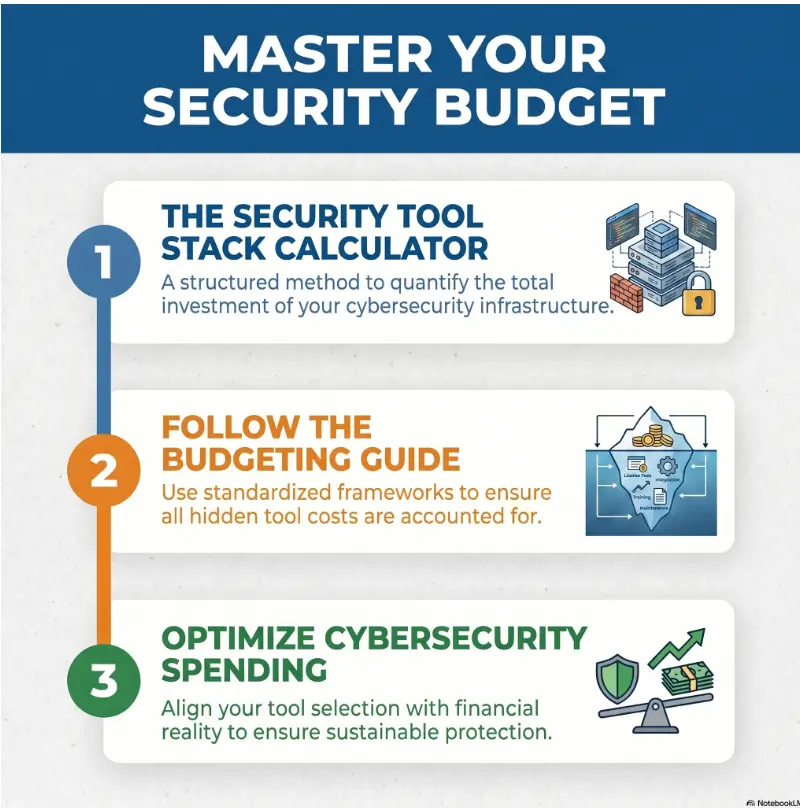
Find hidden cost
Add admin hours, training, support, integrations, storage, and renewal uplift.
Spot duplicate tools
See where two products solve one problem while another risk sits unfunded.
Compare changes
Compare the current baseline with specific proposed changes and their unresolved requirements.
By the end, your security budget should feel less like a vendor parade and more like a defensible operating plan. 🔐
Snapshot
This article is for business and IT teams that need to estimate the true annual cost of a cybersecurity tool stack. It helps you inventory current tools, normalize pricing, add staff time, compare free vs paid options, record operating evidence, and decide what to keep, replace, consolidate, renegotiate, or retire.
Before You Price Anything, Decide What the Calculator Can and Cannot Do
A security tool stack cost calculator is not a crystal ball, a compliance certificate, or a substitute for a qualified security assessment. It is a budgeting lens. It helps you see the cost of tools, labor, renewals, gaps, and overlap before your next purchasing decision hardens into a contract.
For a small business, this matters because security spending often arrives in pieces. A password manager here. Endpoint protection there. A firewall renewal. A backup tool. A compliance questionnaire that suddenly asks about MFA, logging, incident response, and vendor security. By the time the invoices gather, the stack has become a coral reef of good intentions.
Before you act
This guide can help you organize cybersecurity costs and compare budget scenarios. It cannot confirm legal compliance, guarantee protection, select a product for your exact environment, or replace advice from a qualified cybersecurity, legal, insurance, or compliance professional. For regulated data, contract obligations, incident response, or high-risk environments, document your assumptions and confirm key decisions with the right specialist.
The calculator should expose decisions, not just totals
A basic calculator adds license prices. A useful calculator asks what those prices mean. Are you paying for 120 seats when only 82 people log in? Are you buying EDR but ignoring backups? Are you funding a SIEM without anyone available to review alerts?
The best version turns “How much does this cost?” into a sharper question: “What risk does this reduce, and is the work required to run it realistic?”
Who this is for
This is especially useful for SMBs trying to stop “security by shopping cart,” IT managers preparing for renewal season, startup founders comparing cybersecurity tools before hiring a full security team, and MSP clients who want to understand what they are paying for.
It is less useful if your organization needs a formal enterprise risk assessment, a forensic investigation, a legal compliance opinion, or board-level risk quantification. In those cases, the calculator can still support the conversation, but it should not be the only instrument on the table.
What good looks like
A good security budget is not automatically large. It is explainable. Every tool has an owner, a purpose, a renewal date, a protected asset, and a rough measure of actual use. Every major gap has a name, even if it cannot be fixed this quarter.
That one change can reduce a surprising amount of budget panic. It is easier to defend a stack when it has bones.
Key takeaway
The calculator should not reward the cheapest stack. It should reveal the most defensible stack your team can afford, operate, and explain.
Start With the Stack You Already Own
Before comparing new cybersecurity tools, inventory what you already have. This sounds dull until you discover the dormant admin portal, the forgotten backup add-on, the duplicate phishing tool, or the security product bundled inside a platform you already pay for.
The first pass should be boring on purpose. Boring is where budget clarity keeps its emergency flashlight.
List every active security tool, even the forgotten ones
Start with anything that protects, monitors, authenticates, filters, backs up, logs, scans, encrypts, alerts, blocks, reports, or helps recovery. Include tools paid directly by the business, tools bundled through an MSP, and tools included inside larger software suites.
Your list may include endpoint protection, EDR, email security, DNS filtering, firewalls, VPN, SSO, MFA, password manager, backup, vulnerability scanning, cloud security posture management, SIEM, MDR, data loss prevention, device management, security awareness training, and incident response support.
Separate must-have tools from panic-week purchases
Many companies buy security tools during a customer audit, a near-miss, a board question, or a frightening news cycle. Some of those purchases are wise. Others become shelfware with a logo.
Tag each tool as one of four types: essential control, compliance support, operational convenience, or unclear purpose. “Unclear” is not an accusation. It is a candle placed in a dark cabinet.
Track owner, renewal date, user count, and contract term
Every tool in the calculator should have an owner. If nobody owns it, nobody is tuning it, reviewing it, checking reports, or challenging the renewal. That is not a tool. That is a subscription with a login page.
At minimum, record the vendor category, current owner, renewal date, contract end date, seat count, endpoint count, annual cost, billing frequency, support tier, and whether the tool is managed internally or by a provider.
| Inventory field | Why it matters | Example entry |
|---|---|---|
| Tool category | Shows overlap and missing coverage | Email security |
| Business owner | Creates accountability | IT manager |
| Renewal date | Prevents rushed renewals | September 30 |
| Pricing unit | Normalizes comparison | Per user per month |
| Actual usage | Flags shelfware | 68 active users of 100 seats |
| Protected asset | Connects cost to risk | Employee inboxes |
The uncomfortable question: who actually logs in?
Usage data can be humbling. A tool may look important in a renewal deck and still have one lonely admin login from six months ago. Ask who reviews alerts, who uses reports, who tunes rules, and who would notice if the tool stopped working.
If you cannot answer those questions, do not cancel immediately. First, mark the tool for review. A neglected tool might be unnecessary, or it might be important but under-operated. Those are different problems with different budget answers.
For teams building a broader security operating rhythm, a related guide on security metrics for founders can help turn tool data into a monthly decision habit.
The Cost Categories Most Calculators Miss
License cost is the visible roofline. The house underneath includes implementation, configuration, training, integrations, support, storage, false-positive cleanup, contract minimums, and staff time. Leave those out and your budget becomes a postcard from a place you cannot actually live.
License fees are only the visible roofline
Most security software pricing begins with a unit: user, endpoint, server, cloud workload, log volume, event, mailbox, domain, location, or flat contract. The trap is assuming that one unit tells the whole story.
An email security tool may bill by mailbox. A logging platform may bill by data volume. A vulnerability scanner may bill by asset. An MDR provider may bill by endpoint and service level. A firewall may include hardware, subscription services, support, and replacement timing.
Add implementation, onboarding, integrations, and migration
Some tools work quickly. Others need identity integration, endpoint deployment, policy tuning, cloud connectors, email routing changes, log source mapping, user training, and documentation. Even when the vendor says setup is simple, your environment still gets a vote.
Use a one-time implementation field in the calculator. Include vendor setup fees, MSP project hours, internal IT hours, testing, policy review, and any migration cost from the old tool.
Include training time before the invoice lies to you
Security tools often fail quietly because people were not trained to use them. Admins need time to manage dashboards. Employees may need time to understand MFA, password manager workflows, phishing reporting, device enrollment, and backup recovery habits.
Training is not fluff. It is the bridge between “we bought it” and “it works on Tuesday when everyone is busy.”
Count renewal uplift, taxes, minimums, and support
Your calculator should include renewal uplift assumptions, taxes and fees, contract minimums, support tiers, data retention charges, overage charges, and early termination limits. If a vendor gives a first-year discount, record both first-year cost and expected steady-state cost.
That one distinction can save a budget meeting from becoming a small opera with spreadsheets.
Key takeaway
For each tool, calculate three numbers: first-year cash cost, steady-state annual cost, and annual labor cost. The difference is where hidden budget pressure often lives.
Price the Tool, Then Price the People
A cheap security tool can become an expensive pet if someone has to feed it alerts, groom its policies, clean its false positives, and walk it through every audit. People cost does not make a tool bad. It makes the tool real.
Estimate monthly labor by tool owner
For each tool, estimate the monthly hours required to operate it. Include administration, monitoring, patching, alert review, reporting, account changes, policy updates, access reviews, and vendor meetings.
If exact time tracking does not exist, use practical ranges. Collect effort estimates from the actual owner and record the period, assumptions and range. This article has no observed staffing benchmark. A SIEM without a team can become a very expensive smoke alarm in an empty building.
Add MSP, SOC, consultant, or contractor fees
If an MSP, MDR provider, SOC, consultant, or contractor helps operate the stack, separate tool cost from service cost. This prevents a common confusion: comparing a self-managed software subscription against a managed service and calling the managed option “too expensive” before counting internal labor.
Managed help may be worth considering when your team lacks time, expertise, coverage hours, incident response experience, or compliance reporting capacity. DIY may be enough for smaller, simpler environments with clear ownership and disciplined maintenance.
Include alert review, tuning, reporting, and false-positive cleanup
Tools that alert require attention. If the alert volume is high and the signal is low, your team pays with focus. That cost rarely appears on an invoice, but it appears in delayed projects, tired admins, and missed warnings.
Use a simple estimate: monthly alerts multiplied by average minutes to triage, plus monthly tuning time. Even rough math is better than pretending alert fatigue is free.
| Labor area | Monthly estimate | Budget note |
|---|---|---|
| Admin changes | [hours / period / source / unknown] | User adds, removals, policy updates |
| Alert review | [hours / period / source / unknown] | Depends on tool quality and volume |
| Reporting | [hours / period / source / unknown] | Leadership, audit, customer requests |
| Tuning | [hours / period / source / unknown] | Rules, exceptions, false positives |
| Training | [hours / period / source / unknown] | Admins and end users |
Use a blended hourly rate with care
To convert internal effort into cost, choose a blended hourly rate for employees who manage security. It does not need to be perfect. The point is to stop treating internal time as office fog.
Record one explicit basis for valuing internal hours, including which costs it contains. Do not add a second value for the same time under another label such as overhead or opportunity cost. Keep allocated capacity distinct from additional external cash, and have the budget owner review the basis.
Build the Core Calculator Inputs
Your calculator can live in a spreadsheet, a project management table, a governance tool, or a dedicated SaaS platform. The format matters less than the fields. If the inputs are weak, the output will wear a nice jacket and still be wrong.
Company size: users, devices, locations, and cloud accounts
Start with business shape. Count employees, contractors, privileged users, shared accounts, service accounts, endpoints, mobile devices, servers, cloud accounts, offices, remote workers, and key applications.
This matters because vendors do not price the same way. A 50-person company with 50 laptops, 20 contractors, 12 servers, and heavy cloud use may have a different cost profile than a 90-person office with mostly managed desktops and fewer cloud assets.
Tool category and protected asset
Every tool should map to a category and protected asset. A password manager protects credentials. EDR protects endpoints. Email filtering protects inboxes. Backup protects data recovery. IAM protects access. Logging supports detection and investigation.
This simple mapping prevents a dangerous budget illusion: spending a lot in one area and assuming the whole business is covered.
Cost model: per user, per endpoint, per GB, per event, or flat contract
Add a pricing model field for every tool. Then normalize it to annual cost. Monthly prices are easy to read, but annual cost is better for renewal planning and scenario comparison.
For storage-based or event-based tools, include expected growth. Logging and telemetry can expand quickly as you add sources. A calculator that ignores data growth may understate future cost.
Renewal timing: monthly flexibility vs annual discount trap
Annual contracts may lower unit cost, but they reduce flexibility. Monthly billing may cost more, but it can be useful during early-stage growth, tool trials, or uncertain headcount planning.
Do not treat annual discount as automatic wisdom. A discounted tool that nobody uses is still budget confetti.
Calculator input checklist
- Tool name and category
- Business owner and technical owner
- Protected asset or risk area
- Pricing unit and quantity
- Current annual software cost
- Implementation or migration cost
- Monthly internal labor hours
- Provider or managed service fees
- Renewal date and contract term
- Support tier and overage rules
- Usage signal, such as active users or last admin login
- Operating evidence, limits and proposed decision status
Do Not Compare Vendors Until This Number Is Honest
Vendor comparison is tempting because it feels productive. Feature grids, demos, pricing pages, and sales calls create the pleasant hum of movement. But if your current total cost is wrong, every comparison will lean on a crooked fence.
Calculate total annual cost, not monthly sticker price
For each tool, calculate first-year total cost as annual software cost plus one-time implementation cost plus annual provider fees, internal labor, and expected overages. Show recurring annual cost separately, excluding one-time setup and exit costs. Apply renewal uplift only in the renewal year and avoid counting charges already included in the quote twice.
For multi-year contracts, show year-one cost separately from average annual cost. A low first year can make a tool look prettier than it is.
Normalize pricing by user, endpoint, or protected asset
Normalization lets you compare unlike tools without pretending they are identical. For endpoint tools, calculate cost per protected endpoint. For identity tools, cost per user. For logging, cost per log source or data unit. For managed services, cost per covered asset and service outcome.
This is not always perfect, but it makes pricing conversations less slippery. When two options differ, you can ask whether the higher cost buys better coverage, less labor, stronger support, faster response, or simply a shinier deck.
Add switching costs before declaring a better deal
Switching tools may require deployment, removal of old agents, migration of policies, data export, new training, integrations, user communication, and a temporary period where both tools run at once. Put that cost in the calculator before calling the new option cheaper.
The switching question is not “Is the new tool less expensive?” It is “Will the total cost and risk be better after the switch is complete?”
Cheaper renewals can hide weaker coverage
A lower renewal may be a genuine win. It may also mean fewer features, shorter retention, weaker support, higher response burden, less useful reporting, or a poorer fit for your environment.
Before accepting a cheap renewal, compare coverage, not just price. A low-cost lock on the wrong door is still the wrong lock.
Find Duplicate Tools Before Buying Another One
Duplicate tools are budget leaks with excellent stationery. Two products may both claim to protect endpoints, monitor behavior, block threats, manage access, or report compliance. Yet duplication does not automatically mean safety. Sometimes it means two dashboards, two agents, two bills, and one confused team.
Two tools doing one job may still leave one gap open
Security overlap is not always bad. Some layers are intentional. For example, email filtering and endpoint protection can both help reduce malware risk in different ways. But accidental overlap is different from planned defense.
Map each tool to the specific risk it reduces. If two tools map to the same risk, ask whether both are needed. If neither maps to backup recovery, privileged access, or vendor risk, your expensive overlap may still leave a quiet hole.
Watch for overlap between EDR, antivirus, MDR, and SIEM
Endpoint security categories can blur. Traditional antivirus, next-generation antivirus, EDR, MDR, XDR, and SIEM may all appear in the same conversation. They are not identical, but their marketing can overlap enough to make budgeting foggy.
Ask what each tool does in your environment: prevent, detect, investigate, alert, contain, report, or support response. A product that only generates alerts may not replace a service that investigates them. A managed provider may still rely on endpoint agents you must deploy correctly.
Map each tool to the risk it actually reduces
Use a simple risk map. Put common security outcomes in rows and tools in columns. Mark where each tool provides meaningful coverage. Do not mark a box just because a brochure says the tool can do something. Mark what is deployed, configured, monitored, and used.
If your organization is also planning external testing, the guide on penetration testing cost can help separate tool budget from assessment budget.
| Risk area | Common tool coverage | Budget question |
|---|---|---|
| Credential theft | MFA, SSO, password manager, phishing training | Are privileged accounts protected first? |
| Malware and endpoint compromise | Endpoint protection, EDR, MDR | Who investigates alerts after hours? |
| Email attacks | Email filtering, authentication, user reporting | Can users report suspicious messages easily? |
| Data loss | Backup, encryption, access control | Have restores been tested? |
| Cloud misconfiguration | Cloud posture review, IAM review, logging | Who owns cloud security changes? |
| Incident response | IR plan, retainer, logging, contacts | Who gets called first? |
The quiet budget leak: dashboards nobody trusts
A dashboard that nobody trusts can still consume subscription dollars, admin hours, and leadership attention. If a tool produces reports, ask who reads them and what decision they support.
If the answer is “we export it for audits,” that may be valid. If the answer is “not sure,” mark it for review before renewal.
Keep operating evidence beside the cost
A license or larger budget is not a measurement of security effectiveness. Replace broad grades such as basic, adequate and strong with the particular objective, asset population, operating task and evidence you need to examine. Do not add these observations into a security score.
For each objective, record the intended population, deployment known, configuration checked, operation observed, test date, evidence reference and remaining exceptions. An installed agent does not establish that someone investigates its alerts; an available backup feature does not establish a successful restore.
Use a bounded status such as observed under stated conditions, provisional, not tested or unresolved. A missing record is not automatically proof that no control exists. A successful sample does not establish coverage across the whole population.
Operating objective: [ ]
Assets / accounts / time period in scope: [ ]
Owner and actual operating task: [ ]
Deployment and configuration evidence: [ ]
Behavior checked, date and conditions: [not tested / record]
Result and evidence reference: [ ]
Exceptions, missing coverage and next check: [ ]
Cost line and operating-capacity line: [ ]
Use evidence to identify a question or dependency for review. Neither a completed row nor a framework link certifies protection, compliance or risk reduction.
Compare named changes against the current baseline
Use concrete scenarios instead of good, better and best security grades. Keep the asset population, period, currency and required outcome comparable. Do not assume a more expensive or more consolidated stack is stronger.
- Current baseline: contracted charges, known operating work, observed behavior and unresolved gaps.
- Proposed change: the particular product, service or process change, migration work, overlap period and verification needed.
- Alternative change: another way to address the same objective, with its own exclusions, operating work and uncertainty.
For each, show year-one external cash, later recurring cash, internal hours and valuation basis separately. Put an explicit contingency outside known charges. Mark missing prices as unknown rather than zero. A reduction in allocated hours is capacity released; it is not automatically a cash saving.
Before proposing consolidation or retirement, identify retained logging, export, configuration and operational dependencies, contract dates and the replacement behavior that must be verified. Keep the decision proposed until the accountable owner has assessed those conditions.
Turn the Calculator Into a Buying Decision
The calculator earns its keep when it changes what you do next. After you inventory cost, labor, usage, coverage, and overlap, every tool should receive a decision status.
Keep, replace, consolidate, renegotiate, or retire
Use five decision labels. Keep means the tool is useful and fairly priced. Replace means the tool no longer fits. Consolidate means another tool can cover the same need. Renegotiate means the tool is useful but the price, seat count, support tier, or term needs review. Retire means the tool no longer has a defensible role.
Do not retire security tools casually. Confirm dependencies, compliance needs, log retention needs, contract terms, and replacement coverage first. The calculator should slow down risky cuts, not encourage budget knife juggling.
Rank tools by cost, coverage, usage, and renewal urgency
A high-cost, low-usage tool renewing in 30 days deserves attention. So does a missing control tied to a serious risk. Rank by urgency, not emotional volume. The loudest renewal is not always the most important one.
If vendor review is part of your renewal process, the guide on vendor security questionnaires can support a cleaner provider comparison.
Build a 90-day action list before the next contract renews
Turn the calculator into a 90-day action list. The list should include quick wins, renewal reviews, usage checks, tool owner confirmations, coverage gaps, and any vendor questions that must be answered before signing.
A simple 90-day plan beats a perfect spreadsheet that never leaves the folder.
| Action | When to use it | First question to ask |
|---|---|---|
| Keep | Strong usage, clear owner, fair cost | What proof shows it is working? |
| Replace | Poor fit, weak support, high labor burden | What switching cost must be included? |
| Consolidate | Duplicate coverage or bundled capability | Will coverage weaken after consolidation? |
| Renegotiate | Useful tool, questionable price or terms | Can seats, term, support, or scope be adjusted? |
| Retire | No clear purpose, low use, covered elsewhere | What dependency or audit need could break? |
Questions to ask before buying or renewing
Before you buy or renew a cybersecurity tool, ask the vendor or provider questions that connect cost to operation. This keeps the conversation grounded in your business instead of floating away on feature glitter.
- What exact asset count or user count drives the price?
- What is included in support, and what costs extra?
- What implementation work is required from our team?
- What alerts, reports, or reviews will we need to handle monthly?
- What data retention, storage, or overage limits apply?
- What happens if our headcount or cloud usage grows?
- Can we export our data and configuration if we leave?
- What renewal uplift, minimum term, or cancellation window should we expect?
Show me the nerdy details
A first-year economic-cost worksheet can use the following categories. This is a model to populate with actual quantities, quotes and internal effort; it is not an interactive vendor quotation or a validated security score.
First-year economic cost = year-one software + one-time hardware/setup + year-one provider, training, storage and support charges not already bundled + allocated internal labor + actual year-one switching costs. Keep each item on a separate line. Apply a renewal increase only to the applicable renewal period, not automatically to year one.
Include each item only once: bundled support, training, storage, and provider fees may already be in the license quote or labor estimate. Keep one-time hardware, implementation, and exit costs separate from recurring annual costs. If normalizing cost, state whether the denominator is contracted units, deployed units or units with observed operating evidence. These are different populations; the quotient is not a risk-reduction measure.
FAQ
How much should a small business spend on security tools?
There is no universal number that fits every small business. A safer approach is to budget by risk, asset count, regulatory pressure, customer requirements, and operating capacity. A 12-person professional services firm, a healthcare vendor, and a SaaS startup with enterprise customers may need very different stacks.
Start with the stated operating objectives and compare the current baseline with specific proposed changes. If customer contracts, cyber insurance, regulated data, or high availability are involved, consider getting professional guidance before finalizing the budget.
What should be included in a security tool stack cost calculator?
Include software licenses, users, endpoints, servers, cloud assets, locations, implementation, onboarding, integrations, training, support, provider fees, storage, overages, renewal dates, contract terms, internal labor, usage data, and operating-evidence record.
The calculator should also show duplicate tools, unused seats, missing owners, and upcoming renewals.
Is EDR more expensive than traditional antivirus?
Compare the quoted EDR and antivirus packages for the same population and term; product labels alone do not establish relative price or included service. The meaningful comparison is not only price. Compare what is included, who operates it, how alerts are handled, and whether your team can use the added capability.
Do small businesses need SIEM tools?
Some small businesses benefit from centralized logging and monitoring, especially if they have customer requirements, regulated data, cloud complexity, or higher security risk. Others may not be ready for a traditional SIEM because log volume, tuning, and alert review require time and expertise.
Before buying, ask who will manage log sources, review alerts, investigate events, tune rules, and explain reports.
How do I know if my company has too many cybersecurity tools?
You may have too many tools if several products cover the same risk, nobody knows which dashboard to trust, renewals surprise the team, usage is low, or critical gaps remain despite high spending.
Inventory the stack, map tools to risks, check usage, and compare operating-evidence records. Too many tools is not a number. It is a condition where complexity outruns value.
What is the hidden cost of cybersecurity software?
Hidden costs may include implementation, migration, admin time, alert review, tuning, false-positive cleanup, training, support upgrades, storage growth, contract minimums, renewal uplift, switching costs, and reporting work.
Internal labor is often the most ignored hidden cost because it does not arrive as a separate invoice.
Should I buy separate tools or an all-in-one security platform?
Separate tools may offer stronger specialized features, but they can add integration work and dashboard sprawl. An all-in-one platform may simplify management, but it may not be equally strong in every category.
Compare coverage, labor, reporting, integrations, support, exit options, and total annual cost before choosing. Simpler is valuable only when it still protects what matters.
How often should a security stack budget be reviewed?
Choose and document a review cadence that fits the contract and operating changes; check material assumptions before a renewal decision. Also review it after headcount changes, cloud expansion, new customer security requirements, incidents, mergers, major software changes, or new compliance obligations.
Audit One Renewal Invoice Today
The simplest next step is not to rebuild your entire security budget. That can wait for a proper planning session. Today, pick one renewal invoice and make it honest.
Choose a tool renewing in the next 90 days. Write down its annual license cost, user or endpoint count, owner, last meaningful use, monthly admin time, support level, protected asset, and operating-evidence record. Then give it one decision label: keep, replace, consolidate, renegotiate, or retire.
Leave unknown costs visible and record who will obtain the missing terms. There is no fixed completion time or demonstrated savings from this exercise. One honest invoice is a small lantern. Once it is lit, the next invoice is easier to see.
Renewal review record
- Open one renewal invoice.
- Find the pricing unit and quantity.
- Add the estimated monthly admin hours.
- Check whether the tool has a real owner.
- Record the objective, observed behavior, evidence date and unresolved exceptions.
- Write one decision: keep, replace, consolidate, renegotiate, or retire.
Last reviewed: 2026-07
Technical guidance updated: 2026-10-13. Corrected a malformed cost list, separated first-year and recurring costs, clarified double-counting, and repaired table-of-contents links.
Worked example: first year, renewal, and internal labor
Hypothetical inputs: 100 users at $6/user/month = $7,200 annual software; setup $2,000; managed support $1,200/year; administration 2 hours/month at $75/hour = $1,800/year. First-year economic cost is $12,200. If administration uses existing salaried capacity, show it as allocated internal labor, not an additional cash invoice.
With a hypothetical 10% software renewal increase and unchanged quantities, year-two software is $7,920. Recurring year-two economic cost becomes $10,920: $7,920 + $1,200 + $1,800. Setup is not charged again. The two-year total is $23,120, or $11,560 per year on average, before tax or unlisted overages.
Cash and capacity view — hypothetical USD example: Assume setup and managed support are external charges and the administration uses existing salaried capacity. Amounts below exclude tax, unlisted overages and contingency. This arithmetic does not estimate security effectiveness. Scroll the table horizontally if needed.
| Period | External cash | Allocated internal work | Combined resource value |
|---|---|---|---|
| Year 1 | $10,400 | 24 hours / $1,800 | $12,200 |
| Year 2 | $9,120 | 24 hours / $1,800 | $10,920 |
| Two-year total | $19,520 | 48 hours / $3,600 | $23,120 |
Document included support hours before adding internal or provider labor. Do not count the same work twice. Also distinguish contracted seats from protected and active users: a low cost per licensed seat can conceal poor deployment coverage. These values demonstrate the formula; they are not vendor prices or a security benchmark.
Editorial review: 16 October 2026. Examples are illustrative; this review does not represent an audit or live control test.
Security stack budget reconciliation
Use this when: you are a business comparing a proposed security stack with its actual operating needs. Copy the fields into your own notes. Record what is known, what remains uncertain and who will perform the next check.
| Field | What to record | Your evidence / next check |
|---|---|---|
| Coverage objective | Map each purchased tool to an owned security task. | To complete |
| Billing assumptions | Record billable units, minimums, included tiers and contract period. | To complete |
| Retained work | Estimate integration, review, response and maintenance effort. | To complete |
| Overlap and exit | Identify duplicated coverage, export needs and costs of changing providers. | To complete |
Next action: Investigate the largest unowned or duplicated operating task before adding another license. Keep the supporting observation and its conditions beside the decision so that a later reader can distinguish an established result from a working explanation.
This is an editorial working aid. Complete it with your own scope, evidence and accountable reviewers; the table alone does not establish security, coverage or acceptance.
Related task: For a scoped MDR quote comparison, use MDR Pricing for Small Businesses: 9 Checks Before You Buy. Keep that task distinct from the specific record above.
Worksheet change record — October 20, 2026
Added this security stack budget reconciliation, four task-specific fields, a next action and a link to a distinct related task. Existing source notes keep their own review dates. This addition is not a new verification of every statement or a newly executed lab test.
Review notes, sources and limits
Sources, review date and section shortcuts
Key claims reviewed: October 19, 2026. This is a budget worksheet, not a live vendor quote or validated security score. The hypothetical first-year cash example is $10,400 plus $1,800 allocated labor = $12,200 economic cost. Renewal uplift belongs in its applicable year; avoid double-counting bundled work. Framework links do not validate the invented prices.
Go straight to: Cost inputs · Coverage assumptions