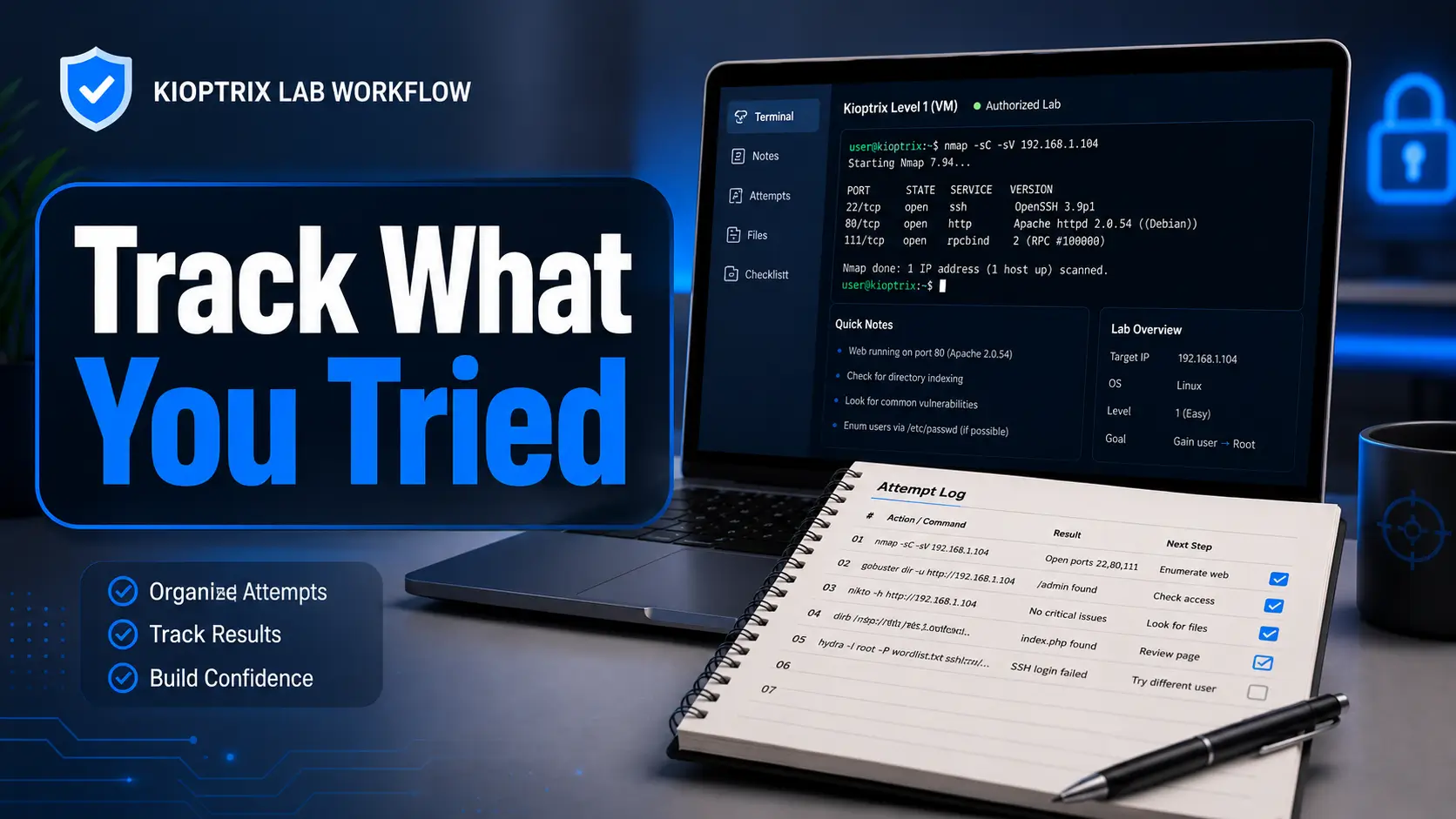
Authorized cybersecurity lab workflow
Kioptrix Level for People Who Keep Forgetting
What They Already Tried
You sit down with coffee, boot the Kioptrix target, open a terminal, and immediately wonder whether you scanned this port yesterday. Somewhere on your disk is a file called scan-final-final2.txt. Somewhere in your memory is a promising web clue. Neither is volunteering useful information.
This guide turns that familiar fog into a repeatable Kioptrix lab workflow. Instead of trusting memory, you will build a compact evidence trail that records what you did, what happened, what it probably means, and what deserves your attention next. Failed attempts stop being embarrassing debris and become navigational markers.
The aim is not to hand you a copy-and-paste route through a vulnerable machine. It is to help you work like a careful tester inside a system you own or are explicitly authorized to assess. You will finish with cleaner notes, fewer duplicate commands, stronger reasoning, and a restart point that lets tomorrow’s version of you continue without archaeological excavation.
Remember less
Store commands, results, and decisions where your future self can actually find them.
Reason better
Separate observed facts from vulnerability guesses and tool-generated suggestions.
Resume faster
End every session with a clear state, three next actions, and a reliable folder trail.
🧭 Your memory does not need an upgrade. Your lab trail does.
Article snapshot
This guide is for beginner and returning cybersecurity learners working inside an authorized Kioptrix lab. It solves the “I know I tried something, but I cannot remember what happened” problem. By the end, you will have a practical attempt log, a hypothesis queue, a service map, a session-closing routine, and a six-line header you can use before your next command.
Table of Contents
Start With Permission, Not a Port Scan
A Kioptrix level is intentionally vulnerable, but that does not make every machine displaying similar software fair game. The safe boundary is simple: test only systems you own or systems for which you have explicit authorization. Keep the target inside an isolated practice network, and verify the scope before you begin.
This is not ceremonial paperwork. It is the first entry in your technical record. A good lab note begins by answering three questions: What am I allowed to test? Which machine is the target? Which machine is the tester? When those facts are written down, you are less likely to scan the wrong address after a virtual network change.
Keep Kioptrix Inside an Isolated, Authorized Lab
Host-only networking is often the calmest choice for a vulnerable-machine exercise because it allows communication between selected virtual machines without deliberately exposing the target to the wider network. Some learners use an internal network, a private virtual switch, or another isolated arrangement. The label matters less than the outcome: the vulnerable target should not be casually reachable from public networks or unrelated household devices.
Write the network mode in your notes. “VirtualBox host-only adapter” is more useful than “network seems fine.” Also record the subnet, the testing machine’s address, and any gateway behavior. A surprising number of apparent exploitation failures are actually lab plumbing failures wearing a fake moustache.
Confirm the Attacker and Target Virtual Machines
Before scanning, verify the identity of both systems. Your testing machine might be Kali Linux, Parrot OS, or another approved environment. The target should be the intended Kioptrix image, not a forgotten development server, a work laptop, or a different practice machine that happens to share the subnet.
A tiny identity table prevents later confusion:
| Role | Machine | IP address | Network mode | Confirmed at |
|---|---|---|---|---|
| Tester | Kali lab VM | Record current address | Host-only or isolated equivalent | Session start |
| Target | Kioptrix level VM | Confirm by discovery | Same isolated segment | Session start |
Record Scope Before It Becomes Yesterday’s Mystery
Place a one-line scope statement at the top of the session file. For example: “Authorized target: locally hosted Kioptrix VM on isolated subnet; no testing outside this subnet.” That sentence has two jobs. It reminds you of the ethical boundary, and it gives context to any commands you revisit later.
Never transfer a command from a lab into a public environment merely because it seemed harmless. Discovery traffic, password testing, content enumeration, and exploit validation can all create operational or legal problems outside an approved scope. Curiosity is valuable. Curiosity with boundaries is a professional habit.
Safety and authorization notice
Use this workflow only with systems you own or have explicit permission to test. Keep deliberately vulnerable machines isolated. This article focuses on documentation, reasoning, and lab organization rather than providing an attack recipe for public systems.
Key takeaway
Your first successful action is not finding a port. It is proving that the correct tester and target are communicating inside the correct authorized boundary.
Build a Kioptrix Attempt Log Before You Touch the Target
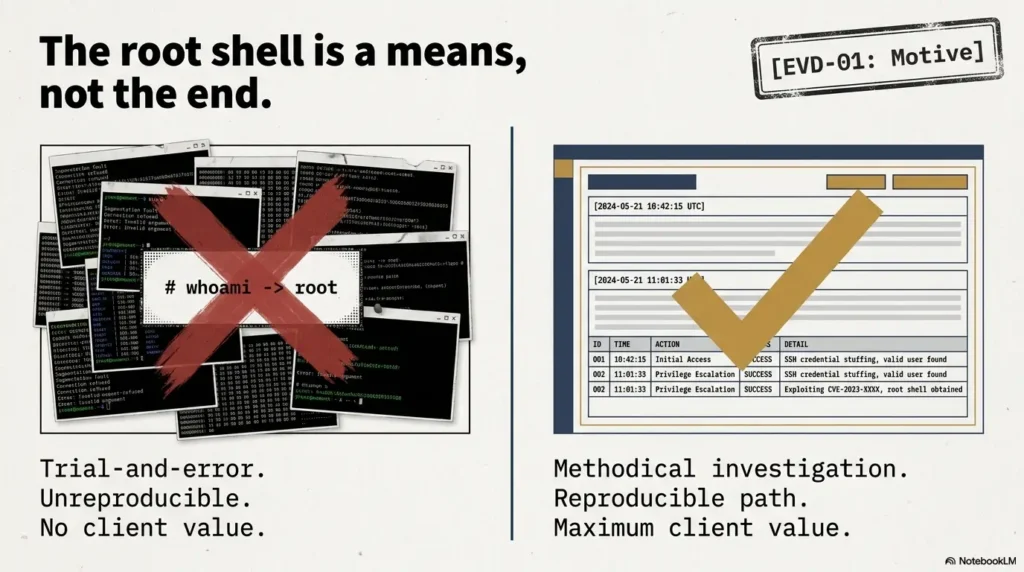
The attempt log is the backbone of this workflow. It is not a polished report and it is not a diary of every keystroke. It is a compact decision record that lets you answer four questions quickly: What did I do? What happened? What does that result suggest? What should I do next?
Many learners save scan output but fail to save the thinking that connects one command to another. Raw output tells you that a service responded. It does not tell you why you investigated it, which interpretation you rejected, or whether you already tested the obvious route. Your log supplies that missing connective tissue.
Use Four Core Columns: Action, Result, Meaning, Next Move
A useful attempt log can live in Markdown, a spreadsheet, a plain-text file, or a note-taking application. The format is a personal choice. The four columns are not.
| Action | Result | Meaning | Next move |
|---|---|---|---|
| Confirmed tester interface and subnet | Tester has an address on the isolated adapter | Lab networking is probably active | Discover active hosts |
| Ran initial service discovery against confirmed target | Several TCP services responded | Target is reachable; service mapping can begin | Save output and create one row per service |
| Inspected web response headers | Server identifies an older software family | Potential clue, but banner may be incomplete or inaccurate | Compare with page behavior and secondary checks |
| Tested a candidate route | Tool returned an error before reaching the target | Tool configuration failed; vulnerability remains untested | Correct syntax or environment, then retest once |
The “meaning” column is where learning happens. It forces you to interpret the result without pretending that an interpretation is a fact. The “next move” column prevents the session from becoming a carousel of unrelated tools.
Add Status Labels Without Turning Notes Into Bureaucracy
Use a small set of labels that can be understood at a glance. Four are usually enough:
- Planned: worth doing, but not yet attempted.
- Attempted: executed, with a result that still needs interpretation.
- Confirmed: independently supported or directly observed.
- Abandoned: intentionally paused or rejected, with the reason recorded.
“Abandoned” does not mean “failed forever.” It means you made a conscious decision to stop spending time on that path under the current evidence. Write why. “Abandoned because the service version was not supported by the candidate module” is useful. “Did not work” is fog in sentence form.
Failed Commands Are Valuable Data
A failed command can reveal a typo, a missing dependency, a routing issue, a protocol mismatch, a permission problem, an incompatible option, or a target behavior. Those are very different outcomes. When you preserve the exact error, you can classify the failure instead of retelling it from memory later.
Record the command, the relevant output, and the layer at which the failure occurred. Did your local tool refuse to start? Did the connection fail? Did the target answer but reject the request? Did a session open and immediately close? Each layer points toward a different next action.
Attempt log readiness checklist
- One file or page is designated as the session’s source of truth.
- Each attempt includes the exact action and an observable result.
- Interpretations are written separately from confirmed facts.
- Errors are copied before they are summarized.
- Every promising row ends with a next move or a reason to stop.
- Raw output files are named and linked from the log.
For a broader system designed around penetration-testing notes, see the internal guide to note-taking systems for pentesting. The important principle is consistency: a modest template used every session will beat an elaborate template abandoned after Tuesday.
Find the Kioptrix Target Without Rediscovering It Every Session
A virtual machine’s address may change after a reboot, snapshot restoration, adapter change, DHCP lease renewal, or hypervisor adjustment. That means yesterday’s target IP is a clue, not a guarantee. Confirm it at the beginning of each session and record how you confirmed it.
This small habit solves two problems. It prevents you from spending twenty minutes troubleshooting a dead address, and it gives you a clean session boundary. Once the target identity is reconfirmed, later observations belong to the current state rather than a half-remembered state from last week.
Record the Network Mode and Subnet First
Begin with the tester’s network configuration. Identify the interface connected to the isolated lab and note its address and subnet. Then compare that information with the virtual network settings in your hypervisor.
Do not rely on interface names alone. Names can change across systems, updates, and virtual hardware arrangements. Record the evidence that identifies the interface, such as its address range and relationship to the host-only or internal adapter.
Save Target-Discovery Results in a Clearly Named File
Discovery output should not vanish into terminal scrollback. Save it with a name that carries meaning without opening the file. A structure such as YYYY-MM-DD_phase_tool_target works well because it sorts chronologically and describes the contents.
Examples include 2026-06-09_discovery_active-hosts.txt and 2026-06-09_services_target-ip.txt. Avoid filenames such as newscan.txt, results2.txt, or the evergreen classic stuff.txt. Those names mature poorly.
Confirm the Target Instead of Trusting an Old IP Address
Once you identify a likely target address, compare its observed characteristics with your previous notes. Are the expected services present? Does the network behavior match the Kioptrix machine? Is the virtual machine actually powered on? The goal is not to fingerprint the entire universe. It is to avoid assigning the target label to the first responsive host.
If the address changed, record both the old and new values in the session header. Do not silently overwrite the old address because the change itself can explain why earlier commands now fail.
What Changed While You Were Away?
When a previously visible target disappears, check environmental changes before escalating your technical theories. Was the VM reverted? Did the adapter switch from host-only to NAT? Did the tester receive an address on a different subnet? Did a host firewall rule change? Did the laptop move between network environments?
A compact “environment delta” note can save a session:
- Hypervisor or VM updated since last session
- Snapshot restored or machine reimported
- Virtual adapter mode changed
- Tester IP or target IP changed
- VPN, proxy, firewall, or DNS settings changed
- Tool packages updated
Key takeaway
Treat the target IP as session data, not permanent identity. Reconfirm it, preserve the discovery output, and record environmental changes before blaming the exploit.
The evidence-first Kioptrix loop
1. Verify
Scope, machines, adapter, subnet
2. Confirm
Current target address and identity
3. Map
Services, evidence, contradictions
4. Test
One ranked hypothesis at a time
5. Close
Last state, next actions, snapshot
Separate Enumeration Facts From Exploitation Guesses
One of the easiest ways to get lost in Kioptrix is to treat every scanner suggestion as established truth. A port is observed. A service identification is an interpretation. A version match may be plausible. A vulnerability association is a hypothesis. An exploit path remains unconfirmed until it produces the expected behavior under controlled conditions.
When these categories blend together, your notes become confident but unreliable. You may write “the server is vulnerable to X” when the evidence only shows “a scanner guessed an older version that has historically been associated with X.” The difference is not pedantic. It determines whether your next action is sensible.
Build a “Known Facts” Box From Direct Observations
A known fact should be traceable to evidence. Examples include:
- The target responded at a confirmed address during this session.
- A specific TCP port accepted a connection at a recorded time.
- An HTTP request returned a particular status code and page title.
- A service exposed a banner string that was saved in the evidence folder.
- A command reached the target and received a specific error response.
Notice the careful wording. “Exposed a banner string” is a fact. “Runs exactly the software version named by the banner” may still require corroboration. Banners can be modified, partial, proxied, or simply misleading.
Keep Service Versions Separate From Possible Vulnerabilities
Use separate fields for observed service, reported version, confidence, and candidate issue. This prevents a search result or tool suggestion from quietly becoming a “confirmed vulnerability” in your notes.
| Observed evidence | Confidence | Possible interpretation | What would confirm or weaken it? |
|---|---|---|---|
| Web server returns an older-looking banner | Medium | Legacy server family may be present | Secondary fingerprinting, behavior, modules, response patterns |
| File-sharing service responds | High | Enumeration may reveal workgroup, shares, or access rules | Protocol-aware queries and consistent responses |
| Scanner names a vulnerability | Low to medium | Candidate issue deserves research | Version applicability, configuration requirements, manual validation |
| Tool fails before making a connection | High | Local execution problem | Correct local syntax or dependency, then retry |
Turn Each Open Port Into One Testable Question
Instead of writing “Port 80 open,” ask, “What application is being served, and what evidence would identify its technology, content paths, authentication behavior, and attack surface?” For a file-sharing service, ask, “What information is available without credentials, and are the observed access rules consistent across tools?”
A good question narrows activity. A vague instruction such as “enumerate harder” usually creates more output without creating more understanding.
Use Confidence Labels: Confirmed, Likely, Uncertain, Disproved
Confidence labels are especially helpful when several tools disagree. They let you preserve a useful clue without granting it more authority than it has earned.
- Confirmed: directly observed and supported by repeatable evidence.
- Likely: supported by multiple clues, but one important check remains.
- Uncertain: plausible, based on limited or conflicting evidence.
- Disproved: a specific prediction failed under a valid test.
Be cautious with “disproved.” A malformed request does not disprove a vulnerability. A payload incompatible with the target does not disprove the underlying issue. Disproof requires a valid test of a defined claim.
Show me the nerdy details
A useful way to model lab reasoning is as a chain: observation → interpretation → hypothesis → test → updated confidence. Errors occur when one link is skipped. For example, an observed banner becomes an assumed version, the version becomes an assumed vulnerability, and the vulnerability becomes an assumed exploit path.
Write each link separately. This creates falsifiable notes. If later evidence contradicts the version, you can update the interpretation without deleting the original observation. Your record remains historically accurate while your understanding improves.
This is also why timestamps matter. A fact may be true for one VM state and false after a snapshot restoration, service restart, configuration change, or network adjustment.
Map Services Before the Clues Become Digital Confetti
Enumeration output arrives in fragments. One tool names a service. Another extracts a header. A browser reveals a page title. A protocol-specific client returns an access error. Without a service map, these fragments scatter across terminal tabs until every clue feels equally important.
A service map gives each exposed service a home. It does not need to be fancy. One row per service, with links to saved output and a short list of unanswered questions, is enough to turn a noisy scan into an investigation plan.
Group Web, File-Sharing, Remote-Access, and Database Findings
Organize notes by service family rather than by tool. Tool-based notes encourage repetition because every new tool feels like a new task. Service-based notes encourage synthesis because all evidence about the same exposure appears together.
| Service area | Evidence to collect | Questions to answer | Status |
|---|---|---|---|
| Web | Headers, title, visible pages, technologies, response codes | What application is present? Which paths or inputs deserve controlled testing? | Planned / active / closed |
| File sharing | Protocol response, workgroup clues, share names, access behavior | What is exposed without credentials? Do tools agree? | Planned / active / closed |
| Remote access | Banner, authentication behavior, encryption support | Is access intended as an entry route or merely an exposed management service? | Planned / active / closed |
| Database | Reachability, handshake behavior, authentication requirements | Is it remotely usable, locally relevant, or only a supporting clue? | Planned / active / closed |
If you need a repeatable starting sequence, the internal fast enumeration routine for a practice VM can be used as a companion checklist. Keep the present article as the memory system that records what the routine produces.
Capture Banners Without Treating Them as Sacred Text
Save banner strings exactly as received, including unusual spacing or protocol details. Then add a separate interpretation. This keeps the raw clue intact while allowing you to question it.
When two tools report different versions, do not pick the one that offers the most exciting vulnerability. Record the conflict. Check whether the tools used different probes, whether one parsed a generic response, and whether a proxy or compatibility layer could explain the discrepancy.
Preserve Evidence That Could Change Your Next Decision
You do not need to save every line forever, but preserve anything that affects prioritization. That includes service versions, authentication errors, page source clues, unusual headers, accessible files, response differences, and exact error messages from candidate tests.
A useful rule is this: if losing the evidence would force you to rerun a command, rescan the target, or wonder why you made a decision, save it.
Short Story: The Scan That Was Already Done
Maya had ninety minutes after work and spent the first twenty repeating an initial scan. The output felt familiar, but she could not find the file from Sunday. Her terminal history showed several similar commands, none with an obvious destination.
She nearly launched another tool when she noticed a folder named web-old. Inside was a saved response that answered the question she was about to investigate. The clue had not been missing. Its address had been.
Maya stopped and created a one-page service map. Each row linked to evidence, listed one unresolved question, and named the next action. The remaining hour produced less output than usual, but twice as much progress.
The lesson was not “use more notes.” It was “give every useful result a predictable home.”
Key takeaway
Organize around services and questions, not around whichever tool happens to be open. A service map turns scattered output into a readable case file.
Use a Hypothesis Queue Instead of Random Exploit Hopping
Random exploit hopping usually begins with a reasonable impulse: you found a service version, searched for it, and saw several possible issues. The trouble begins when every search result becomes a command, and every command changes multiple variables. Soon you have six failed attempts and no clear idea what any failure means.
A hypothesis queue slows the process just enough to make it faster. It ranks possible paths by evidence, expected access, testing cost, and the clarity of the success or failure signal.
Write One Sentence Explaining Why Each Path Deserves Testing
Before attempting a route, complete this sentence: “This path deserves testing because…” A strong answer points to evidence. A weak answer points to excitement.
Useful reasons include a confirmed software family, a matching configuration requirement, a manually observed input, or a behavior consistent with the candidate issue. “A search result listed it first” is not evidence. It is an invitation to research.
Rank Possibilities by Evidence, Access, and Effort
A simple scorecard keeps attractive but weak theories from monopolizing the session.
Hypothesis scorecard
| Factor | 0 points | 1 point | 2 points |
|---|---|---|---|
| Evidence fit | Generic match | Partial match | Multiple specific clues |
| Expected access | Unclear | Limited but useful | Clear learning objective |
| Test clarity | Ambiguous result | Somewhat measurable | Clear success and failure signals |
| Time cost | Large unknown | Moderate | Small, controlled test |
Test higher-scoring paths first. A low score does not mean impossible. It means the evidence has not yet earned much of your time.
Define What Success and Failure Should Look Like
Before executing a test, write the expected observable outcome. Success might mean a specific server response, authenticated access, controlled command output in the lab, or another clearly defined state. Failure might mean a rejection from the target under otherwise valid conditions.
This protects you from two common errors: treating any unusual output as success, and treating a local tool error as evidence that the target is not vulnerable.
Wait. What Would Disprove This Idea?
A useful hypothesis must be able to lose. Ask what evidence would cause you to lower its priority. Perhaps the actual software branch is incompatible, a required module is absent, the suspected input is not reachable, or a manual check contradicts the scanner’s detection.
If no possible result would change your mind, you do not have a hypothesis. You have a favorite.
For a standards-based view of structured web testing, consult the official OWASP testing guidance below. Use it to improve methodology inside authorized environments, not as a checklist for probing systems outside your scope.
Record Exploit Attempts Without Creating a Wall of Noise
Exploit-attempt notes often fail in one of two directions. They are either too thin to be useful, such as “tried module, no shell,” or so enormous that the important details disappear beneath copied terminal output. The useful middle is a structured attempt card.
Each card should let another authorized learner reproduce the setup, understand the result, and decide whether the path deserves another test. It should also help you distinguish target behavior from tool behavior.
Save the Exact Command, Module, Options, and Target
Record the exact command or module selection, but do not stop there. Save relevant options, local listener settings, target address, target port, payload family where applicable, and the time of the attempt. If you changed a default, note the change.
Do not store sensitive credentials from real environments in a casual note system. In a deliberately vulnerable local lab, keep any lab-only values clearly labeled so they cannot be mistaken for reusable credentials elsewhere.
Record Errors in Full Before Paraphrasing Them
Copy the exact error first. Then write a plain-English summary beneath it. The exact text supports later searches and comparisons. The summary supports fast reading.
For example, “connection timed out” and “connection refused” suggest different network states. “Payload could not be generated” points somewhere else entirely. Replacing all three with “failed” throws away the most useful part.
Distinguish Tool Failure From Vulnerability Failure
| Failure category | Typical clue | What it means | Reasonable next step |
|---|---|---|---|
| Local tool failure | Syntax, dependency, permission, or generation error | The target may not have been tested | Fix the local issue and repeat once |
| Network-path failure | Timeout, unreachable route, wrong interface | Traffic may not be reaching the target | Reconfirm IP, route, listener, and isolation |
| Target rejection | Target responds with a clear denial or incompatible behavior | The test reached the service but did not achieve the prediction | Check assumptions and applicability |
| Session instability | Connection opens and closes or behaves inconsistently | Partial success, incompatibility, or environmental issue | Preserve output and change one variable |
Change One Variable Between Attempts
If you change the payload, target selection, local address, target port, and module option at the same time, a different result teaches you almost nothing. Change one meaningful variable, document why, and compare outcomes.
This is slower for approximately one minute and faster for the rest of the afternoon.
Reusable exploit-attempt card
- Hypothesis: What specific issue or behavior is being tested?
- Evidence: Why is the hypothesis relevant to this target?
- Configuration: Tool, module, options, target, listener, and changed defaults.
- Expected signal: What should success or failure look like?
- Observed result: Exact output, response, and timestamp.
- Failure layer: Local tool, network path, target rejection, or unstable session.
- Decision: Retest once, research, lower priority, or close the path.
Key takeaway
“It did not work” is not a result. Record where the attempt failed, what the target actually did, and which single variable should change next.
Common Mistakes That Erase Hours of Kioptrix Progress
Most lost Kioptrix time is not caused by a lack of commands. It is caused by poor state management. The learner forgets which target was tested, changes multiple options, loses output, confuses a local error with a target result, or abandons a promising path without recording why.
These mistakes are ordinary. The cure is not heroic concentration. It is a workflow that catches them before they compound.
Rerunning Broad Scans Because the Output Went Missing
Repeating discovery can be valid after a VM state change, but repeating it because you cannot locate yesterday’s file is an organizational failure. Save command output automatically where practical, and link the filename in the attempt log.
If a rescan is necessary, label the reason. “Repeated after snapshot restore” preserves context. “Ran again” does not.
Collecting Ten Reports Without Reading the First One
Tool accumulation feels productive because the terminal remains busy. Yet overlapping reports often repeat the same clues while adding false positives and minor discrepancies. Read and summarize each useful result before launching another tool against the same question.
A good stopping rule is: do not add a new tool unless you can state what uncertainty it is intended to reduce.
Mistaking “No Result” for “Not Vulnerable”
A test may produce no result because the request was malformed, the wrong address was used, a listener was misconfigured, the service did not receive the request, the selected payload was unsuitable, or the hypothesis was wrong. Those possibilities must not be collapsed into one conclusion.
Before closing a path, confirm that the test reached the intended service and exercised the condition you meant to evaluate.
Letting Copied Commands Outrun Your Understanding
A copied command can be a useful reference, but it should never be an unexplained ritual. Translate it into plain English before running it. Identify the target, the protocol, the significant options, the expected output, and any side effects.
If you cannot explain what a command is trying to learn or change, pause. This is not a punishment. It is the moment the lab becomes education rather than command karaoke.
Progress-erasing mistake checklist
- Changing several variables between attempts
- Retrying the same route under a different filename
- Forgetting which user, shell, or working directory is active
- Mixing output from different target IP addresses
- Leaving promising paths without a reason or restart condition
- Deleting evidence after access is achieved
- Saving screenshots without descriptive names
- Running another scanner before summarizing the current evidence
For more examples of noisy habits that slow beginners down, read the internal guide to common Kioptrix enumeration mistakes. Use it as a pre-session check rather than a source of additional commands.
Create a Restart Point for Your Future Self
A session is not finished when you close the terminal. It is finished when the next session has an obvious starting point. This distinction is the heart of sustainable lab practice for people with jobs, classes, family responsibilities, or brains that politely decline to archive every command.
Your restart point should take no more than five minutes to write and no more than two minutes to read. It captures the last confirmed state, unresolved questions, and next actions in execution order.
End With the “Last Confirmed State”
The last confirmed state is a compact description of reality at session close. It might include the current target address, reachable services, strongest evidence, current access level, active shell context, or the fact that no access has been established.
Avoid optimistic phrasing. “Possible web route” is better than “almost in.” Your future self needs accuracy, not encouragement written in a trench coat.
Write the Next Three Actions in Execution Order
Three actions are usually enough. They should be concrete, short, and connected to current evidence.
- Reconfirm the target IP and compare exposed services with the saved baseline.
- Validate the highest-ranked hypothesis using the documented configuration.
- If the prediction fails under valid conditions, lower its priority and investigate the next service question.
“Continue enumeration” is not an action. “Compare the saved web headers with a second manual request and record discrepancies” is.
Save Relevant Commands as a Small, Commented Runbook
A runbook is not a giant command dump. It is a short list of commands you may need again, each with a comment explaining its purpose and assumptions. Keep discovery, service checks, evidence collection, and environment verification in separate sections.
Do not include a command merely because it appeared in a walkthrough. Include it because it answered a question in your lab, and annotate what you expect it to do.
Snapshot Virtual Machines at Meaningful Milestones
Snapshots are useful when they preserve a known state, not when they multiply into an unlabeled museum. Create them before a major state-changing test, after a clean setup, or at another milestone you can describe precisely.
Name the snapshot with the date, machine, and state. Record it in the session log. A snapshot called before-change-web-state is useful. A snapshot called Snapshot 17 is an unlabeled trapdoor.
Key takeaway
End every session by writing the last confirmed state and the next three actions. Five minutes of closure can prevent an hour of reconstruction.
Know When to Stop Troubleshooting the Exploit
Persistence is valuable, but repetition without new evidence is not persistence. It is a loop. When each attempt resembles the last and your notes contain no new observation, stop adjusting the exploit and inspect the surrounding system.
The correct pause may be ten minutes for documentation, a VM revert, a syntax check, a networking review, or the end of the session. Stopping is not surrender when it protects the quality of the next decision.
Recheck Networking When Every Service Suddenly Disappears
If several previously reachable services vanish at once, a shared environmental cause is more likely than several independent service failures. Confirm that the target is powered on, the virtual adapter remains attached, both systems share the expected isolated segment, and the tester is using the intended interface.
Also check whether a VPN, proxy, host firewall, or route change altered traffic. Record the finding. Environmental failures are part of the lab story and often become the most transferable troubleshooting lessons.
Revert the Lab When Configuration Drift Clouds the Evidence
Older vulnerable machines can behave differently after repeated testing, service crashes, file changes, or partial compromises. If you no longer know which state produced which observation, restore a documented snapshot and begin a new session record.
Before reverting, preserve notes, screenshots, and scan output outside the VM. Mark the boundary between pre-revert and post-revert evidence; a clean state is useful only when your notes acknowledge that the state changed.
Consult Documentation When Tool Syntax Becomes the Real Obstacle
Sometimes the target is fine and the hypothesis is reasonable, but the tool has changed, an option is deprecated, or a dependency behaves differently on your current system. Read the tool’s official documentation before trying five variations copied from old forum posts.
Document the version of the tool and the source used to resolve the issue. This separates a lab lesson about the target from a maintenance lesson about the testing environment.
Take a Learning Break When Repetition Replaces Reasoning
Signs of a useful stopping point include rereading the same output without noticing anything new, rerunning commands without updating the hypothesis, changing options at random, or becoming tempted to copy a full walkthrough solely to escape discomfort.
Close by writing what you know, what remains uncertain, and which concept needs review. A twenty-minute study break on networking, web requests, permissions, or service behavior may unlock more progress than another hour of tool switching.
The CISA resource below provides authoritative guidance about reducing cyber risk and building responsible security habits. It is broader than a Kioptrix lab, but it reinforces the importance of authorization, controlled testing, and disciplined security practice.
Stop-or-continue decision map
- Did the attempt reach the target? If unknown, verify the network path first.
- Was the test configured as intended? If no, correct one issue and repeat once.
- Did the result add new evidence? If no, do not repeat unchanged.
- Does the hypothesis still fit confirmed facts? If weak, lower its priority.
- Has the VM state become uncertain? If yes, restore a documented clean state.
- Are you reasoning or merely rotating tools? If rotating, close the session properly.
Kioptrix Note-Taking FAQ
What Should I Write Down During a Kioptrix Lab?
Record scope, network mode, tester and target addresses, exact commands, saved output filenames, observed results, interpretations, confidence levels, failed theories, and next actions. You do not need every terminal line in the main note. Keep raw output in separate files and link to it from a concise running log.
Should I Save Every Scan Result or Only Important Findings?
Save baseline discovery and service results, plus anything that influences a decision. Temporary experiments can be summarized if they add little value, but preserve exact errors, contradictory results, and evidence you would otherwise need to recreate. Storage is cheap; unlabeled storage is expensive.
How Do I Know Whether I Already Tested a Vulnerability?
Search the hypothesis queue and attempt log for the candidate issue, affected service, and date. A complete attempt should include configuration, expected signal, exact result, and decision. If those fields are missing, you may have run a tool without performing a valid, documented test.
What Is the Best Format for a Penetration-Testing Attempt Log?
The best format is the one you will use consistently. Markdown is portable and easy to search. A spreadsheet is strong for filtering attempts and status labels. Note applications are useful for linking services, screenshots, and references. Regardless of format, preserve the four core fields: action, result, meaning, and next move.
Should Failed Exploits Stay in My Notes?
Yes. A properly documented failed attempt narrows the search and prevents repetition. Record whether the tool failed locally, the network path failed, the target rejected the request, or the test contradicted the hypothesis. Keep the failure concise but specific.
How Can I Resume a Kioptrix Level After Several Days Away?
Read the last confirmed state, verify the current target address, check whether the VM or network changed, review the top hypothesis, and execute the first of the recorded next three actions. Do not begin with a broad rescan unless the state changed or the baseline evidence is missing.
Is Markdown, a Spreadsheet, or a Note-Taking App Better?
Markdown is ideal for readable narrative and portable files. Spreadsheets are effective for attempt tracking and comparisons. Note-taking apps are useful when you want links, templates, and attachments. A hybrid system also works: Markdown for the session narrative, folders for raw evidence, and a small table for the hypothesis queue.
When Should I Revert to a Virtual-Machine Snapshot?
Revert when configuration drift, a crashed service, file changes, or uncertain target state makes your evidence unreliable. First preserve your notes and evidence outside the VM. Record the snapshot name and restoration time, then begin a new state section in the log so earlier and later observations are not mixed.
Can This Workflow Help With Certification Practice?
Yes. It builds habits that transfer to timed lab work: evidence preservation, service prioritization, controlled testing, report-ready observations, and fast session recovery. Adjust the template to the certification’s current rules and documentation requirements rather than assuming one lab’s workflow applies unchanged everywhere.
NIST’s Cybersecurity Framework is not a Kioptrix walkthrough, but it offers a recognized structure for thinking about cybersecurity outcomes, evidence, and risk communication. It can help learners connect small lab habits with professional security work.
Your 15-Minute Next Step: Build the Six-Line Header
You do not need to redesign your entire note system tonight. Open the folder for your current Kioptrix level and create one session file. At the top, write six lines:
Lab: Kioptrix level and VM state
Date: Current session date and start time
Tester IP: Confirmed address on the isolated adapter
Target IP: Confirmed current target address
Last confirmed fact: One evidence-backed statement
Next action: One specific step and its purpose
Next, create four folders or sections: discovery, services, attempts, and screenshots. Move only the files you understand into them. Leave uncertain files in a temporary inbox and rename them as you review them.
Then add one row to your attempt log. It can be as simple as: “Confirmed current target address; expected services present; proceed to update service map.” That row creates a clean starting line.
Finally, choose one unresolved question and write what evidence would answer it. Do not launch three tools. Do not reopen a walkthrough. Run one justified action, save the result, and update the note.
This is the quiet advantage of a good Kioptrix workflow: you stop depending on the mood and memory of the person who sits down at the keyboard. The evidence remains. The decisions remain. Even the dead ends become signposts.
Key takeaway
Before your next command, write the lab name, date, tester IP, target IP, last confirmed fact, and next action. Six lines are enough to give your future self a map.
Last reviewed: 2026-06
Technical guidance updated: 2026-10-13. Clarified evidence preservation before snapshot restoration and repaired table-of-contents links.