When comparing VirtualBox vs VMware vs Proxmox, match your host CPU to the operating system inside the guest first. On supported desktop hosts, VirtualBox or VMware can keep a small lab on the same computer. Proxmox VE is a candidate for a dedicated server. Use the table to see which options fit the exact image you need to boot.
On this page
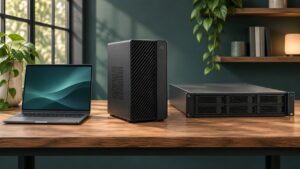
VirtualBox vs VMware vs Proxmox by Host and Guest CPU
| Equipment you have | Guest CPU | Candidate | First check |
|---|---|---|---|
| Intel/AMD desktop or laptop | Legacy x86, such as original Kioptrix Level 1 | VirtualBox or VMware Workstation on a supported Windows/Linux host. An Intel Mac needs an explicitly supported Mac release. | Confirm host OS support and legacy guest firmware, disk controller and virtual NIC. |
| Apple Silicon Mac | Arm64 | Fusion or VirtualBox for an explicitly supported Arm64 guest. | Check the exact guest OS, hypervisor version and virtual hardware requirements. |
| Apple Silicon Mac | Original x86 Kioptrix | Use an available compatible x86 host and manage it from the Mac. Evaluate CPU emulation separately if you need a Mac-only route. | Check the host CPU and verify the exact release. The Mac’s role as a management client leaves the x86 host responsible for guest execution. |
| Dedicated Intel/AMD server | Compatible x86 guest | Proxmox VE is a candidate when you want a dedicated host and browser-based administration. | Confirm the server meets Proxmox hardware requirements, and plan guest networking separately from management. |
Start with equipment you already have when it supports the required guest. Confirm the image release before spending time on conversion or changing the firmware defaults. The Kioptrix beginner introduction maps the first two archive names to their releases.
Worked Example: Original x86 Kioptrix on an Apple Silicon Mac
The local preflight on November 25, 2026 returned arm64 for uname -m on macOS 14.5. The guest in this example is the original x86 Kioptrix Level 1, distributed as Kioptrix_Level_1.rar. The release listing identifies the archive, and the Level 1 setup guide documents the legacy architecture.
Decision. The vendor support checks rule out Fusion and VirtualBox on this Arm host for the original x86 guest. Fusion supports Arm64 guests on Apple Silicon, and VirtualBox 7.2 requires an Arm guest on an Arm host. If a compatible x86 host is available, shortlist a supported desktop hypervisor there, or consider a dedicated Proxmox VE host if that fits the lab. Keep the Apple Silicon Mac as the management client.
Result and next step. Host architecture was checked locally. Archive identity and hypervisor support were checked against documentation. Import, first boot and network isolation remain pending for this image on a separate x86 host. Before using that host, keep the original archive and record the hypervisor version, firmware mode, storage controller and intended virtual network. On an x86 host you control, check the guest console in an isolated lab before continuing with the VM import guide.
If the goal is to learn basic VM operations on the Mac, an Arm64 practice image is an option. If the goal is to follow instructions for the original Kioptrix release, keep that release and resolve the host compatibility question. Disk conversion can change a file format, while CPU emulation requires a separately validated execution path.
Four Checks to Record Before Relying on the Lab
- Architecture. Record the host OS and CPU, the guest release and architecture, and the exact hypervisor version. Stop here if the combination is unsupported.
- Import. Record whether the virtual machine was registered and its disk attached. Preserve the first error if the import stops.
- Boot. Record whether the guest reaches its console with the intended firmware and virtual hardware. An import entry by itself does not settle this check.
- Network boundary. Compare the guest adapters and routes with your planned topology. Confirm only the intended machines are on the segment and that no uplink or forwarding path exposes the vulnerable guest.
A pending check is a valid result. Use the decision record below to note what remains unverified, or use the lab notes template to keep the configuration and results together.
Compatibility Checks Before Importing a Target
Record the image name, release, original publisher, supplied format, download source and any published checksum. Read the machine-specific setup notes. A VMDK file describes a disk format; it does not prove the guest will boot with a different CPU architecture, firmware or storage controller. A successful import is only the first check.
Oracle’s VirtualBox installation guide says Arm hosts require Arm guests and do not support x86 guest operating systems. Broadcom’s Fusion Apple Silicon compatibility guidance likewise requires Arm64 guests. Running an x86 application inside an Arm OS is different from booting an x86 OS.
For an old target, check BIOS versus UEFI, disk controller and NIC drivers. Do not assume a modern paravirtual device is supported by its kernel. Keep the original archive and change one setting at a time on a disposable copy. Old training guests may intentionally remain unpatched; keep the host and hypervisor updated instead of casually changing the target’s intended state.
VirtualBox: A Desktop Lab with Explicit Device Settings
VirtualBox is a candidate when its supported host and guest combinations match your machine. Save the virtual hardware settings that actually boot your target, including the NIC type and network name. Reusing a known configuration is more dependable than guessing from a screenshot of a different version.
For a booting guest with no network, inspect its console before changing the hypervisor. Does it detect a NIC? Is the adapter connected? Does it have an address in the intended subnet? These questions separate a driver problem from an addressing problem. Do not bridge a vulnerable guest onto the home LAN simply to make discovery easier.
VMware Workstation and Fusion: Verify the Host and Guest Pair
Workstation and Fusion are separate desktop products for different host systems. Check the vendor compatibility information for the exact release and host OS. An appliance prepared for one VMware product or virtual hardware version still needs a boot, device and network check on your installation.
If VirtualBox already provides a repeatable lab, there is no need to migrate because a guide calls VMware “more professional.” A useful comparison uses the same permitted workload, guest allocation and storage conditions, then records boot behavior, responsiveness and recovery. This article supplies no measured speed advantage for either product.

Proxmox VE: Plan the Dedicated Host First
Proxmox VE brings VM administration into a server-oriented workflow. It can separate the lab’s compute load from your daily laptop, but that introduces a host to update, monitor and recover. A single node is still a single point of failure; it is not made highly available by the product name.
The standard Proxmox VE installation guide describes Intel64/AMD64 hardware and hardware virtualization requirements. Check the current installer’s exact requirements. A separate ARM64 support offering does not establish compatibility with an old x86 Kioptrix guest or make Apple Silicon a drop-in host.
The installer removes existing data on the selected drives. Use a deliberately allocated machine, verify the disk identities and preserve needed data elsewhere before installation. This is not an application to install casually over a daily-use laptop. No installation is performed as part of this comparison.
Networking: Distinguish Reachability from Isolation
In Oracle’s networking guide, Internal Networking connects participating guests; host-only also includes the host. NAT permits outbound connections. VirtualBox per-VM NAT does not directly join guests, while a shared NAT Network can join them and provide outbound access. Bridged networking attaches a guest to the physical network.
For a deliberately vulnerable target, prefer a guest-only segment when host access is unnecessary. Host-only is useful when the host must participate, but the host is then within reach. A Proxmox lab bridge without a physical uplink can serve a similar role only if no attached router, host route or forwarding path supplies outside access. Names alone do not prove isolation.
Inspect every adapter, route, port-forward and gateway. If the attacker VM has a second adapter for updates, keep forwarding and connection sharing disabled and verify the target has no unintended path out. A failed ping alone cannot prove isolation: ICMP may be filtered while TCP works.
Network separation also does not remove every guest-to-host integration path. For untrusted targets, review shared folders, clipboard, drag-and-drop and device passthrough using the vendor security guidance. Test only owned systems or explicitly authorized targets.
Capacity, Snapshots and Recovery: Measure Your Workload
A RAM total cannot tell you how many useful VMs a computer will run. A small legacy Linux target, a graphical attack desktop and a Windows domain controller have different needs. CPU scheduling, storage latency, free disk space, guest activity and host background applications can each limit the lab.
Hypothetical RAM budget: a 16 GiB host minus a chosen 6 GiB host reserve leaves 10 GiB for planned guests before additional overhead. An attacker allocated 4 GiB and two targets allocated 1 GiB each total 6 GiB, leaving 4 GiB unallocated in that budget. The arithmetic is 16 − 6 − (4 + 1 + 1) = 4 GiB. These are example allocations, not minimum requirements or a performance guarantee.
Start with the guest publisher’s requirements and observe the actual host under a representative exercise. If it swaps heavily, reduce concurrent guests or adjust measured allocations. If storage fills during snapshots, increasing RAM will not solve it. An external SSD can separate storage, but it can fail or disconnect and is not automatically a backup.
Use snapshots for short-term rollback and independent backups for recovery from lost disks or damaged snapshot chains. Check snapshot support for the actual guest/storage configuration, especially after conversion. Record the clean-state name, test a restore on a disposable copy, and keep a recoverable copy outside the active datastore. A snapshot on the same drive cannot protect against that drive failing.
Licensing and Costs: Check Each Component Separately
Licensing and support information was checked on October 16, 2026. This is a practical reading guide; current vendor terms and your organization’s requirements govern the intended use. Guest operating systems and downloaded training images have their own terms.
Oracle distributes the VirtualBox base package under an open-source license. The optional Extension Pack has separate PUEL terms; do not transfer the base package’s permissions to it. The licensing FAQ distinguishes qualifying use from commercial licensing. Check the components actually installed rather than assuming a free download covers workplace use.
VMware’s November 11, 2024 announcement made Fusion and Workstation free for personal, educational and commercial users. Free product access does not imply enterprise ticket support: check the current download terms and your support entitlement separately.
Proxmox VE is an open-source platform with subscription services. Compare the current subscription plans: repository access and technical support entitlement differ, and Community repository access is not enterprise ticket support. Include hardware, electricity, backup storage and maintenance time in your budget; a zero software acquisition fee is not zero operating cost.
Three Example Layouts to Adapt
These layouts are planning examples, not tested capacity claims. Choose guest allocations and storage only after checking the actual images and measuring the host.
One Computer: One Attacker and One Target
Use a supported desktop hypervisor and a compatible target. Put both guests on the same deliberately isolated segment. Keep unrelated work and sensitive files out of guest integration features. Verify boot, addressing and reset before adding more targets. Portability is useful only if the host has enough resources during your normal work.
Desktop with Separate VM Storage
Keep a manifest of disk locations, image versions and network settings. An external datastore needs reliable connectivity and an independent backup destination. If practicing multiple subnets, document which router VM joins them and whether it can reach management or the home LAN. Power off unused guests rather than assuming all available images should run together.
Dedicated Proxmox Node
Keep management access separate from vulnerable guest networks. Document bridges, uplinks, routing and storage before importing targets. Reserve capacity for the host and recovery tasks, and verify backups can be restored without the original datastore. A laptop used only as the management client does not change the guest CPU architecture on the server.

Troubleshooting and Migration Questions
Which Platform Should a Beginner Choose?
Choose a supported host/guest combination and a machine image with clear setup notes. On a compatible desktop, either VirtualBox or Workstation may be sufficient. Architecture and a repeatable reset matter more than a universal beginner ranking.
When Is Switching Worthwhile?
When you can name the problem and verify that the destination solves it. Retain a working source copy, test one nonessential guest and compare the same workflow. Familiarity alone is neither a reason to switch nor a reason to keep an unsupported setup.
Does OSCP Preparation Require Proxmox?
No. A dedicated server is an infrastructure choice, not a certification prerequisite. Keep practice aligned with the course and exam rules; a local vulnerable machine is a learning exercise, not evidence that a particular hypervisor is required.
How Can I Check the Network Boundary?
Review adapter attachment, guest routes, host forwarding and any attached router VM. Verify intended attacker-to-target service access and check for unintended access to owned LAN systems. Keep a record of the topology; retest after adding adapters or changing a VPN.
How Much Hardware Do I Need?
Use actual guest requirements and measured concurrent workload. Budget host reserve, guest allocations, storage growth and backup space separately. A 16 GB label or a count of CPU cores cannot guarantee a comfortable session.
Can Practice Guests Share a Client Environment?
Keep deliberately vulnerable practice guests separate from client data and production access. A different hypervisor alone does not provide that separation. Professional work also needs written scope, appropriate access controls, logging, retention and a tested recovery process.
Why Does an Imported Guest Have No Network?
Check console boot errors, NIC driver availability, connected state, address, subnet and routes in that order. Confirm both guests join the same intended segment. Change one setting at a time and preserve the working configuration; a different virtual NIC may be needed, but no single adapter model fixes every legacy image.
Should a Vulnerable Target Use Bridged Networking?
A shared home or workplace LAN is generally the wrong place for a deliberately vulnerable target. Use a controlled segment matched to the exercise. If a training provider requires another topology, follow its documented scope and isolation requirements rather than treating this local-lab guide as its configuration manual.
How Should I Test a Migration?
Preserve a powered-off source copy and its configuration. Convert a disposable copy using the destination’s documented process. Before connecting it, review NIC mappings; then verify boot, services, clock, network boundaries and recovery. Do not assume source snapshot history survives disk conversion. Keep the source until the destination passes your checks.
Next Step: Validate One Small Lab
Sources, review date and section shortcuts
Host compatibility sources checked November 25, 2026. Check host and guest CPU architecture before choosing a hypervisor. Fusion on Apple Silicon requires Arm64 guests and cannot boot an x86 operating system. Free software access, repository subscriptions and vendor support are separate budget items.
Fusion architecture limits · VirtualBox Arm host limitations · Proxmox host requirements · Current Proxmox plans
Go straight to: Overview · Practical checks
Choose one compatible attacker/target pair and record the result of each check below. The checklist is local to this page and does not save a lab configuration or certify isolation.
After the lab works, use the OSCP 90-day planning guide to organize practice around available study time and evidence quality. Keep the platform when it serves that plan; revisit it when you have a measured constraint.
Subscription update checked October 19, 2026
On that date, Proxmox’s pricing page listed Community at €120, Basic at €370, Standard at €550 and Premium at €1,100 per year per occupied CPU socket. Community includes Enterprise Repository access without enterprise ticket support. For support hours and response terms, check the current vendor plan before budgeting. Check the current quote, tax and support conditions before purchase. These are subscription services, not a requirement to buy a different feature edition.
Decision record for this exercise
Use the Apple Silicon worked example to separate observations from unresolved checks. Select and copy your note before leaving. There is no submission or storage function; reloading resets the field. Do not enter passwords, tokens or private client information.