


Mastering Kioptrix: The Art of Restraint
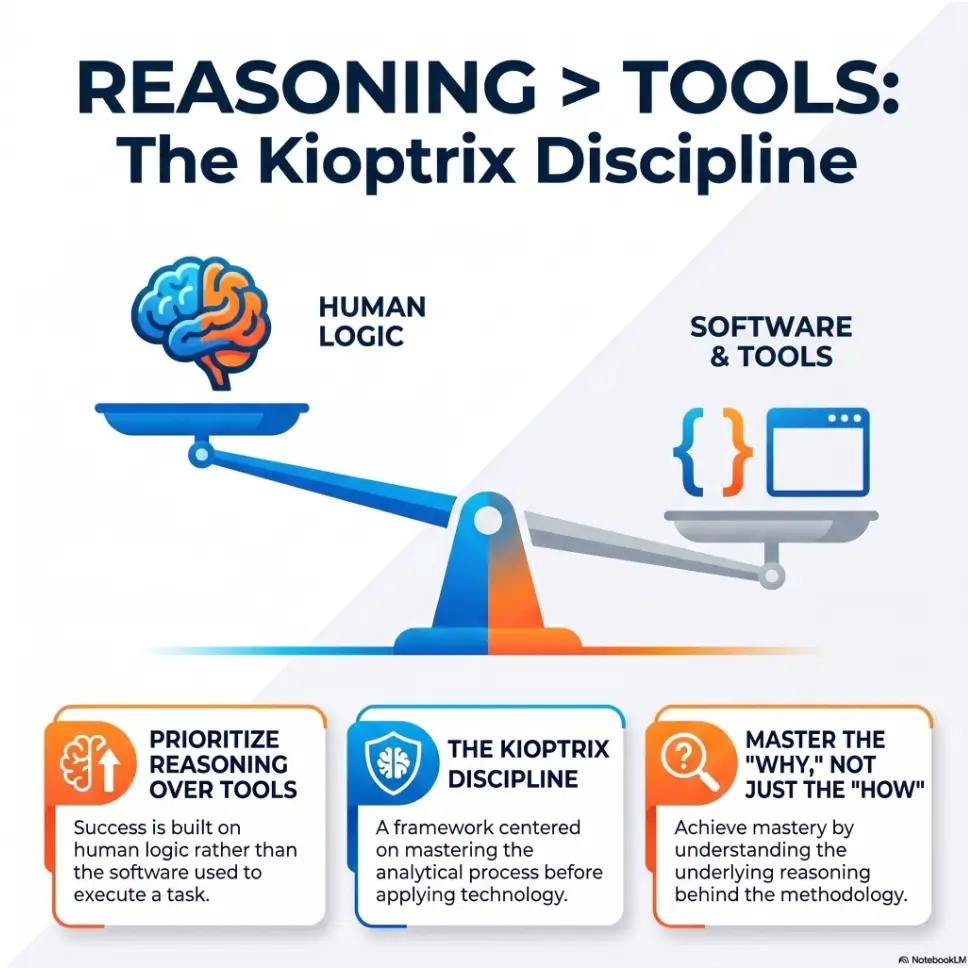
Most beginners do not get stuck on Kioptrix because the box is too hard. They get stuck because they turn a small lab into a parade of scanners, scripts, tabs, and terminal noise. Success is less about finding more tools and more about building a cleaner sequence of enumeration, validation, note-taking, and restraint.
“Keep guessing, and you do not just lose time. You lose the part that actually compounds: judgment.”
This guide transforms Kioptrix into a thinking lab, helping you spot better clues and test smarter hypotheses. We focus on a practical loop: observe, narrow, test, revise, and document.
Build the intuition that wins interviews.
Fast Answer: How to use Kioptrix Level without falling into random tool-chasing comes down to one shift: treat the lab as a decision-making exercise, not a scavenger hunt for flashy utilities. Start with a small workflow for enumeration, hypothesis, testing, and note-taking. The goal is not to touch more tools. The goal is to explain why you chose the next move, what signal you saw, and what you ruled out.
Table of Contents
Start Here: Kioptrix Level Is a Thinking Lab, Not a Tool Showcase
What Kioptrix is actually teaching beneath the commands
Kioptrix Level looks small on purpose. That is part of its charm. It is not trying to impress you with a glitter storm of complexity. It is trying to teach a repeatable pattern: observe, narrow, test, revise, document. The commands matter, yes. But the deeper lesson lives underneath them, where your judgment gets built one decision at a time.
Many beginners think a lab is successful if the shell appears. In practice, the more valuable question is this: could you explain how you got there without narrating your terminal like a sports commentator? If the answer is no, the lab helped less than it seemed. A terminal history can be long and still teach almost nothing.
I learned this the annoying way. In one early practice session, I used three scanners, two exploit references, and enough tabs to make my laptop sound personally offended. I got the result I wanted, but when I tried to explain my path the next day, the sequence fell apart. What remained was not understanding. It was confetti.
Why random tool-chasing feels productive even when it is not
Tool-chasing gives you the emotional sugar rush of movement. New interface. New output. New hope. It feels industrious, like you are storming the castle. But often you are just changing flashlights in a room that already has a light switch.
That feeling is seductive because uncertainty is uncomfortable. The instant you stop understanding what you are seeing, it is tempting to launch another tool as a way to avoid sitting still with the confusion. Beginners are not weak for doing this. They are human. But human habits can still waste an entire evening.
There is also a quiet status game in cybersecurity learning. People remember tool names. They sound technical. They travel well in Discord chats and resume bullets. Judgment, by contrast, is less flashy. It is a slower instrument, more cello than fireworks. Yet interviews and real work tend to reward the person who can say, “I saw this signal, so I ruled out these paths and tested this next,” not the person who says, “I used six things and something eventually worked.”
The real win: cleaner judgment, not a longer terminal history
If you use Kioptrix well, you come away with more than footholds. You come away with cleaner questions. Why did this service matter? What evidence made this path worth testing? Where did I stop guessing and start validating? That is where your growth lives.
- Focus on signal before action
- Judge each tool by what question it answers
- Measure progress by clarity, not output volume
Apply in 60 seconds: Write one sentence before your next session: “Tonight, I am practicing decisions, not commands.”
Before You Boot the VM, Define the Rule of the Session
Pick one mission: enumerate, validate, exploit, or document
Most lab sessions fail long before the VM boots. They fail when the learner begins with a vague ambition like “do some hacking.” That phrase has the structural integrity of steam. You need a mission with edges. Choose one of four: enumerate, validate, exploit, or document.
If tonight is an enumeration session, exploitation is not the point. If tonight is a documentation session, you may revisit a path you already know just to explain it better. That is not cheating. That is training. Athletes do not call a drill pointless because it is not the whole game.
I like the rule because it saves attention. Time-poor learners do not need more inspiration. They need fewer side doors. One clean mission turns the lab from an open field into a walking path.
Set a stop condition before curiosity runs wild
Curiosity is wonderful right up until it behaves like a toddler in a supermarket. Set a stop condition before you begin. For example:
- Stop after identifying all exposed services and writing one hypothesis for each.
- Stop after validating whether one suspicious service is real or a distraction.
- Stop after 45 minutes, even if you are “close.” Especially if you are “close.”
Why be this strict? Because unbounded sessions often slide from disciplined practice into blurry persistence. After a point, the work no longer sharpens you. It just smears the notes.
Let’s be honest: most “deep dives” are just drift with better branding
There is a certain kind of study session that sounds noble when you describe it later. “I did a deep dive.” Sometimes that is true. Often it means you wandered through tools, tabs, forum snippets, and half-read exploit pages until midnight. That is not a deep dive. That is drift wearing a blazer.
Eligibility checklist: Are you ready for a disciplined Kioptrix session?
- Yes/No: Do you have one mission for this session?
- Yes/No: Do you know your stop condition?
- Yes/No: Do you have a note template open before the VM starts?
- Yes/No: Are you limiting yourself to a small tool set?
Next step: If you answered “No” to two or more, spend 3 minutes fixing the setup before you touch the keyboard.
Oracle’s VirtualBox documentation explains that host-only networking creates a network that the host can access while keeping communication limited to the host and guest systems, which is one reason many learners find it easier to reason about small isolated labs. That fits neatly with a deliberate Kioptrix network setup rather than an improvised one.
The First 20 Minutes: Build a Narrow Enumeration Spine
Start with network truth before vulnerability excitement
The first 20 minutes should feel almost boring. That is a compliment. Before you chase vulnerabilities, you need network truth. What is reachable? What is open? What behaves oddly? Start with the simplest questions first, because dramatic guesses made on shaky basics usually produce dramatic nonsense.
A narrow enumeration spine often looks like this:
- Confirm connectivity and target identity.
- Map open ports and obvious services.
- Record version clues, banners, and anything inconsistent.
- Choose one lead worth validating.
This order is not glamorous. It is also how you avoid spending 25 minutes reading about an exploit path for a service that was never actually relevant. Labs are full of little mirages. Enumeration helps you stop kneeling before each one.
Move from broad signals to specific hypotheses
Broad signals tell you where to look. Specific hypotheses tell you what to test. That handoff matters. A port scan is not a plan. A banner is not an argument. You need to turn the signal into a sentence.
Instead of “there is a web service,” write, “The web service may expose useful version or content clues that narrow likely attack paths.” Instead of “FTP is open,” write, “Check whether login behavior, banner detail, or anonymous access changes the next step.” Tiny shift. Massive payoff.
One reason beginners stagnate is that they stay in observation mode too long without converting observations into testable next moves. The lab then becomes a museum tour. You have seen the artifacts, but you have not asked them any useful questions.
What to write down before you touch a single exploit
Write down four things before you touch any exploit framework, proof of concept, or shiny script:
- What service or behavior looks promising
- What evidence supports that suspicion
- What could disprove it quickly
- What one tool best fits this validation step
I once watched a learner burn nearly an hour because they found an exploit reference and emotionally adopted it before validating the service details. The exploit became a favorite child. Reality was not consulted.
- Start with connectivity and service truth
- Convert clues into hypotheses
- Write the disproof test before the attack path
Apply in 60 seconds: Add a “How could I be wrong?” line to your notes template.
Tool Order Matters More Than Tool Count
Choose one scanner, one validator, one note system
A healthy beginner rule is brutally simple: one scanner, one validator, one note system. For many learners, that already covers the heart of the session. You do not need five overlapping ways to discover the same thing. You need one reliable method, then one focused way to confirm or challenge what it suggests.
Nmap versus Rustscan on Kioptrix Level, for example, is not really a contest about personality. It is a sequencing question. A browser or a targeted client can often do the validating. Your notes can live in plain text, Markdown, Obsidian, Notion, or a notebook that has survived coffee better than expected. The specific note tool matters less than the habit. What matters is that you can read your own reasoning tomorrow without feeling like it was written by a raccoon with admin rights.
When a second tool sharpens the picture and when it just adds noise
A second tool is justified when it answers a question the first one cannot answer cleanly. It is not justified because you are uneasy. That distinction is everything.
For example, if your first scan shows a service and you need a more precise look at behavior, a targeted second tool may be smart. If your first scan already gave you enough to form and test a hypothesis, adding another scanner may only duplicate output and inflate confusion.
This is where sequencing beats collecting. Tools are not trading cards. They are instruments. A second violin can enrich the orchestra. Ten trumpets in a closet do not improve the melody.
A simple “why this tool now?” filter that cuts clutter fast
Before launching anything new, ask three questions:
- What exact question will this tool answer?
- What will I do differently based on its result?
- If I skip it, what risk am I accepting?
If you cannot answer those quickly, the tool probably does not belong in this moment.
Decision card: When A vs B
| Situation | Choose A | Choose B |
|---|---|---|
| You need broad exposure details | Use your main scanner | Do not add a second scanner yet |
| You have one suspicious service and need confirmation | Use one targeted validator | Skip broad rescans unless conditions changed |
| You feel anxious and want “more data” | Pause and summarize current evidence | Do not outsource uncertainty to random tools |
Neutral action: Pick the tool that changes your decision, not the one that merely changes the screen.
VMware’s Workstation Pro documentation describes snapshots as a way to preserve a VM state so you can return to it later, which is exactly why disciplined learners benefit from repeating the same lab branch instead of improvising a fresh mess each time. A more deliberate snapshot strategy for Kioptrix makes that repetition far more useful.
Show me the nerdy details
On beginner boxes, the biggest gain usually comes from reducing branching, not increasing instrumentation. That means fewer rescans, more careful banner reading, and a cleaner mapping between “observed service” and “candidate path.” Snapshots help because they let you retry from the same state, making comparison possible. Good lab notes are a primitive benchmark: if two attempts differ, you can explain why.
Don’t Do This: Mistaking More Output for More Understanding
The copy-paste trap that makes labs blur together
Copy-paste has a legitimate place in technical work. The trouble begins when it becomes a substitute for attention. Once you start dropping commands into the terminal because they are familiar rather than because they fit the evidence, every box begins to feel the same. Your notes flatten. Your memory fades. The lab becomes a vending machine for borrowed behavior.
I am not anti-cheatsheet. I am anti-sleepwalking. A cheatsheet should help you execute a decision you already understand, not make the decision for you by force of habit. That is why copy-paste commands fail on Kioptrix more often than beginners expect.
How five overlapping tools can hide the one useful clue
When multiple tools overlap, the useful clue often gets buried under repetition. One shows the service. Another shows it differently. A third adds formatting. A fourth produces a scary-looking wall of text that feels authoritative simply because it is large. Meanwhile, the important detail may have been visible in the first two minutes: a version string, a strange response, a default page, an error message that practically waves from the window.
This happens because volume impersonates confidence. Output can make you feel informed before you are informed. It is the cybersecurity version of buying six notebooks in January and calling it self-improvement.
Here’s what no one tells you: confusion often arrives wearing “thoroughness”
Some learners defend tool sprawl by calling it thoroughness. Sometimes that is true. Often it is just confusion in a nicer jacket. Thoroughness has structure. It knows what it is checking and why. Confusion keeps opening new tabs and calling the pile a strategy.
Real thoroughness leaves a readable trail. It lets another person follow your logic. Confused thoroughness leaves fossils: commands, screenshots, random file names, and a heroic amount of hope.
- Use cheatsheets as support, not autopilot
- Watch for repeated tools that answer the same question
- Prefer readable reasoning over impressive noise
Apply in 60 seconds: Circle one command in your notes and write the evidence that justified it.
Mini calculator: Is your session too wide?
Count three things: total tools used, total hypotheses written, total validated clues.
If tools > hypotheses, or hypotheses > validated clues by more than 3, your session is likely expanding faster than your understanding.
Neutral action: Trim the next session to one scanner, one validator, one note system.
Follow the Clue, Not the Brand Name
Read banners, ports, versions, and behavior before opening another app
Good learners develop a kind of quiet patience. They read what is already in front of them before reaching for another interface. Banners, status codes, odd redirects, login behavior, port combinations, version hints, default content, weird timing, and error messages all deserve a beat of attention.
The clue is often humble. It rarely announces itself with theme music. That is why fast, anxious learners miss it. They are listening for a drum solo and the box is speaking in clarinet. Many of those misses begin with the same small problems covered in common banner grabbing mistakes.
Turn small observations into testable next steps
The move from clue to action should be almost embarrassingly plain. “This page reveals a version string, so I will verify whether that version changes my likely paths.” “This service responds oddly, so I will test whether the behavior is consistent.” “This login prompt exists, so I will document the context before trying anything beyond basic validation.”
Notice how none of those sentences depend on brand worship. They depend on evidence. Tools support the sentence. They do not replace it.
Why patient narrowing beats aggressive guessing on beginner boxes
Beginner boxes reward patience because their lessons are architectural. They teach you how to think about surfaces, not merely how to trigger outcomes. Aggressive guessing sometimes works, but it builds brittle confidence. Patient narrowing builds portable confidence. One survives the next box. The other survives only luck. That is also why technical patience on Kioptrix Level matters more than a quick flashy result.
Short Story: A friend once told me his best Kioptrix session began badly enough to be useful. He had planned a triumphant evening, coffee ready, tabs arranged, ego nicely polished. Twenty minutes in, nothing glamorous had happened. No dramatic exploit path. No clever shortcut. Just a small note about a service response that looked a little too ordinary to trust.
He almost ignored it. Instead, he wrote one sentence about why it felt off, validated that clue, and let the session stay narrow. That tiny act changed the whole rhythm. He stopped performing cybersecurity and started practicing it. By the end, he had fewer screenshots than usual, fewer tools open, and better notes than he had ever taken. The result mattered, but the real win was stranger and better: the next morning, he could explain exactly why each step had happened. The lab finally felt less like luck and more like craft.
Who This Is For, and Who It Is Not For
Best for learners building fundamentals, interview stories, and repeatable habits
This approach is excellent for learners who want their study sessions to compound. If you are building fundamentals, trying to improve your explanations, or preparing for interviews where your reasoning matters as much as your result, constraint is your friend.
The NIST NICE Framework describes cybersecurity work in terms of shared tasks, knowledge, and skills used in education, hiring, and workforce development. That matters here because interview-friendly lab practice is not just about “doing a box.” It is about building the habit of explaining work clearly. In practical terms, that is what turns practice into strong Kioptrix interview stories.
Not ideal for people chasing speed runs or tool-collection bragging rights
If your main joy comes from speed-running boxes, testing every tool under the sun, or flexing a long stack of utilities, this method may feel almost suspiciously calm. That is fine. Not every practice style must serve every goal.
But many career changers and early learners discover that speed without structure is a bad bargain. It feels impressive in the moment and strangely empty later, especially when they try to describe what they learned to another human being.
Especially useful for career changers with limited study time
This is where the method really shines. If you have a job, family obligations, inconsistent energy, or the ordinary chaos of adult life, you do not need more complexity. You need a loop that survives interruption. A 35 to 60 minute session with a narrow mission and readable notes can build more durable skill than a wandering three-hour marathon. That is especially true for career changers using Kioptrix to build skill deliberately.
Coverage tier map: What changes from Tier 1 to Tier 5?
- Tier 1: You can describe the goal of a tool.
- Tier 2: You can use a small tool chain consistently.
- Tier 3: You can turn observations into hypotheses.
- Tier 4: You can explain dead ends and recover cleanly.
- Tier 5: You can retell the full path as a decision story in interview language.
Neutral action: Decide your current tier before your next lab so you train the right weakness.
Common Mistakes That Make Kioptrix Level Feel Harder Than It Is
Jumping to exploitation before understanding the attack surface
This is the classic. The moment a learner sees an interesting service or remembers a famous exploit route, the room temperature changes. Suddenly, patience leaves through a side door. But exploitation before understanding the attack surface is like trying to answer a riddle by shouting louder at it.
The box feels harder because you skipped the part that gives the later step meaning. When learners say, “I tried everything and it still did not work,” what they often mean is, “I started in the middle.”
Changing tools every time uncertainty appears
Uncertainty is not always a sign that you need a new tool. Often it is a sign that you need a better question. Tool-switching can become a ritualized form of panic: not a scream, but a series of browser tabs opening with increasing dignity.
Treating dead ends as failure instead of decision data
Dead ends are data. They tell you something did not fit. That matters. Mature learners keep track of ruled-out paths because those notes become part of the final story. “I tested X because of Y, but the result contradicted the hypothesis, so I returned to the evidence.” That sentence sounds simple. It also sounds like someone I would trust around a real problem.
Studying too long and losing observation quality
There is a point in every long session when your eyes still move but your judgment quietly clocks out. Observation quality drops first. Then note quality. Then restraint. By the time you are stubbornly rescanning the target at 11:48 p.m., the lab is no longer teaching. It is babysitting your ego. That is why choosing a sane Kioptrix session length is not a minor detail. It is part of the method.
Infographic: The Kioptrix Discipline Loop
Ports, banners, versions, behavior.
What might matter, and why?
Use one tool that can prove or disprove.
Capture evidence, result, and next move.
What worked, what failed, what changed?
- Do not jump to the middle
- Use dead ends as evidence
- End the session before your observation quality collapses
Apply in 60 seconds: Set a hard stop timer for your next session before you launch the VM.
The Note-Taking Loop That Turns a Lab Into Career Evidence
Capture signal, assumption, action, result, reflection
Your notes should read less like a command dump and more like a miniature case file. A great template is five lines per meaningful step:
- Signal: What did I observe?
- Assumption: What do I think it suggests?
- Action: What did I do next?
- Result: What happened?
- Reflection: What changed in my thinking?
This loop is astonishingly effective because it slows you down just enough to keep your brain in the room. It also produces notes you can reuse for writeups, interview stories, and repeat practice. A dedicated Kioptrix technical journal or even a lightweight note template can make this habit much easier to sustain.
Write what you ruled out, not just what worked
One of the most underrated habits in cybersecurity practice is documenting what you ruled out. It shows judgment. It proves you were not merely lucking your way into a path. It also helps future-you, who will otherwise stare at old notes and wonder why past-you appeared to operate on whispers and caffeine.
I keep a tiny “Nope Log” in lab notes for exactly this reason. It is not elegant. It is useful. And useful wins.
Turn lab notes into a 60-second interview story
At the end of the session, compress the lab into four moves: context, clue, decision, result. Then add one sentence of reflection. That is your 60-second version. It is compact enough for interviews and honest enough to sound like a real person rather than a copied playbook.
Quote-prep list: What to gather before comparing your own progress
- One session note with full signal → reflection chain
- One dead end you can explain calmly
- One example of choosing not to use another tool
- One 60-second retelling of the lab path
Neutral action: Review your notes after the session and score yourself on explanation quality, not just outcome.
When You Feel Stuck, Use a Branching Decision Tree Instead of Panic
Ask: missing information, wrong assumption, or wrong timing?
Feeling stuck does not mean you are failing. It usually means one of three things: you are missing information, your current assumption is wrong, or you are attempting the right move at the wrong time. That triage question alone can save a session.
Stuck learners often treat all frustration as one category. It is not. “I do not know enough yet” is different from “I guessed wrong” and both are different from “I am trying to act before I have validated the prerequisite.” The cleaner your diagnosis, the cleaner your recovery. A simple Kioptrix decision tree can help keep that diagnosis from turning into panic.
Re-check the basics before escalating the toolkit
Before adding another tool, return to basics. Confirm your notes. Re-read the response. Check whether you actually captured the version string correctly. Confirm whether the service behavior is consistent. You would be amazed how often the answer is hidden not in advanced technique but in ordinary accuracy.
Tiny reset, big payoff: pause, summarize, choose one next move
My favorite recovery move is gloriously unsexy: pause for 90 seconds and write a three-line summary of where you are. Then choose one next move only. No branching. No tab explosion. One move. The nervous system hates this at first because it wants drama. Your learning, however, loves it.
- Sort missing info from wrong assumptions
- Re-check basics before escalating tools
- Force one next move instead of ten possible ones
Apply in 60 seconds: Save a three-line “stuck reset” template in your notes app right now.
Next Step: Run One “Three-Tool Maximum” Session
Choose one Kioptrix Level box and limit yourself to three tools total
This is the experiment that closes the loop from the beginning of the article. If you want proof that constraint improves learning, do not argue about it. Test it. Pick one Kioptrix Level box and impose a hard ceiling of three tools total for the whole session. One scanner. One validator. One note system. That is it.
Will it feel restrictive? A little. That is the point. Constraint reveals whether you were thinking clearly or merely moving continuously.
After each command, write one sentence explaining why it came next
This tiny rule changes everything. It slows impulsive branching. It exposes weak transitions. It catches the moment when your hands know a command but your mind no longer knows the reason. That is not embarrassing. That is useful.
After 10 or 12 meaningful actions, read the chain. If the sentences make sense, your session has spine. If they do not, you have found the exact place your reasoning started to drift. That is gold.
End by summarizing one clue, one mistake, and one better next move
Do not end with “I got shell” or “I did not finish.” End with three lines:
- One clue: the strongest signal I noticed
- One mistake: where I drifted, guessed, or duplicated work
- One better next move: what I would do first on a clean retry
That structure turns any session into usable evidence. Even a session that “failed” can become a strong training artifact when its reasoning is visible.
FAQ
How many tools should I use on Kioptrix Level as a beginner?
Start with three as a hard ceiling for a practice session: one scanner, one validator, and one note system. That limit is not permanent. It is training scaffolding. Once your reasoning gets stronger, you can expand more deliberately.
Is it bad to rely on Metasploit early on?
Not automatically. The problem is not the existence of Metasploit. The problem is using it before you understand why a path is plausible. If you use it after careful enumeration and validation, it can be a legitimate learning tool. If you use it to skip thought, it teaches the wrong lesson. Readers weighing that tradeoff may also want the fuller comparison in Kioptrix Metasploit vs manual practice.
What should I document during enumeration?
Document the observable signal, your assumption, the action you chose, the result, and your reflection. Also record what you ruled out. That last part is where a lot of maturity hides.
How do I know whether I am actually learning or just following steps?
Try explaining your path without naming tools first. Start with the clue, the decision, and the reason for the next move. If you can do that clearly, you are learning. If your explanation collapses into command names, you probably need more reflection and fewer tabs.
Should I repeat the same Kioptrix Level box more than once?
Yes. Repetition is one of the best ways to improve. The first run may get you the result. The second run teaches sequencing. The third run often reveals where your notes were weak or where your prior success depended on luck.
What if I get stuck and cannot find the next foothold?
Pause and triage the problem. Ask whether you are missing information, holding a weak assumption, or acting too early. Then choose one next move only. Returning to basics is often more useful than escalating the toolkit.
Can Kioptrix Level help with cybersecurity interviews?
Absolutely, if you document it well. Interviewers often care less about how many tools you touched and more about whether you can tell a coherent story about evidence, judgment, dead ends, and course correction.
How long should one study session be?
For many beginners and career changers, 35 to 60 minutes is a sweet spot. Long enough to build momentum, short enough to preserve observation quality and note quality. The exact number matters less than ending before your thinking gets muddy.
The curiosity loop from the beginning closes here. Kioptrix is not most valuable when it makes you look busy. It is most valuable when it makes you think clearly enough to repeat yourself on purpose. That is the difference between random tool-chasing and durable skill. In the next 15 minutes, set up one three-tool session, write your stop condition, and create a five-line note template. That tiny pilot run will tell you more about your real learning habits than another night of heroic tab-hoarding ever could.
Last reviewed: 2026-04.