Rehearse rollback with a harmless marker
A proposed recovery exercise for a disposable VM you control; this has not been run for this update. Keep the vulnerable guest on its isolated network throughout.
- Record a known-good checkpoint name, guest state and disk mode. Save notes outside the VM and outside shared storage you intend to modify.
- Take the checkpoint with your hypervisor. If your exercise permits a guest login, create a uniquely named temporary text file on an ordinary snapshot-managed guest disk after the checkpoint. Never overwrite an existing file.
- Save the observation outside the rollback path, then restore the checkpoint. Restoring discards later changes to included state; export anything needed first.
- Check whether the marker is absent and the original baseline still works. Record the actual result, not just that the Restore button completed.
- Recheck the target address and adapters before resuming. External DHCP, shared folders and remote services may not return to their previous state.
If you lack a permitted guest login, do not invent credentials or exploit the VM to perform this exercise. Rehearse on a separate disposable guest, and mark the Kioptrix recovery test unresolved.
Use a separate powered-off backup when independent recovery is needed. A snapshot depends on its disk chain and is not a substitute for a separate backup.
Documentation: Oracle snapshots and restoration. This proposed procedure has not been independently run in a VM for this update.
Open the practical working record for this guide’s task-specific fields and next action.
Preserve evidence before a planned rollback
Record snapshot identity, VM state and which disks or external services are included. Export necessary logs and notes before reverting so later interpretation retains the event history. Snapshots on the same storage are not an independent backup. Shared folders, write-through storage, remote accounts and external network state may not roll back with the VM. Test recovery through a planned harmless exercise. Reference and scope.
Mastering the Baseline:
Precision Snapshot Strategies for Fragile Labs
A VM snapshot can preserve a point in a particular disk/configuration chain; recovery scope still needs verification.
This kind of drift erodes evidence and turns training into an archaeological dig through bad assumptions. The fix? A repeatable VM snapshot method built for VirtualBox, VMware, and legacy-lab workflows. With the right rollback logic and naming rules, you can test risky steps without sacrificing reproducibility.
BECAUSE A REBOOT IS NOT A BASELINE.
AND A VAGUE RESTORE POINT IS NOT A RECOVERY PLAN.
Protect the lesson, not just the machine.
Table of Contents
In a Kioptrix-style lab, the smartest move before any risky testing is usually not a louder scan or a faster exploit attempt. It is a snapshot strategy. A clean virtual machine snapshot gives you a rollback point, protects your learning sequence, and lets you test fragile legacy behavior without turning one mistake into a full rebuild. If snapshots are unavailable, preserve a compatible clean powered-off copy and understand its recovery limits before changing the target.

Start Here First: Who This Is For / Not For
This guide is for readers working in authorized labs such as Kioptrix-style environments, using VirtualBox, VMware, or a similar VM platform, and trying to test old services without losing the state that made the lesson possible. If you care about repeatability, clean evidence, and the ability to rewind without guessing, you are in the right room.
Who this is for readers who…
- Are working in authorized labs such as Kioptrix-style environments
- Use VirtualBox, VMware, or similar VM platforms
- Want to test legacy services, web flaws, or enumeration paths without losing the lab state
- Care about repeatability, clean evidence, and fast recovery
Who this is not for readers who…
- Are testing systems they do not own or lack permission to assess
- Want offensive shortcuts without documenting what changed
- Assume a fragile legacy VM will always survive “just one quick test”
The entire framing here is lab-only, defensive, and evidence-first. That matters because good snapshot discipline is not about becoming more aggressive. It is about becoming more accountable. NIST’s virtualization guidance has long treated virtualization as a security and operational discipline, not just a convenience layer, and the official VirtualBox and VMware documentation both describe snapshots as preserving VM state at a moment in time. In practice, that means your best learning tool is not the snapshot itself. It is the decision to create one before ambiguity multiplies.
- A clean state lets you compare cause and effect
- A rollback point reduces panic after risky tests
- Good notes turn snapshots into evidence, not superstition
Apply in 60 seconds: Decide now which VM platform you use and where its snapshot panel lives, before you need it under pressure.
Snapshot First: Why Kioptrix Changes the Usual Advice
On modern systems, people often get away with a sloppier rhythm. Reboot the VM. Restart the service. Pretend the last twenty minutes never happened. A lot of current software is designed with more guardrails, better defaults, and fewer brittle assumptions. Kioptrix-style targets come from a different climate. They often contain legacy services, older web stacks, and strange little timing sensitivities that make “I’ll just test one more thing” sound brave right before it becomes expensive.
Old lab targets break in surprisingly small ways. Legacy services can hang, corrupt, or stop responding after aggressive interaction. A single misstep can blur whether the issue came from the target, the tool, or the test order. Recovery without a snapshot often means rebuilding context, not just rebooting. That distinction is the whole game. A machine that boots again is not necessarily the same experiment.
Old lab targets break in surprisingly small ways
- Legacy services can hang, corrupt, or stop responding after aggressive interaction
- A single misstep can blur whether the issue came from the target, the tool, or the test order
- Recovery without a snapshot often means rebuilding context, not just rebooting
The real asset is not the VM, it is the learning state
- Your notes, timing, observed behavior, and test sequence form the real experiment
- A snapshot preserves the exact moment before signal turns into noise
- On brittle boxes, state control is part of skill, not a bonus feature
Oracle’s VirtualBox manual describes snapshots as a way to move back and forward in virtual machine time. VMware’s documentation says much the same in plainer clothes: preserve the state of the VM at a specific moment. Those are simple definitions, but in a lab context they carry a profound implication. Time itself becomes part of your methodology.
| Situation | Better move | Why |
|---|---|---|
| Just verified boot and connectivity | Take a baseline snapshot | You preserve the last known-good calm state |
| Service already acting strangely | Preserve diagnostic state separately | Label a diagnostic checkpoint as faulty; do not replace the known-good baseline. |
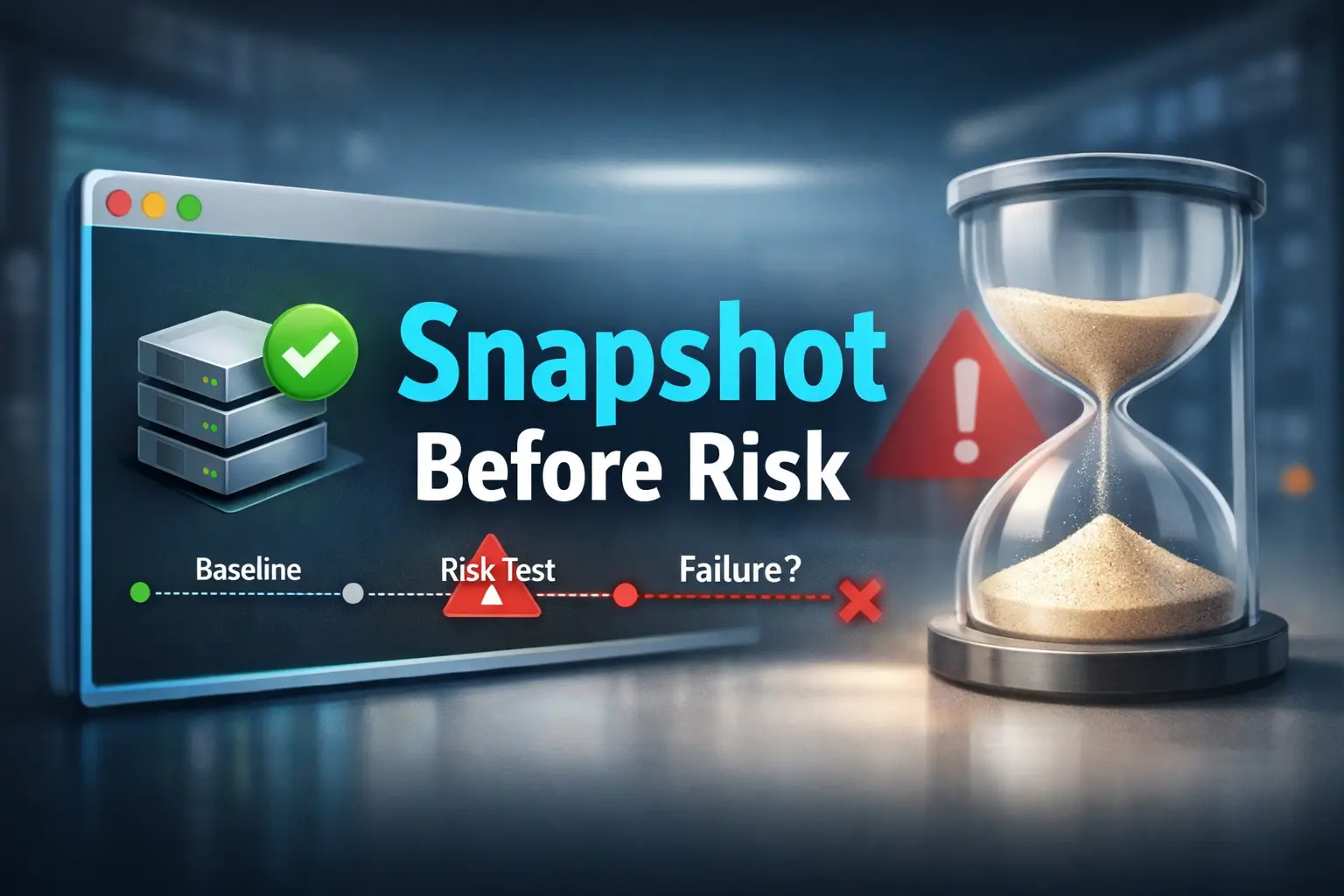
| About to run fuzzing, auth tests, or exploit validation | Take a pre-risk snapshot | You want a precise rollback boundary |
Neutral next action: Review the next action, its possible effects and the recovery scope before deciding whether another checkpoint is useful. Even an active observation can affect logs or service behavior.

Before You Touch Anything: Define the Rollback Moment
The best snapshot is not the one you remember to take after you feel nervous. It is the one you planned before curiosity took the wheel. In a Kioptrix-style workflow, that means choosing the last known-good state and naming it as a real boundary, not a vague hope.
Choose the last known-good state
- Create a baseline snapshot after confirming the lab boots normally
- Record network mode, observed addresses, visible services and a non-secret reference to the authorized access method. Do not copy passwords or tokens into the lab record
- Save the point before running intrusive checks, brute-force attempts, or exploit validation
Separate “bootable” from “test-ready”
- A VM that merely boots is not always ready for clean testing
- Compare the target with a documented, permitted baseline check. Record the observed response; a walkthrough is a hypothesis source, not proof of the current state
- Label a checkpoint as a baseline only after its intended starting conditions have been checked. A diagnostic checkpoint may preserve an unresolved fault and must be labeled separately
So define your rollback moment like a cautious operator, not a gambler. Ask:
- Can the target answer basic pings or whatever minimal connectivity check is normal for this lab?
- Do the services I expect actually respond?
- Is the networking mode what I intend, matching the intended isolated lab segment, with every additional adapter reviewed?
- Can I reproduce the visible starting conditions from my notes?
If those answers are stable, you have a real candidate for a baseline. If not, do not photograph the storm and call it blue sky. For readers still sorting out the difference between networking modes, this guide to VirtualBox NAT, host-only, and bridged networking fits naturally into the checkpoint logic here.
Show me the nerdy details
A snapshot covers supported virtual disk state and, depending on platform and settings, memory. It does not roll back every dependency: VirtualBox write-through disks are excluded, and host files shared into the VM or external services remain outside that checkpoint. That is useful, but it also means snapshots are not magic backups. They are point-in-time state markers that can become confusing if you pile them up without discipline. The more your workflow depends on comparison, the more important it becomes to know whether your snapshot represents disk only, disk plus memory, and whether network conditions were stable when you took it.
- Wait for the target to become reachable and consistent
- Record enough environment detail to recognize drift later
- Baseline after calm, not during chaos
Apply in 60 seconds: Write one sentence in your notes: “My baseline is valid only if IP, services, and network mode match this state.”
Risk Buckets First: Not Every Test Deserves the Same Snapshot Plan
One reason people either oversnapshot or undersnapshot is that they treat every action as morally equivalent. It is the operational version of saying a spoon and a chainsaw are both “tools,” which is true in the same way that weather and lightning are both “air.” The better move is to group actions by risk and let that shape your snapshot cadence.
Low-friction actions
- Passive note-taking
- Basic banner grabbing
- Minimal, targeted enumeration with restrained timing
Medium-risk actions
- Web fuzzing against old applications
- Authentication attempts across legacy protocols
- Scripted checks that may trigger unstable behavior
High-risk actions
- Exploit testing
- File upload attempts
- Service crash validation
- Changes that alter configs, credentials, or writable directories
The trick is not to make a snapshot after every keystroke. That leads to snapshot sprawl, disk clutter, and a restore menu that reads like the diary of someone who stopped sleeping. Instead, place checkpoints before meaningful risk transitions. Think in stages, not in paranoia.
For a beginner lab session, a practical pattern often looks like this:
- Baseline after stable boot and connectivity
- Pre-auth-testing snapshot before touching credentials or login workflows
- Pre-exploit snapshot before any step that could alter files, processes, or service stability
- Yes if the step could alter files, credentials, process state, or service availability
- Yes if you would struggle to explain later exactly when drift began
- Yes if repeating the action would be expensive in time or confusion
- Review rather than assume no risk: a narrow active check can still write logs, change counters or affect a service. Decide from the actual request and lab conditions.
Neutral next action: Before the next command, label it low-, medium-, or high-risk. Only then decide whether to snapshot.
That classification habit sounds almost boring, which is why it works. The best lab habits often feel underdramatic in the moment and heroic only in hindsight. It also pairs well with a disciplined Kioptrix recon routine, because good rollback logic starts with knowing which steps are merely observational and which ones are likely to disturb the box.
Don’t Just Name It “Snapshot 1”: Use Labels That Save Your Brain Later
Naming is not cosmetic here. A snapshot label is a tiny note from your calmer self to your future, slightly frazzled self. If you ever need to restore under stress, a good name answers three questions immediately: when was this taken, why was it taken, and what risky step comes next?
Good snapshot names answer three questions
- When was this taken?
- Why was it taken?
- What risky step comes next?
Strong naming examples
- Kioptrix-L1-pre-web-enum-clean
- Kioptrix-L1-before-auth-testing
- Kioptrix-L1-pre-exploit-httpd-state
Weak naming examples
- test
- snapshot2
- before stuff
There is a peculiar sadness in opening a snapshot list and seeing names like “ok,” “new,” or “working maybe.” That is not a restore plan. That is a cry for help in lowercase. Good labels compress decision-making. They reduce the number of things you have to remember when something breaks.
A small format helps. You do not need poetry. You need precision.
Target-LabLevel-Stage-State Kioptrix-L1-pre-auth-clean Kioptrix-L1-pre-fuzzing-web-stable Kioptrix-L1-pre-exploit-httpd-okIf you want to go one step further, add the date or a short time marker for longer sessions. Not because timestamps are glamorous, but because memory is a trickster. After two hours, “the snapshot before the weird login thing” can become three different snapshots in your head. The same logic helps when you keep structured evidence in a note-taking system for pentesting rather than in a pile of improvised text files.
Noise Before Failure: Signals You Should Snapshot Again
Most people wait for disaster. The better operators notice drift. Before the box fully breaks, it often starts sending tiny warnings. Nothing cinematic. Just a pattern of mild wrongness. A page loads slower. A service responds once, then not quite the same way again. A port looks open, then filtered, then sullen. This is the part where beginners often keep pushing. “Maybe one more scan.” That instinct is understandable and frequently terrible.
The target feels “slightly off”
- Slower page loads
- Inconsistent service responses
- Strange resets or timeouts that were not present earlier
Your notes stop matching reality
- An endpoint worked ten minutes ago and now behaves differently
- A port appears filtered, then open, then quiet
- You can no longer tell whether the shift came from the lab or your tooling
Here is the quiet truth no one tells beginners soon enough: the best extra snapshot is often the one you take right before confusion begins, not after disaster lands. If the target still seems mostly stable but you feel the experiment becoming hard to interpret, that is often the last safe curve in the road.
If a service starts returning inconsistent responses, save the evidence and stop expanding the test. A snapshot taken after that drift can be useful as a labeled diagnostic state, but it cannot recreate the earlier known-good baseline. Preserve the existing clean checkpoint and restore it when you need a controlled comparison. Similar interpretation drift can occur when reviewing Nikto findings on older labs.
- Drift often arrives before obvious failure
- Inconsistency is a stronger warning than slowness alone
- Retain the verified baseline and identify any later faulty checkpoint as diagnostic
Apply in 60 seconds: Add one line to your workflow: “If reality stops matching notes, pause, export evidence and decide whether a separate diagnostic checkpoint is useful.”
Common Mistakes That Turn a Good Lab Into a Mess
Most lab disasters are not caused by lack of talent. They are caused by ordinary habits performed at the wrong time. This is good news because ordinary habits are fixable.
Mistake 1: Testing first and snapshotting later
Once the environment has drifted, the “safe point” is already gone. A later snapshot may preserve the damage, not the baseline. This is the digital equivalent of deciding to buy insurance after the kitchen is already on fire.
Mistake 2: Treating all actions as equal-risk
A banner check and an exploit attempt do not deserve the same rollback discipline. Risk-blind workflows create false confidence because they flatten the difference between observation and change. That difference is the spine of reproducible work. If your early passes already tend to get noisy, these common Kioptrix recon mistakes are worth comparing against your own habits.
Mistake 3: Forgetting the attacker VM matters too
If your tooling, routes, or notes environment changes, reproducibility suffers on both sides. In some cases, snapshotting the attacker VM can preserve cleaner evidence. This is especially true when wordlists, routes, mounts, or helper scripts changed between attempts. A surprising number of “target problems” are really operator-environment drift wearing a fake moustache. That is one reason a stable Kali setup checklist for Kioptrix labs saves more time than it seems to on paper.
Mistake 4: Keeping too many meaningless restore points
Snapshot sprawl makes recovery slower, not smarter. Fewer, well-labeled checkpoints beat a graveyard of vague saves. If you need three minutes to choose the right restore point, you did not create a safety net. You created a museum of your own indecision.
Don’t Do This: The Snapshot Habits That Quietly Sabotage You
- Do not label an unstable or unverified diagnostic checkpoint as a known-good baseline
- Keep the known-good baseline identity separate from later diagnostic checkpoints
- Do not confuse revert speed with methodology
If services are crashing or half-responsive, first export the failure evidence. A separately labeled diagnostic checkpoint may help preserve that fault for investigation; it is not a replacement for the earlier baseline. Record the observed fault, last change and checkpoint identity. Before any restoration, confirm which later work will be discarded and reopen the exported evidence outside that scope.
Evidence Over Heroics: Pair Each Snapshot With Minimal Notes
A snapshot without notes is useful. A snapshot with minimal notes is a method. The note does not need to become a novella. It only needs to preserve the sequence clearly enough that you can reconstruct what changed without replaying guesswork.
Record five things every time
- Snapshot name
- Time taken
- Current IP/network state
- Last completed action
- Next intended risky action
Keep the note format simple
- One short block per snapshot
- Enough detail to reconstruct sequence without replaying guesswork
- Useful for separating target fragility from operator error
Here is the rhythm I like because it survives stress:
[Snapshot] Name: Kioptrix-L1-pre-auth-clean Time: 14:20 Network: Host-only, target 192.168.x.x, web reachable Last action: Verified HTTP and SMB visibility Next risky action: Auth testing against legacy serviceThat is it. No drama. No giant prose block. Just enough scaffolding to let your future self restore with intent. This is also where a lot of real learning happens. Once you start logging “last completed action” and “next risky action,” you begin to notice your own habits. You stop performing randomness with confidence. You become able to say, with dignity, “This breakage started after step three, not step six.”
That single improvement can transform lab work from vibes-based exploration into something far more transferable. When you later write notes, teach a teammate, or compare platforms, you are no longer relying on memory fog and lucky reconstruction. If you want a stronger structure for that habit, an Obsidian host template for OSCP-style note tracking can be adapted surprisingly well to fragile Kioptrix sessions.
- Sequence matters more than volume
- Add disk, memory and external dependency details when they affect reproduction
- Minimal logging protects you from memory drift
Apply in 60 seconds: Create a reusable snapshot note template in your notes app before your next session.
When the Box Breaks Anyway: A Recovery Sequence That Keeps the Lesson
Sometimes the box breaks anyway. That does not mean your workflow failed. It means your workflow finally got a chance to prove its worth. The real test of snapshot discipline is not how pretty the baseline looks. It is what happens when the lab starts limping and your pulse gets a little louder.
Step 1: Stop adding more activity
Extra scans during instability usually deepen ambiguity. Pause before “checking just one more thing.” This is the stage where impatience produces false clues at industrial scale.
Step 2: Compare symptoms to your last clean checkpoint
Was the change immediate or gradual? Did it begin after enumeration, auth attempts, or exploit testing? Compare what the system is doing now to what your last clean checkpoint says it was doing then.
Step 3: Revert with intent
Before restoring, export needed evidence, verify the selected VM and checkpoint identity, and review excluded disks and external dependencies. Record the exact action and warnings. Reidentify the target and repeat a permitted baseline observation before any further experiment. Use the restart and recovery decision record to compare expected and actual results.
Step 4: Narrow the cause
Where practical, vary one factor and record the conditions you held constant. A changed result after restoration does not by itself prove the original cause. Record unchanged symptoms and unverified dependencies as well as successful checks.
This sequence matters because it preserves the lesson. Without it, the session often collapses into one of two bad endings: either you keep hammering the unstable target until no conclusion is trustworthy, or you restore blindly and learn nothing except that computers are rude. The same principle shows up later in exploitation workflows too, especially when Metasploit finds the target but no session opens and the real problem is separating state drift from a payload or routing issue.
Boot target, confirm network mode, IP, and expected services.
Create one clearly named clean snapshot before medium- or high-risk actions.
Record last action, current state, and next risky step.
Escalate only when the target still behaves like your notes say it should.
When drift appears, stop, compare, restore the best checkpoint, and repeat only one variable.
A Five-Step Baseline Preparation Workflow
Use these five steps as a preparation sequence, not a five-minute deadline. Snapshot creation and verification time depend on the platform, storage, guest state and the checks required by your exercise.
Step 1: Identify and check the starting state
Confirm the target is reachable and behaving normally for that lab. Check the network mode. Note the target IP if relevant. Open the expected service or two, just enough to confirm the box is test-ready rather than merely breathing.
Step 2: Create and identify the checkpoint
Name it with purpose. Something like Kioptrix-L1-baseline-clean is infinitely better than new. Your goal is not elegance. Your goal is zero confusion later.
Step 3: Record scope and evidence
Record checkpoint identity and time, VM power state, included disk modes and memory scope, excluded dependencies, current observations and the next planned action. Keep the supporting evidence outside the planned rollback path.
Step 4: Review the next action
Low, medium, or high risk. If the next action could alter state, plan the next checkpoint now rather than relying on future-you to become disciplined at the moment of temptation.
Step 5: Confirm the boundary before continuing
Now you can test. Not recklessly. Not nervously. Just clearly. That is the strange gift of good preparation: it makes curiosity safer without making it smaller.
- Hypervisor platform and whether memory state is included
- Current network mode and target IP behavior
- Expected “healthy” services for this lab stage
- Last action before instability appeared
- One sentence describing the next risky step
Neutral next action: Keep this list next to your notes so restore decisions stay factual instead of emotional.
If you use VMware Workstation, VMware’s snapshot documentation is a useful refresher for the mechanics. If you use VirtualBox, the official manual remains worth bookmarking because it explains the platform’s snapshot model clearly enough to prevent a lot of folk wisdom from spreading. And if you want the wider security framing, NIST’s virtualization guidance is a sober reminder that virtualized environments still demand sound configuration and recovery thinking. For readers building this habit into a broader beginner process, the next steps after finding the Kioptrix IP and a practical Kioptrix level walkthrough both become much cleaner when you start from a real baseline instead of a hopeful reboot.

FAQ
Do I need a snapshot before basic enumeration on Kioptrix?
A baseline snapshot is usually wise even before “basic” work, because legacy systems can react unpredictably and you may want a clean return point for later comparison.
Should I take one snapshot or several?
Usually several, but not endlessly. A clean baseline plus snapshots before meaningfully riskier steps is a practical middle ground.
Can I rely on rebooting instead of snapshots?
Sometimes rebooting helps, but it does not guarantee a return to the same test state. Snapshots preserve context more reliably.
What kinds of tests are most likely to justify a new snapshot?
Web fuzzing, authentication testing, exploit validation, uploads, service interaction that may alter state, and anything likely to crash or lock a fragile service. In practice, that often includes the transition from restrained recon into deeper HTTP enumeration on Kioptrix or heavier directory discovery workflows.
Is snapshotting overkill in beginner labs?
No. For beginners, snapshots often reduce confusion and speed up learning because mistakes become reversible and easier to isolate.
Should I snapshot the attacker machine too?
Sometimes yes, especially when your tooling, routes, wordlists, or note state matter for reproducing results cleanly.
How often is too often?
If your snapshot list becomes hard to read or you cannot tell why each one exists, you are probably taking too many without enough structure.
What if the target already looks unstable before I begin?
That is a signal to verify the lab state first, restore a known-good point if available, and avoid treating a shaky starting point as normal. When the instability traces back to the lab host rather than the target, issues like VirtualBox host-only networking with no IP can quietly masquerade as target drift.
Next Step: Create One Baseline Before You Get Curious
The promise we opened with was simple: avoid turning one risky step into a full rebuild. By now the answer should feel less mystical and more practical. The fix is not more courage. It is more structure. On fragile targets, snapshots are not a side chore tucked under “setup.” They are how you protect the experiment itself.
Identify the target, verify the intended network isolation and compare the expected baseline observations. If a checkpoint is appropriate, create it with a clear label and record its actual scope. Leave enough time to export evidence and verify recovery rather than treating completion time as a target.
That single baseline changes the emotional weather of the whole session. Suddenly, mistakes stop feeling like catastrophe and start feeling like data. Drift becomes visible sooner. Recovery becomes quieter. Your learning loop tightens. You stop treating rollback as an emergency hatch and start using it as a deliberate comparison tool.
And that, quietly, is the real shift. The VM was never the whole asset. The asset was the learning state. The test sequence. The ability to say, with evidence, “this changed here.” Once you protect that, a fragile old lab becomes less of a haunted house and more of a workshop. If you are building toward a fuller process beyond this one article, the wider Kioptrix labs beginner roadmap is a natural next shelf to pull from.
Original review: 2026-03.
Technical guidance updated: 2026-10-13. Clarified post-drift diagnostic snapshots and the storage or external state that rollback does not restore.
Snapshot scope and recovery record
Worksheet updated: October 23, 2026. Distinguish a checked baseline from a diagnostic state. Fill unknown items with not confirmed. This is a blank learning aid; it does not inspect your VM or certify recovery.
Edits stay in this page until you leave or reload. This tool does not upload or automatically save your text. Download or copy your record before leaving; keep passwords, tokens and personal data out of it.
Download or copy the record to keep it.
Read the proposed harmless recovery rehearsal · Choose a recovery action · Review VM import checks
Limits: A successful file download does not confirm checkpoint creation, backup independence or VM recovery. Verify those in your own authorized lab. This update corrects the baseline/diagnostic distinction and planning claims; no new VM rehearsal is claimed.