Starting Ethical Hacking: Kioptrix Level 1 vs. TryHackMe
Starting ethical hacking with Kioptrix Level 1 can feel wonderfully gritty for about seven minutes. Then the target VM disappears, the network adapter sulks, Nmap says something cryptic, and your confidence walks into the fog wearing tiny detective shoes.
Kioptrix Level before TryHackMe is a smart question because the order matters. Complete beginners usually need guided cybersecurity training first. Learners with basic Linux, networking, terminal comfort, and VM setup skills may benefit from Kioptrix as an early independent lab. Guess wrong, and you may waste a weekend fighting VirtualBox instead of learning enumeration, exploitation basics, lab safety, and defensive thinking.
Here is the practical answer
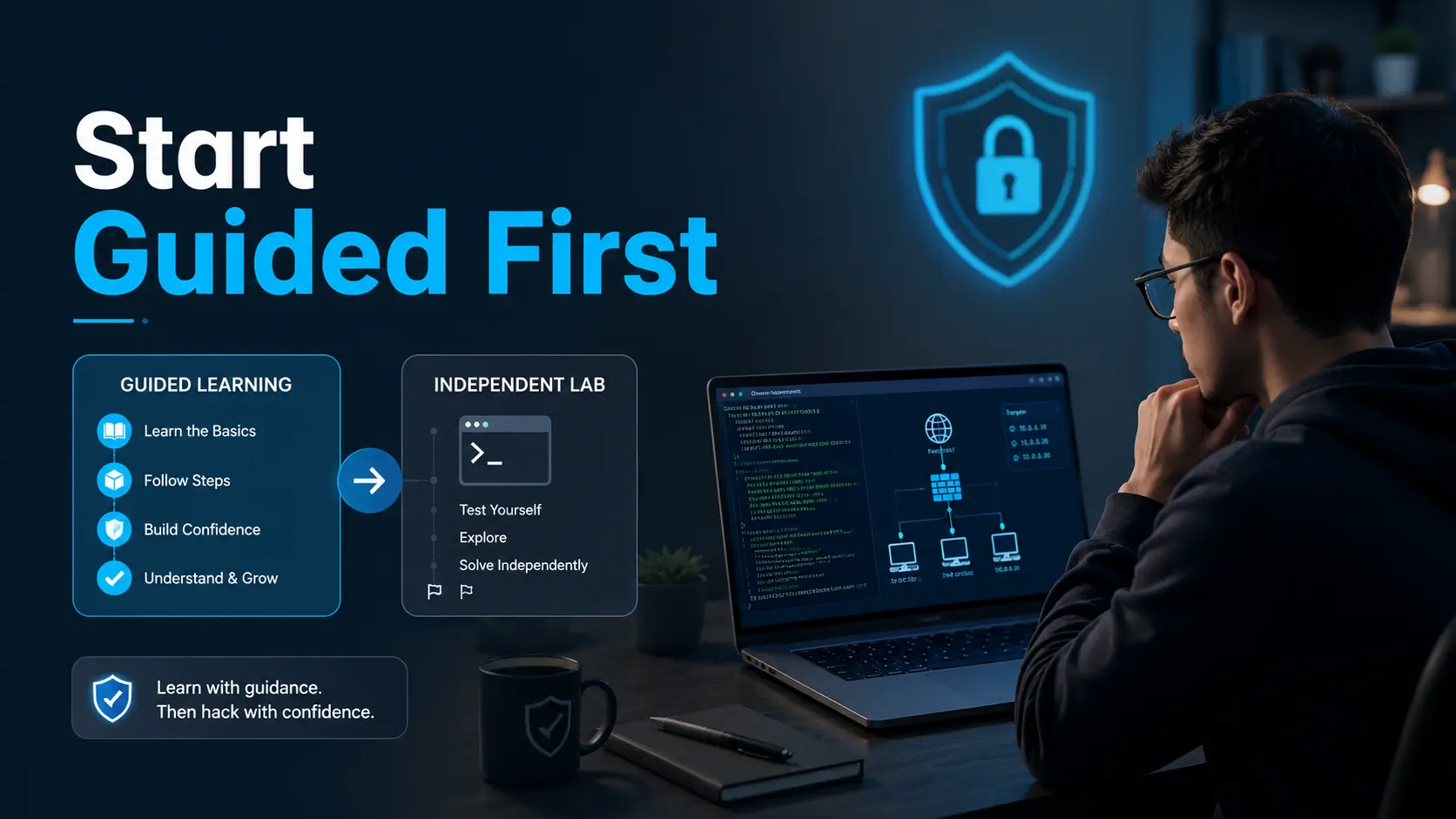
Start guided. Test independent. Document everything.
That little rhythm can save you time, keep your practice legal, and turn “I got root” into “I understand what happened.”
Fast Answer
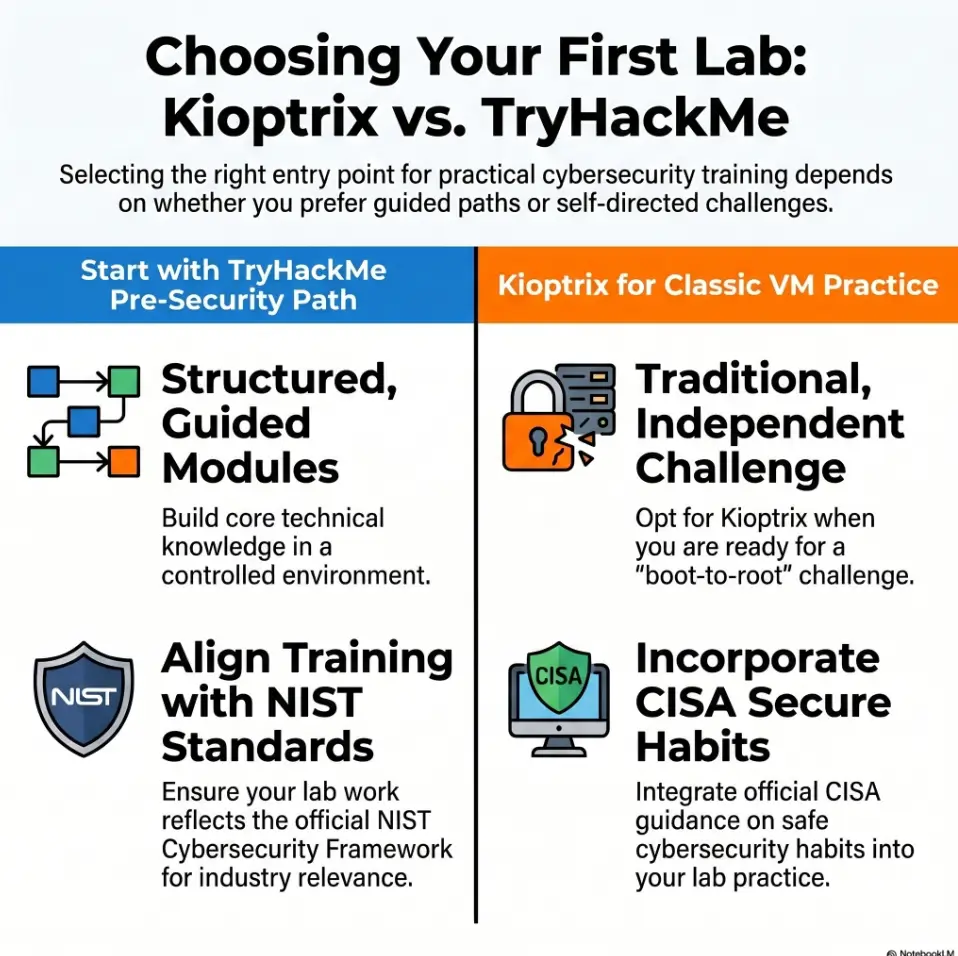
Kioptrix Level 1 is useful before TryHackMe only if you already know basic Linux, TCP/IP networking, VirtualBox or VMware, and safe lab isolation. Most beginners should start with TryHackMe first because guided rooms reduce setup friction and teach the vocabulary. A strong route is TryHackMe basics first, then Kioptrix as your first real vulnerable-VM confidence test.
Table of Contents
Safety Disclaimer
This guide is general education for legal, permission-based cybersecurity practice. All hacking practice must happen only in environments you own, control, or have explicit written permission to test. That means personal labs, intentionally vulnerable virtual machines, approved training platforms, and formal work scopes.
Do not scan, attack, exploit, brute force, probe, fuzz, or test public websites, school networks, employer systems, neighbor Wi-Fi, cloud assets, random IP addresses, or devices you do not control. “I was just learning” is not a permission slip. It is a wet napkin in a courtroom.
The safest beginner habit is simple: define scope before tools. Know the target, know why you are allowed to test it, and keep vulnerable machines isolated from networks you do not own.
- Practice only on labs, training platforms, or systems where you have permission.
- Use isolated lab networking when running intentionally vulnerable VMs.
- Stop immediately if you are unsure where your scan or exploit traffic is going.
Apply in 60 seconds: Write the allowed target IP range on paper before running any tool.
Who This Is For, Who Should Skip Kioptrix for Now
Start here if you already have lab hands
Kioptrix can be a good early challenge if your hands already know the furniture. You do not need to be advanced. You do need to be comfortable enough that the terminal does not look like a haunted piano.
You may be ready to try Kioptrix before deep TryHackMe progress if you can install a VM, change a network adapter, run basic Linux commands, find your local IP address, use Nmap responsibly, and take notes without being told exactly what to write.
That last part matters. Kioptrix is not just a target. It is a mirror. It shows whether your learning can survive without hints blinking at you like runway lights.
Skip it if setup pain kills your momentum
Total beginners often lose energy before the security lesson begins. The culprit is rarely intelligence. It is setup friction.
One learner spends two hours importing the VM. Another cannot find the target IP. A third learns that “bridged adapter” is not a personality type but can certainly cause one. By the time the lab boots, the brain is tired and the curiosity candle has melted sideways.
If that sounds familiar, TryHackMe first is not a softer choice. It is a cleaner runway. You can learn Linux, networking, web basics, and security vocabulary without first wrestling a hypervisor goblin under your desk.
The honest dividing line
TryHackMe teaches the path. Kioptrix tests whether the path has started to stick.
If you need explanations, hints, browser-based labs, and confidence-building structure, start with TryHackMe. If you can tolerate ambiguity and want to see whether your enumeration method works in a less guided space, try Kioptrix.
Money Block: Beginner Fit Checklist
Answer yes or no:
- Can I explain what an IP address and subnet are?
- Can I install Kali, Ubuntu, or another Linux VM without panic-clicking?
- Can I run a basic Nmap scan and explain ports in plain English?
- Can I tell the difference between host-only, NAT, and bridged networking?
- Can I keep a vulnerable VM away from networks I do not control?
- Can I write down what I tried, what changed, and what failed?
Next step: Confirm explicit authorization and verified lab isolation before testing, regardless of your score. Four or more “yes” answers are only an informal learning-readiness guide; use guided rooms for any remaining foundation gaps.
For a broader planning view, use a structured Kioptrix learning path before choosing your first lab session. It helps turn scattered practice into a sequence instead of a pile of good intentions wearing combat boots.
The Real Question: Are You Learning Cybersecurity or Just Collecting Flags?
Flag-chasing feels productive until it isn’t
A beginner can finish a lab and still not learn much. That sounds harsh, but it is common. You follow a walkthrough, paste commands, watch a shell appear, and feel the sparkling dopamine bell. Then a week later, you face a similar machine and cannot explain where to begin.
That is not failure. That is typing practice pretending to be skill.
Real learning happens when you can answer small, stubborn questions. Why did you scan that port? What did the service banner suggest? What did the web server reveal? Why did one exploit fit and another fail? What would a defender patch, disable, monitor, or segment?
What Kioptrix forces you to confront
Kioptrix gives fewer signposts. You need to find the target, enumerate services, research versions, compare clues, and decide what deserves attention. That blankness is the point.
This is where many beginners discover that “I know Nmap” actually meant “I know one command I copied from a tutorial.” Kioptrix politely removes the training wheels, then watches what your process does next.
To avoid drifting, build a repeatable Kioptrix lab workflow. A workflow gives your curiosity a rail. It keeps you from bouncing between ports like a caffeinated squirrel in a server room.
Here’s what no one tells you
A beginner’s first win is not root. It is knowing why each step happened.
Root access is exciting. Understanding is portable. Root belongs to that one box. Understanding follows you into the next lab, the next interview, the next report, and the next time a tool prints a message that looks like it was translated from thunder.
- Write down every assumption before testing it.
- Use walkthroughs after honest effort, not before your first scan.
- End each lab with a defensive lesson.
Apply in 60 seconds: Create three note headings: What I know, What I suspect, What I will test next.
TryHackMe First: The Case for Guided Momentum
Browser-based training lowers the setup tax
TryHackMe works well for complete beginners because it reduces the early tax of setup. Guided rooms, learning paths, explanations, and browser-accessible labs let learners spend more time understanding concepts and less time wondering whether the VM is broken, the adapter is wrong, or the universe has personally selected them for character development.
That matters because early momentum is fragile. Beginner confidence is not a steel beam. It is a little campfire. Too much setup wind, and it goes out.
TryHackMe also gives structure. You are not just thrown into a machine. You learn terms, commands, and habits in a sequence. That makes Kioptrix more useful later because you arrive with a mental map instead of a backpack full of random commands.
The Pre Security advantage
Before a vulnerable VM makes sense, beginners need the grammar of the internet. Networking basics. Linux commands. Web concepts. HTTP requests. DNS. Ports. Services. Authentication. File permissions. Logs. Common security language.
Without that grammar, enumeration results look like alphabet soup in a trench coat. With it, each clue begins to speak.
TryHackMe-style beginner paths are useful because they teach how technology works before asking you to break it in a controlled lab. That order is humane. It is also more efficient.
Cyber Security 101 as the bridge
A beginner-friendly cybersecurity path can act as the bridge between pure basics and independent VM practice. You want enough exposure to Linux, Windows concepts, search skills, offensive basics, defensive thinking, and common tools that Kioptrix feels challenging rather than incomprehensible.
This is also where note-taking should begin. Do not wait until labs feel serious. Seriousness arrives quietly. One day you need to explain what you did, and your old notes either help you or stare back like a grocery list written in a windstorm.
A simple Kioptrix lab notes habit can start before Kioptrix itself. Use the same method in guided rooms so that independent labs feel like a continuation, not a new language.
Kioptrix First: The Case for Productive Friction
Old-school labs teach troubleshooting muscles
Kioptrix feels less polished than a modern guided platform. That is not always a drawback. Old-school vulnerable VMs teach troubleshooting muscles that beginner rooms may not fully train.
You learn that tools fail. Banners lie. Scans need context. Web directories hide in plain sight. SMB can be chatty, silent, or weirdly dramatic. Your first plan may be wrong, and your second plan may just be the first plan wearing a hat.
This friction can be productive when you have a basic foundation. It teaches patience, sequencing, and judgment. It also teaches you to stop treating tools as vending machines for shells.
The blank screen benefit
Guided rooms often tell you the next step. Kioptrix asks you to decide. That silence is uncomfortable, but useful.
A blank screen forces you to ask: What is the target? Which ports are open? What services are exposed? What versions are visible? What can be confirmed? What is just a guess? What should be documented?
Those questions are the bones of real practice. They also make your later guided learning sharper. You stop asking “what command should I run?” and start asking “what question am I trying to answer?”
Tiny win, big signal
You do not need to root Kioptrix immediately for the session to count. If you can find the target, scan responsibly, identify services, take useful notes, and explain why one clue matters, you are already building independence.
That is the signal. The lab is doing its job.
Money Block: Decision Card
| Choose | Best when | Trade-off |
|---|---|---|
| TryHackMe first | You need structure, vocabulary, and fast setup. | Less ambiguity, so independence may grow more slowly. |
| Kioptrix first | You already understand basic Linux, networking, and VM setup. | More troubleshooting, more frustration, and fewer hints. |
| Both in rotation | You want guided concepts plus independent practice. | Requires discipline to avoid hopping around randomly. |
Next step: Pick the path that matches your current friction level, not your ego’s preferred movie trailer.
Don’t Do This: Starting Kioptrix With Zero Foundations
Mistake 1: Treating Kali tools like magic buttons
Kali Linux is powerful, but it is not a wizard hat. Running tools without understanding ports, services, versions, banners, CVEs, permissions, and scope produces shallow learning.
A beginner sees port 80 and runs a web scanner. Fine. But what did the web server reveal? What framework? What directories? What response codes? What old software clues? What did manual browsing show that the tool missed?
Tools are amplifiers. They amplify method or confusion. Choose method.
If Kali itself becomes the problem, use a focused Kioptrix Kali setup checklist before blaming the lab. Many early problems are local configuration issues wearing suspicious sunglasses.
Mistake 2: Copying walkthroughs line by line
Walkthroughs are useful after effort. They are poor steering wheels.
If you watch the whole solution first, the lab becomes typing practice. You may finish faster, but your future self inherits a cardboard trophy. Better: try independently, document attempts, then use a walkthrough as an autopsy. Compare your reasoning with the author’s reasoning.
Ask: What did they notice that I missed? What did I assume too quickly? Which step was tool knowledge, and which step was actual logic?
Mistake 3: Ignoring network isolation
Vulnerable VMs are intentionally unsafe. That is the point. Do not casually bridge them onto networks you do not control. Do not expose them to public internet paths. Do not let a practice box wander into the neighborhood like a raccoon carrying a soldering iron.
Use host-only or carefully controlled lab networking when appropriate. Understand what your VM can reach and what can reach it. If you cannot explain the network layout, pause before scanning.
For practical setup decisions, compare VirtualBox NAT, host-only, and bridged networking before importing vulnerable machines.
Show me the nerdy details
In a typical safe beginner lab, the attacker VM and vulnerable target VM should communicate inside a controlled network segment. Host-only networking can keep lab traffic between the host and VMs, while NAT can allow outbound internet access depending on configuration. Bridged networking may place a VM directly on the same network as other household, school, or office devices, which can create risk if the VM is vulnerable or if scanning spills beyond intended scope. The safe habit is to map routes, confirm target IPs, and test connectivity before running scans.
The Better Beginner Sequence: TryHackMe, Then Kioptrix, Then Repeat
Step 1: Learn the grammar first
Start with the basic grammar: Linux commands, file paths, permissions, TCP ports, DNS, HTTP, SSH, SMB, web directories, authentication, and simple vulnerability language. You do not need mastery. You need enough understanding to read clues without turning every output into abstract art.
This is where guided training shines. The goal is not to stay guided forever. The goal is to build a floor strong enough for independent practice.
Step 2: Attempt Kioptrix without a walkthrough
Set a clean rule: one session for enumeration only. No walkthrough. No “just a quick peek” that becomes a full solution with popcorn.
During that session, find the target, scan it, identify services, browse web content, inspect banners, write questions, and document every guess. If you hit a wall, record the wall. Walls are data. They show what your method does not yet cover.
A reusable Kioptrix recon log template can turn that session from chaos into evidence. The notes do not need poetry. They need timestamps, commands, outputs, interpretations, and next actions.
Step 3: Return to TryHackMe with sharper questions
After one independent Kioptrix attempt, guided rooms feel different. You notice why an instructor chooses one scan over another. You see why service enumeration matters. You understand that “try harder” is less useful than “ask a better question.”
This loop works beautifully: learn a concept in a guided room, test it against Kioptrix, then return to guided material with a sharper eye. It is less glamorous than bingeing flags, but it builds durable skill.
Start with guided rooms for Linux, networking, and web fundamentals.
Try Kioptrix enumeration without a walkthrough.
Write what failed, then return to guided practice.
Move forward. Understanding beats accidental wins.
Short Story: The Night the VM Would Not Answer
Maya had one free Thursday night, a mug of coffee, and the heroic confidence of someone who had watched three videos at 1.25x speed. She imported Kioptrix, opened Kali, ran a scan, and found nothing. Not one target. The screen looked personally offended. For forty minutes she changed settings randomly, then almost quit. Finally, she stopped and wrote three lines:
“What network is Kali on? What network is Kioptrix on? Can they ping the gateway?” The answer was plain. Her attacker VM and target VM were on different adapters. Five minutes later, the target appeared. She did not get root that night. She did something better. She learned that troubleshooting is not a detour from hacking practice. It is part of the craft. The practical lesson: before every lab, verify the network before blaming the box, the tool, or your future.
The 90-Minute Kioptrix Readiness Test
Can you explain these before starting?
Before choosing Kioptrix over TryHackMe as your first stop, try this readiness test. Set a timer for 90 minutes. Your goal is not exploitation. Your goal is calm, legal, scoped enumeration.
- Can you identify the attacker VM IP address?
- Can you identify or discover the Kioptrix target IP inside your lab?
- Can you explain TCP ports in plain English?
- Can you run a service/version scan and save the output?
- Can you inspect HTTP, SSH, and SMB clues without immediately searching for a final exploit?
- Can you take a VM snapshot before risky changes?
- Can you define privilege escalation at a beginner level?
- Can you say what is in scope and what is not?
If you can do most of that, Kioptrix is no longer just a wall. It becomes a practice field.
Can you recover when the VM disappears?
One of the most valuable beginner skills is recovering from boring problems. The VM does not show up. Ping fails. DHCP does not assign an address. The adapter is wrong. A scan returns nothing. A tool prints an error.
This is not wasted time. It is lab literacy.
Still, do not let troubleshooting become the whole course. If you spend every session on networking glitches, fix the setup first. The right guide can help, especially if you hit common issues like VirtualBox host-only networking with no target IP.
Let’s be honest
If “I can’t find the target IP” causes instant panic, TryHackMe first will save your weekend from becoming a small opera of despair.
There is no shame in guided learning. There is only shame in pretending confusion is a personality brand and refusing to build foundations.
Money Block: 90-Minute Readiness Calculator
Next step: Use the result to choose one focused session, not a month-long identity crisis.
Common Mistakes Beginners Make With Kioptrix
Using the walkthrough too early
Use the 15-minute frustration rule. When stuck, do not open a full solution immediately. Pause. Write what you know. Write what you have not tested. Try one new angle. Then, if needed, look for a hint rather than the whole answer.
This keeps the learning alive. A full walkthrough too early turns the lab into a puppet show where your hands move but your reasoning naps in the balcony.
When you do use a guide, compare it against your own notes. A good Kioptrix write-up should help you reconstruct thinking, not just celebrate the final shell.
Skipping notes because “it’s just practice”
Practice notes are not decoration. They are the beginning of report writing, incident thinking, and professional communication.
Write commands, outputs, interpretations, and decisions. Keep screenshots organized. Note dead ends. Track what changed after each test. The goal is not museum-quality documentation. The goal is that tomorrow-you can understand today-you without hiring a translator.
If your screenshots become a digital junk drawer, a simple Kioptrix screenshot organization habit can save your future report from becoming a scavenger hunt.
Confusing exploitation with understanding
A shell is exciting. It should be. The first one feels like a tiny brass band marching through your keyboard.
But the durable skill is explaining the vulnerability, why it worked, what assumption failed, and how the issue could be mitigated. Could an admin patch the service? Disable a module? Segment the network? Remove anonymous access? Improve monitoring? Reduce exposed services?
Every offensive lab should produce a defensive paragraph. That is where beginner practice starts sounding like professional security thinking.
Forgetting the defensive lesson
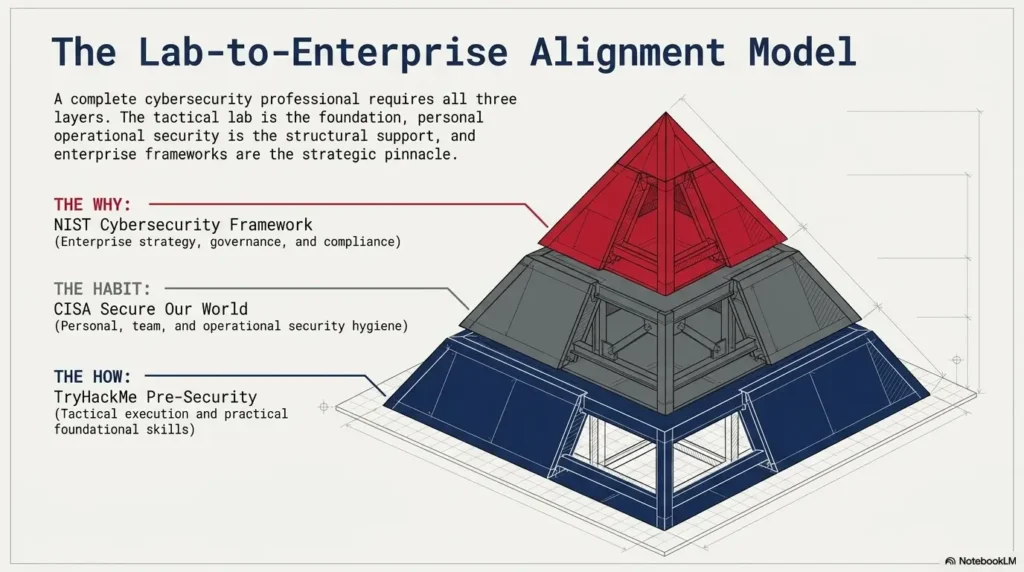
NIST and other security organizations often emphasize risk management, asset understanding, access control, monitoring, and response. Beginner labs can echo that mindset. After exploiting a lab, ask what the system owner should have done differently.
This shifts your identity from “person who runs tools” to “person who understands risk.” That shift is small on the page and huge in real life.
- Identify what exposed the service or weakness.
- Explain what control could reduce the risk.
- Write one sentence a non-technical manager could understand.
Apply in 60 seconds: After your next lab, write “The fix would be…” before closing your notes.
Kioptrix vs TryHackMe: Which One Builds Better Beginners?
TryHackMe builds vocabulary and rhythm
TryHackMe is often better for true beginners because it gives structure. It helps you learn terms, commands, workflows, and confidence in a lower-friction setting. You get a rhythm: read, try, answer, reflect, repeat.
That rhythm matters for people studying after work, between classes, or during the fragile Sunday hour when laundry and ambition fight in the hallway.
If you are a busy adult, a realistic Kioptrix Level plan for busy adults can help you decide when to introduce independent VM practice without burning out.
Kioptrix builds independence and tolerance for ambiguity
Kioptrix is better for learners who already have basic vocabulary and want a less guided test. It builds tolerance for ambiguity. You learn to sit with incomplete information and still move forward safely.
That skill matters. Many real technical problems do not arrive with multiple-choice hints. They arrive as logs, errors, partial clues, and someone asking whether it will be fixed before lunch.
The answer is not either/or
The strongest beginner path uses both. Guided rooms teach concepts. Kioptrix tests synthesis. TryHackMe gives you vocabulary. Kioptrix asks whether you can use it without a script.
Think of them as two instruments. One trains your scales. The other makes you play with the band.
Money Block: Coverage Tier Map
| Tier | Practice focus | Best resource type |
|---|---|---|
| Tier 1 | Basic computer, web, and networking concepts | Guided beginner rooms |
| Tier 2 | Linux, terminal, and tool comfort | Guided labs plus notes |
| Tier 3 | Enumeration without constant hints | Kioptrix Level 1 attempt |
| Tier 4 | Reporting, remediation, and repeatable workflow | Write-ups and lab reports |
| Tier 5 | Broader machines and professional habits | Mixed platforms and scoped practice |
Next step: Identify your current tier and practice one level above it, not three levels above it.
When to Stop and Ask for Help
Stop if your lab touches real networks
Pause immediately if you are unsure whether scan traffic is staying inside your own authorized lab. Do not continue because “it probably is fine.” Probably is not a scope document.
Check adapters. Check IP ranges. Check routes. Check what network your VM is attached to. If you are on a school, employer, hotel, apartment, or shared office network, be especially conservative.
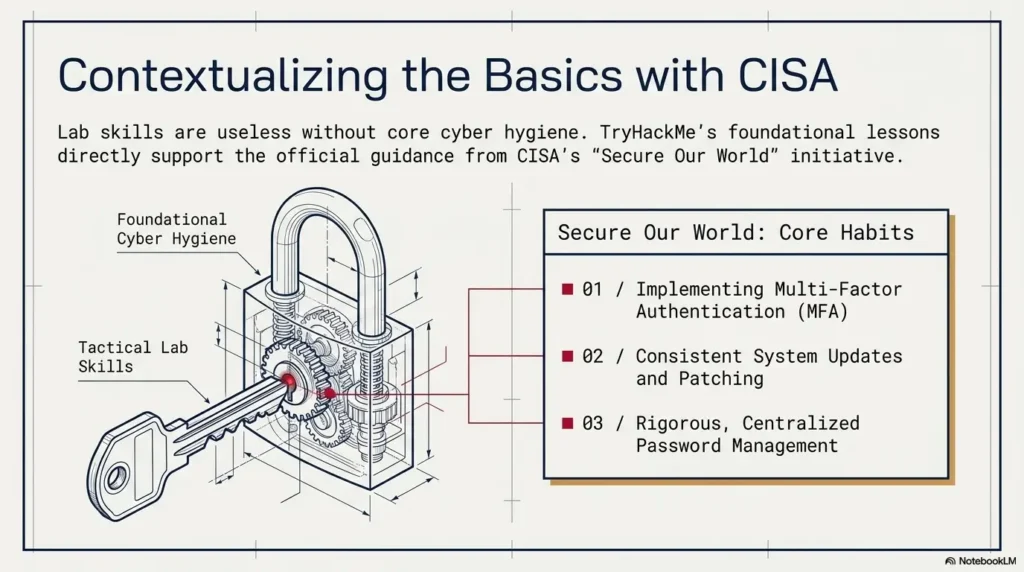
The Cybersecurity and Infrastructure Security Agency regularly emphasizes basic cyber hygiene, risk reduction, and authorized defensive practice. Beginners should build the same discipline from day one.
Ask for help if setup becomes the whole lesson
There is a difference between useful troubleshooting and circular suffering. If you spend three sessions fixing adapters, snapshots, imports, or Kali issues, ask for help from beginner communities, official docs, a mentor, or a focused troubleshooting guide.
Learning cybersecurity already has enough dragons. Do not feed the adapter dragon for a month.
If consistency is the problem, a Kioptrix weekly review template can reveal whether you are actually learning or just reopening the same problem with fresh snacks.
Ask for help if you cannot explain the risk
Before running a command, you should be able to explain what it targets, what it may do, and why it is allowed. If you cannot, pause.
This does not mean beginners must understand everything perfectly. It means you need enough clarity to avoid unsafe action. Curiosity is good. Unscoped curiosity with offensive tools is a raccoon in a fireworks store.
- Check the target before scanning.
- Check the network before exploiting.
- Check your understanding before escalating.
Apply in 60 seconds: Add a “Scope confirmed?” line to the top of every lab note.
FAQ
Is Kioptrix Level 1 good for absolute beginners?
Kioptrix Level 1 can be too open-ended for absolute beginners. The technical ideas are not impossible, but the lack of guidance can make the first session feel confusing. If you do not yet understand Linux basics, ports, services, and VM networking, start with guided training first.
Should I finish TryHackMe Pre Security before Kioptrix?
For most beginners, yes. A beginner path that covers networking, Linux, web basics, and security vocabulary gives you the floor Kioptrix expects. You do not need to finish every beginner room forever, but you should understand the basic language before using a less guided VM.
Is Kioptrix harder than TryHackMe beginner rooms?
Usually, yes. The difficulty is less about advanced exploits and more about independence. TryHackMe beginner rooms often guide your next step. Kioptrix gives you fewer prompts, so you must decide how to enumerate, what to research, and when to change direction.
Can I learn ethical hacking with only Kioptrix?
You can learn important basics from Kioptrix, but it is too narrow as a complete curriculum. Pair it with guided learning, documentation habits, defensive concepts, safe lab setup, and repeated reporting practice. A single VM series cannot teach the full craft.
Do I need Kali Linux for Kioptrix?
Kali is common because it includes many security tools, but the bigger requirement is understanding what those tools do. A learner who knows why a scan matters will learn more than someone who runs every tool in Kali like a vending machine for answers.
Should I watch a Kioptrix walkthrough first?
No. Try first. Document your attempts. Use a walkthrough later to compare reasoning, fill gaps, and learn cleaner methods. Watching first can turn the lab into copying, which feels productive but often fades quickly.
Is TryHackMe better for career beginners?
Usually, yes at the beginning. It provides structured pathways, broader coverage, and lower setup friction. Kioptrix is still valuable as a supplement because it develops independence, patience, and real enumeration habits.
What should I do after beating Kioptrix Level 1?
Write a short report. Include scope, target discovery, enumeration, vulnerability found, exploit path, privilege escalation, remediation ideas, screenshots, and lessons learned. Then review what took too long and improve your workflow before starting the next lab.
Next Step: Run the Two-Track Test
The real answer is not “Kioptrix or TryHackMe.” It is sequence.
If you are brand new, TryHackMe first gives you the grammar: Linux, networking, web basics, and security vocabulary. If you already have those basics, Kioptrix gives you productive friction: a less guided VM where you must enumerate, decide, document, and explain.
The curiosity loop closes here: Kioptrix is not the wrong first lab because it is bad. It is the wrong first lab when the setup, vocabulary, and safety habits are missing. For the right learner, it is a brilliant little pressure test. For the wrong moment, it is a fog machine with a root shell somewhere inside.
Your 15-minute next step: open one beginner Linux or networking room and spend one short session reviewing the basics. Then schedule a separate Kioptrix session for enumeration only. If you can explain your scan results in plain English, Kioptrix belongs in your path. If not, stay guided a little longer and return with sharper hands.
For continued structure, use a Kioptrix progress tracking system so your practice becomes visible, reviewable, and easier to improve.
Last reviewed: 2026-05.
Technical guidance updated: 2026-10-13. Clarified that authorization and isolation are prerequisites independent of checklist scores.