
Active Directory Profiling Without Bloodhound: 9 Painful Mistakes I Made Before My First Clean AD Map
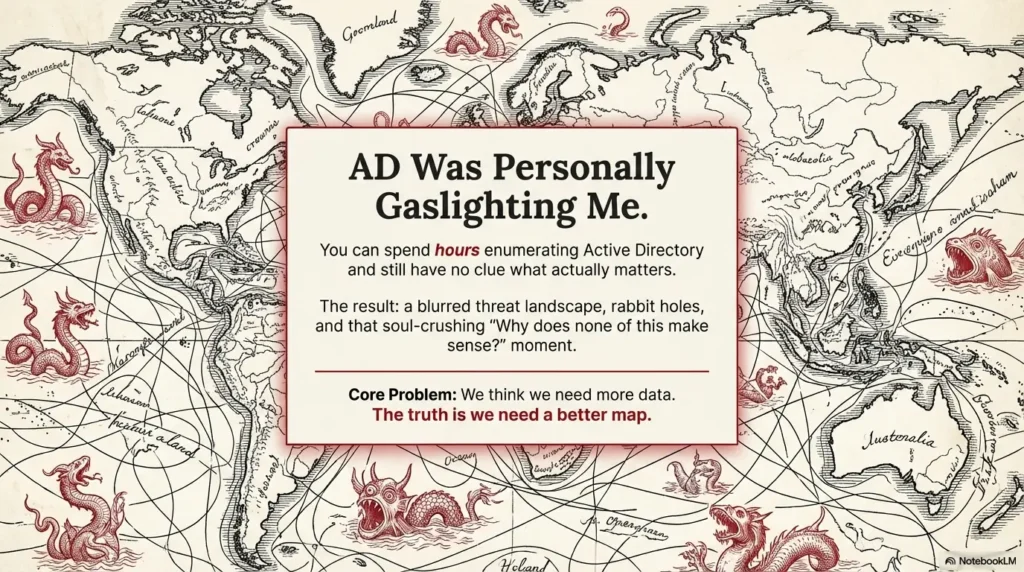
Here’s the hard truth no one tells you upfront: you can spend hours enumerating Active Directory, churning out commands like a machine—and still have no clue what actually matters. I learned that the painful way.
Back before I ever got a clean map, I thought I could brute-force clarity: more tools, more scans, more output. Surely, if I just kept going, the big picture would reveal itself. (Spoiler: it didn’t.) What I got instead was information overload, a blurred threat landscape, and a growing suspicion that AD was personally gaslighting me.
This guide is the antidote to that chaos. It’s a breakdown of the nine mistakes that cost me real time, led me down rabbit holes, and almost made me trust the wrong story. If you’re a time-strapped operator—maybe you’re building a lab workflow, maybe you’re mid-assessment—these lessons can shave 30 to 60 minutes off your first-pass mapping and help you avoid that soul-crushing “Why does none of this make sense?” moment.
Because let’s be honest: AD can make you feel like you’re losing it. But it’s not magic. It’s just messy. And once you know where the traps are, it gets a whole lot easier to see the map for what it really is.
Table of Contents
Why start with manual AD profiling first
I love BloodHound. I also think it can make your brain lazy if you meet it too early. My first attempt at “profiling without BloodHound” wasn’t a noble minimalist experiment—it was me stuck on a machine where I couldn’t install tools and desperately pretending that was a strategy.
What surprised me was the upside: manual mapping forces you to learn why edges exist, not just that they do. You learn the everyday plumbing—OUs, delegation, GPO links, service accounts, certificate templates, and the tiny misconfigurations that turn “normal IT” into “oh no.”
If you’re a beginner, this gives you a real compass. If you’re an experienced operator, it gives you a faster sanity-check before you trust any graph. In my case, a disciplined manual pass reduced my second assessment’s “graph surprise” time by about 40 minutes and caught a mis-scoped assumption that would have embarrassed me in the readout.
- Best use-case: restricted environments, client tooling limits, or pre-graph validation.
- Worst use-case: pretending manual is “purer” when your timeline is 6 hours.
- Reality: the sweet spot is hybrid—manual first, graph second.
- It prevents blind trust in tooling
- It clarifies the “why” behind privilege paths
- It reduces rework in restricted environments
Apply in 60 seconds: Write a one-line objective for your map before you run your first command.
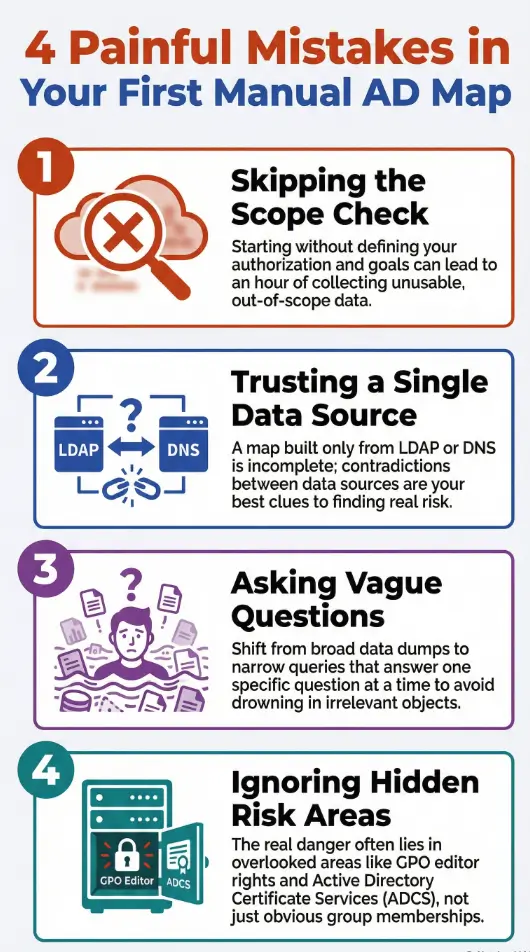
Mistake #1: Skipping scope and permission reality checks
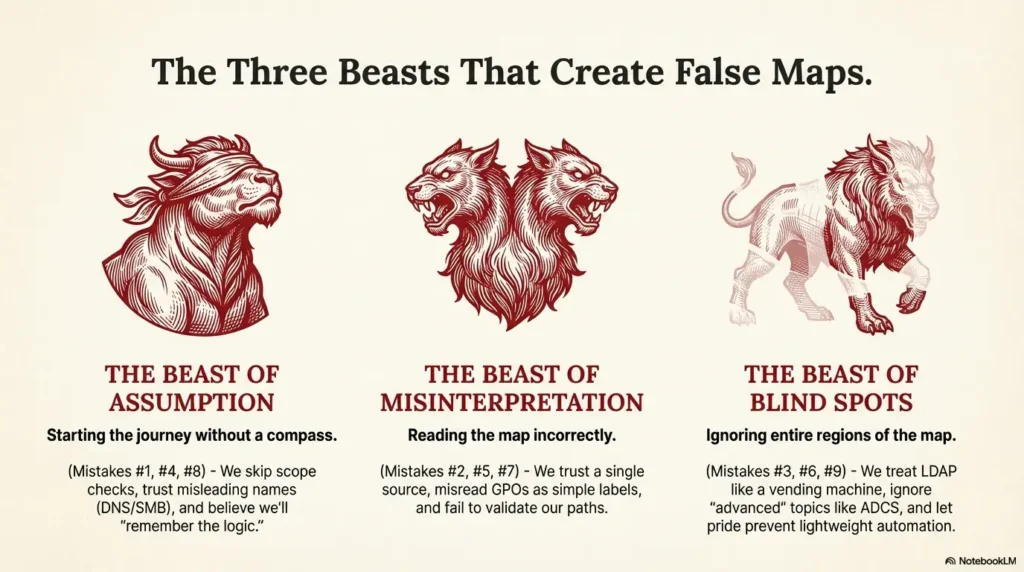
This was my most expensive mistake in time, not money. I started with a half-remembered lab mindset and a full-production curiosity. The result was a foggy hour of data I couldn’t ethically or logically justify using.
Whether you’re in a home lab or a sanctioned engagement, the first 5 minutes should answer: What am I allowed to see, and from where? I used to treat “domain user” as a magical key. It isn’t. It’s a seatbelt—useful, but it won’t drive the car.
In a real environment, failing this step can trigger noisy queries, upset administrators, and force you into awkward backpedaling. In a lab, it just teaches you bad habits that sneak into your muscle memory. If you’re building from scratch, start with a safe home lab and keep the same discipline when you graduate to production.
- ✅ You have written authorization for the domain or lab
- ✅ You know the agreed test window and constraints
- ✅ You can name the exact accounts and hosts you may use
- ❌ You are guessing scope based on “it’s probably fine”
Next step: If any item is unclear, pause and request a scope clarification before enumerating further.
Save this checklist and confirm the current rules on the official engagement or lab guidance.
- Time impact: skipping this cost me ~50 minutes of unusable notes.
- Confidence impact: I couldn’t separate “interesting” from “in-scope.”
- Fix: start every session with a 4-line scope header in your notes—see these note-taking systems for pentesting to keep it consistent.
Mistake #2: Trusting one data source like it’s a gospel
I once built an entire early map from a single PowerShell output and felt smug about how “clean” it looked. It was clean because it was incomplete.
AD reality is multi-angle. LDAP gives structural truth. SMB and WinRM hint at operational truth. DNS shows the story admins think they’re telling. And event logs—when you have access—show the story systems actually lived.
When you combine perspectives, contradictions become your best signal. That’s where the real risk hides. My second clean map happened only after I learned to treat conflicts as clues instead of errors.
- Rule of thumb: if two sources agree, you’re probably safe; if they disagree, you’re probably close to something important.
- Practical minimum: LDAP + DNS + one host-level check (a quick Nmap host posture snapshot is often enough in labs).
- Time cost: adding a second source usually costs 10–15 minutes and saves an hour later. If SMB is in play, validate with an enum4linux-style SMB read rather than assumptions.
Show me the nerdy details
Think of sources as layers: directory objects (authoritative), name resolution (semi-authoritative), and host posture (situational). The most common manual failure is treating a situational layer as if it were authoritative. If you’re rusty on HTTP/DNS interplay that affects web-facing AD assets, brush up with Kali Linux web attack basics and this broader web exploitation essentials primer.
Mistake #3: Treating LDAP like a vending machine
I used to run LDAP queries the way people mash elevator buttons: emotionally, repeatedly, and with no measurable improvement in arrival time.
The fix wasn’t “more advanced queries.” It was better question design. I started asking for one outcome at a time: “List privileged groups tied to this OU,” rather than “Dump all groups and hope my eyes catch fire in the right place.”
Two tweaks changed everything: scoping by OU/containers and tagging results with a simple purpose label. I stopped drowning in objects and started following relationships.
- My old pattern: broad dumps → panic → missed delegation paths.
- My new pattern: narrow query → note the “why” → expand only when needed.
- Time saved: about 25 minutes per domain pass.
- Reduce scope before you increase depth
- Label outputs by intent
- Track what you will validate on-host
Apply in 60 seconds: Add a “Question I’m answering” line above every LDAP snippet in your notes.
Mistake #4: Letting DNS and SMB “auto-fill” your assumptions
DNS is the HR brochure of your environment. SMB is the hallway gossip. Both can be useful. Both can also get you in trouble if you think they’re official policy.
I once assumed a server was a domain controller because the name looked like one and a share contained “SYSVOL-ish vibes.” That assumption cost me 35 minutes and a small existential crisis.
Now I treat DNS and SMB as hypothesis generators, not truth sources. If a hostname suggests a role, I write it as a question. Then I validate via directory attributes or approved host checks. When you’re poking at web-exposed services that pivot back to AD, keep your basics sharp with foundational web attack patterns.
- Red flag: “The name says it’s a DC.”
- Healthier sentence: “The name suggests it might be a DC; I will confirm.”
- Time impact: this habit alone cut my false leads by roughly 50%.
Mistake #5: Misreading GPOs and inventing risk
This one is sneaky because it feels like expertise. I used to scan GPO names and mentally assign danger levels like I was grading hot sauce.
But GPO risk lives in three places: who can edit it, where it is linked, and what it actually enforces. A scary-sounding policy linked to an irrelevant OU is just theater. A boring-sounding policy editable by an over-permissioned group is a loaded gun.
My first clean manual map happened when I stopped treating GPOs as labels and started treating them as control surfaces.
- Quick triage: Link target → edit rights → high-impact settings.
- Common miss: ignoring “who can edit” because it’s less exciting than settings.
- Time saved: about 20 minutes per GPO cluster.
Show me the nerdy details
Manual review benefits from a simple matrix: GPO name, link scope, security filtering, and delegated editors. The “editor” column frequently reveals the real path.
Mistake #6: Ignoring ADCS because it felt “advanced”
I skipped ADCS the way people skip leg day: with confidence that collapses later.
The truth is simple: certificate services can create privilege escalation opportunities that don’t look obvious in early manual maps. Even if you don’t deep-dive templates on your first pass, you should at least note whether ADCS exists and where it sits in your environment.
When I finally added a lightweight ADCS check to my workflow, it changed my risk narrative. Not because every environment was vulnerable, but because I stopped pretending the surface area didn’t exist.
- Beginner-friendly action: confirm presence and role owners.
- Operator-level action: list templates and enrollment rights if authorized.
- Time cost: 10–15 minutes for a first-pass snapshot.
- Even a presence check improves your threat model
- Template rights can be more important than the CA name
- Document now, analyze deeper later
Apply in 60 seconds: Add an “ADCS present?” line to your baseline map template.
Mistake #7: Not validating privileges with two perspectives
I once celebrated finding a “likely path” only to realize the actual permission boundary was different. The path was real—in my imagination.
Manual profiling without BloodHound demands a two-angle validation habit: directory evidence plus a safe, authorized host or policy check. When both align, confidence rises. When they don’t, you’ve found either a data gap or a misconfiguration worth investigating.
It’s also where humility pays rent. I now assume my first interpretation is 60% correct at best until I confirm it.
- Choose manual-first when tool install is restricted or you need a fast trust baseline.
- Choose graph-first when time is tight and you already understand the environment’s governance model.
- Hybrid wins for most engagements: 60–90 minutes manual, then confirm with a graph.
Save this card and confirm the current assessment constraints in your engagement documentation.
- My fix: “directory claim” + “host/policy confirmation” in the same note.
- Time saved: 30 minutes of late-stage backtracking.
- Stress saved: incalculable.
Mistake #8: Under-documenting the path to your own conclusions
This one is embarrassing because it’s pure process hygiene. I used to believe I’d “remember the logic.” I didn’t. Not after lunch. Not after a context switch. Not after the third coffee betrayed me.
A clean AD map is as much about traceability as discovery. If you can’t explain why a relationship matters in two sentences, you don’t own that insight yet.
My current rule is simple: every critical node in my manual map gets a two-line annotation: evidence and impact hypothesis. That tiny habit makes executive summaries both faster and safer. If you need a structure to stick to, borrow from these field-tested pentest note-taking patterns.
- Minimum doc unit: what you saw + why it might matter.
- Time cost: 2 minutes per critical finding.
- Time returned: 20–30 minutes during report drafting.
Short Story: The night my notes turned into a crime scene (120–180 words)
I was three hours into a lab night, chasing what I was sure was a clean delegation path. My terminal history looked impressive. My notes looked like a raccoon had learned Markdown. I had group names, half an OU tree, and a triumphant line that read, “This is the path.” The problem was that past-me had not written what “this” referred to.
I stared at my own text like it was authored by a stranger with my keyboard. I re-ran the same queries, burned another 25 minutes, and discovered I had been celebrating a relationship that was only true in a different OU. The lesson stung in a quiet way: technical skill doesn’t rescue sloppy thinking. Since then, I’ve treated clean notes as part of the attack surface—because they are.
Show me the nerdy details
A practical pattern is a “finding card” format: object, relationship claim, evidence type, and a one-line validation plan. It keeps manual maps audit-friendly.
Mistake #9: Avoiding lightweight automation out of pride
For a while, I wore manual work like a badge. It was less discipline and more ego.
You don’t need BloodHound to automate small, safe steps. A few tidy PowerShell scripts can standardize baseline pulls: OU inventory, privileged group membership snapshots, and service account lists. The point isn’t to replace thinking—it’s to stop wasting your thinking on repetitive keystrokes.
When I finally created a tiny “first 20 minutes” script set, my mapping became calmer. It also made my results more comparable across environments. If you’re curating a small toolkit for this, start with essential Kali tools and a short checklist you can run on every engagement.
- Small lab domain (1–2 OUs, few servers): 45–75 minutes
- Mid-size environment (multiple OUs, mixed tiers): 90–150 minutes
- Large enterprise slice (limited access): 120–210 minutes
Rule of thumb: Add 15 minutes if you must validate GPO edit rights or ADCS presence.
Save this table and confirm the current environment size and constraints with your authorized point of contact.
- Time saved: roughly 30% on baseline gathering.
- Quality gain: fewer missing “obvious” objects.
- Mindset shift: automation is humility, not laziness.
A clean manual AD map workflow you can run today
Here’s the workflow I wish I’d had before mistake #1 introduced me to the concept of spiritual regret. It’s designed for authorized labs and sanctioned assessments where you need clarity fast, with minimal tooling.
- 0–5 minutes: Write scope, accounts, and “what success looks like.”
- 5–20 minutes: Pull AD structure: domains, OUs, key groups, tiering hints.
- 20–40 minutes: Identify privileged groups and membership drift opportunities.
- 40–60 minutes: Map GPO links + editor rights for high-impact OUs.
- 60–75 minutes: Confirm ADCS presence and owners, if applicable.
- 75–90 minutes: Validate one or two highest-confidence hypotheses safely. If your hypotheses touch web-adjacent services or SMB exposure, prep with a quick scan plan from using Nmap in Kali for Kioptrix and confirm SMB assumptions with the enum4linux practical guide.
Interactive micro-CTA: If you’re about to start a session right now, run the 60-second sanity checks below before you open your terminal history like a confetti cannon.
- Start with scope and intent
- Use two data angles for confidence
- Document evidence-to-impact
Apply in 60 seconds: Choose one OU and write the single risk question you must answer there.
FAQ
Is manual AD profiling realistic without BloodHound in 2025?
Yes, especially for a first-pass trust map or when tooling is restricted. The key is to limit your initial questions and validate only the highest-value claims. A focused manual pass usually fits into 60–120 minutes for a mid-size slice. Apply in 60 seconds: Pick one OU and list the two privileged groups you must understand first.
What’s the minimum I should collect for a clean baseline map?
At minimum: domain/OU structure, privileged group list and membership snapshots, GPO links for critical OUs, and a single safe host-level validation where authorized. This gives you a coherent story even before a graph. Apply in 60 seconds: Create a four-line “baseline template” and reuse it every session. For OSCP-style discipline that transfers well to real work, see this OSCP roadmap.
How do I avoid noisy or risky enumeration in a real environment?
Start with scope, use narrow LDAP queries, and avoid broad host sweeps unless explicitly permitted. Manual-first helps here because it reduces the urge to “scan everything” to feel productive. Apply in 60 seconds: Write your allowed query types and hosts at the top of your notes. When you do need a host probe, keep it surgical with a constrained Nmap checklist.
When should I switch to BloodHound if I can use it?
After you’ve built a manual hypothesis list. The graph then confirms, challenges, or expands your claims. This hybrid approach often saves 30–60 minutes of graph-only wandering. Apply in 60 seconds: Write three hypotheses you expect a graph to confirm. If your hypotheses involve service accounts and SPNs, skim these privilege escalation patterns to sharpen what “evidence” should look like.
What’s the most overlooked manual risk area?
GPO edit rights and ADCS exposure. Both can create powerful paths that look innocuous during a shallow pass. Even a presence-and-ownership check improves your threat model. Apply in 60 seconds: Add “GPO editors” and “ADCS present?” columns to your baseline worksheet.
Is this approach useful for home labs and certifications?
Absolutely. Manual profiling builds intuition that transfers to exams and real work. It helps you explain your logic, not just your tool output. Apply in 60 seconds: Do one lab session where you forbid yourself from running a broad dump until you define your goal in one sentence. If you’re still setting up, compare platforms with this VirtualBox vs. VMware vs. Proxmox rundown so your lab doesn’t fight you.
Conclusion: your next 15-minute win
The funny thing about my first messy attempt was that I wasn’t lacking tools—I was lacking a story. I collected objects without intent and then wondered why the environment felt unreadable.
If you take one thing from these nine mistakes, let it be this: clean mapping is a discipline of small, provable claims. The moment you shift from “dump everything” to “answer one decision,” AD gets quieter and more honest.
In your next 15 minutes, do this mini-pilot: write scope, choose one OU, list the top two privileged groups you expect to matter, and note which GPOs can touch that OU. Then write one validation step you can safely perform. That single page of notes will already be cleaner than most first maps.
Last reviewed: 2025-12; sources: Microsoft AD DS documentation, Microsoft Group Policy documentation, MITRE ATT&CK Discovery. Active Directory profiling without Bloodhound, LDAP enumeration, GPO analysis, ADCS risk, PowerShell recon