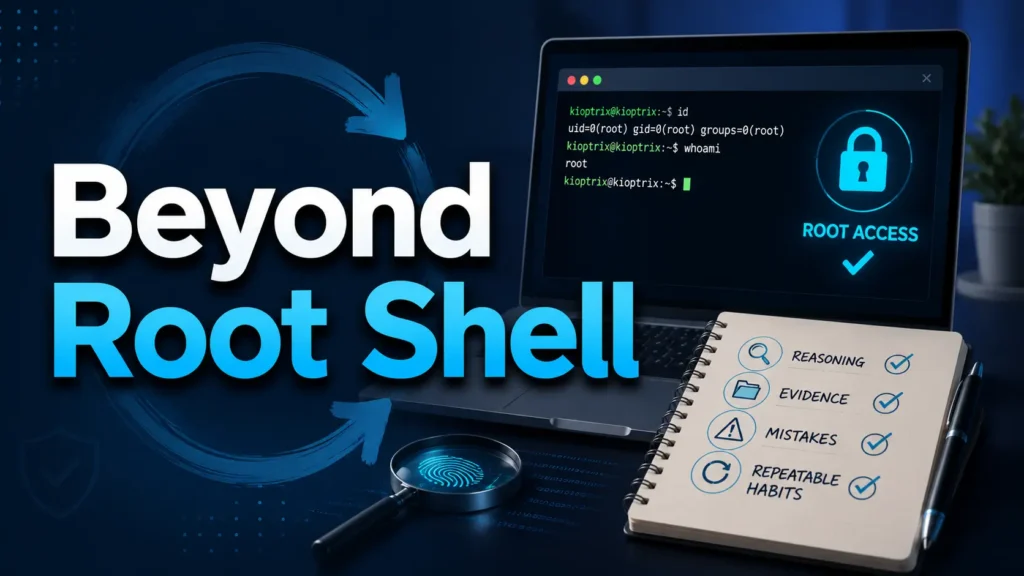
Beyond the Root Shell: Retaining the Lesson
You can finish a Kioptrix box, see root, feel the little victory bell ring in your skull, and still lose half the lesson by dinner. That is the quiet problem with beginner lab practice: the shell feels memorable, but the thinking evaporates.
Best personal review questions after a Kioptrix Level session are not about polishing a heroic walkthrough. They help you reconstruct your reasoning, test your evidence, notice where enumeration changed the case, and turn a legal lab session into repeatable cybersecurity skill. Without that review, you risk collecting commands the way a kitchen drawer collects mystery keys: impressive weight, uncertain purpose.
This guide gives you a practical post-session debrief system for legal CTF and home-lab practice. It is built around reflective questions, note quality, scope awareness, tool judgment, and the small habits that make future labs less chaotic.
Not just “What worked?”
Also “Why did it work?”
And the sharper one: “Could I explain it tomorrow?”
- ✓ Use better review questions after getting root.
- ✓ Separate evidence from guesswork before writing notes.
- ✓ Build a reusable learning loop for future Kioptrix sessions.
- ✓ Keep practice legal, bounded, and professionally useful.
The Post-Root Review Loop
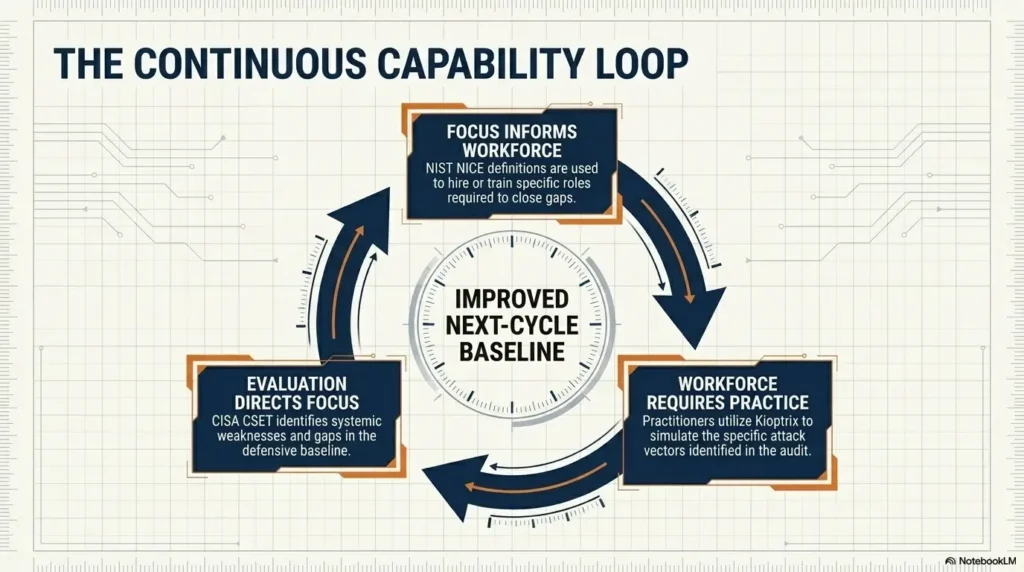
A Kioptrix session does not really end when you get root. It ends when you can name the path, the evidence, the mistake, the tool choice, and the one habit you will carry into the next lab.
Rebuild the timeline.
Separate facts from guesses.
Turn lessons into habits.
Test the pattern legally.
Table of Contents
Safety / Disclaimer Block
Kioptrix-style practice belongs inside intentionally vulnerable lab environments you own, control, or have explicit written permission to test. Keep your work inside the game fence. That fence is not decoration. It is the difference between learning and creating a legal migraine with blinking lights.
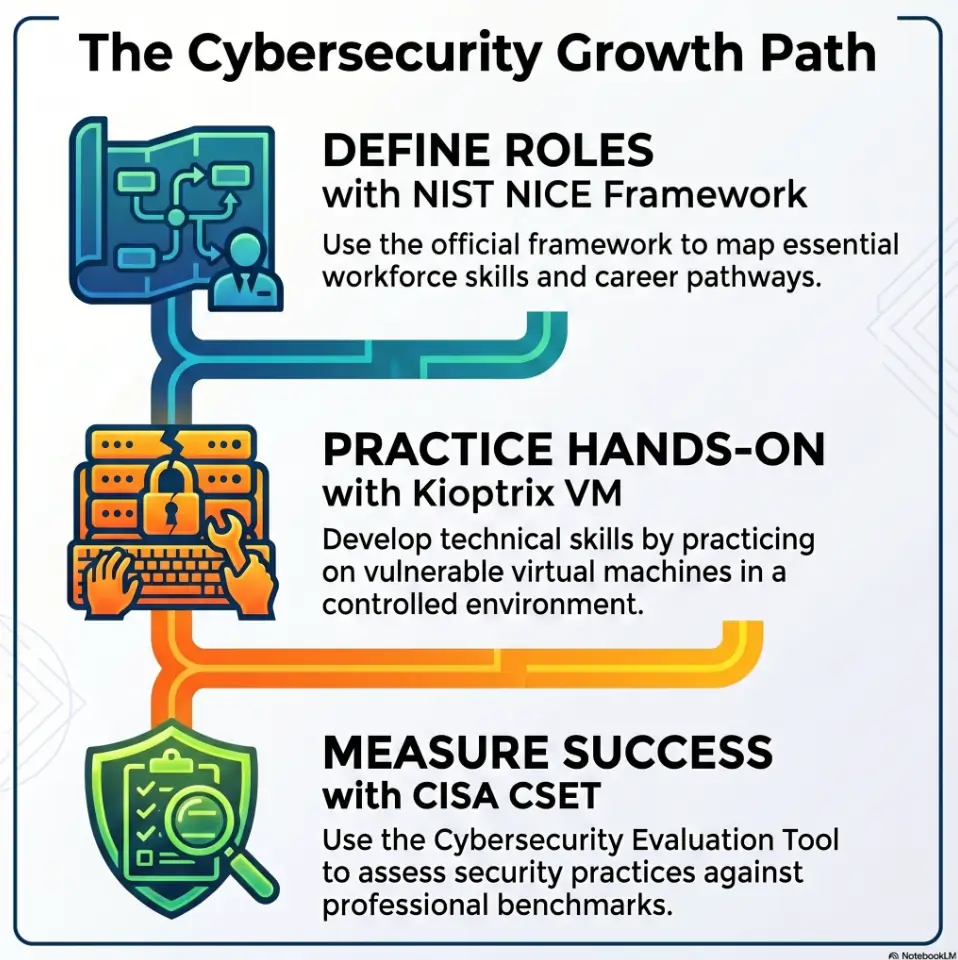
VulnHub describes Kioptrix as a vulnerable virtual machine challenge intended for learning basic vulnerability assessment and exploitation techniques in a lab setting. That matters because the same curiosity that builds skill can cause harm when pointed at real systems without authorization.
For career growth, frame your review around knowledge, skills, and work habits. The NIST NICE Framework is useful because it organizes cybersecurity work into common tasks, competencies, and skills used in education and workforce planning.
Use this article as a learning and documentation guide, not as permission to test anything outside your own authorized lab.
Who This Is For, And Who Should Skip It
This guide is for the learner who has just finished a Kioptrix Level session and feels the lesson sliding away. Maybe you have a screenshot, a root shell, and a vague memory of “I tried some stuff.” That is a start, not a system.
It is also for OSCP-style note builders who want a better debrief habit before moving into harder labs. A good review routine turns a messy evening into a portable method. A weak one turns three hours of work into a foggy campfire story.
For learners who finished a Kioptrix box but feel the lesson slipping away
The most useful time to review is soon after the session, while your frustration, surprise, and decision points are still warm. You do not need a perfect report. You need a truthful reconstruction.
Start with questions like:
- What did I think the box was asking me to notice?
- Which clue did I not understand at first?
- Where did I change my hypothesis?
- What would I do faster if I repeated the session cold?
For OSCP-style note builders who want better debrief habits
If you are building exam-style discipline, your post-session review should train reproducibility. Could another version of you follow the same trail without guessing? Could you identify the command that mattered, the output that mattered, and the reason it mattered?
For a related note structure, you can build from a Kioptrix lab notes system and then layer the review questions in this guide on top.
Not for shortcut hunters collecting commands like souvenir spoons
Command lists can help, but command collecting is not learning by itself. The question is not “Did I run the famous thing?” The better question is “What uncertainty did this command reduce?”
Not for testing real systems without written permission
Do not blur the lab boundary. If a technique worked in Kioptrix, that does not make it acceptable elsewhere. Real systems carry real owners, users, logs, contracts, and consequences.
- Review soon after finishing the lab.
- Focus on decisions, not just commands.
- Keep authorization visible in your notes.
Apply in 60 seconds: Add one line to your notes: “This was performed only in my authorized Kioptrix lab.”
Start With the First Five Minutes: What Did You Notice Before Tools Took Over?
The first five minutes of a lab session are strangely honest. Before the terminal fills with output, you still have a clean mental room. Then tools arrive, banners parade, ports wink, and suddenly your attention becomes a shopping cart with one squeaky wheel.
Reviewing those first moments helps you understand your starting assumptions. Did you observe the target carefully, or did muscle memory take over? Did you form a hypothesis, or did you begin throwing commands like confetti at a ceiling fan?
Which clue shaped your first hypothesis?
Write down the first thing that made you lean in one direction. It might have been an open service, an old version banner, a default page, a hostname, or even a missing result.
Good review question:
- What was the first clue that changed my attention?
- Did that clue deserve priority, or did I overreact?
- What alternate explanation did I ignore?
What did the network feel like before you labeled it “easy” or “hard”?
Labels arrive too early. A beginner sees three open ports and thinks “easy.” Another sees noisy scan output and thinks “impossible.” Both may be wrong.
Instead of rating difficulty, describe uncertainty. “I saw HTTP and SMB, but I did not know yet which one had the best evidence.” That sentence is worth more than “Box looked medium.” It keeps your mind flexible.
Did you observe, or did you rush?
Rushing is common, especially after a long workday. The cursor blinks. Your coffee gets colder. Your brain wants a win. But observation is a skill, not a mood.
Use one blunt question:
Did I spend at least three minutes reading the initial facts before launching into habit?
Pattern interrupt: Be honest, did autopilot drive the keyboard?
Autopilot feels efficient until it sends you down a familiar wrong road. If you ran your usual scan, your usual web checks, and your usual exploit search without naming why, mark it. No shame. Just evidence.
Cybersecurity learning improves when you can say, “This was routine, this was reasoned, and this was pure raccoon energy.” Only one of those scales cleanly.
Money Block: 5-Minute Replay Checklist
Use this yes/no check right after a session, before you clean up your notes.
| Question | Yes / No | Next step |
|---|---|---|
| Can I name my first hypothesis? | Yes / No | If no, write the first clue you remember. |
| Can I identify the first useful output? | Yes / No | If no, review scan and service notes. |
| Can I explain why I chose the path I chose? | Yes / No | If no, label that step as guesswork. |
Neutral action: Keep the checklist beside your terminal and answer it before opening a walkthrough.
Rebuild the Enumeration Trail Before Memory Edits the Crime Scene
Memory is a charming liar. After a successful lab, your brain edits the trail into a cleaner movie. The pauses disappear. The wrong turns vanish. The final exploit looks inevitable, wearing a neat little hat.
That is why enumeration review matters. It restores the messy truth. What did you actually find? What did you miss? Which result changed direction?
Which scan result mattered most, and why?
A scan result is not valuable because it exists. It is valuable because it changes what you do next. In your review, identify the one scan finding that created the most useful next question.
For example:
- An open web port may ask, “What application or default page is exposed?”
- An SMB service may ask, “Can I enumerate shares, users, or version clues?”
- A strange service may ask, “Is this expected, old, misconfigured, or merely noisy?”
If you want to sharpen the front half of your process, a dedicated Kioptrix enumeration routine can keep your review from becoming a post-hoc scrapbook.
Which open service did you ignore too long?
Every learner has a favorite door. Some run toward HTTP. Some sprint toward SMB. Some see SSH and begin bargaining with the universe. Your review should reveal your bias.
Ask:
- Which service did I investigate first?
- Which one did I avoid?
- Was that avoidance based on evidence or discomfort?
What version, banner, path, or behavior changed the direction?
Small details carry heavy luggage. A version banner, a directory listing, a default page, a login behavior, or an error message may matter more than the loudest scan result.
Write the exact clue in your notes. Do not write “old Apache maybe useful.” Write the version, path, behavior, and why it mattered. Future-you deserves more than crumbs.
What would a clean enumeration checklist have caught sooner?
After the box, compare what you did against a calm checklist. Not to scold yourself, but to find missing habit loops. Did you skip banner grabbing? Did you fail to revisit a service after new information appeared? Did you forget to save raw output?
A recon log template for Kioptrix can make this easier because it preserves the order of discovery instead of only the glamorous ending.
Show me the nerdy details
Good enumeration review separates discovery from interpretation. Discovery records what the target exposed: ports, services, versions, paths, response codes, shares, banners, and behaviors. Interpretation records what those facts suggested at the time. Keeping those layers separate reduces hindsight bias. It also helps you compare tool output. If two tools disagree, your review should note which command, flag, timing, and network condition produced each result. In older vulnerable labs, service banners may be stale, incomplete, or misleading, so the stronger habit is to treat banners as clues, not verdicts.
Separate Evidence From Guesswork Before the Write-Up Gets Pretty
A finished write-up can look calm enough to sip tea beside a window. The actual session may have been twelve tabs, three bad assumptions, and one triumphant noise that startled the chair. Your review should protect the truth before the prose gets polished.
What did you know versus what did you assume?
Make two columns: Known and Assumed. This is simple, slightly humbling, and very effective.
Known facts might include:
- A port was open.
- A service responded with a specific banner.
- A path returned a specific status code.
- A credential, exploit, or behavior worked in the lab.
Assumptions might include:
- The service was vulnerable because it was old.
- A directory was important because it looked unusual.
- A failed tool result meant the path was useless.
- A command failed because the target was patched, not because your syntax was wrong.
Which exploit choice had actual support?
Do not review exploitation as a magic leap. Ask what evidence supported the choice. Was there a version match? A configuration clue? A known behavior? A reproducible manual test?
If the answer is “I copied something because a forum post sounded confident,” write that down too. It is not a confession booth. It is a training log.
Which step was “vibe-based security research”?
Every learner does it. You stare at output, squint, and feel that one path might work because the moon is in a persuasive mood. The issue is not having intuition. The issue is failing to label intuition as intuition.
Try this sentence:
“At this point, I guessed because I had not yet proven X.”
That single line is a lantern. It shows where your method needs a bridge.
Curiosity gap: The tiny clue that probably deserved a bigger note
After the session, identify one clue that seemed small at first but later mattered. This trains attention. Many labs reward the learner who notices quiet inconsistencies: an old software hint, a strange permission, a response that changes when you alter one input.
- Evidence is observed and recordable.
- Assumption is plausible but unproven.
- Experiment is a test designed to reduce uncertainty.
Apply in 60 seconds: Add “Known / Assumed / Tested” headings to your next Kioptrix note.
Find the Moment the Box Opened: What Was the Real Pivot?
Every successful Kioptrix session has a hinge. Sometimes it is technical: a version clue, a service behavior, a privilege escalation path. Sometimes it is procedural: you finally stopped bouncing and returned to enumeration. Sometimes it is emotional: you took a breath instead of bulldozing into another rabbit hole.
Your review should locate that hinge.
Was the breakthrough technical, procedural, or emotional?
Breakthroughs often wear technical costumes, but the real change may be behavioral. Maybe you got unstuck because you wrote a timeline. Maybe you restarted your notes. Maybe you asked, “What do I actually know?” and the fog stepped aside.
Use three labels:
- Technical: A specific vulnerability, misconfiguration, or service behavior.
- Procedural: A change in method, order, documentation, or testing.
- Emotional: A change in patience, focus, or frustration control.
Did privilege escalation depend on a missed basic?
Privilege escalation in beginner labs often teaches simple discipline: check users, permissions, kernel information, writable paths, cron jobs, SUID files, and service context. If the root path depended on a basic step you skipped, that is valuable.
You can compare your habits against a Kioptrix Level 1 privilege escalation checklist without turning it into a copy-paste ritual.
Which command gave you information, not just noise?
A noisy command can feel productive. The terminal scrolls, your eyes widen, and suddenly the room has theater lighting. But useful output narrows the next step.
Review the command that actually changed your direction. Then write the reason:
- It confirmed a service version.
- It exposed a path.
- It showed permission context.
- It contradicted an assumption.
- It revealed that your previous path was weak.
What would you teach someone else about this turning point?
If you cannot teach the turning point, you may not fully own it yet. Try explaining it in four sentences:
- What I saw.
- What it suggested.
- How I tested it.
- What I would do next time.
Short Story: The Port That Waited Quietly
A learner once finished a Kioptrix session after two nights of circling the web service like a moth with a certification goal. HTTP felt familiar, so every clue became a web clue. The notes filled with directories, response codes, and little sighs. On the third pass, the learner reread the original scan and noticed an SMB result that had been copied into the notes but never truly investigated. Ten minutes later, that quiet service changed the entire session.
The lesson was not “SMB is always the answer.” That would be too tidy, and labs dislike tidy myths. The lesson was that attention has habits. Familiar tools can become magnets. A review question caught the pattern: “Which open service did I ignore because I did not want to think about it?” That question became a permanent checkpoint, written near the top of every future lab note.
Common Mistakes: Don’t Let Root Access Rewrite the Story
Root access is loud. It bangs a tiny gong in the brain and tries to convince you the whole session made perfect sense. Do not let it rewrite the story. Your mistakes are not stains on the lab. They are the map of where learning actually happened.
Mistake 1: Treating success as proof of understanding
Getting root proves you completed a path. It does not prove you understood the path. You can arrive at the right door by method, luck, walkthrough gravity, or one command copied from a dusty corner of the internet.
Ask:
- Could I repeat the path without looking?
- Could I explain why each major step mattered?
- Could I recognize a similar clue in another lab?
Mistake 2: Copying commands without naming the decision
A command without a decision is a spell. It might work, but it does not teach much. Add one sentence before or after important commands: “I ran this to test whether…”
That sentence turns a command log into a thinking log.
Mistake 3: Skipping failed paths because they feel embarrassing
Failed paths are premium learning material. They show what you believed at the time. They also reveal weak detection rules, tool misunderstandings, and fatigue decisions.
If you want a focused method for this, build a separate Kioptrix dead ends review so failed paths do not disappear into emotional compost.
Mistake 4: Writing a walkthrough instead of a learning record
A walkthrough shows the clean path. A learning record shows your path. Both can be useful, but they serve different jobs.
Your personal review should include:
- What you tried first.
- Where you got stuck.
- What changed your mind.
- What you would do differently.
- Which habit should become permanent.
Mistake 5: Forgetting scope, permission, and lab boundaries
Always keep scope in the notes. It may feel obvious in a home lab, but the habit matters. Professional cybersecurity work lives on authorization, documentation, and boundaries. Build the habit while the stakes are low.
Money Block: Walkthrough vs Learning Record Decision Card
| Choose this | When you need | Trade-off |
|---|---|---|
| Walkthrough | A clean sequence someone else can follow. | May hide your confusion and false starts. |
| Learning record | Personal improvement and repeatable habits. | Less polished, more honest. |
| Hybrid note | Portfolio practice plus self-review. | Requires clear labels. |
Neutral action: Label your next note as “walkthrough,” “learning record,” or “hybrid” before writing.
Ask Better Tool Questions: What Did Each Tool Actually Do For You?
Tools are useful, but they are not mentors. A tool can show you output. It cannot tell you whether you understood the question. That part is still yours, tiny crown and all.
After a Kioptrix session, review each tool through the question it answered. This prevents tool worship and reduces the beginner habit of running everything because everything is installed.
What question was the tool supposed to answer?
Before recording a tool result, write the question. For example:
- Nmap: “What services are exposed, and how might I prioritize them?”
- Nikto: “Does the web server show common misconfigurations or known risky paths?”
- Gobuster or Dirb: “Are there hidden web paths worth investigating?”
- SMB tools: “Can I gather share, user, host, or version clues?”
If you used more than one recon tool, a comparison such as Nikto vs Nmap scripts in older labs can help you review overlap without pretending every scan result has equal weight.
Did the output reduce uncertainty or create more?
Good output reduces uncertainty. Ambiguous output creates a new question. Bad output creates confidence without support, which is the most dangerous little gremlin in the drawer.
In your review, mark output as:
- Confirming: supports a clear next action.
- Contradicting: challenges your assumption.
- Ambiguous: needs another test.
- Noisy: interesting but not useful yet.
Which flag did you use without understanding?
This question is especially valuable. If a flag appears in your notes and you cannot explain it, write a small follow-up task. Do not shame yourself. Flags are tiny trapdoors. Everyone has fallen through one.
Example review line:
“I used aggressive service detection here, but I need to review what the flag actually changes and when it may create misleading confidence.”
Pattern interrupt: The tool is not the mentor, it is the flashlight
A flashlight helps you see the hallway. It does not decide which door matters. Your review should show where the tool illuminated facts and where you made the decision.
- Name the question before the output.
- Mark whether the output helped.
- Save unclear flags for study.
Apply in 60 seconds: Add “Question this tool answered:” above your next scan result.
Review Your Notes Like a Future Stranger Will Read Them
Your future self is a stranger with your face and less patience. They will not remember why you skipped a port, why a command failed, or why one screenshot mattered. Write for that person.
Could you reproduce the session from your notes alone?
Try this test the next day: open only your notes and ask whether you could rebuild the major path. You do not need every keystroke, but you do need the decision chain.
A strong note includes:
- Lab name and scope.
- Network setup basics.
- Target discovery.
- Enumeration findings.
- Evidence for exploit choices.
- Privilege escalation path.
- Failed paths and why they failed.
- Final lessons and reusable checklist items.
For deeper structure, combine this with Kioptrix documentation habits so your notes do more than decorate a folder.
Where did timestamps, screenshots, or command output matter?
Screenshots should not be wallpaper. Use them when they prove a result, preserve a fragile state, or help you explain a decision later. If you take fifty screenshots and cannot find the one that matters, the screenshot folder has become a raccoon nest with PNGs.
A simple Kioptrix screenshot organization pattern can keep evidence connected to the step it supports.
Which paragraph would confuse you three weeks from now?
Find the vaguest paragraph in your notes. It probably contains words like “then I tried some stuff” or “eventually worked.” Rewrite it before the fog hardens.
Better version:
“After the initial web path produced no useful login or upload behavior, I returned to SMB enumeration because the earlier scan showed a service I had not fully tested.”
Curiosity gap: The missing sentence that would save your future self
Every session has one missing sentence. It explains the reason behind the turn. Find it and write it.
Useful missing sentences sound like:
- “I stopped testing this path because the error showed my assumption was wrong.”
- “This output mattered because it confirmed the service family.”
- “I should have revisited this result after finding the hostname.”
Money Block: Future-Stranger Note Score
Score each item from 0 to 2. A score under 7 means your notes may not survive next week.
| Note quality item | 0 | 1 | 2 |
|---|---|---|---|
| Scope and lab setup are clear | Missing | Partial | Clear |
| Key findings are tied to evidence | No | Sometimes | Yes |
| Failed paths are preserved | No | A few | Useful detail |
| Next-session lesson is explicit | No | Vague | Actionable |
Neutral action: Score one finished lab note and improve the lowest item first.
Turn Failure Paths Into Skill Signals
Failed paths are not waste. They are diagnostic ink. They reveal how you think under uncertainty, what you over-trust, what you avoid, and when fatigue starts steering.
Which dead end taught you the most?
Pick one failed path and write why it was reasonable at the time. This keeps review fair. Some dead ends are not foolish. They are experiments that returned “not this.”
Ask:
- What evidence made this path seem plausible?
- What result weakened it?
- How long did I stay after the evidence turned cold?
What did you try because it was logical?
Logical attempts deserve respect, even when they fail. They show you can form a hypothesis and test it. Keep them in your notes because they help future-you understand the boundaries of the target.
What did you try because you were tired?
This question is quietly powerful. Tired testing has a flavor: repeated commands, sloppy syntax, tool hopping, and the sudden belief that one more tab will heal everything.
When you identify tired testing, write a rule. For example:
“After two repeated failed attempts, I stop and write the next question before running another tool.”
How would you detect the same false path earlier next time?
The goal is not to avoid all dead ends. That is impossible and, frankly, suspicious. The goal is to recognize weak paths earlier.
Useful detection questions:
- What evidence would have told me to stop sooner?
- Did I define a timebox?
- Did I keep testing after the result stopped changing?
- What would I log next time before continuing?
- Preserve logical dead ends.
- Label fatigue-driven attempts.
- Create stop rules for repeated failure.
Apply in 60 seconds: Add one “Dead end worth remembering” line to your current lab note.
Map the Session to Real Cybersecurity Habits
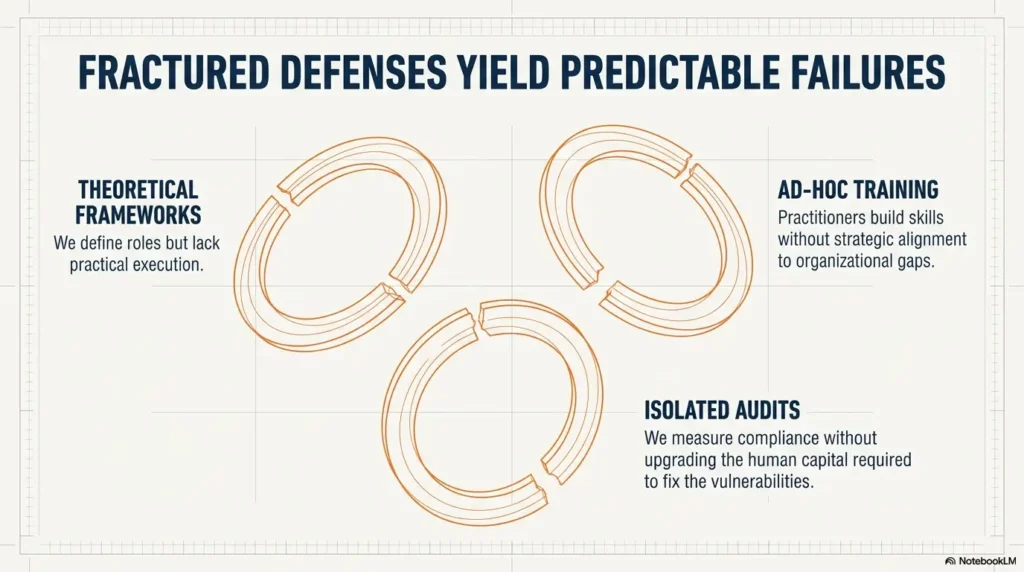
Kioptrix is a lab, not a corporate network. Still, the habits you practice can transfer: careful discovery, clean evidence, clear documentation, scoped testing, and responsible communication.
The trick is to map the session to habits, not fantasies. You are not proving that a beginner lab equals professional experience. You are proving that you can learn systematically.
Which skill did this box actually train?
Be specific. “Pentesting” is too broad. A Kioptrix session may train:
- Service enumeration.
- Web application observation.
- SMB investigation.
- Exploit validation in a lab.
- Privilege escalation basics.
- Evidence tracking.
- Technical writing.
- Frustration management.
If you are building a longer skill plan, connect each review to a Kioptrix learning path instead of treating each box as a separate island.
Did you practice discovery, analysis, documentation, or escalation?
Use four buckets:
- Discovery: finding hosts, ports, services, paths, and exposed information.
- Analysis: deciding what findings mean and what to test next.
- Documentation: preserving evidence, commands, outputs, and reasoning.
- Escalation: moving from limited access to broader control within the lab scope.
After each session, mark which bucket received the most practice and which one you neglected.
What professional habit appeared in miniature?
Professional habit can appear in tiny form. Did you define scope? Did you keep evidence clean? Did you explain a risk without drama? Did you stop testing when the lab boundary ended?
Those habits matter. Security work is not only cleverness. It is restraint, clarity, and the ability to leave a trail that another person can trust.
Where the lab stops and real-world responsibility begins
A lab can teach technique, but it does not grant permission elsewhere. In real work, authorization, rules of engagement, reporting expectations, and impact limits are not afterthoughts. They are the job.
That is why your personal review should include a scope line every time. Small habit, large shadow.
Kioptrix Session-to-Skill Map
What did the target expose?
What did the evidence suggest?
Could someone reproduce your path?
How did access change inside scope?
Use it: After each lab, circle the strongest bucket and underline the weakest one.
Build Your Personal Review Question Bank
A personal question bank turns reflection into a repeatable ritual. You do not need to answer fifty questions after every session. That would make review feel like filing taxes inside a server rack. Instead, keep a bank and pick the questions that fit the session.
What was my initial hypothesis, and what changed it?
This question tracks learning movement. It shows how your mind responded to new evidence.
Which clue did I miss because it looked boring?
Boring clues are often the sturdy ones. Banners, status codes, permissions, default pages, and old service hints can be easy to skip because they do not sparkle.
What would I do first if I repeated the box cold?
This reveals the reusable part of the lesson. Do not answer with “run the exploit.” Answer with the first better observation or test.
Which command would I remove from my workflow?
Some commands are habits, not helpers. If a command rarely changes your next step, reconsider when and why you use it.
What did I understand deeply enough to explain without notes?
This is the honesty test. If you cannot explain it plainly, the idea is still rented furniture.
What did I only imitate?
Imitation is normal early on. The danger is mistaking imitation for mastery. Label it, then study the concept behind it.
What should become part of my permanent checklist?
Permanent checklist items should be small, clear, and reusable. “Check everything” is not a checklist item. “Revisit ignored services after initial web testing stalls” is much better.
What is one legal lab I can use to test the same concept again?
Repetition across labs proves transfer. If a lesson only works inside one write-up, it may be memorization. If it appears in another legal lab, it becomes pattern recognition.
Money Block: 10-Minute Review Question Picker
Choose one question from each row after every Kioptrix session.
| Review area | Pick one question | Output |
|---|---|---|
| Reasoning | What changed my initial hypothesis? | One sentence |
| Evidence | Which finding supported the exploit path? | One bullet |
| Failure | Which dead end taught the most? | One lesson |
| Transfer | What habit should I repeat next time? | One checklist item |
Neutral action: Save this table as the last block in your Kioptrix review template.
For weekly consolidation, a Kioptrix weekly review template can help you spot repeated mistakes across several sessions instead of treating each lab as a separate weather event.
When to Seek Help Without Spoiling the Learning
There is a good time to ask for help, and there is a way to do it without turning the lab into a guided tour. The goal is not purity. The goal is learning with enough friction to build skill and enough support to prevent despair from eating the furniture.
Ask for a nudge when you cannot name your next question
If you can name your next question, keep working. If all you can name is frustration, ask for a nudge. A good nudge points attention without handing over the answer.
Good help request:
“I found these services and tested these paths. I am unsure which result deserves another look. Can you nudge my next question without giving the exploit?”
Read a walkthrough only after writing your own timeline
Before reading a walkthrough, write your timeline. Even a rough one works. This protects your learning from being overwritten by someone else’s clean path.
After reading, compare:
- Where did their method differ?
- Which clue did they catch earlier?
- Which of your failed paths were reasonable?
- What will you change next time?
When you are ready to publish or polish your own process, use a Kioptrix write-up structure to separate clean reporting from private reflection.
Compare methods after you finish, not before you think
Walkthroughs are excellent after you have wrestled with the problem. Before that, they can flatten the learning curve into a moving sidewalk. Comfortable, yes. Skill-building, not always.
Stop if frustration turns the lab into keyboard weather
Keyboard weather is when the hands keep moving but the mind has left the building. Stop. Write what you know. List the next three possible questions. Take a break if none of them are real.
- Ask for nudges, not full paths.
- Write your timeline before reading walkthroughs.
- Compare methods only after your own attempt.
Apply in 60 seconds: Draft one nudge request template and keep it in your lab notes.
FAQ
What should I write down after finishing Kioptrix Level 1?
Write the lab scope, target discovery steps, key enumeration findings, evidence that supported your exploit path, privilege escalation notes, failed paths, screenshots that prove important states, and one reusable habit for next time. Keep the tone plain. You are writing for future-you, not auditioning for a thriller.
How do I know if I actually learned from a Kioptrix session?
You learned if you can explain what changed your mind, reproduce the major path from your notes, identify at least one mistake, and apply the same concept in another legal lab. If you only remember the final command, the lesson is still thin.
Should I read walkthroughs before or after trying the box?
Try the box first, write your own timeline, then read walkthroughs when you are stuck or finished. Reading too early can make the path look obvious and steal the discomfort that builds problem-solving skill.
What is the difference between a CTF write-up and a personal review?
A CTF write-up usually presents a clean path for readers. A personal review records your thinking, guesses, mistakes, failed paths, and future improvements. One is a map for others. The other is a mirror for your method.
How many review questions should I answer after each lab?
Answer four to eight good questions. More than that can become homework theater. Cover reasoning, evidence, tool use, failure, documentation, and one next-step habit. A short truthful review beats a giant review you avoid.
What should beginners focus on after getting root?
Beginners should focus on reconstruction. Identify the first useful clue, the enumeration step that mattered, the evidence behind exploitation, the privilege escalation path, and what they would do differently. The root shell is the ending of the lab, not the ending of learning.
How do I review failed attempts without wasting time?
Keep failed-path review brief and structured. Record what made the path seem plausible, what result weakened it, how long you stayed, and what stop rule you will use next time. This turns failure into a detection habit.
Can Kioptrix practice help with cybersecurity career prep?
Yes, if you treat it as method training. Kioptrix can help with enumeration, documentation, evidence tracking, basic exploitation reasoning, and technical communication. It should not be presented as real-world testing experience unless the context is clear and honest.
Next Step: Write a 10-Minute Debrief Before the Lesson Evaporates
The opening problem was simple: “I got root” feels satisfying, but it can vanish into a blur unless you capture the reasoning. The fix is not a grand report. It is a small, honest debrief written before memory starts redecorating the room.
Open a blank note and title it “What changed my mind?”
That title forces the right posture. It asks for movement, not performance. Under it, write the clue that changed your direction and the assumption it replaced.
List three clues, two mistakes, and one reusable habit
Use this tiny structure:
- Three clues: the findings that mattered most.
- Two mistakes: the choices you would change.
- One reusable habit: the behavior you will repeat in the next lab.
If you want a broader progress system, connect this debrief to a simple way to track Kioptrix progress over time. Patterns become easier to see when every session leaves the same kind of footprint.
Save one question for your next lab session
End with one question you will carry forward. Not ten. One. For example:
“Which service am I avoiding because it feels less familiar?”
That question may do more for your next session than another command list. It waits beside the keyboard like a small brass bell.
Within the next 15 minutes, open your latest Kioptrix note and add four lines: first clue, biggest assumption, most useful failed path, and one habit for next time. That is enough to keep the lesson from evaporating. Tomorrow, it becomes the beginning of a method.
Last reviewed: 2026-05.