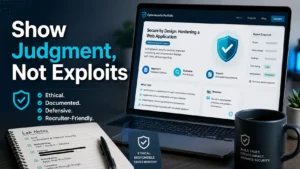
Turning Kioptrix Lab Notes into a Senior-Level Portfolio Piece
A Kioptrix notebook can look heroic at 1:13 a.m. and alarming by breakfast. One page says “worked,” another has a screenshot with terminal history, and somewhere in the middle sits the line between credible security learning and a public recipe nobody should publish. If you want to turn Kioptrix Level notes into a portfolio post, the job is not to prove you can shout “root” from the digital rooftop. The job is to show judgment.
That matters because hiring managers, mentors, and technical reviewers are not only checking whether you solved a lab. They are reading for ethics, clarity, documentation discipline, and whether you understand the difference between an intentionally vulnerable VM and a real system with real people behind it.
Good news: You can still make the post impressive.
Better news: Safer often looks more senior.
This guide helps you convert raw lab notes into a public, recruiter-friendly, defensible writeup without publishing exploit recipes, credentials, exact attack chains, or copy-paste steps that could be misused.
The Safe Portfolio Rule
A strong Kioptrix portfolio post should read like a professional security reflection: scope, method, findings, risk, remediation, and lessons learned. It should not read like a treasure map with a skull on the cover.
Best framing: “Here is how I investigated, documented, reduced uncertainty, and translated a lab weakness into defensive learning.”
Table of Contents

Start With the Portfolio Goal, Not the Hack
The first mistake many learners make is treating a portfolio post like a scoreboard. They want the reader to know they completed the box. That is understandable. The first root shell feels like opening a locked cedar chest in a quiet attic.
But a hiring manager is not only asking, “Did this person finish?” They are asking, “Can this person think under pressure, write clearly, respect scope, and turn technical findings into useful security work?”
A public Kioptrix post should therefore answer three quiet questions fast:
- What was the legal learning environment?
- What did you learn about security methodology?
- How would the weakness be reduced in a real organization?
What a hiring manager should learn in 90 seconds
Within the first screen, a reviewer should understand that you can communicate like a professional. That means clean context, ethical boundaries, and a summary that does not require the reader to decode your entire lab notebook like a weathered pirate chart.
Try a compact opening summary:
Portfolio summary example: “This post reflects on a Kioptrix lab exercise completed in an isolated, authorized environment. I focus on documentation, hypothesis testing, risk interpretation, and remediation lessons. Operational exploit commands and sensitive artifacts have been intentionally omitted.”
That paragraph says more about your maturity than a wall of terminal output. It also gives non-technical recruiters enough context to keep reading while technical reviewers can see that you understand responsible disclosure habits.
Why “I got root” is weaker than “I made good decisions”
“I got root” is an outcome. “I made good decisions” is evidence. In security work, evidence beats fireworks.
A stronger post explains why you chose one investigation path over another, how you handled uncertainty, and where you slowed down to avoid false assumptions. Your Kioptrix decision process is often more useful to employers than the final victory screenshot.
That is not because the technical result is irrelevant. It is because entry-level candidates often look similar on paper. The writer who can explain tradeoffs, limits, and remediation starts to sound less like a button-pusher and more like a future teammate.
The portfolio promise: calm judgment under technical pressure
Your post should make one promise and keep it: “I can approach a vulnerable system carefully, document what I observe, avoid overclaiming, and translate the learning into defensive value.”
That promise is quiet. It is also powerful. Security teams live in the space between partial evidence and practical decisions. A clean writeup proves you can stand in that space without turning into confetti.
- Lead with scope and learning goals.
- Explain decisions instead of dumping commands.
- Connect findings to real defensive lessons.
Apply in 60 seconds: Replace your first paragraph with a 3-sentence professional summary.
Define the Scope Before the Story Escapes
Scope is the fence around the garden. Without it, even a harmless lab writeup can appear careless. Your reader should never wonder whether the activity involved a real company, a public target, a third-party system, or someone else’s network.
State plainly that Kioptrix is an intentionally vulnerable lab used for legal practice. Then separate that lab context from real-world permission rules. The distinction may feel obvious to you, but public writing needs bright lines. A post with blurred boundaries can make a junior candidate look risky before the technical section even begins.
State that Kioptrix is a legal lab environment
Use a simple sentence near the top:
“All activity described here was performed in an isolated lab environment that I owned or had explicit permission to use.”
That sentence is not decoration. It signals that you understand authorization. It also keeps the post focused on learning rather than spectacle.
If your readers are beginners, you can point them toward safer preparation habits such as a structured Kioptrix lab notes workflow or a beginner-friendly Kioptrix learning path. Those internal links support the reader without nudging them toward public target testing.
Separate lab behavior from real-world permission rules
Lab machines are built to be poked, prodded, and broken within their intended environment. Real systems are not. That difference belongs in the article.
You do not need a legal essay with brass buttons. A short safety note works:
- Do not test systems you do not own.
- Do not scan public assets without written authorization.
- Do not publish secrets, credentials, or reusable attack steps.
- Do not imply that lab techniques are automatically appropriate in production environments.
Draw the bright line: no unauthorized testing, ever
Because cybersecurity writing can be dual-use, your post should avoid ambiguity. The bright line is simple: no permission, no testing. Not “just a quick check.” Not “only one harmless scan.” Not “it was open on the internet.” The internet is not a buffet with blinking lights.
Professional security work begins with authorization, scope, and documentation. NIST guidance on cybersecurity risk management also emphasizes structured identification, protection, detection, response, and recovery functions, which is a useful mental model for turning lab learning into responsible practice.
Who This Is For / Not For
A safe portfolio post benefits from a clear audience statement. It tells good-fit readers they are welcome and tells bad-fit readers the post will not give them what they came to misuse.
This is especially helpful for lab writeups because the same topic can attract students, recruiters, defenders, curious IT generalists, and people hunting for a copy-paste shortcut. Your job is to welcome the first group and disappoint the last group quickly.
For cybersecurity students building proof of skill
Students need a way to prove learning without overexposing dangerous detail. A portfolio post can show discipline: how you organized evidence, tracked uncertainty, wrote findings, and connected a lab weakness to defensive controls.
If you are still building your practice rhythm, a steady Kioptrix weekly review template can make your future article easier. The better the notes, the safer the final draft.
For junior analysts learning to explain technical work
Many junior analysts can find interesting data. Fewer can explain what matters, why it matters, and what should happen next. Your portfolio post is a rehearsal for that workplace skill.
Imagine a senior engineer reading your article between meetings. They want signal. They do not want a 4,000-word terminal séance.
Not for readers looking for copy-paste exploit instructions
Say it directly. This post will not provide exploit commands, credential strings, payloads, exact chained compromise steps, or instructions for attacking non-lab systems.
That boundary protects readers and protects you. It also improves the quality of your audience. The best people to impress are usually not looking for a shortcut; they are looking for proof that you can think.
Not for anyone testing systems without written permission
Written permission is not bureaucracy for its own sake. It defines what is allowed, when testing can happen, which assets are in scope, and what must be avoided. If the work is real, scope protects everyone involved.
Money Block: Safe-Publish Eligibility Checklist
Before publishing, answer yes or no:
- Yes / No: Did all activity happen in an intentionally vulnerable lab you were allowed to use?
- Yes / No: Did you remove exact exploit commands and payloads?
- Yes / No: Did you redact credentials, tokens, hashes, IP details, and terminal history?
- Yes / No: Did you include remediation or defensive lessons?
- Yes / No: Could a beginner misuse your post as a direct attack guide?
Neutral action line: If any answer feels uncertain, move the post back to draft and ask for review.
Turn Raw Notes Into a Professional Narrative
Raw notes are allowed to be messy. They are the workbench: coffee rings, half-formed ideas, dead ends, and one mysterious line you wrote at midnight that now looks like a prophecy written by a tired raccoon.
A portfolio post is not the workbench. It is the gallery label next to the finished piece.
Start by separating your notes into four buckets: context, observations, decisions, and lessons. This gives the article a clean investigation arc without exposing every keystroke.
Replace chronological chaos with a clean investigation arc
A chronological log says, “First I did this, then I tried that, then something broke, then I restarted.” That may be true, but truth alone is not structure.
A professional arc looks more like this:
- Objective: Practice structured investigation in an authorized lab.
- Scope: Isolated Kioptrix VM and local lab network only.
- Method: Identify exposed services, prioritize findings, verify assumptions safely.
- Findings: Summarize weaknesses at a conceptual level.
- Remediation: Explain how a real team would reduce similar risk.
- Reflection: Explain what you would improve next time.
If your notes are scattered across files, consider a clean Kioptrix folder naming system so screenshots, findings, and drafts do not start breeding in the dark corners of your desktop.
Show how you formed hypotheses, not every keystroke
Hypothesis-based writing sounds more mature because it shows reasoning. Instead of writing “I ran Tool A, Tool B, Tool C,” write what you were trying to determine.
For example:
- Less safe: Full command transcript with exact flags and output.
- Safer: “I reviewed exposed network services to identify which areas deserved deeper investigation.”
- Stronger: “I prioritized the web-facing service because its version and configuration clues suggested a higher likelihood of outdated components.”
That keeps the learning value while reducing operational detail.
Pattern interrupt: the messy notes are not the portfolio post
Your notes are for you. Your post is for readers. That difference should change the shape of the writing.
A good public draft removes repetition, removes risky artifacts, and turns false starts into a short “what I ruled out” paragraph. Readers appreciate honesty, but they do not need the whole archaeological dig.
Short Story: The Screenshot That Almost Shipped
A junior learner once prepared a beautiful Kioptrix portfolio draft. The opening was crisp. The structure was clean. The remediation section was better than many paid reports I have seen. Then, just before publishing, they zoomed into a screenshot and noticed a thin line of terminal history at the bottom. It contained more detail than the article itself.
Nothing dramatic, no movie-villain soundtrack, but enough to turn a thoughtful post into a risky one. They cropped it, rewrote the caption, and added a sentence about why sensitive artifacts were omitted. The final version became stronger, not weaker. That tiny pause changed the whole mood of the piece. The lesson is simple: polish is not just grammar. In cybersecurity writing, polish is restraint, redaction, and the humility to inspect your own evidence before inviting the world into the room.
Redact the Risky Stuff Before You Polish Anything
Redaction should happen before style editing. Otherwise you may fall in love with a paragraph that never should have been public. It is easier to cut risky material while it is still plain clay.
Build a redaction pass into your workflow. Treat it like washing your hands before cooking. Not glamorous. Extremely useful.
Remove exact exploit commands, payloads, and chained attack sequences
Do not publish direct commands that allow a reader to reproduce exploitation. Avoid payload strings, exact tool syntax, and chained steps that move from discovery to compromise.
You can still explain the concept:
- Describe the weakness category.
- Explain why it mattered.
- Summarize the verification at a high level.
- Shift quickly into remediation and detection.
Think of it like a museum label beside an old lock. You can explain why the lock failed without handing out a handmade key.
Blur or omit usernames, passwords, hashes, tokens, and IP details
Even lab credentials should be treated carefully in public writing. Not because Kioptrix secrets are sacred, but because your habits are on display. If you casually publish sensitive strings in a lab, a reviewer may wonder what you would do with client data.
Redact:
- Usernames and passwords.
- Hashes, tokens, cookies, and session values.
- Internal IP addresses if they distract or create unnecessary specificity.
- Terminal paths that reveal private machine details.
- Tool output that includes operational details beyond the lesson.
Keep screenshots educational, not operational
A screenshot should teach the reader what you observed, not enable the reader to repeat the path. Crop tightly. Add labels. Hide commands. Remove terminal history. Avoid showing entire exploit flows.
Your Kioptrix screenshot organization habits matter here. A folder full of raw captures is convenient during practice, but public images need a separate sanitized folder.
Don’t do this: publishing a step-by-step compromise path
A public portfolio post should not say, “Run this, then run this, then use this value, then pivot here, then escalate with this exact path.” That is an attack cookbook. It may attract clicks, but it can also make you look careless.
Use non-reproducible summary language instead:
Safer example: “The lab demonstrated how outdated services and weak configuration choices can combine into a full compromise path. I have omitted operational details and focused on the defensive lessons: inventory, patching, service hardening, monitoring, and least privilege.”
- Remove commands and payload strings.
- Crop screenshots before writing captions.
- Keep the article useful but not directly reproducible.
Apply in 60 seconds: Create a “public-safe” copy of your notes and delete risky artifacts from that version first.

Explain Recon Without Creating a Targeting Manual
Reconnaissance is one of the easiest sections to overdo. Beginners often want to list every tool, flag, result, and service. The post starts to feel precise, then suddenly it becomes a targeting manual wearing a cardigan.
The safer approach is to describe categories of discovery and the reasoning behind them. You can say what kind of information you looked for without publishing a tool-by-tool recipe.
Describe categories of discovery instead of tool-by-tool instructions
Frame recon around questions:
- Which services were exposed in the lab?
- Which findings looked relevant versus noisy?
- What evidence suggested an outdated or misconfigured component?
- What did you deprioritize and why?
This still demonstrates skill. In fact, it often demonstrates more skill than dumping output. A beginner can copy output. A professional can explain why one clue matters and another clue is just glitter.
For readers who need safer practice habits, link them toward foundational routines such as a repeatable Kioptrix recon routine or Kioptrix evidence tracking rather than public exploit reproduction.
Explain why each finding mattered at a high level
A finding matters when it affects risk, likelihood, impact, or remediation. Your article should translate raw observations into security meaning.
| Observation Type | Safe Portfolio Framing | Defensive Lesson |
|---|---|---|
| Exposed legacy service | Aging components can increase risk when unsupported or misconfigured. | Maintain asset inventory and patch ownership. |
| Weak configuration clue | Configuration choices can create paths that do not require sophisticated techniques. | Use secure baselines and review drift. |
| Unexpected service behavior | Unexpected behavior should be verified before conclusions are made. | Document evidence quality and avoid overclaiming. |
Mention evidence quality, uncertainty, and false leads
A professional post does not pretend every clue was obvious. It tells the reader where evidence was strong, where it was weak, and where you changed direction.
False leads are useful when summarized carefully. They show patience. They also show that you did not simply sprint toward the first shiny vulnerability label.
For example:
“I initially considered one service a priority, but the available evidence was weaker than expected. I documented the uncertainty, moved it lower in the queue, and focused on findings with clearer risk signals.”
That sentence is safe, honest, and surprisingly employable.
Show me the nerdy details
A safe recon section can still be technically meaningful if it describes the reasoning layer: asset identification, service categorization, version uncertainty, prioritization criteria, validation limits, and defensive implications. Avoid exact command syntax and chained procedures. Use generalized language such as “service discovery,” “configuration review,” “version clue,” “risk prioritization,” and “evidence confidence.” This preserves the analytical value without turning the post into operational instruction.
Write the Vulnerability Section Like a Defender
The vulnerability section is where your post can mature quickly. Many lab writeups treat the weakness as a door to open. A professional portfolio post treats it as a condition to understand and reduce.
That means naming the weakness clearly, explaining why it matters, and connecting it to patching, configuration, monitoring, or access control. The exploit is not the star. The lesson is.
Name the weakness in plain English
Plain English helps both recruiters and technical reviewers. You can still include technical terms, but define the risk in human language.
Instead of writing only a vulnerability label, explain the condition:
- “An outdated service increased exposure because known weaknesses may exist for unsupported versions.”
- “A permissive configuration created more access than the system likely needed.”
- “Weak isolation allowed one issue to increase the impact of another.”
Notice what is missing: no exploit recipe, no payload string, no step-by-step chain. Still useful. Much safer.
Explain business impact without dramatizing the damage
A lab machine is not a real business. Still, you can discuss analogous impact carefully. Use conditional phrasing:
“In a real environment, a similar weakness could increase the risk of unauthorized access, data exposure, service disruption, or lateral movement, depending on network placement and compensating controls.”
That sentence avoids exaggeration. It also shows you understand that context matters. One vulnerability does not mean the sky collapses into the snack drawer.
Connect the lab issue to patching, configuration, or monitoring lessons
Employers remember remediation. When you map a finding to a practical fix, you show that you are not just interested in breaking things. You are interested in making systems less fragile.
Use a simple format:
| Finding Theme | Remediation Direction | Detection Idea |
|---|---|---|
| Outdated component | Patch, replace, isolate, or retire unsupported software. | Monitor asset inventory drift and unexpected service versions. |
| Weak configuration | Apply secure baselines and least privilege. | Alert on risky configuration changes. |
| Poor segmentation | Restrict unnecessary paths between systems. | Review unusual internal connection patterns. |
Here’s what no one tells you: remediation is the real portfolio flex
Offensive success can be exciting, but remediation is what turns the post into workplace evidence. If a real team cannot use your writeup to reduce risk, the article is mostly a trophy shelf.
Use your Kioptrix findings as raw material, then convert each one into “risk, evidence, fix, detection, limitation.” That small structure can make a beginner post feel surprisingly polished.
- Use plain-English risk statements.
- Connect each finding to remediation.
- Include detection notes for blue-team credibility.
Apply in 60 seconds: Add one “How this could be reduced” sentence under every finding.
Show Your Thinking Without Showing the Weapon
This is the central craft of a safe Kioptrix portfolio post. You want to prove technical competence without publishing details that help misuse. The trick is to show decision-making artifacts instead of exploit transcripts.
Use decision tables, risk summaries, evidence notes, and sanitized diagrams. They give reviewers something solid to evaluate while keeping the public article responsible.
Use decision tables instead of exploit transcripts
A decision table can show why you moved from one clue to another without giving exact attack steps.
Money Block: Decision Card for Public Detail
| If the detail… | Public choice | Trade-off |
|---|---|---|
| Explains your reasoning | Usually safe to summarize | High learning value, low operational value |
| Reproduces exploitation | Omit or generalize | Less “flash,” much safer |
| Contains sensitive strings | Redact | Protects habits and professionalism |
Neutral action line: When a detail teaches and enables at the same time, keep the lesson and remove the operational path.
Summarize the path in safe, non-reproducible language
You can describe the arc without exposing the chain:
“The lab path showed how an exposed legacy service, weak configuration, and insufficient privilege separation can combine into a high-impact outcome. I omitted operational steps and focused on how each condition could be detected or reduced.”
This gives the reviewer enough to see that you understand the chain. It does not give strangers a clean procedure.
Explain what you ruled out and why
What you ruled out is often more interesting than what worked. It shows method, patience, and restraint.
For example:
- “I deprioritized one service because the evidence did not support immediate risk.”
- “I treated one automated result as low confidence until I could interpret it manually.”
- “I avoided assuming exploitability from a version clue alone.”
That last point matters. Version banners can be misleading. A strong post avoids breathless claims.
Don’t do this: turning your portfolio into an attack cookbook
If the post can be followed step by step by someone who does not understand the concepts, it is probably too operational. That does not mean your writing must become vague soup. It means the public version should emphasize analysis, not reproduction.
Authorized lab only
Questions and reasoning
Risk themes, not recipes
Fixes and detection
What improved next time
Make Screenshots Safer and More Useful
Screenshots can carry credibility. They can also smuggle risk into an otherwise careful article. Before publishing, inspect every image like it has tiny pockets.
Look for commands, tool output, credentials, IP addresses, local paths, terminal history, browser tabs, usernames, hidden tokens, and anything that reveals more than the caption needs.
Crop for learning value, not shock value
The best screenshot is not the biggest screenshot. It is the clearest one. Crop to the concept. Remove surrounding clutter. If a tiny snippet of evidence supports the lesson, do not show the whole terminal opera.
Use captions that explain what the reader should notice:
- “Sanitized evidence showing an outdated service clue.”
- “Annotated decision point used to prioritize remediation.”
- “Redacted lab output used to demonstrate documentation practice.”
Annotate concepts, risks, and defensive takeaways
Annotations help you shift the image from “look what I did” to “look what this means.” Circle the risk theme, label the evidence confidence, and note the defensive lesson.
This is also a good place to reuse your Kioptrix lab report habits. A report mindset naturally asks: What is the evidence? What is the impact? What should be done?
Remove terminal history, sensitive strings, and exact commands
Terminal history is the sneaky attic door of screenshot risk. Even when the main content looks safe, the bottom of the window may expose commands or paths you did not intend to publish.
Before uploading:
- Zoom in and inspect the full image.
- Crop unnecessary edges.
- Blur or block sensitive strings.
- Rename files without revealing private context.
- Export a separate public-safe copy.
Use captions that teach judgment, not bravado
A caption like “owned the box” wastes an opportunity. A better caption tells the reader what professional habit the screenshot supports.
Try: “Sanitized evidence used to confirm a risk theme before writing a remediation note.” It may not make fireworks, but it does make you sound like someone who can be trusted near production systems.
Add a Remediation-First Section Employers Remember
Remediation is where your portfolio post becomes useful beyond the lab. It shows that you can think from the defender’s side of the glass.
A good remediation section does not promise magic. It maps each risk theme to practical controls, explains limitations, and adds detection ideas. Real security work is layered. One fix rarely solves everything, which is inconvenient but wonderfully honest.
Map each finding to a practical fix
For every finding, include a short “reduce the risk” note. Avoid pretending the lab environment perfectly maps to a company network. Use cautious, practical language.
Example:
“In a real environment, a similar issue could be reduced through timely patching, service exposure review, least privilege, segmentation, and monitoring for unexpected service behavior.”
This sentence is safer than an exploit explanation and more valuable to a working team.
Include hardening ideas without pretending one fix solves everything
Hardening works best as a stack:
- Remove unnecessary services.
- Patch or retire outdated components.
- Apply least privilege.
- Limit network exposure.
- Monitor unusual behavior.
- Review configuration drift.
Notice the humility: no single silver bullet, no “just patch it” shrug. Mature writing acknowledges friction.
Add detection notes for blue-team credibility
Detection notes make your post more rounded. They show you are not only thinking about how a weakness is found, but also how defenders might notice related activity.
Keep detection general and defensive:
- Unexpected authentication attempts.
- Unusual service interactions.
- Changes to privileged files or accounts.
- Unexpected outbound connections from legacy systems.
- Configuration changes outside maintenance windows.
If you want to connect lab learning to workplace reporting, how to read a penetration test report can help readers understand how findings become business decisions.
Show the before-and-after lesson, not just the win condition
A strong remediation section has a before and after:
- Before: Exposed outdated component with weak configuration.
- After: Reduced exposure, clearer ownership, better monitoring, and documented patch path.
That before-and-after structure makes the lesson memorable. It also lets a recruiter see that your lab practice connects to real operational thinking.
Money Block: Remediation Tier Map
| Tier | Control Level | Portfolio Use |
|---|---|---|
| Tier 1 | Remove unnecessary exposure | Shows basic risk reduction |
| Tier 2 | Patch or retire outdated software | Shows lifecycle awareness |
| Tier 3 | Apply least privilege and hardening | Shows configuration maturity |
| Tier 4 | Improve monitoring and alerting | Shows blue-team awareness |
| Tier 5 | Review process and ownership | Shows organizational thinking |
Neutral action line: Add one tiered remediation table after your findings section to show practical risk thinking.
- Map findings to fixes.
- Add detection notes.
- State limitations honestly.
Apply in 60 seconds: Write “Risk reduced by…” under your strongest finding and complete the sentence.
Common Mistakes That Make Lab Writeups Look Risky
Risky writeups often do not look risky to the author. They look detailed, generous, and technically enthusiastic. The problem is that public cybersecurity detail can travel farther than your original intent.
Here are the mistakes worth catching before your post escapes into the wild wearing a little backpack.
Mistake 1: posting full exploit chains in public
A full chain may prove completion, but it can also teach misuse. Keep the chain conceptual. Explain the conditions that combined, then move to remediation.
Mistake 2: confusing lab authorization with real-world permission
Just because something was acceptable in Kioptrix does not mean it is acceptable on a public network, a school system, an employer asset, or a random IP address. State the distinction clearly.
Mistake 3: bragging more than explaining
Bragging ages badly. Explanation ages well. Replace victory language with evidence language: observed, prioritized, verified, documented, reduced, reflected.
Mistake 4: skipping remediation because exploitation felt more exciting
Skipping remediation makes the post feel unfinished. Employers want to know whether you understand how risk gets reduced after the finding is confirmed.
Mistake 5: leaving sensitive strings visible in screenshots
Screenshot leaks are common because they hide in plain sight. A final zoom-in pass is mandatory. Your future self will thank you with a quiet cup of tea.
Use a Safe Portfolio Structure That Still Feels Impressive
A safe structure does not make the article dull. It gives the reader handrails. Good structure lets you show technical judgment without dropping the reader into raw output.
Use this template when drafting your post.
Summary: what the lab tested
Explain the learning objective in a few sentences. Mention that this was an authorized, isolated lab. Note that operational exploitation details are intentionally omitted.
Scope: what was allowed
Define the environment. Keep it simple: lab VM, local isolated network, personal practice environment. Avoid unnecessary IP specificity unless it adds harmless context.
Method: how you approached the problem
Describe your workflow at a high level: service discovery, prioritization, evidence review, hypothesis testing, documentation, and remediation mapping.
A related Kioptrix methodology page can support readers who need a broader framework before writing their own public post.
Findings: what mattered and why
List major risk themes, not every tiny clue. For each finding, include plain-English risk, evidence confidence, and defensive interpretation.
Remediation: how the weakness could be reduced
Give practical controls. Mention patching, hardening, least privilege, segmentation, monitoring, and process ownership when relevant. Do not oversell certainty.
Reflection: what you would do better next time
Reflection is underrated. It shows learning velocity. Write about documentation improvements, better timeboxing, cleaner evidence handling, or stronger remediation mapping.
If you want a companion habit, a Kioptrix session review can help turn each lab session into reusable portfolio material before memory gets foggy.
When to Seek Help Before Publishing
Some posts deserve a second pair of eyes. That is not weakness. In cybersecurity writing, peer review is a seatbelt. You hope nothing dramatic happens, but you wear it because physics has opinions.
Ask for help if the article includes anything that might be operational, sensitive, or legally ambiguous.
Ask a mentor if your post includes reproducible exploitation steps
If a reader could follow your public article to reproduce compromise, get feedback. A mentor can help you keep the learning value while removing the risky sequence.
Get feedback if you mention real companies, real IPs, or third-party tools
Real organizations add risk. Even accidental references can create confusion. Avoid naming real companies unless you have a clear, legitimate reason and the content is safe.
Pause if the post could help someone attack a non-lab system
This is the simplest test. If the post would be useful to someone targeting a real system, reduce the operational detail. Keep the lesson. Remove the path.
Review platform rules before publishing on LinkedIn, Medium, GitHub, or a personal blog
Different platforms have different enforcement norms. GitHub, LinkedIn, Medium, and personal sites may all treat dual-use cybersecurity content differently. When in doubt, be more conservative.
- Mentors can spot risky detail you missed.
- Real organizations require extra caution.
- Platform rules may affect what is acceptable.
Apply in 60 seconds: Send one paragraph and one screenshot to a trusted reviewer before publishing the full post.

FAQ
Can I publish a Kioptrix walkthrough in my cybersecurity portfolio?
Yes, but it is safer to publish a professional reflection rather than a full walkthrough. Focus on scope, methodology, risk themes, evidence handling, remediation, and lessons learned. Avoid exact exploit commands, payloads, credentials, and chained reproduction steps.
Should I include exploit commands in a public lab writeup?
No. Public portfolio posts should avoid copy-paste exploit commands and payloads. You can describe the weakness category and your reasoning at a high level while keeping operational details out of the article.
How much detail is safe for a beginner pentesting portfolio?
Include enough detail to show how you think: what you observed, why you prioritized it, what you ruled out, and how the issue could be reduced. Avoid details that let someone reproduce exploitation on a real system.
Can I show screenshots from a vulnerable lab machine?
Yes, if they are sanitized. Crop screenshots tightly, remove commands and sensitive strings, blur credentials or tokens, and use captions that explain the defensive lesson. Keep images educational, not operational.
What should I redact from Kioptrix notes before publishing?
Redact exact commands, payloads, credentials, usernames, passwords, hashes, tokens, session values, IP details that are not needed, terminal history, local file paths, and any chained steps that make exploitation reproducible.
How do I make a CTF-style post look professional?
Use a report-style structure: summary, scope, method, findings, remediation, detection notes, and reflection. Replace “I owned the box” language with evidence-based writing that shows decision-making and communication skill.
Is it better to write for recruiters or technical reviewers?
Write for both. Give recruiters a clear summary and ethical scope. Give technical reviewers evidence of reasoning, prioritization, uncertainty management, and remediation thinking. Avoid drowning either group in raw terminal output.
Should I include remediation advice in an offensive security writeup?
Yes. Remediation advice is one of the strongest ways to make an offensive lab post employer-friendly. It shows that you understand how findings become risk reduction, not just how vulnerabilities become trophies.
Next Step: Build a One-Page Safe Draft
The fastest safe path is not to publish the whole notebook. Choose one lesson. Write one page. Redact first. Then polish.
Start with the small version because small drafts expose problems early. If the summary sounds responsible, the screenshots are clean, and the remediation section makes sense, you can expand later. If the one-page version already feels risky, the long version will not magically become safe by adding more paragraphs and a brave headline.
Choose one Kioptrix lesson, not the whole notebook
Pick one theme: evidence handling, outdated services, configuration risk, screenshot redaction, remediation mapping, or decision-making. One focused lesson is easier to review and safer to publish.
Write a 150-word executive summary first
Your summary should include lab scope, learning objective, omitted operational details, and the defensive value of the post. If those four pieces are clear, the article has a sturdy spine.
Redact risky details before adding screenshots
Do not decorate a risky draft. Redact first. Then add images, captions, and internal links. A clean draft is easier to improve than a beautiful unsafe one.
End with three defensive lessons a real team could use
Close with practical value:
- Maintain asset inventory and patch ownership.
- Review service exposure and configuration drift.
- Monitor for unusual behavior tied to legacy systems.
Your Kioptrix notes began as a private map through a vulnerable lab. The public version should become something better: a calm record of judgment, ethics, technical curiosity, and defensive maturity. The win is not that you reached the end of the lab. The win is that a reader can trust how you got there.
Do this in the next 15 minutes: open your draft, create a “public-safe” copy, remove exact commands and sensitive strings, then write a 150-word summary that explains scope, method, findings, remediation, and reflection.
Last reviewed: 2026-05.