Open the practical working record to connect this guide to your scope, evidence and next decision.
Trace the loss before comparing policy labels
Map interruption, recovery, notification and third-party claims to the proposed wording. Identify dependent-service exclusions, social-engineering conditions and applicable sublimits. Outsourcing payments does not remove every incident cost or obligation. Confirm the bound terms with an appropriate adviser rather than treating a generic checklist as coverage confirmation. Reference and scope.
Cyber insurance for online stores
Cyber Insurance for E-Commerce Stores:
A Practical Coverage Map Before the Checkout Goes Dark
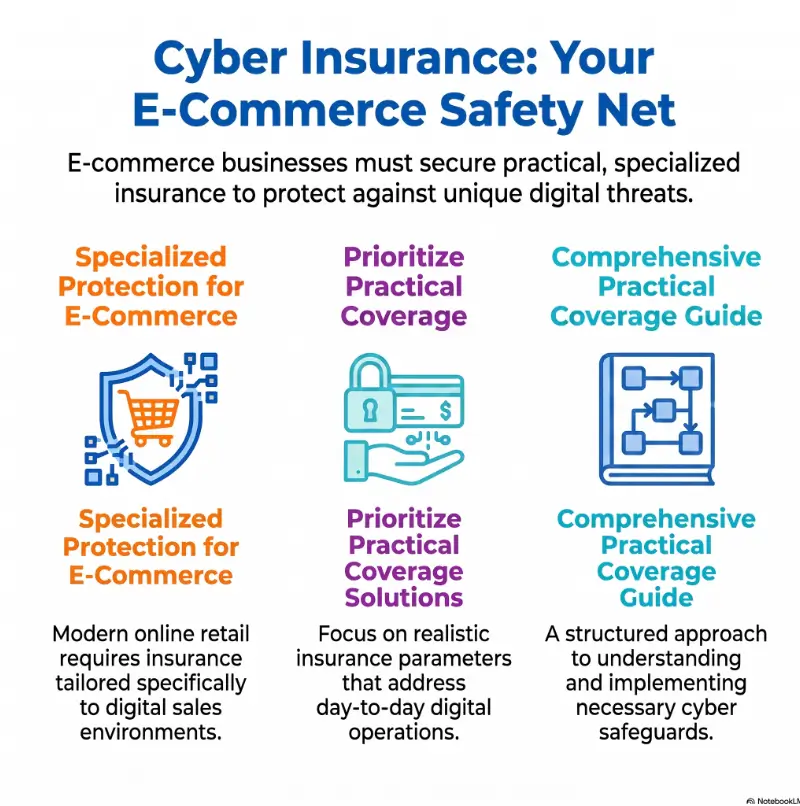
Compare coverage for the actual store, payment integrations and third-party dependencies.
For Shopify, WooCommerce, Amazon, Etsy, and direct-to-consumer store owners, cyber risk is not only about stolen card numbers. It can be a ransomware note on a Monday morning, a malicious plugin quietly skimming checkout data, a fraudster tricking staff into changing payout details, or a cloud outage that turns your best sales day into a silent shop window.
This guide translates cyber insurance into store-owner language. We will map the coverages, clauses, controls, cost drivers, and questions that matter before you request quotes, renew a policy, or discover during a claim that the fine print has teeth.
Map your exposure
See where checkout, apps, vendors, refunds, and customer data create real insurance questions.
Compare policy wording
Understand sublimits, waiting periods, retroactive dates, and claim triggers before they matter.
Prepare for quotes
Build a one-page brief that helps brokers and carriers see your store clearly.
A calmer checkout starts with knowing which risks are yours, which belong to vendors, and which must be written into the policy before the smoke alarm sings. 🛒
Snapshot
This article is for US and UK e-commerce owners comparing cyber insurance for Shopify, WooCommerce, marketplace, subscription, or direct-to-consumer stores. It helps you understand what cyber insurance may cover, where policies can fall short, what controls insurers usually care about, and how to build a practical one-page brief before requesting quotes.
Before You Act: What Cyber Insurance Can and Cannot Do
Cyber insurance can be useful, but it is not a panic button, a security program, or a guarantee that every cyber loss will be paid. A policy is a contract. It pays according to definitions, exclusions, conditions, limits, sublimits, waiting periods, and reporting rules.
For e-commerce owners, that matters because a store incident can unfold quickly. A checkout issue may involve your platform, payment processor, web host, email tool, fulfillment partner, staff account, customer data, legal notices, bank transfers, or card network rules. Insurance may help, but only when the policy fits the way your store actually works.
Before You Act
This guide is educational, not legal, insurance, tax, cybersecurity, or claims advice. Review policy wording with a licensed insurance professional. If you suspect a breach, involve legal counsel, your insurer’s breach hotline, forensic responders, your payment processor, and platform support before making public statements or changing evidence-heavy systems.
Insurance Supports Security, It Does Not Replace It
Cyber insurance works best as the financial backstop to a store that already uses sensible controls: multi-factor authentication, strong admin permissions, secure backups, prompt plugin updates, payment gateway hygiene, and clear incident procedures.
If a carrier asks whether you use MFA and you say yes, the real question is not “Do you know the acronym?” It is whether every meaningful admin, email, cloud, payment, and vendor account is protected in practice.
When Professional Help May Be Worth It
A small store with a few products and hosted checkout may start with a basic quote conversation and a security checklist. A larger store with subscriptions, stored customer accounts, staff access, international orders, health-related products, or custom WooCommerce development should consider deeper review.
Paid help may be worth considering when the store has meaningful revenue dependence, high customer record volume, complex plugins, custom checkout code, a history of fraud, or contractual requirements from partners. The goal is not to buy the fanciest policy. The goal is to avoid buying a polished umbrella that leaks exactly where you stand.
Key takeaway
Treat cyber insurance as a coverage map. Before you compare price, map your store systems, customer data, payment workflow, vendor apps, staff permissions, and outage risk.
Storefront Risk Map: What Cyber Insurance Actually Protects
Most store owners first think of cyber insurance after hearing about data breaches. That is understandable. Customer names, emails, addresses, order histories, login credentials, and payment-related data can create serious legal and operational consequences.
But e-commerce cyber risk has more rooms than that. One room is data. Another is downtime. Another is fraud. Another is extortion. Another is vendor failure. Your policy should be read with all of those rooms lit.
Customer Data Is the Obvious Risk, But Not the Only One
A store may hold customer data even when it never stores full card numbers. Names, emails, addresses, phone numbers, order histories, support tickets, refund requests, loyalty points, and marketing preferences can still matter.
If an attacker exports customer records from your CRM, email platform, help desk, or store admin, the event may require legal review, customer notification, regulatory response, forensic support, public messaging, and reputation repair.
Downtime, Fraud, Extortion, and Vendor Failure Belong on the Same Map
For an online store, downtime is not abstract. It is the empty café at lunchtime, the quiet register, the campaign launch that lands with a soft thud. If your checkout, payment gateway, hosting, platform, or key app fails after a cyber incident, revenue can evaporate by the hour.
Fraud can be just as painful. Social engineering, funds transfer fraud, refund manipulation, account takeover, and fake vendor instructions may not always fit neatly into basic breach coverage. Some policies include separate endorsements or sublimits for these events. Others carve them down until they look decorative.
The Quiet Killer: Lost Revenue During Checkout Outages
Business interruption coverage is one of the most important sections for e-commerce stores. It may help with lost income after a covered cyber event disrupts operations, but the wording matters.
Look for the waiting period, how income is calculated, whether dependent business interruption is included, and whether outages involving cloud providers, payment processors, apps, or outsourced services are covered. The headline limit may say one thing. The practical payout path may whisper something else.
E-commerce cyber coverage map
Five risk zones to map before you buy
1. Data
Customer records, emails, support tickets, order history, account data.
2. Checkout
Payment gateways, hosted checkout, plugins, themes, scripts.
3. Downtime
Storefront outages, payment interruptions, fulfillment delays.
4. Fraud
Social engineering, funds transfer, refund abuse, account takeover.
5. Response
Legal, forensics, notification, PR, regulator help, restoration.
Who Needs Cyber Insurance for an Online Store?
Not every online store has the same risk profile. A weekend Etsy shop selling a handful of handmade prints is not the same as a subscription skincare brand with 60,000 customer accounts and a stack of marketing tools connected to the store admin.
Still, even small stores can have meaningful exposure. The better question is not “Am I big enough to need cyber insurance?” It is “What would break, who would be affected, and who would pay if my store had a cyber incident?”
Best Fit: Stores With Accounts, Lists, Subscriptions, or Repeat Buyers
Cyber insurance becomes more relevant when a store has customer accounts, saved profiles, subscription billing, loyalty programs, wholesale portals, email lists, SMS lists, returns portals, or help desk histories.
The more customer relationships you maintain, the more a breach can become a communication, legal, and operational event. One stolen spreadsheet can produce more noise than a warehouse door left open in a storm.
Strong Fit: Stores Using Apps, Plugins, Fulfillment Partners, or CRM Tools
Shopify apps, WooCommerce plugins, marketing automations, 3PL portals, analytics scripts, help desks, and CRM tools can make a small store feel large. They also expand the number of doors that need locks.
For WooCommerce owners, plugin and theme updates deserve special attention. For Shopify owners, app permissions and admin roles deserve the same scrutiny. For marketplace sellers, the key question is which exposures stay with the marketplace and which remain yours.
Not Enough by Itself: “I Use Stripe, So I’m Covered”
Using a payment processor or hosted checkout can reduce certain payment data risks, but it does not remove all cyber exposure. You may still handle customer data, admin access, order records, marketing lists, refund workflows, and vendor systems.
Payment providers and platforms have their own responsibilities. Your store has yours. The seam between the two is where many expensive misunderstandings grow.
| Store type | Common risk pattern | Coverage conversation to have |
|---|---|---|
| Small hosted-checkout store | Customer records, email tools, admin takeover, fraud | Breach response, social engineering, restoration, legal support |
| WooCommerce store | Plugins, themes, hosting, custom code, outdated admin accounts | Security failure definitions, business interruption, PCI-related wording |
| Subscription brand | Repeat billing, accounts, loyalty data, chargeback pressure | Privacy event coverage, regulatory defense, customer notification |
| Marketplace seller | Platform dependency, payout changes, account takeover, data exports | Marketplace sales coverage, funds transfer fraud, dependent outage wording |
| Multi-channel DTC store | App sprawl, 3PL data, CRM, SMS, email, analytics | Vendor failure, dependent business interruption, breach response panel rules |
Policy Anatomy: First-Party vs Third-Party Coverage Without the Fog
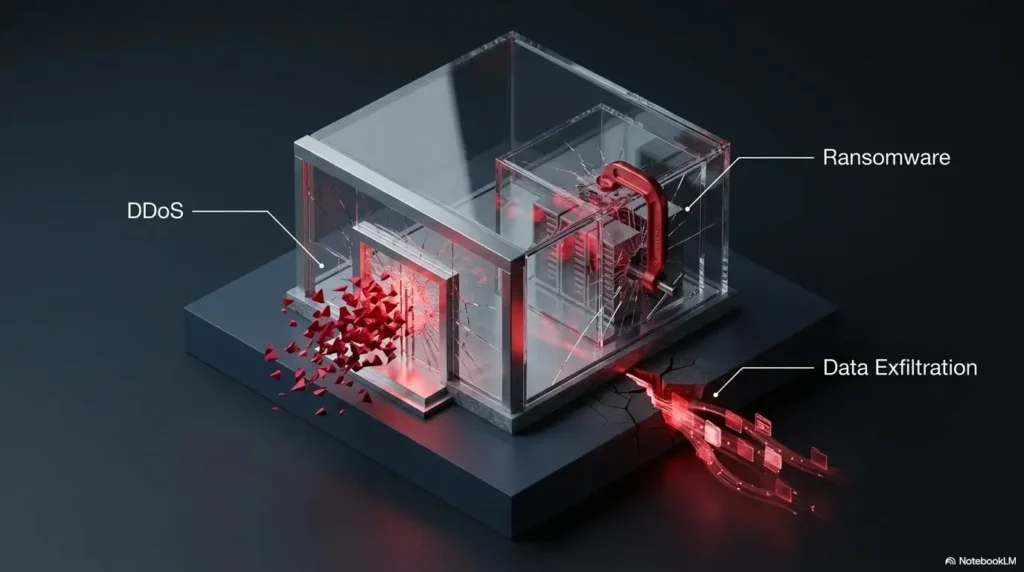
Cyber insurance can feel foggy because the same policy may cover several different kinds of loss. A useful first split is first-party versus third-party coverage.
First-party coverage helps with your own costs after a covered incident. Third-party coverage helps when someone else makes a claim against you, such as customers, vendors, payment partners, or regulators.
First-Party Coverage: Paying for Your Own Messy Tuesday
First-party cyber coverage may respond to expenses such as forensic investigation, breach legal counsel, ransomware response, data restoration, crisis communication, customer notification, credit monitoring, and business interruption.
For an e-commerce store, first-party coverage is often where the most urgent costs live. When the store is down and the team is staring at logs, invoices begin arriving before the story is fully understood.
Third-Party Coverage: When Customers, Vendors, or Regulators Come Knocking
Third-party coverage may help with defense costs, settlements, judgments, regulatory proceedings, privacy claims, media liability, or contractual disputes arising from a covered cyber or privacy event.
This matters for stores that hold customer accounts, serve business buyers, sell through partner channels, collect sensitive data, or sign vendor contracts with security obligations.
Breach Response Costs: Legal, Forensics, Notification, and Monitoring
Breach response coverage can be one of the most practical parts of a cyber policy. It may connect you with a hotline, legal counsel, forensic firms, notification vendors, and crisis communication support.
Before buying, ask whether you must use the insurer’s approved vendors, whether pre-approval is required, how quickly the hotline responds, and whether costs erode the policy limit. This is not glamorous. It is the plumbing. When the pipe bursts, plumbing suddenly becomes philosophy.
Key takeaway
Do not compare cyber insurance only by the total limit. Compare what the policy does first: response, recovery, interruption, fraud, defense, and vendor-related loss.
| Coverage area | What it may help with | What to verify |
|---|---|---|
| Breach response | Legal review, forensics, notification, credit monitoring | Panel vendor rules, consent requirements, sublimits |
| Cyber extortion | Ransomware negotiation, recovery costs, extortion response | Ransom payment rules, sanctions screening, backups condition |
| Business interruption | Lost income after covered cyber downtime | Waiting period, income calculation, dependent system coverage |
| Data restoration | Recovering or recreating damaged data and systems | Backup requirements, betterment exclusions, proof needed |
| Privacy liability | Claims tied to exposed personal information | Definition of personal information and privacy event |
| Social engineering | Certain fraud losses from deceptive instructions | Sublimit, callback requirements, funds transfer exclusions |
Checkout Exposure: Where Payment Data Changes the Conversation
Checkout is where trust becomes money. It is also where the insurance conversation gets sharper because payment data introduces standards, processor rules, fraud risk, and technical boundaries.
The key question is simple: who stores, processes, or transmits payment account data? The answer shapes your security obligations, underwriting questions, and claims risk.
PCI DSS and the Payment Data Boundary
PCI DSS sets security requirements for environments that store, process, or transmit payment account data. Even when you use a third-party gateway, your store may still have responsibilities around configuration, scripts, plugins, staff access, and secure workflows.
A store owner does not need to become a card-data monk in a stone tower. But you do need to understand whether your setup uses hosted checkout, embedded checkout, self-hosted payment pages, tokenization, or custom code.
Hosted Checkout vs Self-Hosted Checkout
Hosted checkout often reduces the payment data your store directly touches because the payment page is handled by the gateway or platform. That can simplify parts of the risk picture, although it does not erase customer data, account takeover, fraud, or business interruption concerns.
Self-hosted or heavily customized checkout can increase the importance of code review, patching, web application security, logging, and PCI conversations. If your checkout depends on multiple plugins, custom scripts, or external snippets, ask your broker how the policy treats malicious code injection, web skimming, and payment-related claims.
Your Plugins May Be the Weak Link
Many e-commerce incidents do not begin with a dramatic hacker movie scene. They begin with an abandoned plugin, an over-permissioned app, an old admin account, a weak password, or a staff inbox that clicks the wrong invoice.
If you run WooCommerce, keep a simple plugin inventory with owner, purpose, last update, permissions, and replacement plan. If you run Shopify, review app permissions and remove anything you no longer use. Every unused tool is a little rented room in your house where you forgot who has the key.
Show me the nerdy details
When comparing cyber insurance for e-commerce stores, ask how the policy defines the computer system. Some policies focus on systems you own or operate. Others may include outsourced service providers, cloud platforms, or dependent business systems under specific conditions.
That definition can affect business interruption, dependent business interruption, data restoration, cyber extortion, and vendor-related claims. For a store that relies on hosted checkout, third-party apps, 3PL portals, email tools, and a CRM, the difference between “your system” and “dependent system” is not academic.
Also ask how the policy treats voluntary shutdowns. If you take your store offline to contain suspected malicious activity, coverage may depend on whether the shutdown was required, recommended, pre-approved, or tied to a covered event.
Claims Wording: The Tiny Terms That Decide Big Payouts
The most dangerous cyber policy is not always the cheapest one. Sometimes it is the one that looks generous until you read the terms that decide whether a messy real-world incident fits.
Before buying, slow down around four areas: claim triggers, retroactive dates, waiting periods, and sublimits. These are small hinges on heavy doors.
“Security Failure” vs “Privacy Event” vs “Cyber Incident”
A policy may use different terms for different coverage sections. A ransomware event, customer data exposure, business email compromise, web skimming incident, or cloud outage may not trigger every section the same way.
Ask your broker to walk through examples in plain English. “If a Shopify app is compromised and customer data is exported, which coverage sections respond?” is better than “Does this cover breaches?” The first question has teeth. The second wears slippers.
Retroactive Dates: The Breach That Started Before Your Policy Did
Some cyber policies include a retroactive date. If the wrongful act, compromise, or security failure began before that date, coverage may be limited or unavailable, depending on wording.
This matters because cyber incidents are often discovered after they begin. A malicious script may sit quietly. An attacker may access an admin account days or weeks before the store owner notices anything strange. During quote review, ask how prior unknown compromise is handled.
Waiting Periods: The Revenue Gap No One Likes Reading
Business interruption coverage often has a waiting period. That means the policy may not respond until downtime lasts beyond a defined number of hours.
For a store that does most of its sales during launches, holidays, influencer campaigns, or weekend promotions, even a short waiting period can matter. Ask whether the waiting period is measured by clock time, business hours, system outage time, or another method.
Sublimits: Where the Big Policy Gets Small
A policy may advertise a $1 million limit while specific sections carry much smaller sublimits. Social engineering, funds transfer fraud, reputational harm, dependent business interruption, regulatory fines where insurable, and PCI-related costs may each have separate caps.
Do not reject sublimits automatically. They are common. But know them before buying. A $1 million policy with a tiny fraud sublimit may be a poor fit for a store worried about payout manipulation or vendor impersonation.
Key takeaway
Ask for a specimen policy, not only a quote summary. The declarations page shows the big numbers. The policy wording shows the doors, locks, and trapdoors.
| Policy wording item | Why store owners should care | Question to ask |
|---|---|---|
| Retroactive date | Cyber events may begin before discovery | What happens if compromise started before the policy period? |
| Waiting period | Short outages can still hurt sales | How many hours before business interruption applies? |
| Sublimits | Fraud or vendor claims may be capped lower | Which coverage sections have smaller limits? |
| Panel vendors | Using the wrong vendor may affect reimbursement | Do I need approval before hiring counsel or forensics? |
| Dependent systems | Apps and platforms may be outside your control | Are cloud, payment, platform, and app outages included? |
Cost and Controls: Why Similar Stores Get Different Quotes
Two stores with similar revenue can receive very different cyber insurance quotes. The difference often lives in controls, claims history, customer record count, product category, vendor dependence, and how convincingly the owner can explain the store’s systems.
Price is not random, even when it feels like a cat walking across a calculator. Underwriters are trying to understand how likely an incident is, how severe it could be, and whether the store has enough discipline to reduce avoidable losses.
Controls Underwriters Often Care About
Carriers commonly ask about multi-factor authentication, backups, patching, endpoint protection, staff training, vendor access, admin permissions, payment processing, encryption, incident response planning, and prior claims.
For e-commerce stores, the practical version is this: who can log in, who can refund money, who can export data, who can install apps, who can change payout details, and who reviews those permissions?
MFA, Backups, and Patch Discipline
MFA is one of the smallest controls with the largest practical effect. It should protect store admin accounts, email, cloud services, payment systems, domain accounts, help desk tools, and any account that can touch customer data or money movement.
Backups matter most when ransomware enters the room. A backup that has never been tested is a lullaby, not a recovery plan. Patch discipline matters especially for WooCommerce stores, where plugins, themes, PHP versions, hosting controls, and admin panels can become risk points.
Good / Better / Best Setup for Quote Readiness
You do not need to build a bank-grade security department to request cyber insurance. You do need to show that your store is not held together by password reuse and optimism.
| Setup level | What it looks like | Best fit | Before paying for a policy |
|---|---|---|---|
| Good | MFA on key accounts, basic backups, app review, strong passwords | Small hosted-checkout stores | Confirm breach response, fraud, and business interruption basics |
| Better | Role-based access, tested backups, staff training, plugin inventory, incident contact list | Growing DTC and WooCommerce stores | Compare sublimits, dependent system wording, and panel vendor rules |
| Best | Documented access reviews, vendor risk checks, logging, tabletop incident exercise, legal review | High-volume, subscription, B2B, or multi-channel stores | Review policy wording with broker, counsel, and technical lead |
For a deeper operational habit, store owners can pair insurance prep with simple recurring security training. A practical monthly rhythm is often enough to catch old accounts, app sprawl, and dangerous assumptions before they become invoice-shaped.
If your team needs a lightweight starting point, a short monthly security routine can be paired with an internal guide such as one-hour-a-month security training. For stores that receive outside testing, learning how to read a penetration test report can make quote conversations much less foggy.
Key takeaway
If you want better cyber insurance options, prepare like a clean borrower: clear systems, clear controls, clear records, and no mysterious old admin accounts wearing dust coats.
Vendor Maze: Shopify, WooCommerce, Amazon, Apps, and Fulfillment Partners
E-commerce stores are rarely one system. They are a chorus. Platform, payment gateway, email tool, SMS provider, review app, analytics platform, tax tool, fraud tool, 3PL portal, help desk, ad accounts, domain registrar, and bank account all hum together.
That chorus is convenient until one singer swallows the microphone. Cyber insurance should be reviewed with vendor dependence in mind.
Platform Responsibility vs Store Owner Responsibility
Shopify, Amazon, Etsy, WooCommerce hosts, payment gateways, and other providers may each handle certain security responsibilities. But that does not mean they insure your lost income, legal costs, customer messaging, or fraud losses.
Ask what happens if a vendor’s cyber incident affects your store. Then ask what happens if your account on that vendor is compromised because of your own credentials, staff behavior, app permissions, or configuration choices.
App Permissions: The Hidden Supply Chain in Your Admin Panel
Apps can read orders, modify themes, export customer data, manage discounts, trigger emails, process returns, or change store behavior. Each permission deserves a reason.
Once a quarter, review installed apps and plugins. Remove tools you no longer use. Reduce permissions where possible. Confirm who owns each app relationship. A store admin panel should not resemble a guestbook from a very trusting inn.
Email and SMS Tools: Marketing Data Is Still Data
Store owners sometimes treat marketing lists as softer risk than payment data. That is a mistake. Email and SMS platforms may hold names, addresses, segments, purchase behavior, abandoned carts, discount codes, and customer preferences.
If those tools are compromised, the result may include phishing, brand impersonation, customer confusion, regulatory attention, unsubscribe spikes, and lost trust. Ask whether your policy treats marketing data exposure as a privacy event.
API, SSO, and Vulnerability Disclosure Habits
More mature stores often connect systems through APIs, SSO, and custom integrations. That can be efficient, but the security conversation should keep up. Review authentication, authorization, token storage, logging, and who can create or revoke access.
If your store uses SaaS-style integrations, guides on API authentication and authorization and SAML SSO for SaaS can help your team ask sharper questions. If outside researchers may report flaws, a clear vulnerability disclosure policy can reduce chaos when someone sends a scary but useful email.
Vendor access mini-checklist
- List every platform, app, plugin, gateway, CRM, help desk, email tool, SMS tool, and 3PL portal.
- Mark which tools can access customer data, modify checkout, issue refunds, or change payout details.
- Remove unused apps and old users before you request quotes.
- Confirm which vendors offer logs, export history, admin activity, and security notices.
- Ask your broker how the policy treats vendor-caused outages and vendor-caused data exposure.
Incident Day Script: What to Do Before You Touch Anything
Incident day is not the day to invent a plan. Panic makes people delete logs, reset systems without records, message customers too soon, or hire vendors without insurer approval. Good intentions can become claim complications.
Your first move should be calm containment, not digital housecleaning with a flamethrower.
First Call: Breach Hotline, Counsel, IT, or Platform Support?
If you already have cyber insurance, check the policy or wallet card for the breach hotline. Many policies require prompt notice and may provide approved legal and forensic resources. If customer data, employee data, or payment data may be involved, legal counsel is often an early call.
For active platform issues, contact platform support as well, but avoid making broad public statements until facts are reviewed. For payment compromise or suspicious transactions, involve your payment processor. For extortion or criminal access, law enforcement or forensic specialists may be appropriate.
Preserve Evidence Before Cleaning the Digital Kitchen
Do not delete suspicious files, wipe systems, remove apps, or overwrite logs without guidance. Preserve screenshots, timestamps, emails, alerts, admin history, payment records, support tickets, and access logs.
Contain the risk where possible. Freeze suspicious accounts, rotate credentials with care, disable unnecessary access, and document each step. The goal is to stop bleeding without smearing fingerprints across the room.
Customer Messaging: Fast, Clear, and Reviewed
Customers deserve clarity, but rushed messaging can create new legal, regulatory, and reputation problems. Work with counsel and response professionals to confirm what happened, what data may be involved, what customers should do, and what the business is doing next.
Good incident messaging is plain, specific, and human. It avoids speculation, blame theater, and vague promises. “We are investigating” is sometimes the honest sentence. Just make sure it is paired with real action.
Illustrative example
A small apparel store notices strange refund activity after a weekend campaign. A staff member wants to delete the suspicious admin account immediately and email customers before rumors spread.
Contain active misuse promptly through authorized responders: freeze risky access, preserve available logs and refund records, and document actions. Contact the insurer’s hotline and payment processor in parallel; let counsel assess customer-notice duties. Do not delay containment merely to finish collecting evidence.
The lesson is simple. Speed matters, but direction matters more. A store can move quickly without trampling the evidence trail.
Questions to Ask Before Buying Cyber Insurance
A cyber insurance quote is only useful if it reflects your store. Before buying, bring practical scenarios to the broker or insurer. The best questions sound like real bad days.
Do not be shy about asking for plain English. If a clause cannot be explained clearly before a claim, it will not feel simpler during one.
Coverage Questions That Reveal the Gaps
- If customer records are exported from our store platform, which coverage sections respond?
- If a payment-related plugin or app is compromised, how does the policy respond?
- If checkout is down due to a covered cyber event, how is lost income calculated?
- Does the policy cover dependent business interruption involving cloud, payment, platform, or app providers?
- Are social engineering, funds transfer fraud, refund fraud, and payout manipulation covered or sublimited?
- What costs require pre-approval before reimbursement?
- Do we have to use approved breach counsel or forensic vendors?
- How are PCI-related costs, regulatory defense, and privacy claims handled?
Low-Cost vs Mid-Range vs Premium: What You Are Really Comparing
Cyber insurance cost varies by store size, revenue, controls, coverage, limits, claims history, and risk profile. Instead of asking for the cheapest policy, compare what each tier leaves exposed.
| Budget tier | What it may suit | Possible tradeoff | Smart question |
|---|---|---|---|
| Low-cost basic policy | Small stores with hosted checkout and limited records | Lower limits, narrower fraud coverage, smaller sublimits | Which real store incidents would not be covered? |
| Mid-range policy | Growing stores with apps, email lists, staff access, and steady revenue | May still need endorsements for fraud or dependent outage | How does the policy handle platform, app, and payment outages? |
| Premium or tailored policy | High-revenue, subscription, B2B, or multi-channel stores | More underwriting detail, higher control expectations | Can we align coverage with our contracts and incident plan? |
When a Free Checklist Is Enough and When Paid Help May Pay for Itself
A free checklist may be enough if your store is small, uses hosted checkout, has few apps, stores limited customer data, and has simple staff access. You can still request quotes, compare policy terms, enable MFA, remove unused apps, and document your systems.
Paid help may be worth considering when you have custom checkout code, high order volume, subscription billing, sensitive product categories, complex vendor contracts, previous incidents, or a large customer database. A broker, security consultant, attorney, or forensic readiness review can help you spot gaps that are hard to see from inside the store.
Key takeaway
The best cyber insurance comparison is not cheapest versus expensive. It is “which policy still makes sense on the worst realistic day for this store?”
FAQ
Do small e-commerce stores really need cyber insurance?
Some do, some may not. A small store should consider cyber insurance if it stores customer records, uses marketing lists, has staff access, relies heavily on online sales, processes refunds, uses multiple apps, or would struggle to pay breach response costs out of pocket.
Does Shopify or WooCommerce cyber coverage protect my store?
Platforms and hosting providers may handle certain security responsibilities, but that does not mean they cover your legal costs, notification costs, lost income, fraud losses, or customer claims. Ask exactly what remains your responsibility.
What does cyber insurance usually cover for online stores?
Depending on the policy, it may cover breach response, legal support, forensics, notification, credit monitoring, ransomware response, data restoration, business interruption, privacy claims, regulatory defense, and certain fraud losses. The exact wording controls.
Does cyber insurance cover ransomware?
Many cyber policies include some form of cyber extortion or ransomware coverage, but conditions vary. Ask about backups, approval requirements, negotiation vendors, ransom payment rules, restoration costs, sanctions screening, and sublimits.
Does cyber insurance cover stolen customer data?
It may, if the event fits the policy definitions and conditions. Coverage may include legal review, notification, forensics, monitoring, regulatory defense, and third-party claims. Confirm how the policy defines personal information and privacy events.
Does cyber insurance cover chargebacks or refund fraud?
Not always. Chargebacks, refund abuse, social engineering, payout manipulation, and funds transfer fraud may be excluded, limited, or covered only by endorsement. Ask directly and review sublimits carefully.
How much cyber insurance should an e-commerce store carry?
There is no universal number. Consider annual revenue, customer record count, order volume, contractual requirements, dependence on online sales, breach response costs, fraud exposure, and business interruption risk. A broker can help compare limit options.
Can a cyber insurance claim be denied?
Yes. Claims can be denied or limited because of exclusions, missed notice deadlines, inaccurate applications, uncovered event types, prior known incidents, unmet conditions, or sublimits. Read the policy before the incident, not during it.
What security controls do insurers usually ask about?
Common topics include MFA, backups, patching, endpoint protection, staff training, payment workflows, encryption, admin permissions, incident response plans, vendor access, and prior cyber events.
Should I get cyber insurance before launching my store?
It can be worth comparing options before launch, especially if you will collect customer data, use subscriptions, run paid ads, rely on apps, or handle meaningful order volume quickly. At minimum, set up basic security controls and understand your coverage options early.
Build a One-Page Cyber Insurance Brief in 15 Minutes
The fastest practical next step is not buying a policy. It is building a one-page cyber insurance brief. This gives you a cleaner quote conversation and helps you compare options without drowning in jargon.
Open a document. Give yourself 15 minutes. Capture the store as it really operates, not as you wish it looked on a compliance poster.
The 15-Minute Brief Template
- List your storefront platform: Shopify, WooCommerce, Amazon, Etsy, custom site, or multi-channel setup.
- List your payment workflow: hosted checkout, embedded checkout, gateway, processor, and any custom checkout code.
- List connected tools: apps, plugins, CRM, email, SMS, analytics, tax, help desk, fraud tools, returns portal, 3PL, and accounting.
- Count exposure: annual revenue range, monthly orders, approximate customer records, admin users, and countries served.
- Mark high-risk permissions: refund authority, customer export, app installation, payout changes, theme edits, and API access.
- Write your must-have coverages: breach response, business interruption, ransomware, social engineering, regulatory defense, dependent vendor outage, and data restoration.
- Add your controls: MFA, backups, patch routine, access review, staff training, incident contact list, and vendor review cadence.
- End with one question: “Where would this policy not pay after a realistic e-commerce breach?”
Copy-ready one-page brief fields
Store systems: Platform, checkout, gateway, host, apps, plugins, CRM, email, SMS, 3PL, help desk.
Exposure: Annual revenue, monthly orders, customer records, admin users, product categories.
Controls: MFA, backups, patching, access review, staff training, incident response contacts.
Must-check wording: Sublimits, waiting periods, retroactive dates, fraud coverage, vendor outage coverage, panel vendor rules.
Once that page exists, cyber insurance stops being a foggy shopping errand and becomes a structured conversation. You can send the brief to a broker, compare quotes more intelligently, and spot policies that look broad but miss the way your store actually earns money.
Your checkout does not need to live in fear. It needs clear doors, named keys, tested locks, and a policy that understands the building. Start with the brief. Then compare coverage with your real store in hand.
Last reviewed: 2026-08
Technical guidance updated: 2026-10-13. Repaired table-of-contents links to the coverage and incident-readiness sections.
Hosted payments still need a confirmed validation path
Do not select a PCI self-assessment questionnaire solely because card numbers are handled by a payment provider. Document whether payment entry uses a full redirect, embedded form, or merchant-controlled page, then confirm current eligibility and validation instructions with your acquirer or payment brand.
The PCI SSC clarification on SAQ A script-attack eligibility distinguishes affected embedded-payment scenarios from redirects. Hosted checkout is not a universal exemption from merchant responsibilities. Insurance approval is also separate from PCI validation.
Keep policy territory, governing law, customer locations, and regulatory-notice duties in separate fields. This is a general coverage comparison; US examples and FTC resources do not establish UK insurance terms or UK notification deadlines. Obtain local advice where those duties apply.
Editorial review: 16 October 2026. Examples are illustrative; this review does not represent an audit or live control test.
Ecommerce incident-to-policy map
Use this when: you are an online merchant discussing coverage for its actual storefront dependencies. Copy these fields into your notes and replace each prompt with a dated response. Keep assumptions and unresolved questions visible.
| Field | What to record | Your evidence / owner / next check |
|---|---|---|
| Incident scenario | Describe the outage, data event or payment disruption being evaluated. | To complete |
| Responsible parties | Map platform, merchant, apps and fulfillment responsibilities. | To complete |
| Policy response | Locate the proposed insuring clause, exclusions and loss-sharing terms. | To complete |
| Claims dependencies | Record notice, consent, documentation and response-provider requirements. | To complete |
Next action: Ask a qualified broker to explain the first incident cost that falls between proposed coverages. Mark the relevant row confirmed, provisional or unresolved. Keep the supporting record, responsible person and next check beside it so another reader can continue the work without treating an assumption as a result.
This is an editorial working aid. Complete it with your own scope, source records and accountable reviewers. Filling the table does not by itself establish coverage, compliance or acceptance.
Worksheet change record — October 20, 2026
Added this ecommerce incident-to-policy map with four article-specific fields and an evidence-based next action. Existing source notes retain their own review dates. This addition is not a fresh verification of every statement or a newly executed test.