Sources, review date and section shortcuts
Editorial review: October 20, 2026. Choose a lab hypothesis from observed prerequisites and state why the next check can distinguish it.
Reference documentation · Related practical guide
Go straight to: Decision check · Main workflow · Further detail
Open the practical working record to connect this guide to your scope, evidence and next decision.
Give each proposed path an evidence requirement
Record the current identity, relevant permissions and the particular prerequisite a path requires. Separate missing evidence from a disproved hypothesis. An installed binary or familiar version is not enough to establish a viable path. Stop or change questions when prerequisites are absent; the guide reports no execution against your environment. Reference and scope.
Beginner cybersecurity guide
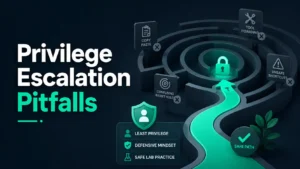
Privilege Escalation Rabbit Holes
Beginners Should Avoid
Choose a lab hypothesis from observed prerequisites and state why the next check can distinguish it.
This guide is for the beginner who wants skill without recklessness: bootcamp learners, junior IT staff, help desk workers, CTF newcomers, and careful career switchers. The goal is not to make escalation look mysterious. The goal is to make your learning safer, clearer, and less wasteful.
Instead of turning privilege escalation into a tool dump, we will treat it as a thinking problem: what access existed, why it mattered, what control should have prevented it, and how a defender would fix it. That is the difference between chasing sparks and learning how the wiring works.
Avoid wasted study hours
Learn which beginner habits create noise, confusion, and false confidence.
Stay inside safe scope
Separate lab practice from real systems, public targets, employer networks, and cloud accounts.
Think like a defender
Turn every lesson into permissions, evidence, impact, and remediation.
Core promise: by the end, you will have a one-page filter for deciding whether a privilege escalation path is worth studying, safely, ethically, and without wandering into the swamp. 🧭
Snapshot
This article is for beginner cybersecurity learners who want to study privilege escalation without slipping into unsafe testing, tool hoarding, or CTF-only thinking. You will learn which rabbit holes waste time, how to compare free labs versus paid training support, and how to build a simple filter that turns every lab into a safer defensive lesson.
Safety First: Keep the Door Locked While Studying the Lock
Privilege escalation is a legitimate cybersecurity topic, but it sits close to a bright red line. Learning how access boundaries fail can help you defend systems. Testing those ideas on systems you do not own or do not have written permission to assess can harm other people and create legal, academic, or professional consequences.
This article is not an exploitation checklist. It does not provide live-target tactics, stealth guidance, bypass recipes, or commands for raising privileges. It is a beginner-safe guide to avoiding inefficient and unsafe learning paths.
Authorized labs only
Practice only in environments you own, environments where you have explicit written permission, or training spaces designed for security education. That usually means private virtual machines, CTF platforms, cyber ranges, intentionally vulnerable labs, or formal classroom environments.
A good beginner rule is simple: if another person, employer, school, customer, cloud account, production service, or public IP could be affected, stop and ask before doing anything. Curiosity is a fine lantern. It is not a permission slip.
What this article can and cannot do
This guide can help you organize your study path, compare learning options, spot unsafe habits, and document findings in a defensive way. It cannot decide whether your specific activity is legally permitted, covered by a school policy, allowed under a bug bounty scope, or acceptable in your workplace.
When scope is unclear, confirm it with an instructor, manager, platform owner, security team, legal contact, or program rules. A five-minute scope check can save you from a five-month headache.
Key takeaway
Study privilege escalation as a defensive access-control problem, not as a dare. The safest question is not “Can I get more access?” It is “What permission boundary failed, and how should it be fixed?”
Useful official definitions before you go further
Two ideas are worth anchoring early. OWASP describes privilege escalation in the context of authorization testing, while NIST defines least privilege as limiting access to only what is necessary. Those are not decorative definitions. They are the rails that keep beginner learning from sliding sideways.
Who This Guide Is For, And Who Should Step Back
Privilege escalation attracts different kinds of beginners. Some are bootcamp students trying to survive their first lab. Some are junior IT staff who suddenly realize that permissions are not just folder settings. Some are CTF players who can follow a walkthrough but cannot yet explain the underlying control failure.
This guide is written for all of them, with one shared assumption: you want to become useful, employable, and safe. Not flashy for fifteen minutes. Useful for years.
For beginners building defensive judgment
If you are learning help desk, system administration, SOC work, web security, cloud basics, or ethical hacking fundamentals, privilege escalation can teach you how small configuration choices become large risks.
The best early lessons are usually not dramatic. They are plain things: a service account with too much access, a group that includes the wrong users, a shared credential nobody rotated, or a file permission that quietly says too much.
For CTF learners who feel stuck
CTFs can be wonderful little puzzle boxes. They sharpen pattern recognition. They give you feedback quickly. They also create a strange habit: expecting every system to contain a hidden trick waiting for the cleverest click.
If you keep collecting walkthroughs but still cannot explain why an escalation path worked, you do not need more spoilers. You need a better note-taking frame.
Not for unauthorized testing
This article is not for breaking into accounts, bypassing workplace controls, evading monitoring, or testing ideas on real systems outside approved scope. It also is not for turning training labs into a pile of copy-pasted commands without understanding the risk.
A professional security career is built on trust. Beginners sometimes imagine trust arrives after technical skill. In reality, trust is part of the skill.
Boundary check
- Use private labs, cyber ranges, or CTF platforms.
- Do not test employer, school, client, cloud, or public systems unless you are formally authorized.
- When in doubt, pause and ask. Scope confusion is not a badge of courage.
The First Trap: Kernel Exploits Before Permission Basics
Beginners often reach for kernel exploits because they look impressive. The words sound serious. The writeups feel cinematic. The screenshots glow with that “I found the secret door” energy.
But most early privilege escalation confusion starts long before advanced exploit research. It starts with identity, authorization, file ownership, groups, roles, services, patching, and logging. That is less glamorous, but it is where the map is drawn.
Why dramatic exploits distract beginners
An advanced exploit can hide the learning signal. If a beginner cannot describe the starting permission, the intended boundary, the failed control, and the defensive fix, the lesson becomes a magic trick.
Magic tricks are fun. Security teams do not pay people to wave capes at production risk. They need people who can explain what happened clearly enough for someone else to reduce the risk.
The safer learning order
Start with permission basics before advanced escalation theory. That means understanding users, groups, roles, access tokens, service accounts, file permissions, process ownership, patch levels, and logs.
For a beginner, the best privilege escalation study path is less “find a bigger hammer” and more “learn why this door was unlocked.”
| Beginner instinct | Safer study question | Defensive takeaway |
|---|---|---|
| Find the biggest exploit | What access do I currently have? | Inventory identity and privileges first |
| Run a tool and hope | What boundary should stop this user? | Map expected versus actual access |
| Celebrate higher access | What control failed? | Connect the issue to configuration, patching, or role design |
| Move to the next lab | How would I report and fix it? | Practice remediation writing |
What to write in your notes instead
When you finish a lab, avoid writing only what happened. Write why it mattered. Your notes should help future-you reconstruct the reasoning, not just admire the result.
- Starting identity: what user, role, or process context did you begin with?
- Expected boundary: what should this identity have been unable to do?
- Observed gap: what access existed that should not have existed?
- Evidence: what safe, non-sensitive proof shows the issue?
- Impact: what could happen if this existed in a real environment?
- Remediation: what configuration, patch, review, or process change would reduce risk?
The Permission Mirage: When “Admin” Is Not the Whole Story
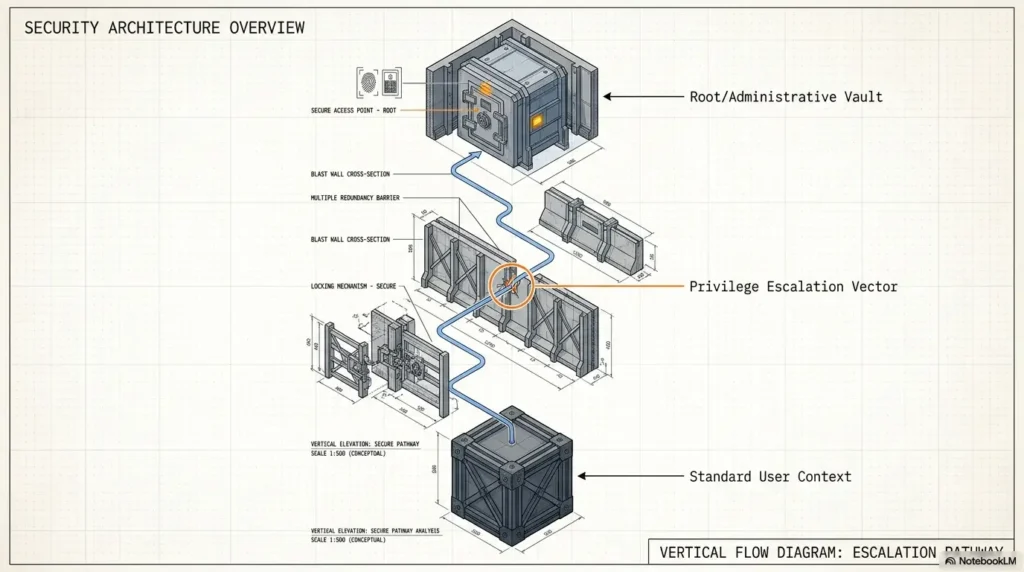
Many beginners compress privilege escalation into one idea: become admin. That is too small. Access risk has texture. It has side doors, shared corridors, inherited permissions, stale groups, service identities, and resource-level rules that do not fit neatly into one title.
Sometimes the issue is not “low user becomes root.” Sometimes it is “one regular user can read another regular user’s data.” Sometimes it is “a service can do more than the service should ever need.”
Vertical vs. horizontal escalation
Vertical escalation means a user gains a higher level of access than intended. Horizontal escalation means a user accesses another user’s resources at the same general privilege level.
Beginners often overlook horizontal escalation because it lacks fireworks. In real systems, it can be deeply serious. A customer viewing another customer’s invoice, a student seeing another student’s record, or a support agent accessing data outside their assigned region may all be major problems.
Role design is where the plot hides
Poorly designed roles can create risk without any exploit at all. Broad groups, inherited permissions, shared admin roles, default access, and unclear ownership can quietly turn a normal account into a skeleton key.
For junior IT staff, this is especially important. A messy permissions model can make every support ticket feel urgent, every exception feel normal, and every audit feel like archaeology in a thunderstorm.
Mini permission map
- List the identity: user, group, role, process, or service account.
- List the resource: file, database, dashboard, admin panel, cloud bucket, repository, or ticket queue.
- Write the intended access: read, write, execute, approve, delete, configure, or impersonate.
- Write the actual access you observed.
- Circle the gap. That gap is the lesson.
The boring middle matters
Many beginner writeups make escalation look like lightning because they skip the middle: inventory, assumptions, permission mapping, failed attempts, log review, and remediation. That missing middle is where professional judgment develops.
If a walkthrough jumps from “I found something” to “now I have higher access,” slow down. Ask what was skipped. Often, the skipped part is the actual lesson.
Common Mistakes: The Five Detours That Burn Beginners
Privilege escalation rabbit holes are not only technical. They are psychological. They feed on panic, impatience, social comparison, and the tiny dopamine bell that rings whenever a new tool appears.
The following five detours are common because they feel productive. That is what makes them dangerous to your learning.
Mistake 1: Collecting tools instead of concepts
A tool list can feel like progress. It gives you names, tabs, repositories, and a comforting illusion of motion. But if you cannot explain why access changed, the tool becomes a tour bus and you are just looking out the window.
The safer move is to attach every tool or checklist to a concept: identity, permissions, service configuration, patching, logging, or role separation.
Mistake 2: Treating CTF logic as workplace reality
CTFs compress learning into puzzles. Real systems include uptime, user trust, monitoring, policy, compliance, legal boundaries, change control, and business impact.
That does not make CTFs bad. It means you should translate each CTF lesson into a real-world defensive question. What alert might fire? What change ticket would be needed? Who owns the risky permission?
Mistake 3: Ignoring logs and evidence
Beginners often focus on whether they can get higher access. Defenders ask a different question: what would we see?
Even in a beginner lab, practice writing down what evidence would matter in a real investigation. Authentication events, permission changes, suspicious process behavior, service activity, and unexpected access patterns may all matter, depending on the system.
Mistake 4: Skipping remediation
A finding without a fix is half a flashlight. It points at the floor, not the exit.
Practice turning each lab result into a clean remediation note. That might include removing excess rights, applying patches, reviewing group membership, rotating credentials, hardening service accounts, improving monitoring, or creating an access review cadence.
Mistake 5: Testing outside scope
The fastest way to damage a cybersecurity learning path is to confuse curiosity with permission. A beginner who respects scope is already practicing a professional skill.
If you find something concerning outside a lab, do not poke it. Save what is safe to save, avoid accessing data, and use the proper reporting path.
Do Not Chase Every Script: The Copy-Paste Sinkhole
Random scripts are a bad classroom. Some are outdated. Some are noisy. Some break systems. Some hide behavior a beginner would not recognize. Even when a script is legitimate, using it without understanding can train the wrong reflex.
The point is not “never use tools.” Professionals use tools every day. The point is to understand what a tool checks, what assumptions it makes, what data it touches, and what risk it introduces.
Why random scripts teach poorly
A script can produce output faster than you can build understanding. That feels efficient until you realize your notes contain artifacts, not reasoning.
Before using any tool in a lab, ask three quiet questions: what does it inspect, what could it change, and would I be comfortable explaining it to an instructor or security lead?
“It worked” is not understanding
A result becomes a lesson only when you can explain the prerequisite, the failure condition, the impact, and the fix. Without those four pieces, success is just confetti in a locked room.
Try this after every lab: close the walkthrough and explain the issue in four sentences. If you cannot, you may have completed the exercise, but the exercise has not completed its work on you.
Safer substitute: read the finding backwards
Instead of starting with “what tool should I run?” start from the defensive weakness. Work backwards from the risk to the failed control, then to the evidence, then to the learning concept.
| Study direction | Weak result | Stronger result |
|---|---|---|
| Tool first | I ran something and got output | I can name what the tool checked and why it mattered |
| Finding first | I know the final step | I know the weak permission, affected identity, and safer configuration |
| Fix first | I can repeat the lab | I can explain how to reduce the risk in a real environment |
Key takeaway
Tools are not the enemy. Unexamined tool use is. A beginner-safe tool habit is to write what the tool checks, what it might affect, and what defensive control the output connects to.
The Enumeration Detour: When Looking Forever Becomes Avoidance
Enumeration is necessary. Endless enumeration is a fog machine with a keyboard attached.
Beginners often gather more and more details because action feels scary. The directory grows. The notes grow. The confidence does not. At some point, collecting information becomes a way to avoid forming a hypothesis.
The endless checklist problem
A checklist should answer questions, not become wallpaper. If you do not know what decision a scan, review, or search will help you make, pause before adding more noise.
Useful enumeration narrows the path. Unfocused enumeration creates a bigger maze.
Ask sharper questions
Before you keep looking, write one sentence: “I am trying to determine whether…” Then complete the sentence with a specific permission or control question.
- What identity am I currently using?
- What resources can that identity access?
- What boundary should prevent more access?
- What configuration would reduce this risk?
- What evidence would a defender need to verify it?
Illustrative example: stuck in the list
A beginner working through a private lab spends two hours collecting service details, file names, notes from walkthroughs, and screenshots. The page is full, but the next step is still blurry.
A mentor asks one question: “What permission do you think should not exist?” The room gets quiet. The learner realizes they have been documenting everything except the boundary.
They rewrite the notes around identity, resource, expected access, actual access, and fix. The lab does not become easy, but it becomes legible. That is the real milestone.
Timebox your search
For beginner practice, set a timebox before adding another checklist. After 20 to 30 minutes of unfocused looking, stop and summarize what you know. Then write the next safe learning question.
This habit matters for exams, labs, and real work. Teams do not only need people who can find things. They need people who know when the search is producing clarity and when it is producing static.
Enumeration reset checklist
- Can I name the current identity?
- Can I name the resource I am investigating?
- Can I describe the boundary I expect?
- Can I write one hypothesis?
- Can I say what evidence would confirm or reject it?
- Can I stop before touching anything outside the lab or scope?
CTF Habits That Can Mislead Real-World Learners
CTFs are useful because they make hard ideas small enough to hold. They are also artificial by design. A CTF machine may reward the fastest path to the flag. A workplace rewards careful scope, evidence, communication, and risk control.
That difference matters. If you carry the wrong CTF habits into real environments, you may sound confident while missing the professional part of the work.
The puzzle-room illusion
In a training room, everything exists for a reason. In real systems, weird things exist because of deadlines, legacy software, forgotten migrations, urgent fixes, vendor limitations, and human exhaustion.
Beginners who expect every clue to be intentional may overfit. They see puzzles where there are operations. They chase theatrical tricks when the true issue is a boring permission exception from three years ago.
The missing business context
Real privilege problems involve more than access. They involve data sensitivity, customer trust, uptime, compliance, audit evidence, incident response, and cost.
A junior analyst who can say “this role can access billing exports outside its job need” is often more useful than a learner who can only say “I got admin.” The first person can help reduce risk. The second person may still be trapped in the scoreboard.
The better CTF takeaway
Use CTFs to learn concepts, then translate each concept into a defensive control. That translation is the bridge from hobby practice to professional judgment.
| CTF habit | Real-world translation | Better note format |
|---|---|---|
| Find the flag | Verify the risk safely | Evidence summary, not trophy screenshot |
| Follow the trick | Identify the failed control | Expected access vs. actual access |
| Move fast | Respect scope and impact | Authorization, affected systems, boundaries |
| Win alone | Communicate clearly | Report language a defender can act on |
When to seek help before the lab becomes a liability
Ask for help when scope is unclear, when impact could spread, when production accounts are involved, when customer data appears possible, or when cloud billing and shared infrastructure could be affected.
Also ask for help when you find a real issue by accident. Use the proper reporting path: internal security team, responsible disclosure policy, bug bounty program rules, platform support channel, or instructor process.
The Least-Privilege Lens: The Beginner’s Best Compass
Least privilege is one of the most useful ideas a beginner can learn early. It says users, processes, and systems should receive only the access needed to do their work. Not access that might be convenient someday. Not access copied from the last employee. Not access granted because nobody had time to make a cleaner role.
When privilege escalation feels confusing, return to one question: what permission existed that should not have existed?
Why least privilege belongs early
Least privilege gives beginners a way to understand privilege escalation without memorizing every platform-specific trick. It turns the topic into a control problem.
That shift is powerful. You are no longer asking, “What clever move did the walkthrough use?” You are asking, “Why did this account, service, or role have more access than it needed?”
Map the fix, not just the flaw
A beginner-safe remediation note does not need to sound like a legal filing. It should be plain, specific, and useful. Remove unnecessary rights. Review group membership. Separate duties. Patch affected systems. Improve monitoring. Require approvals for sensitive access. Audit service accounts regularly.
The more specific your fix, the more professional your learning becomes.
The rabbit-hole filter framework
The Beginner Rabbit-Hole Filter
1. Scope
Am I inside an authorized lab or approved testing boundary?
2. Identity
What user, role, group, process, or service am I studying?
3. Boundary
What access should be blocked or limited?
4. Evidence
What safe proof shows the permission gap?
5. Fix
What control would reduce or prevent the risk?
Show me the nerdy details
Privilege escalation is often described as an “attack path,” but beginners learn faster when they model it as a broken relationship between identity, resource, action, and control.
Identity is the actor: user, role, process, token, group, service account, or workload. Resource is the thing accessed: file, API, admin console, database, job scheduler, cloud storage, or configuration panel. Action is what the identity can do: read, modify, execute, approve, delete, configure, impersonate, or assign. Control is what should govern the action: permissions, policy, patching, monitoring, approval, segmentation, or secure defaults.
A clean beginner report explains where that relationship failed. That keeps your learning useful even when the specific lab, platform, or tool changes.
Tools, Training, and Budget Choices Without Buying Confusion
Beginner cybersecurity education can become expensive quickly. Courses, lab subscriptions, certification materials, note-taking apps, virtual machines, books, cloud accounts, and premium platforms all promise structure.
Some paid options are genuinely helpful. Some are simply a prettier way to avoid fundamentals. The best way to choose is to match the purchase to the bottleneck.
Free vs. paid learning options
A free approach can be enough if you are disciplined, comfortable setting up private labs, and willing to document your work carefully. Paid training may be worth considering if you need structure, feedback, lab stability, accountability, or a clearer path toward a job or certification.
Do not pay for more noise. Pay only when the option solves a specific constraint.
| Option | Best for | Watch out for | What to compare before paying |
|---|---|---|---|
| Free labs and writeups | Self-directed beginners with time and patience | Outdated steps, spoiler dependence, uneven quality | Clear lab scope, safe setup, beginner explanations |
| Paid CTF or lab platform | Learners who need stable practice and progression | Chasing badges instead of understanding | Difficulty path, defensive explanations, note support |
| Bootcamp or guided course | Career changers who need structure and feedback | High cost, rushed pacing, generic promises | Instructor access, lab ethics, report writing, refund policy |
| Mentor or study group | Learners who get stuck in rabbit holes | Poor boundaries, answer-sharing without reasoning | Scope discipline, teaching style, review cadence |
Good / Better / Best beginner setup
You do not need a luxury lab to learn safely. You need isolation, backups, notes, and restraint. The right setup is the one you will actually use without endangering other systems.
| Setup tier | What it includes | Good fit | Main risk to manage |
|---|---|---|---|
| Good | One private virtual machine lab, simple notes, strict no-public-target rule | Budget-conscious beginners | Weak note discipline |
| Better | Several isolated practice VMs, snapshots, structured lab journal, weekly review | Bootcamp students and junior IT learners | Too much lab sprawl |
| Best | Guided platform or course, mentor feedback, reporting practice, defensive mapping | Career-focused learners | Buying structure without doing the work |
Questions to ask before buying training
When comparing courses, platforms, and tools, check whether they solve your current learning gap and fit your budget.
- Does the training clearly separate authorized labs from real systems?
- Does it teach permissions, identity, logging, and remediation, or only “get the flag” behavior?
- Does it include report writing or evidence summaries?
- Can you preview the curriculum before paying?
- Does the difficulty progression make sense for beginners?
- Are refund, renewal, and subscription terms easy to understand?
- Does the platform encourage ethical testing boundaries?
When professional help makes sense
If you are a small business owner, founder, or IT generalist who discovered a real permissions problem, do not treat beginner lab skills as a substitute for a professional assessment. A qualified security consultant, managed service provider, or internal security team can help review scope, risk, access controls, and remediation safely.
For learners, professional help may also mean paying for a mentor to review reports or joining a structured study group. The right support should reduce confusion, not create dependency.
Beginner Study Path: A Safer Four-Week Sequence
A safer privilege escalation study path starts with foundations and ends with communication. That order matters. You want to build a staircase, not a trampoline.
This four-week sequence works for a busy learner who can study a few hours per week. Adjust the pace if you are in a bootcamp or preparing for a certification, but keep the order intact.
Week 1: Permissions and identity
Learn users, groups, roles, authentication, authorization, file permissions, process ownership, and service accounts. Do not rush past these. They are the grammar of privilege escalation.
- Write the difference between authentication and authorization.
- Practice reading file and folder permissions in a private lab.
- Map one user, one group, one resource, and one allowed action.
- Summarize least privilege in your own words.
Week 2: Misconfiguration patterns
Study weak defaults, excessive privileges, exposed admin panels, poor role separation, stale accounts, insecure access rules, and overbroad service permissions. Keep the focus on why the configuration is risky.
At this stage, avoid trying to memorize every trick. Build categories. Categories travel better than trivia.
Week 3: Logging and detection
Learn what defenders monitor. Look at authentication events, permission changes, system logs, application logs, administrative actions, and unusual access patterns in safe practice environments.
The question is not only “could this happen?” It is “how would someone know?”
Week 4: Remediation writing
Practice turning a lab result into a clean finding. A beginner-safe report should include scope, affected identity, risk, evidence summary, business impact, and remediation guidance.
| Report part | Beginner-friendly prompt | Why it matters |
|---|---|---|
| Scope | Where was this tested? | Shows authorization and boundaries |
| Affected identity | Which user, role, or process had access? | Connects the issue to permissions |
| Risk | What could go wrong in a real setting? | Explains impact without drama |
| Evidence | What safe proof supports the finding? | Helps others verify the issue |
| Fix | What should change? | Turns learning into useful defense |
Key takeaway
A strong beginner study path moves from permissions to misconfigurations, then to logs, then to remediation writing. That path builds judgment instead of just tool familiarity.
FAQ
Is privilege escalation illegal to learn?
Learning the concept is not the problem. Testing privilege escalation ideas on systems without permission can be illegal, unsafe, and professionally damaging. Keep practice inside authorized labs, cyber ranges, formal courses, or private systems you control.
Should beginners learn Linux or Windows privilege escalation first?
Start with whichever environment you can study safely and consistently. The deeper priority is understanding identity, permissions, roles, services, logging, and least privilege before chasing platform-specific tricks.
Are CTF privilege escalation rooms enough for real jobs?
They help, but they are not enough by themselves. Add report writing, scope discipline, logging awareness, remediation practice, and business-impact thinking. Employers need judgment, not only solved rooms.
What is the safest way to practice privilege escalation?
Use intentionally vulnerable labs, private virtual machines, cyber ranges, or CTF platforms that clearly authorize practice. Avoid public systems, employer systems, school networks, customer environments, and cloud accounts unless you have explicit permission.
Why do beginners get stuck on privilege escalation?
They often memorize output without understanding identity, permissions, service behavior, or the failed control. They also over-enumerate, copy scripts, or treat CTF shortcuts as universal rules.
What should a beginner report include?
A beginner-safe report should include scope, affected identity, expected access, actual access, evidence summary, likely impact, and remediation guidance. Keep it clear enough that a defender could act on it.
Is least privilege only for enterprise teams?
No. Least privilege applies to home labs, small businesses, web apps, cloud accounts, service accounts, personal devices, and shared workspaces. The scale changes, but the principle travels well.
When should I stop testing?
Stop when permission is unclear, impact could affect others, data exposure appears possible, production systems are involved, or the activity moves beyond the agreed scope. Ask before continuing.
Build Your One-Page Rabbit-Hole Filter in 15 Minutes
The best next step is not another tab. It is a one-page filter you can use before every lab, walkthrough, course module, or study session.
Create four columns: what permission exists, why it is risky, how a defender would notice, and how it should be fixed. That small table turns privilege escalation from a maze into a map.
Your 15-minute action
- Open your note-taking app or a blank document.
- Create four columns: permission, risk, detection, fix.
- Choose one lab you already completed.
- Fill in the table without using exploit commands or spoilers.
- Write one sentence explaining the failed control in plain English.
Rabbit-hole filter template
| What permission exists? | Why is it risky? | How would a defender notice? | How should it be fixed? |
|---|---|---|---|
| Write the identity and access level. | Explain possible impact in plain English. | Name the log, alert, review, or evidence source. | Write the control improvement. |
| Example: overbroad role, stale group, risky service permission. | Example: user can access data or actions beyond job need. | Example: access review, permission change log, unusual action pattern. | Example: remove rights, separate duties, patch, monitor, review regularly. |
Use this filter before reading a walkthrough. Fill in what you think the boundary is. After the lab, update the table with what you learned. That tiny ritual teaches you to think, not just follow.
Privilege escalation is not a monster under the bed. It is a study of misplaced trust, loose permissions, weak boundaries, and missing review. Learn it carefully, document it clearly, and keep your hands inside authorized spaces. That is how a beginner becomes the kind of security person others can trust with the keys.
Final nudge
Your next lab does not need more chaos. It needs one clean question: what permission existed that should not have existed?
Last reviewed: 2026-08
Technical guidance updated: 2026-10-13. Removed a duplicated callout title and editorial planning language, and repaired table-of-contents links.
State which privilege boundary actually changed
A username or UID alone is not the complete impact statement. UID 0 inside a user namespace can map to an unprivileged identity outside it; container root is not automatically host root. Linux user namespaces separate user-ID mappings and capabilities by namespace.
In a lab record, state the original identity, resulting identity, resource reached, environment or namespace, and the exact authorized action demonstrated. Do not infer a host escape from a root prompt inside a container, or cloud-tenant administration from local machine administration. If the boundary was not tested, say so. This narrows impact without dismissing a real misconfiguration.
Editorial review: 16 October 2026. Examples are illustrative; this review does not represent an audit or live control test.
Privilege-path hypothesis filter
Use this when: you are an authorized learner deciding whether a proposed lab path merits further investigation. Copy these fields into your notes and replace each prompt with a dated response. Keep assumptions and unresolved questions visible.
Edit here, then select and copy the text to your own notes before leaving. This field has no submission or storage function; reloading resets it. Do not enter passwords, tokens or private client information. The 12,000-character limit applies to this working note.
Next action: Reject a proposed path whose required prerequisite is contradicted by the evidence. Mark the relevant row confirmed, provisional or unresolved. Keep the supporting record, responsible person and next check beside it so another reader can continue the work without treating an assumption as a result.
This is a blank practice record, not a report of a test performed by Kioptrix. Add the actual versions, approved conditions and observations from your own session.
Worksheet change record — October 20, 2026
Added this privilege-path hypothesis filter with four article-specific fields and an evidence-based next action. Existing source notes retain their own review dates. This addition is not a fresh verification of every statement or a newly executed test.
Privilege review: missing prerequisite changes the next task
Illustrative example — not a performed lab test.
- Observation
- A proposed path requires a writable executable, but the current identity has only read access to the recorded path.
- Supported interpretation
- The proposed write prerequisite is not supported by this observation.
- Still unresolved
- Whether a different permitted path has the required conditions; no elevation outcome is established.
- Next authorized check
- Mark this hypothesis unsupported under the current identity and path. Keep the access evidence with it, then choose another evidence-based question instead of repeatedly executing a technique whose prerequisite is absent.
Practice-aid update: October 20, 2026. Added the illustrative decision case and editable note. No new VM execution or full-article revalidation is claimed.