Sources, review date and section shortcuts
Editorial review: October 20, 2026. Use an explicitly permitted lab and distinguish an interesting response from a demonstrated security failure.
Reference documentation · Related practical guide
Go straight to: Decision check · Main workflow · Further detail
Open the practical working record to connect this guide to your scope, evidence and next decision.
Define the expected security boundary first
State the permitted target, accounts, action and expected authorization or input-handling behavior. Compare the observed response with that expectation and preserve relevant evidence. A server error or unusual page does not by itself prove injection, data access or authentication bypass. No live assessment is performed by this article. Reference and scope.
Authorized labs only
Web Exploitation Essentials for Authorized Labs
Learn the Craft Without Crossing the Line
Use an explicitly permitted lab and distinguish an interesting response from a demonstrated security failure.
This guide is for learners who want structure, not chaos. Whether you are a bootcamp student, junior analyst, IT generalist, help desk worker, or curious developer, the goal is to understand how web application weaknesses behave inside controlled labs so you can recognize risk, explain it clearly, and help someone fix it.
The craft is not “breaking websites.” The craft is judgment: knowing what is allowed, what evidence is enough, what data should never be collected, and how to turn a finding into a repair plan. That is the difference between a useful security learner and a browser with bad manners.
Stay inside scope
Create a written lab boundary before any testing begins.
Learn risk categories
Use OWASP-style thinking to understand patterns, not party tricks.
Report like a pro
Document minimum proof, remediation ideas, and retest notes.
The first security tool is permission. The second is restraint. 🛡️
Snapshot
This article is for US and UK learners, junior security analysts, IT teams, and bootcamp students practicing web exploitation only inside authorized labs. You will learn how to set scope, choose safe lab environments, document evidence, avoid risky mistakes, compare free and paid learning options, and create a one-page lab rules sheet before you begin.
Before You Act: Permission Is the First Tool
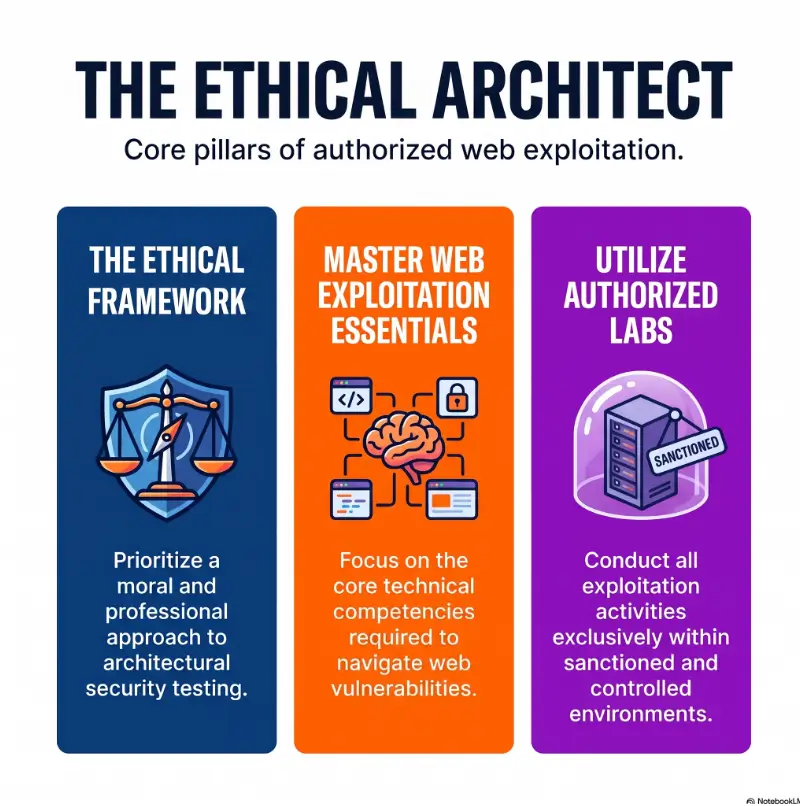
Web exploitation essentials begin with a boring-looking sentence that quietly prevents disaster: only test systems you own, systems built for training, or systems where you have clear written authorization.
This guide is educational and defensive. It does not provide live-target instructions, exploit recipes, stealth methods, credential abuse steps, persistence tactics, or ways to bypass monitoring. It is a map for safe lab learning, not a permission slip for wandering into someone else’s house because the door looked interesting.
Key takeaway
A safe web exploitation lab is not defined by the tool you use. It is defined by authorization, scope, isolation, test data, evidence limits, and a clear stop condition.
What this article can and cannot do
This article can help you build a safe learning workflow, understand common web security themes, compare lab options, document findings responsibly, and decide when to ask for help.
It cannot decide whether a real-world target is legal for you to test. It cannot replace your employer’s policy, a bug bounty program’s written scope, a lawyer’s advice, or a security lead’s approval. When the stakes include customer data, production uptime, legal exposure, or someone else’s infrastructure, slow down and confirm.
When to stop immediately
- If the target is not yours and not explicitly in scope, stop.
- If real customer data appears, stop and escalate through the approved contact.
- If the lab instructions are unclear, ask before continuing.
- If an action might disrupt service, collect more data, or affect another user, do not proceed without written approval.
- If you are tempted to “just check one more thing” outside the exercise, close the browser. Curiosity is useful. Unbounded curiosity wears muddy boots.
For a useful baseline on responsible web application risk categories, the OWASP Top 10 is one of the best-known awareness resources for web security education. For organizational security thinking, the NIST Cybersecurity Framework is a helpful reference for risk management, governance, and improvement.
Who This Is For, Not For: The Boundary Before the Browser
People often search for “web exploitation basics” when they are really asking a deeper question: How do I learn this without doing something reckless? That is the right question. It has a sturdy smell, like fresh notebook paper and a locked lab door.
For students building defensive confidence
If you are a bootcamp student, college learner, career changer, or self-taught beginner, labs help you connect theory to behavior. You can see how poor access control, weak configuration, or sloppy input handling might show up in a controlled web app.
Your goal is not to memorize dramatic moves. Your goal is to build a repeatable habit: observe, confirm scope, test safely, document minimally, explain risk, suggest a fix, retest, and reflect.
For IT teams and developers
Internal IT teams, junior developers, QA testers, and DevSecOps newcomers can use authorized labs to create a shared language. A lab lets a sysadmin, developer, analyst, and manager point at the same harmless example and say, “That is what we mean by missing authorization checks.”
This is especially valuable in small organizations where one person wears four badges: help desk in the morning, cloud admin at lunch, WordPress troubleshooter by 3 p.m., and accidental security coordinator by Thursday.
Not for random public testing
This guide is not for testing public websites, school portals, SaaS apps, employer systems, customer dashboards, cloud accounts, payment flows, or third-party services unless written permission clearly includes them.
Finding a login page, an old directory, an error message, or a suspicious header does not give you permission to probe. Discovery is not authorization. A visible fence is still a fence.
Boundary check
The most valuable beginner skill is not the exploit. It is knowing when not to touch the system. That restraint is not weakness. It is professional signal.
Authorization First: The Lab Contract That Saves the Lesson
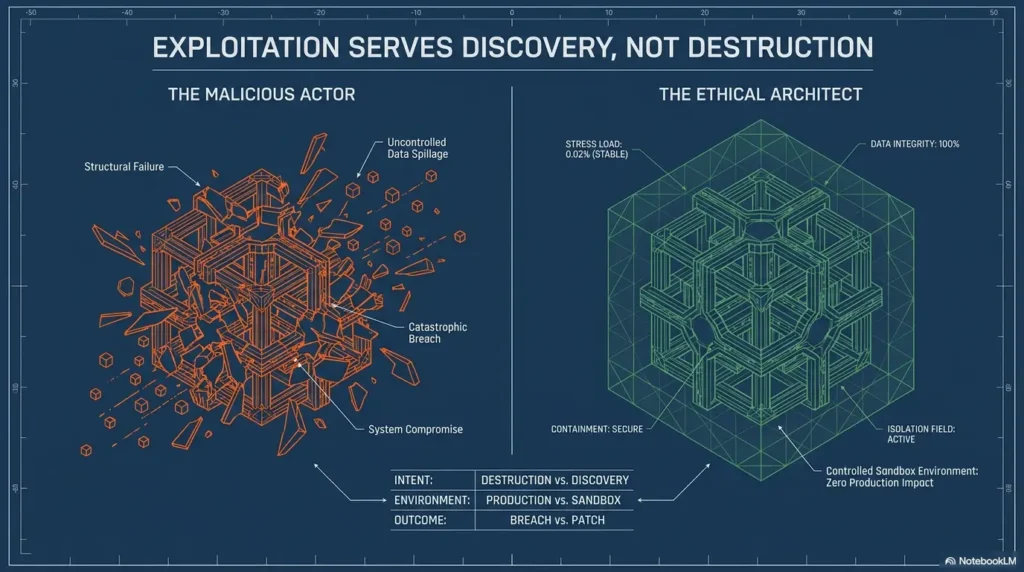
Before opening a lab, define the rules. This does not need to be a 30-page legal document for a home practice environment. It does need to be written, visible, and specific enough to stop “scope creep,” that sneaky little gremlin that turns a learning session into a problem.
Define what is in scope
Your in-scope list should name the exact lab target, allowed accounts, test data, time window, and permitted activity type. For internal company training, it should also name the approving person or team.
- Target name or lab name
- Local network range or training platform environment
- Allowed test accounts and roles
- Allowed time window
- Permitted evidence, such as screenshots and notes
- Emergency stop contact
- Report format and retest method
Define what is out of scope
Out-of-scope boundaries are just as important. They save you from the “but I thought…” fog. In training, the usual exclusions should be production systems, real personal data, payment flows, third-party integrations, cloud provider assets, denial-of-service behavior, social engineering, and anything that changes another person’s account.
If a lab uses realistic sample data, treat it with care anyway. Good habits do not know the difference between fake names and real names until it is too late.
Keep a permission trail
Save the lab instructions, instructor notes, platform rules, employer approval, or program scope before starting. If the work is for a company, store the approval where the team can find it later.
Safe harbor language can be useful in formal vulnerability disclosure programs, but it is not magic armor. It does not authorize testing third-party infrastructure outside the written scope. The HackerOne disclosure guidance is a useful place to understand how written scope and good-faith reporting are often framed in organized programs.
The Safe Lab Stack: Build a Small Web City You Can Legally Break
A good web exploitation lab is small, isolated, resettable, and clearly labeled. Think of it as a model town made of cardboard storefronts. You can study the wiring and move the doors without accidentally cutting power to the real bakery.
Use intentionally vulnerable applications
Start with lab apps and training machines designed for practice. They are built to teach common security ideas without dragging real users, real businesses, or real legal risk into your learning session.
For a safer foundation, a beginner may review a Kioptrix offline lab setup guide, then compare it with a home lab network layout before choosing where to practice.
Separate lab traffic from daily browsing
Use isolated accounts, test-only browsers, local networks, disposable notes, and clearly named folders. If your personal email, banking session, password manager, or work dashboard is open beside the lab, you are stacking banana peels on the staircase.
For team training, create a lab naming convention. Use labels such as “training-only,” “test-data,” and “no-production.” This feels fussy for six minutes. Later, it feels like oxygen.
Reset often, document more often
Snapshots, resets, and clean states are part of learning. They help you compare what changed before and after a test. They also prevent a beginner mistake from becoming a haunted mansion of half-broken settings.
Keep simple notes: date, target, account role, observation, evidence file name, expected behavior, actual behavior, risk category, and next question. If you want a repeatable structure, a recon log template or technical journal habit can help keep the session from dissolving into screenshots and vibes.
The Safe Lab Flow
1. Permission
Confirm written scope before testing.
2. Isolation
Use lab-only accounts, data, and networks.
3. Observe
Map roles, flows, pages, and trust boundaries.
4. Evidence
Capture minimum proof without collecting data.
5. Fix
Connect each issue to a defensive control.
6. Retest
Verify the fix inside the same approved boundary.
Use the OWASP Lens: Learn Categories, Not Party Tricks
Beginners sometimes collect vulnerability names like shiny stones. The better move is to learn the story behind the category. What trust assumption failed? What boundary was missing? What data was handled carelessly? What setting was left open because “we’ll clean that up later” became permanent furniture?
Broken access control as missing gates
Access control is about who can do what. In a lab, you might compare what a normal user, admin user, and logged-out visitor should be able to see. You are not hunting treasure. You are checking whether the doors match the floor plan.
The defensive lesson is clear: roles, permissions, ownership checks, and server-side authorization should be intentional. If a user interface hides a feature but the server still allows the action, the gate is painted on the wall.
Injection as a data-handling failure
Injection is not a magic spell. It is a failure to separate data from instructions. In beginner-friendly labs, the safe lesson is to understand why applications should validate input, use safe query patterns, encode output, and avoid treating user-supplied content as trusted.
You do not need live payload recipes to understand the risk. The important question is: “Where does this input go, and does the application treat it safely?” That question is the lantern.
Misconfiguration as the unlocked side door
Misconfiguration often looks ordinary: debug messages, default pages, weak headers, exposed admin surfaces, verbose errors, forgotten sample files, or services left open because no one owned the cleanup.
This is a useful area for IT generalists because the fix is often operational: remove defaults, disable debug modes, restrict admin access, set secure headers, document ownership, and review changes before deployment.
Vulnerable components as borrowed risk
Modern web apps are built from frameworks, libraries, plugins, containers, packages, and services. Every borrowed component can carry borrowed risk. In a lab, you can practice asking better inventory questions without touching a real company’s production stack.
The practical lesson is not “never use dependencies.” That would be like refusing to use bricks because buildings can crack. The lesson is to track versions, read advisories, patch with care, test compatibility, and remove abandoned components.
Show me the nerdy details
A useful lab note separates four things that beginners often mash together: observation, evidence, risk, and remediation.
- Observation: What did you see in the lab?
- Evidence: What minimal proof shows the behavior?
- Risk: What could happen if this existed in a real system?
- Remediation: What defensive change should be considered?
Evidence Without Damage: How to Prove Risk Cleanly
A clean report beats a dramatic report. Security teams need a map, not fireworks. In authorized labs, evidence should prove the point without creating extra risk, collecting unnecessary data, or making the environment harder to restore.
Capture the minimum proof
Minimum proof usually means a screenshot, timestamp, lab role, affected page or feature, expected behavior, actual behavior, and a short explanation. You are trying to show enough for a defender to understand and reproduce the issue within the same approved setting.
Avoid giant screenshot folders with names like “final-final-this-one-real-final.” Use a simple system: date, lab name, section, evidence number. Your future self will send you a thank-you card.
Avoid data collection
Even inside labs, practice the habit of not collecting records you do not need. Do not download tables, scrape pages, copy personal-looking data, or store credentials in notes. If a lab uses fake accounts, treat them as training props, not souvenirs.
In internal environments, if unexpected real data appears, pause and report it through the agreed channel. The right move is not to prove how much you can see. The right move is to prevent further exposure.
Write reproduction notes responsibly
A beginner-friendly write-up should be clear enough for defenders, instructors, or teammates to understand the issue. It should not read like an attack manual for real targets.
Use plain English. Describe the lab environment, user role, page or feature, observed behavior, and defensive implication. Keep the wording focused on risk and repair.
Clean evidence checklist
- Lab name and version are listed.
- Test account role is listed.
- Timestamp is included.
- Screenshot shows the behavior without exposing unnecessary data.
- Expected behavior and actual behavior are both described.
- Suggested defensive fix is included.
- Retest result is recorded after remediation.
Tools, Costs, and Options: What Beginners Actually Need
Web exploitation learning can become a shopping cart with a keyboard attached. Beginners see courses, labs, note apps, proxies, cloud machines, exam prep, certificates, and premium platforms. Some are useful. Some are expensive wallpaper.
The best way to choose web security learning tools is to match the tool to your stage. A beginner does not need a boutique toolbox. A beginner needs safe scope, repeatable labs, clear notes, and feedback.
Free vs paid learning options
Free resources can be enough when you are building fundamentals: terminology, lab discipline, documentation, and basic security categories. Paid options may be worth comparing when you need structured progression, instructor feedback, private labs, certificates, or guided reporting practice.
Before paying, ask what you are buying: practice time, feedback, convenience, credential value, or community support. Those are different things. A course that gives you polish but no practice is a showroom bicycle with no tires.
Good, better, best lab setup
| Setup tier | Best for | What to compare before spending | Main caution |
|---|---|---|---|
| Good: Free local lab | Beginners learning scope, notes, and basic web risk categories | Hardware needs, reset process, documentation quality | May require more setup patience |
| Better: Guided training platform | Students who want structure and progress tracking | Lab scope clarity, difficulty path, reporting practice, cancellation terms | Do not mistake badges for skill |
| Best: Internal team lab with review | IT teams, developers, QA, and junior analysts | Approval process, test data, safe reset, peer review, remediation workflow | Needs ownership and maintenance |
What to ask before buying a course or platform
- Does the platform clearly define authorization and scope?
- Does it teach reporting and remediation, not just discovery?
- Are labs resettable and isolated?
- Does it use current defensive concepts without encouraging real-world probing?
- Does it include feedback on write-ups?
- Can you export notes or portfolio-safe summaries?
- Is the cost justified by structure, support, or career relevance?
Budget-conscious learners can start with a local practice routine and a simple documentation habit. Career changers may benefit from a structured path if it helps them finish projects, write professional summaries, and explain their learning in interviews. For that next step, a cybersecurity portfolio guide can help translate lab work into employer-friendly evidence without oversharing risky details.
Common Mistakes That Turn Labs Messy
Most beginner mistakes are not villainous. They are blurry. The learner is excited, the scope document is vague, the lab is half-configured, and suddenly the session has too many tabs and not enough brakes.
Mistake: practicing on “harmless” public sites
A small public site is still a real site. A forgotten test page is still someone else’s system. A school portal, hobby forum, charity site, or tiny business login page is not a training playground.
The safer alternative is simple: use purpose-built labs, local training environments, cyber ranges, or written-scope programs. Do not use public targets to “warm up.” Warm up in your own gym.
Mistake: confusing discovery with permission
Seeing something exposed does not authorize testing it. A directory listing, strange header, old server banner, or broken page may be interesting, but permission is not implied by visibility.
If your curiosity has found something unexpected on a real system, do not continue testing. Follow responsible reporting channels, if available, and avoid collecting extra evidence beyond what is necessary to report the concern safely.
Mistake: saving real credentials in notes
Lab notes often outlive the lab itself. They get copied into portfolios, shared with mentors, uploaded to cloud folders, or searched months later. Never store real passwords, tokens, private files, or customer-like data in your notes.
Use placeholders and test-only values. If your notes would be embarrassing on a projector during a job interview, revise them now.
Illustrative example: scope creep in a training session
A junior analyst joins an internal web security workshop. The approved lab is a training app on a local network. During the exercise, the analyst notices a link to a real company staging service. It looks quiet. It looks related. It looks tempting.
The unsafe move would be to click around “just to see.” The professional move is to stop, screenshot only the lab page showing the unexpected link, and ask the training lead whether that service is in scope.
The lesson is crisp: a lab can contain paths that point outside the lesson. Your boundary must be stronger than your curiosity.
Red line checklist
- Do not test production unless written approval clearly allows it.
- Do not attempt stealth, evasion, identity disguising, or monitoring bypass.
- Do not collect records to “prove impact.”
- Do not test third-party services unless the scope names them clearly.
- Do not escalate beyond the lab objective.
From Finding to Fix: Teach Remediation Alongside Discovery
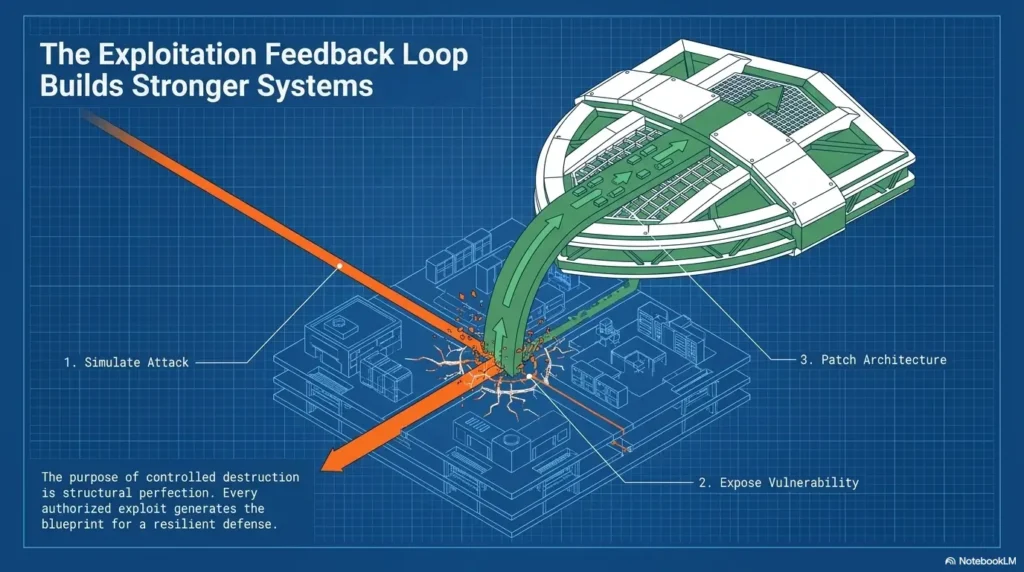
A web exploitation lab that ends at “I found a thing” is only half a lesson. The real value appears when you connect the finding to a defensive concept and verify that the repair works.
Pair every weakness with a defensive concept
Access control findings should lead to authorization checks. Input handling concerns should lead to validation, safe query patterns, and output encoding. Misconfiguration should lead to hardening, ownership, review, and change control.
This matters for career growth. Entry-level security roles reward people who can help teams fix things, not just announce that something is broken while standing dramatically in the doorway.
Use developer-friendly language
Developers do not need vague doom. They need a clear description of what changed, why it matters, where to check, and how to confirm the fix.
Instead of “This app is insecure,” write: “A user with the basic role can access a page intended for admin review in the training lab. Consider enforcing server-side role checks for this action and adding a regression test for basic users.”
Create a fix verification checklist
- Confirm the original issue no longer appears in the same lab condition.
- Test only within the approved scope.
- Use the same user role and environment where possible.
- Check that the fix did not break the expected user flow.
- Record the date, evidence, and retest result.
- Note any new question without expanding testing on your own.
Key takeaway
A good lab turns attacker-style observation into builder-style judgment. The hidden win is security empathy: you learn how mistakes happen and how teams can prevent them.
Reporting Practice: Make the Write-Up Look Professional
Your lab report is where your learning becomes visible. It does not need to be theatrical. It needs to be clear, scoped, reproducible, restrained, and useful.
Use a simple report structure
A beginner report can follow a compact structure: summary, scope, environment, observation, evidence, impact, remediation, and retest notes. This is enough to practice professional habits without turning the document into a fog machine.
| Report section | What to include | What to avoid |
|---|---|---|
| Summary | One plain-English paragraph describing the issue | Drama, exaggeration, or vague severity claims |
| Scope | Lab name, allowed target, account role, time window | References to real systems outside the lab |
| Evidence | Minimal screenshots, timestamps, and observed behavior | Bulk data collection or unnecessary records |
| Impact | Realistic defensive implication in the lab context | Catastrophic claims not supported by evidence |
| Remediation | Practical defensive next steps | Blame, sarcasm, or “just fix security” language |
| Retest | What changed after the fix and how it was checked | Expanded testing without approval |
Impact without exaggeration
Impact should match the evidence. If the lab demonstrates that a basic user can view an admin-only page, say that. Do not leap to sweeping claims unless the lab evidence supports them.
This matters because trust is a security skill. A report that inflates impact may get attention once. A report that is precise becomes useful again and again.
Portfolio-safe summaries
If you are building a cybersecurity portfolio, keep summaries sanitized. Name the lab, your learning objective, the defensive category, your documentation method, and what you learned about remediation. Avoid sharing sensitive target details, real credentials, private screenshots, or step-by-step attack material that could be misused.
A portfolio should show judgment. It should tell a hiring manager, “This person can learn safely, document clearly, and respect boundaries.” For beginners, that signal is worth more than a page full of noisy terminal glamour.
Mini report template
Summary: In the authorized lab environment, I observed that [role] could [behavior] where the expected behavior was [expected limit].
Evidence: Screenshot [file name] shows the behavior using test account [role] at [time]. No real user data was collected.
Remediation: Consider [defensive control], then retest using the same role and flow inside the approved lab scope.
FAQ
What is the difference between an authorized lab and a real website?
An authorized lab is a controlled environment created or approved for testing. A real website belongs to someone and may involve real users, contracts, data, logs, uptime, and legal risk. The difference is not technical. It is permission, scope, and accountability.
What counts as written permission?
Useful written permission names the target, allowed activity, time window, account roles, boundaries, data rules, reporting channel, and emergency contact. Vague verbal approval is risky because memory becomes mushy exactly when details matter.
Which tools are safe for practice?
Tool categories such as intercepting proxies, note-taking apps, local lab managers, screenshot tools, reset utilities, and logging tools can be useful in authorized labs. The safety issue is not just the tool. It is whether the target is approved, isolated, and used within scope.
How much evidence is enough?
Enough evidence shows the issue clearly without collecting unnecessary data. In many lab reports, that means one or two screenshots, the test role, timestamp, expected behavior, actual behavior, and a concise explanation.
Can lab work help my cybersecurity career?
Yes, when it is documented professionally. Hiring teams value learners who can explain scope, risk, evidence, remediation, and retesting. A careful lab write-up can support entry-level security, QA, DevSecOps, help desk, and developer education paths.
What if I find a real vulnerability by accident?
Do not continue testing. Do not collect extra data. Preserve only minimal context, then use the organization’s responsible disclosure channel if one exists. If this happens at work, follow internal escalation rules immediately.
Your 15-Minute Next Step: Write the One-Page Lab Rules Sheet
Before you open the lab, write one page. Not a novel. Not a policy cathedral. One page that tells you where the staircase handrail is.
Set a timer for 15 minutes and fill in the fields below. If you cannot fill them in, you are not ready to test yet. That is not a failure. That is the lesson arriving early, wearing sensible shoes.
Authorized Lab Rules Sheet
- Target name: What lab, app, or training environment are you using?
- Allowed accounts: Which test roles can you use?
- Testing window: When are you allowed to work?
- Out of scope: What systems, data, actions, and services are excluded?
- Data rules: What must never be copied, stored, or downloaded?
- Evidence rules: What proof is enough?
- Emergency stop: Who do you contact if something unexpected happens?
- Report format: How will you summarize findings and retest results?
Keep that sheet beside your notes. The boundary is not the boring preface to security training. It is the handrail on the staircase. With it, web exploitation practice becomes safer, calmer, and far more useful: a way to understand risk without becoming one.
Last reviewed: 2026-08
Technical guidance updated: 2026-10-13. Removed an editorial instruction from the lab setup paragraph and repaired table-of-contents links.
Check the listening address before opening a vulnerable app
A training container published on every host interface may be reachable from other machines. For a same-computer exercise, the official Juice Shop running guide uses an explicit loopback mapping such as 127.0.0.1:3000:3000. Verify the actual published address rather than assuming “Docker” means isolated.
Loopback binding limits inbound access; it does not by itself block outbound traffic or make a vulnerable app safe for secrets. Use disposable data, keep host directories and production credentials unmounted, and shut the lab down when finished. A browser running in a separate VM cannot reach the host’s loopback address as its own localhost; choose an intentionally private VM network instead of exposing the app publicly to make that connection work.
Editorial review: 16 October 2026. Examples are illustrative; this review does not represent an audit or live control test.
Authorized web-lab boundary record
Use this when: you are a learner documenting a permitted exercise and an evidence standard. Copy these fields into your notes and replace each prompt with a dated response. Keep assumptions and unresolved questions visible.
Edit here, then select and copy the text to your own notes before leaving. This field has no submission or storage function; reloading resets it. Do not enter passwords, tokens or private client information. The 12,000-character limit applies to this working note.
Next action: Select a bounded observation before changing application state or expanding the exercise. Mark the relevant row confirmed, provisional or unresolved. Keep the supporting record, responsible person and next check beside it so another reader can continue the work without treating an assumption as a result.
This is a blank practice record, not a report of a test performed by Kioptrix. Add the actual versions, approved conditions and observations from your own session.
Worksheet change record — October 20, 2026
Added this authorized web-lab boundary record with four article-specific fields and an evidence-based next action. Existing source notes retain their own review dates. This addition is not a fresh verification of every statement or a newly executed test.
Web lab evidence: separate a changed response from a boundary failure
Illustrative example — not a performed lab test.
- Observation
- A modified request returns a different page, but the disposable test account still cannot access another account’s synthetic record.
- Supported interpretation
- Response behavior changed; the tested ownership boundary has not been shown to fail.
- Still unresolved
- Why the page differs and whether any unauthorized state or data was exposed.
- Next authorized check
- Record the expected security rule, identity, request and resulting state. Choose the smallest permitted comparison that answers the boundary question. Report uncertainty instead of promoting an interesting response to a confirmed exploit.
Practice-aid update: October 20, 2026. Added the illustrative decision case and editable note. No new VM execution or full-article revalidation is claimed.