
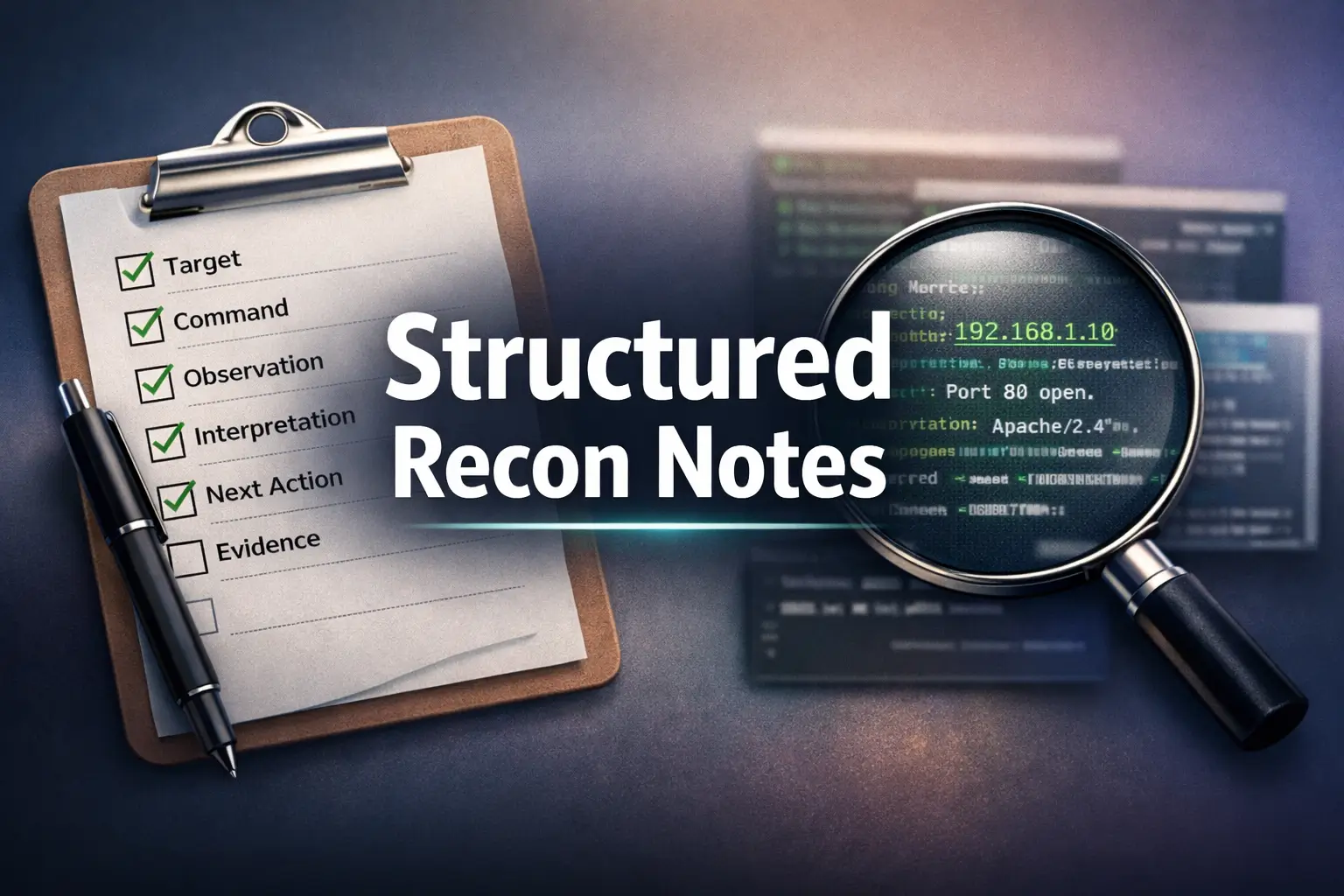

Master the Art of the Recon Log: From Chaotic Output to Actionable Structure
Most beginners don’t have a reconnaissance problem. They have a note problem. On a box like Kioptrix, you can lose the thread in under 20 minutes, not because the scan failed, but because your screenshots, commands, and half-formed hunches never became a usable sequence.
“The modern pain is not lack of output. It is too much output with too little structure.”
This guide helps you build a repeatable recon log that makes authorized lab practice easier to replay, compare, and improve. You will learn how to separate observations from interpretations, preserve exact commands, and turn messy service detection notes into a method you can actually trust.
Better memory on paper. Cleaner recon. Easier progress.
Table of Contents
- Use the same fields every time
- Separate observation from interpretation
- End every entry with one next check
Apply in 60 seconds: Open a blank note and create six labels: Target, Command, Observation, Interpretation, Next Action, Evidence.

Start Here: Why a Recon Log Changes More Than Your Scan Results
Why beginners usually lose the thread in their notes, not in their tools
When people start practicing reconnaissance in an authorized home-lab, they often assume progress comes from better commands, smarter flags, or fancier terminal output. Those matter. But the first leak in the bucket is usually note quality. A scan can tell you ten things in ten seconds. Your memory cannot. So the real question is not “What did the tool find?” It is “What did I preserve clearly enough to revisit later?”
That distinction sounds small. It is not. It is the difference between building a method and building a scrapbook. I still remember one early lab session where I had three terminal tabs, two screenshots, one coffee, and a heroic amount of confidence. By the next morning, I could no longer explain why I moved from service review to web inspection. The scan output was there. The thinking was gone.
Why repeating the same box still feels new when your logging is inconsistent
Kioptrix is popular in beginner practice because it gives you a controlled place to learn patterns. That only helps if your own process is stable enough to notice them. If one attempt has timestamps, another has screenshots, a third has only commands, and a fourth has half-finished guesses disguised as facts, you are not comparing practice runs. You are comparing different genres of confusion.
The official Nmap documentation emphasizes that discovery, service detection, and OS fingerprinting each tell different parts of the story. That matters because your log should preserve those parts in separate lanes, not melt them into one warm soup of “seems like Apache on Linux maybe?” Useful, in the way a weather forecast written on a napkin is useful. If this kind of blur sounds familiar, the pattern is close to the everyday traps described in common Kioptrix recon mistakes.
Why good recon practice is really about preserving thinking, not just output
Good logging does something subtle and powerful. It preserves decision points. Not just results. Not just commands. The places where you noticed an open port, formed a cautious hypothesis, and chose a follow-up action. That is the beginning of real operator thinking. It is also the part beginners tend to lose first because it feels obvious in the moment. In lab work, “obvious in the moment” has the lifespan of steam on a bathroom mirror.
The point of the log is replayability. If you can hand your notes to your future self 48 hours later and still retrace the sequence without inventing missing steps, your log is doing its job.
Eligibility checklist: Is your current note-taking process strong enough for repeatable practice?
- Yes: You record commands, timestamps, and next steps consistently.
- No: You mostly rely on screenshots, memory, or terminal scrollback.
- Yes: You can explain why you ran the next command.
- No: You often remember the output but not the reasoning.
Neutral next step: Use one fixed template for your next full lab run and resist the urge to improve it mid-session.
The Real Goal: Repeatable Observation, Not One-Time Discovery
Why a reusable recon log matters more than one lucky finding
A lucky finding is exciting. It can also teach you almost nothing if you cannot recreate the path that led there. Repeatable observation is what turns a one-off success into transferable skill. In practice environments, that matters more than the thrill of “finding something.” A log helps you answer the more mature question: what exactly did I see, under what conditions, and what made me choose the next move?
That question is less cinematic than the usual hacker-movie soundtrack in people’s heads. It is also where improvement lives. OWASP’s testing guidance keeps returning to structure: identify, fingerprint, map, verify. Not because structure is glamorous, but because it protects you from jumping three floors up the building before you have checked whether the stairs are even there. In that sense, a recon log sits beside a broader security testing strategy, even when the immediate setting is a humble practice VM.
How repeatable notes turn practice from memory into method
A method is simply memory that has been organized. Once you log each step in the same format, your recon becomes comparable across sessions. You can notice that your first pass was too shallow, or that you over-trusted banner data, or that you skipped recording the exact command variation that changed the result. These are not trivial details. They are the fingerprints of your own habits.
In one practice run, you may discover that -sV gave you more clarity on a service than your initial pass. In another, you may notice that service detection suggested a likely match, not a guaranteed one. Nmap’s own reference material is careful about how version and OS detection work. Your notes should inherit that caution. A strong log does not pretend certainty where the tool itself does not. That habit becomes even more valuable once you have seen how often service detection can produce false positives.
Why “I saw something interesting” is weaker than “I can retrace what I saw”
The sentence “I saw something interesting” belongs to a diary. The sentence “At 14:08, service detection on port X suggested Y, which led me to verify Z” belongs to practice. That second sentence is not just better writing. It is better evidence. It creates an audit trail for your own learning.
There is a quiet relief in that. You no longer need to be impressive. You just need to be clear. In beginner labs, clarity is far more valuable than swagger. Swagger evaporates under review. Clear notes survive contact with tomorrow.
Show me the nerdy details
In repeatable recon, the useful unit is not “scan output” but “observation package”: tool state, command syntax, target state, timing, and interpretation confidence. This is why two seemingly identical scans may deserve different notes if they were run with different detection options or after a network change.
Who This Is For / Not For
This is for: beginner and early-intermediate lab learners practicing on authorized machines like Kioptrix
This template is for the person who wants a stable habit more than a flashy screenshot. It is especially good for home-lab learners who are practicing on intentionally vulnerable machines they are authorized to test, such as Kioptrix, Metasploitable, or other sandboxed targets. If you are trying to make your notes cleaner, more reusable, and easier to compare across attempts, you are in exactly the right room.
This is not for: production networks, client environments, or formal security deliverables
It is not a substitute for an enterprise logging standard, a client report, or an incident record in a real environment. NIST’s guidance on security log management lives in a much broader world of governance, retention, and operational controls. This article is smaller and more practical. It is about building a disciplined personal recon log for authorized practice. Different tool. Different table. Different dinner. If you are thinking beyond practice notes and toward formal deliverables, how to read a penetration test report offers a better frame for that world.
This is especially useful if your screenshots are piling up but your logic is not
If your folder contains files named scan-final-final-2.png and really-final.txt, welcome. You are among friends. Screenshots are useful evidence, but they are terrible substitutes for sequence, interpretation, and next-step logic. A proper log turns them from isolated artifacts into anchored proof. A surprisingly practical companion here is a screenshot naming pattern for lab work, because evidence ages badly when filenames read like panic.
Decision card: Which note-taking mode are you actually using right now?
| Signal you see | Most likely category | Neutral next move |
|---|---|---|
| You save lots of screenshots but few written notes | Evidence-heavy, logic-light | Add one sentence of interpretation under each screenshot |
| You keep commands but forget why you ran them | Execution-heavy, reasoning-light | Add a “why this check” field |
| You summarize everything from memory afterward | Retrospective reconstruction | Log during the session, not after it |
Neutral next step: Pick the row that sounds most like you and fix only that weakness first.

Build the Core First: The 6 Fields Every Recon Log Should Have
Target details: machine name, date, subnet, and practice scope
Your log should begin with a header that answers four plain questions: what target, when, where, and within what scope? That might include machine name, IP, subnet, date, start time, and a note that the work is being done in an authorized practice environment. It feels basic because it is basic. Foundations usually do.
Without this header, later notes float in space. You want each session tied to a specific moment and target state. Even in a tiny home-lab, confusion creeps in fast when DHCP changes, interfaces move, or you revisit the same box after adjustments.
Command field: the exact command used, not a vague summary
Do not write “ran Nmap.” That is not a note. That is a shrug in sentence form. Record the exact command, including relevant flags. When something changes, you want to know whether the difference came from the target, the network, or your command choice. Exact syntax matters because recon is sensitive to tiny variations.
One beginner mistake I see constantly is this: the student keeps the output but not the exact command, then spends ten minutes later trying to recreate which flags were used. That is ten minutes you could have spent thinking. Your log should protect your attention, not tax it. The pattern gets even uglier when copied commands fail silently, which is why copy-and-paste command failures in Kioptrix labs are worth understanding early.
Observation field: ports, services, banners, and odd behavior worth preserving
This field is for what you actually observed. Open ports. Service strings. Timeouts. Refusals. Web titles. Redirects. Anything that might shape your next check. Keep it lean, but not skeletal. “22 open, SSH” may be too thin. “22/tcp open, service reported as SSH, latency stable, banner seen” is much more useful.
Interpretation field: what appears likely, and what is still only a hypothesis
This is where you translate observation into a cautious read. “Banner suggests Apache on Linux” is interpretation. “Target is definitely running X” is a stronger claim and may be wrong. You want a habit of probability language: appears, suggests, may indicate, needs verification. That is not weakness. That is maturity.
Next action field: the single follow-up step the observation points to
Every entry should end by pointing forward. One observation, one next check. That small rule prevents your log from becoming a museum of dead facts. A good next action is specific and singular: “Verify service version with focused detection,” “Review HTTP response headers,” or “Compare result after retry from same interface.” If HTTP is the first promising path, this is also where judgment matters, and which first service to investigate on Kioptrix can sharpen that choice.
Evidence field: screenshots, snippets, timestamps, and file names that support the note
Evidence is what lets you revisit the moment without re-running everything. This can include a screenshot file name, a timestamp, a saved output file, or a short terminal snippet. NIST’s long-running guidance on log management may operate at a very different scale, but one principle carries over beautifully: preserved records are more useful when they are organized, attributable, and reviewable.
Here is a compact template you can reuse:
Session Header - Target: - IP/Subnet: - Date/Time: - Scope: - Notes Folder: Log Entry - Command: - Observation: - Interpretation: - Next Action: - Evidence: - Status: confirmed / needs verification / follow up
- Header gives context
- Command preserves method
- Next Action keeps momentum
Apply in 60 seconds: Copy the template above into your notes app and save it as “recon-log-template.”
Don’t Blend These: Facts, Guesses, and Gut Feelings Need Separate Lanes
Why raw output and personal interpretation should never live in the same sentence
When raw observation and personal inference share a sentence, they contaminate each other. “Port 80 is open and probably vulnerable” tells me one fact and one unsupported leap with no clear boundary between them. Better: “Port 80/tcp open. HTTP service present. Further testing needed to assess exposure.” That separation may look less exciting, but it is much easier to trust.
This is especially important because tools often report likely matches rather than legal declarations from the heavens. Nmap’s service and OS detection documentation explains how fingerprinting compares responses to a database. That is powerful. It is not magic. Your notes should reflect the same humility the tool itself quietly has. Banner strings can be particularly seductive here, and the cleanest antidote is understanding banner-grabbing mistakes beginners make.
How to write a cautious note without sounding uncertain or careless
Caution does not need to sound timid. It can sound precise. For example:
- Weak: “Seems like maybe Apache?”
- Better: “HTTP service observed; banner suggests Apache, not yet independently verified.”
- Weak: “Looks like Linux.”
- Better: “OS fingerprinting suggests a Linux family match; confidence depends on scan conditions and needs corroboration.”
That language protects you from one of the most common beginner traps: borrowing certainty from the tool output without checking how strong the signal really is.
Let’s be honest… most messy recon logs break down right here
This is where many otherwise smart practice logs go crooked. The writer gets tired, wants momentum, and begins writing conclusions with the brakes removed. I understand. After 20 or 30 minutes in a lab, everything starts to feel suspiciously meaningful. The problem is that a log is not supposed to perform confidence. It is supposed to preserve clarity.
The easiest fix is to create three visible labels in every entry:
- Observed: what was directly seen
- Interpreted: what it likely means
- Unverified: what still needs checking
Once you do that, your notes become less dramatic and much more useful. A recon log should read like careful weather reporting, not like a conspiracy wall built out of red string and caffeine.
Lock the Sequence In: A Fixed Order Makes Practice Easier to Repeat
Why host discovery, port review, and service review should follow a stable rhythm
A fixed order reduces cognitive drag. You do not want to re-decide the entire structure of your session every time you sit down. In beginner lab work, a consistent rhythm such as discovery, port review, service review, and then targeted follow-up is often enough. The exact sequence can vary, but the stability matters more than the perfection.
Once you have a rhythm, your brain starts comparing content rather than process. That is a huge upgrade. Instead of asking, “What do I usually do next?” you ask, “What changed from last time?” The second question is where actual learning starts. If you want a companion structure, a repeatable Kioptrix recon routine pairs naturally with this kind of log.
Why shallow-wide recon first usually teaches more than diving deep too early
There is a strong temptation to find one interesting service and start tunneling into it like a determined mole with a keyboard. Resist that. Early recon is often more valuable when it is broad enough to map the surface before you go deep. OWASP’s testing approach reflects this same bias toward structured information gathering before aggressive narrowing. In practice, broad-first logging helps you avoid building a theory on incomplete terrain.
I once spent a whole session obsessing over one web port because the page title looked odd, only to realize later that a different service had provided a cleaner path for understanding the target. The log from that day looked like a diary of infatuation. Not my best work.
How a fixed order helps you compare one practice session against the next
When the order stays stable, your notes become stackable. Session A can sit beside Session B. You can see whether response times changed, whether service detection added clarity, whether a hypothesis held up, or whether you simply got more disciplined. That last one matters. Improved note quality is progress, even before results improve.
Coverage Tier Map
| Tier | What you log | What changes |
|---|---|---|
| Tier 1 | Only commands and open ports | You preserve output, not reasoning |
| Tier 2 | Commands, ports, and brief observations | You start preserving clues |
| Tier 3 | Add interpretation and next action | Your notes become replayable |
| Tier 4 | Add evidence references and timestamps | Your notes become reviewable |
| Tier 5 | Track changes across attempts | Your practice becomes comparable |
Neutral next step: Aim for Tier 3 first. It gives the biggest return without turning note-taking into a second job.
Write Less, Keep More: What Actually Belongs in Each Log Entry
Why copying full output is usually worse than capturing the meaningful slice
Beginners often swing between two extremes: saving everything or saving almost nothing. Both create problems. Full output dumps can bury signal under volume. Tiny summaries can strip away evidence value. The sweet spot is to preserve the meaningful slice: enough output to support the note, not so much that your future self needs excavation equipment.
For example, a short snippet showing the open port, service guess, and timing may be more useful than a wall of text that forces you to hunt for the relevant lines. Your log is not a backup system for every byte. It is a guide rail for interpretation.
How to summarize a result without stripping it of evidence value
A strong summary does three things: it names the direct observation, preserves the relevant detail, and points to why it matters. Example:
Command: nmap -sV <target> Observation: 80/tcp open; HTTP service detected; title and banner available. Interpretation: Web surface likely worth structured follow-up; version clues may help target fingerprinting. Next Action: Review headers and content paths. Evidence: scan_01.txt lines 12-17; screenshot web-home-1408.png
That is compact but not hollow. It does not try to be literary. It tries to be useful.
Why every entry should end with a clear “next check” line
The “next check” line keeps your session moving without letting curiosity scatter your attention into confetti. It also creates a bridge between entries, which makes the whole log feel like a sequence rather than a bucket of fragments. One of the biggest improvements beginners can make is simply adding this line every single time.
Pause here for a second. longer notes are not automatically better notes
Long notes can be beautiful and unusable at the same time. You are not being graded on poetic endurance. A concise, well-structured entry often does more for learning than a dramatic paragraph full of impressions. Keep the prose modest. Let the sequence do the heavy lifting. For people building a fuller habit around this, note-taking systems for pentesting can help you choose a home for the template without making the tool itself the main event.
- Trim output to the useful slice
- Write one cautious interpretation
- Always add the next check
Apply in 60 seconds: Rewrite one old entry using the four-line pattern: Command, Observation, Interpretation, Next Action.
Mini calculator: How much review time could a template save?
If you spend 3 minutes reconstructing context for each of 8 entries, that is 24 minutes of friction. If a stable template cuts that by half, you get back 12 minutes in one session.
Neutral next step: Measure this once in your next lab. The number is usually more annoying than expected.
Common Mistakes: The Logging Habits That Quietly Ruin Practice
Writing down the command but not the reason for running it
A command without purpose is only half a breadcrumb. The reason can be short. “Used to verify service guess.” “Used to compare response after initial result.” “Used because HTTP surface looked richer than SSH.” That tiny line prevents later confusion and forces cleaner thinking in the moment.
Recording only open ports and ignoring strange refusals or timing clues
Beginners tend to worship open ports and ignore everything else. But odd latency, closed responses, filtered behavior, resets, and inconsistent timing can all shape the story. Not every clue is a red carpet. Some are just a squeaky floorboard. Still worth noting.
Treating probable service identification like a confirmed fact
This one deserves repetition because it causes so much downstream distortion. If the tool suggests a likely service or OS family, your note should preserve that uncertainty honestly. Nmap’s docs are technical, but the practical lesson is simple: detection quality depends on conditions, probes, and fingerprints. Respect that. Your future conclusions will be better for it.
Forgetting to note when a retry happened under different conditions
If you retry a command after changing interface, flags, timing, or network setup, log that change. Otherwise, you may compare two outputs as if the target changed when in fact you changed the conditions. I have watched beginners stare at differing results like they had witnessed a ghost. Most of the time, the ghost was a changed scan condition wearing a sheet.
Saving screenshots without leaving a readable timeline behind
Screenshots need anchors. A good filename helps. A timestamp helps more. A line in the log that says why the screenshot matters helps most of all. Evidence without timeline is like a receipt without a store name. It proves something happened somewhere. Fantastic.
Short Story: The Folder Full of Clues and No Sequence
On one early weekend lab run, I felt very efficient. I saved terminal captures, browser screenshots, and a handful of notes in a plain text file. By the end, I had nearly twenty artifacts and the warm feeling that productivity likes to fake. Two days later, I opened the folder again. The screenshots were crisp. The filenames were terrible. One image showed a useful service banner, but I had not written down which command produced it.
Another captured a web page title, but I could not tell whether that was before or after I changed my scan options. I spent longer reconstructing the sequence than I had spent doing the original recon. That was the day I stopped treating note-taking as decoration. The lesson was not “be more thorough.” It was “be more ordered.” A log should not just prove that you were busy. It should prove that you can replay the thinking.
Don’t Do This: Making the Log Look Polished Before It Becomes Useful
Why a clean-looking report can still be a poor practice log
Pretty formatting is not the same thing as functional structure. A clean document with nice spacing can still fail the only test that matters: can you use it to retrace the session accurately? Many beginners polish headings, fonts, or markdown aesthetics before they have locked down the logic of the entry format. That is decorating the cart before you check whether it has wheels.
There is nothing wrong with good formatting. Just do it later. Utility first. Beauty second. This order saves time and protects honesty.
Why writing for future replay matters more than writing for style
Your audience, at least at first, is not the internet. It is your future self. Write for that version of you: slightly tired, mildly suspicious, and unable to remember why port review turned into web inspection. If your notes can help that person replay the session in under five minutes, you are doing excellent work.
Why over-designed templates often hide the observation that mattered most
Templates can become overgrown. Too many fields, too many labels, too many clever sections. At that point the log becomes a form you serve rather than a tool that serves you. Keep the core stable and small. Six fields are enough for most beginner recon entries. Add more only when a repeated pain point proves the need. If you want a picture of what a more finished writing workflow looks like later, Kioptrix report writing tips is a better destination than stuffing that ambition into raw practice notes too early.
Quote-prep list: What to gather before comparing two recon attempts
- Session date and start time
- Exact command variations
- Any network or interface changes
- Evidence file names or saved output references
- One-line summary of what changed this time
Neutral next step: Put this list at the top of every revisit session so comparisons stop depending on memory.
Make It Reusable: What Separates a One-Off Note from a Real Template
How to create a header you can reuse across every Kioptrix attempt
A reusable header should be boring in the best possible way. Same order. Same labels. Same status field. Same evidence field. The point is not to impress yourself with creativity. It is to reduce startup friction. When the template is familiar, you begin faster and think more clearly.
Recon Session Header Target: Target IP: Environment: Date: Start Time: Scope: Primary Goal: Notes Directory: Session Status: Entry Template Step #: Command: Why This Check: Observation: Interpretation: Unverified: Next Action: Evidence: Status Tag:
Why status tags like “confirmed,” “needs verification,” and “follow up” save time
Status tags look simple because they are simple. That is why they work. A quick tag at the end of each entry helps you review the log later without rereading every line. Three tags are enough for most beginner work:
- Confirmed for directly supported findings
- Needs verification for likely but unconfirmed interpretations
- Follow up for paths worth revisiting later
Those tags create visual rhythm and force cleaner thinking. They also save a surprising amount of review time once the session grows past 10 or 12 entries.
How section-based logging makes different practice runs easier to compare
One useful trick is to divide your log into major recon phases. For example: Discovery, Port Review, Service Review, Web Surface, Notes for Revisit. You are not adding these to look professional. You are adding them so that attempt one and attempt two can sit beside each other like comparable maps.
Here’s what no one tells you… reusability comes more from structure than detail
Beginners often think reusability means more detail. It usually means more consistency. A modest, repeatable template beats a rich but unstable one. You can always add detail later. Structure is harder to retrofit after you have built habits around chaos. If you prefer building this inside a dedicated system, an enumeration template in Obsidian offers a useful contrast in how structure can scale.
Show me the nerdy details
Reusable templates work because they reduce context switching cost. In cognitive terms, you are externalizing a chunked sequence so working memory can spend less effort on formatting and more on judgment. That is one reason disciplined logging often feels “easier” after only two or three sessions.
- Keep the header identical
- Use status tags consistently
- Group entries by recon phase
Apply in 60 seconds: Add three status tags to your template and commit to using only those for one full session.
Compare Attempts Better: Turn One Practice Run into the Next One’s Shortcut
How to separate first-pass notes from revisit notes without confusion
Create a visible divider between first-pass entries and revisit entries. This can be as simple as a heading called “Revisit Session” or a separate block labeled “What changed this time.” The goal is to prevent your later observations from silently rewriting the story of the first pass.
That separation matters because revision is valuable. Confusion is not. You want to preserve both the original understanding and the updated understanding. Otherwise, your log becomes a cleaned-up lie about how neatly you saw things the first time.
Why “what changed this time” deserves its own mini-section
This mini-section is one of the highest-return additions you can make. Keep it short. One to three lines. Note what changed in command choice, scan behavior, interpretation confidence, or evidence quality. That makes progress visible. It also helps you spot whether the improvement came from the environment, the tool options, or your own discipline.
How command changes, response changes, and revised hypotheses reveal real progress
Progress in lab work does not always look like discovering something new. Sometimes it looks like becoming less wrong, more precise, or faster at separating clue from conclusion. That counts. In fact, that is the work. A good comparison log helps you see that maturity in writing.
Practice cost table: the hidden “rates” of messy logging
| Habit | Typical cost | Notes |
|---|---|---|
| No timestamps | 5 to 10 extra minutes of reconstruction | Makes sequence hard to replay |
| No exact commands | 1 to 3 failed re-creations | Blocks honest comparison |
| No next action line | Scattered session flow | Creates curiosity drift |
| Mixed facts and guesses | Low trust in later review | The most expensive mistake is confusion |
Neutral next step: Pick the most expensive habit above and correct only that in your next session.

Next Step: Build One Template Before Your Next Scan
Create a simple six-part recon log with target, command, observation, interpretation, next action, and evidence, then use it unchanged for your next practice session
If you do one thing after reading this, let it be this: build a single simple template and refuse to change it during the next session. That last part matters. Your first draft does not need to be perfect. It needs to be stable long enough to teach you where the real pain points are.
Use it for one full authorized practice run. Then review it after the session, not midstream. Ask three questions: which fields helped most, where did you still lose sequence, and what one change would make the next run easier to replay? Just one change. Improvement likes small hinges.
Name, IP, date, scope
Exact syntax, not a summary
What you directly saw
What it may mean
One follow-up step
Snippet, file, screenshot, timestamp
Loop: Reuse the same six boxes, then add a short “what changed this time” note after each new attempt.
There is a quiet dignity in a plain, useful template. It does not need to look clever. It just needs to make tomorrow easier than yesterday. That is more than enough.
FAQ
What should a Kioptrix recon log include for beginner practice?
At minimum: target details, exact command, direct observation, cautious interpretation, next action, and evidence reference. That set is small enough to sustain and strong enough to replay later.
Is it better to paste full scan output or summarize it?
Usually summarize the meaningful slice and keep full output separately if needed. Full dumps can bury the signal. A short supported note is easier to review and compare.
How do I separate facts from assumptions in recon notes?
Use separate labels. Write observed facts first, interpretation second, and unverified ideas third. Do not let a likely guess masquerade as a direct finding.
Should I log closed ports and failed attempts too?
Yes, when they influence interpretation or your next step. Strange refusals, timing differences, and changed retry conditions can matter more than a single open port.
How detailed should the command history be in a practice recon log?
Detailed enough that you can recreate the command exactly. If you changed flags, timing, or interface, log that change. Tiny differences often explain different results.
Can screenshots replace written recon notes?
No. Screenshots are evidence, not sequence. They work best when tied to a note that explains what they show, when they were captured, and why they matter.
How do I make a recon log template reusable across multiple labs?
Keep the structure fixed and the fields few. Reuse the same header, same six entry fields, and same status tags every time. Consistency is what makes comparisons possible.
What is the biggest mistake beginners make in recon logging?
Blending facts, guesses, and next-step decisions into one muddy sentence. That single habit quietly ruins review quality and makes later improvement harder.
The curiosity loop from the beginning closes here: the scan was never the whole problem. The missing piece was memory with structure. Once your recon log captures the same six things in the same order every time, practice becomes comparable, mistakes become visible, and improvement stops feeling accidental. That is the real upgrade.
Within the next 15 minutes, build one plain template, run one authorized scan against your practice box, and force yourself to end every entry with a next action. Do that once, unchanged, and your future sessions will already feel less slippery. Not because the box changed. Because you did.
Last reviewed: 2026-03.