
From Decorative Scanning to Disciplined Reconnaissance
Most first-time users do not get stuck in Kioptrix recon because they missed some hidden masterpiece of a clue. They get stuck because they collect output faster than they interpret it, then mistake noise for progress.
That is the modern beginner problem: ports, banners, SMB behavior, web responses, and hostname crumbs all get dumped into the same notebook, but nothing quite turns into a clear theory of the host. You end up with pages of facts and still cannot explain, in plain English, what kind of machine you are actually looking at.
Keep doing that, and you do not just lose time. You train yourself into sloppy recon habits that follow you from one lab to the next.
This post helps you read legacy lab signals with more discipline, so you can spot cross-service patterns earlier, reduce dead-end interpretation, and make calmer next-step decisions without chasing every loud clue in the room.
Because the difference between useful reconnaissance and decorative scanning is usually smaller than beginners think, and far more costly.
Table of Contents
Fast Answer: What most first-time users miss during Kioptrix recon is not a secret exploit path. It is the meaning of small clues. Service banners, legacy protocol behavior, hostname leakage, web server quirks, and version-era mismatches often tell a cleaner story than noisy scans do. The real win is learning how to notice signals early, reduce guesswork, and stop spending forty minutes on details that never change your next decision.
Start Here First: Who This Is For / Not For
This is for
- Beginners practicing in authorized legacy lab environments
- Security learners trying to build better recon habits, not faster luck
- Defenders and technical writers documenting how legacy signals shape analysis
This is not for
- Anyone looking for exploit steps or shortcuts against real targets
- Readers who need modern enterprise recon workflows more than legacy-lab thinking
- People treating scan output as proof instead of a starting point
Kioptrix has a reputation that does something funny to beginners. It makes them tense up. The moment they see an old stack and a familiar lab name, they assume the “smart” move is to gather as much output as possible before thinking. That instinct feels responsible. It is also how many first recon passes turn into a paper snowstorm. You print the host in your head as a pile of ports, versions, and half-read web pages, but you never pause to ask a simpler question: what kind of machine does this seem to be?
That question matters because recon is less about inventory than interpretation. In a legacy lab, the exposed services are not random confetti. They often share an era, a flavor, a maintenance posture, and a set of administrator habits. When beginners miss that, they keep toggling between windows like someone speed-dating clues. I have done this too. Years ago, I filled a page with “interesting” findings and still could not explain the host in one plain sentence. That was the day I realized a shorter note with a sharper theory is worth more than a glamorous mess.
- Context beats volume
- Era clues often matter more than exotic ones
- A working theory should fit multiple services at once
Apply in 60 seconds: Write one sentence that describes the host’s apparent age, role, and maintenance style before you read another line of output.
The First Miss: Treating Recon Like a Checklist Instead of a Story
Why first-time users collect facts but miss patterns
- Open ports are easy to gather and easy to overvalue
- Beginners often list services without asking what era they belong to
- The real clue is how services agree or disagree with each other
What a “story-shaped” recon pass looks like
- Build a rough timeline from OS age, web stack, and service exposure
- Notice when one protocol suggests legacy behavior that another one confirms
- Prioritize clues that narrow interpretation, not just expand notes
Let’s be honest…
- More output does not mean more understanding
- A smaller set of aligned clues usually beats a giant wall of scan noise
A checklist mindset is not evil. It is just incomplete. In the first five minutes of recon, a checklist can keep you from forgetting obvious basics. The trouble begins when the checklist becomes your whole personality. You tick ports. You tick headers. You tick banners. You tick directories. By the end, you have a neat little cemetery of facts, each stone perfectly labeled, none of them speaking to each other. It looks organized. It is often cognitively dead.
A story-shaped recon pass works differently. Instead of treating each clue like a separate trophy, you ask what the clues are trying to say together. Does the web server feel like it belongs to the same era as the file-sharing behavior? Does the naming style suggest a default build, a classroom artifact, or a lightly maintained internal box? Does an exposed service support the same “age story” as the headers and server responses, or does it feel strangely newer? That tension matters. Contradictions are where lazy assumptions go to die.
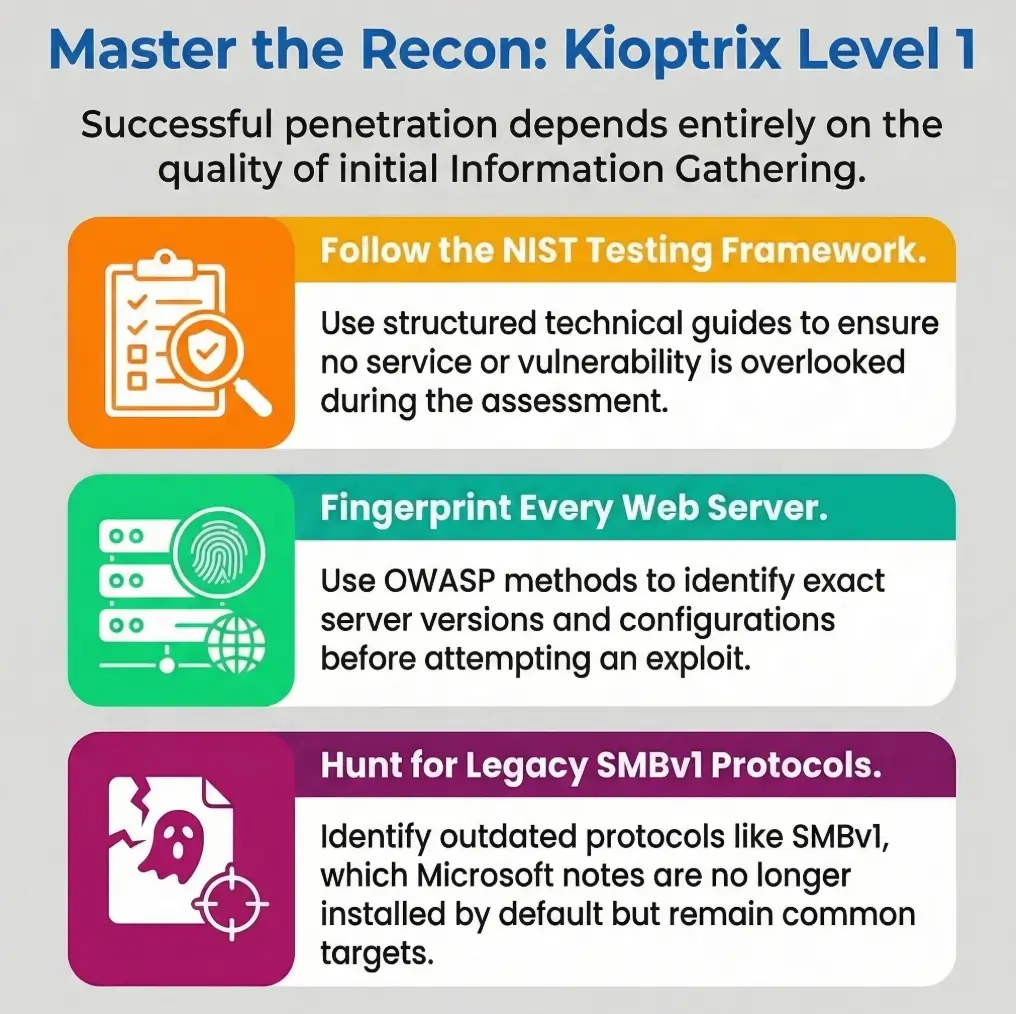
NIST’s SP 800-115 describes banner grabbing as information gathering, not final truth, and OWASP’s testing guidance frames web fingerprinting as part of a larger information-gathering process rather than a magic answer machine. That is exactly the right posture here: collect, correlate, then interpret. If you need a parallel note on how small tool choices can quietly distort that process, the piece on common Kioptrix enumeration mistakes fits neatly beside this one.
Eligibility checklist: Are you doing useful recon yet?
Yes / No
- Can you describe the host in one sentence?
- Can you explain why two clues support each other?
- Can you name one contradiction that needs validation?
- Can you say which clue actually changed your next question?
Neutral next step: If you answered “no” to three or more, pause collection and rewrite your notes before scanning again.
The Quiet Tell: Why Legacy Age Matters More Than Beginners Expect
Old stack signals that should change your reading
- Legacy HTTP behavior
- Older SMB-era exposure patterns
- Service banners that point to outdated defaults rather than custom hardening
What first-timers often do wrong with “old”
- They treat “old” as a vulnerability by itself
- They skip the more useful question: what does this age imply about configuration habits?
How era-matching sharpens recon
- Legacy OS plus legacy web server plus legacy file-sharing behavior creates a coherent path for further validation
- A single outdated service is interesting, but an outdated ecosystem is more revealing
There is a peculiar beginner reflex in legacy labs: they see something old and their brain starts playing trumpet music. Old equals weak. Old equals easy. Old equals “I’m close.” That mental shortcut is understandable and usually sloppy. Age is not a result. Age is a context clue. It tells you what defaults might be common, what compatibility choices may still be present, and what kinds of administration habits may have shaped the machine.
Think of it like walking into an old rehearsal room. The scuffed floorboards, the aging amp, the yellowed setlist taped to the wall, they do not tell you exactly what song will be played. They do tell you what era of sound is likely to echo in that room. Recon works the same way. When the host’s services, headers, and protocol behavior sing in the same decade, your theory gets sharper. When one element feels out of tune, you do not celebrate. You investigate.
Modern defensive guidance still treats SMBv1 as deprecated legacy technology, and current Microsoft documentation notes it is no longer installed by default in modern Windows and Windows Server versions. That does not give you an “answer” in a lab, but it does remind you why legacy file-sharing behavior deserves special interpretive weight during recon. Readers who want a narrower look at how older PHP-era signals fit into that same age story may also appreciate these legacy PHP recon clues.
Show me the nerdy details
“Legacy age” is not just a version number. It is a cluster of signals: protocol negotiation behavior, default response styles, naming conventions, web server headers, error handling, and how services align or misalign with one another. The useful move is not memorizing every old product string. It is learning to spot when multiple clues reinforce a single environmental hypothesis.
Port 80 Is Not the Whole Picture: Web Clues That Deserve a Second Look
What the homepage quietly reveals
- Default pages, naming conventions, and error style can signal maintenance level
- A sparse page can still leak platform fingerprints through headers and behavior
Directories, responses, and tiny inconsistencies
- Redirect behavior may hint at structure or assumptions
- HTTP methods and error handling often reveal more than visual content
Why first-timers stay too surface-level
- They stop at “website exists”
- They fail to ask whether the web presence matches the rest of the exposed services
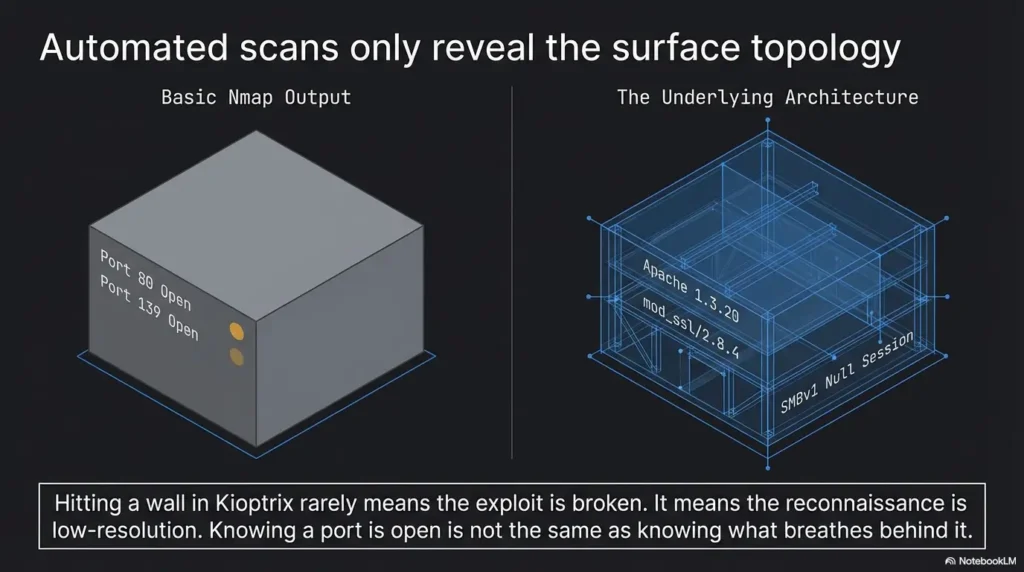
Beginners often visit the website the way tourists visit a train station bathroom. Quick glance. Mild disappointment. Move on. That misses the point. In a legacy lab, the homepage is not there just to impress you. It is there to leak posture. A thin page, an awkward default screen, a strange title, an old-fashioned error response, these are not glamorous clues, but they can tell you whether the system feels abandoned, minimally curated, or built with assumptions that belong to another time.
OWASP’s Web Security Testing Guide still places fingerprinting, reviewing content for information leakage, and mapping application behavior squarely inside the information-gathering phase. That is important because it validates a beginner-friendly truth: the web surface is not merely decoration around a “real” target. It is part of the host’s identity. If you want a more service-specific companion read, both Kioptrix HTTP enumeration and Apache recon in Kioptrix-style labs expand that same theme without changing the overall philosophy.
I once watched a beginner spend fifteen minutes celebrating that a homepage “didn’t show anything useful,” then another thirty minutes puzzling over results that already contradicted that claim. The page itself looked boring, yes. The response behavior was not. The title, server behavior, and adjacent service pattern were already whispering the host’s age and temperament. The flashy mistake was expecting the website to hand over drama. The useful move was letting it offer texture.
Banner Confidence Is a Trap: When Version Strings Mislead You
Why banners help, but not the way beginners think
- They are clues, not verdicts
- They can be absent, misleading, or too broad to guide priorities alone
Better questions to ask after banner collection
- Does the banner fit the operating-system era?
- Does it align with the web server behavior?
- Does it match what neighboring services suggest?
Here’s what no one tells you…
- The most valuable banner is often the one that confirms another clue, not the one that looks dramatic on its own
Banner strings have a strange effect on the human nervous system. The moment one appears, it feels like the machine just gave you a confession. But banners are more like a witness in a detective story. Useful, yes. Sometimes honest. Sometimes incomplete. Sometimes dressed a little too neatly for court. The mistake is not reading them. The mistake is believing they get to be the judge.
NIST’s language is wonderfully plain here: banner grabbing is the process of capturing identifying information that a remote port transmits when a connection is initiated. That definition is tidy and humble. It does not promise certainty. It describes a clue collection mechanism. That humility is gold for beginners because it puts banners back in their proper seat. Not the throne. A chair.
I like to ask three questions whenever banner information enters the room. First, does it fit the host’s apparent era? Second, does it reinforce what the website and other services imply? Third, if I deleted this banner from my notes, would my working theory collapse or barely blink? That third question is cruel and excellent. If the answer is “barely blink,” you may be admiring glitter instead of evidence. For a deeper drill-down on that exact habit, see banner grabbing mistakes that trip up beginners, and for an extra caution about tool confidence, service detection false positives in Nmap makes a useful companion.
Decision card: When to trust a banner more, and when to cool down
| Situation | Better reading |
|---|---|
| Banner matches web behavior and service era | Moderate confidence, keep it in the theory |
| Banner looks dramatic but nothing else aligns | Treat as provisional, not priority |
| Banner disappears under re-check or seems too generic | Record briefly, do not build the plot around it |
Neutral next step: Rank banners by how much they confirm surrounding evidence, not by how exciting the version string looks.
SMB Changes the Mood: What First-Time Recon Often Underreads
Why SMB exposure matters in legacy labs
- It can reveal naming, workgroup hints, and compatibility behavior
- It often says something about how the machine was administered, not just what is open
The beginner mistake
- Seeing SMB and immediately jumping to attack imagination instead of interpretation discipline
What to notice instead
- Naming conventions
- Protocol negotiation behavior
- Whether SMB exposure fits the rest of the system’s apparent age and role
SMB changes the emotional weather of a recon session. The room gets brighter. The imagination gets louder. Suddenly the beginner is no longer reading the host. The beginner is narrating a future victory montage. That is exactly when discipline matters most. SMB exposure in a legacy lab is interesting because it can reveal environmental details: naming crumbs, compatibility clues, administration style, and whether the machine still belongs firmly to an older ecosystem.
What you want is not adrenaline. You want fit. Does SMB behave like it belongs to the same story as the web surface and the host’s other service signals? Does the naming style look like a default classroom artifact, a casual internal pattern, or something oddly polished for the rest of the machine? Does the compatibility behavior reinforce the legacy read or complicate it? Those questions are boring in the way vitamins are boring. Which is to say: extremely good for you.
SMB ports or hostnames do not identify the negotiated dialect. Record whether the connection actually used SMB1, SMB2, or SMB3 before drawing an age or compatibility inference. Microsoft’s SMB1 deprecation guidance provides context, but it does not identify a Samba target’s OS or patch status.
Show me the nerdy details
SMB clues are especially valuable when you treat them as environment markers rather than trophies. Naming conventions, protocol negotiation behavior, and how the file-sharing surface “fits” the rest of the host can support or challenge your whole theory of the box. That is far more useful than reacting to SMB as a flashing sign that drowns out every other clue.
Enumeration Drift: When One Interesting Clue Pulls You Off Course
How first-timers lose the plot
- A single oddity becomes the whole investigation
- They spend an hour on a low-value lead because it feels technical
Signs you are drifting
- Your notes are growing, but your working theory is not improving
- You are chasing uniqueness instead of relevance
- New findings do not change your next question
A better recon habit
- After every clue, ask: what decision does this change?
- If it changes nothing, record it briefly and move on
Enumeration drift is the polite name for a very human problem: getting seduced by the most theatrical clue in the room. Maybe it is an odd banner. Maybe it is a weird response. Maybe it is a service name that gives you a tiny burst of serotonin because it sounds advanced. The beginner brain loves this. It feels like progress. It often is not. It is decorative motion.
I have a rule now that would have saved younger me more than one embarrassing hour: every clue must pay rent. If a detail does not sharpen the theory, reduce uncertainty, or change the next validation question, it does not get to dominate the day. It can stay in the notebook, certainly. But it gets a studio apartment, not a mansion. This sounds severe until you remember how easy it is to spend forty-five minutes on an oddity that was never relevant to the host’s larger story.
When you feel yourself drifting, look for three symptoms. First, your notes are getting longer while your plain-English explanation of the host stays vague. Second, you are rewarding novelty more than coherence. Third, you keep gathering details that do not modify your next move at all. That trio is the recon equivalent of driving fast in a parking lot. Much sound. No distance. For readers building a steadier baseline, a disciplined Kioptrix recon routine and the rabbit-hole rule both reinforce the same anti-drift muscle.
- Novelty is not priority
- Lengthening notes can hide stalled thinking
- Every clue should change something or shrink
Apply in 60 seconds: Put a tiny mark beside each note that actually changed your next question. Ignore the rest for now.
Don’t Confuse Exposure With Access: A Mistake That Burns Time Fast
Why visible does not mean reachable in a useful way
- Services can be exposed but still offer little practical signal
- Some clues are only valuable when correlated with others
What beginners tend to over-assume
- Open service equals immediate path
- Verbose response equals meaningful weakness
- Legacy system equals easy outcome
What disciplined readers do instead
- Separate observation from implication
- Rank clues by how much they reduce uncertainty
This is one of the oldest beginner traps in security learning, and it is not unique to Kioptrix. Something is exposed, so the mind quietly turns that into something accessible, then into something useful, and then into something promising. Three leaps, no landing gear. Recon gets much calmer when you separate those layers. A visible service is an observation. Its role in your theory is an implication. Whether it becomes practically meaningful is a later question.
That distinction sounds almost too basic until you see how often it gets blurred. A verbose response can look like a gift and still tell you less than a quieter clue that fits the host’s age and posture. A legacy environment can create opportunities for interpretation while still punishing sloppy assumptions. In other words, the machine may be old without becoming easy, and it may be chatty without becoming helpful. Humility is not glamorous, but it is a very efficient time-saving device.
When I teach beginners to take notes, I ask them to split every finding into two columns before adding a third. Column one: what you directly observed. Column two: what that observation may suggest. That small barrier between fact and implication is like a seatbelt for the imagination. It does not stop thinking. It stops fiction from wearing a lab coat. The same discipline helps when learners get distracted by oddities like an open 3306 port with no obvious use case or when they confuse visibility with progress after finding a target but getting no session.
Mini calculator: Is this clue worth ten more minutes?
Give the clue a score from 0 to 2 in each category:
- Fit: Does it align with at least one other clue?
- Impact: Does it change your next question?
- Clarity: Can you explain its meaning in one sentence?
Result: 0 to 2 = record and move on. 3 to 4 = keep in working memory. 5 to 6 = deserves focused validation.
Neutral next step: Use the score once per interesting clue and stop letting adrenaline run the schedule.
Common Mistakes First-Time Users Repeat During Kioptrix Recon
Mistake 1: Scanning wide before reading deep
- Broad discovery without interpretation creates false momentum
Mistake 2: Treating every open port equally
- Not every service deserves equal attention or equal notes
Mistake 3: Missing cross-service consistency
- Recon gets sharper when web, SMB, and OS-era clues are read together
Mistake 4: Ignoring hostname and naming breadcrumbs
- Small environment details often matter more than flashy output
Mistake 5: Writing notes that cannot support a later decision
- Good recon notes explain why a clue mattered, not just that it existed
These mistakes repeat because they are emotionally rewarding. Wide scanning feels industrious. Equal attention feels fair. Shiny oddities feel intelligent. The problem is that recon is not a democracy. Every clue does not get one vote. Some details matter because they reduce uncertainty; others simply decorate the margin. If your notes preserve both with identical seriousness, your notebook becomes an archive of misplaced respect.
The hostname and naming breadcrumbs deserve a special defense here because they are so easy to ignore. Beginners often want cinema. They want the loud port, the bold version, the conspicuous artifact. Naming clues feel domestic by comparison, almost embarrassingly ordinary. Yet ordinary clues often reveal how the machine was thought about by whoever configured it. That matters. In legacy labs, personality leaks through tiny administrative choices. Sometimes the smallest breadcrumb is the one that ties the whole loaf together.
I remember one recon pass where my neat list of services looked impressive enough to frame. The only trouble: it was almost useless. The note that ended up mattering most was a tiny naming breadcrumb I had nearly skipped because it seemed too humble to be important. That is the recurring lesson. The machine rarely announces its meaning with fireworks. More often, it leaves a trail of quiet domestic clues and waits to see whether you respect them.
Don’t Do This: The Tool Output Worship Problem
Why beginners lean too hard on scanners
- Tools feel objective
- Large outputs create the illusion of mastery
What scanner-heavy recon usually misses
- Context
- Contradictions
- Priority
A more useful mindset
- Let tools collect
- Let reasoning filter
- Let correlation decide what deserves attention
There is a stage many beginners go through where the tool becomes the teacher, the priest, and the weather report. If a scanner prints a lot of text, it feels authoritative. If it prints a version, it feels final. If it prints nothing interesting, the beginner may decide nothing interesting exists. This is not stupidity. It is a very normal human hunger for certainty. But it can make you oddly passive. The machine speaks, and you stop asking questions.
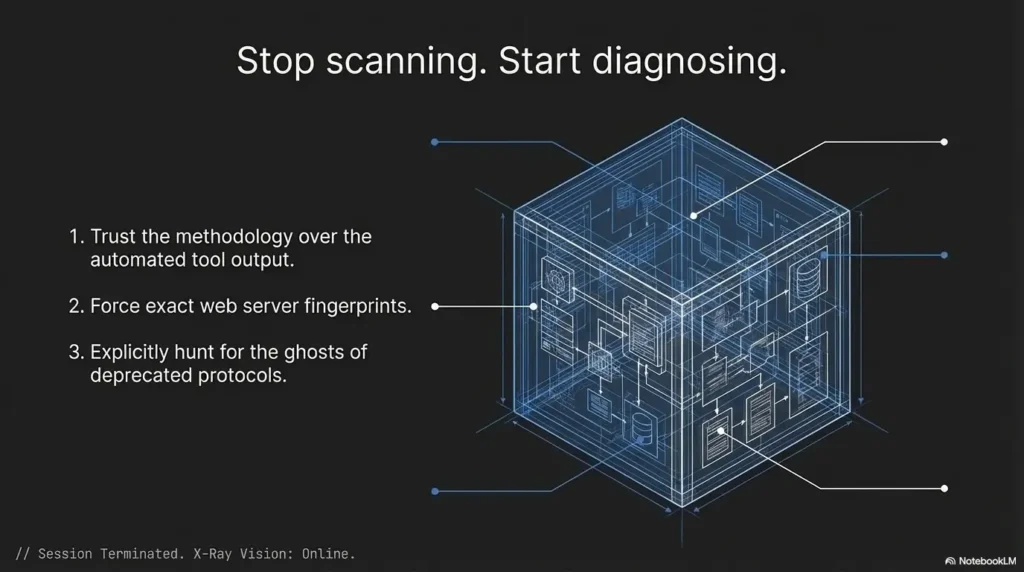
The cure is not to distrust tools. The cure is to place them correctly in the workflow. Tools are good at collection. Humans, at least on a good day with enough water and moderate ego, are better at weighting, comparing, and noticing contradictions. A scanner may tell you what appears to be there. It does not automatically tell you what matters most, what fits the host’s age, what conflicts with adjacent evidence, or what deserves another look. That translation layer is still your job.
OWASP’s testing guidance is useful here for beginners because it keeps information gathering structured without pretending automation replaces human judgment. In practical terms, a scanner can hand you ingredients. It cannot guarantee a good meal. That part still depends on taste, restraint, and not dumping paprika onto ice cream because it technically came out of the same cupboard. When that scanner-heavy instinct starts generating too much noise, Nikto false positives in older labs and Nuclei template tuning are useful reminders that output volume and signal quality are not twins.
- Automation speeds discovery
- It does not assign meaning for you
- Priority comes from correlation, not from line count
Apply in 60 seconds: Pick one tool result and write why it matters without quoting the tool output at all.
The Better Lens: Reading Recon as Environment, Not Just Target
Why environment clues matter
- A legacy host rarely exists as a random pile of services
- Exposure patterns can hint at role, age, and admin habits
Questions worth asking
- Does this look like a neglected box, a training artifact, or a deliberately simplified host?
- Which clues suggest default behavior versus intentional configuration?
- What would a careful defender notice first here?
The open loop worth keeping
- Sometimes the biggest missed clue is not on the loudest port, but in the way the whole machine “fits together”
This is the lens that quietly upgrades almost everything else. Instead of reading the host as a target with miscellaneous services, read it as an environment with a personality. Not in a mystical sense. In a very practical one. Machines reflect eras, defaults, lazy habits, careful habits, simplified training intent, and small administrative fingerprints. When you notice that, the host begins to cohere. It stops being a pile of parts and starts becoming a place.
A careful defender often reads like this instinctively. They notice what feels default, what feels mismatched, what feels unusually open for the machine’s apparent age, and what feels more like classroom design than production complexity. Beginners can learn that habit faster than they think because it is not about memorizing every protocol under the sun. It is about noticing relationships. What agrees. What clashes. What narrows the story. What widens it without helping.
That shift also makes your notes more durable. Instead of pages of isolated findings, you end up with a living profile: likely age, probable maintenance posture, web flavor, file-sharing clues, and a small list of contradictions to validate. That kind of notebook ages well. Six weeks later, it still makes sense. The chaotic version, by contrast, looks like a printer swallowed a trivia contest. If you want that thinking to survive contact with documentation, note-taking systems for pentesting pairs especially well with this section.
Recon summary prep list: What to gather before you compare theories
- One sentence on the host’s apparent age or era
- One sentence on the web surface and what it implies
- One sentence on SMB or adjacent environment clues
- One contradiction you still need to validate
- One clue you intentionally downgraded because it changed nothing
Neutral next step: If you cannot fill these five items, your recon is still collecting facts faster than it is creating understanding.
Short Story: The Hour I Lost to the Loudest Clue
Short Story: I once spent nearly an hour orbiting a single clue because it looked deliciously important. It had that dangerous combination beginners love: it was technical-looking, a little unusual, and easy to talk about with dramatic eyebrows. My notes grew. My confidence briefly swelled. The problem was that none of it improved my theory of the host. The web surface, the service mix, and the environment clues were already pointing in one coherent direction, but I ignored them because the louder clue felt more cinematic.
When I finally stepped back, the fix was embarrassingly small. I wrote three lines on paper: what I observed, what it suggested, and what it changed next. The loud clue moved to the bottom. The quieter cross-service pattern moved to the top. In five minutes, the host made more sense than it had in the previous sixty. That was the day I learned recon is less like treasure hunting and more like listening to a quartet. The best line is not always the loudest instrument.
Next Step: Do One Evidence Pass, Not Three More Scans
One concrete action
Revisit your last Kioptrix recon notes and rewrite them into three columns: observation, what it suggests, and what it changes next. That single habit turns noisy beginner recon into decision-shaped analysis.
If you do only one thing after reading this, do not launch another scan. Open your notes. That is where the waste usually lives. Most first-time users think their problem is insufficient data. In practice, the problem is often insufficient sorting. Three columns fix more than people expect because they force the mind to stop blending fact, assumption, and next-step fantasy into one casserole.
A good evidence pass is modest. You are not trying to sound clever. You are trying to make your future self less confused. Keep the wording plain. “Observed” means what was actually there. “Suggests” means the narrowest reasonable implication. “Changes next” means the precise question that earned more attention. If a clue cannot survive this little customs inspection, it may have been travelling on charisma alone.
In authorized labs, this habit also builds defensive maturity. It helps you document reasoning, not just output. It trains you to explain why a clue mattered, which is exactly the kind of skill that transfers well to technical writing, triage notes, and security communication more broadly. Quietly, almost unfairly, it also makes you look more experienced than you feel. If you want a ready-made structure for that kind of note discipline, an Obsidian enumeration template and a Kioptrix-focused pentest report example can extend this section naturally.
FAQ
What is the biggest mistake beginners make during Kioptrix recon?
Usually, they collect too much raw output and fail to build a coherent theory from it. The mistake is not curiosity. It is unfiltered accumulation. They end up with a folder full of details and no short explanation of what the host seems to be.
Is Kioptrix recon mainly about finding hidden services?
Not really. It is more often about interpreting obvious services more carefully. Many first-time users miss what is sitting in plain view because they assume the interesting clue must be hidden or dramatic.
Why do legacy service versions matter so much in this kind of lab?
Because age helps you form better assumptions about defaults, compatibility, and likely configuration style. It does not prove weakness on its own, but it helps you read the rest of the environment with less guesswork.
Should beginners focus on the website first in Kioptrix?
They should inspect it, but not isolate it from the rest of the service landscape. The web surface often matters because it contributes to the host’s overall story, not because it must contain an obvious flashy clue by itself.
Why is SMB such a big clue in legacy recon?
Because it can reveal environmental hints that support or challenge your broader reading of the host. In older lab-style environments, file-sharing behavior often carries era and administration signals that are more meaningful than they first appear.
How detailed should recon notes be?
Detailed enough to explain why a clue matters, but not so bloated that they bury priority. If your notes cannot tell future-you what changed after a finding, they are probably too descriptive and not interpretive enough.
What does “reading recon as a story” actually mean?
It means connecting clues into a plausible system profile instead of treating each result as a separate trophy. You are trying to understand the machine’s age, role, and maintenance posture through relationships between clues.
Can banner information be trusted?
It can be useful, but it should be verified against surrounding evidence rather than treated as final truth. A banner is strongest when it confirms a pattern that other signals already support.
Final Thought: The Clue You Keep Missing Is Usually a Relationship
Let us close the loop from the beginning. The reason first-time users miss important things during Kioptrix recon is usually not that the clues are invisible. It is that the clues are relational. They matter because they confirm, soften, or contradict one another. A homepage by itself may look boring. A banner by itself may look dramatic. SMB by itself may feel charged. But when you set them beside each other and ask what kind of system they imply, the host becomes legible in a calmer, more useful way.
That is the real skill hiding under the lab. Not speed. Not volume. Not performative complexity. Reading. The kind of reading that notices harmony, mismatch, default behavior, age, and quiet administrative fingerprints. The kind that turns a machine from a pile of open ports into a place with a shape. Once that habit clicks, recon gets less frantic and more precise. It also gets more transferable, which is the part beginners often do not realize until much later.
For your next fifteen minutes, do the simplest high-value thing: take one old recon note set and force every finding through three labels, observation, suggestion, and next change. You do not need more scans to get better. You need one cleaner pass through what you already saw. That is where the real gain is hiding.
Original review: 2026-03.
Safety / Disclaimer: This article is intended for authorized lab, training, or defensive learning environments only. It stays focused on recon interpretation, note quality, evidence correlation, and beginner decision-making. It does not provide exploit instructions, procedural attack steps, or guidance for unauthorized targeting.
Technical guidance updated: 2026-10-13. Separated observed SMB exposure from negotiated dialect and OS-age inference.