
SaaS policy playbook
Acceptable Use Policy Template for SaaS Teams:
A Safer Way to Set Boundaries
An Acceptable Use Policy can look like a sleepy legal page until the first abuse ticket lands in your inbox at 4:52 p.m. on a Friday. Suddenly, the wording matters. Can you suspend the account? Can you remove the content? Did the customer violate the rules, or did your policy simply mumble into its sleeve?
For SaaS teams, the best AUP is not a wall of cold legal granite. It is a working boundary map for founders, product leaders, legal ops, trust and safety teams, customer success, support, and security. It tells good customers where the guardrails are, and it gives your team a calm way to act when someone turns your product into a spam cannon, scraping engine, phishing corridor, or API bonfire.
This guide gives you a practical SaaS Acceptable Use Policy template structure, the clauses to think through, the mistakes to avoid, and the review process that keeps policy promises aligned with what your team can actually enforce.
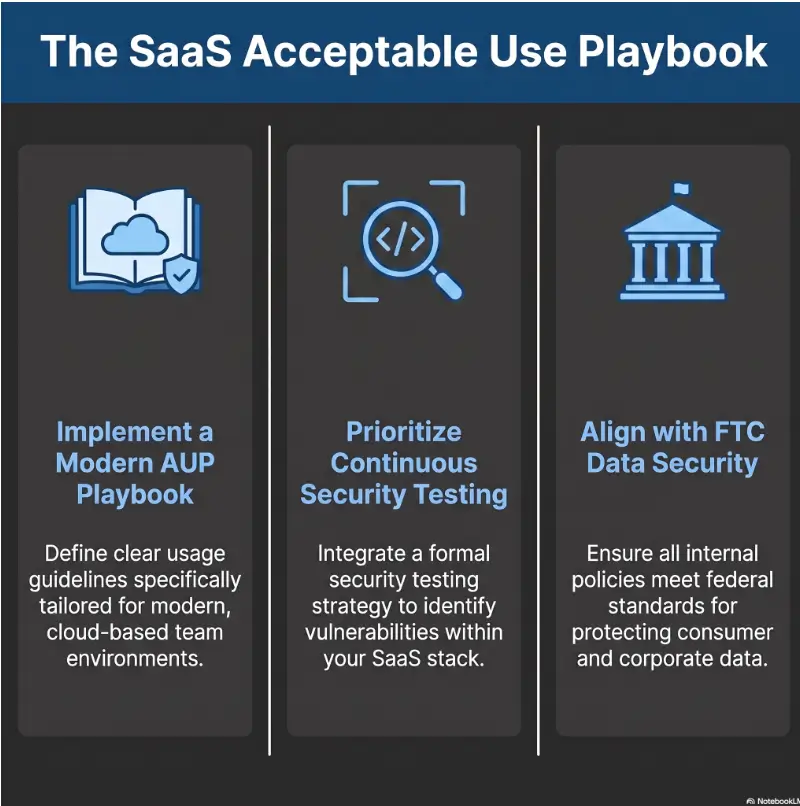
Stop vague bans
Turn “don’t abuse the platform” into rules support and security can apply.
Protect good users
Use warning ladders and appeal paths so enforcement feels fair, not random.
Match real controls
Avoid promising monitoring, reviews, or security actions your team cannot perform.
A good AUP should feel less like a threat and more like a well-lit hallway: clear, firm, and hard to misuse. 🧭
Snapshot
This article is for SaaS founders, product teams, customer success leaders, trust and safety teams, and legal ops readers who need an Acceptable Use Policy that is clear, enforceable, and customer-friendly. You will learn what to include, what to avoid, how to connect the AUP to real workflows, and how to run a fast gap test before publishing.
Table of Contents
Before You Use This Template
An Acceptable Use Policy is not just a tidy legal accessory. In a SaaS business, it can affect suspensions, customer disputes, abuse reports, security investigations, privacy expectations, enterprise sales, and support escalation scripts.
That is why a copied template can become expensive. It may look polished while quietly promising review processes your team does not have, banning behavior your best customers need, or leaving abuse categories so vague that every enforcement decision becomes a small courtroom drama with snacks missing.
Before you act
This guide is educational and editorial, not legal advice. Have a qualified attorney review your AUP before publishing, especially if your SaaS handles sensitive data, regulated industries, minors, payments, healthcare, finance, employment decisions, AI-generated content, or enterprise contracts. Your security and product teams should also confirm that the policy matches your real controls, logs, monitoring, and support workflows.
What an AUP Can And Cannot Do
An AUP can define prohibited behavior, describe customer responsibilities, reserve enforcement options, and explain how people can report abuse. It can help your team respond faster when customers misuse accounts, APIs, automation, content tools, data import features, or messaging systems.
It cannot magically create trust. It cannot replace a Terms of Service, privacy policy, security program, vendor review, data processing agreement, incident response plan, or human judgment. The AUP is the sign on the door, not the lock, camera, and night guard.
The Fast Answer for Busy Founders
A strong SaaS Acceptable Use Policy should explain who it applies to, what behavior is prohibited, what customers must control, how you handle security and platform abuse, what enforcement actions you may take, how people report misuse, and how the policy may change. The wording should be specific enough to act on, but flexible enough to cover new abuse patterns.
Key takeaway
Write the AUP for two audiences at once: the honest customer who wants clarity, and the internal team member who must decide what to do when abuse appears.
AUP vs. Terms: The Boundary Most SaaS Teams Blur
The Acceptable Use Policy and Terms of Service should work together, but they should not do the same job. When those documents overlap too much, your enforcement language can become foggy, repetitive, or inconsistent.
Think of the Terms as the contract skeleton and the AUP as the conduct map. One sets the business relationship. The other sets the boundaries of acceptable behavior inside the product.
What an Acceptable Use Policy Controls
An AUP usually controls how customers, users, admins, invitees, API users, and downstream users may use the service. It should address misuse of the platform, harmful content, illegal activity, rights violations, spam, scraping, security interference, automation abuse, and attempts to bypass limits.
For a B2B SaaS product, the AUP might cover things like bulk email abuse, unauthorized data collection, malware uploads, fake accounts, credential sharing, reverse engineering, abusive API calls, harassment, or use of the product to violate another person’s privacy.
What the Terms Should Still Handle
Your Terms of Service usually handle the broader contract machinery: payment, renewals, warranties, liability limits, indemnity, termination rights, governing law, dispute resolution, intellectual property, subscription rules, and account ownership.
The AUP may refer to those Terms, but it should not become a second contract with competing rules. If your AUP says one thing about termination and your Terms say another, your team has created a paperwork fork in the road. Customers will notice, especially enterprise buyers with procurement teams trained to sniff out contradiction.
The Hidden Risk: Policy Drift
Policy drift happens when teams add a clause every time something weird happens. One customer scrapes too much, so a scraping clause appears. Another user probes endpoints, so a security testing clause appears. A spam complaint arrives, so a messaging clause gets bolted on.
Over time, the AUP becomes a junk drawer: one part contract, one part moderation guide, one part support macro, one part nervous diary. The fix is to group rules into clear categories and connect them back to real workflows.
| Document | Primary Job | Common SaaS Examples | Risk If Blurred |
|---|---|---|---|
| Terms of Service | Defines the legal and commercial relationship | Fees, renewals, liability, termination, ownership | Conflicting rights, unclear remedies, contract disputes |
| Acceptable Use Policy | Defines prohibited and restricted platform behavior | Spam, scraping, malware, API abuse, illegal use | Arbitrary enforcement, customer confusion, support escalations |
| Privacy Policy | Explains personal data handling | Collection, use, sharing, retention, rights | Privacy promises that do not match product behavior |
| Security Page or Trust Center | Describes security practices and controls | Encryption, access controls, audits, monitoring | Overstated security claims and buyer distrust |
Who This Template Fits, And Who Should Not Copy It Blindly
A SaaS AUP template is useful only if it matches the product. A file-sharing tool, AI writing app, payment-adjacent workflow platform, developer API, and marketplace all have different abuse patterns. The same sentence can be sensible in one product and strangely hostile in another.
Best Fit: B2B SaaS, PLG Tools, APIs, AI Apps, and Marketplaces
This kind of template works best for SaaS teams that need scalable guardrails before abuse shows up in support queues, logs, refunds, chargebacks, legal notices, or customer complaints. It is especially useful for product-led growth companies, API products, collaboration tools, AI apps, analytics platforms, creator tools, and marketplaces.
These products often let customers invite users, upload data, connect integrations, generate content, automate workflows, publish output, or call APIs at scale. That scale is exactly where a friendly product can quietly become a machine with sharp edges.
Not a Fit Without Specialist Review
Do not copy a general AUP into a regulated product without professional review. Healthcare, finance, insurance, education, children’s products, employment tools, payments, biometric systems, AI decision tools, and high-risk security products may need extra legal, compliance, and technical review.
A clause that sounds normal for a generic workflow app may be incomplete for a product that touches medical records, student data, credit decisions, identity verification, hiring decisions, or financial transactions.
Simple SaaS Rarely Stays Simple
A harmless productivity tool can become a spam engine once users discover bulk exports. A form builder can become a phishing kit. A note-taking app can become a data dumping ground. A scheduling tool can become an unwanted outreach machine. A developer API can become a rate-limit wrestling match.
You do not need to write like every customer is a villain. You do need to admit that users are inventive creatures. Some will build cathedrals. Some will build catapults. Your AUP should survive both.
Quick fit check
- Your product allows user-generated content, uploads, prompts, messages, workflows, integrations, or APIs.
- Your team needs a consistent way to handle abuse, suspicious activity, or customer complaints.
- Your current policy feels too broad, too thin, or too aggressive for legitimate customers.
- Your sales team is starting to see vendor reviews, security questionnaires, or enterprise contract redlines.

The Prohibited Uses Core: Say the Quiet Parts Clearly
The prohibited uses section is the heart of the AUP. This is where teams often get timid. They use grand phrases like “misuse,” “abuse,” or “harmful conduct,” then forget to say what that actually means in the product.
Good policy language does not need to sound harsh. It needs to be observable. If your support lead, security engineer, and customer success manager cannot point to a user behavior and say, “This clause covers it,” the clause needs work.
Illegal Activity And Rights Violations
Start with the obvious, but do not leave it airy. Prohibit use of the service for illegal activity, fraud, infringement, impersonation, harassment, abuse, threats, privacy violations, or activity that violates another person’s rights.
This section should also cover customer content, uploaded files, contact lists, prompts, templates, generated output, and any data customers import into the platform. If they upload it, send it, publish it, generate it, or process it through your service, they need the right to do so.
Security Abuse, Testing, And Platform Interference
Your AUP should address unauthorized access, vulnerability probing without permission, credential attacks, malware, denial-of-service behavior, attempts to bypass security controls, disruption of the service, and interference with other users.
Be careful with security testing language. You may want to prohibit unauthorized testing while still allowing coordinated vulnerability disclosure through a separate process. If you have a vulnerability disclosure policy, link to it clearly so helpful researchers are not treated the same as attackers.
Spam, Scraping, And Automation Abuse
Automation is not automatically bad. Many SaaS customers buy tools precisely because they want automation. The AUP should allow legitimate automation while blocking abusive behavior such as scraping personal data, creating fake accounts, sending unsolicited bulk messages, evading rate limits, harvesting data, or using bots to overload the service.
A useful test: if the conduct would create complaints, degrade performance, violate rights, bypass limits, or make your platform look like the sender of unwanted activity, name it.
AI-Specific Misuse, If Your Product Needs It
If your SaaS includes AI generation, AI agents, synthetic media, content automation, code generation, decision support, or workflow automation, add AI-specific rules. These may cover deceptive impersonation, unlawful surveillance, attempts to bypass safety systems, harmful automation, fraud, unauthorized biometric use, or generation of content that customers are not allowed to create or distribute.
Do not paste in an AI policy that is broader than your product. A sales-email assistant, coding tool, customer support bot, image generator, and enterprise analytics product do not need identical language. Your policy should match the actual risks your product creates.
| Use Category | What To Prohibit | What To Avoid Accidentally Banning |
|---|---|---|
| Security | Unauthorized access, malware, credential abuse, disruption | Good-faith reports through an approved disclosure process |
| Automation | Rate-limit evasion, abusive bots, fake accounts, scraping | Normal workflow automation, admin-approved integrations |
| Messaging | Spam, phishing, harassment, unwanted bulk outreach | Permission-based customer communications |
| AI | Deceptive impersonation, harmful automation, safety bypass attempts | Ordinary drafting, summarizing, coding, or productivity use |
| Content | Illegal, infringing, abusive, or rights-violating material | Legitimate criticism, internal business data, lawful user content |
Key takeaway
The strongest prohibited-use clauses describe conduct your team can recognize: spam sent, limits bypassed, malware uploaded, credentials abused, rights violated, accounts faked, or systems disrupted.
Enforcement Without Panic: The Clause Customers Actually Read
Customers may skim prohibited uses, but they pay attention to enforcement. That is where the AUP stops being a philosophy and starts affecting access, revenue, workflows, and trust.
Your enforcement clause should give your team room to act quickly in serious cases without making ordinary customers feel one false positive away from exile.
What You May Do When Abuse Happens
A practical SaaS AUP can reserve the right to investigate, warn, remove content, throttle usage, disable features, suspend accounts, terminate accounts, preserve evidence where appropriate, comply with legal obligations, or report conduct when required or permitted.
Keep the language flexible, but not theatrical. You want enough discretion to handle urgent abuse, while still showing that enforcement decisions are tied to the nature, severity, and impact of the violation.
The Suspension Ladder: Warning → Restriction → Termination
A suspension ladder helps customers understand that not every issue leads to instant termination. For lower-risk or good-faith issues, you may start with a warning or request to fix the problem. For higher-risk issues, you may restrict features, throttle API access, remove content, or suspend the account while reviewing.
For severe abuse, such as malware distribution, fraud, phishing, security attacks, illegal activity, or immediate harm to the platform or others, the policy should let you act without waiting through a slow warning process.
The Appeal Valve That Prevents Support Wildfires
False positives happen. Customers mistype. Automation misfires. A security rule catches the wrong account. A reseller’s downstream user does something the primary customer did not see coming.
An appeal or review path gives legitimate customers a way to explain context, provide evidence, and fix problems. It also gives support a calmer script than “the system says no,” which is rarely a sentence that improves anyone’s afternoon.
| Severity | Example | Possible Response | Customer Trust Move |
|---|---|---|---|
| Low | Accidental policy issue, unclear content, first minor violation | Warning, education, requested fix | Explain the issue and deadline to correct it |
| Medium | Repeated spam complaints, suspicious automation, limit pressure | Feature restriction, throttling, temporary suspension | Give a review path and required remediation steps |
| High | Phishing, malware, fraud, credential abuse, platform attack | Immediate suspension, termination, investigation | Document the basis internally and preserve evidence as appropriate |
| Unclear | Flagged behavior with incomplete context | Temporary restriction while reviewing | Tell the customer what information may help resolve it |
Key takeaway
A fair enforcement clause does two things at once: it lets your team move quickly against real abuse and gives good-faith customers a path back from mistakes.
Customer Responsibilities: The Part That Reduces Blame Loops
When something goes wrong, customers often ask who was responsible. The AUP should answer part of that question before the crisis. Customers need to understand that they control their users, credentials, data, connected tools, and downstream activity.
Account Security And Credential Hygiene
State that customers are responsible for activity under their accounts, including activity by their authorized users, admins, invitees, contractors, agents, API keys, tokens, and integrations. They should protect passwords, manage permissions, revoke access when people leave, and notify your team of suspected compromise.
This does not mean customers are blamed for everything. It means the AUP sets a shared-security expectation: your platform has duties, and customers do too.
Data, Consent, And Lawful Inputs
Customers should represent that they have the rights, permissions, consent, and lawful basis needed to upload, process, send, publish, or store their content and data through the service.
This matters for contact lists, scraped data, customer records, employee data, prompts containing personal information, documents uploaded for AI processing, files imported through integrations, and output distributed to third parties.
Integrations And Third-Party Services
Many SaaS products sit inside a small orchestra of connected tools: CRMs, email systems, cloud drives, analytics platforms, ticketing systems, identity providers, webhooks, and automation services. Your AUP should say that customers remain responsible for how they configure and use those integrations.
If a customer connects your product to a third-party system and triggers harmful downstream activity, the AUP should not leave everyone staring at each other like a dropped tray in a quiet café.
Customer responsibility checklist
- Customers manage access for employees, contractors, admins, invited users, and downstream users.
- Customers protect credentials, API keys, access tokens, and integration secrets.
- Customers confirm they have rights and permissions for uploaded data and content.
- Customers avoid using the service to send, publish, process, or generate unlawful or harmful material.
- Customers are responsible for how connected tools, imports, exports, webhooks, and automations are configured.
- Customers promptly report suspected account compromise or unauthorized use.
Abuse Examples: Small Details, Big Protection
Examples make an AUP easier to understand. They also reduce the chance that every enforcement decision becomes a debate about abstract nouns. “Platform abuse” is hazy. “Using fake accounts to bypass usage limits” is clear.
Use Concrete Examples Without Freezing The Policy
Include examples such as phishing, spam campaigns, malware uploads, scraping personal data, harassing people, impersonating others, evading rate limits, creating fake accounts, abusing trial accounts, probing systems without permission, or using the service to violate third-party rights.
Use language such as “including, but not limited to” carefully. It helps avoid freezing the policy around only the listed examples. Still, the list should be specific enough that customers understand the spirit of the rule.
Why Examples Beat Abstract Legal Fog
Examples help customers self-correct before they open a ticket. They help customer success explain boundaries during onboarding. They help sales answer enterprise procurement questions. They help trust and safety build consistent review criteria.
They also help your future self. Six months from now, when a new abuse pattern arrives wearing a fake mustache, you want the policy to contain enough pattern recognition to guide the decision.
Examples Also Train Your Team
An AUP is not only for customers. It is a training document for support, security, sales, product, and customer success. When the examples are well written, your internal teams can use them as a shared decision map.
For example, customer success can say, “Bulk export is allowed within your plan, but harvesting personal data from third-party sources through our automation tools is not.” That is better than improvising policy from memory during a tense account call.
SaaS AUP Decision Flow
1. Scope
Who is using the product, account, API, or integration?
2. Conduct
What behavior is banned, restricted, or suspicious?
3. Responsibility
Who controlled the data, user, token, or workflow?
4. Enforcement
Warning, limit, remove, suspend, terminate, or investigate?
5. Appeal
Can a good-faith customer provide context or fix it?
6. Review
Does the policy match real logs, tools, and team capacity?
Common Mistakes SaaS Teams Make With AUP Templates
AUP mistakes rarely look dramatic on launch day. They sit quietly until a customer challenges a suspension, an enterprise buyer asks detailed questions, or support cannot explain why one account was punished and another was not.
Mistake 1: Copying Big-Tech Language Into A Small SaaS Product
Large platforms often write for global consumer scale, public content moderation, law enforcement requests, political abuse, and millions of users. A small B2B SaaS team may need something more precise, less aggressive, and more closely tied to product features.
Copying broad enterprise language can make your product sound like an airport security announcement. It may also create operational expectations your team cannot meet.
Mistake 2: Forgetting APIs, Automation, And Resellers
If your product has an API, webhooks, embedded features, agency accounts, affiliates, resellers, white-label partners, or customer-managed subaccounts, your AUP needs to address downstream use.
A reseller may be the paying customer, but an end user may cause the abuse. An agency may control the account, but its client may upload the data. An API customer may build features you never see directly. Your policy should account for these chains.
Mistake 3: Writing Enforcement Rules Nobody Tracks
Do not promise reviews, monitoring, response times, notices, investigation steps, or appeal windows unless your team can support them. The best way to avoid this mistake is to compare every enforcement sentence against actual tooling.
Do you have logs? Admin controls? Abuse queues? Rate limits? Support macros? Account review notes? Escalation rules? If not, soften the promise or build the workflow before publishing the clause.
Mistake 4: Hiding The AUP Until Something Goes Wrong
An AUP is easier to enforce when customers had reasonable notice. Link it in the footer, signup flow, checkout flow, legal center, enterprise order forms, onboarding materials, API documentation, account suspension notices, and abuse-reporting pages where relevant.
The goal is not to make every customer read every sentence while drinking heroic amounts of coffee. The goal is to make the policy findable, consistent, and connected to the moments where it matters.
| Common Mistake | Why It Backfires | Safer Alternative |
|---|---|---|
| Using “anything we dislike” language | Feels arbitrary and hard to defend | Name categories of prohibited conduct and reserve reasonable discretion |
| Promising manual review every time | Creates an operational promise your team may miss | Say you may review, investigate, or request information when appropriate |
| Banning all automation | Blocks normal SaaS use cases | Ban abusive automation, rate-limit evasion, scraping, and fake accounts |
| Ignoring API users | Leaves gaps in high-scale usage | Apply rules to API access, tokens, integrations, and downstream users |
| Hiding the AUP | Weakens notice and increases surprise | Link it at signup, checkout, docs, legal pages, and enforcement notices |
The Clean SaaS AUP Template Structure
The template below is not a paste-and-publish legal document. It is a structure your team can adapt with counsel. Use it as a clean skeleton, then add product-specific details, examples, and internal review notes.
Section 1: Introduction And Scope
Start by stating that the Acceptable Use Policy applies to use of your services, websites, applications, APIs, integrations, and related features. Define who must follow it: customers, users, admins, invitees, contractors, agents, API users, and anyone accessing the service through a customer account.
Also explain that the AUP is part of, or incorporated into, your broader customer agreement. This helps connect the policy to the Terms without repeating the entire contract.
Section 2: Prohibited Conduct
This section should cover illegal activity, harmful activity, security abuse, spam, scraping, rights violations, harassment, impersonation, malware, interference with the service, abuse of platform resources, and attempts to bypass restrictions.
For AI SaaS products, add misuse categories that match the product: synthetic impersonation, deceptive output, unlawful surveillance, unsafe automation, safety bypass attempts, or prohibited high-risk use cases.
Section 3: Customer Content And Data
Explain that customers are responsible for the content, data, files, prompts, contacts, records, and other materials they submit to the service. They should have rights, consents, and lawful authority for their inputs and outputs.
If your product processes personal information or sensitive data, coordinate this section with your Privacy Policy and Data Processing Agreement. Do not use the AUP to quietly change your privacy promises.
Section 4: Security And Integrity
Prohibit unauthorized access, vulnerability probing without permission, credential attacks, malware, denial-of-service behavior, bypassing security controls, and interference with the security or performance of the service.
If you accept security reports, link to your vulnerability disclosure policy. If you do not have one yet, consider creating a simple reporting path before using language that could discourage responsible reports.
Section 5: Enforcement And Remedies
Reserve the right to investigate, warn, remove content, throttle or restrict features, suspend access, terminate accounts, comply with legal duties, and take other appropriate action based on the nature of the violation.
Keep this section flexible but grounded. It should not sound like a trapdoor under every customer account. Tie actions to risk, harm, repeated violations, security threats, legal obligations, or impact on other users.
Section 6: Reporting Abuse And Policy Updates
Tell customers and third parties where to report misuse, what details to include, and how your team may review reports. Then explain how policy updates are posted and when they take effect.
For material updates, consider whether additional notice is appropriate. A quiet footer update may be technically tidy, but major changes can create customer trust issues if they affect product use in meaningful ways.
SaaS AUP skeleton you can adapt
- Introduction and scope
- Definitions or covered users, if needed
- Prohibited conduct
- Customer content and data responsibilities
- Security and platform integrity
- API, automation, and rate-limit rules
- AI-specific restrictions, if applicable
- Enforcement and remedies
- Appeals or review process
- Abuse reporting
- Policy updates
- Contact information
The Review Layer: Make the AUP Match Your Real Product
The review layer is where the AUP becomes useful. Before publishing, compare every clause against your product, customers, abuse patterns, support process, security controls, and sales motion.
Map Rules To Actual Abuse Scenarios
List the top five ways your product could be misused. Be concrete. “Bad behavior” is not enough. Think in terms of features: bulk invite flows, public sharing, exports, AI prompts, file uploads, API calls, webhooks, payment triggers, browser extensions, integrations, or admin controls.
Then ask whether the AUP clearly covers each scenario. If it does not, add a targeted clause or example. If the scenario is covered only by a vague sentence, sharpen it.
Check Against Your Security Reality
Security-related language should match real internal controls. If your AUP says you monitor, review, investigate, throttle, detect, or block certain behavior, confirm whether the team can actually do that.
This is especially important for startups selling into larger companies. Enterprise buyers often compare the AUP with security exhibits, trust center claims, audit reports, vendor questionnaires, and contract commitments.
Align AUP, Privacy Policy, DPA, And Terms
Compare the AUP with your Privacy Policy, Data Processing Agreement, Terms of Service, security page, enterprise order form, support policy, and incident response materials. Look for contradictions around suspension rights, customer data, retention, subprocessors, export access, deletion, account termination, notice, and legal compliance.
A clean AUP should not surprise the rest of your legal stack. It should click into place like a well-cut drawer.
Show me the nerdy details
The most useful AUP review is not only legal. It is operational. Build a simple matrix with four columns: rule, abuse signal, enforcement action, and owner. If a rule has no signal, your team may not be able to detect it. If a rule has no owner, support may not know who decides. If a rule has no enforcement action, the clause may be decorative.
For example, “no rate-limit evasion” might map to API logs, unusual token rotation, request spikes, repeated 429 responses, customer success review, and temporary throttling. “No malware uploads” might map to file scanning, user reports, storage quarantine, security review, and account suspension. This matrix turns the AUP from legal prose into a living control surface.
| AUP Rule | Detection Signal | Likely Owner | Possible Action |
|---|---|---|---|
| No spam or phishing | Complaints, bounced messages, suspicious links, user reports | Trust and safety or support | Warning, feature restriction, suspension |
| No rate-limit evasion | API spikes, token cycling, repeated limit errors | Engineering or security | Throttle, block token, review account |
| No unauthorized probing | Security alerts, unusual scans, endpoint probing | Security | Investigate, restrict, suspend |
| No unlawful uploads | User reports, content review, legal notices | Legal ops and support | Remove content, request explanation, suspend |
| No fake accounts | Signup patterns, payment risk, device or IP anomalies | Fraud or operations | Block signup, merge review, terminate |
Real-world example: Policy That Sounds Strong But Cannot Be Used
A small SaaS team added this sentence to its AUP: “We continuously monitor all accounts for abusive behavior and manually review all suspicious activity before suspension.” It sounded reassuring. It also created a problem.
The team did not continuously monitor all accounts. It had basic alerts, support reports, and API logs. It also could not manually review every suspicious event before action, especially for phishing or malware.
A safer version said the company may use automated and manual review methods, may restrict or suspend access when needed to protect the service, and may request additional information from customers. The revised clause was less shiny, but far more honest.
The lesson: softer wording can be stronger when it matches reality.
FAQ: Practical AUP Decisions SaaS Teams Usually Face
AUP And Terms Of Service Difference
The AUP usually covers user conduct and prohibited platform behavior. The Terms of Service usually cover the broader legal and commercial relationship, including fees, renewals, liability, warranties, termination, governing law, and contract structure. The two should align without duplicating or contradicting each other.
Where Should A SaaS AUP Appear During Signup?
Place the AUP where customers can reasonably find it: legal footer, signup flow, checkout flow, onboarding, enterprise order forms, API docs, help center, and account notices. For products with high abuse risk, link it near the features most likely to be misused.
How Should Account Suspension Language Sound?
Suspension language should be firm but not arbitrary. Explain that you may suspend, restrict, or terminate access based on the severity, risk, repeated nature, or impact of the violation. Include room for urgent action in serious cases, and consider a review path for good-faith customers.
How Do You Allow Automation Without Allowing Abuse?
Do not ban all automation unless your product truly requires that. Instead, prohibit abusive automation, scraping, fake accounts, rate-limit evasion, credential attacks, spam, and activities that degrade the service or violate rights. This protects legitimate API users and integration-heavy customers.
When Does An AI SaaS Need AI-Specific AUP Rules?
Add AI-specific rules when the product can generate content, automate decisions, imitate people, analyze sensitive data, create synthetic media, write code, or perform actions through agents. The rules should match real product capabilities and likely misuse patterns.
Should Customers Have An Appeal Process?
Often, yes. An appeal or review channel helps reduce damage from false positives, confused customers, reseller issues, and automation errors. Keep it realistic. Do not promise a specific review timeline unless your team can meet it.
What Should An Abuse Reporting Workflow Include?
Provide a reporting email address or form, describe what information helps your team review the issue, and explain that reports may be investigated based on available information. Useful details may include account names, URLs, screenshots, timestamps, message headers, API activity, or affected users.
How Often Should A SaaS AUP Be Updated?
Review the AUP when you launch major features, add APIs, introduce AI capabilities, change pricing or usage limits, enter regulated markets, sell to enterprise customers, or see new abuse patterns. Avoid constant small changes that customers cannot track, but do not let the policy fossilize.
Your 15-Minute AUP Gap Test
You do not need to fix the whole policy today. Start with a small test that exposes the biggest gaps quickly.
Open your current AUP or draft. Pick five realistic misuse scenarios for your product. For each scenario, mark the relevant clause as Clear, Too Vague, or Not Enforceable Yet.
The 15-minute AUP gap test
- Write down five ways your SaaS could be misused.
- Find the AUP clause that applies to each one.
- Label each clause: Clear, Too Vague, or Not Enforceable Yet.
- Revise anything marked Too Vague.
- Remove, soften, or operationalize anything marked Not Enforceable Yet.
- Ask support, security, legal, and customer success whether they would make the same enforcement decision.
The one-line success test is simple: a founder, support lead, lawyer, security engineer, and reasonable customer should all understand what behavior is banned and what happens when someone crosses the line.
That is the quiet power of a well-built AUP. It does not need to shout. It needs to hold the line when the product gets busy, the tickets get tense, and the edge cases start tapping on the glass.
Final takeaway
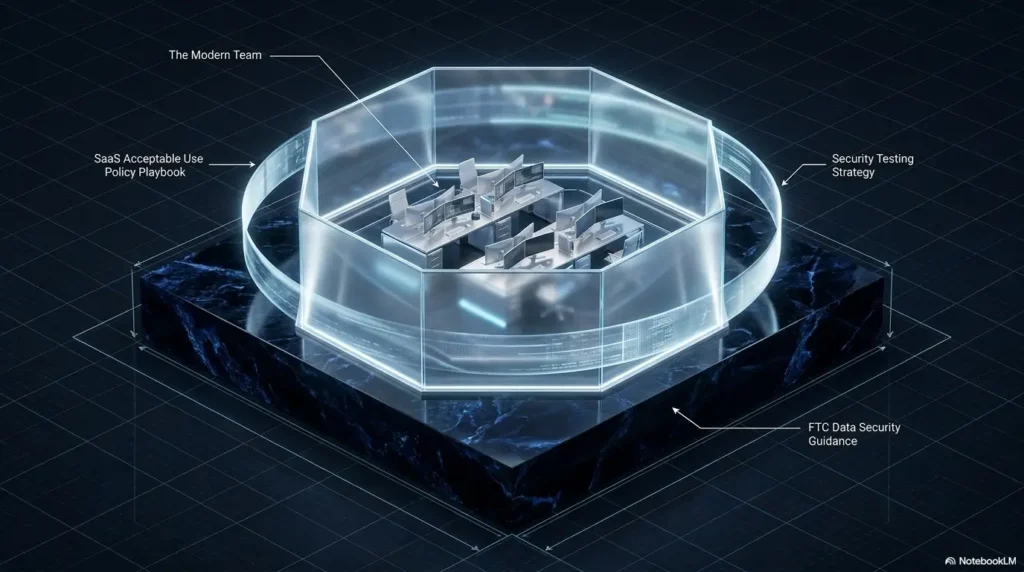
The best SaaS AUP is clear enough for customers, specific enough for support, flexible enough for new abuse patterns, and honest enough to match the controls your team actually has.
Last reviewed: 2026-07