

The Precision of Raw Recon
Some pages look empty only because the browser is tidying the room before you walk in. In authorized Kioptrix curl-only recon, the raw HTML is often more candid than the page itself, and that is where hidden links, odd form actions, comment breadcrumbs, and quietly revealing asset paths tend to surface.
Beginners often either trust the rendered view too much or grep too broadly, then waste time chasing fragments that were never meaningful in the first place. Keep guessing, and you lose the two things recon depends on most: signal and clean notes.
This workflow focuses on being exact: fetch once with curl, extract with grep, clean with sed, and resolve relative URLs into a defensible candidate list. It is built for low-noise lab work and reproducible evidence.
And that is usually where the good recon begins.
Fast Answer: In Kioptrix-style lab recon, curl plus grep and sed can pull hidden links straight out of raw HTML without opening a browser. The trick is not “grep everything,” but using tight patterns to extract href, src, comments, form actions, and suspicious paths, then normalizing the output into a clean candidate list. Done well, this gives you faster coverage, less noise, and better evidence for your notes.
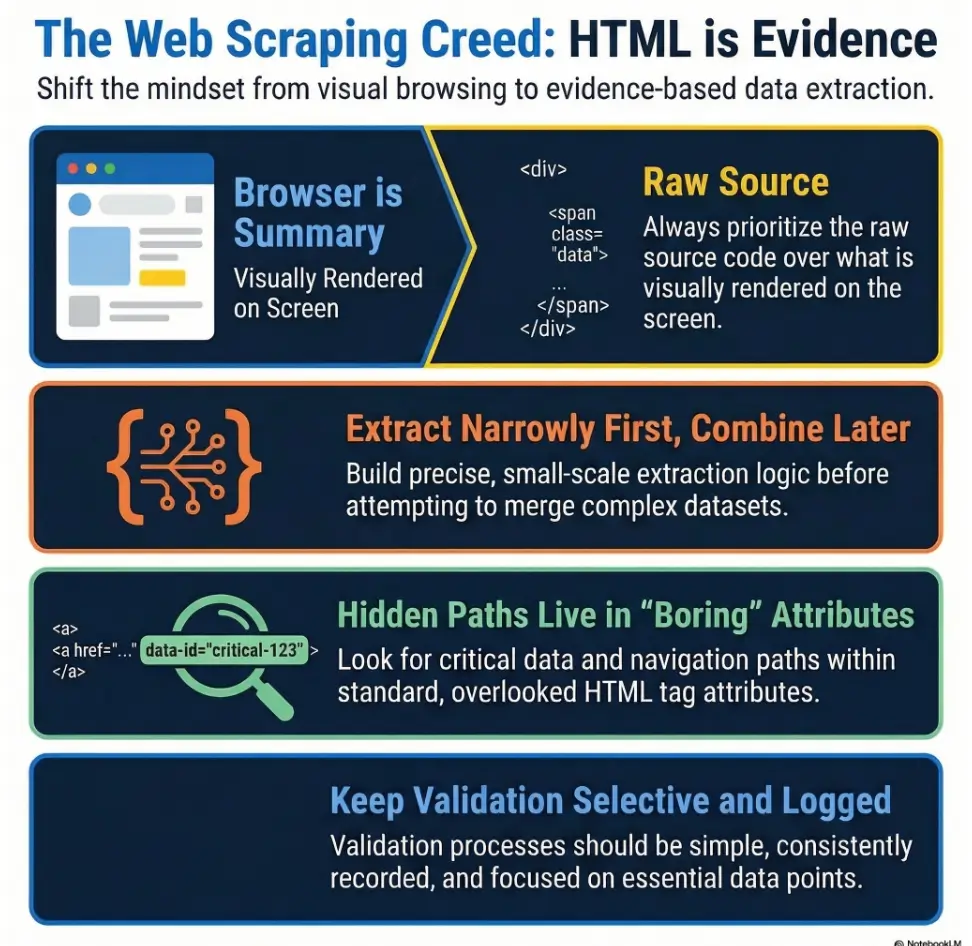
Table of Contents
Why curl-only recon still matters when the page looks boring
The “nothing here” trap
One of the funniest beginner mistakes in lab recon is emotional, not technical. You load a page. It looks plain. Maybe it says “Welcome” in a lonely serif font from 2003. Your brain concludes there is nothing underneath. That is how people miss the easy clues.
OWASP’s testing guidance keeps returning to the same quiet principle: information gathering is about reading what the application already exposes before you invent louder methods. Review the page content. Identify entry points. Map execution paths. That sequence is boring in the best way, like sharpening a knife before cutting a tomato.
How raw HTML reveals links a browser view can hide
The browser shows a finished stage play. Raw HTML shows the props stacked backstage. You may see links that are no longer in navigation, form targets that never appear as visible buttons, or comments that a developer forgot to strip before upload. In a lab, those are not fireworks. They are breadcrumbs, and breadcrumbs are how you avoid wandering in circles.
I still remember my first lab page that looked utterly dead. No menu. No buttons. Just a beige box and a stale greeting. The source, however, contained a comment mentioning an old directory name and a form action that never rendered visually. The page was quiet. The HTML was not.
Why lightweight recon often catches low-effort misses first
A lightweight workflow has two practical advantages. First, it reduces noise. Second, it leaves better notes. When you fetch the page once and save the response locally, you can reproduce your findings later without guessing which command created which lead. The curl project’s own documentation centers curl as a transfer tool for URLs, and that makes it perfect for this kind of controlled, single-request collection. If you want to keep that evidence habit consistent across the whole lab, a structured Kali Linux lab logging workflow pays for itself very quickly.
- Boring pages can still expose useful paths
- Low-noise collection improves reproducibility
- Saved HTML turns vague hunches into checkable notes
Apply in 60 seconds: Save one page locally before you parse anything.
Before you scrape: who this is for / not for
This is for: authorized lab users, CTF players, and defenders validating exposed paths
This workflow is for people working inside clearly permitted environments: training labs, owned systems, classroom boxes, sandboxes, internal demos, or defensive validation on systems they are authorized to test. If your scope can be stated in one clean sentence, you are starting from the right side of the road.
This is not for: production targets, noisy enumeration habits, or unauthorized testing
This is not a hall pass for pointing scripts at live systems you do not own. It is also not a license to inflate “recon” into a confetti cannon of repeated requests, blind guessing, and breathless folder spraying. The point here is restraint. Good operators are not the loudest people in the room. They are the ones whose notebook still makes sense an hour later.
A good rule: if you cannot explain the scope in one sentence, stop there
I use a private rule that has saved me from dumb decisions more than once: if I cannot describe the target, permission, and goal in one sentence, I do not touch the keyboard yet. It sounds almost too simple, but it acts like a seatbelt for your judgment. The same restraint shows up later in reporting too, especially when you need your notes to read like evidence instead of improvisation. That is why I also like keeping a clear mental model for how penetration test reports are read while I enumerate.
Eligibility checklist
- Yes/No: Do you own the system or have explicit written permission?
- Yes/No: Can you state the lab scope in one sentence?
- Yes/No: Are you limiting yourself to bounded, reviewable requests?
- Next step: If any answer is “No,” clarify scope before running commands.
Start with the page source, not your assumptions
Use curl to pull the exact HTML you are testing
The first job is simple: fetch the page and keep the raw response. That gives you a stable artifact. It also stops you from re-requesting the same page five times because you forgot to copy one line. A tiny discipline, yes. Also the difference between clean recon and keyboard confetti.
curl -sS http://TARGET/ -o page.htmlWhy this matters: your parsing logic should operate on a local file whenever possible. That keeps the collection phase and the parsing phase separate. When your notes later say “candidate came from HTML comment in page.html,” that means something precise.
Save a local copy before parsing so your results stay reproducible
I used to skip this. I thought it was faster to pipe everything live. Then I would discover, 20 minutes later, that my third command had a typo, my terminal history was messy, and I could not remember which exact output belonged to which page. Saving the page first fixed all of that. Reproducibility is not glamorous, but neither is redoing work you already did once. If you are building a fuller note-taking habit for labs, an OSCP enumeration template in Obsidian makes this split between artifacts and interpretation much easier to keep.
mkdir -p recon
curl -sS http://TARGET/ -o recon/page.html
wc -c recon/page.html
head -n 20 recon/page.html
Here’s what no one tells you: “view source” in a browser is often a comfort blanket, not a workflow
Browser source view is fine for a quick peek. It is not great as a disciplined workflow. You cannot grep it cleanly. You cannot version it easily. You cannot reliably point back to the artifact later in your report. A local HTML file is less glamorous and far more useful. That is a trade I happily make.
Show me the nerdy details
Use -sS to keep curl quiet while still showing errors. If redirects are expected in your lab and you are allowed to follow them, add -L deliberately, not by habit. For reproducibility, keep the original response artifact and avoid mutating it during parsing.
Extract visible and hidden links with tight grep patterns
Pull href values without dragging in the whole page
If you grep too broadly, every string starts looking like a lead. That is how beginners end up chasing decorative fragments, JavaScript noise, and half-broken tokens like they are buried treasure. Use narrow patterns. Extract only what you need.
grep -Eoi 'href[[:space:]]*=[[:space:]]*("[^"]+"|'\''[^'\'']+'\'')' recon/page.htmlThis expression is intentionally modest. It looks for href= with flexible spacing and supports both double and single quotes. That last part matters because brittle patterns love to fail the moment HTML stops being tidy.
Extract src, action, and redirect-like parameters separately
Do not lump everything into one monster regex on your first pass. It feels clever and reads like a train wreck later. Pull types separately when learning, then merge them once you trust the behavior.
grep -Eoi '(href|src|action)[[:space:]]*=[[:space:]]*("[^"]+"|'\''[^'\'']+'\'')' recon/page.html
grep -Eoi '(url|next|redirect|return)[[:space:]]*=[[:space:]]*("[^"]+"|'\''[^'\'']+'\'')' recon/page.html
MDN’s documentation around forms and related attributes is a useful reminder that the submission target is not always where beginners expect it to be. Form targets and control-level overrides can point to server-side endpoints even when the visible page itself seems sparse. The same low-noise thinking also pairs well with restrained SMB-side enumeration, where using safe CrackMapExec SMB recon flags can keep your notes from becoming another pile of tool exhaust.
Mine HTML comments for abandoned paths and developer breadcrumbs
Comments are where dead features go to haunt the living. In labs, comments may reveal old navigation items, backup filenames, dev notes, or paths someone removed from the menu but not from the code. Comments are not guaranteed gold. They are guaranteed context.
grep -Eoi '<!--[^>]*-->' recon/page.html
grep -Eoi '(admin|backup|bak|old|test|dev|login|tmp|staging)[^"'\'' <>]*' recon/page.html
Look for suspicious folders: backup, admin, test, old, dev
Context words are not proof, but they are great triage signals. If a page contains references to /admin/, /old/, or a suspicious image path under /backup/, that is enough to promote the string into your candidate list for careful validation later.
- Start with
href,src, andaction - Search comments separately instead of assuming they are useless
- Use suspicious keywords only as triage, not proof
Apply in 60 seconds: Run one targeted grep for attributes and one for comments, then compare the two outputs side by side.

Sed cleanup is where junk becomes evidence
Strip quotes, tags, and trailing garbage cleanly
Raw grep output is rarely beautiful. It is the textual equivalent of opening a junk drawer and finding six batteries, a paperclip, a soy sauce packet, and one key you no longer recognize. This is where sed earns its keep.
grep -Eoi '(href|src|action)[[:space:]]*=[[:space:]]*("[^"]+"|'\''[^'\'']+'\'')' recon/page.html \
| sed -E 's/^[^=]+=[[:space:]]*//; s/^["'\'']//; s/["'\'']$//' \
| sed -E 's/#.*$//' \
| sed '/^[[:space:]]*$/d'
This removes the attribute name, trims wrapping quotes, drops fragments, and deletes blank lines. Suddenly the output becomes something a human can reason about.
Normalize relative paths so duplicates stop multiplying
Preserve extracted URL syntax until you resolve it. Collapsing repeated slashes can turn https:// into https:/ and change scheme-relative links such as //host/path. Root-relative, document-relative, and parent-relative paths need their original base context before comparison.
# Preserve path and URL syntax until resolution; deduplicate exact strings.
sort -u recon/candidates.txt
Turn ugly mixed output into a report-friendly candidate list
I recommend keeping two files: a raw extraction file and a cleaned candidate file. The raw file preserves provenance. The cleaned file supports action. That split sounds fussy until you need to explain, later, why a given path was considered interesting. It also mirrors the logic behind a good Kali pentest report template, where evidence and interpretation should be close cousins, not identical twins.
grep -Eoi '(href|src|action)[[:space:]]*=[[:space:]]*("[^"]+"|'\''[^'\'']+'\'')' recon/page.html > recon/raw-attrs.txt

sed -E 's/^[^=]+=[[:space:]]*//; s/^["'\'']//; s/["'\'']$//; s/#.*$//' recon/raw-attrs.txt \
| sed '/^[[:space:]]*$/d' \
| sort -u > recon/candidates.txt
Let’s be honest… raw grep output is usually a pile of wet confetti
That sounds rude, but it is true. Grep gives you fragments. Sed turns fragments into units you can compare. Once you think of cleanup as evidence handling rather than cosmetic polishing, your workflow becomes calmer and much harder to fool.
Relative URLs can lie to you if you do not resolve them
Root-relative vs document-relative paths
Resolve a reference against the effective response URL. If redirects were explicitly followed, that may differ from the original request URL. An HTML <base href> changes the document base; //host/path inherits the scheme but changes the host. Check these before treating a candidate as local. Review the base URL rules.
Why /admin and admin/ may not mean the same thing
In practice, trailing slashes, file-based routing, and server behavior can change how a path is handled. In labs, you do not need to over-philosophize it. You do need to preserve the extracted string faithfully and test it with context. I once lost ten minutes because I normalized a candidate too aggressively and silently changed where it pointed. Ten minutes is not a tragedy. It is, however, enough time to become grumpy with your own keyboard.
How a base path mistake sends recon in the wrong direction
When the current page is nested, document-relative paths should be recorded with that base path in mind. Keep a note like this. The same principle shows up in SMB work too, where a small context mistake can make a harmless target look broken, as with the difference behind SMB null sessions on port 139 vs 445.
Decision card: resolving relative paths
| Extracted string | Seen on | Likely interpretation |
|---|---|---|
/admin |
http://TARGET/shop/index.html |
Root-relative |
admin/ |
http://TARGET/shop/index.html |
Likely under /shop/ |
../old/ |
http://TARGET/shop/index.html |
Likely sibling of /shop/ |
Neutral action: Write down the parent page URL before validating the candidate path.
Show me the nerdy details
Fragments such as #section do not change the server-side request target, so stripping them during cleanup is usually safe for HTTP validation. Query strings are different. Preserve them unless you have a good reason to separate base path and parameterized variant during notes.
Go beyond href: the forgotten places links like to hide
Form actions and hidden inputs
Beginners often over-focus on href and forget the small machinery that actually moves data around a site. Forms are especially useful because they reveal where a submission wants to go, which can expose application entry points even on simple pages. MDN notes that the form element represents interactive controls for submitting information, and the form action or control-level override can define the target endpoint. That is exactly why these attributes deserve a separate pass.
grep -Eoi '(action|formaction)[[:space:]]*=[[:space:]]*("[^"]+"|'\''[^'\'']+'\'')' recon/page.htmlJavaScript snippets, meta refresh tags, and inline redirects
You do not need to become a full JavaScript parser to catch the easy stuff. In labs, quick wins often come from searching for redirect-like words, location changes, and meta refresh patterns.
grep -Eoi '(location\.href|location=|window\.open|document\.location|url=)[^;<>"]*' recon/page.html
grep -Eoi '<meta[^>]+http-equiv=["'\'']refresh["'\''][^>]+content=["'\''][^"'\'']*url=[^"'\'']+' recon/page.html
Comments, CSS references, and image paths that hint at structure
Assets are underrated scouts. A stylesheet under /assets/css/ or an image under /images/admin/ may hint at directory structure before you see a page that lives there. Not every asset path is a destination worth checking, but assets often sketch the site map in pencil before the HTML writes it in ink.
The clue behind the clue: assets often reveal directories before pages do
One lab page I tested had no visible navigation and almost no body text. The only interesting strings came from image references, including a logo under an oddly named subdirectory. That did not prove a reachable page existed there. It did tell me where to look next, carefully, with just one or two bounded follow-up requests. In that sense, assets behave a lot like hostnames in NetBIOS work: a clue first, a conclusion later. That is why guides like nbtscan hostname but no shares are such a useful parallel mindset.
- Check
actionandformaction, not justhref - Search lightweight redirect patterns in inline HTML
- Use asset paths as structural hints, not automatic targets
Apply in 60 seconds: Run one extra grep pass for action and one for url= or location strings.
One-liners that are fast, bounded, and reusable
Minimal one-liner for href extraction
When you want the smallest useful command, use something you will still understand tomorrow morning.
curl -sS http://TARGET/ \
| grep -Eoi 'href[[:space:]]*=[[:space:]]*("[^"]+"|'\''[^'\'']+'\'')' \
| sed -E 's/^href[[:space:]]*=[[:space:]]*//; s/^["'\'']//; s/["'\'']$//; s/#.*$//' \
| sort -u
Slightly smarter one-liner for href + src + action
This version gives broader coverage while still remaining readable.
curl -sS http://TARGET/ \
| grep -Eoi '(href|src|action)[[:space:]]*=[[:space:]]*("[^"]+"|'\''[^'\'']+'\'')' \
| sed -E 's/^[^=]+=[[:space:]]*//; s/^["'\'']//; s/["'\'']$//; s/#.*$//' \
| sed '/^[[:space:]]*$/d' \
| sort -u
One-liner to deduplicate and sort candidates
Nothing exotic here. Just honesty. Sort and deduplicate before you start thinking emotionally about results.
sort -u recon/candidates.txt > recon/candidates-sorted.txtOne-liner to keep only internal-looking paths
This pass is useful when you want to push external links, mailto references, and obvious off-site noise out of the way.
grep -Ev '^(https?://|//|mailto:|javascript:|tel:)' recon/candidates.txt \
| grep -E '^(\/|\.\/|\.\.\/|[A-Za-z0-9._-])' \
| sort -u
Here’s the quiet win: small commands are easier to trust under pressure
That is the real value of one-liners. Not that they are short. That they are inspectable. When you are tired, rushed, or juggling notes, the command you can reason about is usually better than the command that looks like it escaped from a very ambitious octopus. The same sanity test matters elsewhere too. If you have ever gone down the rabbit hole of ffuf wordlist tuning, you already know that a smaller, more deliberate input set often beats theatrical complexity.
Mini calculator: triage effort
Inputs: number of extracted candidates, number of obvious assets, number of strong leads.
Rule of thumb: validation load = strong leads first, then maybe 10 to 20% of the remainder. If you extracted 40 strings, 25 are assets, and 5 look meaningful, your real workload is closer to 5 than 40.
Neutral action: Mark “strong,” “maybe,” and “decorative” before making follow-up requests.
Common mistakes that waste time and blur your notes
Grepping too broadly and treating every string like a lead
Broad patterns make people feel productive because the terminal fills with output. Output is not the same thing as clarity. If your result file contains 150 lines and you can only explain 8 of them, the command did not save you time. It only changed the shape of the mess.
Forgetting relative-path resolution
This is the classic self-own. You extract a valid candidate, misread how it resolves, then spend five minutes validating the wrong path. The command was fine. The interpretation was crooked. That hurts a little more because it feels personal.
Ignoring comments because “they are not live”
Comments may not be live navigation, but they are live clues. Old paths, test names, internal shorthand, and discarded menu items can all help you understand how the application was structured, even when the link itself is gone.
Failing to save the original HTML for verification
When you skip the source artifact, you rob your future self. Later, when you want to confirm whether a candidate came from an anchor tag, a form action, or a comment, you are left reconstructing history from shell memory. That is archaeology nobody asked for.
OWASP’s information-gathering sections emphasize reviewing page content and identifying application entry points methodically. Methodical work means keeping enough evidence to revisit your own reasoning, not merely your own commands. That principle also shows up in the humble discipline of note-taking systems for pentesting, which is really just recon made durable.
Don’t do this: noisy habits that make curl-only recon worse
Do not hammer the same page with endless variations
Fetch once. Save it. Parse locally. Re-fetch only when you have a specific reason tied to a candidate or a different page. Repeatedly curling the same page because you keep changing your regex is not recon. It is indecision with network traffic attached.
Do not mix lab-safe parsing with aggressive guessing in one step
Keep extraction separate from validation. Otherwise you stop learning which strings were truly present in the HTML and which ones came from your own guesses. That matters for both notes and judgment. This is the same reason I prefer a calm escalation ladder over early tool sprawl, whether I am looking at raw HTML or planning a fast enumeration routine for any VM.
Do not paste uncleaned output directly into a report
Readers deserve evidence, not terminal debris. A short table with path, source type, and reason-for-interest will always outperform a raw paste of 36 mixed strings. Your future self deserves the same mercy.
Let’s pause here… messy recon usually becomes messy thinking
I say that with affection because I have done it. The human brain loves to romanticize discovery. A clean workflow resists that temptation. It asks, politely but firmly, “What exactly did you see, where did you see it, and why does it matter?” That is the whole game.
Quote-prep list for your lab notes
- Original page URL
- Saved HTML filename
- Candidate string exactly as extracted
- Source type: href, src, action, comment, redirect
- Why it matters: admin-like, old path, form target, asset clue
Neutral action: Capture these five fields before validating the next path.
Validate candidates without turning recon into chaos
Re-request extracted paths carefully and log status codes
Once you have a cleaned list, validate calmly. The point is not to flood the target with curiosity. The point is to answer a narrower question: which of these candidates are worth a second look?
# Manually resolve and review up to five safe GET URLs first.
# Replace TARGET with the exact authorized lab host.
head -n 5 recon/approved-urls.txt | while IFS= read -r url; do
  case "$url" in
    http://TARGET/*) ;;
    *) printf 'Skipped out-of-scope URL: %s\n' "$url"; continue ;;
  esac
  printf '%s\t' "$url"
  curl -g -sS --connect-timeout 5 --max-time 10 \
    -o /dev/null -w '%{http_code}\n' "$url"
done
Create recon/approved-urls.txt from manually resolved, same-origin candidates. Review redirects and any <base> first, and exclude logout or state-changing endpoints. The loop checks at most five URLs with time limits and does not follow redirects. A 000 result is a transport failure, not an HTTP status.
Separate strong leads from decorative assets
An image under /images/logo.png tells you something about structure, but it may not deserve the same urgency as /admin/login.php or an odd form submission endpoint. Triage by likely value, not by order of discovery.
Keep a tiny table: path, source, reason it matters, next check
This is where your notes stop being a diary and become a tool. A four-column table is enough for most labs. If you want those four columns to feed directly into later reporting, borrowing a few habits from a professional OSCP report template makes the handoff much cleaner.
| Path | Source | Reason it matters | Next check |
|---|---|---|---|
/admin/ | comment | Potential legacy panel | Single bounded HTTP check |
login.php | form action | Likely entry point | Resolve relative path, check status |
/img/old/ | src | Structural clue only | Lower priority |
The goal is not more strings, it is fewer better leads
This sentence changed my recon habits more than any shell trick did. Fewer better leads. That is the rhythm. You are not trying to impress the terminal. You are trying to reduce uncertainty.
- Check strong leads first
- Record status codes and source type together
- Keep decorative assets in a lower-priority bucket
Apply in 60 seconds: Pick the top five candidates and create a four-column note table before making any requests.
Build a clean workflow you can repeat in five minutes
Fetch once, parse once, normalize once
If I had to reduce this entire article to one mantra, that would be it. Fetch once. Parse once. Normalize once. Every extra improvisation tends to multiply ambiguity. In labs, speed does not come from frantic motion. It comes from refusing to repeat unstructured work.
Tag findings by type: href, src, action, comment, redirect
Tagging by source type helps you think. A path found in a comment has a different confidence profile from one found in a form action. One came from living page mechanics; the other came from leftover narrative. Both matter, but not in the same way.
Keep a reusable notes template for lab writeups
Use a simple template you can copy every time. If you want a starting point, an Obsidian OSCP host template gives you a neat skeleton for keeping page source, candidate paths, and next checks together.
Page fetched:
Saved artifact:
Extraction command:
Candidate:
Source type:
Why notable:
Resolved path:
Validation result:
Next step:
The habit that scales: evidence first, excitement second
That order matters. Excitement is useful fuel. It is a terrible filing system. A repeatable workflow keeps the romance of discovery without letting the romance drive the car.
Infographic: the 4-step curl-only recon loop
1. Fetch
Use curl -sS once and save page.html.
2. Extract
Pull href, src, action, comments, redirects.
3. Clean
Strip quotes, fragments, blanks, then deduplicate.
4. Validate
Check only top candidates and log the result.
Short Story: I once spent an embarrassing stretch of time chasing what I thought was a hidden admin panel because a messy grep output had mixed a fragment identifier with a relative path. In my notes, the candidate looked dramatic. In reality, it was a harmless anchor on the same page wearing theatrical makeup. What fixed it was not a smarter exploit brain.
It was a humbler process: save the HTML, separate raw extraction from cleaned candidates, record the source type, then resolve the path with the page context in front of me. The result was slightly less glamorous and vastly more useful. I found two legitimate leads twenty minutes later, and neither one came from the string I had fallen in love with. That was a good lesson. Recon rewards affection for evidence, not affection for suspense.
Common mistakes
Treating all extracted links as equally valuable
A stylesheet, a logout link, and a hidden form target should not all live in your brain with equal priority. Weight matters. Context matters. Your candidate list should feel like triage, not democracy.
Missing commented-out URLs and backup filenames
Comments are cheap to search and cheap to document. Skipping them is often just habit. In labs, they can be surprisingly chatty.
Forgetting that image or script paths may expose sensitive subdirectories
Not every asset path becomes a page lead, but it can still reveal structure. That alone can improve your map of the application.
Using brittle regex that breaks on single quotes or weird spacing
HTML is messy. Your pattern should expect at least a little untidiness. Rigid regex feels powerful until it silently misses half the clues.
Skipping deduplication and rechecking the same path twice
This one wastes time twice. Once in validation, and once in note review, where duplicates make your lead list seem richer than it actually is.
Assuming “no links found” means “nothing interesting exists”
No visible strings does not equal no useful structure. It only means your current pass did not surface much. That is information too, but it is not a verdict.
Show me the nerdy details
When HTML becomes too malformed for narrow grep patterns, preserve the artifact and note the limitation rather than pretending the extraction was comprehensive. In labs, transparency about method limits is part of good evidence hygiene.
For methodology, OWASP’s testing guide is worth keeping in the back of your mind because it frames content review, entry-point discovery, and execution-path mapping as connected tasks rather than disconnected tricks. For beginners especially, that broader framing pairs nicely with a Kioptrix labs beginner roadmap so each small technique lands inside a larger habit.

FAQ
How do I extract hidden links from HTML with curl only?
Fetch the page with curl, save the response, then parse href, src, action, comments, and redirect-like patterns with narrow grep expressions. Clean the results with sed, remove fragments, normalize obvious duplicates, and then triage before validating anything.
Is curl-only recon enough for Kioptrix-style labs?
For early-stage recon, often yes. It is especially useful when you want quick visibility into page-linked structure without opening a browser or jumping immediately to heavier tooling. It will not catch every client-side behavior, but it often finds the low-friction clues first. Later, if you need a broader map of the box, you can fold it into a Kioptrix Level 1 workflow without Metasploit rather than treating curl as the whole story.
What hidden links should I look for in raw HTML?
Start with href, src, action, formaction, HTML comments, meta refresh tags, and simple inline redirect strings. Also note asset paths that suggest interesting directory names.
Why does grep miss some links in HTML?
Because HTML is messy. Quotes vary. Spacing varies. Line breaks can split attributes. Scripts can store paths in odd formats. Grep is fast and useful, but it is not a full HTML parser. In labs, that is fine as long as you are honest about the limitations.
How do I clean extracted URLs with sed?
Strip the attribute label, wrapping quotes, and (for server-side validation) fragments, then deduplicate exact strings. Preserve schemes, repeated slashes, query strings, and relative-path context until URL resolution. Grep/sed do not provide full HTML parsing or entity decoding.
Are HTML comments useful during web recon?
Yes. In authorized labs, comments often leak old endpoints, backup names, removed navigation items, or developer breadcrumbs. Treat them as clues, not guarantees.
How do I handle relative links from curl output?
Resolve them against the page where they were found. Root-relative and document-relative links are not the same thing. Always keep the parent page URL in your notes so you can interpret the candidate correctly.
Should I test every extracted path immediately?
No. Triage first. Separate likely endpoints from decorative assets. Then validate the strongest few in a calm, bounded order with clear note-taking.
What is the safest way to document curl-only recon?
Save the original HTML, record the extraction command, keep the raw and cleaned outputs separate, label each candidate by source type, and note why it matters before checking it.
Next step
The curiosity loop from the beginning closes here: the page was never truly “empty.” It was simply speaking in a quieter voice than the browser chose to show you. Your job in a lab is not to shout louder. It is to listen better.
In the next 15 minutes, do one bounded pass on a single lab page. Save the HTML. Extract href, src, action, and comment-based strings. Clean them into a deduplicated file. Then label the top five candidates by source type before validating only those. That tiny ritual is small enough to repeat and strong enough to trust.
Coverage tier map
| Tier | What changes |
|---|---|
| Tier 1 | Save one page, extract href only |
| Tier 2 | Add src and action |
| Tier 3 | Add comments and redirect strings |
| Tier 4 | Resolve relative paths and deduplicate carefully |
| Tier 5 | Validate only top leads with status logging |
Neutral action: Start at Tier 1 and stop as soon as you have enough evidence for the next check.
If you want a clean mental model to carry forward, keep this one: fetch, extract, clean, validate. Four verbs. No drama. Quite a lot of signal.
Original review: 2026-03.
Technical guidance updated: 2026-10-13. Fixed the single-quote extraction pattern, preserved URL schemes and base context, and bounded validation requests.