Sources, review date and section shortcuts
Reviewed: October 19, 2026. Choose a notes tool by evidence retrieval, portability and permitted data handling rather than a universal ranking.

Primary documentation · Related practical guide
Go straight to: Decision check · Main workflow · Further detail
Open the Note-tool export acceptance test for this guide’s task-specific fields and next action.
Test the note outside its original view
Create a synthetic host note with commands, a screenshot and an attachment link, then verify search and a local export. Review plugins, sync, sharing and backup separately. Joplin E2EE concerns configured synchronization and does not by itself encrypt every local file or export. Keep evidence under the actual engagement policy and do not infer protection from a product name. Reference and scope.
The Resilience of Technical Documentation
The best note-taking tool for Kioptrix lab walkthroughs is rarely the one with the prettiest interface. It is the one that still makes sense when your shell is gone, your screenshots are scattered, and the one command that mattered has slipped out of memory like a fish back into dark water.
That is the real friction here. In a hacking lab, weak notes do not just look untidy. They break reproduction, flatten your reasoning into random command dumps, and make every future revisit slower than it should be. Keep guessing, and you do not just lose time. You lose the logic that made the box solvable in the first place.
This guide helps you choose a note-taking setup that can actually survive Kioptrix: command-heavy walkthroughs, screenshot clutter, dead ends, proof capture, and the long tail of review. More importantly, it helps you pick a system that supports technical writeups without turning your lab session into a productivity costume.
That recommendation is grounded in the only test that really matters here: whether your notes can help you reproduce the machine later, not merely admire what you once did.
Because that changes the standard. A lot. And once you see it, most note apps stop looking impressive and start looking either useful or ornamental. Let’s sort the difference.
Pick the Right Tool First, or Your Notes Will Fight You
What “best” really means in a Kioptrix walkthrough
In normal life, “best note-taking tool” is a cozy little productivity question. In a Kioptrix walkthrough, it is an operational question. The best tool is the one that lets you move fast while keeping a trustworthy trail behind you. That trail needs to survive panic, fatigue, screenshots named nonsense-final-final-3.png, and the deeply human urge to skip documentation right when the box gets interesting.
For Kioptrix specifically, “best” means four things: it must be quick while the lab is live, clear when you revisit it later, structured enough to support a real walkthrough, and calm enough not to turn your practice session into a stationery hobby. The wrong app turns every action into a tiny toll booth. The right one disappears behind the work.
The real job: capture, retrace, and explain
Your notes have three jobs. First, they capture exactly what happened. Second, they help you retrace the path when memory gets theatrical and starts editing the truth. Third, they force you to explain why a step mattered. That last part is where learning actually begins.
Not just pretty notes, but usable lab evidence
Walkthrough notes are not diary entries. They are lab evidence. Good evidence shows sequence, context, and proof. It preserves recon findings, service versions, commands attempted, unexpected errors, privilege escalation clues, and the final indicators that the box was actually completed. This is why screenshot handling, code formatting, and search matter so much more here than they do in a general-purpose journal.
- Speed matters while the shell is live
- Structure matters when you revisit the box later
- Context matters more than raw command dumps
Apply in 60 seconds: Open your current notes and check whether they explain why you ran your last three commands, not just what they were.
Who This Is For, and Who Should Skip It
Best for beginners who need repeatable walkthrough notes
If you are new to Kioptrix or early in your homelab journey, this guide is for you. Beginners often assume better note-taking means more note-taking. It usually means better-shaped note-taking. You do not need a giant knowledge system on day one. You need something simple enough to use during recon, enumeration, foothold, and privilege escalation without freezing your momentum.
Best for intermediate learners building portfolio-ready writeups
If you are already past the “what does nmap even do?” phase, the tool choice becomes a little more strategic. Intermediate learners often want notes that can later become blog posts, private case studies, or sanitized portfolio walkthroughs. That means export options, searchability, reusable templates, and cleaner structure start to matter more. Suddenly your notes are not just memory support. They are raw publishing material.
Not ideal for people who only want disposable scratch notes
If your goal is simply to scribble one or two commands and never look back, a full note system may be overkill. A plain text file, a terminal log, or even a scratch pad might be enough. There is no virtue in building a cathedral for a sandwich.
Not for learners who confuse collecting notes with learning
This guide is also not for the collector impulse. You know the one. It whispers that if you just install one more plugin, color-code one more folder, or import one more template pack, your operational discipline will bloom like spring. Usually it blooms like browser tabs instead. A useful tool helps you think. It does not perform thinking on your behalf.
Eligibility checklist: Is it worth choosing a real Kioptrix note system now?
- Yes if you want to reproduce boxes later
- Yes if you forget command context after a day or two
- Yes if you plan to publish or sanitize walkthroughs later
- No if you only want disposable notes for one short session
Next step: If you answered yes to at least two items, pick one serious tool and test it on your next box.
Start With the Workflow, Not the Brand Name
Before choosing a tool, map your lab note flow
Most comparison articles start with brands. That is backward. Start with your workflow. In a typical Kioptrix session, your note flow probably looks like this: quick target summary, scan output, service observations, likely attack paths, attempted commands, credential discoveries, local enumeration, privilege escalation clues, and final proof. If a tool fits that sequence with minimal friction, it has a chance. If it forces you into weird formatting rituals every three minutes, it is already losing.
What Kioptrix notes usually need to hold
At minimum, your notes need to hold command blocks, screenshots, small tables, short explanations, dead-end markers, and proof artifacts. They should also make it easy to jump back to a section fast. Search is not a luxury here. It is what saves you from wandering through your own notebook like a tourist in a badly designed airport.
Command logs, screenshots, findings, and failed attempts
A good Kioptrix note flow usually has a ratio problem: more commands than reflection, more screenshots than naming discipline, more confidence than documentation. The best note-taking setup corrects that ratio gently. It gives you one clear place for command logs, one obvious home for screenshots, and a fast way to tag false starts so they do not vanish.
Let’s be honest, most note systems break during the second box
Box one is the honeymoon. Everything feels organized because there are only nine screenshots and a single exploit path. Box two is where reality arrives with muddy boots. The notes multiply. Naming gets sloppy. The folder structure stops making sense. The app that felt delightful begins asking too much of you. This is why scalability in a note system is less about enterprise features and more about surviving your own future laziness.
Practical test: imagine you need to find one screenshot of a vulnerable service version from three months ago in under 45 seconds. If your proposed tool cannot make that easy, keep shopping.
Show me the nerdy details
Workflow fit matters because Kioptrix walkthroughs mix structured and unstructured data. You have predictable phases such as recon and privilege escalation, but unpredictable artifacts such as terminal errors, screenshots, hashes, web content, and quick hypotheses. Tools that handle both text structure and messy evidence tend to age better than tools optimized for either clean prose or visual scrapbooking alone.
The Features That Actually Matter in a Lab Walkthrough
Fast code blocks and clean command formatting
If a note app makes code blocks clumsy, it is asking to be fired. Commands need to paste cleanly, remain readable, and stay separate from your commentary. Markdown tools usually do this well because fenced code blocks are simple and durable. The Markdown Guide explains the basic fenced-code approach clearly, which is one reason Markdown workflows tend to stay portable instead of rotting inside one app’s private ecosystem.
Screenshot handling that does not become chaos
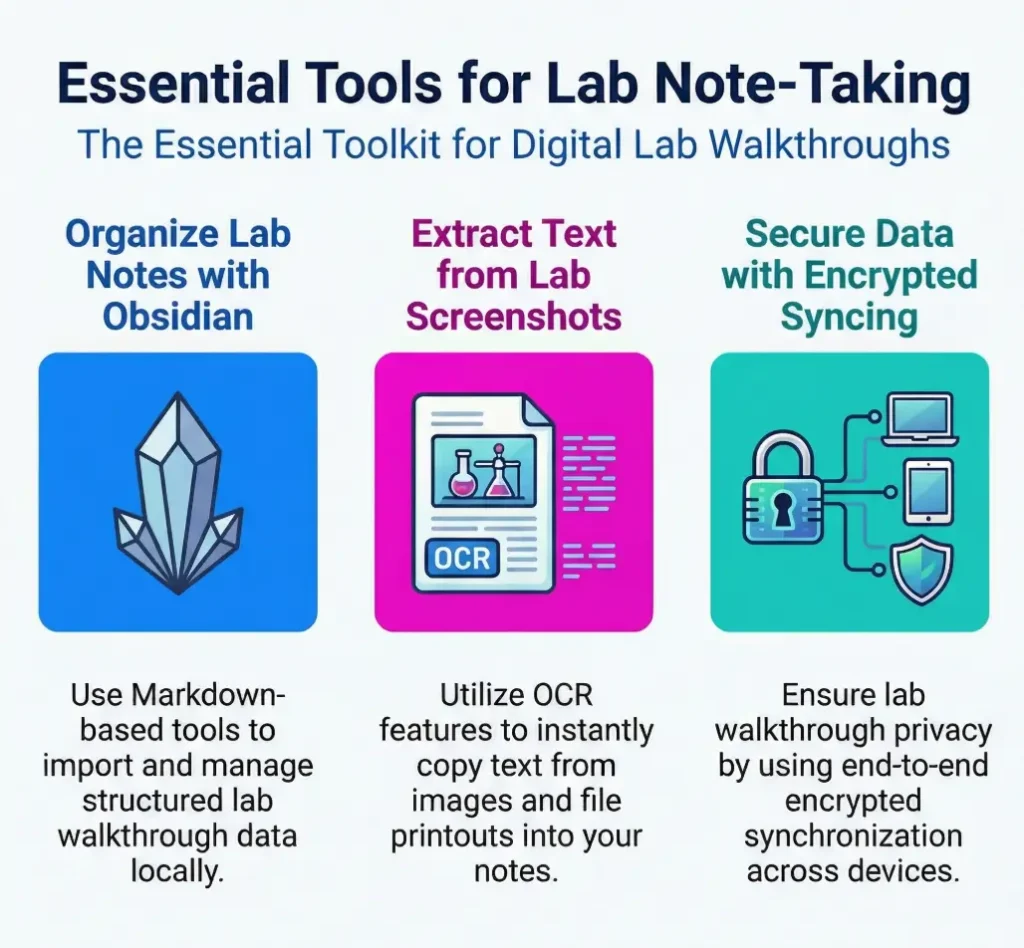
Kioptrix labs create screenshot clutter faster than people admit. Login pages, scan results, web shells, kernel versions, flags, proof. OneNote has a real advantage here because it handles pasted images comfortably, and Microsoft documents that OneNote can use OCR to copy text from pictures and printouts, which can be handy when a screenshot contains version info you want back as text.
Search that saves you from rereading your own maze
Search is what turns notes from archive into instrument. If you can search port numbers, usernames, filenames, or exploit references instantly, you spend less time spelunking your own cave system. Joplin’s official overview highlights full-text search across platforms, and that matters more than people think once you have notes for five, ten, or twenty boxes.
Templates that reduce thinking friction
Templates are underrated because they look boring. Boring is good. Boring means repeatable. A template saves you from inventing structure while your attention is already busy with enumeration logic. That is not laziness. That is cognitive triage.
Export options if you want publishable walkthroughs later
This is where many learners accidentally choose pain. If you might turn your notes into public writeups, local Markdown storage becomes a superpower. Obsidian’s documentation states that it uses non-proprietary plain text Markdown files stored locally, which means your notes are easier to move, version, back up, and repurpose later. That durability is not glamorous, but it ages beautifully.
Decision card: What matters most?
| If you prioritize | Lean toward | Trade-off |
|---|---|---|
| Portable, future-proof text notes | Obsidian | Slight learning curve for setup |
| Easy screenshot-heavy capture | OneNote | Less elegant for portable Markdown workflows |
| Privacy-minded cross-platform notes | Joplin | Less polished for some visual workflows |
Neutral action: Rank these three priorities before you compare apps any further.
Markdown or Rich Text? This Choice Shapes Everything After
Why Markdown often wins for technical walkthroughs
Markdown tends to win technical walkthroughs because it is quiet. It stays close to plain text, handles headings and code blocks elegantly, and travels well between tools. That matters in a field where your future self may want to move notes into a static site, a Git repo, a blog draft, or a sanitized portfolio piece. Plain text is humble in the way cast iron is humble. It is not flashy, but it survives marriages and house moves.
When rich text feels easier but ages badly
Rich text feels easier because what you see is what you get. For many beginners, that immediate visual comfort is real. But rich text often ages badly in technical contexts because layout convenience can become structure ambiguity. Commands get mixed with commentary. Screenshots drift around. Export gets awkward. Reuse gets even more awkward. It is the digital version of a drawer full of cables that all “probably still work.”
The trade-off between speed now and structure later
This is the real trade-off. Rich text can feel faster in the moment, especially when pasting images. Markdown often pays off later, especially when reorganizing, exporting, comparing boxes, or publishing. Neither is morally superior. This is not a monastery. It is a workflow decision.
Here’s what no one tells you about “easy” note apps
“Easy” apps are only easy on good days. When the notes become large, the easy app can become strangely slippery. Meanwhile the app that asked you to learn three small habits up front can become the one that saves hours later. In lab work, delayed convenience often beats instant comfort.
Quiet truth: A note format that can survive tool changes is usually a safer bet than a note format that feels magical for two weekends.
Obsidian’s help documentation emphasizes that its notes are local Markdown files, and that local, non-proprietary foundation is exactly why many homelab learners eventually drift toward it after trying shinier things first.
Tool Fit by Use Case, Not Hype
Best fit for command-heavy walkthroughs
If your Kioptrix workflow is command-heavy and you care about later exporting, cross-linking, or publishing, Obsidian is usually the strongest fit. It respects Markdown, handles structure well, and makes it easier to keep one note per machine or one vault per lab collection. For learners who eventually want a portfolio, this matters a lot. Your notes stay files, not furniture bolted into one room.
Best fit for screenshot-heavy lab sessions
If you paste a screenshot every 90 seconds and want visual flexibility without thinking too hard, OneNote remains a practical contender. It is especially comfortable for learners who think spatially and like dropping images beside quick observations. Microsoft’s OCR support in OneNote can also help pull text back out of screenshots when a version string or error message matters.
Best fit for learners publishing public writeups
For public writeups, Markdown-first tools usually win because they reduce cleanup later. You can sanitize notes, standardize headings, and convert to HTML or other publishable formats with far less friction. This is one place where the difference between a personal notebook and a reusable asset becomes obvious.
Best fit for private study notes and exam review
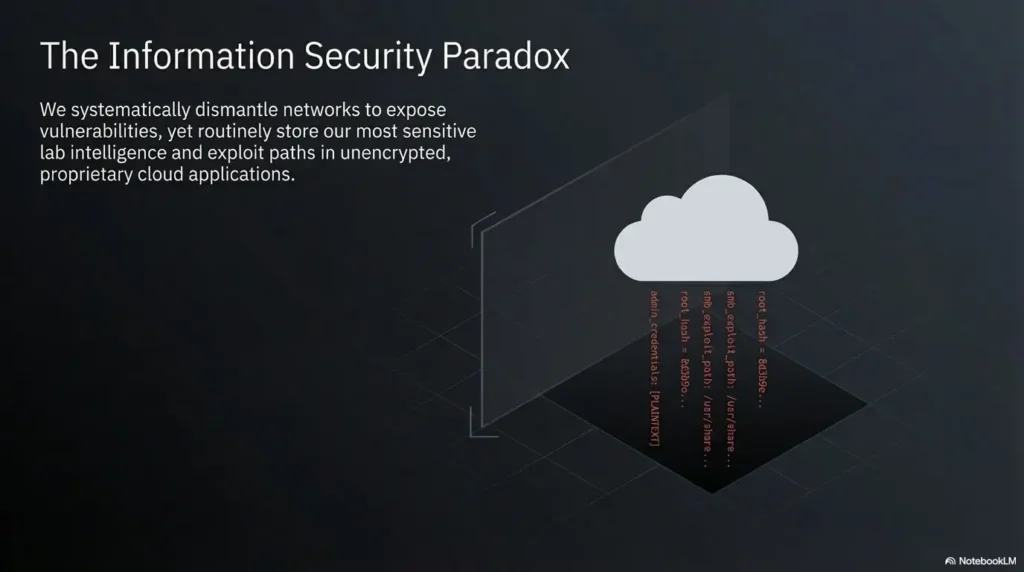
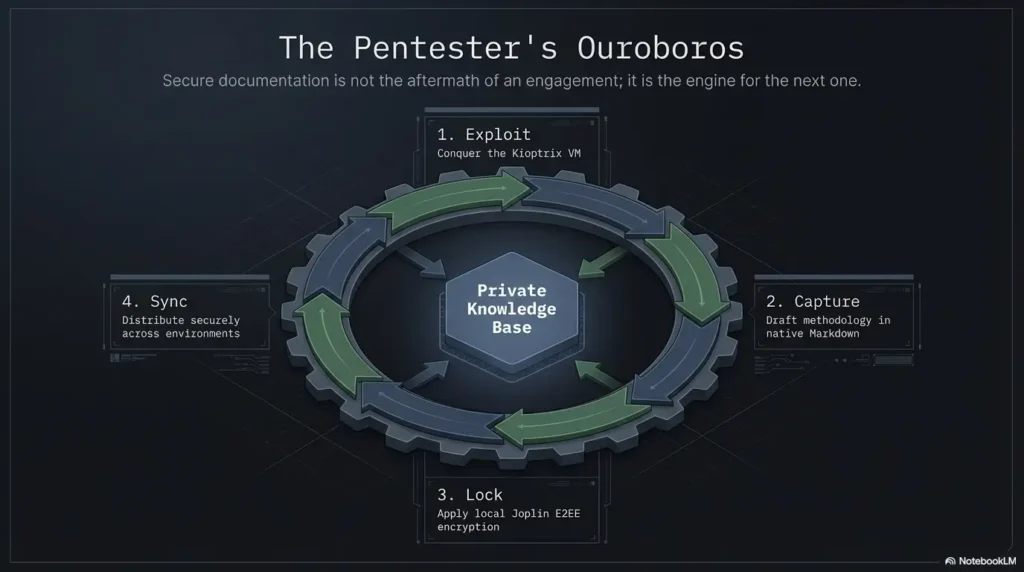
For private study and review, Joplin is more compelling than it sometimes gets credit for. Its official help describes end-to-end encryption for synchronized data, which must first be enabled and synchronized across the devices. That protects the encrypted sync copy; do not assume it encrypts local notes or exported files. Protect the device and redact secrets from copies you share. If your lab habit involves storing sensitive personal study materials or you simply prefer a security-aware note ecosystem, that feature is not cosmetic.
Best fit for people who revisit old boxes months later
If you revisit old boxes, searchability and file durability matter more than visual delight. This is why a simple folder structure plus strong search usually beats a dazzling all-in-one workspace. Six months later, elegance means finding “vsftpd 2.3.4” in three seconds, not admiring your color palette.
Coverage tier map: what changes as your note needs mature
- Tier 1: Scratch notes and command dumps
- Tier 2: Structured notes with screenshots and section headings
- Tier 3: Reusable templates across multiple machines
- Tier 4: Searchable archive with portfolio-ready cleanup potential
- Tier 5: Durable knowledge base with privacy, export, and long-term retention
Neutral action: Decide which tier you actually need this month, not which tier flatters your ambition.
Don’t Build a Note System That Slows the Exploit Chain
Too many folders, too much drag
Over-organization is one of the prettiest ways to waste time. If every screenshot needs three clicks, every command needs a tag, and every phase needs a separate subpage, you are not building a workflow. You are building a toll road. Lab notes should support momentum, not interrupt it every 40 seconds.
Over-formatting while the lab is still live
During a live lab session, ugly notes are fine. Useful ugly notes are better than elegant incomplete ones. Formatting can happen later. This is where beginners often get ambushed by the desire to make notes “nice” before they have made them complete. Do not iron your shirt while the kitchen is on fire.
Splitting evidence across five apps
One terminal logger, one screenshot app, one text editor, one to-do app, one cloud notebook. This sounds flexible until you need to reconstruct what happened at 11:47 p.m. across four windows and a dozen tabs. Split systems create forensic fog. One primary home for notes almost always beats a clever constellation of specialized apps.
Why friction quietly kills good documentation habits
Friction rarely announces itself. It does not march in with a drumline. It whispers. It says, “Skip the screenshot this time,” then “You’ll remember the service version,” then “You can tidy it later.” Then later arrives carrying a shovel. Small friction compounds into missing evidence, broken timelines, and notes you cannot trust.
In practice, the best systems reduce note capture to under 10 seconds for most entries: paste the command, add one line of why, move on. That is the rhythm you want.
Common Mistakes That Make Kioptrix Notes Useless Later
Copying commands without context
This is the classic error. A command without context is a fossil. It tells you something happened but not why. A better note says what you observed, what hypothesis you had, what command you ran, and what changed as a result. Even one sentence of context can rescue a command from becoming archaeology.
Saving screenshots with meaningless filenames
Screenshot_1034.png is not a naming system. It is a cry for help. Use filenames that carry meaning: kioptrix1-http-source-view.png, kioptrix1-nmap-initial.png, kioptrix1-privesc-proof.png. Your future self will bless you in a tired but sincere voice.
Recording success but not recording failure
Most learners over-document the winning path and under-document the failed ones. That is backwards if your goal is skill growth. Failed attempts teach you what not to retry, what evidence ruled something out, and what assumptions slowed you down. Failure notes are not clutter. They are antibodies.
Forgetting timestamps, ports, and service versions
In a technical walkthrough, tiny specifics often carry the plot. Ports, service versions, usernames, file paths, and timestamps are the hinges on which the whole door swings. Lose them and you may remember the vibe of the lab but not the mechanism that actually worked.
Writing a walkthrough you cannot personally reproduce
This is the ultimate quality test. If your notes cannot help you rebuild the box later, they are not ready for anyone else either. Reproducibility is the standard. Everything else is mood lighting.
- Keep filenames meaningful
- Record service versions and failed paths
- Test whether your notes support reproduction
Apply in 60 seconds: Rename your last five lab screenshots so each one tells you what it proves.
Your Best Tool Might Be the One That Handles Dead Ends Well
Why failed paths belong in serious lab notes
There is a special kind of frustration in trying the same dead exploit path three weeks later because you never wrote down why it failed the first time. Serious lab notes must make room for failure, not as a confession booth, but as a map legend. If a directory brute force went nowhere, say so. If a service looked juicy but version checks killed the idea, say so. This reduces future duplication and sharpens your judgment.
How to mark false starts without clutter
The trick is not to narrate every bruise in dramatic detail. Just mark the branch clearly. A small label such as Dead End, Ruled Out, or Low Value followed by one sentence is usually enough. That keeps the note readable while preserving the logic trail.
Turning confusion into a future shortcut
One of the most useful note habits I ever stole from myself was writing a single line after each failed path: Why did this not earn another 20 minutes? That question makes your notes far more intelligent. It turns confusion into pattern recognition. Later, when you hit a similar machine, you start faster and waste less attention.
Small note habits that build better troubleshooting instincts
Good note-taking shapes troubleshooting. The act of labeling a dead end forces a decision. Was the issue credentials, version mismatch, missing permissions, or bad targeting? Those are the muscles you are actually training in a lab. The notes simply make that training visible.
The difference was absurdly large. On the next box, I avoided two repeated detours and recognized a more promising route faster because my notes had stopped pretending that failure was irrelevant. Since then, I have trusted note systems less for their beauty and more for their willingness to hold awkward truth. A note app earns its keep when it lets you record not just the triumphant shell, but the pile of broken ladders beside it.
Build a Walkthrough Template Once, Then Reuse It Ruthlessly
Suggested sections for every Kioptrix session
A reusable template removes decision fatigue before it starts. For Kioptrix, a simple structure works beautifully: target summary, recon, enumeration, attack hypotheses, foothold, post-exploitation, privilege escalation, proof, dead ends, and lessons learned. That is enough structure to guide you without turning the session into office paperwork.
Recon, enumeration, foothold, privilege escalation, proof
These phase labels matter because they mirror how most learners already think during a box. They also make review easier. If you return to a machine after a month, you can jump straight to the section you need rather than reading the whole note like a Victorian novel.
What to log under each section
Under recon, log target IP, scan commands, ports, service versions, and first observations. Under enumeration, log likely attack surfaces, page content, directory discoveries, usernames, shares, and anything weird. Under foothold, record the exploit path, why it fit, commands used, and proof. Under privilege escalation, record local enumeration, findings, failed ideas, and the winning move. Under proof, store the final evidence with filenames that mean something.
A template is not boring, it is cognitive armor
People resist templates because they look repetitive. In practice, repetition is precisely what gives a template its strength. When the lab gets noisy, the template holds the line. It tells your hands where the next piece of evidence belongs before your brain starts improvising jazz in the wrong key.
Quote-prep list: what to gather before comparing note-taking tools
- Your typical number of screenshots per box
- Whether you want publishable Markdown later
- Whether you sync across devices
- Your tolerance for setup and templates
- Whether privacy or local storage matters to you
Neutral action: Write down these five answers before you let anyone on the internet sell you their favorite app.
Infographic: The Kioptrix note-taking triangle
Speed
Can you paste commands, drop screenshots, and move on in under 10 seconds?
Structure
Can you separate recon, enumeration, foothold, privilege escalation, and proof?
Retrieval
Can you find a screenshot, service version, or dead end in under 45 seconds later?
Best choice: Pick the tool that keeps all three stable. When one side collapses, your walkthrough quality usually collapses with it.
If You Want Better Retention, Write Notes for Your Future Self
Explain the why, not only the command
The difference between decent notes and powerful notes is often one sentence: why this looked promising. When you explain why you tried a path, you reinforce the logic that led there. That helps memory far more than another raw command block ever will.
Capture decision points, not just outcomes
Decision points are the spine of real learning. Why did you pivot from web enumeration to service exploitation? Why did one user account matter more than another? Why did a version string change your plan? If those decisions live in the notes, your future self can rebuild not just the steps, but the reasoning.
The difference between memory support and memory theater
Memory support helps you reconstruct work. Memory theater merely makes you feel organized. A beautifully formatted note full of unexplained commands is memory theater. A slightly messy note with precise decisions and named screenshots is memory support. One looks productive. The other is productive.
Let’s be honest, tomorrow-you is a stranger with your laptop
This line sounds dramatic because it is true. Tomorrow-you has less context, less emotional memory, and probably less patience. Write for that person. Give them headings, decisions, filenames, proof, and mercy.
There is also a portfolio angle here. If you ever want to turn lab notes into a public walkthrough, writing for future-you means you are already halfway writing for readers. That lowers the cleanup cost later and increases the odds that your lab effort becomes a reusable asset instead of a private blur.
Show me the nerdy details
Retention improves when notes preserve cues that reactivate reasoning, not just outputs. In lab work, cues include hypotheses, contrastive decisions, discarded branches, and environmental specifics such as ports or versions. This is why a note with fewer commands but more decisions can outperform a longer command dump when you revisit the machine weeks later.
The Best Choice for Most Learners, After All the Noise
What makes a tool “best” for Kioptrix specifically
For Kioptrix, the best tool must tolerate technical notes gracefully, support screenshots without chaos, and preserve enough structure for later reproduction. It should not demand a complex system before the work has even begun. This is not a generic journaling contest. It is a practical comparison between tools under lab pressure.
Why simplicity usually beats all-in-one ambition
After all the noise, simplicity usually wins. Not crude simplicity. Functional simplicity. The kind that lets you keep one note per machine, one screenshot folder per box, and one template reused across sessions. The kind that does not turn your study habit into software administration.
The quiet winner is the tool you will still use on box five
For most beginner-to-intermediate learners, Obsidian is the best overall choice. The reason is not fashion. It is fit. Local Markdown files, strong structure, clean command handling, and easy long-term reuse make it unusually well suited to Kioptrix walkthroughs. Obsidian’s official help explicitly emphasizes non-proprietary plain text Markdown files stored locally, which aligns beautifully with the needs of lab learners who may later export, sanitize, or repurpose their notes.
OneNote is the best choice for screenshot-heavy learners who want a gentler start and less concern about Markdown syntax. Joplin is the best choice for privacy-minded learners who still want structured, searchable notes with encryption options. But for the broad middle of homelab learners, Obsidian usually lands in the sweet spot between speed, structure, and future portability.
- Choose Obsidian for Markdown-first durability
- Choose OneNote for image-heavy, beginner-friendly capture
- Choose Joplin for privacy-conscious, searchable note archives
Apply in 60 seconds: Pick the one sentence above that sounds most like your real workflow, not your idealized one.
Next Step: Test One Tool With a Single Box Before Committing
Pick one Kioptrix machine and one reusable template
Do not spend three days comparing note apps in ten open tabs while calling it research. Pick one Kioptrix machine and one simple template. That is enough. You are not marrying the app. You are interviewing it.
Track commands, screenshots, failures, and final proof
For one full box, commit to logging commands, screenshots, dead ends, and final proof in that single tool. Keep the test honest. If you need a workaround every 15 minutes, the tool is telling you something important. Listen.
Review your notes after 24 hours and ask one question: could I reproduce the box from this alone?
This question closes the loop from the opening hook. The point was never to collect attractive notes. It was to produce a walkthrough you can trust when memory fades and the details get slippery. If the answer is yes, you found a keeper. If the answer is no, the tool may not be wrong, but the workflow probably is.
Near the end of the process, think about durability too. If you may later turn your notes into a blog post, a Git-based archive, or a private knowledge base, file format matters. The apps that keep your notes usable outside themselves generally age better than those that only feel smooth inside their own walls.
The honest next step is small enough to do within 15 minutes: create one template, choose one box, and test whether the notes let you reconstruct the logic the next day. That is the whole game. The best note-taking tool for Kioptrix walkthroughs is not the one that impresses you in a comparison table. It is the one that still tells the truth when the adrenaline is gone.
Original review: 2026-03.
FAQ
What is the best note-taking tool for Kioptrix walkthroughs?
For most learners, Obsidian is the best overall fit because it combines local Markdown files, strong structure, and clean handling of technical notes. OneNote is often better for screenshot-heavy workflows, while Joplin appeals to privacy-minded users.
Is Markdown better than OneNote-style notes for hacking labs?
Usually yes, if you care about portability, export, and long-term reuse. Markdown tends to age better for technical walkthroughs. OneNote can still be excellent if your workflow is heavily visual and you want easier image handling from the start.
Should I include failed commands in my walkthrough notes?
Yes. Failed commands and dead ends are part of the learning record. They help you avoid repeated mistakes, explain why you pivoted, and make future troubleshooting faster.
How detailed should a Kioptrix lab walkthrough be?
Detailed enough that you could reproduce the box later without guessing. You do not need to write a novel, but you should record key observations, commands, reasoning, failed paths, and proof.
What is the best way to organize screenshots for lab notes?
Use one folder per machine and give each file a meaningful name tied to what it proves. Keep screenshots close to the relevant section of your notes or link them clearly if stored separately.
Can I turn my lab notes into a portfolio later?
Yes, and that is one reason Markdown-first tools are so useful. Clean headings, code blocks, decision notes, and named screenshots make later sanitization and publishing much easier.
Should I keep separate notes for each machine?
Yes. One note per machine is usually the cleanest structure. It keeps evidence together, reduces search noise, and makes later review far easier.
What makes a note-taking tool bad for technical labs?
A bad tool adds friction, handles code blocks poorly, buries screenshots, or traps notes in a format that is hard to export and reuse. If it slows your live workflow or weakens reproduction later, it is the wrong fit.
Technical guidance updated: 2026-10-13. Clarified activation and scope of Joplin sync encryption versus local notes and exports.
Note-tool export acceptance test
Use this record for the specific question in this guide. Complete it with the actual scope, conditions, evidence and assistance used in your own work.
On a small screen, scroll the table sideways to read all columns.
Field guidance for this record
| Field | What to record | Your evidence / next check |
|---|---|---|
| Representative note | Use a synthetic entry with text, an image and an attachment. | To complete |
| Retrieval check | Verify search and the path back to the original evidence. | To complete |
| Portable export | Open a local export and confirm the needed attachments. | To complete |
| Data handling | Review sync, plugins, sharing and backup as separate choices. | To complete |
Edit the template below with your own dated observations. Bracketed prompts are guidance, not evidence. This page does not automatically save or upload your entry; download it before leaving or reloading.
Template ready. Replace the prompts with your record, then download a copy.
Worksheet usability update — October 23, 2026: added an editable record and a download of its current contents. This does not verify the article’s sources or perform the lab exercise.
Next action: Test a representative export before committing the evidence collection to an app. Keep the supporting evidence and its conditions beside the decision.
Related task: Use Lab Evidence Tracking: Originals, Copies and Claims for that separate part of the workflow.
Worksheet change record — October 20, 2026
Added four task-specific fields, a next action and a related guide. This is a blank editorial working aid, not a completed test or validated assessment. Existing source-review dates retain their own scope; this addition is not a new verification of every statement.