
Virtualization Without the Friction
A legacy pentesting lab rarely fails because the target is too demanding. It fails because the hypervisor turns exploitation into a troubleshooting side quest.
The real pain isn’t performance; it’s friction. Whether it’s VirtualBox, VMware, or Proxmox, each platform creates a different kind of drag on your workflow. When networking looks “almost” right and rollbacks feel unsafe, your momentum vanishes.
This guide helps you choose the platform that offers:
- ✔ Clearer Networking
- ✔ Smoother Snapshots
- ✔ Minimal Host Interference
- ✔ Clean Lab Repetition
“It’s not about which hypervisor looks smartest on paper, but which one stays quiet when the lab gets strange.”
Table of Contents
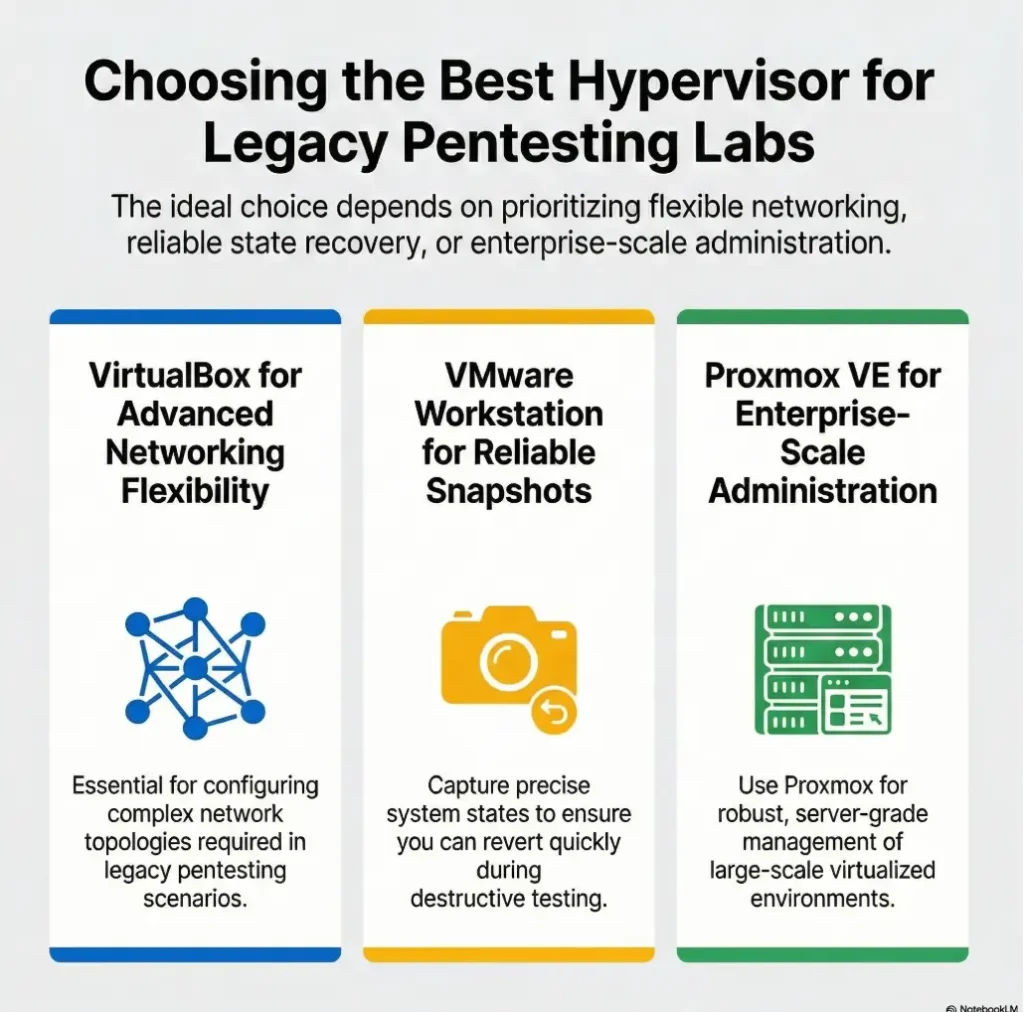
Fast Answer: For most Kioptrix-style legacy labs, the best hypervisor is the one that stays boring under pressure: easy networking, predictable snapshots, and minimal host-side friction. VirtualBox is still a practical entry point for many learners, VMware Workstation Pro often feels smoother day to day, and Proxmox VE shines when you want a dedicated lab machine rather than a simple desktop setup.
Best Hypervisor First, or the Lab Gets Weird Fast
Why Kioptrix rewards stability more than flashy features
Kioptrix is old-school on purpose. That is its charm, and also its trap. The target itself is usually not hungry for modern compute power, but the environment around it is. The host OS is newer. The network stack is newer. Your security software is newer. Your laptop may be juggling browser tabs, sync clients, and a background update that woke up with cartoon-villain timing.
That means the “best hypervisor” question is less about raw horsepower and more about how cleanly your platform handles boring tasks. Can you create an isolated network without a scavenger hunt? Can you roll back in under 30 seconds? Can you tell the difference between a misconfigured adapter and a failed exploit? If not, the lab starts teaching the wrong lesson.
The real question is not “most powerful,” but “least disruptive”
Beginners often compare hypervisors the way people compare kitchen knives in a showroom. Great steel, dramatic handle, lovely profile. Then they get home and discover the drawer is crooked. In a legacy pentesting lab, disruption comes from a dozen tiny taxes: one weird driver conflict, one confusing virtual switch, one snapshot chain you forgot to prune, one host-only adapter that looks correct until it is not.
Old target, modern host: where compatibility tension quietly begins
This is the hidden plot twist many comparison articles skip. Legacy guests are not hard because they are huge. They are hard because they live inside modern assumptions they were never designed for. Current desktop operating systems, virtualization frameworks, driver layers, and security features can all create small points of friction. None of them are dramatic on their own. Together, they can turn a one-hour lab into a three-hour sulk.
- Networking clarity beats advanced infrastructure
- Fast rollback beats theoretical flexibility
- Host stability beats guest-era nostalgia
Apply in 60 seconds: Write down your top three needs: isolated networking, snapshots, and low host friction. Use those as your filter for the rest of this guide.
Who This Is For, and Who Should Skip This Comparison
Best for learners building single-VM or small offline pentesting labs
This guide is for people who want a desktop-first lab that works without turning into a second hobby. You may be studying basic exploitation, web enumeration, service scanning, local privilege escalation, or simply trying to understand walkthroughs without copying commands like a sleep-deprived parrot. You probably want one or two targets, an attack box, and a setup that is easy to reset.
Good fit for older laptops, modest desktops, and budget-first homelabs
If your hardware is not new, that does not disqualify you. In fact, modest hardware often forces wiser decisions. You notice faster when your host is overloaded. You become allergic to background clutter. You stop treating every learning exercise like an enterprise architecture audition. In a strange way, older machines teach better manners.
For many learners, a dual-core or quad-core host with enough free RAM to keep one or two VMs comfortable is plenty. The feeling of slowness in these labs often comes less from the target and more from host-side contention, disk pressure, or snapshot sprawl. That is why the hypervisor decision matters. If you need a deeper sizing gut-check before choosing, Kioptrix Level resource requirements can help you separate true VM needs from plain old host congestion.
Not for enterprise clusters, cloud labs, or people chasing lab theatrics
If you are building a multi-node environment, automating templates at scale, or treating your homelab like a mini data center, your answer will tilt away from the beginner-friendly desktop tools. That is fine. But Kioptrix does not need pomp. It needs a quiet room, a clean network, and one reliable rollback point.
Eligibility checklist: Is this a desktop-first Kioptrix lab?
- Yes/No: You want to run 1 to 3 VMs on a personal computer.
- Yes/No: You value repeatable practice more than infrastructure depth.
- Yes/No: You need host-only or similarly isolated networking.
- Yes/No: You want snapshots for fast retries.
- Yes/No: You do not need clustering on day one.
Next step: If you answered “yes” to at least 4 items, keep reading with desktop workflow as your default frame.
VirtualBox: Check Architecture and Network Support
Why many beginners start here and stay here
VirtualBox remains the most common first stop because it feels approachable. The interface is familiar. The cost barrier is low. The workflow is easy to explain in plain language. Create a VM, attach an image, assign RAM, pick an adapter, and go. For learners, that matters more than experts sometimes admit. A tool you understand at 10:00 p.m. is more valuable than a tool you admire at noon.
There is also a psychological advantage. VirtualBox does not try too hard to impress you. It has a workshop energy to it. Less tuxedo, more sleeves rolled up. In a learning lab, that tone can actually help. You are more likely to experiment when the platform feels ordinary.
Host-only networking feels approachable for contained practice
For Kioptrix-style work, host-only networking is often the sweet spot because it creates a contained conversation between your host and your guest machines without relying on the broader physical network. Oracle’s documentation describes host-only networking as a way to create a network containing the host and a set of VMs without needing the host’s physical network. That is exactly the kind of lab behavior beginners need: visible, limited, and easier to reason about.
Here’s what no one tells you: “free and familiar” can still get fussy
Now the catch. Familiarity does not mean friction-free. VirtualBox can become fussy when host networking changes, when host-only adapters do not behave as expected, or when a host OS update shifts the ground under your feet. On some machines it feels delightfully uneventful. On others it becomes the friend who is charming at brunch and chaotic at the airport.
That does not make it bad. It means you should choose it with open eyes. For a single-VM or two-VM legacy lab, it is often enough. Just do not mistake “easy to start” for “immune to drift.” When that drift shows up as missing IPs or strangely mute adapters, the fix is often simpler than it looks. A focused note on VirtualBox host-only with no IP can save a surprising amount of midnight muttering.
Show me the nerdy details
VirtualBox’s appeal in legacy labs comes from a low-friction control surface: straightforward NIC modes, snapshots that are conceptually easy to explain, and an interface that exposes enough without demanding a whole web-managed platform. The trade-off is that host-side changes can affect adapter behavior more visibly than beginners expect, especially when desktop OS networking layers or local security tools add complexity.
VMware Workstation: Check Host Support and Workflow
Why many learners like the workflow, polish, and day-to-day feel
VMware Workstation Pro often wins on feel. That sounds vague until you have spent several evenings inside the same lab. The UI tends to feel more polished, the daily workflow more settled, and the machine lifecycle a bit more coherent. These things are hard to score in a feature checklist, but they matter in lived use. Some tools reduce your hesitation. Workstation is often one of them.
For many learners, that polish becomes a subtle teaching aid. The platform fades into the background. You stop babysitting menus and start paying attention to what the target is doing. When people say a tool feels “better,” they often mean it makes fewer tiny demands on attention.
Snapshot handling and lab rhythm: where convenience matters more than specs
Broadcom’s VMware guidance continues to emphasize that snapshots preserve a VM state at a specific moment in time, which is exactly what makes them so useful in practice labs. The more important lesson, though, is rhythm. A good lab rhythm looks like this: build, test, break, revert, repeat. If rollback is clean and predictable, you become braver. If rollback feels fragile, you start rationing your curiosity. That is bad for learning.
Let’s be honest: the better interface often becomes the better teacher
This is the part some comparison guides try to sand flat. Interface quality is not cosmetic when you are learning. It shapes error rates. It shapes fatigue. It shapes whether you notice your network is wrong before you spend 25 minutes troubleshooting a service that was never reachable in the first place.
Still, VMware Workstation Pro is not immune to host-side drama. Kernel changes, platform updates, hardware quirks, and security interactions can still intrude. The product may feel smoother than VirtualBox on many desktops, but the host OS always gets the last word. The landlord owns the building.
Decision card: When VirtualBox vs VMware Workstation Pro
| Choose | Best when | Trade-off |
|---|---|---|
| VirtualBox | You want the shortest path from install to isolated practice | Can feel fussier on some hosts |
| VMware Workstation Pro | You care about smoother daily workflow and rollback cadence | Host compatibility and platform shifts can still bite |
Neutral action: Pick the option that reduces your mental overhead during repeated resets, not the one with the shinier reputation.
Proxmox Sounds Serious, but Do You Actually Need It?
Why a dedicated bare-metal lab changes the decision
That is a richer question, but also a heavier one. Bare metal feels clean. It also asks more from you.
KVM plus web management is powerful, but power has an overhead cost
Proxmox gives you a clear administrative layer, better scaling potential, and a path that feels closer to infrastructure work. That is wonderful if infrastructure itself is part of your goal. It is less wonderful if your main ambition tonight is to exploit a crusty box from the early 2000s before your tea goes cold.
When Proxmox is brilliant, and when it is simply too much room for one chair
Proxmox is brilliant when your lab is no longer just a lab. Maybe it is becoming a house project. Maybe you want separate storage strategy, multiple guests, longer retention, a neat web console, or a platform that can host other experiments later. The moment your lab wants to grow roots, Proxmox starts looking less like overkill and more like planning.
But for one Kioptrix box and one attack VM on a personal desktop? That can be like buying a small theater to practice scales. Impressive, yes. Necessary, no.
- Best for a separate machine, not a casual desktop start
- Great when infrastructure growth is part of the goal
- Too much overhead if you only need one or two legacy VMs
Apply in 60 seconds: Ask yourself whether you want to learn exploitation tonight or infrastructure administration tonight. Your answer points strongly toward the right tool.
Legacy Labs Break in Modern Ways, Not the Ways Beginners Expect
The guest may be old, but the host OS is the real troublemaker
The most misleading thing about a legacy target is that it encourages old assumptions. People think the hard part will be the guest. Often it is not. The guest is usually predictable. The host is the improvisational jazz section. Modern operating systems bring evolving driver models, virtualization frameworks, and security features that can quietly nudge lab behavior sideways.
This is why two people can follow the same tutorial and get different results. They are not really running the same lab. They are running similar guests inside different weather systems.
Virtualization extensions, kernel changes, and networking layers can steal the afternoon
That weirdness shows up in ordinary ways. A host-only adapter refuses to behave. A bridged setup reaches farther than intended. A service appears down when the guest is merely on the wrong subnet. The problem wears the costume of a pentesting puzzle, but it is really a plumbing issue. These are the hours that make learners doubt themselves unfairly.
Compatibility is rarely one big wall, more often a hallway full of small locked doors
That is the right mental model. Not a dramatic brick wall. A hallway of modest frustrations. One lock for networking. One for host updates. One for snapshots. One for storage pressure. One for background tasks. A bad hypervisor choice does not always fail loudly. Sometimes it simply adds more doors than you needed.
Don’t Choose by Brand Alone, Choose by Network Behavior
Why host-only mode matters so much for Kioptrix-style practice
Networking is where most “best hypervisor” articles go thin. They mention NAT, bridged, and host-only like ingredients on a cereal box, then move on. But for Kioptrix-style learning, network behavior is the whole room. Host-only networking gives you a contained practice space where your host and guests can talk without casually wandering onto the broader LAN. That makes troubleshooting simpler and mistakes more legible.
If a scan fails in a clean host-only lab, the list of plausible causes is shorter. That is good pedagogy. You are not just isolating packets. You are isolating confusion. If you want to go deeper on the trade-offs, compare this section with VirtualBox NAT vs host-only vs bridged before deciding that “more connected” automatically means “better.”
NAT, bridged, and isolated lab design: what changes the learner experience
NAT can be useful when you want outbound access for setup tasks, updates, or package retrieval. Bridged networking can be appropriate in some advanced scenarios, but it also introduces more environmental variables and a greater chance of accidental complexity. For beginner-to-intermediate Kioptrix work, a contained lab pattern is often more humane.
Here is the practical split. Host-only is the easiest to reason about. NAT is sometimes the easiest to provision. Bridged is often the easiest to misuse.
The wrong adapter choice can look like a hacking problem when it is not
This is one of the most common sources of wasted time. A beginner sees a service as unreachable and assumes the exploit path is wrong. The real problem is the network design. Or the guest grabbed an unexpected address. Or the platform introduced a second adapter they forgot to verify. The exploit gets blamed for a wiring issue, and confidence takes the hit.
Infographic: The simplest network choice for legacy pentesting labs
Host-only
Host ↔ VM(s)
Best for: isolated practice, easier troubleshooting, safer repetition
Risk: may need separate path for internet-dependent setup tasks
NAT
VM(s) → host-managed outbound path
Best for: convenience, package installs, quick connectivity
Risk: can blur mental model for contained attack paths
Bridged
VM(s) on broader network
Best for: advanced or deliberate network scenarios
Risk: easiest to complicate, easiest to misread
Snapshot Strategy Matters More Than People Admit
Why rollback speed shapes how bravely you experiment
A snapshot is not just a convenience feature. It is a learning multiplier. When you know you can return to a clean point in seconds, you try more things. You document better. You pay attention to cause and effect. You stop treating every failed attempt like a personal moral event.
That is why snapshot behavior deserves more weight in a hypervisor comparison than most guides give it. The platform that makes rollback intuitive often becomes the platform that teaches more effectively.
Too many snapshots, too little discipline: the slow leak behind “mystery lag”
Broadcom’s two-to-three snapshot and 72-hour recommendations apply to vSphere/ESXi, not as universal limits for VirtualBox or Workstation. In a desktop lab, follow the platform guidance, monitor disk growth, and keep purposeful checkpoints plus a separate clean backup.
This is where a clean lab either teaches confidence or breeds hesitation
Mini calculator: How much rollback friction are you carrying?
Count your current lab snapshots. Count your VMs. Multiply them.
Result guide: 1 to 3 is tidy, 4 to 6 deserves review, 7 or more usually means your lab hygiene is slipping.
Neutral action: Delete stale snapshots before deciding your hypervisor is “slow.”
Common Mistakes That Make the “Best” Hypervisor Feel Terrible
Don’t overbuild the lab before you can reliably boot and reset one target
This is the first classic mistake. A learner wants to be serious, so they build a serious-looking lab. Multiple segments. Fancy routing ideas. Maybe a dashboard. Maybe three guests when one would do. The result looks impressive in screenshots and fragile in real life. The lab has become a stage set. Kioptrix does not need a skyline. If you feel that temptation rising, Kioptrix offline lab setup is a useful reminder that one quiet box often teaches more than a noisy miniature empire.
Don’t confuse host slowdown with guest resource needs
When an old target feels slow on a modern machine, people assume the VM needs more CPU or RAM. Sometimes it does. Often the host is the problem. Too many browser tabs. A crowded SSD. Background sync. A local scanner waking up at the exact wrong moment. The guest is taking the blame for household noise.
Don’t pick Proxmox just because it sounds more professional
Professional-sounding choices are seductive. So are feature-rich ones. But a stronger platform on paper can still be the worse teacher in practice. If your current learning goal is exploitation and lab repeatability, the right question is not “What would an advanced person run?” It is “What lets me spend more minutes on the target and fewer minutes on the plumbing?”
Don’t ignore how updates, drivers, and background apps sabotage stability
This is the least glamorous advice and maybe the most profitable, in a time-saving sense. Hypervisor comparisons without host hygiene advice are incomplete. Before blaming the platform, check available disk space, active background tasks, adapter state, and recent host updates. A platform that worked beautifully six weeks ago may behave differently after the host evolves around it.
- Start with one target and one clean reset point
- Treat host clutter as a first-class troubleshooting variable
- Resist choosing tools for status instead of fit
Apply in 60 seconds: Close five unnecessary apps, verify free disk space, and retest before changing hypervisors.
The Decision Split Most Competitors Blur on Purpose
Pick VirtualBox when you want the shortest path from install to practice
Consider VirtualBox only after checking host architecture, supported guests and the actual legacy VM. Pilot the network and restore workflow before committing.
Pick VMware Workstation when you value smoother day-to-day desktop workflow
Choose Workstation when you expect to spend repeated, serious time inside the same desktop lab and care about a smoother daily feel. This recommendation is not about prestige. It is about rhythm. If an interface reduces friction and you find yourself reverting often, comparing settings often, and living in the platform rather than merely visiting it, the smoother tool may be worth more than its spec sheet implies.
Pick Proxmox when you want a dedicated lab box that can grow beyond one VM
Coverage tier map: Which hypervisor fits your lab stage?
- Tier 1: One target, one attack VM, personal desktop → VirtualBox
- Tier 2: Repeated desktop workflow, smoother resets, longer sessions → VMware Workstation Pro
- Tier 3: Separate host, web-managed lab, future expansion → Proxmox VE
- Tier 4: Multi-service homelab with broader infrastructure goals → Proxmox strongly favored
Neutral action: Match the platform to your current lab stage, not your aspirational résumé.
Still Torn? Use This Reality Check Before You Commit
If you run one or two legacy VMs on a personal computer
Choose the desktop-first path. That means VirtualBox or VMware Workstation Pro. In most cases, that is the whole fork in the road. The decision then becomes about how much you value immediate simplicity versus smoother long-session ergonomics.
If you care more about learning exploits than managing infrastructure
Do not let your hypervisor become your curriculum. That sentence alone will save some readers a full weekend. If your joy comes from service enumeration, exploitation chains, and controlled repetition, your hypervisor should disappear into the scenery. Choose the option with the clearest networking and rollback behavior on your host. For readers who want the lab to stay truly small and sane, safe hacking lab at home is another good reality-check read.
If you want the lab to scale into a long-term home server project
This is where Proxmox earns its invitation. If your “pentesting lab” is really the seed of a broader homelab future, it can be smart to begin with the platform that supports that future. Just be honest about the trade. You are not buying a simple setup. You are buying a second lane of learning.
A useful reality check is this: what do you want your next 15 hours to teach you? Exploitation? Pick the calmer desktop route. Host administration? Proxmox starts to look attractive.
Next Step: Run a One-Box Test Before You Marry the Platform
Install one hypervisor, build one host-only lab, take one clean snapshot
Do not choose by reading forever. Run a one-box test. Install one candidate. Build one small lab. Configure one isolated network. Take one clean baseline snapshot. Then spend 20 to 30 minutes doing the boring things: boot, reset, scan, revert, repeat. This kind of practical audition reveals more than ten glossy comparison charts. If the machine import step is what slows you down, this quick guide to Kioptrix VM import can remove one more pebble from the shoe.
Measure what matters: boot reliability, network clarity, and rollback speed
Record the host and guest versions, boot result, intended reachability and restore behavior. Compare actual observations rather than unmeasured claims about product smoothness.
Keep the winner that disappears into the background
That is the whole goal. The best hypervisor is the one that becomes almost invisible. It does its job, lets you practice, and does not try to make itself the protagonist. In a good lab, the target is the story. The hypervisor is stage crew. Once the platform fades away, your next bottleneck is usually your own process, which is why a tidy recon routine and a reliable note-taking tool for Kioptrix matter more than one extra checkbox in the VM settings.
FAQ
Is VirtualBox or VMware better for Kioptrix?
There is no universal winner or measured performance ranking in this article. Check the host CPU architecture and OS first, then test the actual legacy guest, isolated networking and restore workflow. Workstation is the Windows/Linux product; Fusion is the macOS product.
Can Proxmox be overkill for a beginner pentesting lab?
Yes. It can also be exactly right, but usually only when you have a dedicated host and want your lab to grow into broader homelab infrastructure. For one or two legacy VMs on a personal computer, it often adds more overhead than benefit.
Which hypervisor is best for an older laptop?
Usually the best one is the desktop hypervisor that behaves most predictably on that specific machine. In practice, many older laptops do well with a simple VirtualBox setup, while some users prefer VMware Workstation Pro if it feels smoother on their host. Test both only if you need to. Start with the simpler path first.
Do legacy pentesting VMs need a dedicated server?
No. Most Kioptrix-style targets do not need a dedicated server. They need enough stable host resources, a clean network design, and disciplined snapshots. A dedicated box becomes useful when your lab wants to scale, persist, or evolve into a larger homelab project.
Is host-only networking enough for Kioptrix labs?
Host-only includes the host and lab VMs. If host access is unnecessary, consider VirtualBox internal networking with Kali and the target on the same named network. Check every adapter, route and sharing feature; the mode name alone does not establish complete isolation.
Which hypervisor handles snapshots better for repeat practice?
Both workflow preference and the exact product/version matter. This article provides no benchmark establishing a snapshot winner. Test restore behavior with a disposable copy and keep an independent backup; a snapshot is not a backup.
Can I switch hypervisors later without rebuilding everything?
You often can migrate or rebuild, but do not assume switching will be effortless. Legacy labs are small enough that a fresh rebuild is sometimes the cleaner choice. Keep good notes on networking, guest settings, and baseline state so a move later feels like a mild chore, not a household evacuation. That is also where a structured Kioptrix lab report or even a plain recon log template quietly earns its keep.
Why does an old VM still feel slow on a modern computer?
Because “old” does not automatically mean “light” in practical experience. Host contention, disk pressure, bloated snapshot chains, background apps, and network confusion can all make a legacy VM feel sluggish. The problem is often outside the guest.
Final Verdict
Let us close the loop from the beginning. The lab gets weird fast when the hypervisor asks you to think about the wrong things. That is the whole danger. A Kioptrix-style lab should sharpen your eyes for services, paths, and mistakes worth learning from. It should not turn every session into a referendum on virtual networking folklore.
So here is the honest verdict. Start with VirtualBox if you want the shortest, most approachable road to a contained legacy lab on a personal computer. Choose VMware Workstation Pro if you expect repeated desktop use and value a smoother day-to-day feel, especially around rollback rhythm. Choose Proxmox VE only when you are truly building a dedicated lab host or a broader homelab future, not when you merely want to feel more “advanced.”
If you have 15 minutes, do one practical thing: pick one candidate, create one host-only lab, boot one guest, and take one clean baseline snapshot. That tiny pilot will tell you more truth than another hour of reading. A good hypervisor choice feels almost invisible. That quiet is not boring. It is where the learning begins.
Original review: 2026-03.
Technical guidance updated: 2026-10-13. Scoped snapshot recommendations to vSphere/ESXi rather than all desktop hypervisors.