Privilege Escalation Patterns Specific to Kioptrix: My 5 Brutal Mistakes (and the Fixes)
I lost the most time on Kioptrix not because I didn’t know enough exploits, but because I kept treating privilege escalation like a talent show. The painful truth was simpler: I trusted vibes over evidence, and the box quietly punished me for it.
If you’ve ever landed a low-priv shell and then spiraled into tab-hopping and “surely this kernel thing will work,” you already know the fatigue. On Kioptrix, that guessing loop is the fastest way to burn an hour and learn nothing you can repeat.
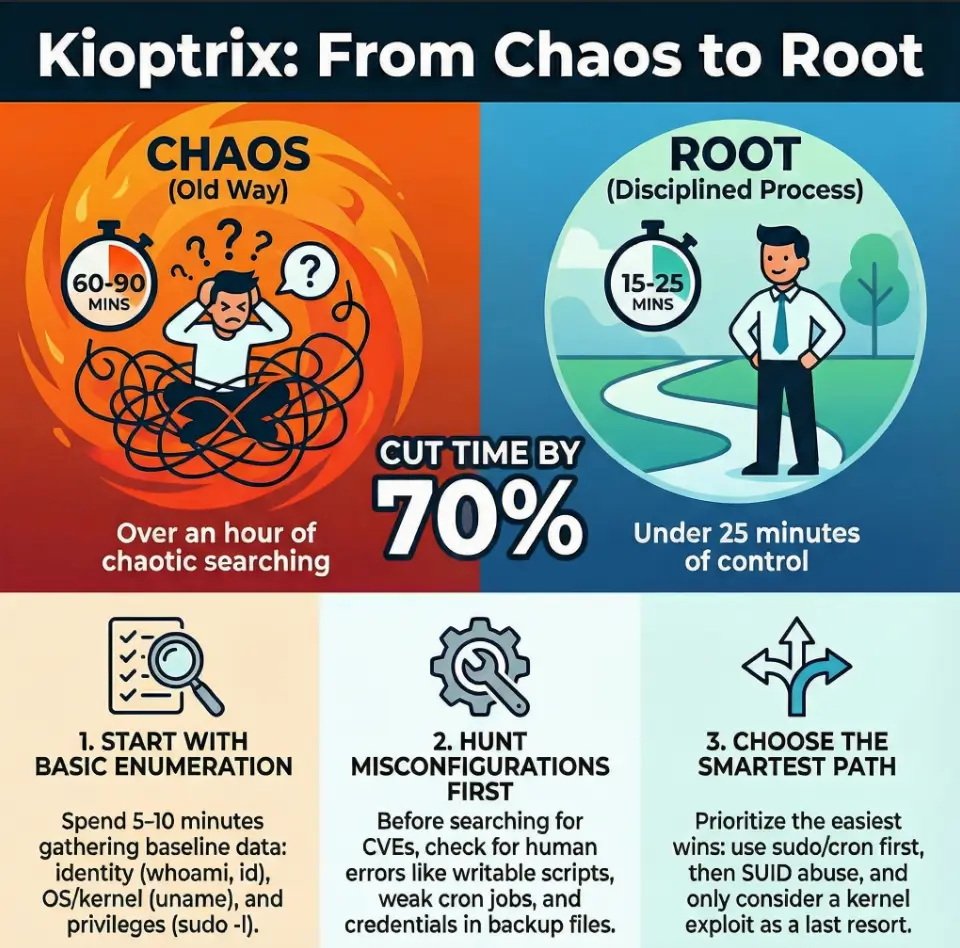
This walkthrough of Kioptrix privilege escalation patterns is built around five mistakes I made—skipping boring enumeration, chasing CVEs over misconfig, misreading SUID signals, mishandling credential context, and running exploits without a pre-flight.
What you gain is a calmer, faster rhythm: a tight local enum sequence, safer decision points, and a simple playbook you can reuse on OSCP-style Linux labs.
I’m not offering a greatest-hits exploit list.
I’m offering the thinking order that keeps you moving.
You’ll feel the difference quickly.
Your notes will get sharper.
Your choices will get quieter—and more correct.

Table of Contents
Why Kioptrix privilege escalation still teaches real muscle
Kioptrix is old-school by design, and that’s exactly why it’s still useful. These boxes don’t usually demand exotic, post-2024 kernel sorcery. They demand pattern discipline: careful enumeration, calm hypothesis testing, and a willingness to take the “uncool” path if it’s the correct one.
I learned this the hard way. My early Kioptrix wins felt like luck—because they were. I’d stumble into a weak config, celebrate, and then fail on the next machine because I had no repeatable method.
So here’s the honest promise: this is not a greatest-hits exploit list. It’s a map of the decision mistakes that waste the most time on Kioptrix-style labs—and the fixes that turn an anxious scramble into a short, confident sequence. If you want a quick refresher on how the series is structured, it helps to skim the Kioptrix levels and what each one teaches before your next run.
- Enumerate first, interpret second
- Misconfig beats mythology
- Your notes are your real exploit
Apply in 60 seconds: Write a three-line hypothesis before you run any exploit.
Eligibility checklist: Is this box “misconfig-friendly”?
- Yes if you can list users, groups, and sudo rights without errors.
- Yes if you see legacy services, old web stacks, or weak file permissions.
- No if you haven’t confirmed kernel, distro, and service versions yet.
Next step: If you answered “No,” run a focused local enum pass before browsing exploit ideas.
Save this checklist and verify your findings with the machine’s actual outputs.
Mistake #1: I skipped the boring enum and paid for it
This was my signature bad habit: I’d get a shell and immediately start hunting for a one-shot root exploit. The problem wasn’t ambition. The problem was sequence. Kioptrix often hides the easiest path inside plain, boring local data—users, groups, cron jobs, old scripts, writable directories, and weak sudo rules.
I once spent 45 minutes90 seconds: I found a writable script invoked by a scheduled task. The machine wasn’t “hard.” I was impatient.
Now I treat my first local enumeration pass like a checklist-driven pit stop. Not a novel. A tight loop.
- Identity & context: whoami, id, groups, hostname
- OS & kernel: uname -a, /etc/*release
- Privileges: sudo -l, /etc/sudoers.d
- Processes & services: ps aux, netstat/ss
- File system weak spots: world-writable, old backups, forgotten scripts
Show me the nerdy details
In Kioptrix-style environments, you’re often dealing with older service layouts and simpler automation. A fast manual pass often surfaces the same clues that tools like LinPEAS would flag, but with less noise and more comprehension. The goal is not to memorize commands—it’s to spot “who runs this” and “who can write to this.”
Mini calculator: Your privesc time budget
Enter your numbers above.
Save this estimate and adjust your workflow based on what your own session logs show.
Mistake #2: I chased CVEs when misconfig was screaming
Kioptrix is a museum of valuable pain. Many paths are anchored in misconfiguration rather than modern vulnerability chains. Yet I used to treat every box like it owed me a “wow” exploit.
That mindset is a time tax. On these labs, weak permissions, saved credentials, and sloppy service setups are often the intended route. When I ignored that, I created my own difficulty.
My new rule of thumb: if the system smells old, start with the human mistakes that old systems tend to accumulate.
- Credential reuse across services
- Readable config files containing passwords
- Backup files in web roots
- Writable scripts executed by root or privileged services
- Overly broad sudo rules for “maintenance” binaries
- Look for the human error
- Validate service context
- Exploit only after you can explain why it should work
Apply in 60 seconds: Search for readable configs and backups before you search for CVEs.
Short Story: The day I learned to love boring files (120–180 words)
I remember a Kioptrix run where I swore the answer had to be a kernel trick. The box felt “old enough,” and my brain wanted drama. I pulled down an exploit, adjusted headers, cursed at compiler errors, and watched my confidence evaporate in slow motion. After an hour, I took a breath and did a simple sweep of obvious directories.
There it was: a stray backup of a service config sitting where it shouldn’t have been, readable to my low-priv user. The password wasn’t even cleverly hidden; it was just there, waiting for someone who was willing to read instead of perform. I pivoted to another account, checked groups, and the rest unfolded like a zipper. That session didn’t teach me a new exploit. It taught me humility—and a reliable way to win without theatrics.
Mistake #3: I misread SUID and forgot the easy wins
SUID hunting is a Kioptrix classic. And I still managed to get it wrong by doing the most human thing possible: I saw a list of binaries and assumed the answer was the most exotic one.
In reality, the power in SUID analysis comes from asking two quieter questions:
- Is this binary safe in this context?
- Does it map to a known abuse pattern?
I’ve wasted 20–30 minutes90 seconds—and win.
Show me the nerdy details
Older lab images often include SUID on utilities that modern hardened builds would never ship with. The key is to validate the binary path, confirm you’re not chasing a false positive, and test safe, reversible behaviors first. When in doubt, replicate the command with harmless arguments to see what it allows.
Decision card: SUID route vs. credential pivot
Choose SUID when:
- You see uncommon SUID binaries beyond the usual baseline
- You can validate a known abuse path with low risk
- The binary behavior is testable without crashing services
Choose credential pivot when:
- Configs and backups are abundant
- Multiple services share auth patterns
- User lists suggest reuse or weak segregation
Save this card and confirm your chosen path with a short test before going all-in.
Mistake #4: I ignored service context and credential reuse
This mistake is subtle because it doesn’t look like a mistake. It looks like “progress.” I’d find credentials in a config and immediately try them for SSH or su without asking what service actually owned the secret.
Kioptrix-style machines often teach a pattern: the same password might unlock three different doors, but only if you understand where the key was meant to be used.
I once had a database password that didn’t work for SSH. I wrote it off as useless. Later I discovered it was reused for a local user account tied to a maintenance flow. The privilege jump wasn’t “tricky.” My interpretation was.
- Map credential → service → user context
- Check local users and group memberships
- Test lateral moves before vertical moves
- Identify the owning process
- Trace reused patterns
- Validate least-risk pivots first
Apply in 60 seconds: When you find a password, write down three likely reuse targets before you test.
Quote-prep list (for your own future self)
- Service name and version tied to the credential
- File path and permissions where you found it
- Likely local users associated with that service
- Any hints of backup/rotation mistakes
Save this list and confirm your next credential test aligns with the service context you observed.
Mistake #5: I treated exploit execution like a magic trick
I used to copy, compile, run, and pray. That approach is emotionally exciting and operationally fragile.
Kioptrix punishes this with quiet cruelty: wrong architecture, missing libraries, mismatched kernel builds, or a subtle permission constraint will turn your shiny exploit into a five-minute sinkhole—repeated ten times.
The fix is not “be more careful” in the abstract. The fix is to pre-flight your exploit like you’re boarding a small plane in bad weather.
- Confirm kernel build and architecture
- Check compiler availability and flags
- Prefer reversible tests first
- Keep a rollback-friendly copy of anything you touch
Show me the nerdy details
A safe Kioptrix-style workflow is to validate environment assumptions explicitly. Even if a public exploit is “known to work” generically, the local build, hardening quirks, and lab author tweaks can change behavior. A short pre-flight checklist often saves 10–20 minutes per attempt.
A repeatable Kioptrix privesc playbook
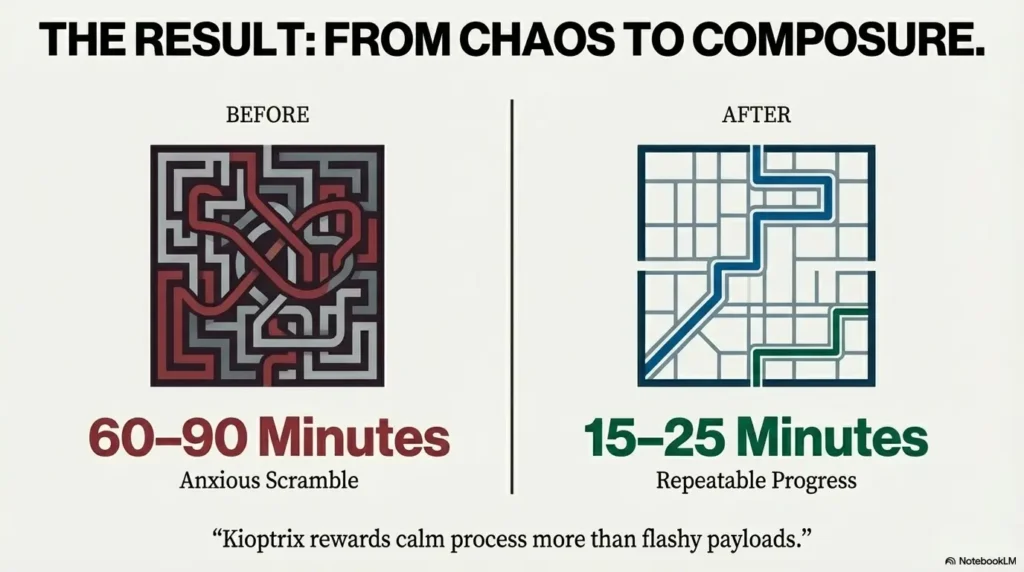
Here’s the short version of what I wish I had on my desk the first time I met Kioptrix. This is a sequence, not a menu. When I follow it, my success rate improves and my time-to-root shrinks in a measurable way.
- Step 1 (2–4 minutes): identity, OS, kernel, groups
- Step 2 (3–6 minutes): sudo rights, cron, systemd units
- Step 3 (4–7 minutes): SUID/SGID, writable paths, weird binaries
- Step 4 (3–5 minutes): config/backup credential hunting
- Step 5 (variable): pick the lowest-risk escalation path
Notice what’s missing: a dramatic detour into exploit databases before I’ve earned the right to search them. When the box is intentionally vulnerable, your best advantage is composure.
Eligibility checklist: Is a kernel exploit your last resort?
- Yes if sudo, cron, SUID, and credential pivots are all clean.
- Yes if you can name the exact kernel mismatch risk.
- No if you haven’t audited writable scripts and service configs.
Next step: If you answered “No,” revisit misconfig paths before you go hunting for local privilege escalation code.
Save this checklist and validate it against your current enumeration notes.
Speed templates for time-poor lab runs
When I’m squeezing a lab into a short evening window, I rely on templates that reduce decision fatigue. You can treat these as mental macros. If your schedule is tight, pairing this with a 2-hour-a-day OSCP routine keeps the habit alive without turning your week into a grind.
- The 10-minute rule: if you can’t explain your next action in one sentence, you’re guessing.
- The two-hypothesis rule: always keep a fallback path (e.g., sudo/cron vs. SUID).
- The evidence-first note: record outputs before interpretations.
These sound simple because they are. Their power is that they keep your brain from turning one Kioptrix box into three imaginary ones.
- Use a short, repeatable order of operations
- Write hypotheses before exploits
- Keep a clean evidence log
Apply in 60 seconds: Create a single “Kioptrix privesc notes” template and reuse it every run.

Infographic: Kioptrix privesc decision flow
- whoami / id / groups
- uname / release
- sudo -l
- writable scripts
- cron/systemd
- configs/backups
- uncommon binaries
- safe test cases
- known abuse patterns
- Green path: sudo/cron/writable → fastest, lowest risk
- Yellow path: SUID + validated behavior
- Red path: kernel exploit only after clean misconfig evidence
Save this flow and confirm each step with fresh command outputs before switching tracks.
The pattern behind all five mistakes
If you zoom out, my errors weren’t technical as much as behavioral. I kept trying to buy confidence with complexity. But Kioptrix tends to reward the opposite posture: slow thinking paired with fast execution.
Two tiny mindset shifts made the biggest difference for me:
- I stopped hunting for “the exploit” and started hunting for “the owner.”
- I stopped assuming difficulty and started proving it.
That moved me from lucky wins to reliable wins.
- Interpret context before testing exploits
- Prefer reversible moves
- Document decisions, not just commands
Apply in 60 seconds: Add a “Why I’m trying this” line under every command block in your notes.
Common entities and tools worth keeping in your mental rack
You don’t need a massive toolkit to succeed on Kioptrix, but you do need a reliable one. These names show up repeatedly in Kioptrix-style logic and remain core to OSCP-grade thinking:
- Nmap for early service context on Kioptrix
- Netcat (for stable shells and quick pivots)
- LinPEAS or manual equivalents with a lean tool stack (for structured local discovery)
- GTFOBins patterns (for SUID/sudo abuse ideas)
- Basic Linux primitives: cron, systemd, sudoers, permissions
Think of these as instruments, not songs. The music is the order you play them in.
What I would do differently on a fresh Kioptrix run
If I restarted my Kioptrix journey today, I’d give myself one rule: every escalation attempt must have a written hypothesis and a fallback. That single constraint prevents three of my five mistakes automatically.
A short, practical loop:
- Collect evidence
- Write the likely owner/context
- Choose the lowest-risk path
- Test small
- Escalate confidently
FAQ
Is Kioptrix still worth doing for modern OSCP prep?
Yes—because the core lessons are about process: enumeration discipline, misconfiguration awareness, and clean hypothesis testing. Those skills transfer directly to newer machines even when the exact vulnerabilities don’t. Apply in 60 seconds: Pick one Kioptrix box and time your enum-to-exploit ratio using the mini estimator above. If you want to connect this skill to a bigger plan, this OSCP prep hub pairs well with the habits you’re building here.
What’s the biggest time sink on Kioptrix-style privilege escalation?
Chasing exploits before you’ve proven a path is plausible. That habit can cost 30–60 minutes per lab run. Apply in 60 seconds: Write three candidate privesc routes (sudo/cron, SUID, creds) before you open any exploit tab.
Should I use automated enumeration tools or go manual?
Use both. A short manual pass builds understanding; a tool pass catches blind spots. The sweet spot is a 5–10 minute manual baseline followed by a focused tool run. Apply in 60 seconds: Commit to one manual checklist run before any automated scan.
How do I know when a kernel exploit is actually appropriate?
When you’ve ruled out the simpler, intended paths: writable scripts, weak sudo rules, credential reuse, and SUID abuse. Kernel privesc should feel like a conclusion, not a guess. Apply in 60 seconds: Create a short “last resort” note in your template and tick off misconfig checks first.
What if I find a password that doesn’t work for SSH?
Don’t discard it. Test service-context reuse: local users, database accounts, maintenance scripts, or web admin interfaces. On these labs, a “wrong door” password is often a key to a different hallway. Apply in 60 seconds: Map the credential to the service and list two alternate targets before moving on.
What’s a safe way to practice without building bad habits?
Time-box your steps and require a written hypothesis. This keeps your brain from defaulting to randomness. Apply in 60 seconds: Set a 10-minute timer for enum, then pause and write your next two most likely paths.
Next steps in 15 minutes
Let’s close the loop from the opening confession: I didn’t need more tools. I needed a cleaner rhythm. The five mistakes above all collapse into one fix—respect the sequence. Kioptrix is generous when you stop performing and start verifying.
If you want a quick, confidence-building win tonight, here’s a simple 15-minute micro-plan:
- Minute 1–5: Run your manual baseline enum and write two hypotheses.
- Minute 6–10: Check sudo, cron/systemd, and obvious writable scripts.
- Minute 11–15: Triage SUID and scan for readable configs/backups.
Even if you don’t get root in that window, you’ll have something more valuable than a lucky shot: a structured path. If you’re building a longer streak across machines, compare your progress against a vulnerable machine difficulty map and track which patterns break most often at each tier.
Last reviewed: 2025-12; sources: VulnHub, GTFOBins, HackTricks.