Sources, review date and section shortcuts
Editorial review: October 20, 2026. Use a bounded model to identify trust boundaries, plausible threats and owned mitigations.
Reference documentation · Related practical guide
Go straight to: Decision check · Main workflow · Further detail
Open the practical working record to connect this guide to your scope, evidence and next decision.
State what the model covers and leaves unresolved
Sketch the relevant components, data flows and trust boundaries, then discuss what can go wrong for the actual design. Assign decisions and evidence needs to owners. A lightweight model is a planning artifact, not a vulnerability scan, compliance certificate or proof that all threats have been identified. Reference and scope.
Founder-Friendly SaaS Security
MVP Threat Modeling for Startups:
Secure SaaS Before Launch
Use a bounded model to identify trust boundaries, plausible threats and owned mitigations.
MVP threat modeling turns those uneasy possibilities into a small, workable set of engineering decisions. You map one important workflow, identify where trust changes, write credible attack stories, and decide what must be fixed before launch. The result is not a ceremonial security document. It is a sharper backlog.
This guide is designed for lean SaaS teams that need useful answers without arranging a week-long workshop. It covers data-flow diagrams, STRIDE, business-logic abuse, tenant isolation, risk scoring, tool costs, ticket writing, and the moment when outside security help becomes worth paying for.
The goal is not to predict every attacker. It is to prevent the most expensive surprises while the concrete is still wet. 🔐
Snapshot
Who it is for: SaaS founders, technical co-founders, product leads, and small engineering teams preparing an MVP for launch or early enterprise sales. What it solves: uncertainty about which security risks deserve immediate attention. What you can do next: run a focused 45-minute review and leave with an architecture sketch, ranked attack stories, and three owned engineering actions.
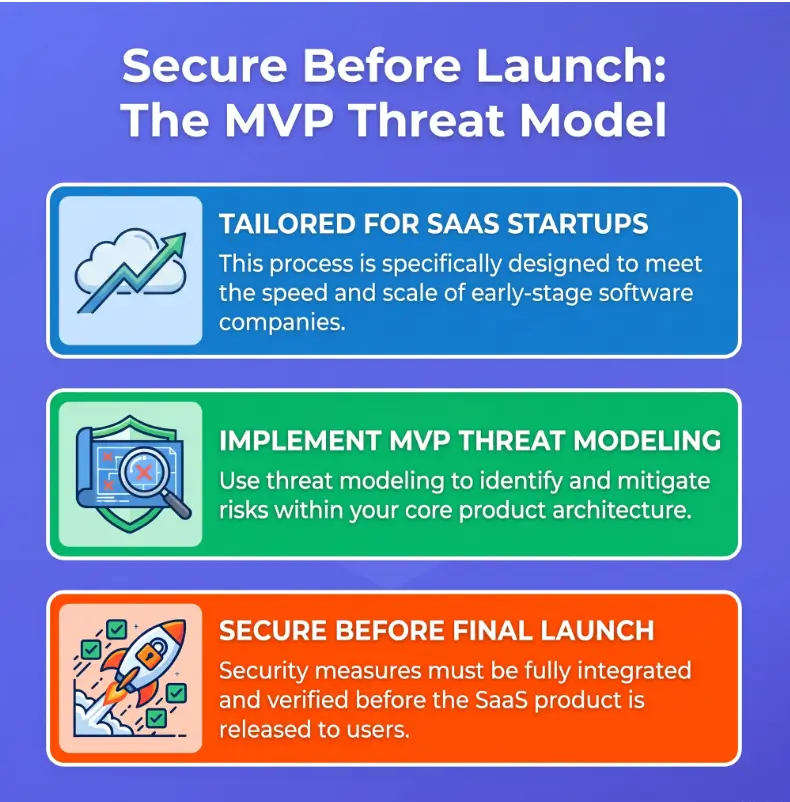
Before You Act: What This Model Can and Cannot Prove
MVP threat modeling is a design and prioritization exercise. It helps a startup identify valuable assets, trust boundaries, misuse paths, and security assumptions before those assumptions become expensive production behavior.
It does not prove that the application is secure. A neat diagram cannot detect every coding flaw, compromised dependency, exposed cloud resource, weak operational process, or novel attack technique.
Before You Act
Use this guide for general security planning, not as a certification, penetration test, compliance opinion, incident investigation, or substitute for professional advice. Products handling health information, payment card data, financial transactions, government data, children’s data, or critical operations may require specialist review. Confirm contractual, regulatory, and testing requirements with qualified professionals before relying on a launch decision.
When a DIY review is a sensible starting point
A founder-led session can be useful when the team is reviewing an early product, scoping a new feature, preparing for a customer questionnaire, or deciding which security tasks belong in the next sprint.
- The team can describe the architecture and its major data flows.
- The review is limited to one or two important workflows.
- The product does not yet carry unusually severe regulatory or safety consequences.
- The findings will be converted into tracked work rather than filed in a forgotten folder.
- The team understands that later testing may uncover risks the design review missed.
When paid security review may be worth the cost
Outside help becomes more valuable when a product has complex authorization, high-value data, unusual cryptography, multiple cloud accounts, enterprise identity, regulated customers, or a launch contract that depends on credible security evidence.
A professional reviewer can challenge assumptions that feel obvious inside the company. Familiarity is useful for building software, but it can make an undocumented support shortcut look as ordinary as the office kettle.
| Situation | DIY review | Consider specialist help |
|---|---|---|
| Simple internal prototype with synthetic data | Usually sufficient for initial planning | Not usually necessary |
| Multi-tenant SaaS handling customer business data | Useful first pass | Recommended before significant exposure |
| Authentication, SSO, delegated administration, or account recovery redesign | Useful for scoping | Strongly consider focused design review |
| Healthcare, payments, finance, government, or safety-sensitive use | Helpful preparation only | Confirm applicable professional and compliance review |
| Suspected compromise or active abuse | Not an incident response method | Seek incident response assistance promptly |
The 45-Minute Threat Model That a Startup Will Actually Finish
The first session should be intentionally narrow. Do not attempt to model the entire company, every future feature, and every theoretical attacker before lunch. Pick one workflow whose failure could harm customers, revenue, or the launch itself.
Choose one critical workflow
Good first targets include account creation, password recovery, subscription checkout, document sharing, customer data import, administrator access, or API token creation.
The workflow should be small enough to draw in ten minutes but important enough that its failure would make the room noticeably quieter.
Ask four questions in a fixed order
- What are we building? Name the users, components, data, vendors, and actions involved.
- What can go wrong? Describe how an attacker, abusive user, insider, or failed dependency could cause harm.
- What will we do about it? Decide whether to mitigate, avoid, transfer, monitor, or temporarily accept each meaningful risk.
- How will we know it was fixed? Assign an owner, acceptance criteria, deadline, and verification method.
Use a clock, not optimism
| Time | Activity | Required output |
|---|---|---|
| 0 to 5 minutes | Define the workflow and what is out of scope | One boundary statement |
| 5 to 15 minutes | Draw components, flows, stores, and trust boundaries | One readable data-flow diagram |
| 15 to 30 minutes | Generate credible threat and abuse scenarios | Five to ten attack stories |
| 30 to 40 minutes | Rank risks and choose responses | Three priority decisions |
| 40 to 45 minutes | Assign owners and verification | Tracked engineering work |
Key takeaway
A short threat model succeeds when it produces a few defensible engineering decisions. A two-hour debate with no owners, deadlines, or tests is merely security-flavored weather.
The MVP Threat Modeling Loop
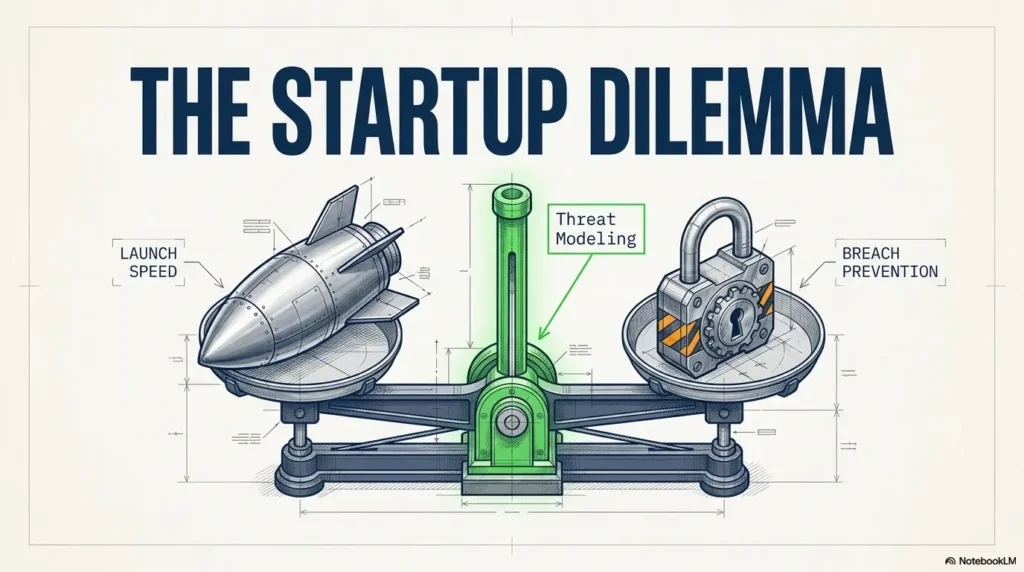
Map the Product Before You Name the Threats
Threats become easier to see when the team can point to where data enters, where it waits, where it changes hands, and where one identity gains more authority than another.
A polished infrastructure diagram may be useful for onboarding, but it often hides the scruffy routes attackers enjoy: recovery emails, support impersonation, export jobs, webhook retries, staging credentials, and temporary administrator scripts.
Inventory assets and actors before components
Begin with what the MVP must protect and who can touch it. For a typical SaaS product, the list may include customer records, credentials, session tokens, API keys, uploaded files, payment references, audit logs, proprietary code, administrative permissions, and service availability.
Actors may include anonymous visitors, standard users, organization owners, support agents, developers, contractors, automated jobs, third-party services, and cloud administrators. Do not treat “the user” as one friendly silhouette.
Draw only five data-flow elements
- External entities: people, devices, customers, vendors, and systems outside the process.
- Processes: applications, APIs, workers, authentication services, and business functions.
- Data stores: databases, object storage, queues, caches, logs, and backups.
- Data flows: requests, responses, files, messages, events, tokens, and exports.
- Trust boundaries: places where identity, ownership, network control, or authority changes.
Data-flow diagrams are widely used because they make information movement and trust changes visible. OWASP’s guidance also treats DFDs as a practical starting method rather than an artistic competition.
Mark every place where trust changes
Trust boundaries are not limited to firewalls or virtual networks. A boundary exists whenever the system must decide whether a request, identity, tenant, file, event, or administrator should be believed.
- Browser to application
- Public API to internal service
- Application to database
- Standard user to organization administrator
- Startup infrastructure to a third-party vendor
- Development to staging or production
- Support agent to customer account
- Webhook sender to webhook receiver
- One tenant’s records to another tenant’s records
Trace one sensitive record from birth to deletion
Choose a customer record and follow it through collection, validation, processing, storage, logging, analytics, export, backup, and deletion. This often reveals forgotten copies and vendor transfers that never appeared in the original architecture conversation.
Pay particular attention to logs. A team may carefully protect the primary database while quietly copying email addresses, access tokens, document names, or request bodies into a logging platform. For AWS-based teams, an AWS CloudTrail logging checklist can help connect the model to operational evidence.
Key takeaway
The most useful architecture diagram includes the awkward paths: account recovery, manual support actions, exports, retries, scripts, vendor callbacks, and production access. Attackers are not offended by untidy plumbing.
Use STRIDE Without Creating Six Hundred Tickets
STRIDE gives a team six lenses for challenging a component or data flow. It is most useful when applied to the actual product rather than pasted into a spreadsheet as six generic rows for every rectangle.
Translate STRIDE into SaaS questions
| STRIDE category | Question to ask | Typical MVP examples |
|---|---|---|
| Spoofing | Can someone appear to be another user or service? | Password reset, stolen session, weak API key handling, incorrect SSO mapping |
| Tampering | Can protected data or an action be altered? | Modified role ID, changed billing value, forged webhook, replaced upload |
| Repudiation | Can a sensitive action become difficult to prove? | Missing audit trail for exports, refunds, role changes, or support access |
| Information disclosure | Can data cross the wrong boundary? | Cross-tenant object access, verbose errors, exposed logs, reusable signed URLs |
| Denial of service | Can one actor consume disproportionate resources? | Expensive queries, AI requests, file processing, queue floods, webhook storms |
| Elevation of privilege | Can a low-trust actor gain greater authority? | Hidden admin endpoints, editable role fields, weak support tools, internal API access |
Apply the strongest lens to the riskiest boundary
You do not need to ask all six questions about every line. Use judgment. An authentication callback deserves close spoofing and tampering questions. A tenant-scoped database query deserves information-disclosure and privilege-escalation questions. An AI generation endpoint deserves denial-of-service and business-abuse questions.
For API-heavy SaaS, authorization usually deserves more attention than authentication alone. A valid user accessing the wrong tenant’s invoice is still a serious security failure. The guide to API authentication and authorization for SaaS provides a useful companion checklist for that boundary.
Write attack stories, not security nouns
“Broken authorization” is a category. “A standard user changes the document ID in an API request and downloads another tenant’s contract” is a threat story.
One-sentence threat template
An attacker with [starting access] could [perform an action] through [a weakness or missing control], causing [customer or business impact].
Example: An authenticated organization member could request a predictable file identifier through an endpoint that checks login status but not tenant ownership, causing cross-tenant disclosure of customer documents.
Show me the nerdy details
STRIDE works best as a prompt for reasoning, not an automatic risk score. A threat category says little about severity until it is tied to a specific asset, precondition, flow, control gap, and business consequence.
For multi-tenant SaaS, model authorization at three layers: the user’s identity, the user’s role inside an organization, and the resource’s ownership. Then ask where each relationship is enforced. A route guard may verify identity, while the database query quietly forgets tenant scope.
Also distinguish preventive controls from detective controls. An authorization check may stop access. An audit event may reveal suspicious attempts. Both matter, but logging does not repair an access-control failure.
Model the Abuse That STRIDE Can Miss
Some of the costliest MVP failures use the product exactly as designed, only faster, at greater scale, or with less goodwill than the product team expected.
Business-logic threat modeling asks how legitimate workflows could be combined, repeated, reordered, or manipulated for profit, disruption, data harvesting, or unfair advantage.
Follow the incentive, not only the packet
- Create hundreds of trial accounts to avoid payment.
- Invite the same person into many organizations to collect data or benefits.
- Replay a payment or fulfillment webhook.
- Cancel a subscription during an expensive background operation.
- Automate exports or searches to harvest proprietary information.
- Upload content that consumes processing capacity or harms other users.
- Trigger password resets, invitations, emails, or AI requests at scale.
- Exploit refund, credit, coupon, or referral rules without breaking a technical control.
An acceptable use policy can clarify prohibited behavior, but policy text is not a rate limiter or authorization check. Treat the SaaS acceptable use policy template as one layer in a wider set of product, monitoring, and enforcement decisions.
Support is a privileged interface wearing a friendly cardigan
Account recovery, email changes, MFA resets, refunds, data exports, and user impersonation can give a support team more practical authority than an application administrator.
Document how support verifies identity, who can approve sensitive actions, what the customer is told, and which audit evidence is created. Then test the least convenient question: could a persuasive caller bypass the product’s strongest security control?
Add one insider or compromised-admin scenario
Ask what a developer, contractor, support agent, or stolen administrator account could access without immediate detection. The purpose is not to distrust the team. It is to recognize that privileged access creates concentrated risk.
- Can production data be queried from a developer laptop?
- Are shared administrative accounts used?
- Can support impersonation occur without customer-visible evidence?
- Can secrets be retrieved after a contractor leaves?
- Do role changes and cloud-console actions create protected logs?
- Can one person deploy code and erase the evidence of the deployment?
Secrets often become the bridge between insider access and wider compromise. A focused startup secrets management plan can help turn findings about keys, tokens, and deployment credentials into concrete controls.
Illustrative example: the checkout flow that looked finished
A small SaaS team mapped its subscription checkout. The browser sent a plan choice to the application, the application created a payment session, and the payment provider returned a signed event. Everything seemed pleasantly linear.
Then someone asked what happened when events arrived twice. The worker granted account credits after every successful event but did not record which event IDs had already been processed.
The threat was not “weak encryption.” It was a replayed legitimate message producing duplicate value. The team added signature verification, idempotency storage, bounded retries, and an alert for repeated event IDs.
The lesson is simple: draw time as well as structure. Retries, delays, duplicate messages, cancellations, and partial failures can bend an apparently safe workflow into a revenue leak.
Key takeaway
Model what users are allowed to do, then ask how repetition, timing, automation, refunds, retries, and support intervention could turn permitted behavior into costly abuse.
Rank Startup Security Risks Without Spreadsheet Theater
A threat list becomes useful only when it changes what the team builds, blocks, tests, or monitors. Ranking helps a startup spend scarce engineering time on the scenarios most likely to create serious customer or business damage.
Score impact, exposure, and exploitability separately
Use a small scale, such as 1 to 3, rather than pretending that a startup can calculate loss with actuarial precision. The score starts a decision conversation. It does not end one.
| Factor | 1: Low | 2: Medium | 3: High |
|---|---|---|---|
| Business impact | Minor inconvenience or limited rework | Meaningful customer, revenue, or operational harm | Account takeover, cross-tenant disclosure, destructive access, major outage, or contractual breach |
| Exposure | Internal or rarely reachable path | Available to authenticated users or limited partners | Internet-facing, broadly available, or reachable through common accounts |
| Exploitability | Requires rare access and substantial skill | Requires some knowledge, timing, or conditions | Easy to discover, automate, repeat, or scale |
| Detection weakness | Likely to be detected quickly | Detection exists but may be delayed | Little evidence, alerting, or customer visibility |
Do not confuse uncertainty with safety
A team may suspect that a serious cross-tenant path exists but lack proof during the workshop. Mark confidence as low and create a verification task. Do not quietly reduce the severity because the evidence is incomplete.
“We are not sure” should lead to a targeted test, code review, configuration check, or log query. Uncertainty is work waiting to be named.
Use three launch decision bands
| Decision band | Typical scenarios | Expected action |
|---|---|---|
| Fix before launch | Credible account takeover, cross-tenant access, secret exposure, payment manipulation, destructive admin access, or unaudited privileged recovery | Block launch or disable the affected feature until verified |
| Fix immediately after launch | Meaningful risk with limited exposure, temporary safeguards, and a short correction path | Assign owner, deadline, monitoring, and explicit approval |
| Accept and monitor | Low-impact scenario with documented assumptions and proportionate controls | Record reasoning, owner, review date, and reconsideration trigger |
Accepted risk should never mean invisible risk. Record who approved it, why the decision was reasonable, what temporary safeguards exist, and what event would force another review.
Key takeaway
Prioritize the attack stories that combine serious impact, broad exposure, realistic exploitation, and weak detection. A colorful score without a decision owner is decoration.
Turn Threats Into Engineering Tickets That Can Be Verified
The distance between a threat model and a safer product is measured in completed, tested work. Vague tasks such as “improve API security” or “add better logging” cannot be reliably estimated, reviewed, or closed.
Write observable security acceptance criteria
- A user cannot retrieve, edit, or delete an object owned by another tenant.
- Webhook signatures are verified before any state-changing operation.
- Each webhook event ID is processed no more than once.
- Password-reset tokens expire, are single-use, and are invalidated after a password change.
- Administrative role changes generate a protected audit event containing actor, target, time, and result.
- File uploads enforce size, content, storage, and processing restrictions.
- Production secrets are not stored in source code, tickets, build logs, or shared chat channels.
Pair every control with a verification method
A code change is not automatically evidence that the risk was reduced. Choose how the team will verify each acceptance criterion.
| Control | Useful verification | Evidence to retain |
|---|---|---|
| Tenant-scoped authorization | Unit tests plus integration tests using two tenants | Test results and reviewed query or policy logic |
| Webhook verification | Valid, invalid, replayed, delayed, and duplicate event tests | Automated test output and monitoring rule |
| Privileged audit logging | Perform representative admin actions and inspect records | Sample events, retention setting, and access policy |
| Secret rotation | Rotate a test credential and verify old credential failure | Runbook, rotation record, and failure test |
| Rate limiting | Load or abuse-case test with defined thresholds | Test report, limits, response behavior, and alert |
Threat modeling and testing should support each other. A broader startup security testing strategy can help decide where automated tests, scanning, manual review, and penetration testing fit.
Use one consistent threat-to-ticket template
Threat Ticket Template
- Threat story: Who could do what, through which weakness, with what impact?
- Affected flow: Link or name the diagram component and boundary.
- Priority: Launch blocker, immediate post-launch, or accepted and monitored.
- Required control: State the expected security behavior.
- Acceptance criteria: Describe observable pass conditions.
- Verification: Name the test, review, scan, or evidence check.
- Owner and deadline: Assign one accountable person.
- Residual risk: Record what remains possible after the change.
Keep one visible risk register
The register does not need specialized software. A shared table is enough when it is current, owned, linked to engineering work, and reviewed before launch decisions.
| Threat scenario | Affected flow | Priority | Decision | Owner | Verification | Status |
|---|---|---|---|---|---|---|
| Authenticated user accesses another tenant’s export | Export API to object storage | Fix before launch | Mitigate | Backend lead | Two-tenant integration test | In progress |
| Duplicate payment event grants repeated credit | Payment webhook to billing worker | Fix before launch | Mitigate | Platform engineer | Replay and idempotency test | Planned |
| Support agent views account without customer notice | Support console to customer tenant | Immediate post-launch | Mitigate and monitor | Product lead | Audit-event inspection | Accepted temporarily |
Key takeaway
A security ticket should describe the attack story, required behavior, proof of completion, accountable owner, and remaining risk. “Security improvements” is not a finish line.
Choose the Right Threat Modeling Setup and Budget
The best threat modeling tool for a startup is the one the team will reopen when the architecture changes. A sophisticated platform that becomes read-only archaeology after the first workshop offers poor value.
Good, Better, Best: match the setup to the risk
| Setup | What it includes | Best for | Cost considerations |
|---|---|---|---|
| Good | Whiteboard or diagram, shared threat table, engineering tickets | Early MVP, one workflow, founder-led team | Main cost is staff time |
| Better | Dedicated diagramming or threat modeling tool, reusable templates, linked evidence, recurring review | Growing multi-tenant SaaS and customer-security preparation | Possible software subscription plus process ownership |
| Best for higher risk | Internal model plus focused external architecture review and security testing | Complex identity, sensitive data, regulated customers, large contracts, or unfamiliar technology | Professional fees, remediation time, and retesting |
Do not buy a platform merely because a customer questionnaire asks whether threat modeling occurs. First define the process, ownership, review triggers, and expected evidence. Tooling should support the practice, not impersonate it.
What to compare before choosing a tool
- How quickly non-security engineers can create and update a model
- Support for data-flow diagrams, trust boundaries, and custom threat categories
- Version control, change history, comments, and ownership
- Export options for customers, auditors, or internal evidence
- Links between threats, controls, tickets, and verification records
- Access controls for sensitive architecture information
- Hosting model, data retention, and vendor security practices
- Pricing as the number of models, contributors, or projects grows
OWASP Threat Dragon is one option for teams that want a purpose-built approach to diagrams and threat records. General diagramming software can also be sufficient when the risk register and follow-up work are handled elsewhere.
How to avoid wasting money on security tooling
A startup can spend heavily on scanning, monitoring, diagramming, compliance, and cloud-security products while leaving a basic authorization flaw untouched. Begin with the threat stories, then purchase capabilities that reduce or verify the priority risks.
- Do not pay for broad feature coverage when only one workflow needs review.
- Confirm who will operate the tool after setup.
- Check whether the tool produces evidence your customers or reviewers can use.
- Include integration, tuning, alert review, and remediation labor in the budget.
- Avoid duplicate products that detect the same condition without improving response.
- Run a short pilot using a real architecture change before signing a long contract.
Teams comparing broader security spending can use a security tool stack cost calculator to account for operating effort as well as subscription price.
Turn the model into useful customer evidence
Enterprise buyers may ask whether the company performs secure design reviews, documents risks, tracks remediation, and updates assessments after significant changes. A clear model can support those answers, but it should not be presented as proof of SOC 2 compliance or complete security assurance.
Keep the customer-facing explanation concise: describe the scope, review participants, date, priority findings, remediation status, and update trigger. Supporting SOC 2 policies for startups can help formalize how design review fits into the wider development process.
Revisit the Model When Trust Changes
A threat model starts aging as soon as the architecture changes. The answer is not to rerun the entire workshop every Friday. Review the components, data flows, permissions, and assumptions changed by the feature.
Reopen the model for architecture-changing features
- Enterprise SSO or identity federation
- Public or partner APIs
- File uploads, document previews, or content processing
- AI model or agent integrations
- Payment processing, credits, refunds, or metered billing
- Customer-controlled webhooks
- Mobile applications or desktop clients
- Multi-tenant administration and delegated roles
- Marketplace or workflow integrations
- Bulk import, export, and data migration features
SSO deserves particular care because identity moves across organizational and vendor boundaries. Before adding it, review the product’s mapping, provisioning, role, recovery, and session assumptions alongside a practical SAML SSO for SaaS guide.
Reopen the model after trust-changing events
- A cloud migration or major network redesign
- A new authentication, payment, storage, analytics, or AI vendor
- An authorization redesign or new administrator role
- A security incident, near miss, abuse pattern, or customer report
- Entry into a regulated market or higher-risk customer segment
- An acquisition, outsourcing arrangement, or major contractor change
- A new enterprise contract with security commitments
- A material change to data collection, retention, export, or deletion
Attach the review to the development rhythm
NIST’s Secure Software Development Framework describes secure development practices as work that should be integrated into the software development life cycle. For a startup, that can be as simple as adding a threat-model check to feature design, architecture review, or launch readiness.
Use a narrow change-review checklist
Five-Minute Change Check
- Does this change add a new actor, vendor, data store, interface, or privilege?
- Does sensitive data cross a new trust boundary?
- Can the feature be repeated, automated, replayed, or abused for profit?
- Do existing controls and tests cover the changed flow?
- Does the risk register, diagram, customer evidence, or incident plan need updating?
If every answer is no, record the review and move on. If one answer is yes, update only the affected part of the model. Security should interrupt the release when the risk deserves it, not because the calendar contains a ritual.
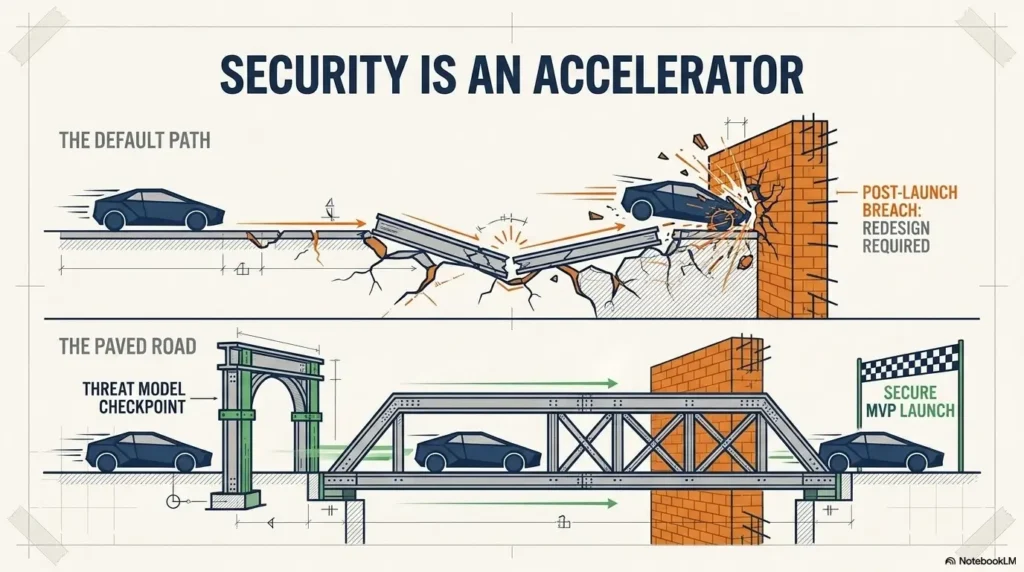
Frequently Asked Questions
How early should a SaaS startup begin threat modeling?
Begin when the team can describe the MVP’s users, core workflows, data, major components, and external services. The first review should happen before important architecture decisions become expensive to reverse, but it does not require a complete product.
Does a startup need a security engineer to lead the session?
Not necessarily. A technical founder or senior engineer can facilitate an initial review when the people who understand the architecture, user behavior, and business priorities participate. External review becomes more valuable as complexity, exposure, or regulatory risk grows.
How long should the first session take?
A narrow MVP workflow can often be reviewed in 45 to 90 minutes. Complex identity systems, multi-tenant administration, financial functions, healthcare data, and large integration networks may require several focused sessions rather than one marathon meeting.
Is STRIDE enough for SaaS threat modeling?
STRIDE is a useful technical framework, but it is not the entire process. SaaS teams should also examine tenant isolation, business-logic abuse, third-party dependencies, support workflows, billing rules, insider access, operational credentials, and detection gaps.
Should every identified threat be fixed before launch?
No. Fix credible, high-impact launch blockers first. Lower-priority risks may be accepted temporarily when the reasoning, safeguards, owner, review date, and reconsideration trigger are documented. Some risks can also be avoided by removing or postponing the affected feature.
What is the difference between threat modeling and penetration testing?
Threat modeling examines design, data flows, assumptions, privileges, and possible attack paths. Penetration testing evaluates an implemented system by actively searching for exploitable weaknesses within an agreed scope. They answer different questions and work best together.
Can threat modeling help with SOC 2 readiness?
It can support risk identification, secure development, change management, remediation tracking, and evidence collection. A threat model alone does not establish SOC 2 compliance, guarantee audit success, or replace the policies, controls, operation period, and evidence required for an examination.
What tools can a startup use?
A whiteboard, shared document, spreadsheet, and issue tracker are enough to begin. Dedicated tools may add structured diagrams, reusable threats, reports, collaboration, or evidence links. Choose based on update frequency, team skill, security needs, and total operating cost.
Your 15-Minute Next Step: Trace One Revenue-Critical Flow
Open a blank page and choose one workflow: signup, password recovery, subscription checkout, customer import, document sharing, or administrator access.
Write the user on the left, the final data store or vendor on the right, and every process the request crosses in between. Draw a box around each place where identity, tenant, authority, network ownership, or vendor control changes.
- Circle the most valuable data or action in the flow.
- Write one account-takeover or impersonation scenario.
- Write one cross-tenant or unauthorized-action scenario.
- Write one replay, automation, or resource-exhaustion scenario.
- Choose the scenario that would cause the most painful customer conversation.
- Create one engineering ticket with an owner and a testable pass condition.
That single ticket is the beginning of a working threat model. Repeat the process for the next critical flow, and the startup gradually replaces vague security anxiety with visible decisions, smaller attack paths, and evidence that survives beyond the meeting.
The launch question
At the end of the review, state one of three outcomes: ready to launch, ready with named temporary safeguards, or blocked by a specific security fix. Clarity is kinder than a green status badge supported by crossed fingers.
Last reviewed: 2026-10-13
Technical guidance updated: 2026-10-13. Labeled the checkout scenario as illustrative and repaired section navigation.
Turn duplicate webhooks into a concrete acceptance test
Illustrative billing threat: two valid deliveries of one event arrive together and create two credits or entitlements. Signature verification alone does not prevent duplicate business effects. Require an idempotent operation and test concurrent duplicates, a retry after a partial failure, and out-of-order related events in a sandbox.
Record the event identity and resulting business operation, not just HTTP status. An early “processed” marker can lose work after a crash; a late marker can allow duplicate effects. Choose a durable transactional or equivalent recovery design with engineering, and verify the observable outcome.
Stripe’s webhook guidance, as one provider-specific example, documents duplicate deliveries, possible distinct events for the same object/type, and no delivery-order guarantee. Use the actual provider’s contract and event semantics. The launch criterion should state the expected billing effect and recovery behavior; a green response code is insufficient.
Editorial review: 16 October 2026. Examples are illustrative; this review does not represent an audit or live control test.
MVP threat-to-test decision sheet
Use this when: you are a product team reviewing one bounded data flow before changing its design. Copy these fields into your notes and replace each prompt with a dated response. Keep assumptions and unresolved questions visible.
| Field | What to record | Your evidence / owner / next check |
|---|---|---|
| Trust boundary | Draw the relevant components, identities, data and external services. | To complete |
| Failure scenario | Describe a plausible misuse or failure and the affected business operation. | To complete |
| Chosen treatment | Assign a mitigation, an explicit acceptance decision or an unresolved question. | To complete |
| Verification | State the check and evidence that would show the intended boundary holds. | To complete |
Next action: Turn one unresolved high-impact scenario into an owned, testable engineering task. Mark the relevant row confirmed, provisional or unresolved. Keep the supporting record, responsible person and next check beside it so another reader can continue the work without treating an assumption as a result.
This is an editorial working aid. Complete it with your own scope, source records and accountable reviewers. Filling the table does not by itself establish coverage, compliance or acceptance.
Worksheet change record — October 20, 2026
Added this mvp threat-to-test decision sheet with four article-specific fields and an evidence-based next action. Existing source notes retain their own review dates. This addition is not a fresh verification of every statement or a newly executed test.