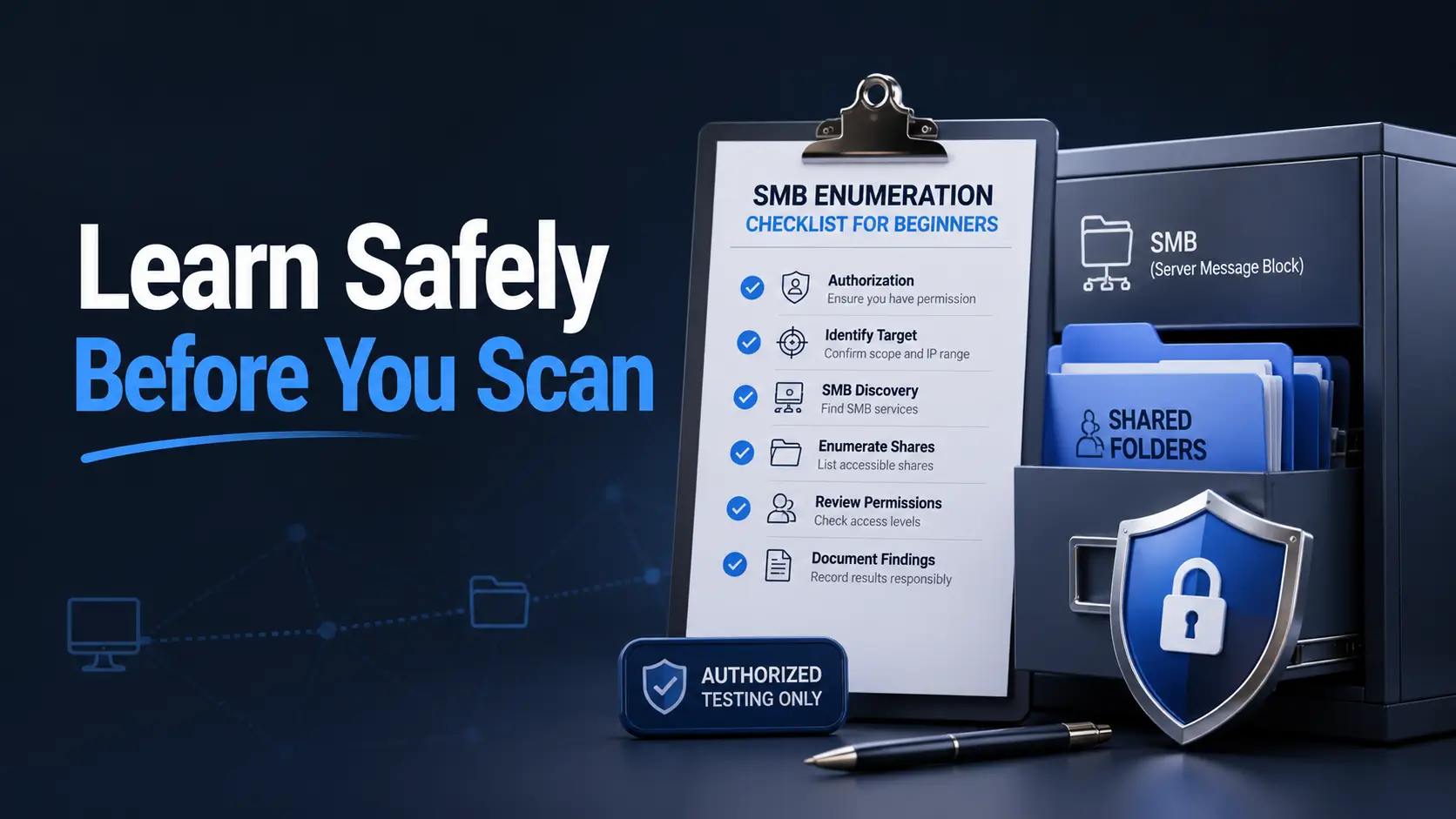
SMB Enumeration Checklist for Beginners: Learn Safely Before You Scan

SMB enumeration checklist

Beginner-safe cybersecurity learning

SMB Enumeration Checklist for Beginners:
Learn Safely Before You Scan

SMB enumeration can feel like opening a quiet office cabinet after hours. You are not there to ransack the drawers. You are there to understand what is labeled, what is exposed, and whether the locks match the importance of what is inside.

For beginners, the hard part is rarely memorizing tool names. The hard part is learning where the safe boundary sits: authorized scope, minimal evidence, clear notes, and the discipline to stop when a finding becomes sensitive. That discipline is what separates useful defensive learning from trouble with a keyboard.

This guide gives you a practical SMB enumeration checklist without turning the article into a recipe for misuse. You will learn what to look for, how to document it, when free lab practice is enough, and when a qualified security professional or formal testing process is worth the money.

Stay in scope

Know exactly which hosts you are allowed to inspect before touching anything.

Read the clues

Understand shares, account hints, signing settings, and exposure without rushing.

Report cleanly

Turn messy output into plain-English findings someone can actually fix.

Good SMB learning is not louder scanning. It is better judgment, better notes, and cleaner handoffs. 🔐

Snapshot

This article is for US and UK beginners, junior IT staff, homelab learners, help desk technicians, and entry-level cybersecurity students who want a safe SMB enumeration checklist. By the end, you will know what to record, what to avoid, how to report findings, and how to practice on one authorized host without turning curiosity into risk.

SMB enumeration checklist

Safety / Disclaimer: Permission First, Curiosity Second

SMB enumeration should only happen on systems you own, administer, or have written permission to test. That means personal labs, employer-approved environments, formal training platforms, CTF machines, or systems covered by a signed scope document.

This article teaches defensive discovery, configuration review, and beginner-safe documentation. It does not teach credential theft, password guessing, exploit chaining, stealth, persistence, bypassing access controls, or collecting sensitive files. The goal is to help you understand what is exposed, why it matters, and how to report it responsibly.

If you are testing a business network, school network, client system, cloud environment, or anything you do not personally own, confirm the rules first. Written permission may feel like paperwork confetti, but it is the guardrail that keeps learning clean.

Key takeaway: the safe beginner boundary

For beginners, SMB enumeration should mean inventory, visibility checks, permission review, security setting notes, and plain-English reporting. When the work starts to involve credentials, exploitation, sensitive data, or business impact, stop and escalate.

What this guide can and cannot do

This guide can help you build a safe checklist, understand what common SMB findings mean, and avoid beginner habits that create unnecessary risk. It can also help small teams think about whether they need a simple internal review, a vulnerability scan, or a professional penetration test.

It cannot tell you whether your exact network is legally safe to test, whether your employer approves your methods, or whether a finding is acceptable under your organization’s policy. For that, ask the responsible owner, security team, legal team, or qualified security provider.

Authorized scope is not a technical detail

Scope is not just an IP range. It is the permission envelope around the work. A beginner who can explain scope clearly is already ahead of the person who can run three tools but cannot explain why they were allowed to run them.

Write down the owner, the approved targets, the allowed time window, the type of checks permitted, and what is off-limits. If any of those are unclear, the correct next step is not a scan. It is a question.

What to avoid as a beginner

  • Testing random public IP addresses.
  • Scanning a workplace network without written approval.
  • Guessing passwords, even “just once.”
  • Downloading entire shares to prove a point.
  • Opening sensitive files when a filename or folder listing already proves the risk.
  • Turning a configuration check into an intrusion attempt.

Who This Is For, and Who Should Step Back

This checklist is for people building defensive fundamentals: junior sysadmins, SOC learners, help desk technicians, homelab users, cybersecurity students, and career changers who want to understand Windows file-sharing exposure without drifting into unsafe behavior.

It is also useful for small business owners who want to understand what a security provider means when they mention “open SMB,” “anonymous share access,” or “SMB signing not required.” You do not need to become a packet whisperer to ask better questions.

Beginners building defensive fundamentals

If you are practicing in a home lab or approved training environment, SMB enumeration is a useful way to learn how networks expose identity, file access, naming patterns, and legacy configuration. It teaches patience because every finding needs context.

For a wider foundation before you work through this checklist, start with networking basics for security learners and a controlled safe hacking lab at home. SMB work makes much more sense when the network map is no longer a bowl of alphabet soup.

Small business owners and IT generalists

For a small business, SMB findings often sound technical but point to very ordinary problems: old shared folders, forgotten scanner directories, broad employee access, or file servers that grew like ivy over many years.

You may not need a full penetration test for every simple review. But if customer data, payroll files, health records, legal documents, or production servers are involved, paid professional help may be cheaper than guessing badly.

People who should not use this checklist yet

Do not use this checklist on someone else’s system because it looks interesting. Do not use it against your employer’s network because you are trying to be helpful. Good intentions do not replace authorization.

If you are unsure whether a target is yours, assume it is not. That single assumption can save you from a very expensive lesson.

SMB Enumeration in Plain English: What You Are Actually Looking At

SMB, short for Server Message Block, is the protocol many Windows networks use for file sharing, printer access, and certain network resource connections. In everyday terms, SMB is the shared cabinet, printer counter, and hallway directory of many office networks.

Enumeration means careful discovery. You are asking structured questions: Is SMB reachable? What host identity is visible? What shares appear? Can anonymous users see anything? Are user or group names exposed? Are security settings modern enough for the environment?

That may sound simple, but beginners often get lost because they collect output without translating it. A checklist prevents the tool-first fog where ten windows are open, three notes are missing, and nobody remembers what the original question was.

SMB as the shared cabinet

Think of SMB as a cabinet with labels on the outside and permissions on the drawers. A share name may be visible, but that does not mean the contents are readable. A folder may be readable, but that does not mean it should be.

Good SMB enumeration separates visibility from access. It records what can be seen, what appears risky, and what should be confirmed by the owner before going deeper.

The questions beginners should ask

  • Is this host inside my approved scope?
  • Does the host appear to offer SMB-related services?
  • What identity clues are visible?
  • What share names appear, if any?
  • Does guest or anonymous access expose information?
  • Are security settings, such as SMB signing or legacy protocol support, worth reviewing?
  • What is the smallest amount of evidence needed to explain the finding?

Why slow is faster here

The fastest beginner is often the one who pauses. A careful learner records one host well, rather than skimming six hosts badly. That habit builds the muscle you need for help desk work, security operations, system administration, and formal pentest reporting.

Key takeaway: enumeration is not “getting in”

A beginner-safe SMB enumeration checklist is about inventory, exposure, permissions, and communication. The win is not dramatic access. The win is a finding that can be understood and fixed.

The Permission Checklist: Do Not Touch a Host Until This Is Clear

Before you inspect a single SMB service, write down the basics. This may feel too formal for a home lab, but it builds the same habit you will need in real environments.

For a personal lab, the owner is you. For a work environment, the owner may be IT leadership, a security manager, a system owner, or a client contact. For a classroom or CTF, the owner is the platform or instructor, and the rules are the challenge scope.

Confirm the owner

Start with one plain sentence: “I am authorized to inspect these targets because…” If you cannot complete that sentence, stop. The missing answer is more important than the technical work.

In a small business, ownership can be surprisingly fuzzy. A file server may be managed by an outsourced IT company, used by accounting, and hosted on hardware nobody has touched in six years. Confirm who can approve testing before you begin.

Define allowed targets

Allowed targets should be specific. A hostname, lab VM name, approved IP range, or written list of systems is better than “the network.” Broad language creates broad risk.

If you are learning on Kioptrix-style machines, use an isolated lab network and keep your target list small. A guide such as VirtualBox NAT, host-only, and bridged networking explained can help you avoid accidentally placing a practice machine where it does not belong.

Write down what is off-limits

Off-limits items matter as much as allowed targets. Production servers, personal laptops, third-party systems, cloud accounts, backup platforms, and unknown devices should be excluded unless explicitly approved.

When a scan result shows a system you did not expect, do not treat surprise as permission. Treat it as a note to clarify scope.

Permission itemBeginner-safe questionGood evidence
OwnerWho approved this test or lab activity?Email, lab instructions, ticket, signed scope, or personal lab note
TargetsWhich hosts are allowed?Hostname, IP range, VM name, or asset list
MethodsWhat type of checks are allowed?Inventory, share listing, configuration review, documentation
BoundariesWhat is not allowed?No password guessing, no data copying, no exploitation, no out-of-scope hosts
ReportingWho receives findings?System owner, instructor, IT manager, ticket queue, or security team
SMB enumeration checklist

The Beginner SMB Map: What to Record First

Your first task is not to prove a vulnerability. Your first task is to create a clean map. A good SMB map captures host identity, reachable SMB-related services, environment context, and any early clues that guide a cautious next step.

This is where beginners can practice using tools without becoming tool-driven. The tool produces hints. Your notes produce understanding.

Host identity

Record the hostname, operating system hints, domain or workgroup clues, and anything that helps identify what the system appears to be. A file server, domain controller, printer appliance, old lab VM, and employee workstation carry very different levels of risk.

Be cautious with version clues. Network banners and tool output can be wrong, incomplete, or old. Treat them as hints to verify, not courtroom evidence carved in marble.

Open SMB ports

SMB is commonly associated with TCP 445, and older NetBIOS-related SMB behavior may involve TCP 139. Seeing a port is not permission to go deeper. It simply tells you that the host appears to have a service reachable from your position.

If you are new to service discovery, a beginner-friendly foundation such as Kali Linux Nmap basics for beginners can help you understand what port discovery does and does not prove.

Environment notes

Context changes meaning. An open SMB service inside a one-host training lab is expected. An internet-exposed file-sharing service in a small business deserves careful review. A domain-joined machine with broad shares needs more caution than a disposable VM.

Write one short environment sentence for every host: “Standalone lab VM on host-only network,” “approved small office file server,” or “unknown device discovered inside approved range.” That sentence will save you later when notes begin multiplying.

Beginner-Safe SMB Enumeration Flow

1. Permission

Confirm owner, scope, allowed methods, and off-limits systems.

2. Map

Record host identity, reachable SMB services, and environment context.

3. Review

Check shares, guest exposure, naming clues, and security settings.

4. Report

Keep evidence minimal and write the fix in plain English.

Share Discovery Without the Drama

Share discovery is often the part beginners expect to be exciting. In real defensive work, it is more like reading labels in a storage room. The labels matter because they tell you where sensitive business processes might live.

Your job is to list visible shares, understand their likely purpose, and separate normal administrative exposure from unusual or overly broad access.

List visible shares

Record share names exactly as they appear. Common names may hint at departments, functions, or legacy workflows: public, backups, accounting, scans, users, HR, finance, legal, projects, or archive.

Do not assume a boring name means boring contents. A share named “Scans” may hold tax forms. A share named “Temp” may contain exports from a finance system. A share named “Old” may contain the thing everyone forgot and attackers love.

Separate normal from suspicious

Some shares may be expected in Windows environments. Others deserve review because their names suggest sensitive business data or unclear ownership. Your finding should not shout “breach” just because a share exists. It should ask whether the share is needed, properly permissioned, and documented.

If you receive access denied errors, that may be a healthy sign. For beginner troubleshooting in a lab, a guide such as SMBMap access denied explained can help you interpret the difference between visibility and access.

Tiny clue, big consequence

A share name can become a map. “Payroll,” “Backups,” “Legal,” and “ServiceAccounts” tell an observer what may be valuable. If those names are visible to users who do not need them, the organization may have more exposure than it realizes.

Visible clueWhy it mattersBeginner-safe action
Public or shared folderMay be normal, but permissions can grow too wide over timeRecord name, purpose guess, and whether guest access appears possible
Backups or archiveCan contain broad historical dataDo not copy files; flag for owner review
Accounting, payroll, HR, legalSuggests regulated or sensitive dataStop deeper access unless explicitly approved; report carefully
Scanner folderOften forgotten and sometimes world-readable inside officesCheck minimal visibility only and recommend permission review
Admin or service labelsMay reveal operational structureDocument the label and avoid guessing credentials

Anonymous Access Checks: The Door That Should Usually Stay Closed

Anonymous or guest access means a user may be able to see something without normal authentication. In a business environment, that is often a risk worth reviewing, especially when the accessible area contains business files, user folders, scanner output, backups, or internal naming clues.

Beginner-safe anonymous access checking should be minimal. You are confirming exposure, not collecting a souvenir pile of documents.

Check whether guest access is allowed

In a lab, guest access may be intentionally enabled so students can learn. In a real small business, guest-readable shares often deserve scrutiny. They can appear after years of printer setup, scanner troubleshooting, temporary projects, or “we will clean this up later” decisions.

When you find possible guest visibility, document the minimum fact needed: share name, host, what level of listing appears possible, and why it may matter. Do not browse through sensitive folders for entertainment. Curiosity is not a control objective.

Look for accidental exposure

Common accidental exposure patterns include public-readable shares, legacy project folders, scanner directories, old backup locations, and file drops created for vendors or contractors. These often survive long after the original need has disappeared.

If you are practicing in a lab and a share listing behaves strangely, SMB client listing without access can help you understand why seeing a name does not always equal reading contents.

Do not download everything

Downloading large folders to prove exposure is usually unnecessary and can create additional risk. You may accidentally collect personal data, confidential business files, or regulated information. The safer approach is to capture minimal evidence and escalate through the approved channel.

A good report does not need a mountain of files. It needs a clear observation, a business risk, enough evidence to verify the issue, and a practical fix.

Key takeaway: prove the condition, not the contents

If a folder name, directory listing, or permission response is enough to show the issue, do not open more files just to satisfy curiosity. Minimal evidence is cleaner, safer, and easier to defend.

User and Group Clues: Names Can Leak More Than You Think

Usernames and group names can look harmless in isolation. Paired with share names and host roles, they can quietly describe how an organization works. That is why beginner SMB enumeration includes identity clues, even when no files are accessible.

The goal is not to build a target list. The goal is to identify exposure that the system owner may want to reduce.

Identify visible account patterns

Account naming patterns may reveal first names, departments, service accounts, vendors, or administrative roles. In a lab, that helps you learn how identity information appears. In a real organization, that visibility may help an attacker understand the company faster.

Write patterns, not personal dossiers. “Usernames appear to follow first initial plus last name” is more appropriate than listing every employee unless the owner specifically needs that detail for remediation.

Watch for privileged labels

Labels such as admin, backup, finance, payroll, service, domain, helpdesk, scanner, and vendor can signal sensitive roles. The finding is not that a name exists. The finding is that visible naming may reveal business structure or privileged functions.

Never pair visible names with password guessing in a beginner enumeration workflow. That crosses a line from observation into credential attack behavior unless a formal, authorized lab explicitly permits it.

Turn name clues into defensive language

Instead of writing “users leaked,” write something more useful: “Several account and group names are visible to unauthenticated or low-privilege users, which may reveal naming conventions and sensitive business roles. Review whether this visibility is necessary.”

That wording is calmer and more fixable. It avoids drama while still explaining why the issue matters.

SMB Signing and Security Settings: The Quiet Misconfiguration Layer

SMB security settings are where beginners start moving from “what is visible?” to “how is this protected?” This includes whether SMB signing is required, whether old protocol versions appear to be supported, and whether file-sharing exposure matches the business need.

You do not need to become a Windows domain engineer in one afternoon. You do need to know that quiet settings can carry real risk.

Check whether SMB signing is required

SMB signing helps protect the integrity of SMB traffic by allowing systems to validate signed messages. In practical business language, it reduces certain risks around tampering and relay-style abuse in environments where authentication traffic matters.

If a lab or approved review shows signing is not required, report it as a configuration item to confirm, not as an instant disaster. The right fix depends on operating systems, domain policy, compatibility, and business requirements.

Note legacy protocol exposure

Older SMB compatibility settings can exist because of old printers, legacy applications, forgotten servers, or “temporary” exceptions that became furniture. A beginner-safe report should ask whether older settings are still needed and whether they can be removed or isolated.

Avoid making sweeping claims without verification. “Legacy SMB behavior appears possible and should be reviewed” is safer than “this system is doomed.” Security reports should not arrive wearing a thundercloud costume.

Translate settings into business language

A sysadmin may understand “SMB signing not required.” A business owner may not. Translate the finding into plain impact: “This setting may make certain network-based attacks easier if an attacker already has a position inside the network.”

Then add the action: “Review current policy, confirm compatibility needs, and consider requiring signing where appropriate.” That gives the reader a next step without pretending every environment is identical.

Show me the nerdy details

SMB enumeration often touches several technical layers: service reachability, NetBIOS or hostname hints, share listing behavior, authentication requirements, domain or workgroup clues, signing support, and possible legacy protocol support. Beginners should treat each item as a question, not a verdict. For example, an SMB-related port may be reachable but access may be properly restricted. A share name may be visible while contents remain protected. A signing result may need policy review before a fix is chosen. The safest pattern is to record the observation, explain why it may matter, and ask the authorized owner to confirm the intended configuration.

Tools, Costs, and Help Options: Free Lab Work vs Paid Review

SMB enumeration has a commercial side because beginners often wonder what they need to buy. The honest answer: for learning, you can do a lot with a safe lab, free documentation, careful notes, and patience. For business risk, especially where sensitive data is involved, paid review may be worth comparing.

The best way to choose is not “Which tool has the most dramatic dashboard?” It is “What decision do I need to make after the check?”

Free options for learning

For a student or homelab learner, a free setup may be enough: one isolated VM, a note-taking system, a service discovery tool, a share review tool, screenshots, and a repeatable report template. Your cost is mostly time and focus.

If your notes keep dissolving into chaos, upgrade your workflow before buying another tool. A guide on note-taking systems for pentesting practice can be more valuable than another shiny utility.

When paid tools or services may help

Paid vulnerability scanners, managed security services, or professional penetration tests may be worth considering when the environment contains customer data, regulated records, multiple offices, remote access, outsourced IT, or unclear ownership.

Paid help should not be judged only by price. Compare scope clarity, reporting quality, remediation support, false-positive handling, evidence standards, retest options, and whether the provider explains findings in language your team can act on.

Good / Better / Best decision table

OptionBest forTypical cost profileWhat to verify before spending
Good: free lab checklistStudents, homelab learners, junior IT practiceLow cost, mostly timeLab is isolated, scope is personal, notes are clear
Better: internal admin reviewSmall teams with known assets and IT ownershipLow to moderate internal timeWritten approval, asset list, change process, escalation path
Best: professional assessmentBusinesses with sensitive data, compliance pressure, or unclear exposureHigher cost, but broader assuranceScope, deliverables, retesting, liability terms, reporting sample

For business owners comparing options, a vulnerability scan and a penetration test are not the same purchase. If that decision is on your table, read penetration testing vs vulnerability scanning before you ask for quotes.

Beginner-Friendly Documentation That Gets Fixed

A finding that cannot be explained clearly is hard to fix. Good SMB enumeration notes should help someone make a decision: accept the risk, change a setting, tighten permissions, remove a share, isolate a system, or hire help.

Beginner documentation should be short enough to read and specific enough to act on. Think of it as a repair label, not a novel.

Use a simple finding format

Use the same format every time: host, observation, risk, evidence, recommended fix, and priority. Consistency makes your work easier to review and easier to improve.

If you want a stronger structure for lab or portfolio work, connect this checklist to a beginner-friendly pentest report format. Even defensive lab notes look better when they read like something a real team could use.

Keep evidence minimal

Evidence should prove the issue without creating a second issue. A screenshot of a share listing may be enough. A folder name may be enough. A permission response may be enough.

Avoid storing sensitive documents, personal information, passwords, customer records, medical files, legal files, or payroll data in your notes. If you accidentally encounter sensitive material, stop and report it.

Write for the person fixing it

The person fixing the issue may be a small business owner, IT generalist, overworked sysadmin, managed service provider, or instructor. Write so that person can understand the risk and the next action quickly.

Instead of “anonymous SMB exposure observed,” try: “The host appears to allow unauthenticated users to view the share list. Please confirm whether guest visibility is intended and restrict access if not needed.” That sentence has shoes on. It can walk into a ticket queue.

Report fieldWhat to writeExample wording
HostApproved host identityLAB-FILE01 or approved VM IP
ObservationWhat you sawShare names are visible without normal user authentication
RiskWhy it mattersVisible names may reveal business functions or sensitive locations
EvidenceMinimal proofScreenshot of share list with sensitive data hidden if needed
Recommended fixPlain next stepReview guest access and remove visibility where not required
PriorityReasonable urgencyMedium, or high if sensitive shares are exposed

Key takeaway: make the fix obvious

The best beginner report is not the one with the most tool output. It is the one where the system owner can say, “I understand the issue, I know why it matters, and I know what to check next.”

When to Seek Help: Stop Guessing When the Stakes Rise

Some SMB findings should not become a beginner adventure. When the stakes rise, the professional move is to stop, preserve minimal evidence, and notify the authorized owner.

This is especially true when sensitive data, administrative access, production services, third-party systems, or legal obligations may be involved.

You find sensitive data exposed

Payroll, tax documents, medical records, legal files, customer identity data, financial exports, contracts, and employee folders should be escalated immediately. Do not keep browsing to see how bad it gets.

Your safe note can be brief: “Sensitive file or folder names appear accessible in the approved test scope. I stopped further access and recommend immediate permission review.” That is enough to move the issue without expanding exposure.

You discover unknown admin access

If your account unexpectedly appears to have broad access, stop. Do not explore the kingdom because a gate swung open. Document the access level minimally and notify the owner.

Unknown admin access may indicate a serious permission problem, a group membership mistake, or a lab configuration. Either way, it should be confirmed by someone responsible for the system.

You are testing a business network

Business networks bring policy, privacy, contracts, insurance, and operational risk. A qualified security professional can help define scope, select safe methods, handle sensitive findings, and produce a report that leadership can use.

CISA’s guidance for small and medium-sized businesses is a useful starting point for owners who want to build security habits before purchasing services.

FindingBeginner actionWho may need to help
Visible non-sensitive share namesDocument and ask whether visibility is intendedSystem owner or IT admin
Guest-readable business folderCapture minimal evidence and reportIT admin or managed service provider
Sensitive files exposedStop deeper access and escalate immediatelySecurity lead, legal, compliance, or owner
Unexpected admin accessDo not explore; document access boundarySecurity team or senior sysadmin
Internet-facing SMB exposureReport as urgent for reviewQualified security professional

Key takeaway: stopping is a skill

The moment you find sensitive data, unexpected privilege, or out-of-scope systems, your job changes from “continue learning” to “protect the environment and notify the right person.”

SMB enumeration checklist

FAQ: Beginner SMB Enumeration Questions

What is SMB enumeration used for?

SMB enumeration is used for defensive discovery, inventory, access review, lab-based learning, and identifying file-sharing misconfiguration clues. In authorized settings, it helps teams understand what SMB services, shares, account clues, and security settings are visible.

Is SMB enumeration legal?

Legality depends on ownership, authorization, scope, and local rules. Enumerating your own lab is different from testing a public IP or workplace network without permission. When in doubt, get written approval before doing anything technical.

What should beginners check first?

Start with permission, approved targets, and off-limits boundaries. Then record host identity, SMB visibility, share names, guest or anonymous access clues, user and group naming exposure, signing settings, and notes for remediation.

Is finding open SMB always dangerous?

Not always. Risk depends on where the service is exposed, whether access is restricted, what shares exist, whether guest access is allowed, what protocol versions and signing settings are used, and what data is reachable.

Should I test SMB on my work network?

Only with written approval from the responsible owner, IT leader, or security team. Being an employee does not automatically authorize security testing. Use the approved process, ticket, lab, or assessment scope.

What should I do if I find an exposed share?

Stop unnecessary access, document minimal evidence, avoid downloading files, and report it through the approved channel. If the share appears to contain sensitive data, escalate promptly.

Is SMB enumeration the same as hacking?

No. Enumeration can be part of legitimate administration, security testing, and learning. Unauthorized enumeration against systems you do not own or have permission to test can become harmful and may create legal or employment risk.

What is the safest way to practice?

Use a local lab, intentionally vulnerable training machine, approved CTF platform, or course environment. Keep the target isolated, document scope, and avoid password guessing or data collection unless the lab instructions clearly allow it.

Next Step: Build a One-Host Lab Checklist Today

The safest next step is small. Choose one host you own or one approved training VM. Write the scope in one sentence. Then walk through the checklist without trying to “win” the machine.

In 15 minutes, you can create a clean starter note with eight fields: permission, target, host identity, SMB visibility, share names, guest access result, security setting notes, and one recommended fix. That is enough to turn scattered curiosity into a repeatable learning habit.

If you want to continue into lab-specific work later, pair this article with a controlled enum4linux lab guide or a focused SMB signing check. Keep the same rule: authorized scope first, careful notes second, tool output third.

Your 15-minute SMB practice plan

  1. Write one sentence proving you own or are authorized to test the target.
  2. Record the hostname, IP, lab network type, and environment context.
  3. Confirm whether SMB-related services appear reachable.
  4. List visible share names only if allowed by scope.
  5. Check whether anonymous or guest visibility appears possible, using minimal evidence.
  6. Note any visible account, group, or sensitive naming clues.
  7. Record whether signing or legacy settings deserve review.
  8. Write one plain-English fix recommendation.

That final recommendation is the hinge. It turns the session from “I ran tools” into “I learned how to reduce risk.” In cybersecurity, that is the quieter kind of progress, but it is the kind that lasts.

Last reviewed: 2026-07